lock TOYOTA IQ 2012 Repair Manual
[x] Cancel search | Manufacturer: TOYOTA, Model Year: 2012, Model line: IQ, Model: TOYOTA IQ 2012Pages: 476, PDF Size: 23.52 MB
Page 100 of 476
100
iQ_WE_74014E
1-4. Opening and closing the windows
Power windows
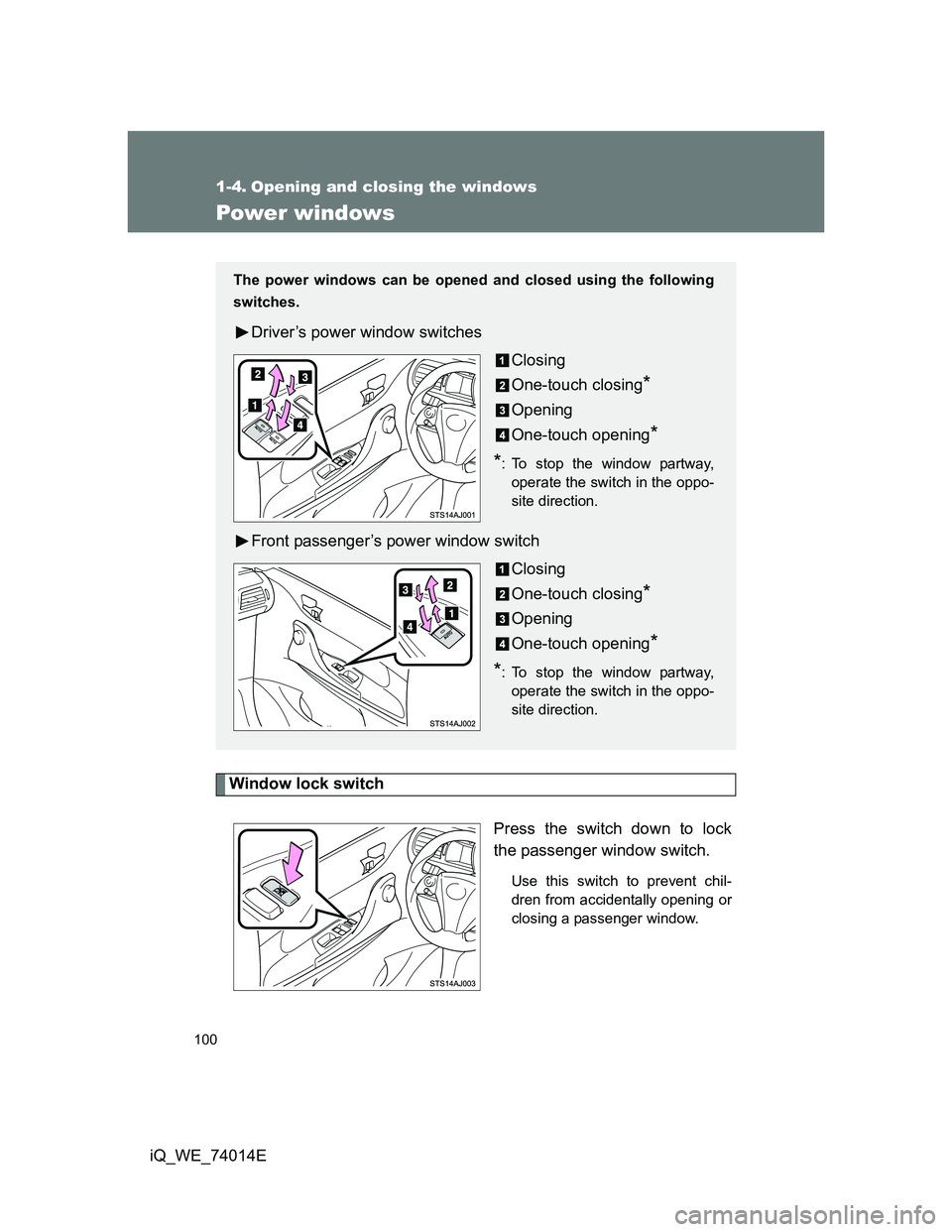
Window lock switch
Press the switch down to lock
the passenger window switch.
Use this switch to prevent chil-
dren from accidentally opening or
closing a passenger window.
The power windows can be opened and closed using the following
switches.
Driver’s power window switches
Closing
One-touch closing
*
Opening
One-touch opening
*
*
: To stop the window partway,
operate the switch in the oppo-
site direction.
Front passenger’s power window switch
Closing
One-touch closing
*
Opening
One-touch opening
*
*
: To stop the window partway,
operate the switch in the oppo-
site direction.
Page 117 of 476
117
1
1-6. Theft deterrent system
Before driving
iQ_WE_74014E
Double locking system
Setting the double locking system
Vehicles without smart entry & start system
Turn the engine switch to the LOCK position and remove the
key. Have all the passengers exit the vehicle and ensure that
all the doors are closed.
Press the button twice within 5 seconds.
Vehicles with smart entry & start system
Turn the “ENGINE START STOP” switch OFF, have all the
passengers exit the vehicle and ensure that all the doors are
closed.
Using the entry function:
Touch the lock sensor on the outside door handle or press the
lock button on the back door, twice within 5 seconds.
Using the wireless remote control:
Press the button twice within 5 seconds.
: If equipped
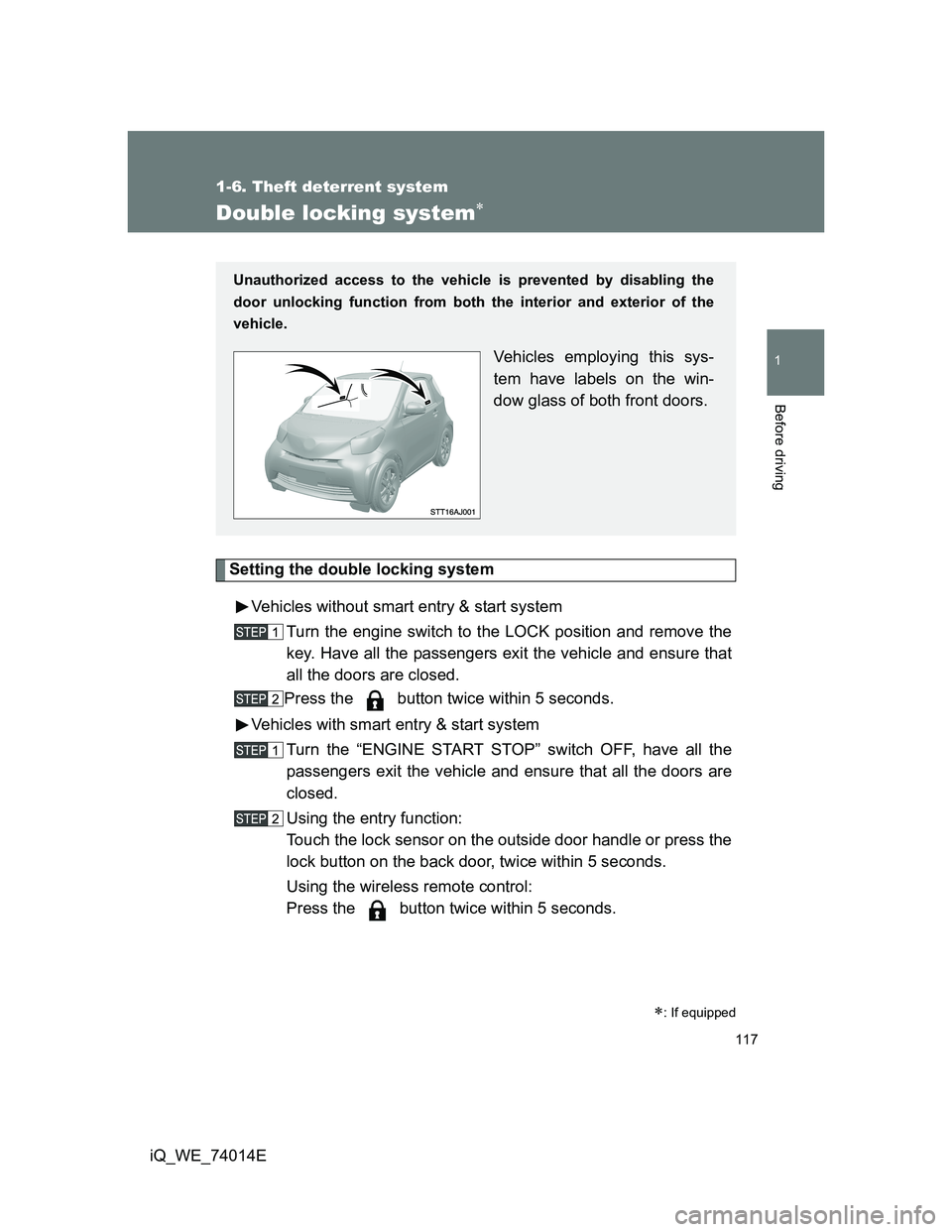
Unauthorized access to the vehicle is prevented by disabling the
door unlocking function from both the interior and exterior of the
vehicle.
Vehicles employing this sys-
tem have labels on the win-
dow glass of both front doors.
Page 118 of 476
118 1-6. Theft deterrent system
iQ_WE_74014E
Cancelling the double locking system
Using the entry function (vehicles with smart entry & start system):
Hold the outside door handle on the driver side.
Using the wireless remote control: Press the button.
CAUTION
Double locking system precaution
Never activate the double locking system when there are people in the vehi-
cle, because all the doors cannot be opened from inside the vehicle.
Page 119 of 476
119
1
1-6. Theft deterrent system
Before driving
iQ_WE_74014E
Alarm
: If equipped
The system sounds the alarm and flashes lights when forcible entry
is detected.
Triggering of the alarm
The alarm is triggered in the following situations when the alarm
is set.
A locked door is unlocked or opened in any way other than
using the entry function (vehicles with smart entry & start sys-
tem) or wireless remote control. (The doors will lock again
automatically.)
The hood is opened.
The back door window is tapped or broken.
The battery is reconnected.
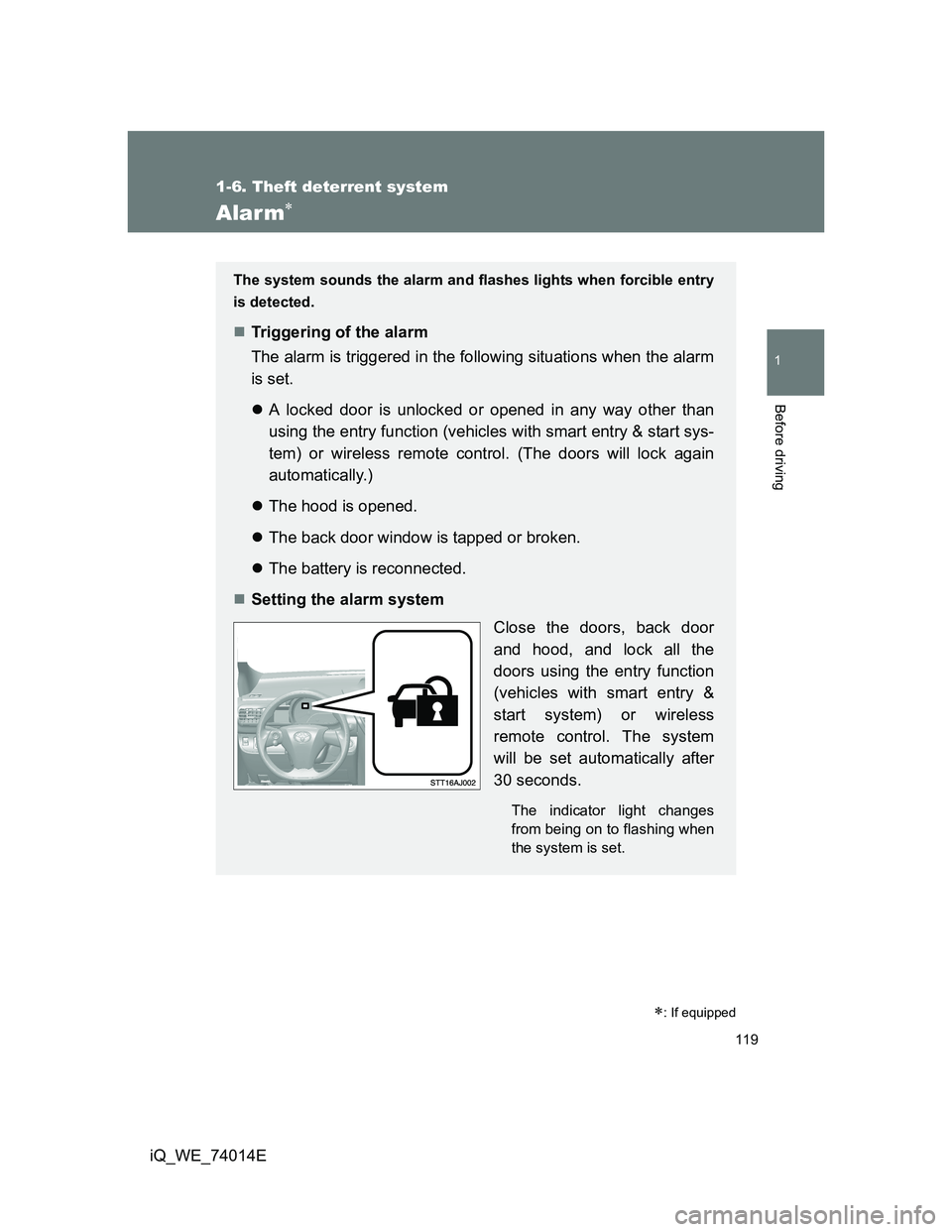
Setting the alarm system
Close the doors, back door
and hood, and lock all the
doors using the entry function
(vehicles with smart entry &
start system) or wireless
remote control. The system
will be set automatically after
30 seconds.
The indicator light changes
from being on to flashing when
the system is set.
Page 120 of 476
120 1-6. Theft deterrent system
iQ_WE_74014E
System maintenance
The vehicle has a maintenance-free type alarm system.
Items to check before locking the vehicle
To prevent unexpected triggering of the alarm and vehicle theft, make sure
of the following.
Nobody is in the vehicle.
The windows are closed before the alarm is set.
No valuables or other personal items are left in the vehicle.
Triggering of the alarm
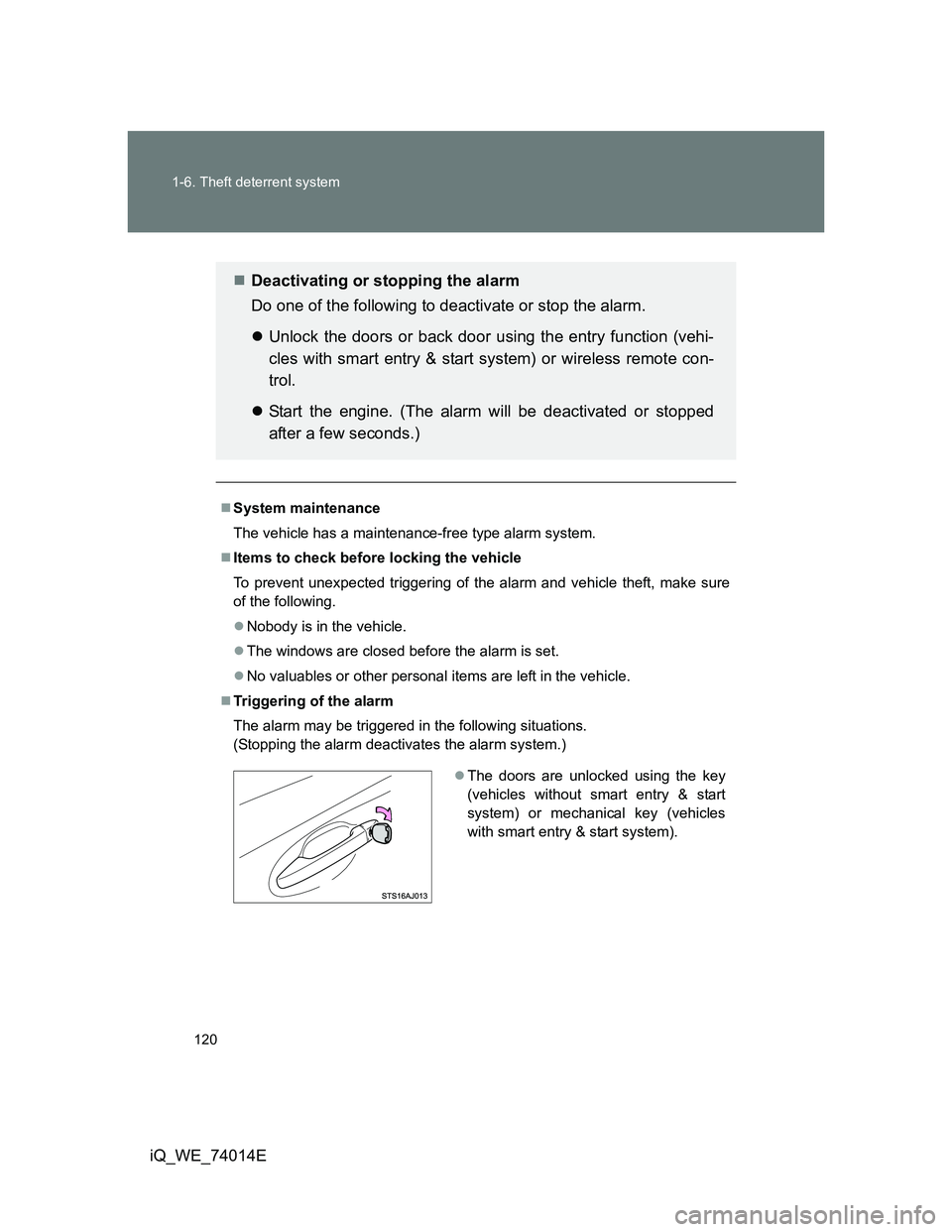
The alarm may be triggered in the following situations.
(Stopping the alarm deactivates the alarm system.)
Deactivating or stopping the alarm
Do one of the following to deactivate or stop the alarm.
Unlock the doors or back door using the entry function (vehi-
cles with smart entry & start system) or wireless remote con-
trol.
Start the engine. (The alarm will be deactivated or stopped
after a few seconds.)
The doors are unlocked using the key
(vehicles without smart entry & start
system) or mechanical key (vehicles
with smart entry & start system).
Page 121 of 476
121 1-6. Theft deterrent system
1
Before driving
iQ_WE_74014E
When the battery is disconnected
Be sure to cancel the alarm system.
If the battery is disconnected before canceling the alarm, the system may be
triggered when the battery is reconnected.
Alarm-operated door lock
When the alarm is operating, the doors are locked automatically to pre-
vent intruders.
Do not leave the key inside the vehicle when the alarm is operating, and
make sure the key is not inside the vehicle when recharging or replacing
the battery.
NOTICE
To ensure the system operates correctly
Do not modify or remove the system. If modified or removed, the proper
operation of the system cannot be guaranteed.
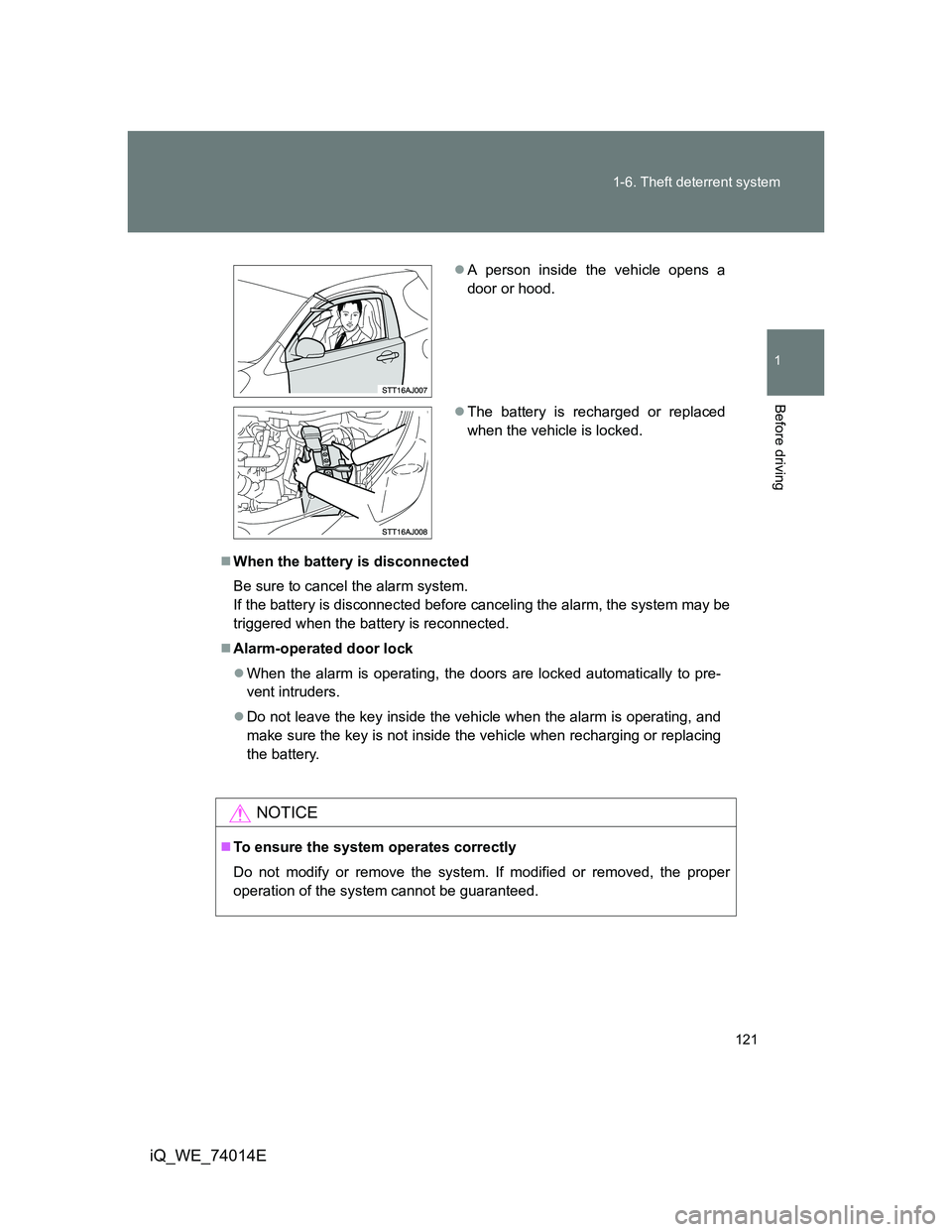
A person inside the vehicle opens a
door or hood.
The battery is recharged or replaced
when the vehicle is locked.
Page 123 of 476
123 1-7. Safety information
1
Before driving
iQ_WE_74014E
CAUTION
While driving
Do not adjust the position of the driver’s seat while driving.
Doing so could cause the driver to lose control of the vehicle.
Do not place a cushion between the driver or passenger and the seatback.
A cushion may prevent correct posture from being achieved, and reduce
the effectiveness of the seat belt and head restraint, increasing the risk of
death or serious injury to the driver or passenger.
Do not place anything under the front seats.
Objects placed under the front seats may become jammed in the seat
tracks and stop the seat from locking in place. This may lead to an acci-
dent. The adjustment mechanism may also be damaged.
Adjusting the seat position
Take care when adjusting the seat position to ensure that other passen-
gers are not injured by the moving seat.
Do not put your hands under the seat or near the moving parts to avoid
injury.
Fingers or hands may become jammed in the seat mechanism.
Page 148 of 476
148
1-7. Safety information
iQ_WE_74014E
Installing child restraints
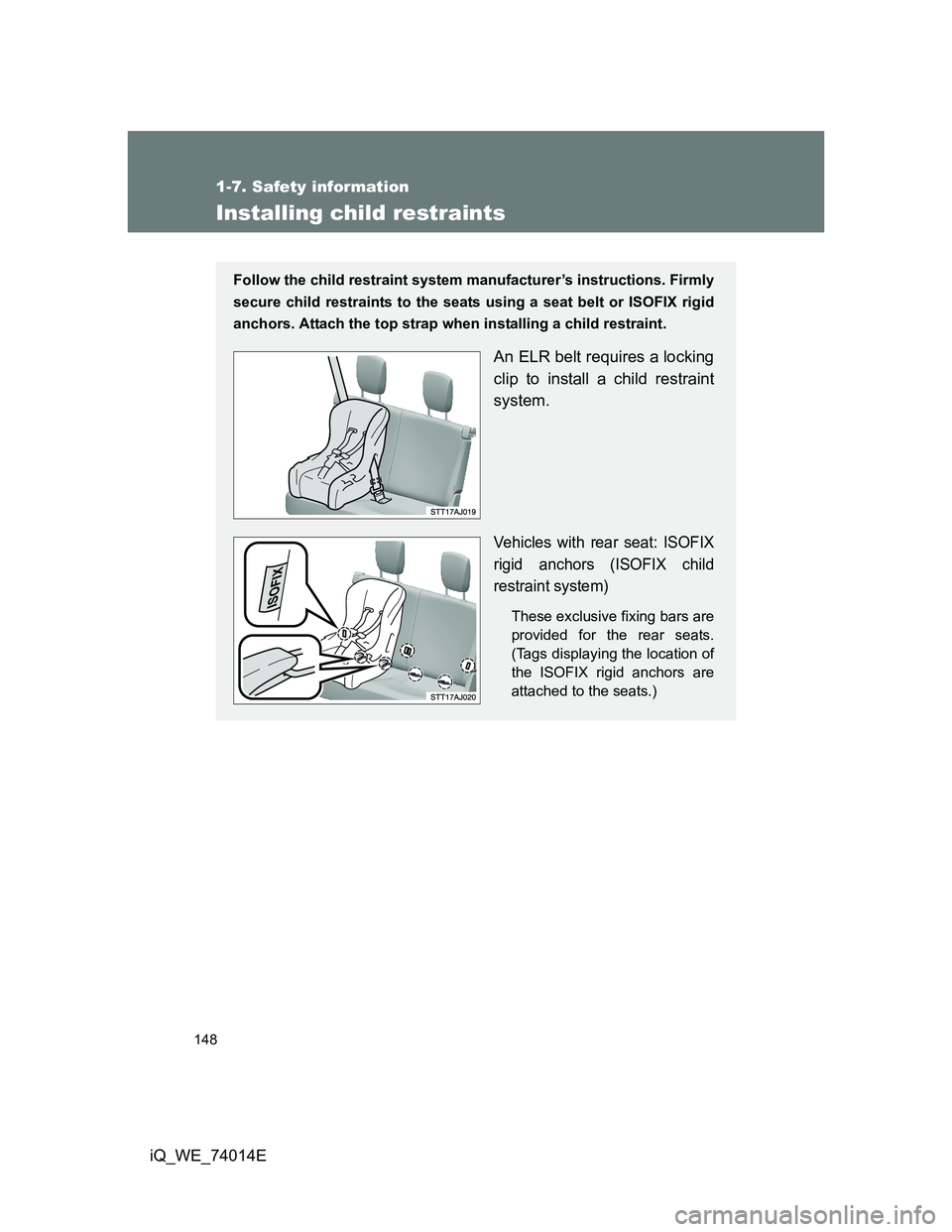
Follow the child restraint system manufacturer’s instructions. Firmly
secure child restraints to the seats using a seat belt or ISOFIX rigid
anchors. Attach the top strap when installing a child restraint.
An ELR belt requires a locking
clip to install a child restraint
system.
Vehicles with rear seat: ISOFIX
rigid anchors (ISOFIX child
restraint system)
These exclusive fixing bars are
provided for the rear seats.
(Tags displaying the location of
the ISOFIX rigid anchors are
attached to the seats.)
Page 151 of 476
151 1-7. Safety information
1
Before driving
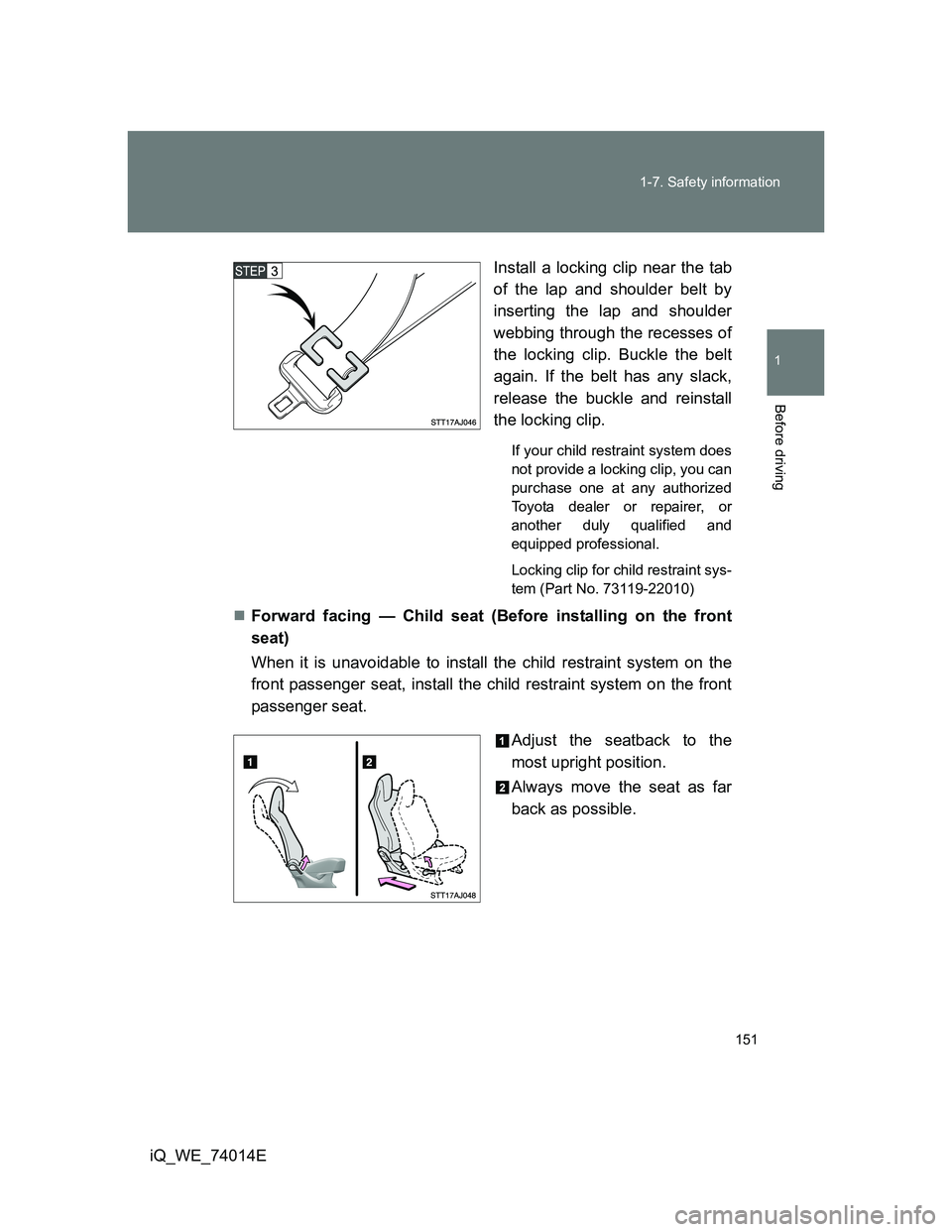
iQ_WE_74014EInstall a locking clip near the tab
of the lap and shoulder belt by
inserting the lap and shoulder
webbing through the recesses of
the locking clip. Buckle the belt
again. If the belt has any slack,
release the buckle and reinstall
the locking clip.
If your child restraint system does
not provide a locking clip, you can
purchase one at any authorized
Toyota dealer or repairer, or
another duly qualified and
equipped professional.
Locking clip for child restraint sys-
tem (Part No. 73119-22010)
Forward facing — Child seat (Before installing on the front
seat)
When it is unavoidable to install the child restraint system on the
front passenger seat, install the child restraint system on the front
passenger seat.
Adjust the seatback to the
most upright position.
Always move the seat as far
back as possible.
Page 152 of 476
152 1-7. Safety information
iQ_WE_74014EForward facing Child seat
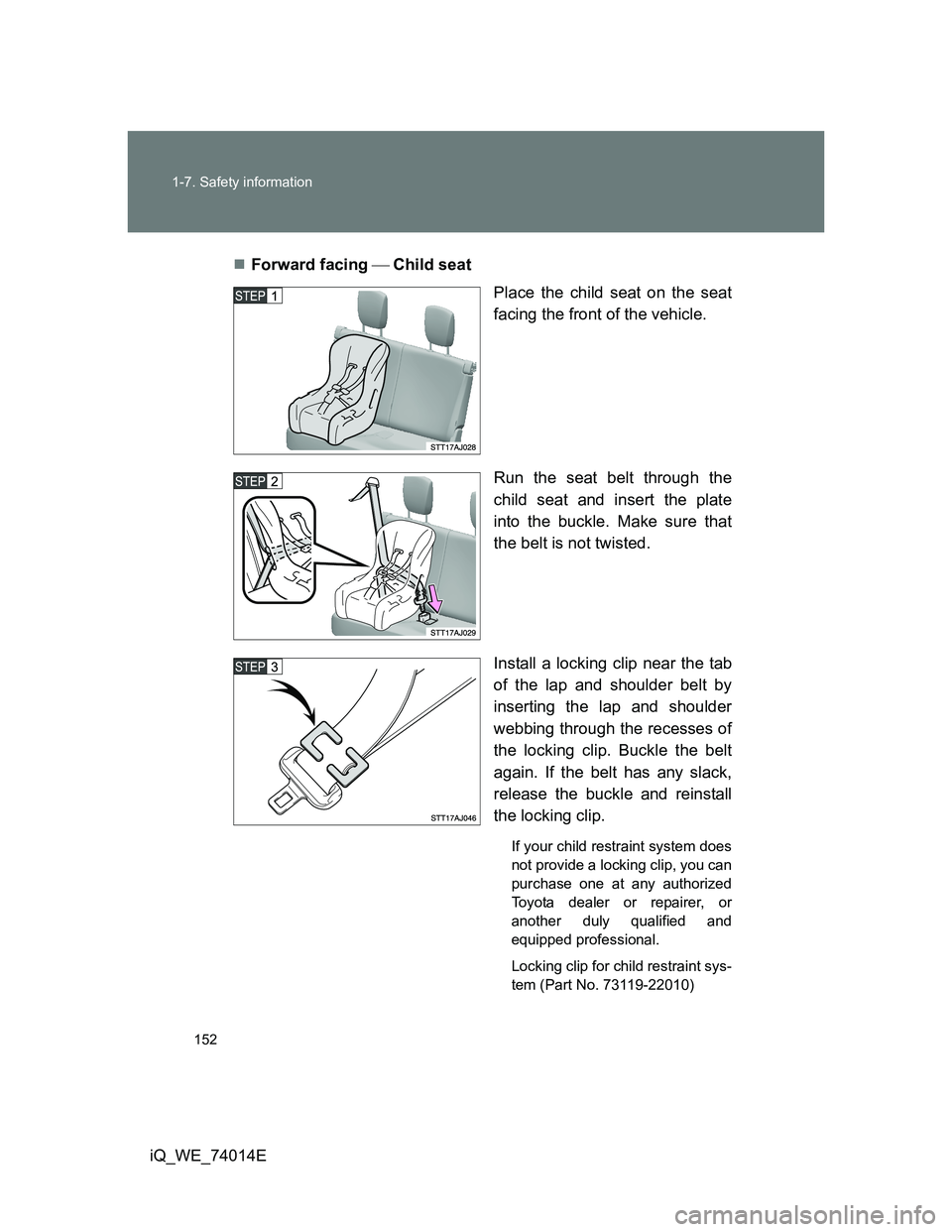
Place the child seat on the seat
facing the front of the vehicle.
Run the seat belt through the
child seat and insert the plate
into the buckle. Make sure that
the belt is not twisted.
Install a locking clip near the tab
of the lap and shoulder belt by
inserting the lap and shoulder
webbing through the recesses of
the locking clip. Buckle the belt
again. If the belt has any slack,
release the buckle and reinstall
the locking clip.
If your child restraint system does
not provide a locking clip, you can
purchase one at any authorized
Toyota dealer or repairer, or
another duly qualified and
equipped professional.
Locking clip for child restraint sys-
tem (Part No. 73119-22010)