lock TOYOTA IQ 2012 Owners Manual
[x] Cancel search | Manufacturer: TOYOTA, Model Year: 2012, Model line: IQ, Model: TOYOTA IQ 2012Pages: 476, PDF Size: 23.52 MB
Page 243 of 476
243 3-1. Using the air conditioning system and defogger
3
Interior features
iQ_WE_74014E
Air conditioning odors
During use, various odors from inside and outside the vehicle may enter
into and accumulate in the air conditioning system. This may then cause
odor to be emitted from the vents.
To reduce potential odors from occurring:
It is recommended that the air conditioning system be set to outside air
mode prior to turning the vehicle off.
CAUTION
To prevent the windshield from fogging up
Do not set the air outlet selection dial to during cool air operation in
extremely humid weather. The difference between the temperature of the
outside air and that of the windshield can cause the outer surface of the
windshield to fog up, blocking your vision.
NOTICE
To prevent battery discharge
Do not leave the air conditioning system on longer than necessary when the
engine is stopped.
Page 244 of 476
244
3-1. Using the air conditioning system and defogger
iQ_WE_74014E
Automatic air conditioning system
Using the automatic mode
Press .
The air conditioning system will begin to operate. Air outlets and fan
speed are automatically adjusted according to the temperature set-
ting.
Press .
The button lights up.
Turn the control dial clockwise (warm) or counterclockwise
(cool).
: If equipped
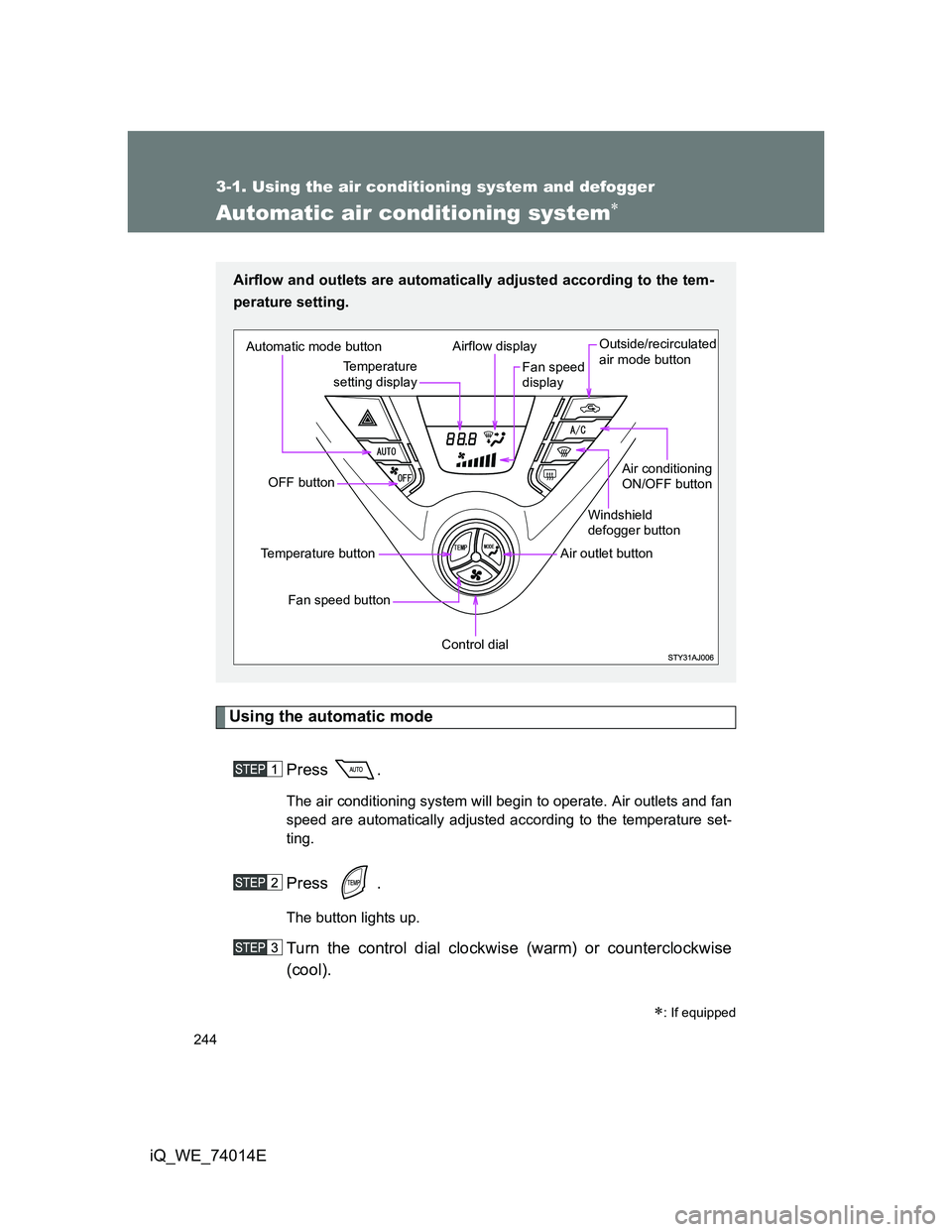
Airflow and outlets are automatically adjusted according to the tem-
perature setting.
Automatic mode button
OFF button
Fan speed button
Temperature button
Control dial
Air outlet buttonWindshield
defogger button
Air conditioning
ON/OFF button Outside/recirculated
air mode button
Fan speed
display Airflow display
Temperature
setting display
Page 245 of 476
245 3-1. Using the air conditioning system and defogger
3
Interior features
iQ_WE_74014E
Adjusting the settings
Adjusting the temperature setting
Press .
The button lights up.
Turn the control dial clockwise (warm) or counterclockwise
(cool).
Adjusting the fan speed
Press .
The button lights up.
Turn the control dial clockwise (increase) or counterclockwise
(decrease).
The fan speed is shown on the display. (7 levels)
Press to turn the fan off.
Page 251 of 476
251 3-1. Using the air conditioning system and defogger
3
Interior features
iQ_WE_74014E
When outside air temperature approaches 0C (32F)
The air conditioning system may not operate even when is pressed.
When
is selected for the air outlets used
For your driving comfort, air flowing to the feet may be warmer than air flow-
ing to the upper body depending on the position of the temperature adjust-
ment dial.
Air conditioning odors
During use, various odors from inside and outside the vehicle may enter
into and accumulate in the air conditioning system. This may then cause
odor to be emitted from the vents.
To reduce potential odors from occurring:
• It is recommended that the air conditioning system be set to outside air
mode prior to turning the vehicle off.
• The start timing of the blower may be delayed for a short period of time
immediately after the air conditioning system is started in AUTO mode.
CAUTION
To prevent the windshield from fogging up
Do not use during cool air operation in extremely humid weather. The
difference between the temperature of the outside air and that of the wind-
shield can cause the outer surface of the windshield to fog up, blocking your
vision.
NOTICE
To prevent battery discharge
Do not leave the air conditioning system on longer than necessary when the
engine is stopped.
Page 286 of 476
286
iQ_WE_74014E
3-3. Using the interior lights
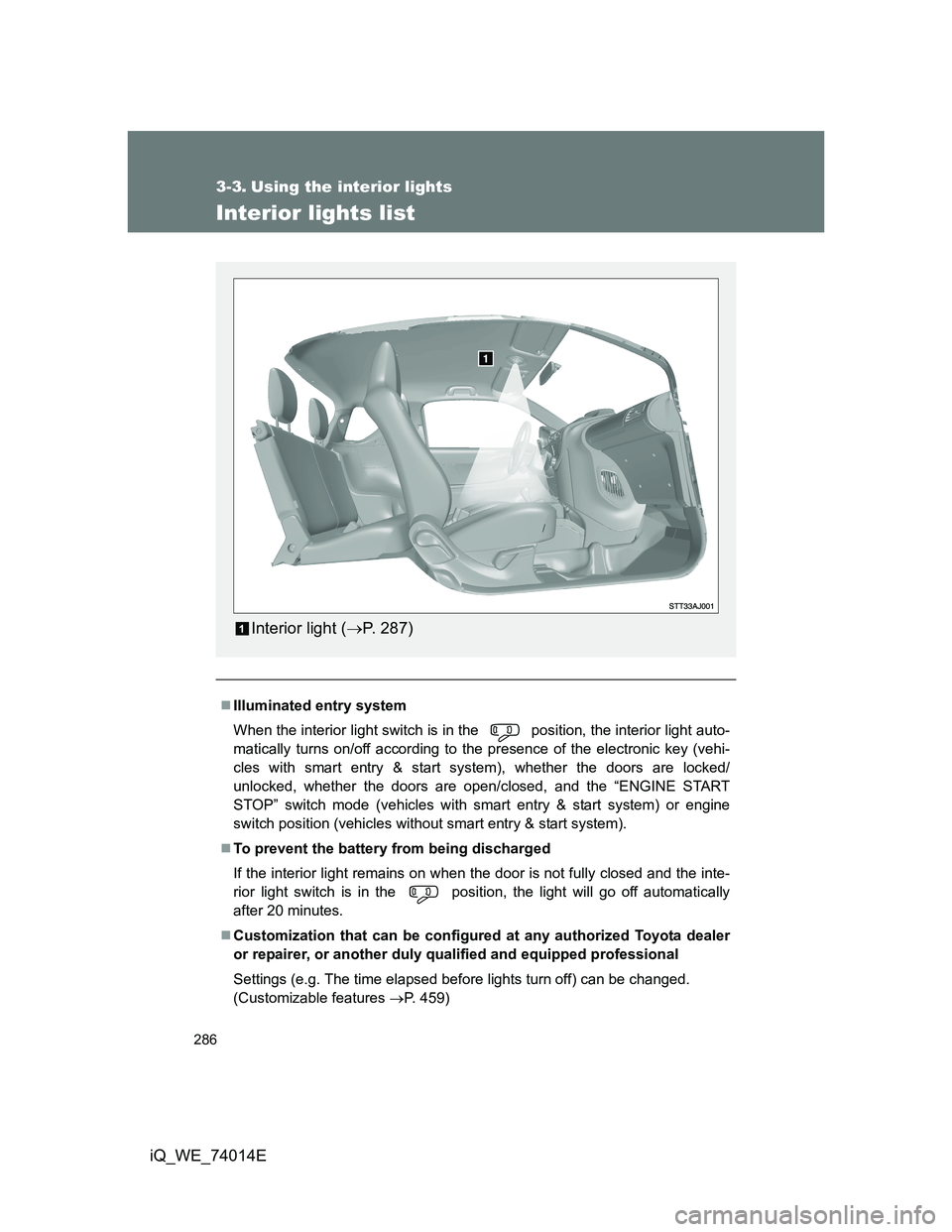
Interior lights list
Illuminated entry system
When the interior light switch is in the position, the interior light auto-
matically turns on/off according to the presence of the electronic key (vehi-
cles with smart entry & start system), whether the doors are locked/
unlocked, whether the doors are open/closed, and the “ENGINE START
STOP” switch mode (vehicles with smart entry & start system) or engine
switch position (vehicles without smart entry & start system).
To prevent the battery from being discharged
If the interior light remains on when the door is not fully closed and the inte-
rior light switch is in the position, the light will go off automatically
after 20 minutes.
Customization that can be configured at any authorized Toyota dealer
or repairer, or another duly qualified and equipped professional
Settings (e.g. The time elapsed before lights turn off) can be changed.
(Customizable features P. 459)
Interior light (P. 287)
Page 292 of 476
292 3-4. Using the storage features
iQ_WE_74014E
CAUTION
Observe the following precautions. Failure to do so may result in death or seri-
ous injury.
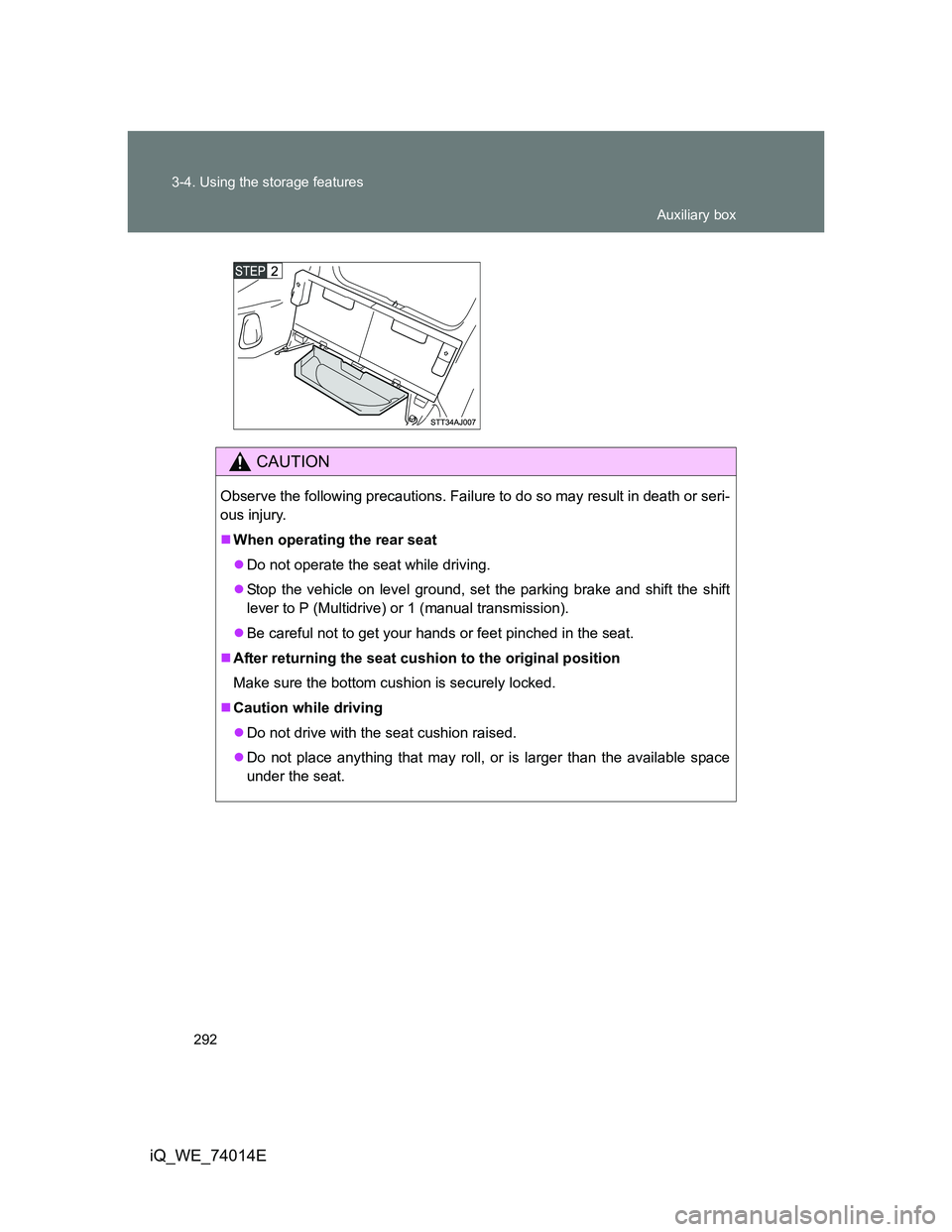
When operating the rear seat
Do not operate the seat while driving.
Stop the vehicle on level ground, set the parking brake and shift the shift
lever to P (Multidrive) or 1 (manual transmission).
Be careful not to get your hands or feet pinched in the seat.
After returning the seat cushion to the original position
Make sure the bottom cushion is securely locked.
Caution while driving
Do not drive with the seat cushion raised.
Do not place anything that may roll, or is larger than the available space
under the seat.
Auxiliary box
Page 317 of 476
317 4-3. Do-it-yourself maintenance
4
Maintenance and care
iQ_WE_74014E
CAUTION
The engine compartment contains many mechanisms and fluids that may
move suddenly, become hot, or become electrically energized. To avoid death
or serious injury, observe the following precautions.
When working on the engine compartment
Keep hands, clothing, and tools away from the moving fan and engine
drive belt.
Be careful not to touch the engine, radiator, exhaust manifold, etc. right
after driving as they may be hot. Oil and other fluids may also be hot.
Do not leave anything that may burn easily, such as paper or rags, in the
engine compartment.
Do not smoke, cause sparks or expose an open flame to fuel or the bat-
tery. Fuel and battery fumes are flammable.
Be extremely cautious when working on the battery. It contains poisonous
and corrosive sulfuric acid.
Take care because brake fluid can harm your hands or eyes and damage
painted surfaces.
If fluid gets on your hands or in your eyes, flush the affected area with
clean water immediately.
If you still experience discomfort, see a doctor.
When working near the electric cooling fan or radiator grille
Vehicles without smart entry & start system:
Be sure the engine switch is in the LOCK position.
With the engine switch in the ON position, the electric cooling fan may
automatically start to run if the air conditioning system is on and/or the
coolant temperature is high. (P. 342)
Vehicles with smart entry & start system:
Be sure the “ENGINE START STOP” switch is in the OFF.
With the “ENGINE START STOP” switch in the IGNITION ON mode, the
electric cooling fan may automatically start to run if the air conditioning
system is on and/or the coolant temperature is high. (P. 342)
Safety glasses
Wear safety glasses to prevent flying or falling material, fluid spray, etc. from
getting in the eyes.
Page 319 of 476
319
4-3. Do-it-yourself maintenance
4
Maintenance and care
iQ_WE_74014E
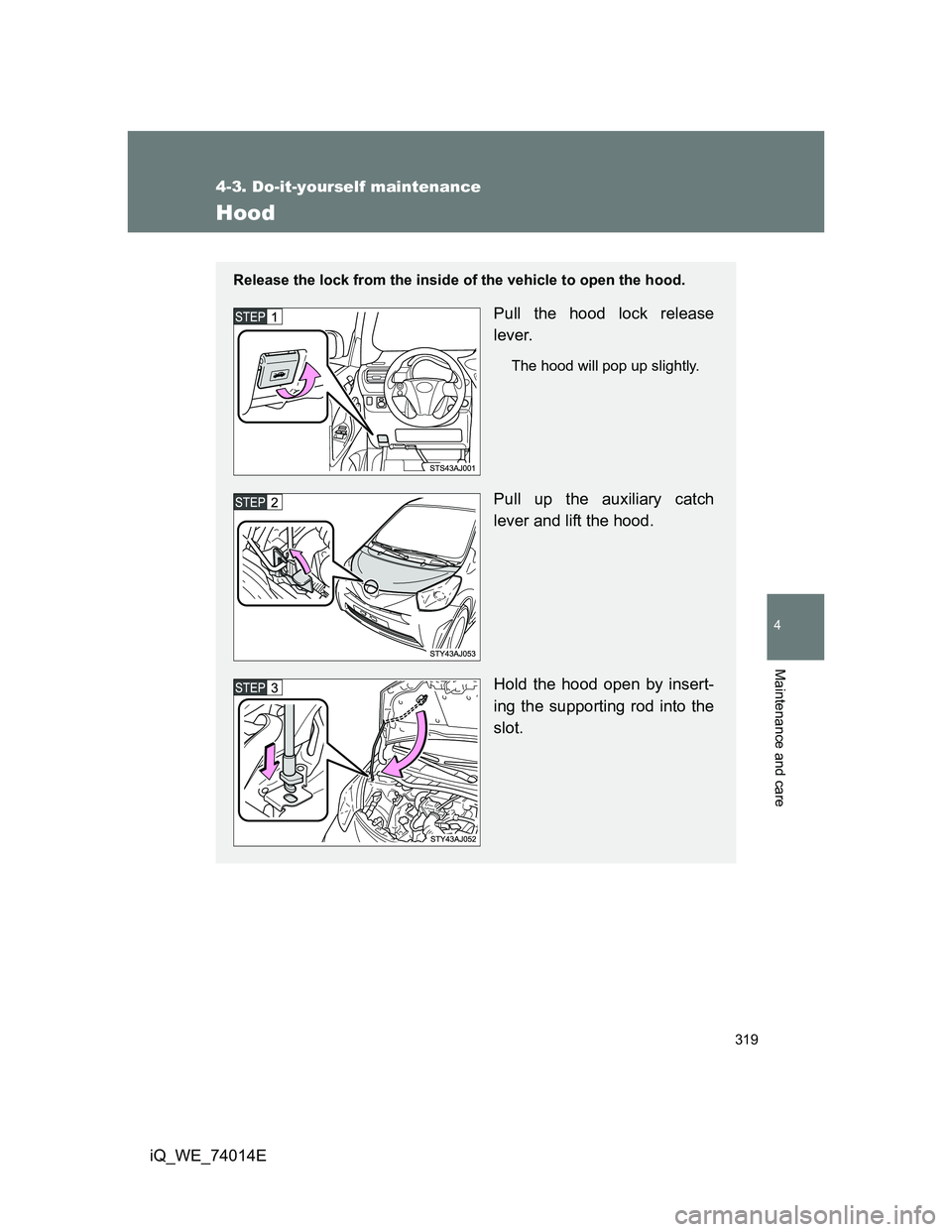
Hood
Release the lock from the inside of the vehicle to open the hood.
Pull the hood lock release
lever.
The hood will pop up slightly.
Pull up the auxiliary catch
lever and lift the hood.
Hold the hood open by insert-
ing the supporting rod into the
slot.
Page 320 of 476
320 4-3. Do-it-yourself maintenance
iQ_WE_74014E
CAUTION
Pre-driving check
Check that the hood is fully closed and locked.
If the hood is not locked properly, it may open while the vehicle is in motion
and cause an accident, which may result in death or serious injury.
When opening the hood
Make sure to use the support rod to support the hood when opening it,
ensuring that the rod is fixed correctly. The hood may stay open without sup-
port on slope, however, it is dangerous because the hood may suddenly
close.
NOTICE
When closing the hood
Be sure to return the support rod to its clip before closing the hood. Closing
the hood with the support rod up could cause the hood to bend.
Page 338 of 476
338 4-3. Do-it-yourself maintenance
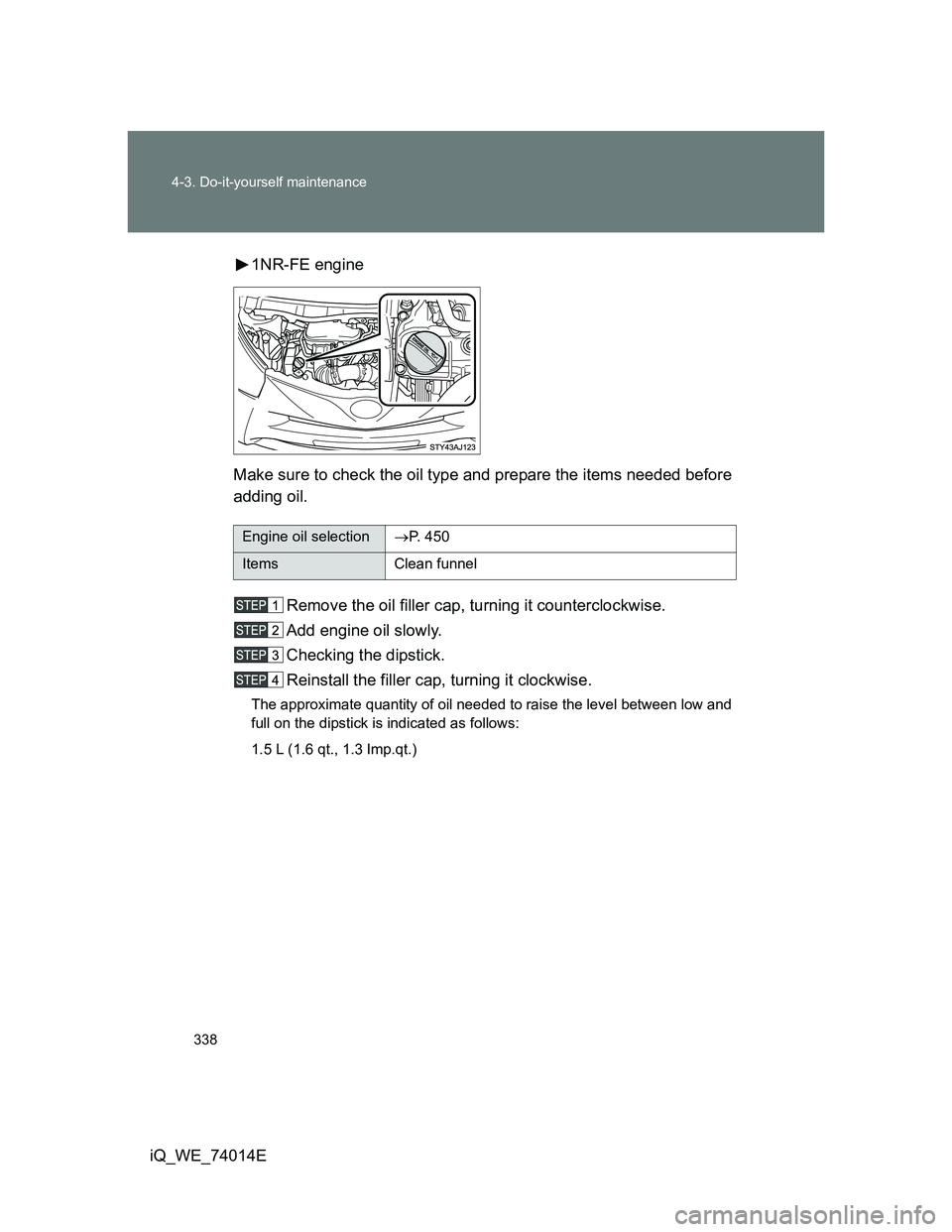
iQ_WE_74014E1NR-FE engine
Make sure to check the oil type and prepare the items needed before
adding oil.
Remove the oil filler cap, turning it counterclockwise.
Add engine oil slowly.
Checking the dipstick.
Reinstall the filler cap, turning it clockwise.
The approximate quantity of oil needed to raise the level between low and
full on the dipstick is indicated as follows:
1.5 L (1.6 qt., 1.3 Imp.qt.)
Engine oil selectionP. 4 5 0
Items Clean funnel