stop start TOYOTA IQ 2012 Repair Manual
[x] Cancel search | Manufacturer: TOYOTA, Model Year: 2012, Model line: IQ, Model: TOYOTA IQ 2012Pages: 476, PDF Size: 23.52 MB
Page 396 of 476
396
5-1. Essential information
iQ_WE_74014E
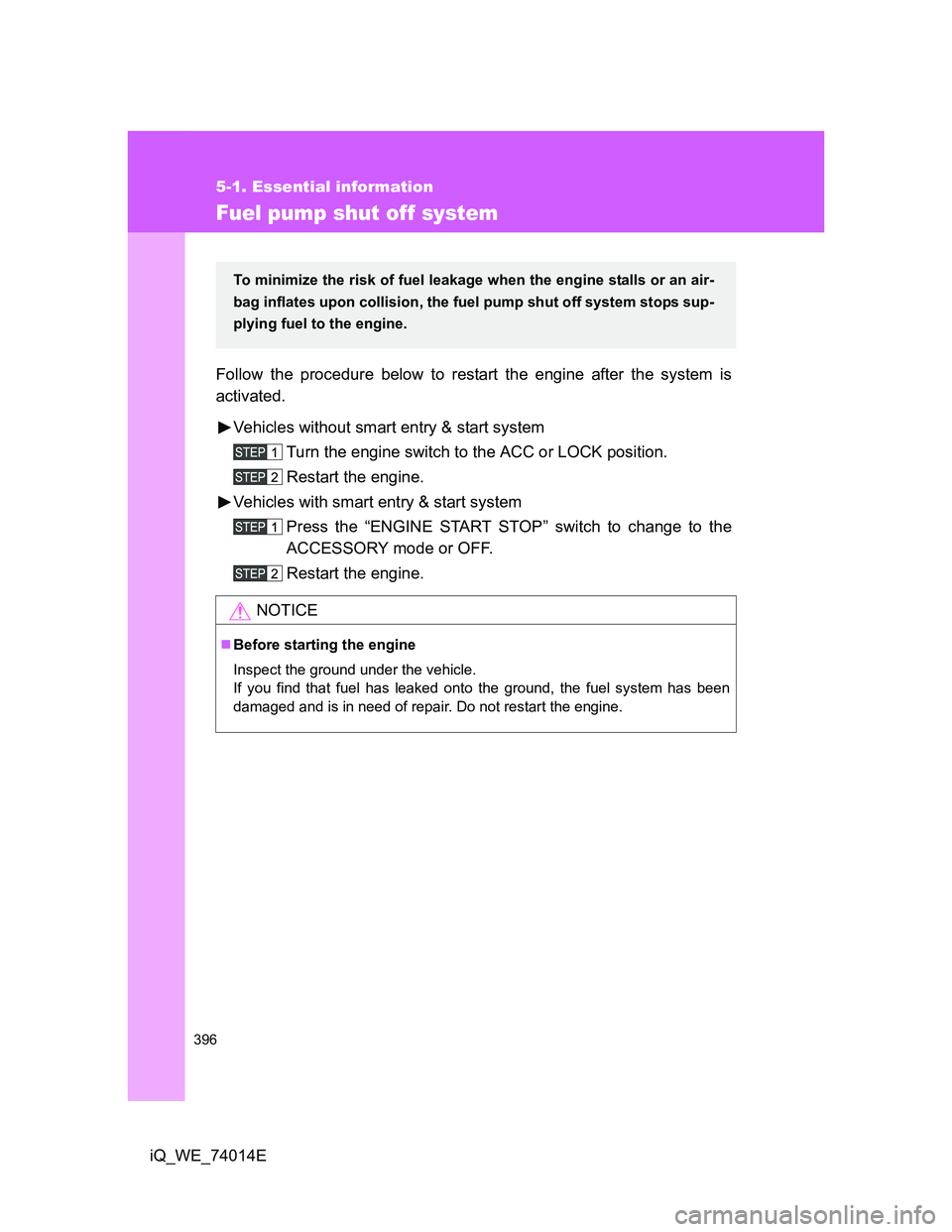
Fuel pump shut off system
Follow the procedure below to restart the engine after the system is
activated.
Vehicles without smart entry & start system
Turn the engine switch to the ACC or LOCK position.
Restart the engine.
Vehicles with smart entry & start system
Press the “ENGINE START STOP” switch to change to the
ACCESSORY mode or OFF.
Restart the engine.
NOTICE
Before starting the engine
Inspect the ground under the vehicle.
If you find that fuel has leaked onto the ground, the fuel system has been
damaged and is in need of repair. Do not restart the engine.
To minimize the risk of fuel leakage when the engine stalls or an air-
bag inflates upon collision, the fuel pump shut off system stops sup-
plying fuel to the engine.
Page 401 of 476
5
401 5-2. Steps to take in an emergency
When trouble arises
iQ_WE_74014E
*3: Rear passenger’s seat belt reminders:
The rear passenger’s seat belt reminder sounds to alert the rear passenger
that his or her seat belt is not fastened. The buzzer sounds for 30 seconds
after the vehicle has reached a speed of at least 20 km/h (12 mph). Then, if
the seat belt is still unfastened, the buzzer will sound in a different tone for
90 more seconds.
*4: Left-hand drive vehicles with audio system
*5: Right-hand drive vehicles with audio system
*6: Vehicles without audio system
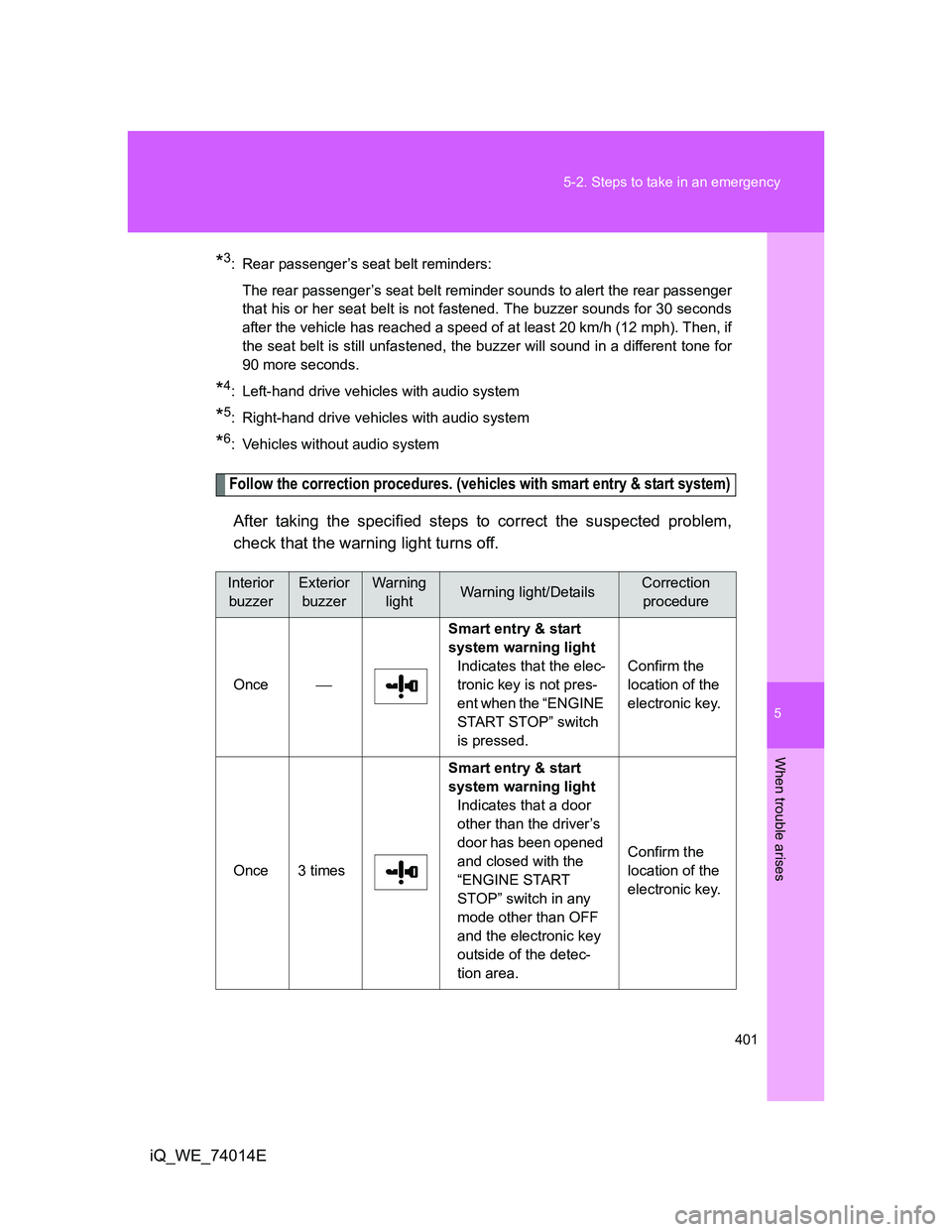
Follow the correction procedures. (vehicles with smart entry & start system)
After taking the specified steps to correct the suspected problem,
check that the warning light turns off.
Interior
buzzerExterior
buzzerWarning
lightWarning light/DetailsCorrection
procedure
OnceSmart entry & start
system warning light
Indicates that the elec-
tronic key is not pres-
ent when the “ENGINE
START STOP” switch
is pressed.Confirm the
location of the
electronic key.
Once 3 timesSmart entry & start
system warning light
Indicates that a door
other than the driver’s
door has been opened
and closed with the
“ENGINE START
STOP” switch in any
mode other than OFF
and the electronic key
outside of the detec-
tion area.Confirm the
location of the
electronic key.
Page 402 of 476
402 5-2. Steps to take in an emergency
iQ_WE_74014E
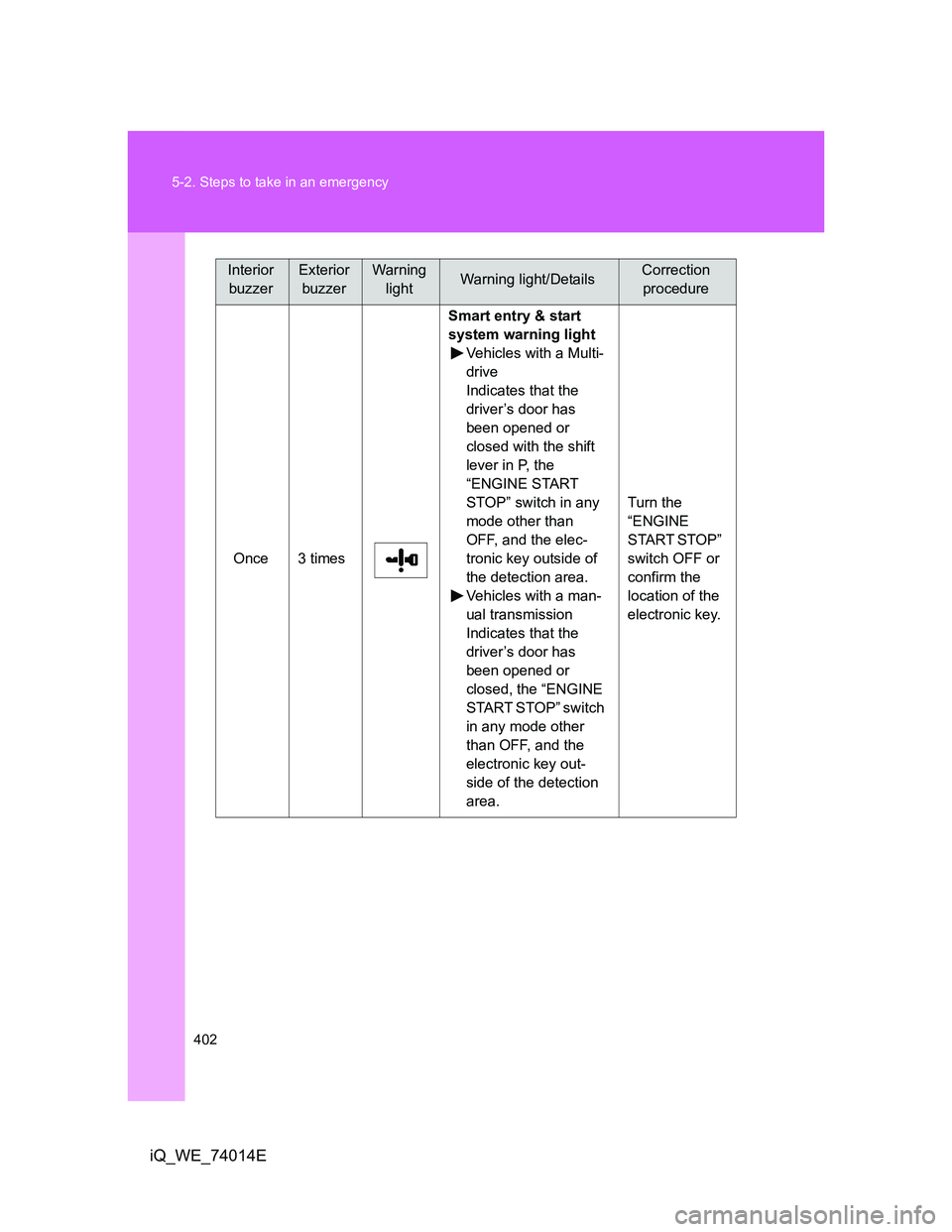
Once 3 timesSmart entry & start
system warning light
Vehicles with a Multi-
drive
Indicates that the
driver’s door has
been opened or
closed with the shift
lever in P, the
“ENGINE START
STOP” switch in any
mode other than
OFF, and the elec-
tronic key outside of
the detection area.
Vehicles with a man-
ual transmission
Indicates that the
driver’s door has
been opened or
closed, the “ENGINE
START STOP” switch
in any mode other
than OFF, and the
electronic key out-
side of the detection
area.Turn the
“ENGINE
START STOP”
switch OFF or
confirm the
location of the
electronic key.
Interior
buzzerExterior
buzzerWarning
lightWarning light/DetailsCorrection
procedure
Page 403 of 476
5
403 5-2. Steps to take in an emergency
When trouble arises
iQ_WE_74014E
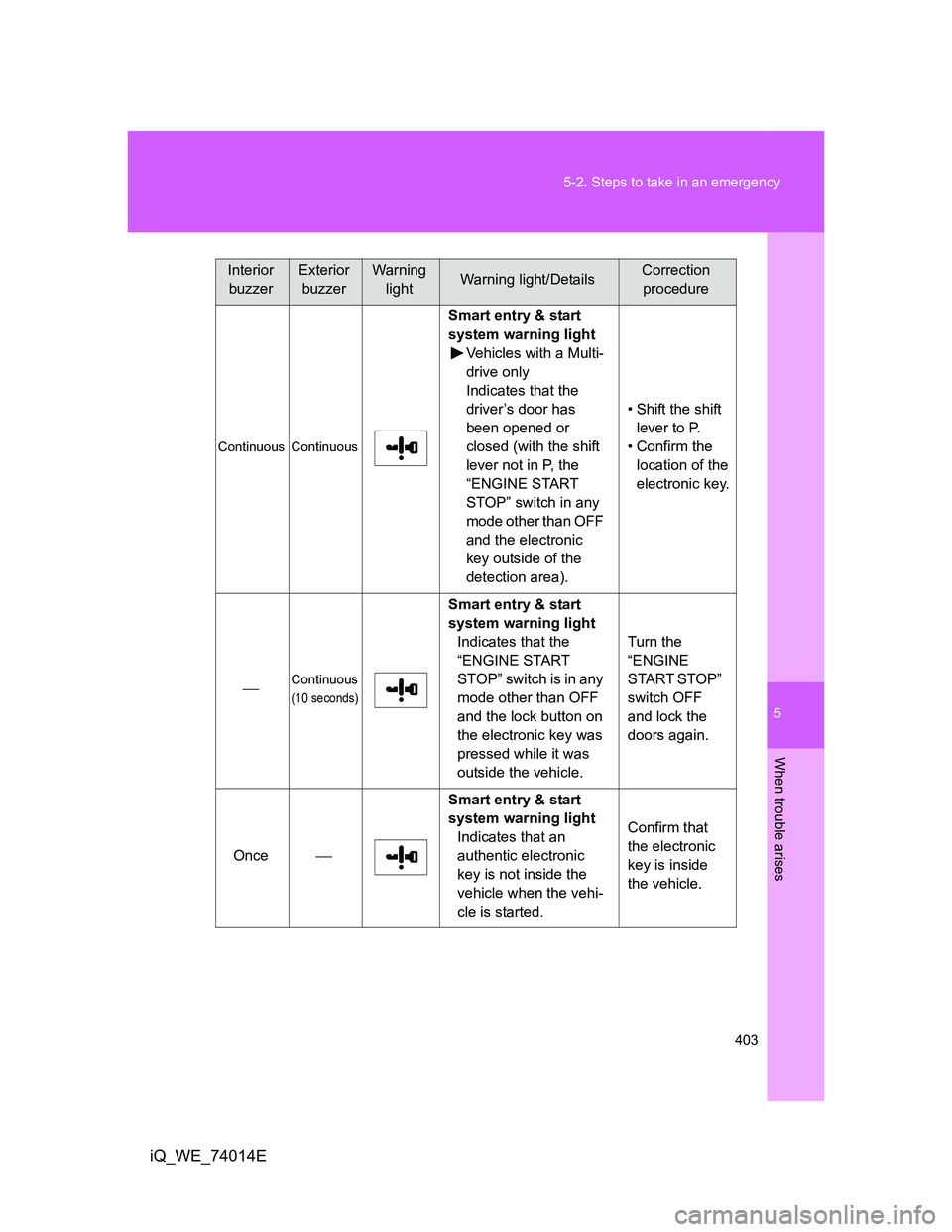
Continuous Continuous
Smart entry & start
system warning light
Vehicles with a Multi-
drive only
Indicates that the
driver’s door has
been opened or
closed (with the shift
lever not in P, the
“ENGINE START
STOP” switch in any
mode other than OFF
and the electronic
key outside of the
detection area).• Shift the shift
lever to P.
• Confirm the
location of the
electronic key.
Continuous
(10 seconds)
Smart entry & start
system warning light
Indicates that the
“ENGINE START
STOP” switch is in any
mode other than OFF
and the lock button on
the electronic key was
pressed while it was
outside the vehicle.Turn the
“ENGINE
START STOP”
switch OFF
and lock the
doors again.
OnceSmart entry & start
system warning light
Indicates that an
authentic electronic
key is not inside the
vehicle when the vehi-
cle is started.Confirm that
the electronic
key is inside
the vehicle.
Interior
buzzerExterior
buzzerWarning
lightWarning light/DetailsCorrection
procedure
Page 424 of 476
424 5-2. Steps to take in an emergency
iQ_WE_74014E
Emergency start function (vehicles with smart entry & start system)
When the engine does not start, the following steps can be used as
an interim measure to start the engine if the “ENGINE START STOP”
switch is functioning normally.
Set the parking brake.
Put the shift lever in P (Multidrive) or N (manual transmission).
Set the “ENGINE START STOP” switch to the ACCESSORY
mode.
Vehicles with a Multidrive: Press and hold the “ENGINE
START STOP” switch for about 15 seconds while depressing
the brake pedal firmly.
Vehicles with a manual transmission: Press and hold the
“ENGINE START STOP” switch for about 15 seconds while
depressing the brake pedal firmly and also depressing the
clutch pedal.
Even if the engine can be started using the above steps, the system
may be malfunctioning. Have the vehicle checked by any authorized
Toyota dealer or repairer, or another duly qualified and equipped pro-
fessional.
The starter motor does not turn over, the interior lights and
headlights do not turn on, or the horn does not sound.
One of the following may be the cause of the problem.
One or both of the battery terminals may be disconnected.
The battery may be discharged. (P. 430)
There may be a malfunction in the steering lock system (vehi-
cles with smart entry & start system).
Contact any authorized Toyota dealer or repairer, or another duly
qualified and equipped professional, if the problem cannot be
repaired, or if repair procedures are unknown.
Page 425 of 476
5
425
5-2. Steps to take in an emergency
When trouble arises
iQ_WE_74014E
If the shift lever cannot be shifted from P (vehicles with a Multidrive)
If the shift lever cannot be shifted with your foot on the brake, there
may be a problem with the shift lock system (a system to prevent
accidental operation of the shift lever). Have the vehicle inspected by
any authorized Toyota dealer or repairer, or another duly qualified
and equipped professional, immediately.
The following steps may be used as an emergency measure to
ensure that the shift lever can be shifted.
Set the parking brake.
Vehicles without smart entry & start system: Turn the
engine switch to the ACC position.
Vehicles with smart entry & start system: Turn the “ENGINE
START STOP” switch to the ACCESSORY mode.
Depress the brake pedal.
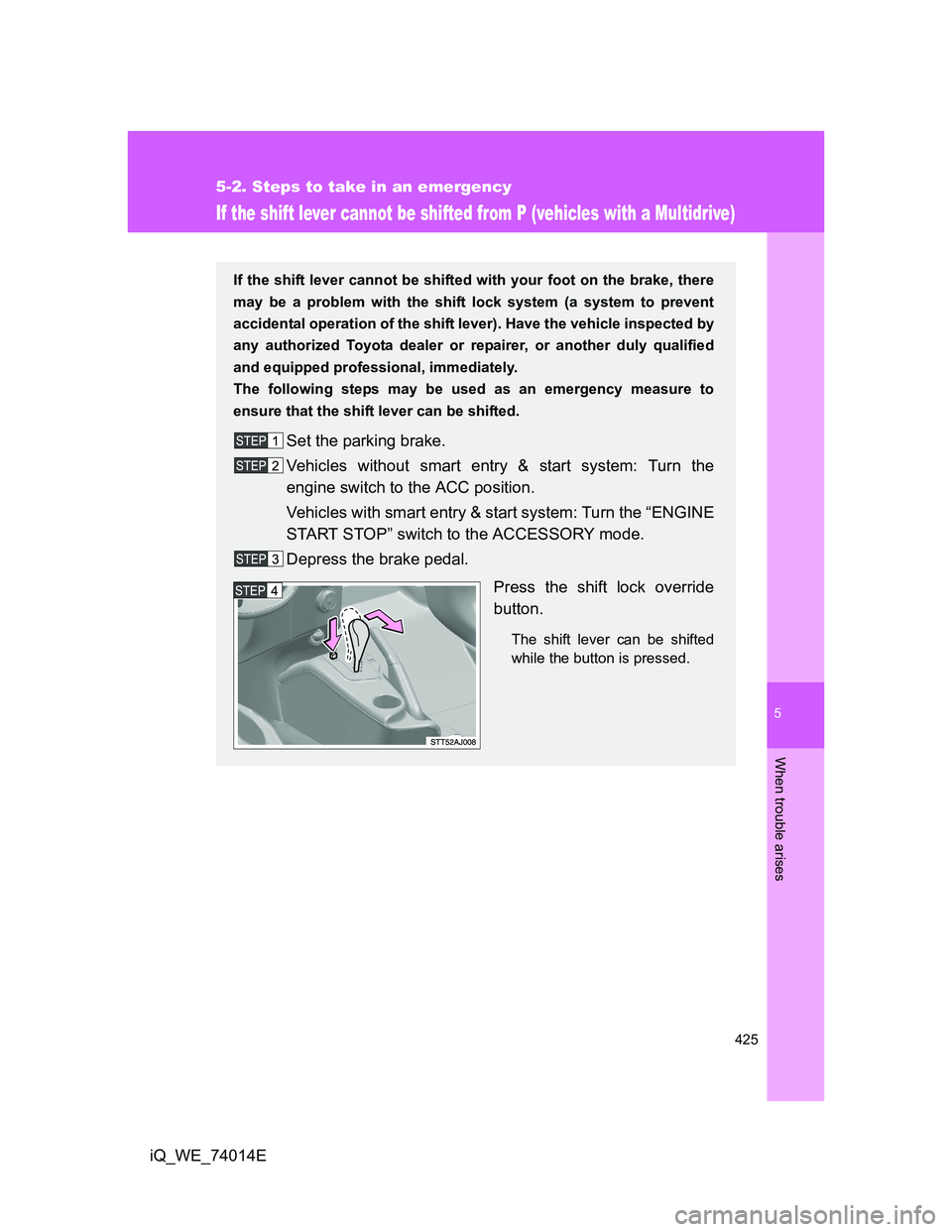
Press the shift lock override
button.
The shift lever can be shifted
while the button is pressed.
Page 427 of 476
5
427
5-2. Steps to take in an emergency
When trouble arises
iQ_WE_74014E
If the electronic key does not operate properly (vehicles with smart entr y & start system)
Locking and unlocking the doors (with the mechanical key)
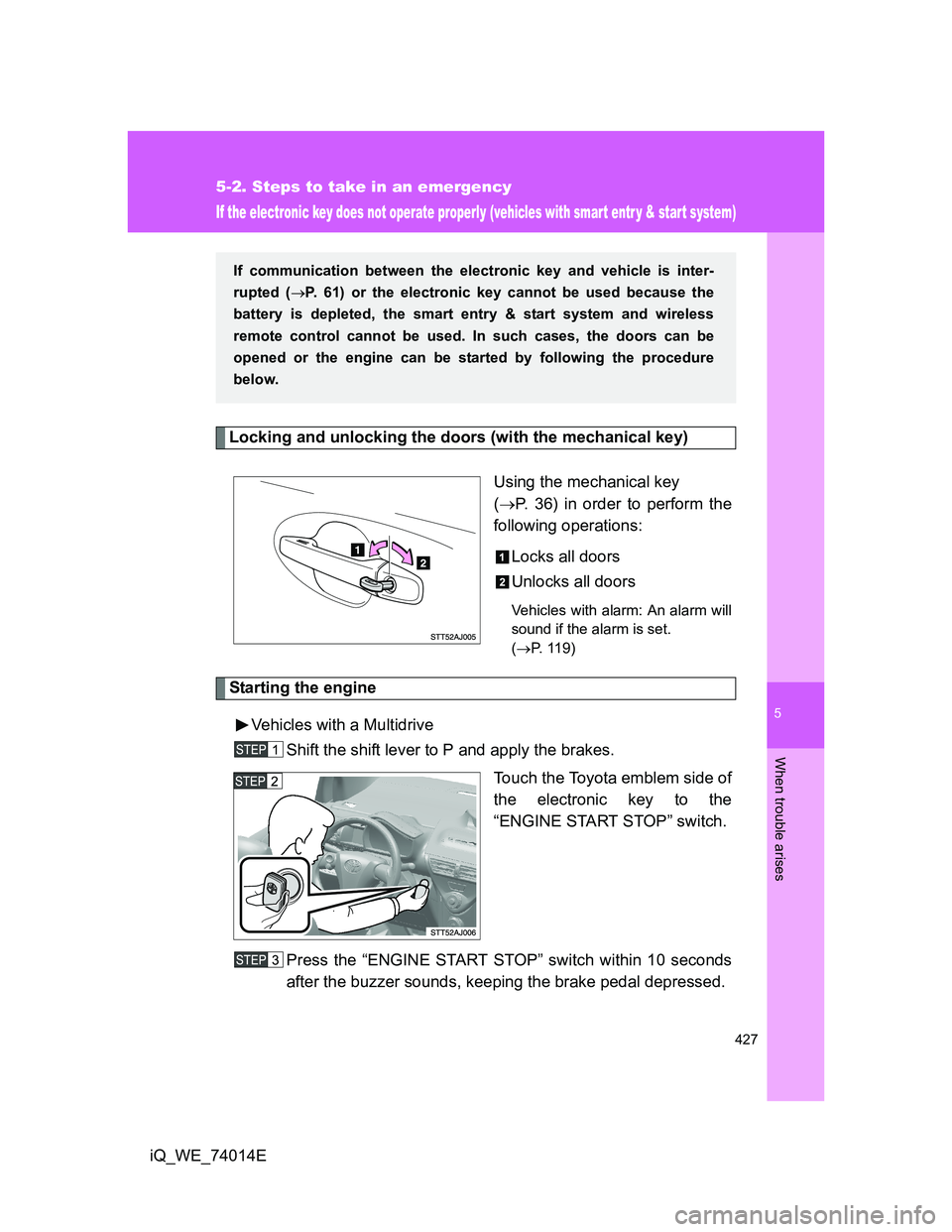
Using the mechanical key
(P. 36) in order to perform the
following operations:
Locks all doors
Unlocks all doors
Vehicles with alarm: An alarm will
sound if the alarm is set.
(P. 119)
Starting the engine
Vehicles with a Multidrive
Shift the shift lever to P and apply the brakes.
Touch the Toyota emblem side of
the electronic key to the
“ENGINE START STOP” switch.
Press the “ENGINE START STOP” switch within 10 seconds
after the buzzer sounds, keeping the brake pedal depressed.
If communication between the electronic key and vehicle is inter-
rupted (P. 61) or the electronic key cannot be used because the
battery is depleted, the smart entry & start system and wireless
remote control cannot be used. In such cases, the doors can be
opened or the engine can be started by following the procedure
below.
Page 428 of 476
428 5-2. Steps to take in an emergency
iQ_WE_74014EVehicles with a manual transmission
Depress the clutch pedal.
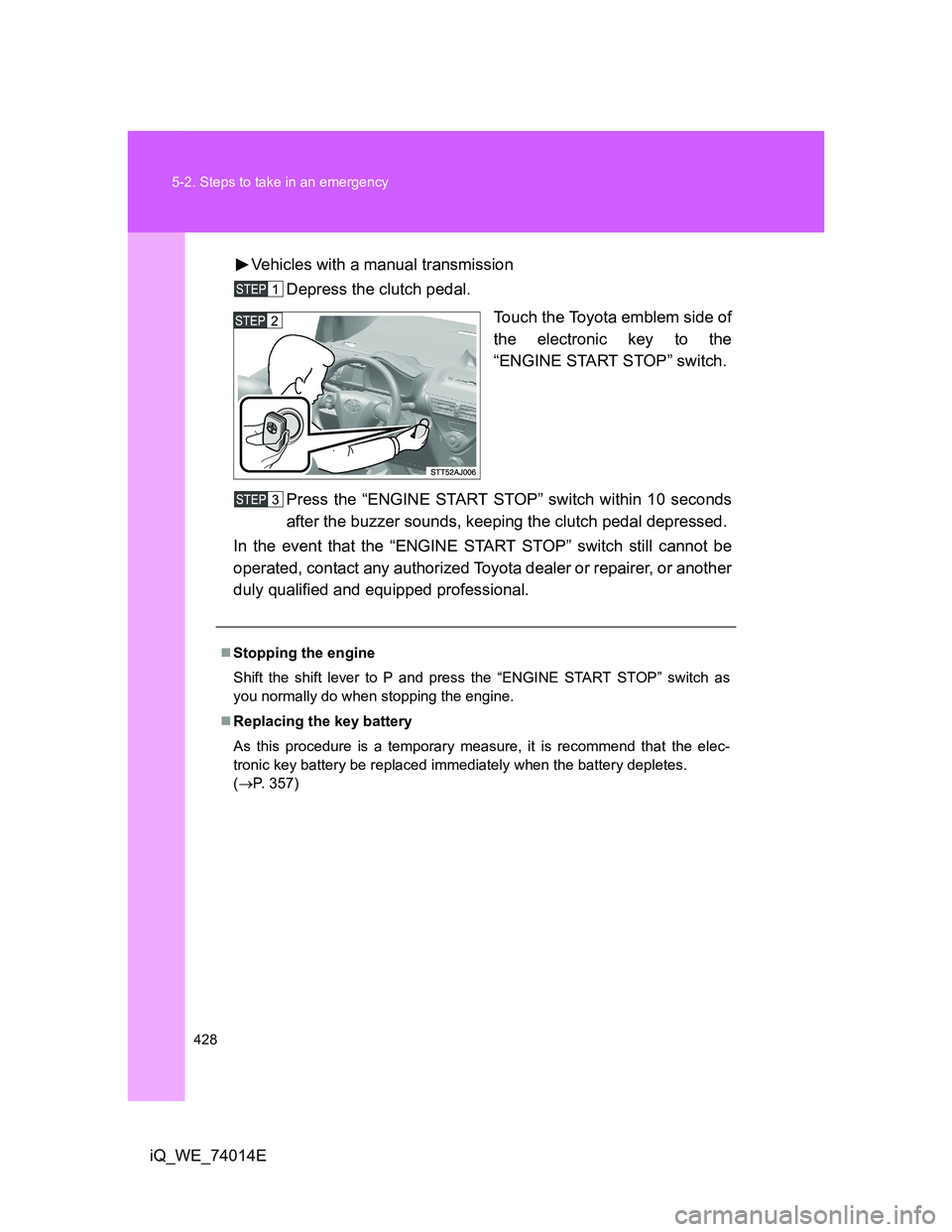
Touch the Toyota emblem side of
the electronic key to the
“ENGINE START STOP” switch.
Press the “ENGINE START STOP” switch within 10 seconds
after the buzzer sounds, keeping the clutch pedal depressed.
In the event that the “ENGINE START STOP” switch still cannot be
operated, contact any authorized Toyota dealer or repairer, or another
duly qualified and equipped professional.
Stopping the engine
Shift the shift lever to P and press the “ENGINE START STOP” switch as
you normally do when stopping the engine.
Replacing the key battery
As this procedure is a temporary measure, it is recommend that the elec-
tronic key battery be replaced immediately when the battery depletes.
(P. 357)
Page 429 of 476
5
429 5-2. Steps to take in an emergency
When trouble arises
iQ_WE_74014E
Changing “ENGINE START STOP” switch modes
Vehicles with a Multidrive
Within 10 seconds of the buzzer sounding, release the brake pedal and
press the “ENGINE START STOP” switch.
The engine does not start and modes will be changed each time the switch
is pressed. (P. 181)
Vehicles with a manual transmission
Within 10 seconds of the buzzer sounding, release the clutch pedal and
press the “ENGINE START STOP” switch.
The engine does not start and modes will be changed each time the switch
is pressed. (P. 181)
Page 431 of 476
5
431 5-2. Steps to take in an emergency
When trouble arises
iQ_WE_74014E
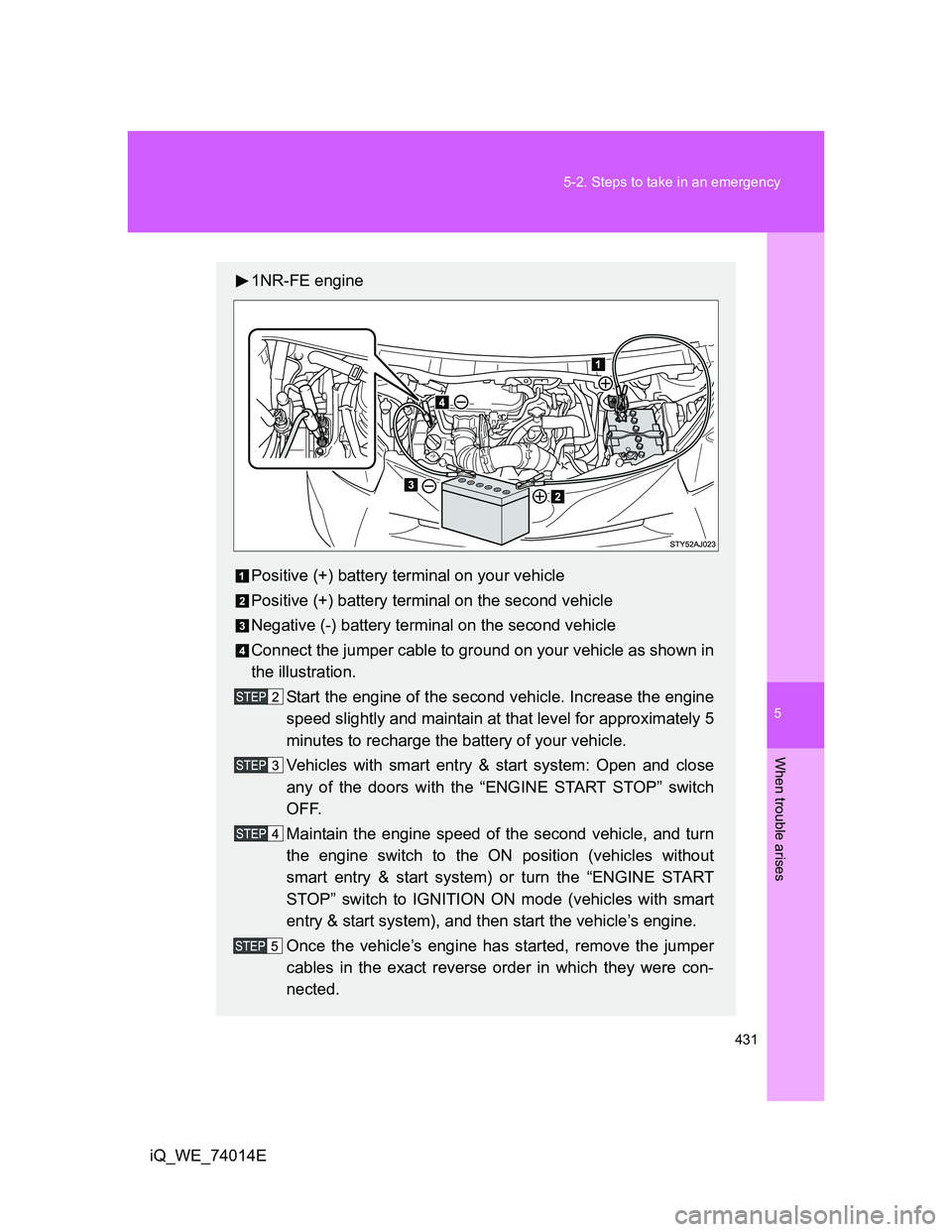
1NR-FE engine
Positive (+) battery terminal on your vehicle
Positive (+) battery terminal on the second vehicle
Negative (-) battery terminal on the second vehicle
Connect the jumper cable to ground on your vehicle as shown in
the illustration.
Start the engine of the second vehicle. Increase the engine
speed slightly and maintain at that level for approximately 5
minutes to recharge the battery of your vehicle.
Vehicles with smart entry & start system: Open and close
any of the doors with the “ENGINE START STOP” switch
OFF.
Maintain the engine speed of the second vehicle, and turn
the engine switch to the ON position (vehicles without
smart entry & start system) or turn the “ENGINE START
STOP” switch to IGNITION ON mode (vehicles with smart
entry & start system), and then start the vehicle’s engine.
Once the vehicle’s engine has started, remove the jumper
cables in the exact reverse order in which they were con-
nected.