turn signal TOYOTA IQ 2012 Owners Manual
[x] Cancel search | Manufacturer: TOYOTA, Model Year: 2012, Model line: IQ, Model: TOYOTA IQ 2012Pages: 476, PDF Size: 23.52 MB
Page 2 of 476
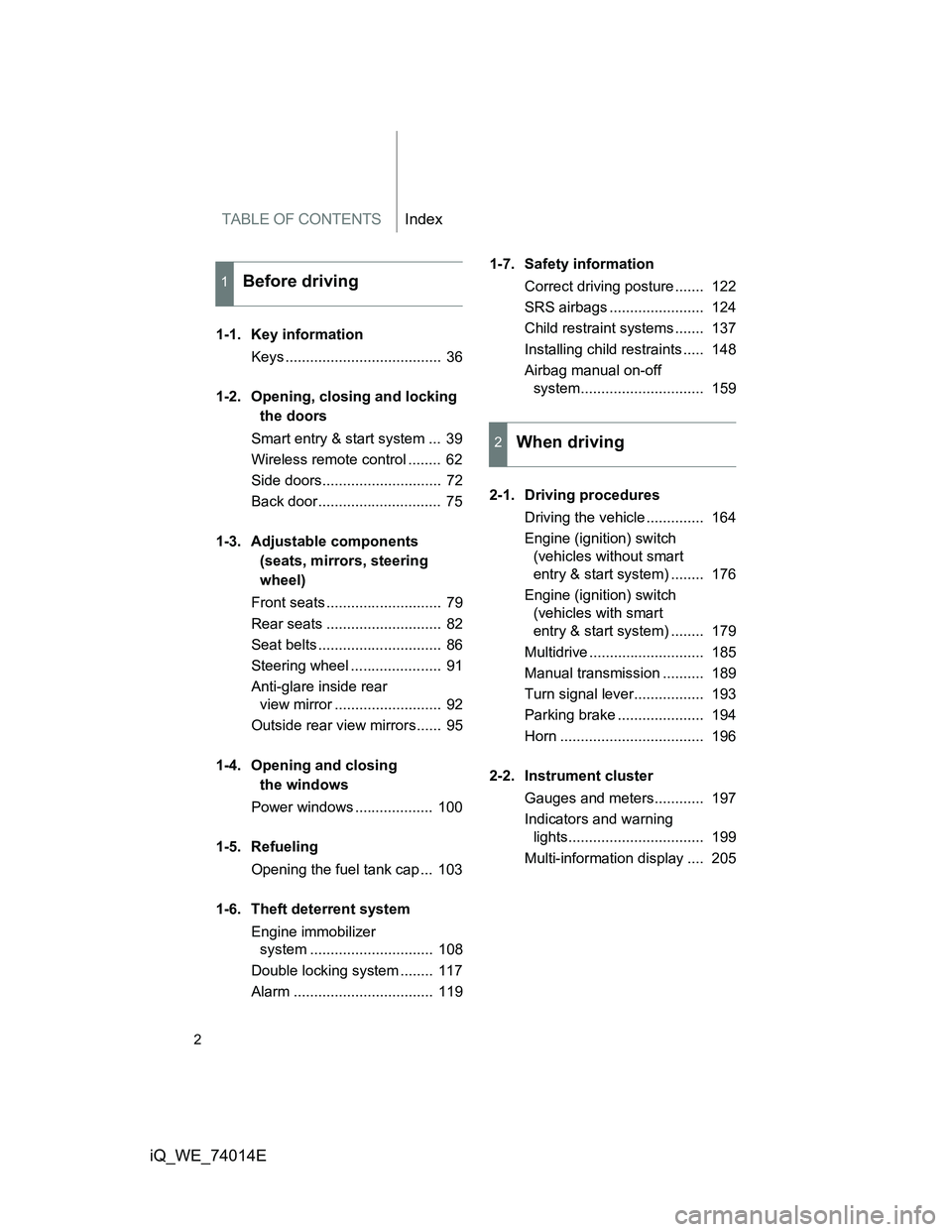
TABLE OF CONTENTSIndex
2
iQ_WE_74014E
1-1. Key information
Keys ...................................... 36
1-2. Opening, closing and locking
the doors
Smart entry & start system ... 39
Wireless remote control ........ 62
Side doors............................. 72
Back door.............................. 75
1-3. Adjustable components
(seats, mirrors, steering
wheel)
Front seats ............................ 79
Rear seats ............................ 82
Seat belts .............................. 86
Steering wheel ...................... 91
Anti-glare inside rear
view mirror .......................... 92
Outside rear view mirrors...... 95
1-4. Opening and closing
the windows
Power windows ................... 100
1-5. Refueling
Opening the fuel tank cap ... 103
1-6. Theft deterrent system
Engine immobilizer
system .............................. 108
Double locking system ........ 117
Alarm .................................. 1191-7. Safety information
Correct driving posture ....... 122
SRS airbags ....................... 124
Child restraint systems ....... 137
Installing child restraints ..... 148
Airbag manual on-off
system.............................. 159
2-1. Driving procedures
Driving the vehicle .............. 164
Engine (ignition) switch
(vehicles without smart
entry & start system) ........ 176
Engine (ignition) switch
(vehicles with smart
entry & start system) ........ 179
Multidrive ............................ 185
Manual transmission .......... 189
Turn signal lever................. 193
Parking brake ..................... 194
Horn ................................... 196
2-2. Instrument cluster
Gauges and meters............ 197
Indicators and warning
lights................................. 199
Multi-information display .... 205
1Before driving
2When driving
Page 6 of 476
6
iQ_WE_74014E
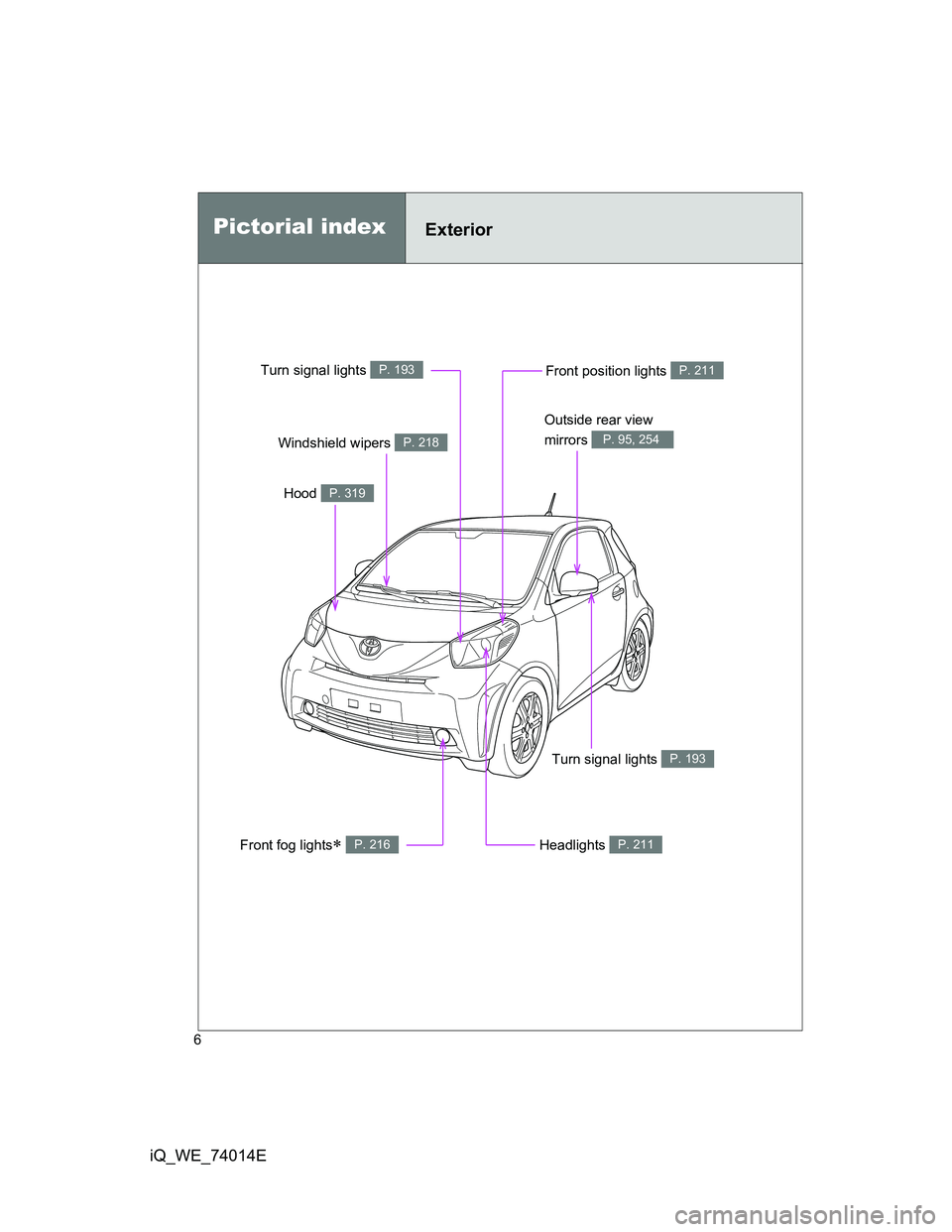
Headlights P. 211
Pictorial indexExterior
Front fog lights P. 216
Turn signal lights P. 193
Hood P. 319
Windshield wipers P. 218
Outside rear view
mirrors
P. 95, 254
Turn signal lights P. 193Front position lights P. 211
Page 7 of 476
7
iQ_WE_74014E
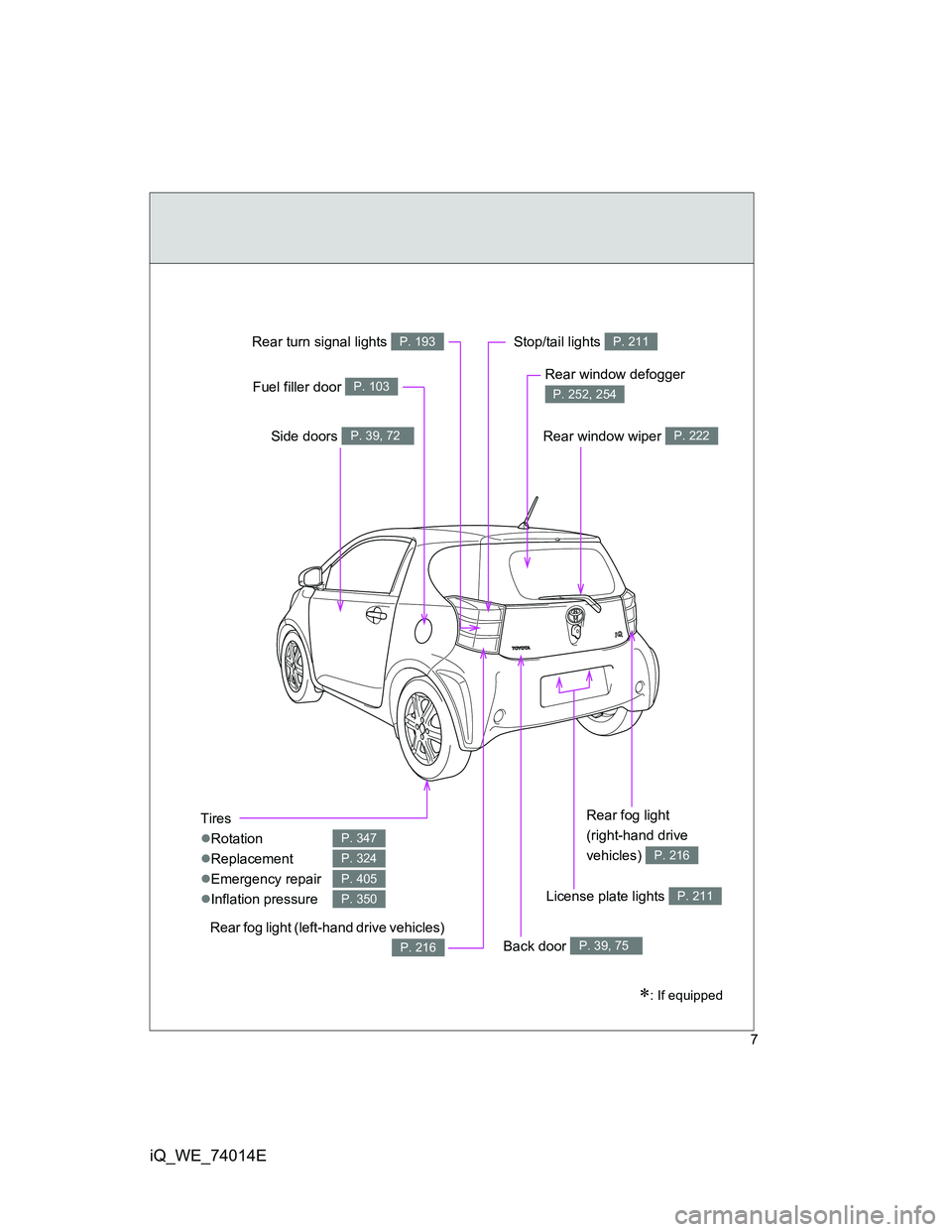
Tires
Rotation
Replacement
Emergency repair
Inflation pressure
P. 347
P. 324
P. 405
P. 350
: If equipped
Stop/tail lights P. 211
Side doors P. 39, 72
Fuel filler door P. 103
Rear turn signal lights P. 193
Rear window wiper P. 222
Rear window defogger
P. 252, 254
License plate lights P. 211
Rear fog light (left-hand drive vehicles)
P. 216Back door P. 39, 75
Rear fog light
(right-hand drive
vehicles)
P. 216
Page 17 of 476
17
iQ_WE_74014E
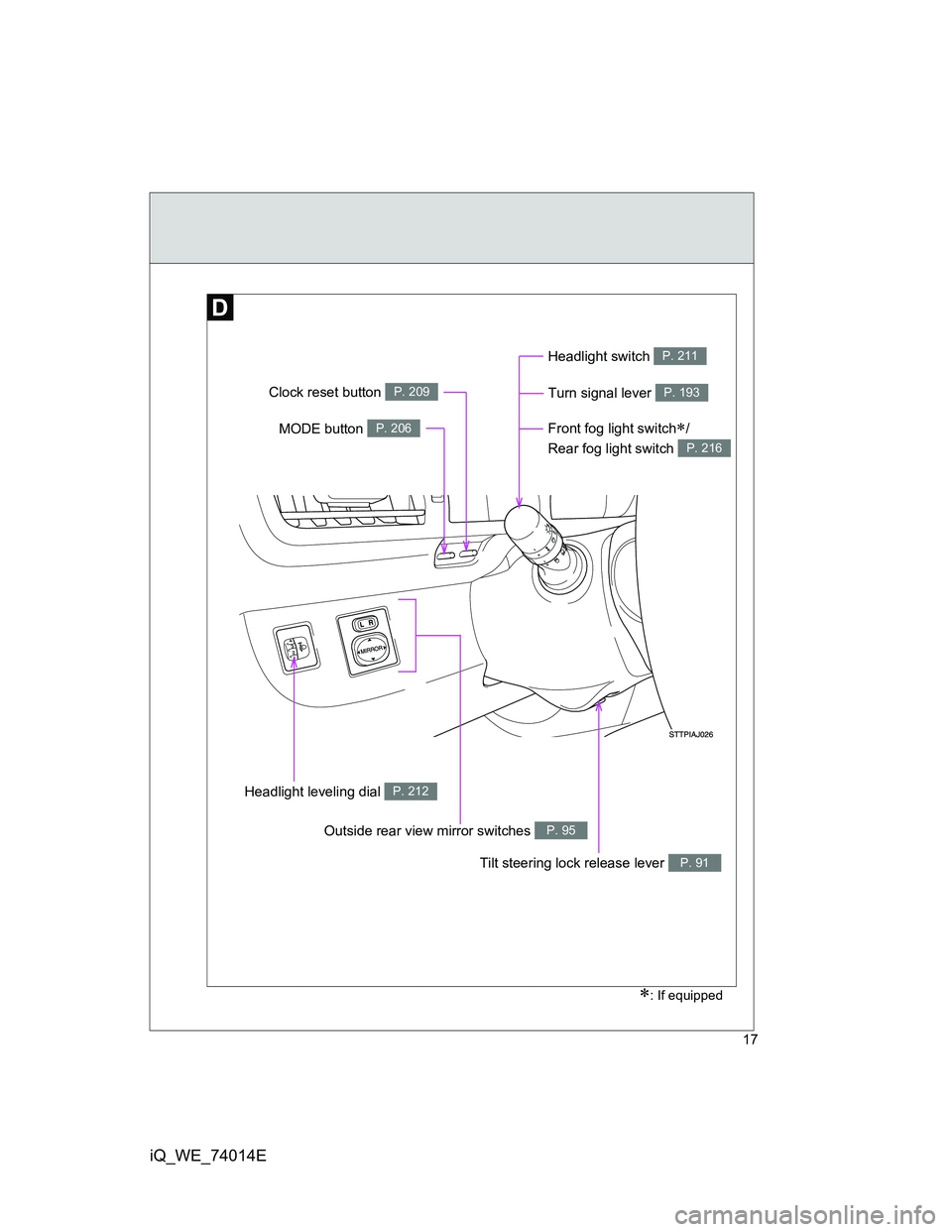
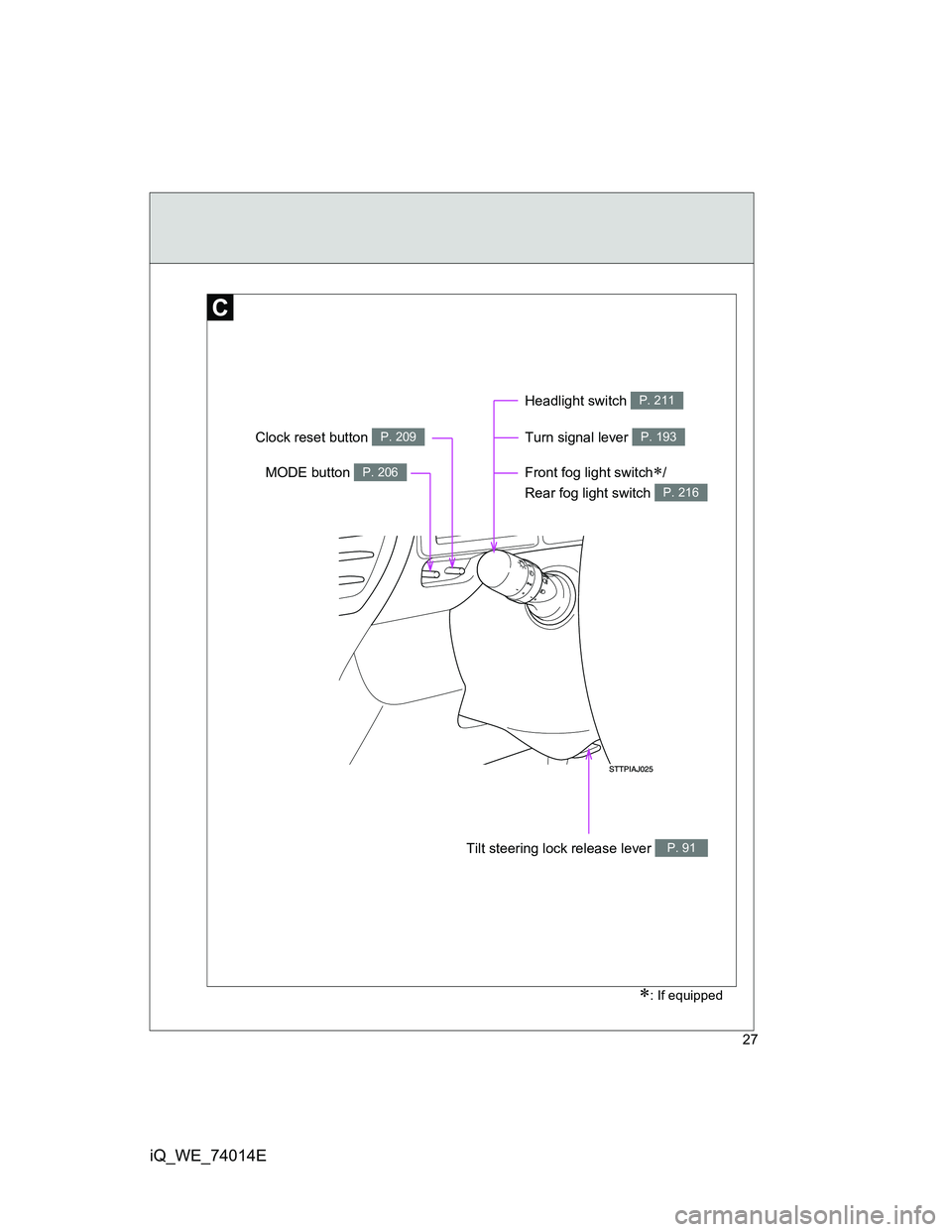
Front fog light switch/
Rear fog light switch
P. 216
: If equipped
Turn signal lever P. 193
Headlight leveling dial P. 212
Headlight switch P. 211
MODE button P. 206
Clock reset button P. 209
Outside rear view mirror switches P. 95
Tilt steering lock release lever P. 91
Page 27 of 476
27
iQ_WE_74014E
Front fog light switch/
Rear fog light switch
P. 216
: If equipped
Turn signal lever P. 193
Headlight switch P. 211
MODE button P. 206
Clock reset button P. 209
Tilt steering lock release lever P. 91
Page 163 of 476
2When driving
163
iQ_WE_74014E
2-1. Driving procedures
Driving the vehicle ............ 164
Engine (ignition) switch
(vehicles without smart
entry & start system)....... 176
Engine (ignition) switch
(vehicles with smart
entry & start system)....... 179
Multidrive .......................... 185
Manual transmission......... 189
Turn signal lever ............... 193
Parking brake ................... 194
Horn .................................. 196
2-2. Instrument cluster
Gauges and meters .......... 197
Indicators and warning
lights ............................... 199
Multi-information display ... 205
2-3. Operating the lights and
wipers
Headlight switch ............... 211
Fog light switch ................. 216
Windshield wipers and
washer ............................ 218
Rear window wiper and
washer ............................ 2222-4. Using other driving systems
Driving assist systems ...... 224
2-5. Driving information
Cargo and luggage ........... 229
Winter driving tips ............. 231
Trailer towing .................... 235
Page 193 of 476
193
2-1. Driving procedures
2
When driving
iQ_WE_74014E
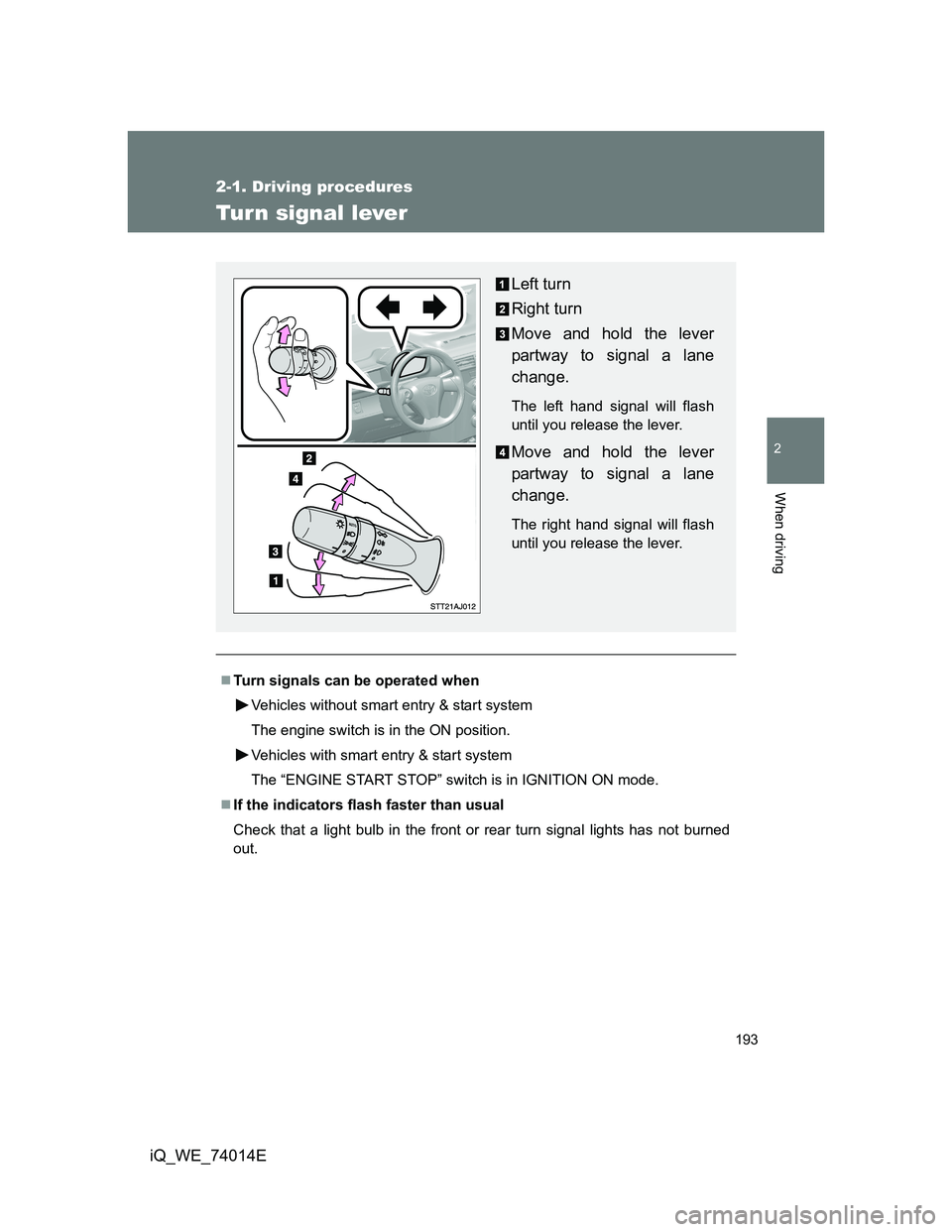
Turn signal lever
Turn signals can be operated when
Vehicles without smart entry & start system
The engine switch is in the ON position.
Vehicles with smart entry & start system
The “ENGINE START STOP” switch is in IGNITION ON mode.
If the indicators flash faster than usual
Check that a light bulb in the front or rear turn signal lights has not burned
out.
Left turn
Right turn
Move and hold the lever
partway to signal a lane
change.
The left hand signal will flash
until you release the lever.
Move and hold the lever
partway to signal a lane
change.
The right hand signal will flash
until you release the lever.
Page 201 of 476
201 2-2. Instrument cluster
2
When driving
iQ_WE_74014E
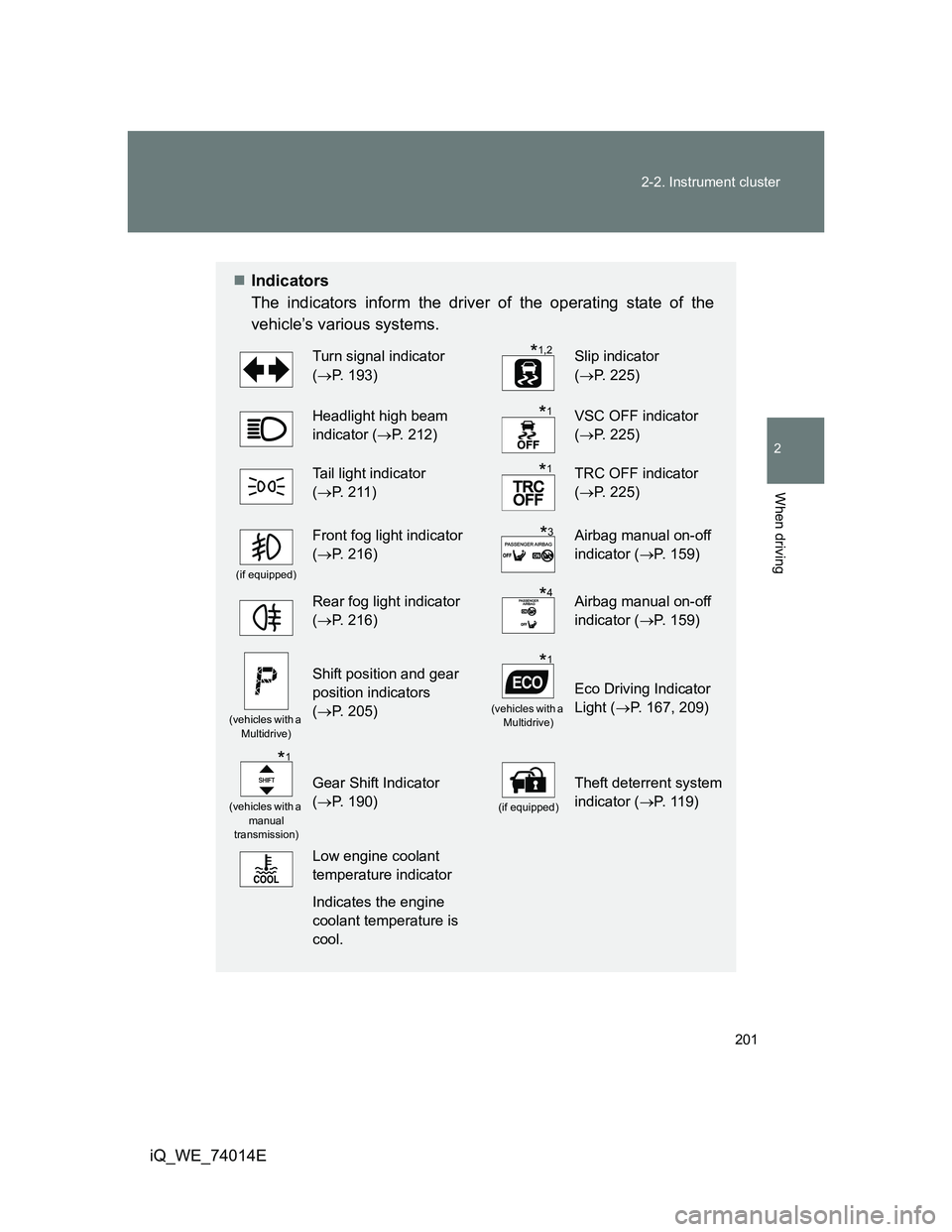
Indicators
The indicators inform the driver of the operating state of the
vehicle’s various systems.
Turn signal indicator
(P. 193)Slip indicator
(P. 2 2 5 )
Headlight high beam
indicator (P. 212)VSC OFF indicator
(P. 2 2 5 )
Tail light indicator
(P. 211)TRC OFF indicator
(P. 2 2 5 )
(if equipped)
Front fog light indicator
(P. 216)Airbag manual on-off
indicator (P. 159)
Rear fog light indicator
(P. 216)Airbag manual on-off
indicator (P. 159)
(vehicles with a
Multidrive)
Shift position and gear
position indicators
(P. 205)
(vehicles with a
Multidrive)
Eco Driving Indicator
Light (P. 167, 209)
(vehicles with a
manual
transmission)
Gear Shift Indicator
(P. 190)
(if equipped)
Theft deterrent system
indicator (P. 1 1 9 )
Low engine coolant
temperature indicator
Indicates the engine
coolant temperature is
cool.
*1,2
*1
*1
*3
*4
*1
*1
Page 263 of 476
263 3-2. Using the audio system
3
Interior features
iQ_WE_74014E
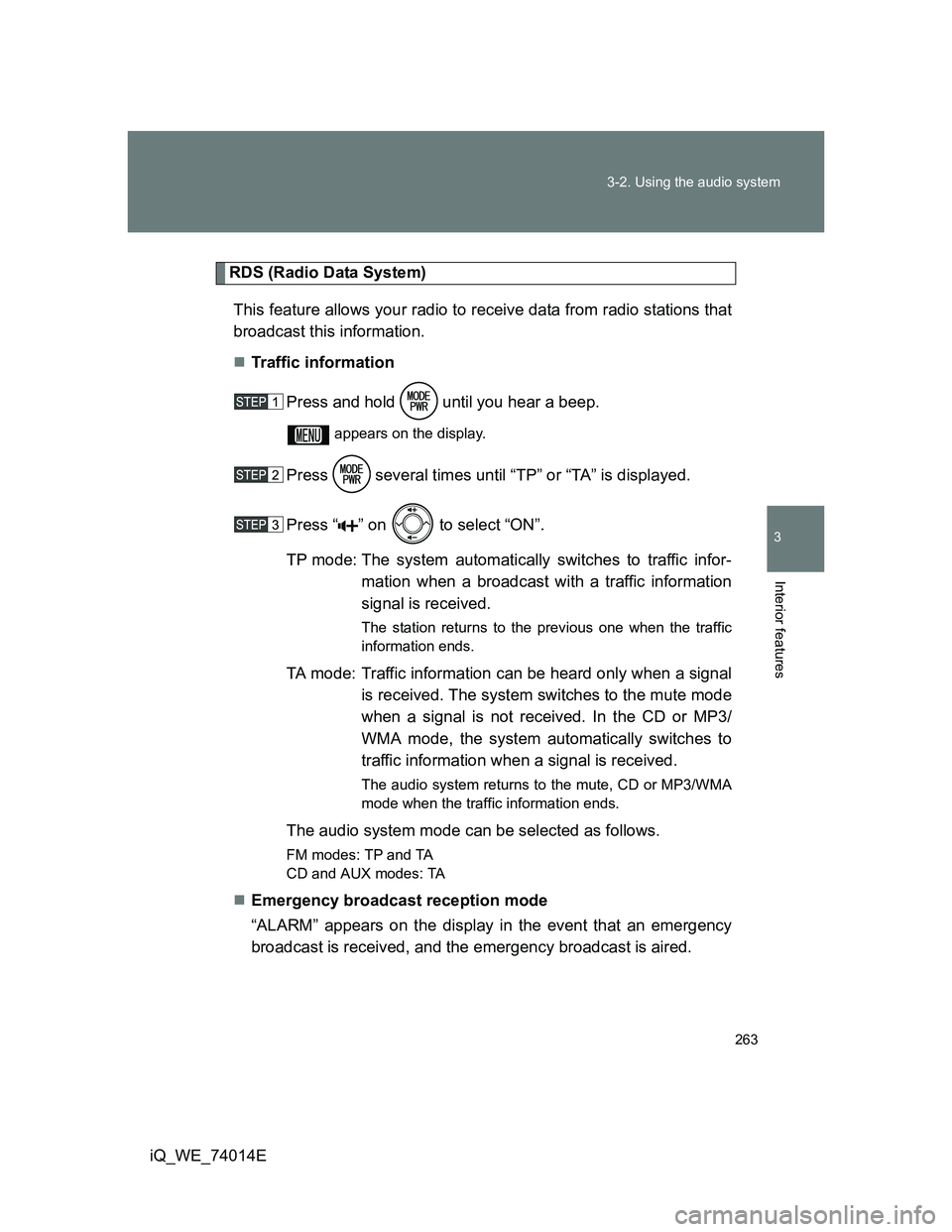
RDS (Radio Data System)
This feature allows your radio to receive data from radio stations that
broadcast this information.
Traffic information
Press and hold until you hear a beep.
appears on the display.
Press several times until “TP” or “TA” is displayed.
Press “ ” on to select “ON”.
TP mode: The system automatically switches to traffic infor-
mation when a broadcast with a traffic information
signal is received.
The station returns to the previous one when the traffic
information ends.
TA mode: Traffic information can be heard only when a signal
is received. The system switches to the mute mode
when a signal is not received. In the CD or MP3/
WMA mode, the system automatically switches to
traffic information when a signal is received.
The audio system returns to the mute, CD or MP3/WMA
mode when the traffic information ends.
The audio system mode can be selected as follows.
FM modes: TPand TA
CD and AUX modes: TA
Emergency broadcast reception mode
“ALARM” appears on the display in the event that an emergency
broadcast is received, and the emergency broadcast is aired.
Page 264 of 476
264 3-2. Using the audio system
iQ_WE_74014E
EON (Enhanced Other Network) system (for traffic announcement
function)
If the RDS station (with EON data) you are listening to is not broadcasting a
traffic information program and the audio system is in the TA (traffic
announcement) mode, the radio will be switched automatically to a station
broadcasting a traffic information program in the EON AF list when traffic
information begins.
When the battery is disconnected
Station presets are erased.
Reception sensitivity
Maintaining perfect radio reception at all times is difficult due to the con-
tinually changing position of the antenna, differences in signal strength
and surrounding objects, such as trains, transmitters, etc.
When AST is used, automatic station selection and automatic registering
of stations may not be possible.
The radio antenna is mounted on the rear roof. The antenna can be
removed from the base by turning it.
NOTICE
To prevent damage, remove the antenna in the following cases
The antenna will touch the ceiling of a garage.
A cover will be put on the roof.