lights TOYOTA LAND CRUISER 2000 User Guide
[x] Cancel search | Manufacturer: TOYOTA, Model Year: 2000, Model line: LAND CRUISER, Model: TOYOTA LAND CRUISER 2000Pages: 235, PDF Size: 5.13 MB
Page 66 of 235
L/C 100_U
88 2000 L/C 100 (OM60866U)
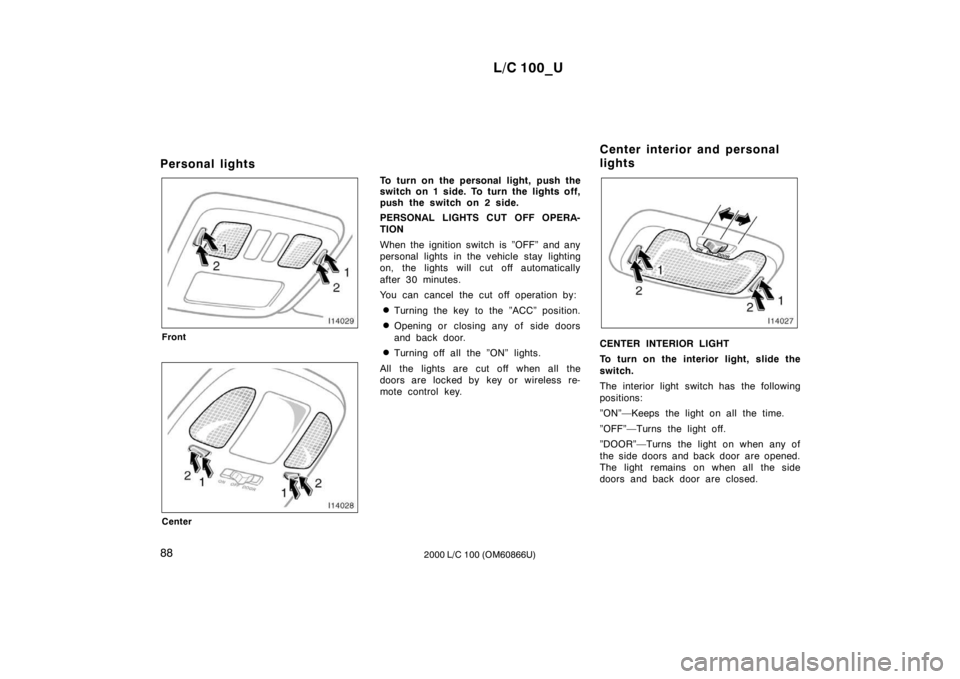
Personal lights
Front
Center
To turn on the personal light, push the
switch on 1 side. To turn the lights off,
push the switch on 2 side.
PERSONAL LIGHTS CUT OFF OPERA-
TION
When the ignition switch is ”OFF” and any
personal lights in the vehicle stay lighting
on, the lights will cut off automatically
after 30 minutes.
You can cancel the cut off operation by:
Turning the key to the ”ACC” position.
Opening or closing any of side doors
and back door.
Turning off all the ”ON” lights.
All the lights are cut off when all the
doors are locked by key or wireless re-
mote control key.
CENTER INTERIOR LIGHT
To turn on the interior light, slide the
switch.
The interior light switch has the following
positions:
”ON”—Keeps the light on all the time.
”OFF”—Turns the light off.
”DOOR”—Turns the light on when any of
the side doors and back door are opened.
The light remains on when all the side
doors and back door are closed.
Center interior and personal
lights
Page 67 of 235
L/C 100_U89
2000 L/C 100 (OM60866U)
CENTER PERSONAL LIGHTS
To turn on the center personal light,
push the switch on 1 side. To turn the
lights off, push the switch on 2 side.
ILLUMINATED ENTRY SYSTEM
With the switch in the ”DOOR” position,
the light comes on when either side or
back door is opened. After all the doors
are closed, the light remains on for a
certain time and then goes out.
However, in the following cases, the light
goes out immediately:
All the doors are closed when the igni-
tion key is in ”ACC”, ”ON” or ”START”
position.
The ignition key is turned to ”ACC”,
”ON” or ”START” when the light is still on.
All the doors are locked when the light
is still on.
One front side door will be closed with
the lock knob pushed forward while the
other doors are locked. INTERIOR AND PERSONAL LIGHTS CUT
OFF OPERATION
When the ignition switch is ”OFF” and any
interior lights in the vehicle stay lighting
on, the lights will cut off automatically
after 30 minutes.
You can cancel the cut off operation by:
Turning the key to the ”ACC” position.
Opening or closing any of side doors
and back door.
Turning off all the ”ON” lights.
All the lights are cut off when all the
doors are locked by key or wireless re-
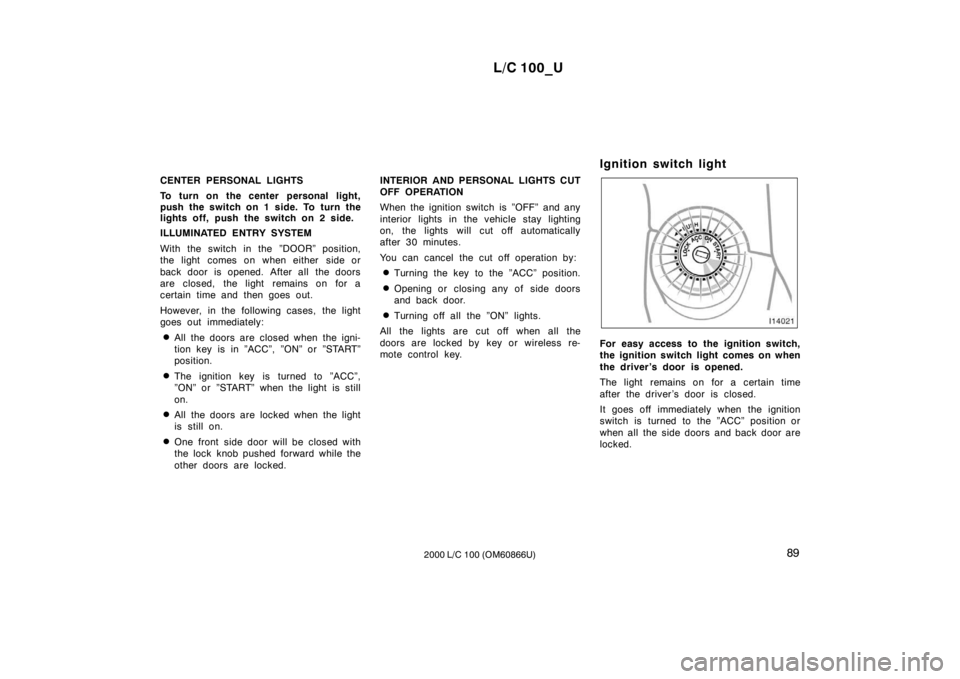
mote control key. Ignition switch light
For easy access to the ignition switch,
the ignition switch light comes on when
the driver’s door is opened.
The light remains on for a certain time
after the driver ’s door is closed.
It goes off immediately when the ignition
switch is turned to the ”ACC” position or
when all the side doors and back door are
locked.
Page 79 of 235
L/C 100_U101
2000 L/C 100 (OM60866U)
(i) Open Door Warning Light
This light remains on until all the side
doors and back door are completely
closed.
(j) Unengaged ”Park” Warning Light
This light warns that the transmission
”Park” mechanism is not engaged. If the
four
−wheel drive control is in the ”N” posi-
tion while the selector lever is in the ”P”
position, the transmission will disengage
and the wheels will not lock.
CAUTION
To restore the park function, shift the
four −wheel drive control out of ”N”,
or the vehicle can move.
(k) Automatic Transmission Fluid Tem-
perature Warning Light
This light warns that the automatic trans-
mission fluid temperature is too high. If this light comes on while you are driv-
ing, slow down and pull off the road. Stop
the vehicle at a safe place and put the
selector lever in ”P” and leave the engine
idling until the light goes off. If the light
goes off, you can start the vehicle again.
If the light does not go off, call a Toyota
dealer or qualified repair shop for assis-
tance.
NOTICE
Continued driving with the warning
light on may damage the automatic
transmission.
(l) Vehicle Skid Control System and
Active Traction Control System
Warning Light
This light warns that there is a problem
somewhere in the vehicle skid control sys-
tem and/or active traction control system.
If the “VSC/TRAC” warning light and “VSC
OFF” indicator light come on, have your
vehicle checked by Toyota dealer as soon
as possible. However, it is no problem
that the “VSC/TRAC” warning light comes
on when the brake actuator temperature
becomes high. (For details, see “Active
traction control system” in Section 1 −6.) The lights will come on with the ignition
key turned to “ON”, and will go off after
a few seconds.
The lights may come on for 60 seconds
after the engine is started. It is normal if
they go out after a while.
Depressing the brake pedal repeatedly
may turn on the lights. it is normal if they
go out after a few seconds.
When the “VSC/TRAC” warning light and
“VSC OFF” indicator light come on, the
vehicle skid control system and/or active
traction control system do not operate, but
there is no problem to continue your driv-
ing.
(m) Key Reminder Buzzer
This buzzer reminds you to remove the
key when you open the driver’s door with
the ignition key in the ”ACC” or ”LOCK”
position.
CHECKING SERVICE REMINDER INDICA-
TORS (except the low fuel level warning
light)
1. Apply the parking brake.
2. Open one of the side doors or back door.
The open door warning light should
come on.
Page 88 of 235

L/C 100_U
11 0 2000 L/C 100 (OM60866U)
Use the center differential lock system if
your wheels get stuck in a ditch, or when
you are driving on a slippery or bumpy
surface. When the center differential is
locked, the vehicle skid control system is
automatically turned off and the center dif-
ferential lock and “VSC OFF” indicator
lights come on because the function that
controls engine performance interferes
with the process of freeing your wheels.
NOTICE
As soon as the center differential lock
switch is turned on, the “VSC OFF”
indicator light comes on. After the
wheels are out of the ditch or off the
slippery or bumpy surface, turn the
center differential lock switch off.
Make sure the center differential lock
indicator light and vehicle skid con-
trol system off indicator light turn off.
“H” (high speed position, center differ-
ential unlocked):
Lever at “H”, center dif-
ferential lock button left out
Use this for normal driving on all types of
roads, from dry hard −surfaced roads to
wet, icy or snow −covered roads. This
position gives greater economy, quietest
ride, least wear and better vehicle control. “H” (high speed position, center differ-
ential locked):
Lever at “H”, center differ-
ential lock button pushed in
Use this for greater traction when you
experience a loss of power, such as
wheel slipping, in the center differential
unlock mode.
“N” (neutral position): Lever at “N”
No power is delivered to the wheels. The
vehicle must be stopped.
“L” (low speed position, center differen-
tial unlocked): Lever at “L”, center differ-
ential lock button left out
Use this for maximum power and traction.
Use this for climbing or descending steep
hills, off −road driving, and hard pulling in
sand or mud.
In this mode, the braking feeling that oc-
curs when the wheels are negotiating a
sharp corner is further reduced than in the
“L” (low position, center differential locked)
mode. “L” (low speed position, center differen-
tial locked):
Lever at “L”, center differen-
tial lock button pushed in.
Use this for maximum power and traction.
Use this for hard pulling in situations the
vehicle cannot negotiate even in the “L”
(low speed position, center differential un −
locked) mode. Also, using this mode when
driving down steep off −road inclines will
help contribute to increased vehicle stabil-
ity.
The indicator light tells when the differen-
tial lock is engaged. Note that the differ-
ential is not still locked as long as the
indicator light remains off.
If the indicator light does not go off when
you push out the center differential lock
button, drive straight ahead while acceler-
ating or decelerating, or drive in reverse.
See “(b) Shifting procedure” for further in-
structions.
Page 96 of 235
L/C 100_U
11 8 2000 L/C 100 (OM60866U)
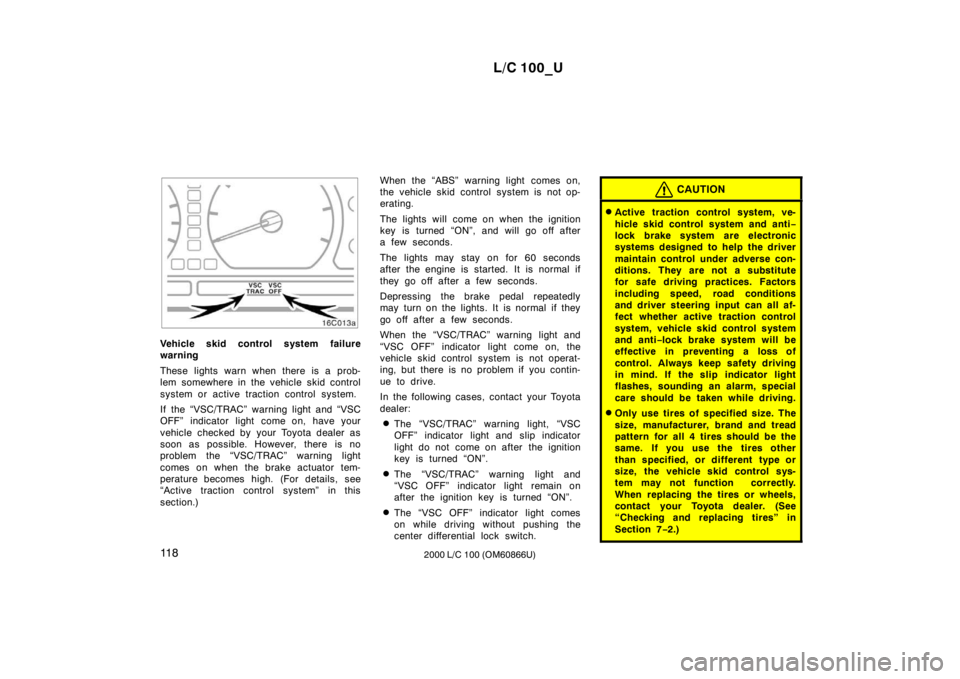
Vehicle skid control system failure
warning
These lights warn when there is a prob-
lem somewhere in the vehicle skid control
system or active traction control system.
If the “VSC/TRAC” warning light and “VSC
OFF” indicator light come on, have your
vehicle checked by your Toyota dealer as
soon as possible. However, there is no
problem the “VSC/TRAC” warning light
comes on when the brake actuator tem-
perature becomes high. (For details, see
“Active traction control system” in this
section.)When the “ABS” warning light comes on,
the vehicle skid control system is not op-
erating.
The lights will come on when the ignition
key is turned “ON”, and will go off after
a few seconds.
The lights may stay on for 60 seconds
after the engine is started. It is normal if
they go off after a few seconds.
Depressing the brake pedal repeatedly
may turn on the lights. It is normal if they
go off after a few seconds.
When the “VSC/TRAC” warning light and
“VSC OFF” indicator light come on, the
vehicle skid control system is not operat-
ing, but there is no problem if you contin-
ue to drive.
In the following cases, contact your Toyota
dealer:
The “VSC/TRAC” warning light, “VSC
OFF” indicator light and slip indicator
light do not come on after the ignition
key is turned “ON”.
The “VSC/TRAC” warning light and
“VSC OFF” indicator light remain on
after the ignition key is turned “ON”.
The “VSC OFF” indicator light comes
on while driving without pushing the
center differential lock switch.
CAUTION
Active traction control system, ve-
hicle skid control system and anti −
lock brake system are electronic
systems designed to help the driver
maintain control under adverse con-
ditions. They are not a substitute
for safe driving practices. Factors
including speed, road conditions
and driver steering input can all af-
fect whether active traction control
system, vehicle skid control system
and anti −lock brake system will be
effective in preventing a loss of
control. Always keep safety driving
in mind. If the slip indicator light
flashes, sounding an alarm, special
care should be taken while driving.
Only use tires of specified size. The
size, manufacturer, brand and tread
pattern for all 4 tires should be the
same. If you use the tires other
than specified, or different type or
size, the vehicle skid control sys-
tem may not function correctly.
When replacing the tires or wheels,
contact your Toyota dealer. (See
“Checking and replacing tires” in
Section 7 −2.)
Page 124 of 235
L/C 100_U
146 2000 L/C 100 (OM60866U)
Clock
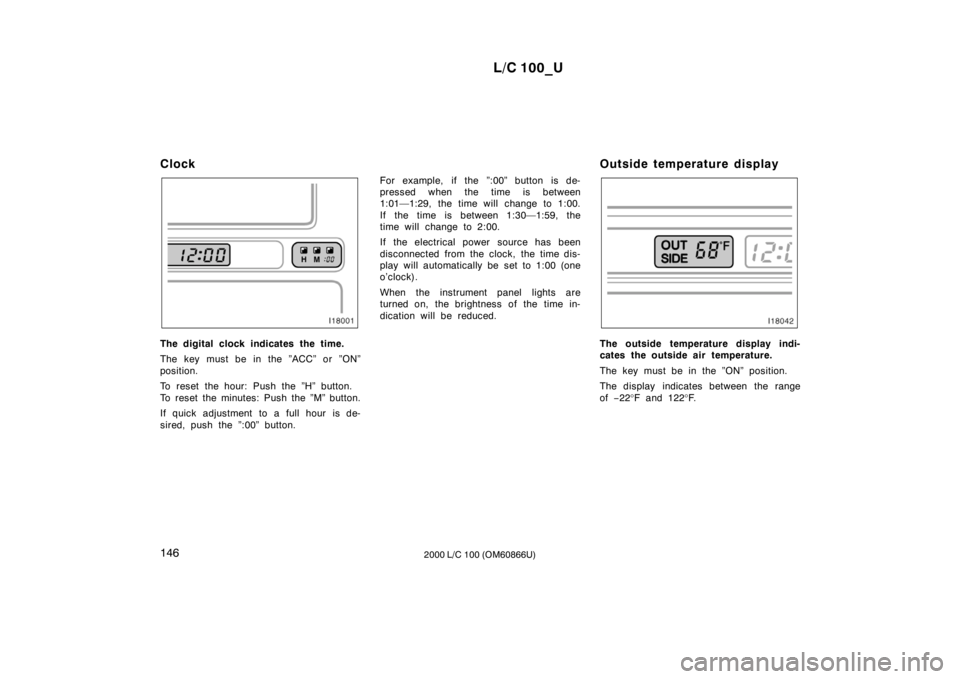
The digital clock indicates the time.
The key must be in the ”ACC” or ”ON”
position.
To reset the hour: Push the ”H” button.
To reset the minutes: Push the ”M” button.
If quick adjustment to a full hour is de-
sired, push the ”:00” button.
For example, if the ”:00” button is de-
pressed when the time is between
1:01—1:29, the time will change to 1:00.
If the time is between 1:30—1:59, the
time will change to 2:00.
If the electrical power source has been
disconnected from the clock, the time dis-
play will automatically be set to 1:00 (one
o’clock).
When the instrument panel lights are
turned on, the brightness of the time in-
dication will be reduced.
Outside temperature displayThe outside temperature display indi-
cates the outside air temperature.
The key must be in the ”ON” position.
The display indicates between the range of
−22 °F and 122 °F.
Page 128 of 235
L/C 100_U
150 2000 L/C 100 (OM60866U)
Glove box
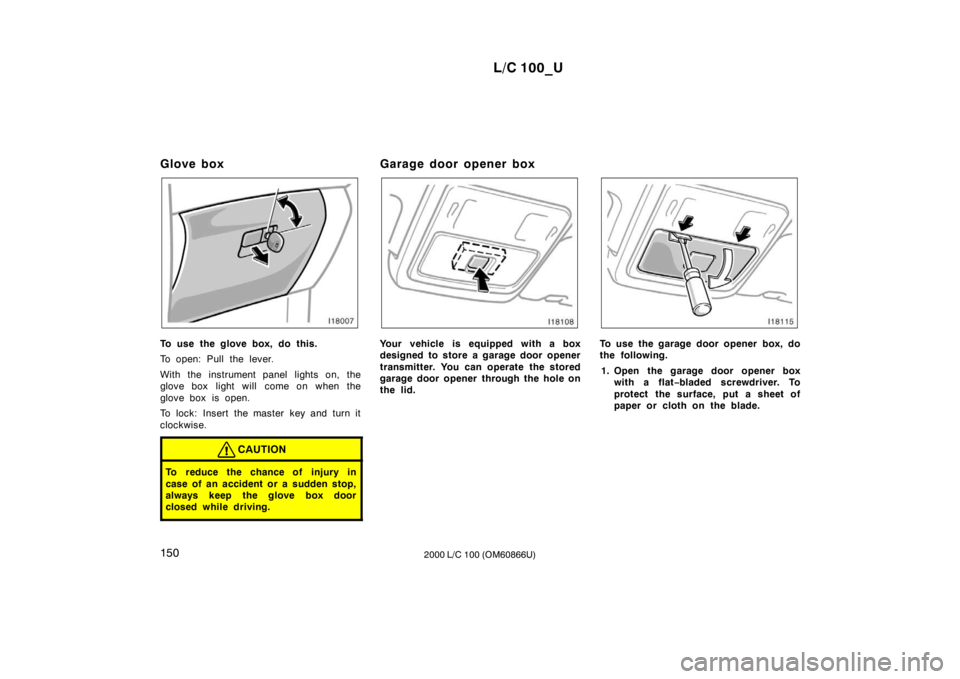
To use the glove box, do this.
To open: Pull the lever.
With the instrument panel lights on, the
glove box light will come on when the
glove box is open.
To lock: Insert the master key and turn it
clockwise.
CAUTION
To reduce the chance of injury in
case of an accident or a sudden stop,
always keep the glove box door
closed while driving.
Garage door opener box
Your vehicle is equipped with a box
designed to store a garage door opener
transmitter. You can operate the stored
garage door opener through the hole on
the lid.To use the garage door opener box, do
the following.
1. Open the garage door opener box with a flat −bladed screwdriver. To
protect the surface, put a sheet of
paper or cloth on the blade.
Page 160 of 235
L/C 100_U
196 2000 L/C 100 (OM60866U)
JUMP STARTING PROCEDURE
1. If the booster battery is installed in another vehicle, make sure the vehicles
are not touching. Turn off all unneces-
sary lights and accessories.
2. If required, remove all the vent plugs from the booster and discharged batter-
ies. Lay a cloth over the open vents
on the batteries. (This helps reduce the
explosion hazard, personal injuries and
burns.)
3. If the engine in the vehicle with the booster battery is not running, start it
and let it run for a few minutes. During
jump starting, run the engine at about
2000 rpm with the accelerator pedal
lightly depressed.
Discharged battery
Positive
terminal
(“+” mark) Jumper
cable Booster
battery
Positive terminal
(“+” mark)
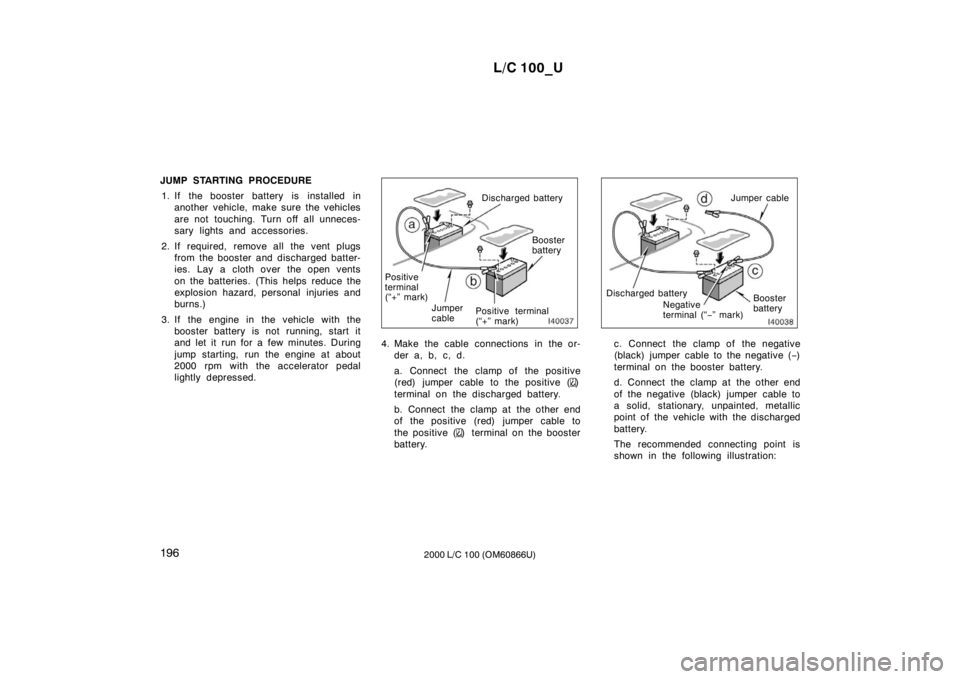
4. Make the cable connections in the or- der a, b, c, d.
a. Connect the clamp of the positive
(red) jumper cable to the positive (
)
terminal on the discharged battery.
b. Connect the clamp at the other end
of the positive (red) jumper cable to
the positive (
) terminal on the booster
battery.
Discharged battery Booster
battery
Negative
terminal (“
−” mark) Jumper cable
c. Connect the clamp of the negative
(black) jumper cable to the negative ( −)
terminal on the booster battery.
d. Connect the clamp at the other end
of the negative (black) jumper cable to
a solid, stationary, unpainted, metallic
point of the vehicle with the discharged
battery.
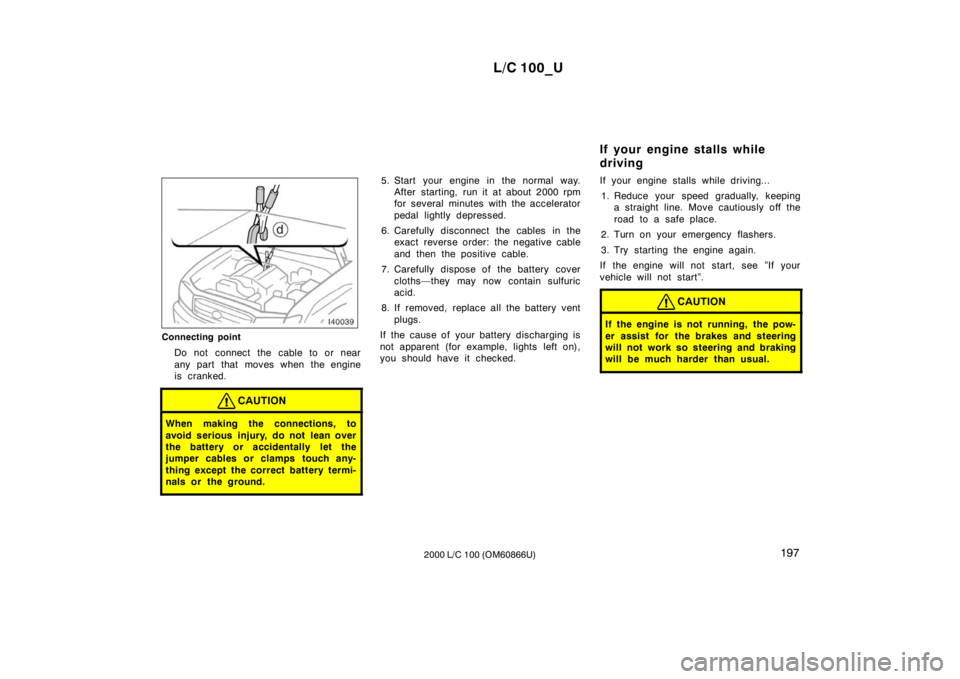
The recommended connecting point is
shown in the following illustration:
Page 161 of 235
L/C 100_U197
2000 L/C 100 (OM60866U)
Connecting point
Do not connect the cable to or near
any part that moves when the engine
is cranked.
CAUTION
When making the connections, to
avoid serious injury, do not lean over
the battery or accidentally let the
jumper cables or clamps touch any-
thing except the correct battery termi-
nals or the ground.
5. Start your engine in the normal way. After starting, run it at about 2000 rpm
for several minutes with the accelerator
pedal lightly depressed.
6. Carefully disconnect the cables in the exact reverse order: the negative cable
and then the positive cable.
7. Carefully dispose of the battery cover cloths—they may now contain sulfuric
acid.
8. If removed, replace all the battery vent plugs.
If the cause of your battery discharging is
not apparent (for example, lights left on),
you should have it checked. If your engine stalls while driving...
1. Reduce your speed gradually, keeping a straight line. Move cautiously off the
road to a safe place.
2. Turn on your emergency flashers.
3. Try starting the engine again.
If the engine will not start, see ”If your
vehicle will not start”.
CAUTION
If the engine is not running, the pow-
er assist for the brakes and steering
will not work so steering and braking
will be much harder than usual.
If your engine stalls while
driving
Page 186 of 235

L/C 100_U
222 2000 L/C 100 (OM60866U)
INSIDE THE VEHICLE
Items listed below should be checked
regularly, e.g. while performing periodic
services, cleaning the vehicle, etc.
Lights
Make sure the headlights, stop lights, tail
lights, turn signal lights, and other lights
are all working. Check headlight aim.
Service reminder indicators and warning
buzzers
Check that all service reminder indicators
and warning buzzers function properly.
Steering wheel
Be alert for changes in steering condition,
such as hard steering or strange noise.
Seats
Check that all front seat controls such as
seat adjusters, seatback recliner, etc. op-
erate smoothly and that all latches lock
securely in any position. Check that the
head restraint move up and down smooth-
ly and that the locks hold securely in any
latched position. For folding
−down rear
seatbacks, swing −up rear seat cushions
and detachable third seats, check that the
latches lock securely. Seat belts
Check that the seat belt system such as
buckles, retractors and anchors operate
properly and smoothly. Make sure the belt
webbing is not cut, frayed, worn or dam-aged.
Accelerator pedal
Check the pedal for smooth operation and
uneven pedal effort or catching.
Brake pedal
Check the pedal for smooth operation and
that the pedal has the proper clearance.
Check the brake booster function.
Brakes
At a safe place, check that the brakes do
not pull to one side when applied.
Parking brake
Check that the lever has the proper travel
and that, on a safe incline, your vehicle
is held securely with only the parking
brake applied.
Automatic transmission ”Park” mecha-
nism
Check the lock release button of the se-
lector lever for proper and smooth opera-
tion. On a safe incline, check that your
vehicle is held securely with the selector
lever in ”P” position and all brakes re-
leased.
IN THE ENGINE COMPARTMENT
Items listed below should be checked
from time to time, e.g. each time when
refueling.
Washer fluid
Make sure there is sufficient fluid in the
tank. See Section 7
−3 for additional in-
formation.
Engine coolant level
Make sure the coolant level is between
the ”FULL” and ”LOW” lines on the see −
through reservoir when the engine is cold.
See Section 7 −2 for additional information.
Battery electrolyte level
Make sure the electrolyte level of all bat-
tery cells is between upper and lower lev-
el lines on the case. Add only distilled
water when replenishing. See Section 7 −3
for additional information.