battery TOYOTA LAND CRUISER 2010 J200 User Guide
[x] Cancel search | Manufacturer: TOYOTA, Model Year: 2010, Model line: LAND CRUISER, Model: TOYOTA LAND CRUISER 2010 J200Pages: 592, PDF Size: 7.98 MB
Page 100 of 592
100 1-6. Theft deterrent system
L/C200_U
■Triggering of the alarm
The alarm may be triggered in the following situations.
(Stopping the alarm deactivates the alarm system.)
● A person inside the vehicle opens a door or hood.
● The battery is recharged or replaced when the vehicle is locked.
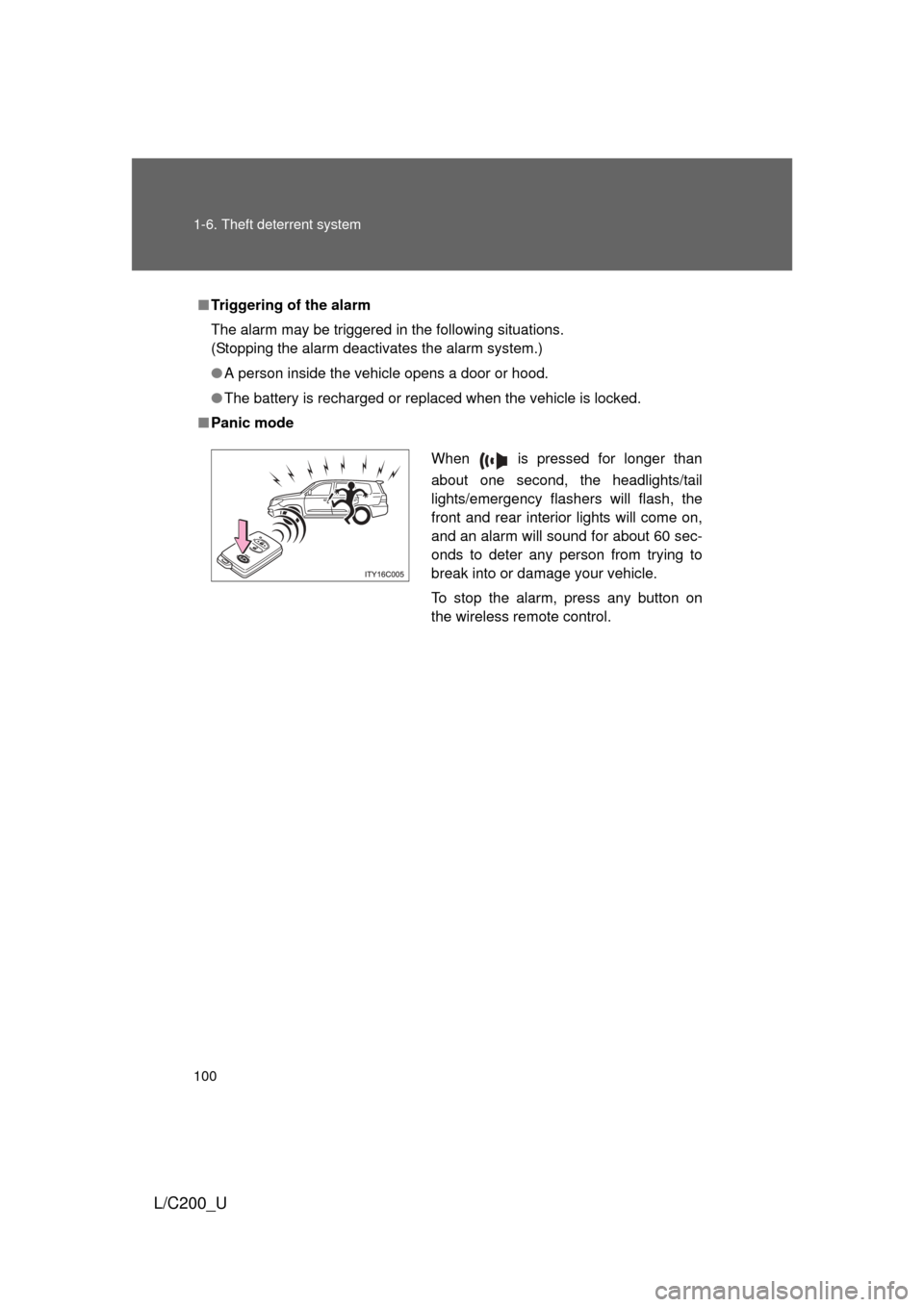
■ Panic mode
When is pressed for longer than
about one second, the headlights/tail
lights/emergency flashers will flash, the
front and rear interior lights will come on,
and an alarm will sound for about 60 sec-
onds to deter any person from trying to
break into or damage your vehicle.
To stop the alarm, press any button on
the wireless remote control.
Page 110 of 592
110 1-7. Safety information
L/C200_U
■When to contact y our Toyota dealer
In the following cases, contact your Toyota dealer as soon as possible. Do
not disconnect the battery cables before contacting your Toyota dealer.
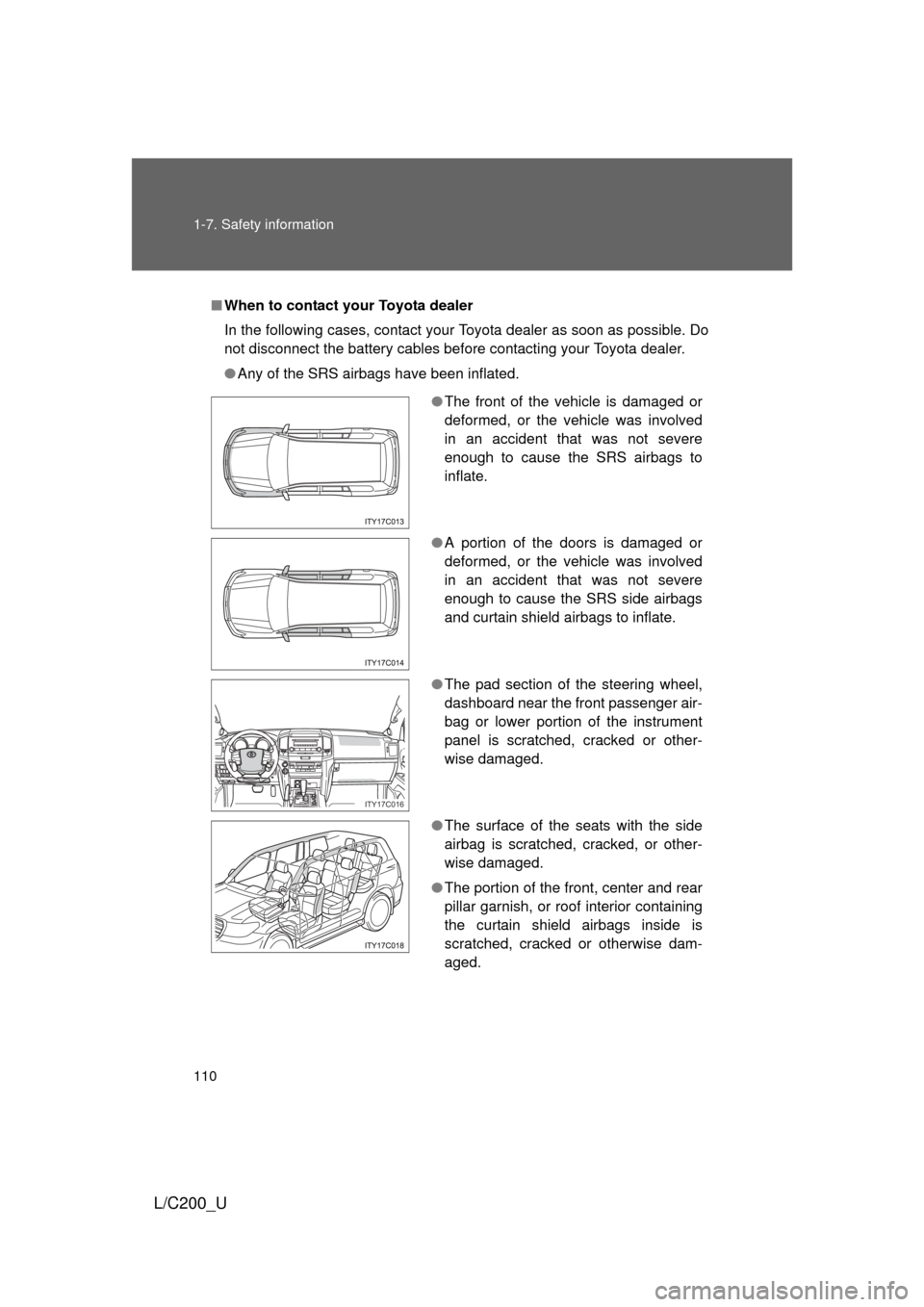
● Any of the SRS airbags have been inflated.
●The front of the vehicle is damaged or
deformed, or the vehicle was involved
in an accident that was not severe
enough to cause the SRS airbags to
inflate.
● A portion of the doors is damaged or
deformed, or the vehicle was involved
in an accident that was not severe
enough to cause the SRS side airbags
and curtain shield airbags to inflate.
● The pad section of the steering wheel,
dashboard near the front passenger air-
bag or lower portion of the instrument
panel is scratched, cracked or other-
wise damaged.
● The surface of the seats with the side
airbag is scratched, cracked, or other-
wise damaged.
● The portion of the front, center and rear
pillar garnish, or roof interior containing
the curtain shield airbags inside is
scratched, cracked or otherwise dam-
aged.
ITY17C016
Page 154 of 592
154 2-1. Driving procedures
L/C200_U
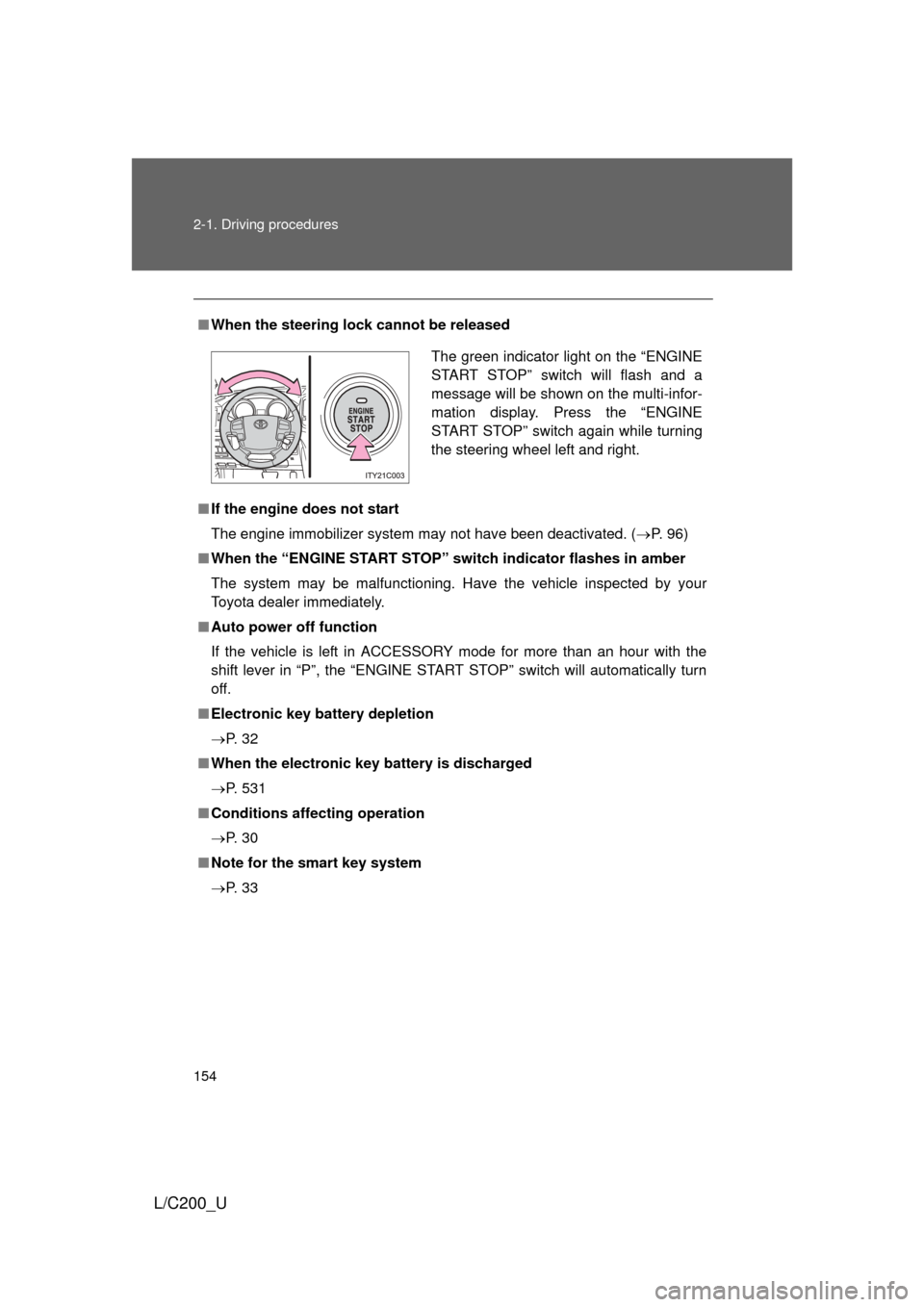
■When the steering lock cannot be released
■ If the engine does not start
The engine immobilizer system may not have been deactivated. ( P. 96)
■ When the “ENGINE START STOP” switch indicator flashes in amber
The system may be malfunctioning. Have the vehicle inspected by your
Toyota dealer immediately.
■ Auto power off function
If the vehicle is left in ACCESSORY mode for more than an hour with the
shift lever in “P”, the “ENGINE START STOP” switch will automatically turn
off.
■ Electronic key battery depletion
P. 3 2
■ When the electronic key battery is discharged
P. 531
■ Conditions affecting operation
P. 3 0
■ Note for the smart key system
P. 3 3
The green indicator light on the “ENGINE
START STOP” switch will flash and a
message will be shown on the multi-infor-
mation display. Press the “ENGINE
START STOP” switch again while turning
the steering wheel left and right.
Page 155 of 592
155
2-1. Driving procedures
2
When driving
L/C200_U
CAUTION
■
When starting the engine
Always start the engine while sitting in the driver’s seat. Do not depress the
accelerator pedal while starting the engine under any circumstances.
Doing so may cause an accident resulting in death or serious injury.
■ Stopping the engine in an emergency
If you want to stop the engine in an emergency while driving the vehicle,
push and hold the “ENGINE START STOP” switch for more than 3 seconds.
However, do not touch the "ENGINE START STOP" switch while driving
except in an emergency. Turning the engine off while driving will not cause
loss of steering or braking control, but the power assist to these systems will
be lost. This will make it more difficult to steer and brake, so you should pull
over and stop the vehicle as soon as it is safe to do so.
NOTICE
■To prevent battery discharge
Do not leave the “ENGINE START STOP” switch in ACCESSORY or IGNI-
TION ON mode for long periods without the engine running.
■ When starting the engine
● Do not race a cold engine.
● If the engine becomes difficult to start or stalls frequently, have the engine
checked immediately.
Page 166 of 592
166 2-2. Instrument cluster
L/C200_U
NOTICE
■To prevent damage to the engine and its components
● Do not let the indicator needle of the tachometer enter the red zone, which
indicates the maximum engine speed.
● The engine may be overheating if the engine coolant temperature gauge is
in the red zone (“H”). In this case, immediately stop the vehicle in a safe
place, and check the engine after it has cooled completely. ( P. 537)
■ While driving
● When the voltmeter indicates more than 19 V or less than 9 V, the battery
may be malfunctioning. Have your vehicle checked at your Toyota dealer.
● When the engine oil pressure gauge does not work properly, immediately
stop the engine and contact your Toyota dealer.
Page 175 of 592
175
2-3. Operating the lights and wipers
2
When driving
L/C200_U
■
Daytime running light system
To make your vehicle more visible to other drivers, the headlights turn on
automatically (at a reduced intensity) whenever the engine is started and the
parking brake is released. Daytime running lights are not designed for use at
night.
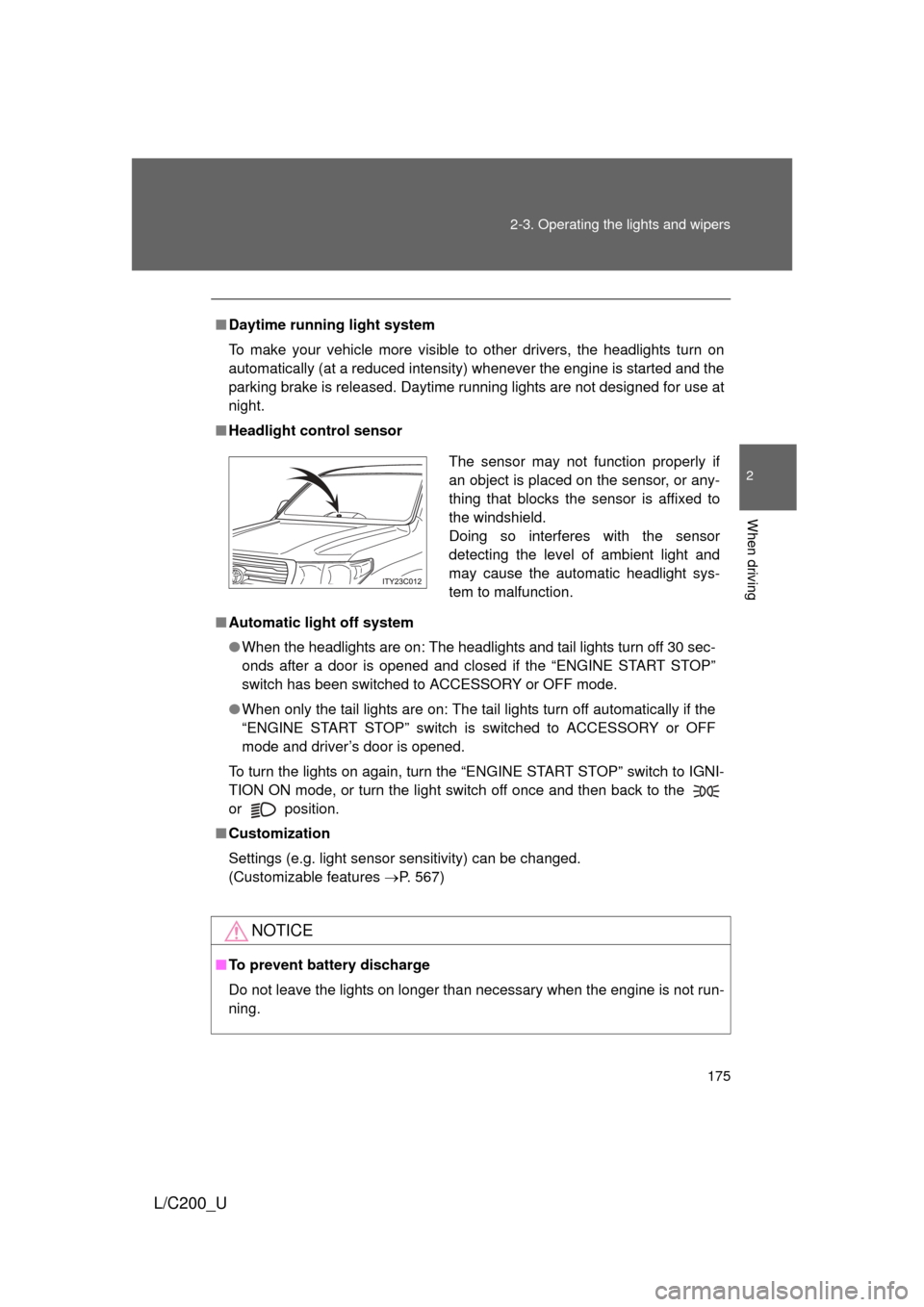
■ Headlight control sensor
■ Automatic light off system
● When the headlights are on: The headlights and tail lights turn off 30 sec-
onds after a door is opened and closed if the “ENGINE START STOP”
switch has been switched to ACCESSORY or OFF mode.
● When only the tail lights are on: The tail lights turn off automatically if the
“ENGINE START STOP” switch is switched to ACCESSORY or OFF
mode and driver’s door is opened.
To turn the lights on again, turn the “ENGINE START STOP” switch to IGNI-
TION ON mode, or turn the light switch off once and then back to the
or
position.
■ Customization
Settings (e.g. light sensor sensitivity) can be changed.
(Customizable features P. 567)
NOTICE
■To prevent battery discharge
Do not leave the lights on longer than necessary when the engine is not run-
ning.
The sensor may not function properly if
an object is placed on the sensor, or any-
thing that blocks the sensor is affixed to
the windshield.
Doing so interferes with the sensor
detecting the level of ambient light and
may cause the automatic headlight sys-
tem to malfunction.
Page 226 of 592
226
2-5. Driving information
L/C200_U
Winter driving tips
Carry out the necessary preparations and inspections before driving
the vehicle in winter. Always drive the vehicle in a manner appropri-
ate to the prevailing weather conditions.
■ Pre-winter preparations
●Use fluids that are appropriate to the prevailing outside tem-
peratures.
• Engine oil
• Engine coolant
• Washer fluid
● Have a service technician inspect the level and specific grav-
ity of battery electrolyte.
● Have the vehicle fitted with four snow tires or purchase a set
of tire chains for the rear tires.
Ensure that all tires are the same size and brand, and that chains
match the size of the tires.
Page 255 of 592
255
3-1. Using the air conditioning system
and defogger
3
Interior features
L/C200_U
■Customization that can be co nfigured at Toyota dealer
Settings (e.g. A/C Auto switch operation) can be changed.
(Customizable features P. 567)
CAUTION
■To prevent the windshield from fogging up
Do not use during cool air operation in extremely humid weather.
The difference between the temperature of the outside air and that of the
windshield can cause the outer surface of the windshield to fog up, blocking
your vision.
NOTICE
■To prevent battery discharge
Do not leave the air conditioning system on longer than necessary when the
engine is stopped.
Page 259 of 592
259
3-1. Using the air conditioning system
and defogger
3
Interior features
L/C200_U
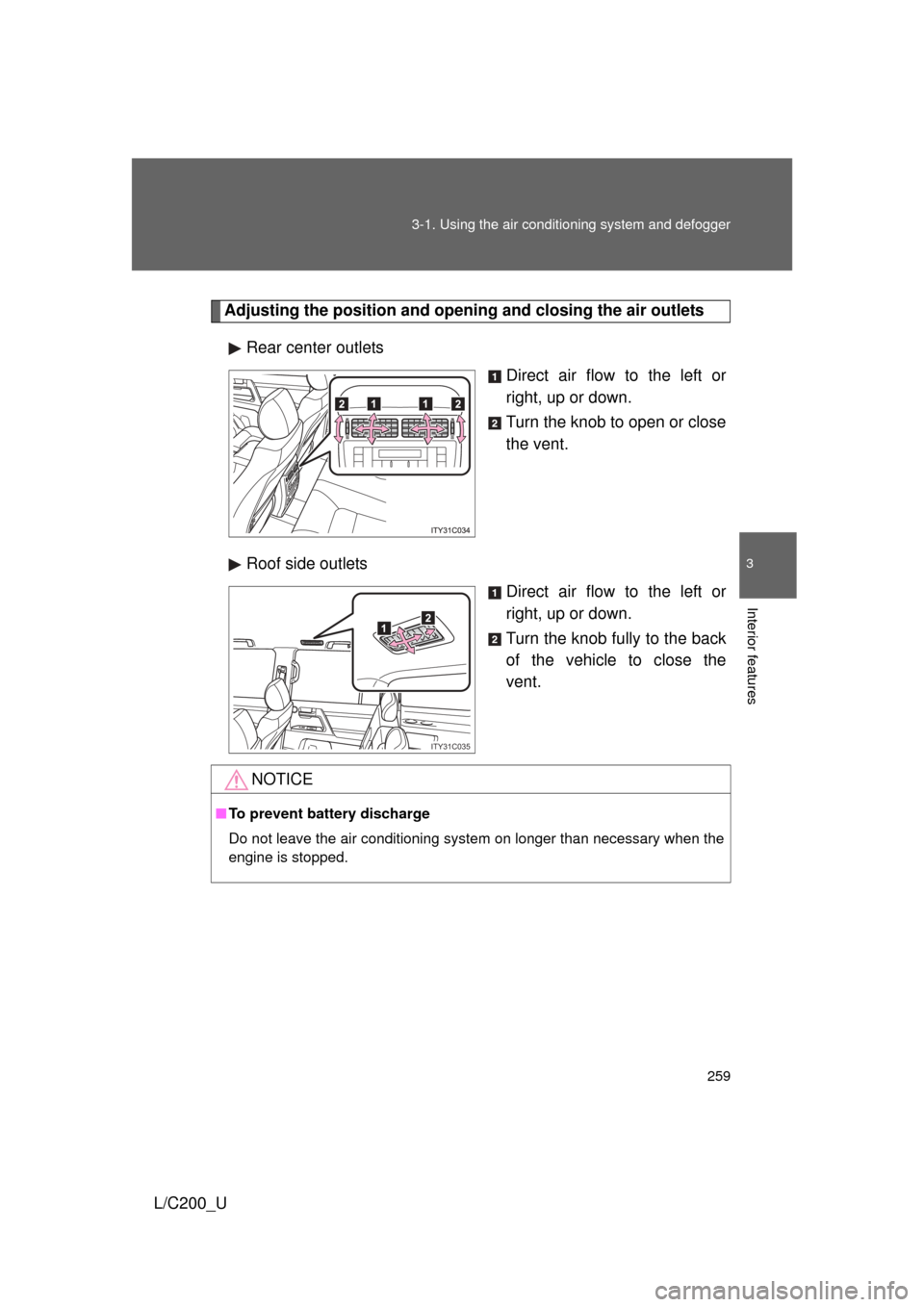
Adjusting the position and opening and closing the air outlets
Rear center outlets Direct air flow to the left or
right, up or down.
Turn the knob to open or close
the vent.
Roof side outlets Direct air flow to the left or
right, up or down.
Turn the knob fully to the back
of the vehicle to close the
vent.
ITY31C035
NOTICE
■To prevent battery discharge
Do not leave the air conditioning system on longer than necessary when the
engine is stopped.
Page 264 of 592
264 3-2. Using the audio system
L/C200_U
■Using cellular phones
Interference may be heard through the audio system’s speakers if a cellular
phone is being used inside or close to the vehicle while the audio syste\
m is
operating.
CAUTION
■For vehicles sold in the U.S.A.
● Part 15 of the FCC Rules
FCC Warning:
Any unauthorized changes or modifications to this equipment will void the
user’s authority to operate this device.
● Laser products
• Do not take this unit apart or attempt to make any changes yourself.
This is an intricate unit that uses a laser pickup to retrieve information
from the surface of compact discs. The laser is carefully shielded so
that its rays remain inside the cabinet. Therefore, never try to disas-
semble the player or alter any of its parts since you may be exposed to
laser rays and dangerous voltages.
• This product utilizes a laser. Use of controls or adjustments or performance of procedures other
than those specified herein may result in hazardous radiation expo-
sure.
NOTICE
■To prevent battery discharge
Do not leave the audio system on longer than necessary with the engine o\
ff.
■ To avoid damaging the audio system
Take care not to spill drinks or other fluids over the audio system.