USB TOYOTA LAND CRUISER 2012 User Guide
[x] Cancel search | Manufacturer: TOYOTA, Model Year: 2012, Model line: LAND CRUISER, Model: TOYOTA LAND CRUISER 2012Pages: 692, PDF Size: 29.3 MB
Page 399 of 692
399
3-2. Using the audio system
3
Interior features
L/C200_EE (OM60G38E)
Using the steering switches
: If equipped
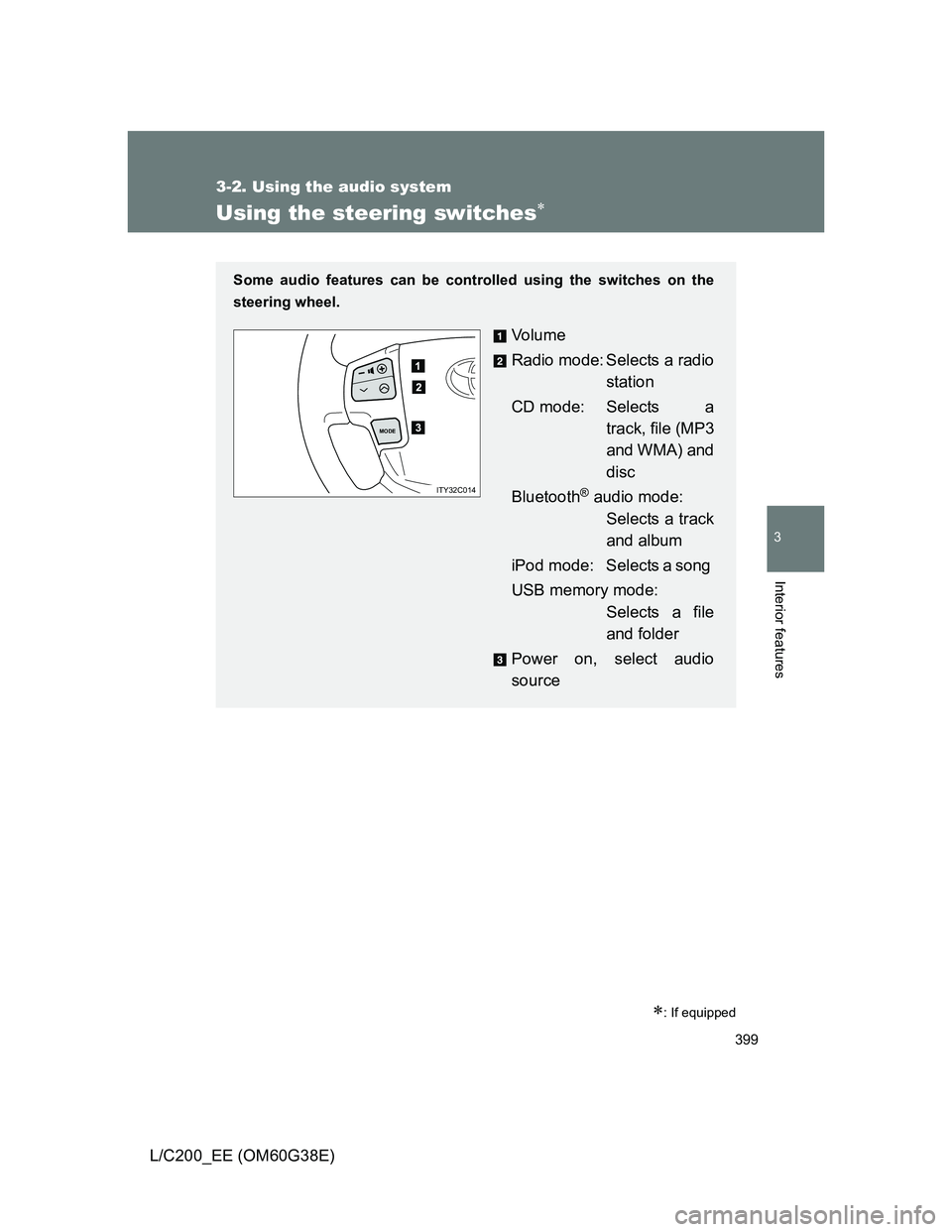
Some audio features can be controlled using the switches on the
steering wheel.
Vo l u m e
Radio mode: Selects a radio
station
CD mode: Selects a
track, file (MP3
and WMA) and
disc
Bluetooth
® audio mode:
Selects a track
and album
iPod mode: Selects a song
USB memory mode:
Selects a file
and folder
Power on, select audio
source
MODE
ITY32C014
Page 400 of 692
400 3-2. Using the audio system
L/C200_EE (OM60G38E)
Turning on the power
Press when the audio system is turned off.
The audio system can be turned off by holding the switch down until you
hear a beep.
Changing the audio source
Press when the audio system is turned on. The audio source
changes as follows each time the button is pressed. If a mode cannot
be used, it will be skipped.
FM1 FM2 FM3 CD player Bluetooth
® audio AUX
iPod or USB memory MW
Adjusting the volume
Press “+” on to increase the volume and “-” to decrease the
volume.
Hold down the button to continue increasing or decreasing the volume.
Selecting a radio station
Press to select the radio mode.
Press “” or “” on to select a preset station.
To scan for receivable stations, press and hold the switch until you
hear a beep.
Selecting a track/file or song
Press to select the CD, Bluetooth
® audio, iPod or USB
memory mode.
Press “” or “” on to select the desired track/file or
song.
STEP1
STEP2
STEP1
STEP2
Page 401 of 692
401 3-2. Using the audio system
3
Interior features
L/C200_EE (OM60G38E)
Selecting an album
Press to select Bluetooth
® audio mode.
Press and hold “” or “” on until you hear a beep.
Selecting a folder
Press to select USB memory mode.
Press and hold “” or “” on until you hear a beep.
Selecting a disc in the CD player
Press to select the CD mode.
Press and hold “” or “” on until you hear a beep.
Canceling automatic selection of a radio station
Press again.
CAUTION
To reduce the risk of an accident
Exercise care when operating the audio switches on the steering wheel.
STEP1
STEP2
STEP1
STEP2
STEP1
STEP2
Page 472 of 692
472 3-7. Other interior features
L/C200_EE (OM60G38E)
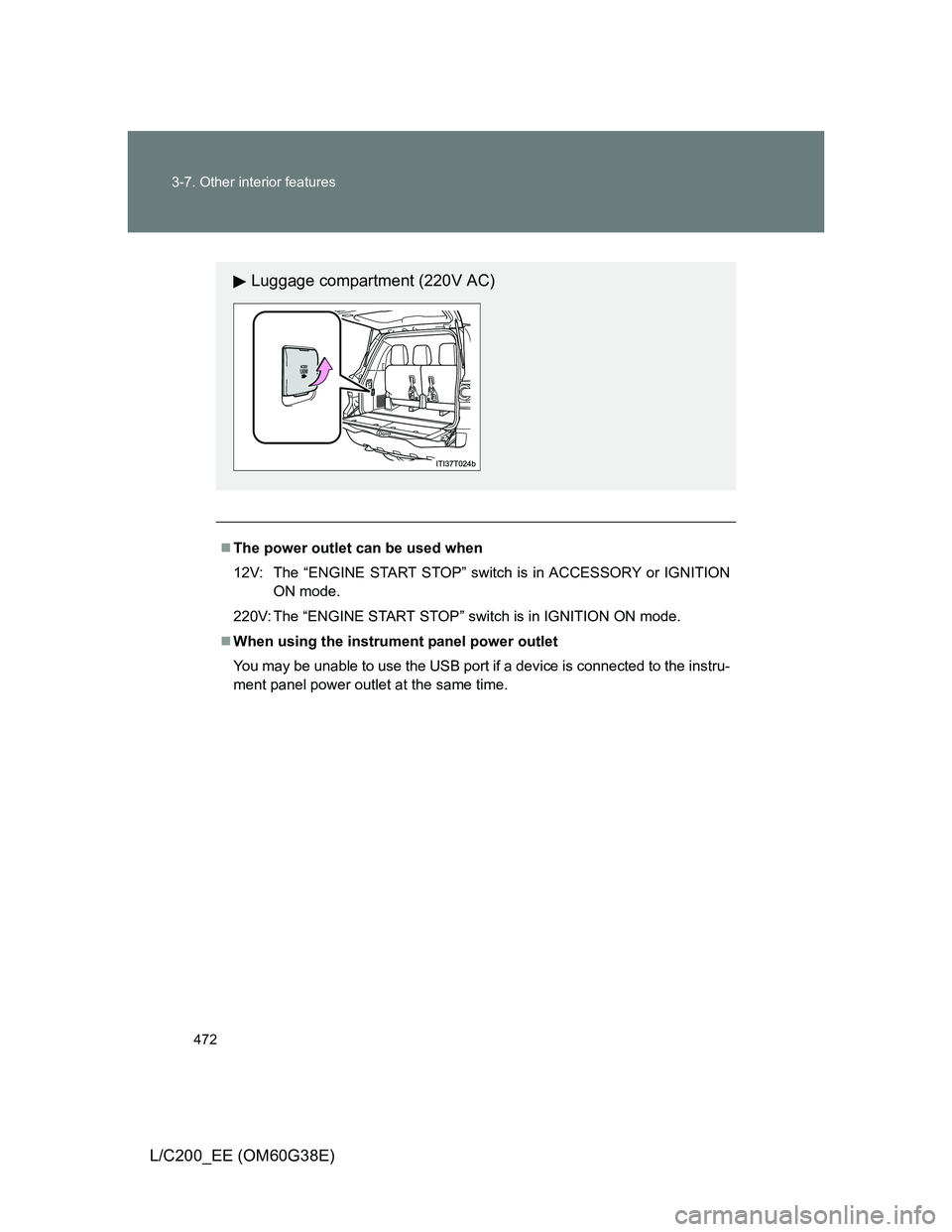
The power outlet can be used when
12V: The “ENGINE START STOP” switch is in ACCESSORY or IGNITION
ON mode.
220V: The “ENGINE START STOP” switch is in IGNITION ON mode.
When using the instrument panel power outlet
You may be unable to use the USB port if a device is connected to the instru-
ment panel power outlet at the same time.
Luggage compartment (220V AC)
Page 678 of 692
678
L/C200_EE (OM60G38E)
Alphabetical index
Alphabetical index
A/C
Air conditioning filter.............. 525
Automatic air conditioning
system (vehicles without
navigation system).............. 336
Automatic air conditioning
system (vehicles with
navigation system)
*
AHC ........................................... 248
Active height control
suspension ............................ 248
ABS ........................................... 300
Active head restraint ................. 76
Active traction control............. 300
Adaptive Variable
Suspension ............................ 258
Air conditioning filter .............. 525
Air conditioning system
(vehicles without
navigation system)
Air conditioning filter.............. 525
Automatic air conditioning
system ................................ 336
Air conditioning system
(vehicles with navigation
system)
*
Airbags
Airbag manual on-off
system ................................ 174
Airbag operating conditions .. 140
Airbag precautions for your
child .................................... 145
Airbag warning light .............. 574
Curtain shield airbag
operating conditions ........... 140
Curtain shield airbag
precautions ......................... 145
General airbag precautions... 145Locations of airbags.............. 137
Modification and disposal of
airbags................................ 149
Proper driving posture .. 135, 145
Roll sensing of curtain shield
airbags off switch................ 150
Side airbag operating
conditions ........................... 140
Side airbag precautions ........ 145
SRS airbags.......................... 137
Alarm ........................................ 127
Antenna .................................... 365
Anti-lock brake system .......... 300
Armrest ..................................... 480
Ashtrays ................................... 468
Assist grip ................................ 481
Audio system (vehicles
without navigation system)
Antenna ................................ 365
AUX port ............................... 398
CD player/changer ................ 366
iPod....................................... 380
MP3/WMA disc ..................... 373
Optimal use........................... 396
Portable audio device ........... 398
Radio .................................... 362
Steering wheel audio
switch ................................. 399
USB memory ........................ 388
Audio/video system
(vehicles with navigation
system)
*
Automatic air conditioning
system (vehicles without
navigation system)................ 336
Automatic air conditioning
system (vehicles with
navigation system)
*
A