remote control TOYOTA LAND CRUISER 2012 User Guide
[x] Cancel search | Manufacturer: TOYOTA, Model Year: 2012, Model line: LAND CRUISER, Model: TOYOTA LAND CRUISER 2012Pages: 692, PDF Size: 29.3 MB
Page 57 of 692
57 1-2. Opening, closing and locking the doors
1
Before driving
L/C200_EE (OM60G38E)
Certification for wireless remote control
Hereby, Tokai Rika Co., Ltd., declares that this B77EA is in compli-
ance with the essential requirements and other relevant provisions
of Directive 1999/5/EC.
Page 59 of 692
59 1-2. Opening, closing and locking the doors
1
Before driving
L/C200_EE (OM60G38E)
CAUTION
When closing the windows or moon roof using wireless remote control
Observe the following precautions.
Failing to do so may result in death or serious injury.
Check to make sure that all passengers do not have any part of their body
in a position where it could be caught when a window or moon roof is
being operated.
To prevent inadvertent power windows and moon roof operation, never let
a small child have and use the wireless remote control.
Jam protection function
Never try jamming any part of your body to activate the jam protection
function intentionally.
The jam protection function may not work if something gets caught just
before the window or moon roof fully closes.
Page 60 of 692
60
1-2. Opening, closing and locking the doors
L/C200_EE (OM60G38E)
Side doors
The vehicle can be locked and unlocked using the entry function,
wireless remote control or door lock switch.
Entry function
P. 4 1
Wireless remote control
P. 5 5
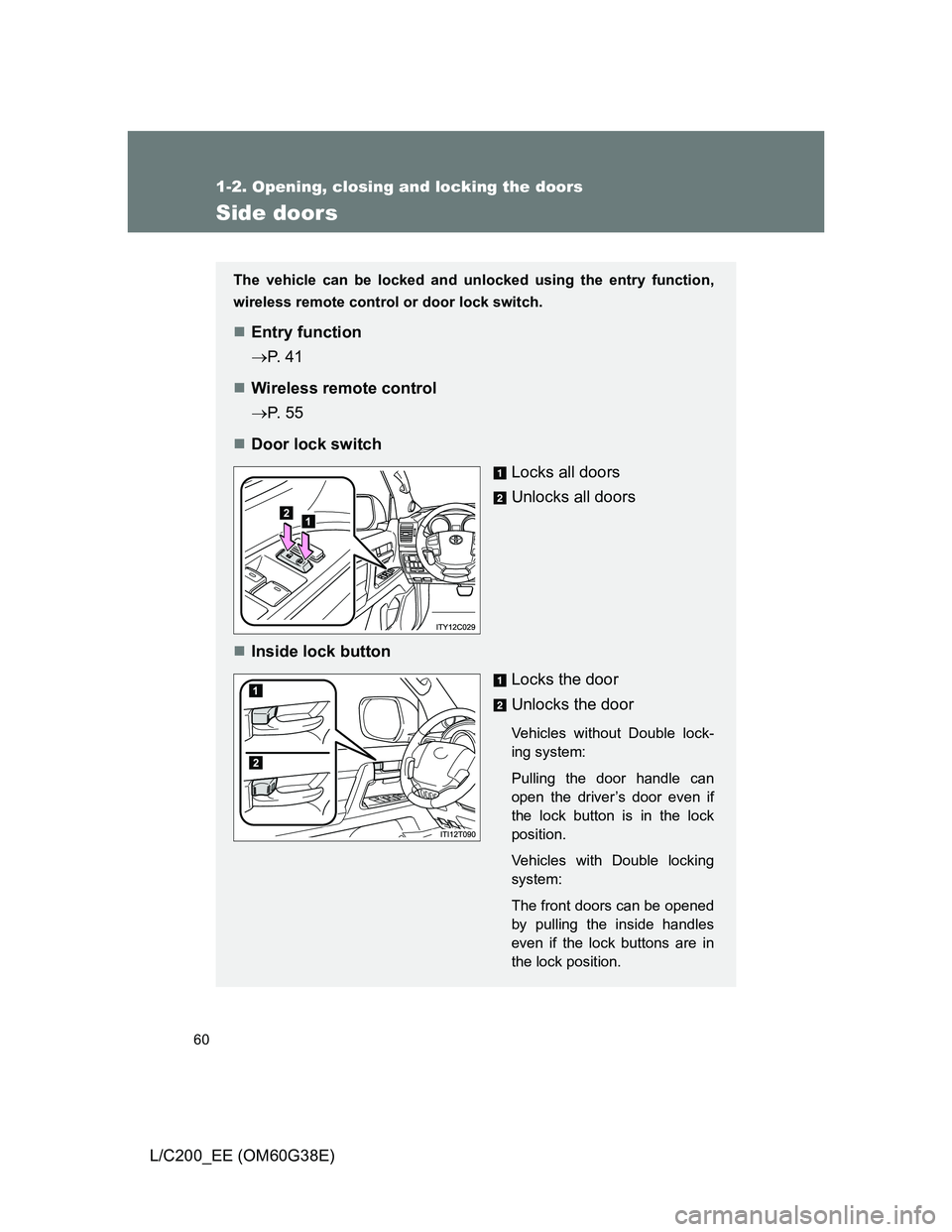
Door lock switch
Locks all doors
Unlocks all doors
Inside lock button
Locks the door
Unlocks the door
Vehicles without Double lock-
ing system:
Pulling the door handle can
open the driver’s door even if
the lock button is in the lock
position.
Vehicles with Double locking
system:
The front doors can be opened
by pulling the inside handles
even if the lock buttons are in
the lock position.
Page 63 of 692
63
1
1-2. Opening, closing and locking the doors
Before driving
L/C200_EE (OM60G38E)
Back door
The back door can be locked/unlocked and opened by the following
procedures.
Locking and unlocking the back door
Door lock switch
P. 6 0
Entry function
P. 4 0
Wireless remote control
P. 5 5
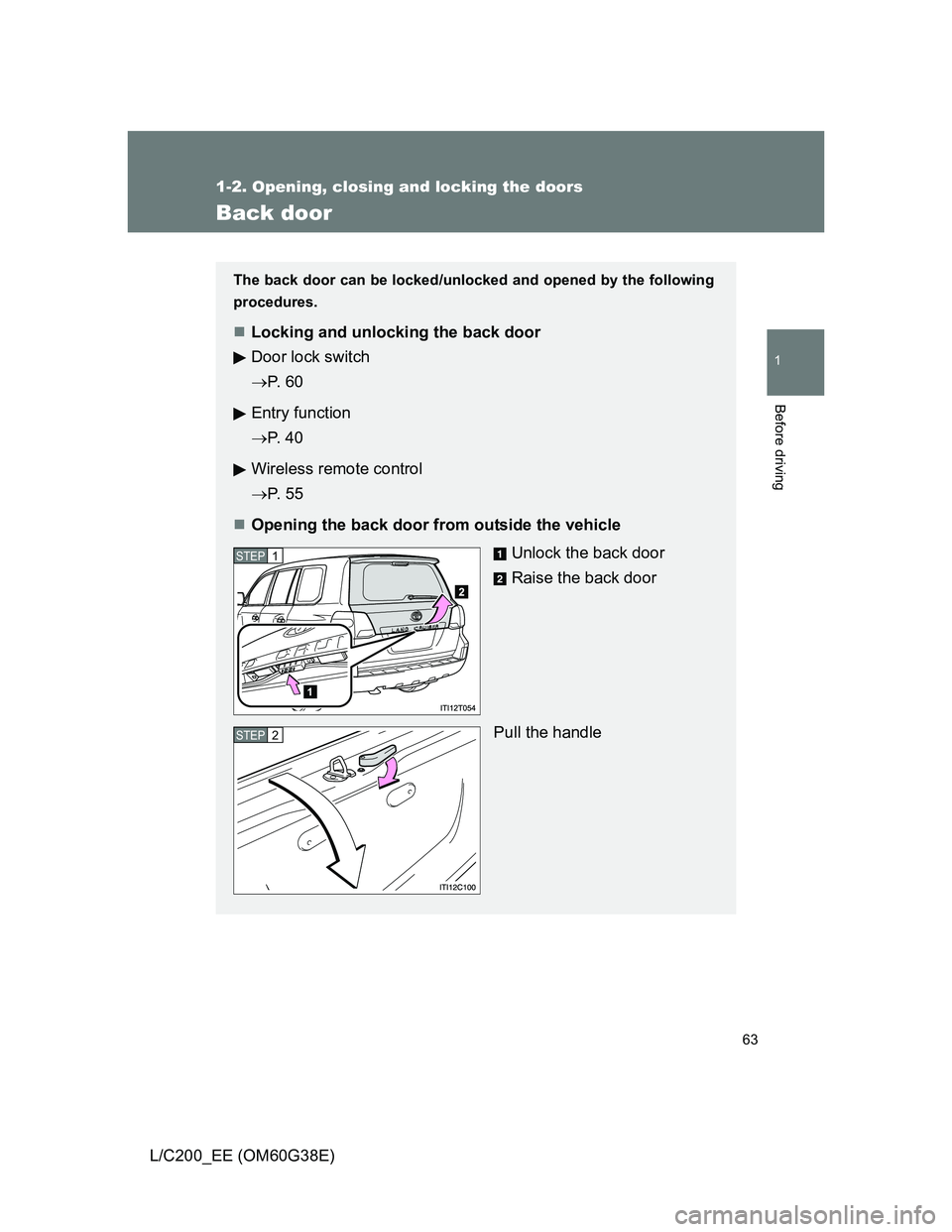
Opening the back door from outside the vehicle
Unlock the back door
Raise the back door
Pull the handle
STEP1
STEP2
Page 64 of 692

64 1-2. Opening, closing and locking the doors
L/C200_EE (OM60G38E)
Power back door switch (if equipped)
Pressing the switch closes upper
back door automatically.
(A buzzer sounds.)
Pressing the switch while the
upper back door is closing opens
it again.
Canceling the power back door system (if equipped)
Turn the main switch to disable
the power back door system.
Inoperative
Operative
The back door cannot be oper-
ated even with the wireless
remote control or power back
door switch.
Opening the back door from inside the vehicle (if equipped)
The power back door can be
opened/closed using the
power back door switch or
wireless remote control.
(P. 55)
Push and hold the switch to
close or open.
(A buzzer sounds.)
Page 88 of 692
88 1-3. Adjustable components (seats, mirrors, steering wheel)
L/C200_EE (OM60G38E)
’
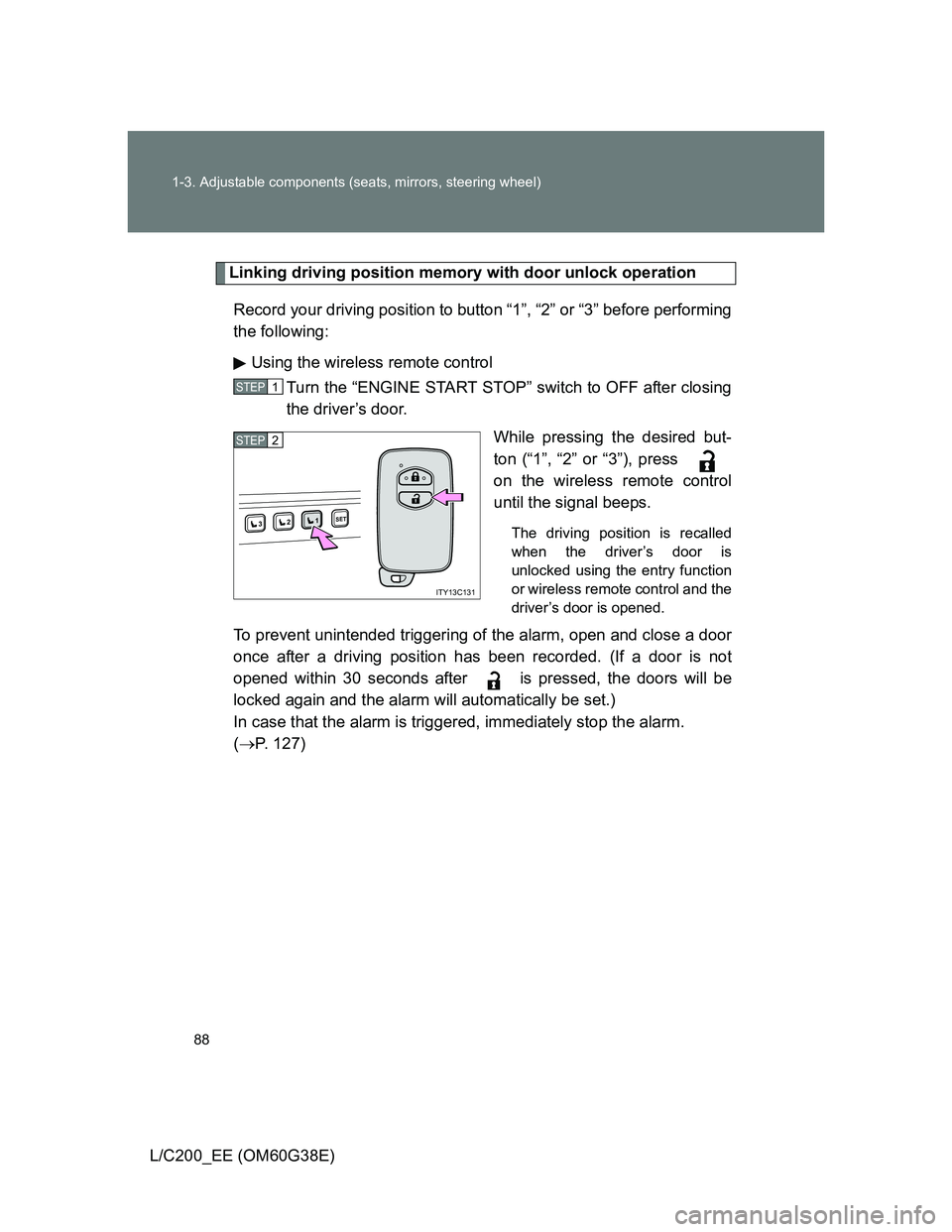
Linking driving position memory with door unlock operation
Record your driving position to button “1”, “2” or “3” before performing
the following:
Using the wireless remote control
Turn the “ENGINE START STOP” switch to OFF after closing
the driver’s door.
While pressing the desired but-
ton (“1”, “2” or “3”), press
on the wireless remote control
until the signal beeps.
The driving position is recalled
when the driver’s door is
unlocked using the entry function
or wireless remote control and the
driver’s door is opened.
To prevent unintended triggering of the alarm, open and close a door
once after a driving position has been recorded. (If a door is not
opened within 30 seconds after is pressed, the doors will be
locked again and the alarm will automatically be set.)
In case that the alarm is triggered, immediately stop the alarm.
(P. 127)
STEP1
1SET23
ITY13C131
STEP2
Page 89 of 692
89 1-3. Adjustable components (seats, mirrors, steering wheel)
1
Before driving
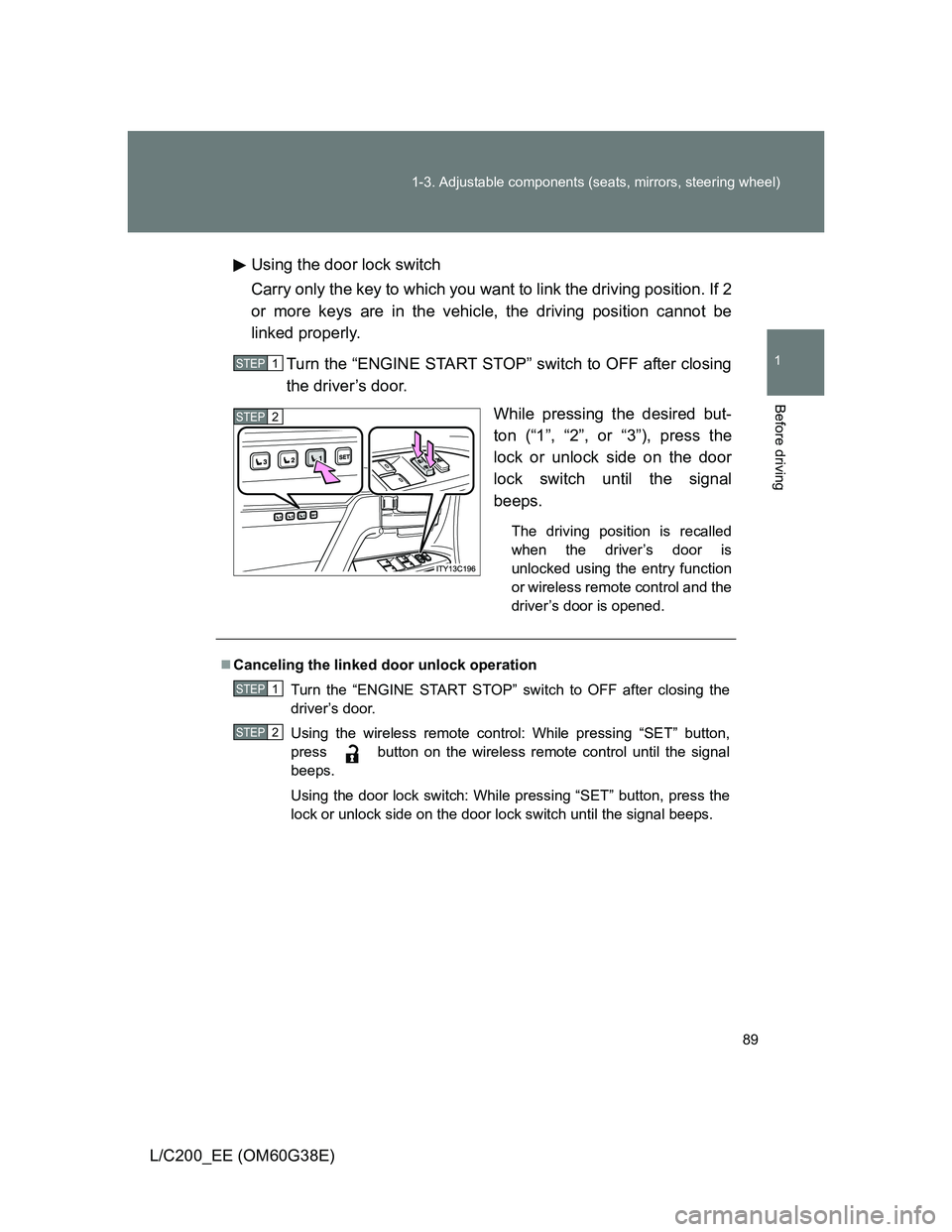
L/C200_EE (OM60G38E)Using the door lock switch
Carry only the key to which you want to link the driving position. If 2
or more keys are in the vehicle, the driving position cannot be
linked properly.
Turn the “ENGINE START STOP” switch to OFF after closing
the driver’s door.
While pressing the desired but-
ton (“1”, “2”, or “3”), press the
lock or unlock side on the door
lock switch until the signal
beeps.
The driving position is recalled
when the driver’s door is
unlocked using the entry function
or wireless remote control and the
driver’s door is opened.
STEP1
STEP2
Canceling the linked door unlock operation
Turn the “ENGINE START STOP” switch to OFF after closing the
driver’s door.
Using the wireless remote control: While pressing “SET” button,
press button on the wireless remote control until the signal
beeps.
Using the door lock switch: While pressing “SET” button, press the
lock or unlock side on the door lock switch until the signal beeps.
STEP1
STEP2
Page 110 of 692
110 1-4. Opening and closing the windows and moon roof
L/C200_EE (OM60G38E)
The power windows can be operated when
The “ENGINE START STOP” switch is in IGNITION ON mode.
Door lock linked window operation
The following functions can be used if customized at any authorized Toyota
dealer or repairer, or another duly qualified and equipped professional.
The power windows can be opened and closed using the wireless
remote control or mechanical key. (P. 5 5627)
The power windows can be closed using the entry function.
Operating the power windows after turning the “ENGINE START STOP”
switch OFF
The power windows can be operated for approximately 45 seconds even
after the “ENGINE START STOP” switch is turned to ACCESSORY mode or
turned OFF. They cannot, however, be operated once either front door is
opened.
Jam protection function
If an object becomes caught between the window and the window frame,
window travel is stopped and the window is opened slightly.
Page 125 of 692
125
1
1-6. Theft deterrent system
Before driving
L/C200_EE (OM60G38E)
Double locking system
Setting the double locking system
Turn the “ENGINE START STOP” switch OFF, have all the passen-
gers exit the vehicle and ensure that all the doors are closed.
Using the entry function:
Press the lock button on the outside door handle twice within 5 sec-
onds.
Using the wireless remote control:
Press the
button twice within 5 seconds.
: If equipped
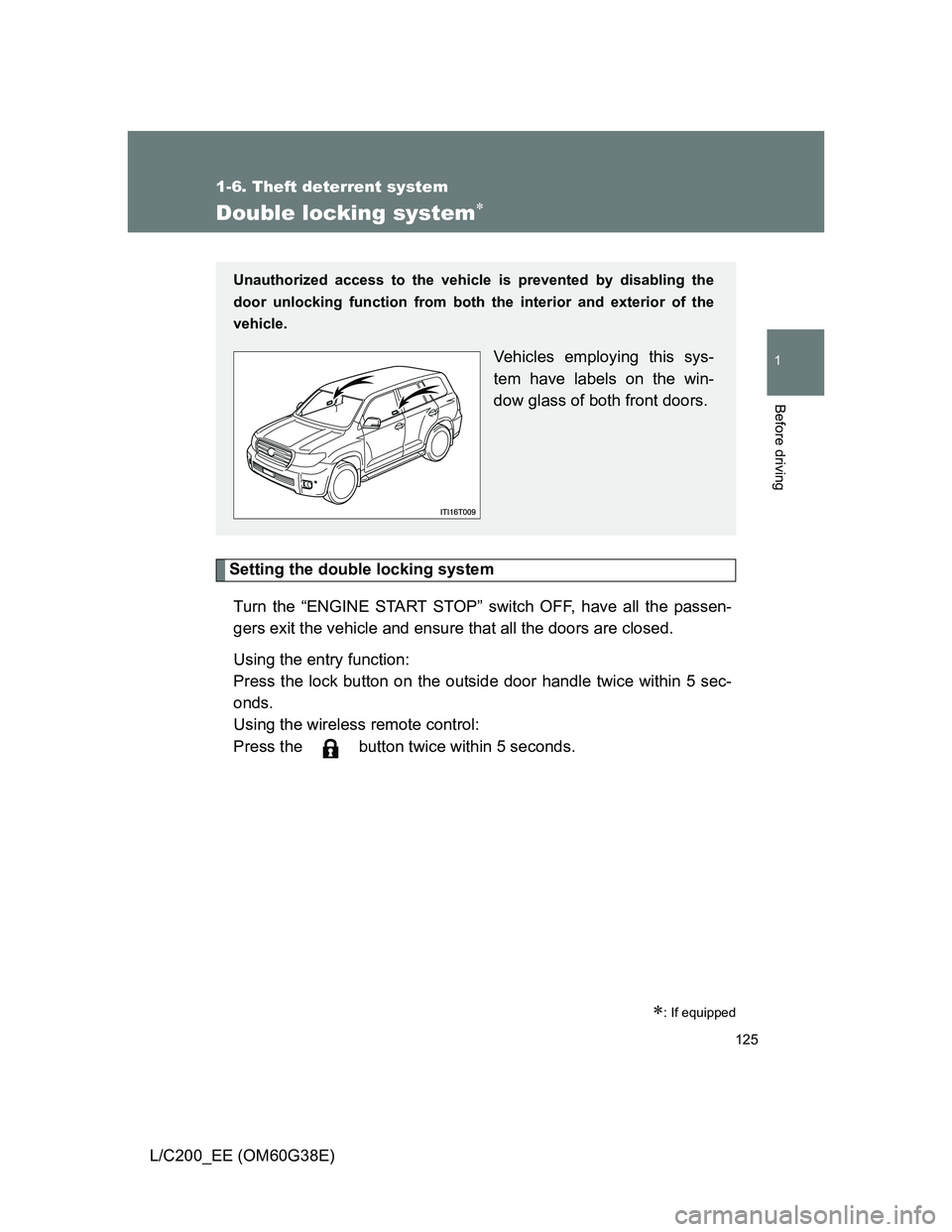
Unauthorized access to the vehicle is prevented by disabling the
door unlocking function from both the interior and exterior of the
vehicle.
Vehicles employing this sys-
tem have labels on the win-
dow glass of both front doors.
Page 126 of 692
126 1-6. Theft deterrent system
L/C200_EE (OM60G38E)
Canceling the double locking system
Using the entry function:
Hold the outside door handle on the driver side.
Using the wireless remote control: Press the
button.
CAUTION
Double locking system precaution
Never activate the double locking system when there are people in the vehi-
cle, because all the doors cannot be opened from inside the vehicle.