166 TOYOTA LAND CRUISER 2013 J200 Owners Manual
[x] Cancel search | Manufacturer: TOYOTA, Model Year: 2013, Model line: LAND CRUISER, Model: TOYOTA LAND CRUISER 2013 J200Pages: 720, PDF Size: 21.46 MB
Page 3 of 720

1
2
3
4
5
6
7
3
LC200_OM_OM60F57U_(U)
2-1. Driving procedures
Driving the vehicle............... 154
Engine (ignition) switch ....... 166
Automatic transmission ....... 171
Turn signal lever ................. 176
Parking brake ...................... 177
Horn .................................... 178
2-2. Instrument cluster
Gauges and meters ............ 179
Indicators and
warning lights .................... 184
Multi-information display ..... 189
2-3. Operating the lights
and wipers
Headlight switch .................. 196
Fog light switch ................... 201
Windshield wipers
and washer ....................... 202
Rear window wiper
and washer ....................... 208
Headlight cleaner switch ..... 2092-4. Using other driving systems
Cruise control ..................... 210
Dynamic radar
cruise control .................... 214
Intuitive parking assist ........ 229
Four-wheel drive system .... 240
Crawl Control
(with Turn Assist
function) ........................... 245
Multi-terrain Select ............. 251
Multi-terrain Monitor ........... 257
Driving assist systems ........ 282
Pre-Collision System .......... 290
2-5. Driving information
Off-road precautions........... 297
Cargo and luggage ............. 302
Vehicle load limits............... 309
Winter driving tips ............... 310
Trailer towing ...................... 315
Dinghy towing ..................... 333
2When driving
Page 18 of 720
18
LC200_OM_OM60F57U_(U)
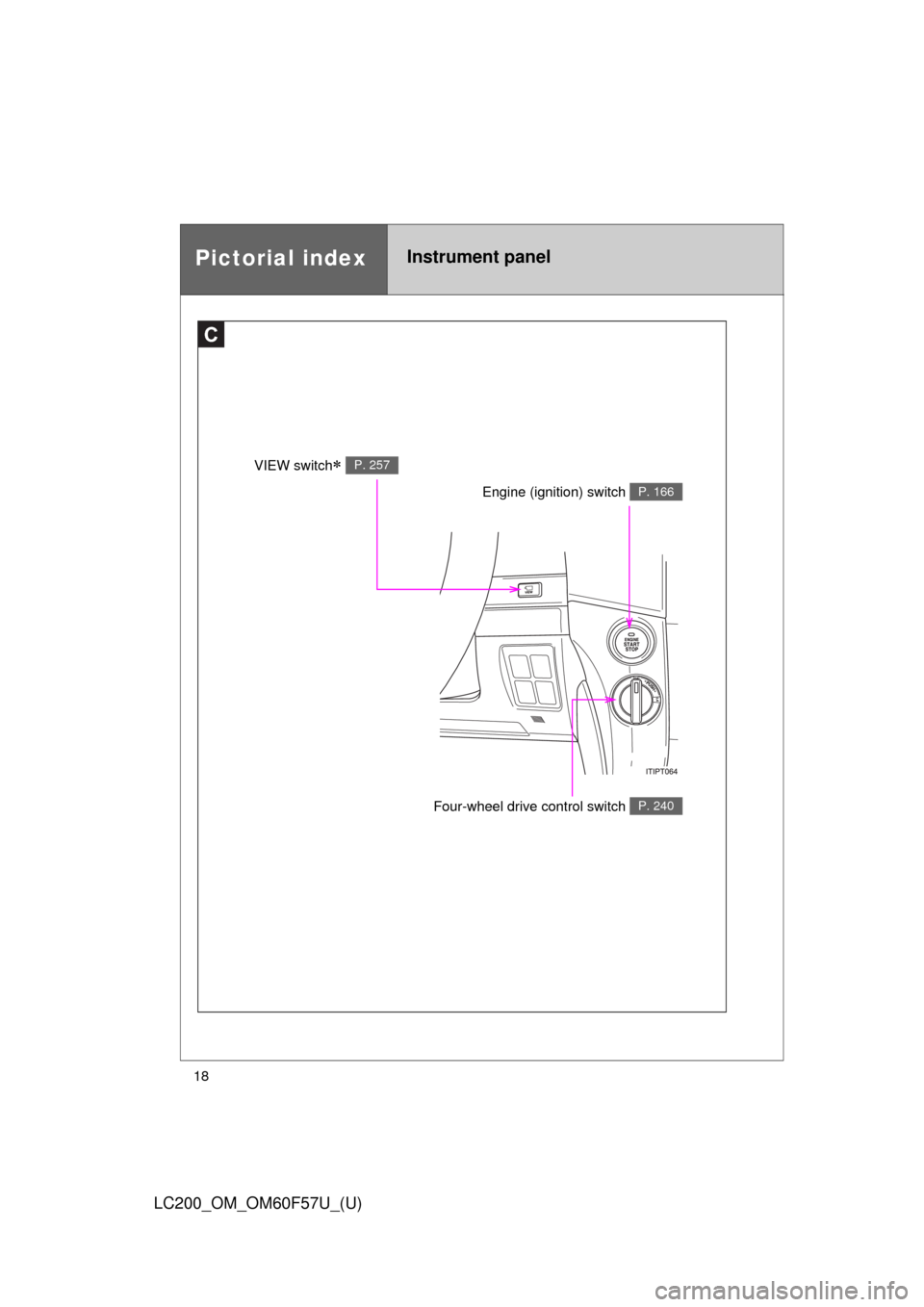
Pictorial indexInstrument panel
C
Engine (ignition) switch P. 166
Four-wheel drive control switch P. 240
VIEW switch P. 257
Page 32 of 720
32
LC200_OM_OM60F57U_(U)
1-2. Opening, closing and locking the doors
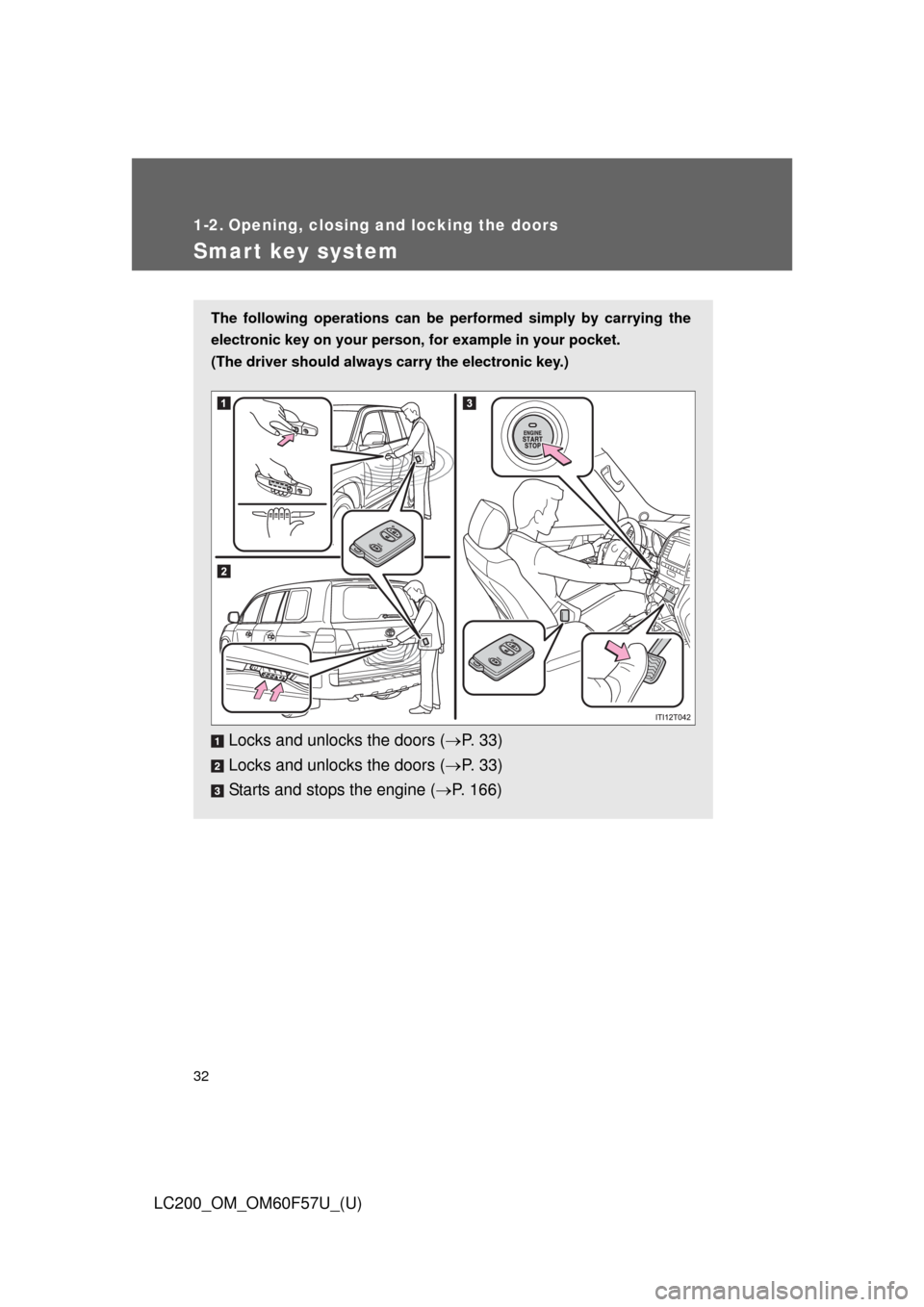
Smart key system
The following operations can be performed simply by carrying the
electronic key on your person, for example in your pocket.
(The driver should always carry the electronic key.)
Locks and unlocks the doors (P. 3 3 )
Locks and unlocks the doors (P. 3 3 )
Starts and stops the engine (P. 166)
Page 42 of 720

42 1-2. Opening, closing and locking the doors
LC200_OM_OM60F57U_(U)
*1: A message will be shown on the multi-information display in the instru-
ment cluster.
*2: If the engine does not start when the electronic key is inside the vehicle,
the electronic key battery may be depleted or there may be difficulties
receiving signal from the key. (P. 651)
■If the smart key system does not operate properly
●Locking and unlocking the doors: Use the mechanical key. (P. 651)
●Starting the engine (P. 166)
■When the electronic key battery is fully depleted
P. 563
■Customization
Settings (e.g. smart key system) can be changed.
(Customizable features P. 692)
AlarmSituationCorrection procedure
Interior alarm
pings once and
exterior alarm
sounds 3 times
*1
The driver’s door was
closed after the key was
carried outside the vehicle,
and the “ENGINE START
STOP” switch was not
turned OFFTurn the “ENGINE
START STOP” switch
OFF and close the
driver’s door again
An occupant carried the
electronic key outside the
vehicle and closed the
door while the “ENGINE
START STOP” switch was
not OFFBring the electronic
key back into the vehi-
cle
Page 45 of 720
45 1-2. Opening, closing and locking the doors
1
Before driving
LC200_OM_OM60F57U_(U)
■Alarm
Using the wireless remote control to lock the door will set the alarm system.
(P. 107)
■Electronic key battery depletion
P. 651
■If the wireless remote control does not operate properly
●Locking and unlocking the doors: Use the mechanical key. (P. 651)
●Starting the engine (P. 166)
■When the electronic key battery is fully depleted
P. 563
■Conditions affecting operation
P. 3 6
■Customization
Settings (e.g. 2-step unlocking function) can be changed.
(Customizable features P. 692)
■Certification for wireless remote control
FCC ID: HYQ14AEM
FCC ID: HYQ13BZS
FCC ID: HYQ14ABK
*
FCC ID: HYQ13CZA*
*
: For U.S. mainland only
NOTE:
This device complies with part 15 of the FCC Rules. Operation is subject to
the following two conditions: (1) This device may not cause harmful interfer-
ence, and (2) this device must accept any interference received, including
interference that may cause undesired operation.
FCC WARNING:
Changes or modifications not expressly approved by the party responsible
for compliance could void the user’s authority to operate the equipment.
Page 153 of 720
When driving2
153
LC200_OM_OM60F57U_(U)
2-1. Driving procedures
Driving the vehicle............ 154
Engine (ignition) switch .... 166
Automatic transmission .... 171
Turn signal lever .............. 176
Parking brake ................... 177
Horn ................................. 178
2-2. Instrument cluster
Gauges and meters ......... 179
Indicators and
warning lights ................. 184
Multi-information
display............................ 189
2-3. Operating the lights
and wipers
Headlight switch ............... 196
Fog light switch ................ 201
Windshield wipers
and washer .................... 202
Rear window wiper
and washer .................... 208
Headlight cleaner
switch ............................. 2092-4. Using other driving systems
Cruise control ................... 210
Dynamic radar
cruise control ................. 214
Intuitive parking assist...... 229
Four-wheel drive
system ........................... 240
Crawl Control
(with Turn Assist
function) ......................... 245
Multi-terrain Select ........... 251
Multi-terrain Monitor ......... 257
Driving assist systems ..... 282
Pre-Collision System........ 290
2-5. Driving information
Off-road precautions ........ 297
Cargo and luggage .......... 302
Vehicle load limits ............ 309
Winter driving tips ............ 310
Trailer towing ................... 315
Dinghy towing .................. 333
Page 154 of 720
154
LC200_OM_OM60F57U_(U)
2-1. Driving procedures
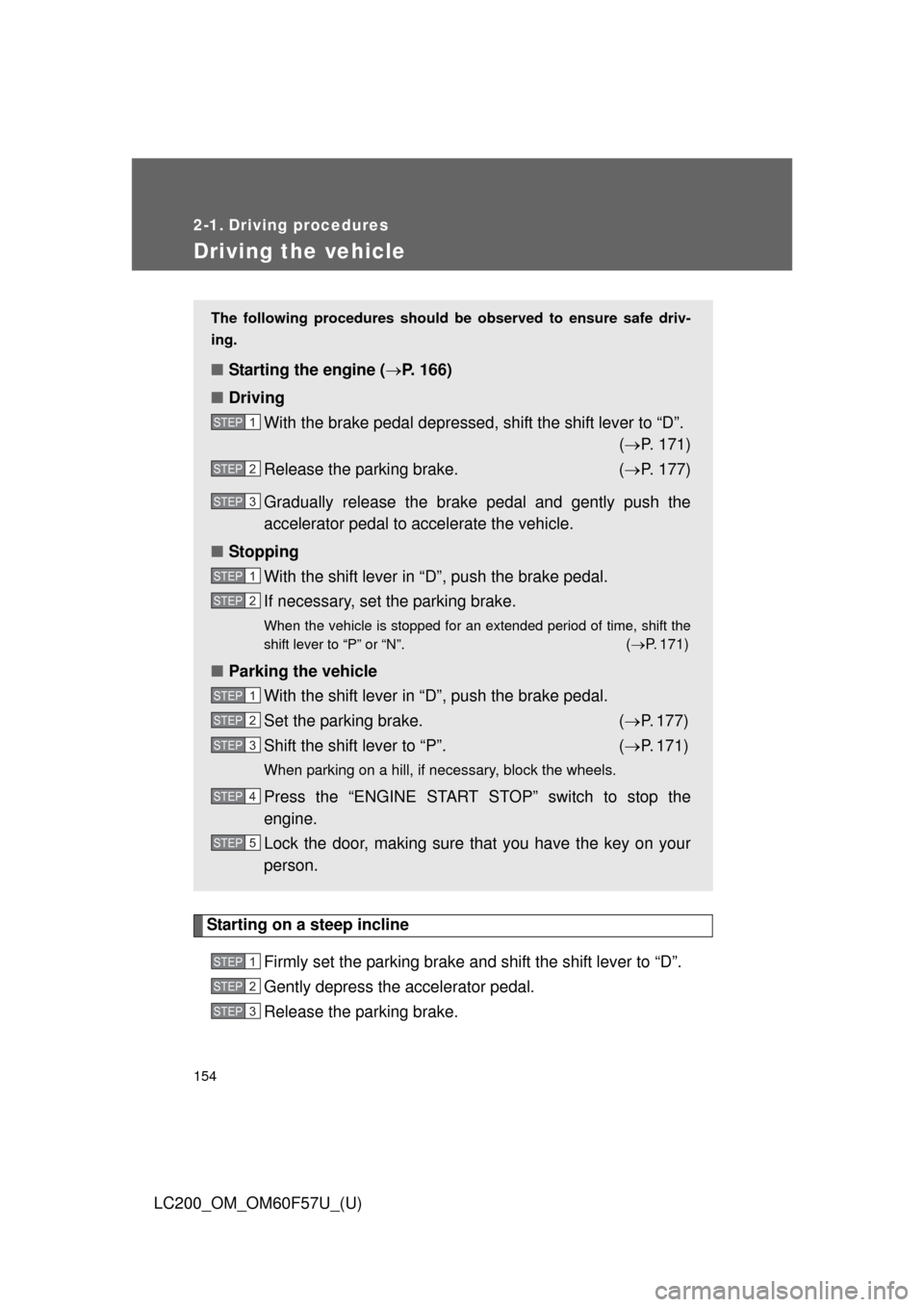
Driving the vehicle
Starting on a steep incline
Firmly set the parking brake and shift the shift lever to “D”.
Gently depress the accelerator pedal.
Release the parking brake.
The following procedures should be observed to ensure safe driv-
ing.
■Starting the engine (P. 166)
■Driving
With the brake pedal depressed, shift the shift lever to “D”.
(P. 171)
Release the parking brake. (P. 177)
Gradually release the brake pedal and gently push the
accelerator pedal to accelerate the vehicle.
■Stopping
With the shift lever in “D”, push the brake pedal.
If necessary, set the parking brake.
When the vehicle is stopped for an extended period of time, shift the
shift lever to “P” or “N”.
(P. 171)
■Parking the vehicle
With the shift lever in “D”, push the brake pedal.
Set the parking brake. (P. 177)
Shift the shift lever to “P”. (P. 171)
When parking on a hill, if necessary, block the wheels.
Press the “ENGINE START STOP” switch to stop the
engine.
Lock the door, making sure that you have the key on your
person.
STEP1
STEP2
STEP3
STEP1
STEP2
STEP1
STEP2
STEP3
STEP4
STEP5
STEP1
STEP2
STEP3
Page 166 of 720
166
2-1. Driving procedures
LC200_OM_OM60F57U_(U)
Engine (ignition) switch
Performing the following operations when carrying the electronic
key on your person starts the engine or changes “ENGINE START
STOP” switch modes.
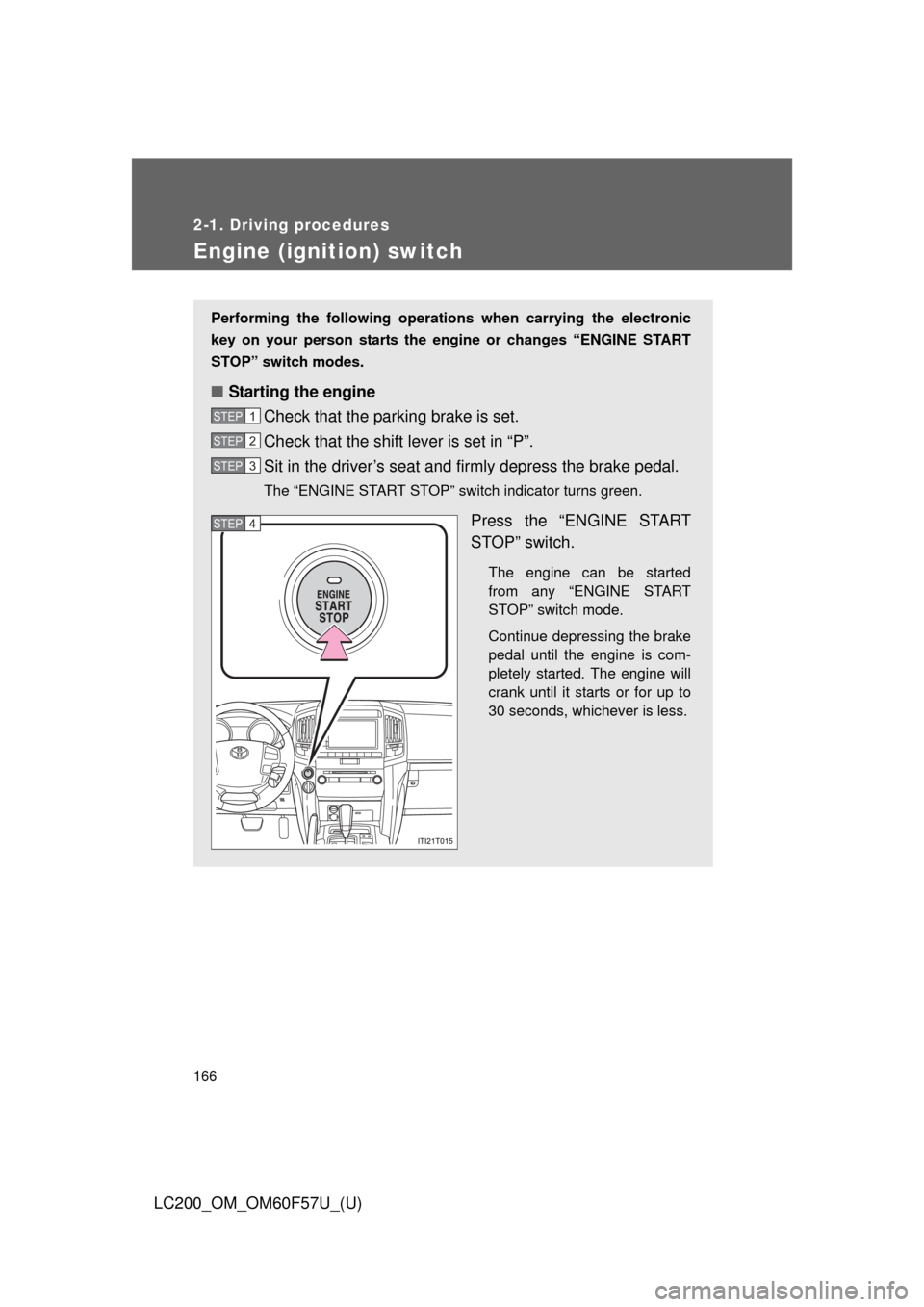
■Starting the engine
Check that the parking brake is set.
Check that the shift lever is set in “P”.
Sit in the driver’s seat and firmly depress the brake pedal.
The “ENGINE START STOP” switch indicator turns green.
Press the “ENGINE START
STOP” switch.
The engine can be started
from any “ENGINE START
STOP” switch mode.
Continue depressing the brake
pedal until the engine is com-
pletely started. The engine will
crank until it starts or for up to
30 seconds, whichever is less.
STEP1
STEP2
STEP3
STEP4
Page 647 of 720
5
When trouble arises
647
5-2. Steps to take in an emergency
LC200_OM_OM60F57U_(U)
If the engine will not star t
If the engine still does not start after following the correct starting
procedure (P. 166) or releasing the steering lock (P. 168), confirm
the following points.
■The engine will not start when the starter motor operates
normally
One of the following may be the cause of the problem.
●There may not be sufficient fuel in the vehicle’s tank.
Refuel the vehicle.
●The engine may be flooded.
Try to restart the engine once more following correct starting
procedures. (P. 166)
●There may be a malfunction in the engine immobilizer system.
(P. 105)
■The starter motor turn over slowly, the interior lights and
headlights are dim, or the horn does not sound or sounds at
a low volume
One of the following may be the cause of the problem.
●The battery may be discharged. (P. 654)
●The battery terminal connections may be loose or corroded.
■The starter motor does not turn over
The engine starting system may be malfunctioning due to an
electrical problem such as an open circuit or a blown fuse. How-
ever, an interim measure is available to start the engine.
(
P. 648)
Page 711 of 720

711 Alphabetical index
LC200_OM_OM60F57U_(U)
Eco driving............................... 156
Electronic key
If your electronic key
battery is discharged .. 563, 651
Emergency flashers
Switch ................................... 598
Emergency, in case of
If a warning message is
displayed ............................ 617
If the electronic key does
not operate properly ........... 651
If the engine will not start...... 647
If the shift lever cannot be
shifted from “P” .................. 649
If the vehicle has discharged
battery ............................... 654
If the warning buzzer
sounds ............................... 606
If the warning light turns on .. 606
If you have a flat tire ............ 633
If you lose your keys............. 650
If you think something is
wrong ................................. 604
If your vehicle becomes
stuck................................... 661
If your vehicle has to be
stopped in an emergency... 663
If your vehicle needs to be
towed ................................. 599
If your vehicle overheats ...... 658
Engine
Compartment........................ 528
Engine switch ....................... 166
Hood ..................................... 527
How to start the engine ........ 166
Identification number ............ 667
If the engine will not start...... 647
Ignition switch ....................... 166
Overheating .......................... 658Engine coolant
Capacity ................................670
Checking ...............................534
Preparing and checking
before winter .......................310
Engine coolant temperature
gauge ......................................179
Engine immobilizer system.....105
Engine oil
Capacity ................................669
Checking ...............................530
Preparing and checking
before winter .......................310
Engine switch ...........................166
Event data recorder ...................25
First-aid kit holder....................495
Floor mats.................................493
Fluid
Brake .....................................536
Power steering ......................538
Washer ..................................542
Fog lights
Replacing light bulbs .............581
Switch....................................201
Wattage .................................675
Four-wheel drive system .........240
Front fog lights
Replacing light bulbs .............581
Switch....................................201
Wattage .................................675
Front passenger’s seat belt
reminder light.........................609
Front seats
Adjustment ..............................57
Driving position memory..........68
Front side marker light
Replacing light bulbs .............581
Wattage .................................675E
F
*: For vehicles with a navigation system,
refer to the “Navigation System Owner’s Manual”.