warning TOYOTA LAND CRUISER 2015 J200 Owner's Manual
[x] Cancel search | Manufacturer: TOYOTA, Model Year: 2015, Model line: LAND CRUISER, Model: TOYOTA LAND CRUISER 2015 J200Pages: 728, PDF Size: 10.53 MB
Page 192 of 728

192 2-2. Instrument cluster
LC200_OM_OM60L83U_(U)
CAUTION
■If a safety system warning light does not come on
Should a safety system light such as Multi Terrain ABS and the SRS airbag
warning lights not come on when you start the engine, this could mean that
these systems are not available to help protect you in an accident, which
could result in death or serious injury. Have the vehicle inspected by your
Toyota dealer immediately if this occurs.
Page 194 of 728
194 2-2. Instrument cluster
LC200_OM_OM60L83U_(U)
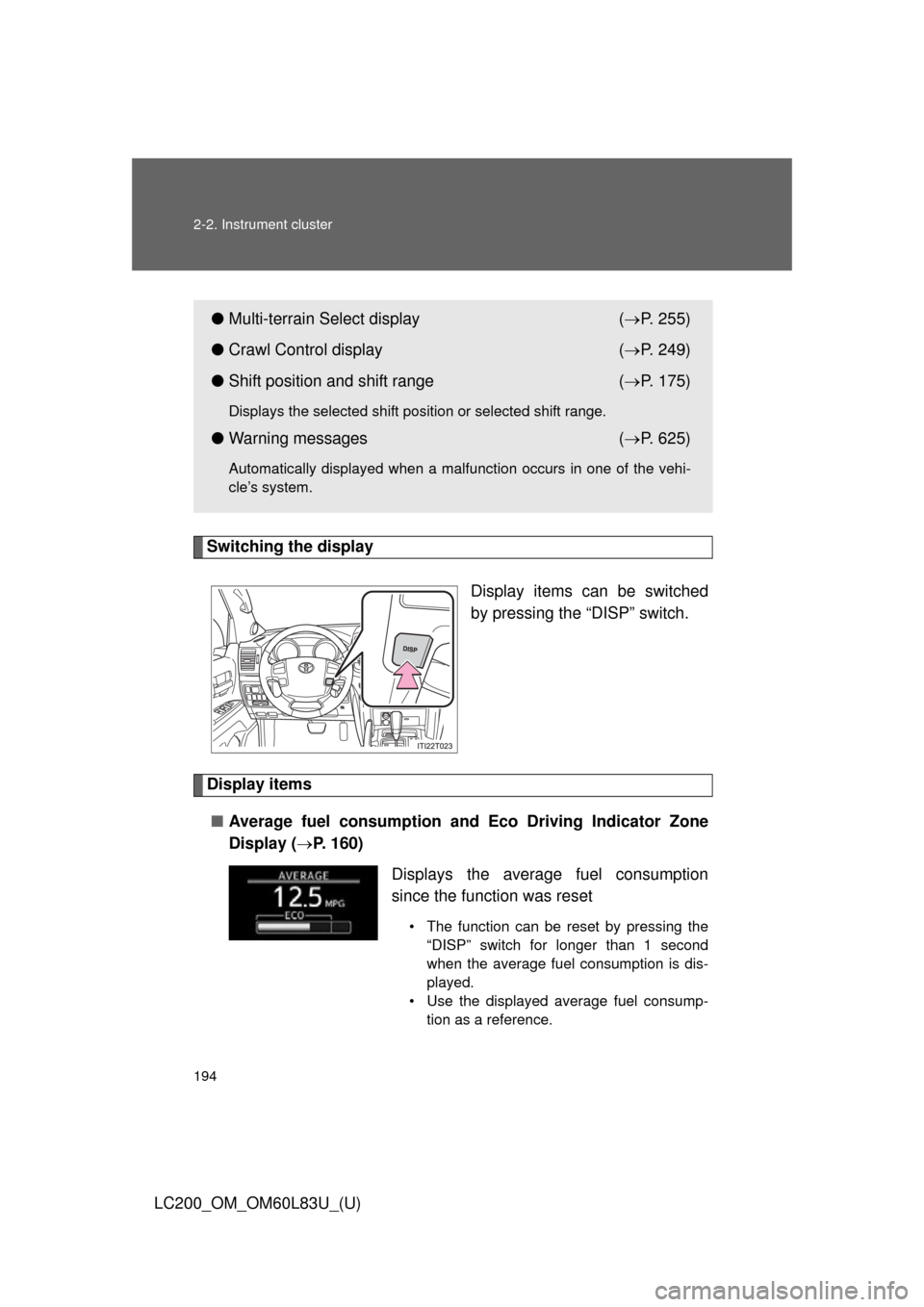
Switching the displayDisplay items can be switched
by pressing the “DISP” switch.
Display items■ Average fuel consumption and Eco Driving Indicator Zone
Display ( P. 160)
●Multi-terrain Select display ( P. 255)
● Crawl Control display ( P. 249)
● Shift position and shift range ( P. 175)
Displays the selected shift position or selected shift range.
● Warning messages ( P. 625)
Automatically displayed when a malfunction occurs in one of the vehi-
cle’s system.
Displays the average fuel consumption
since the function was reset
• The function can be reset by pressing the
“DISP” switch for longer than 1 second
when the average fuel consumption is dis-
played.
• Use the displayed average fuel consump- tion as a reference.
Page 196 of 728
196 2-2. Instrument cluster
LC200_OM_OM60L83U_(U)■
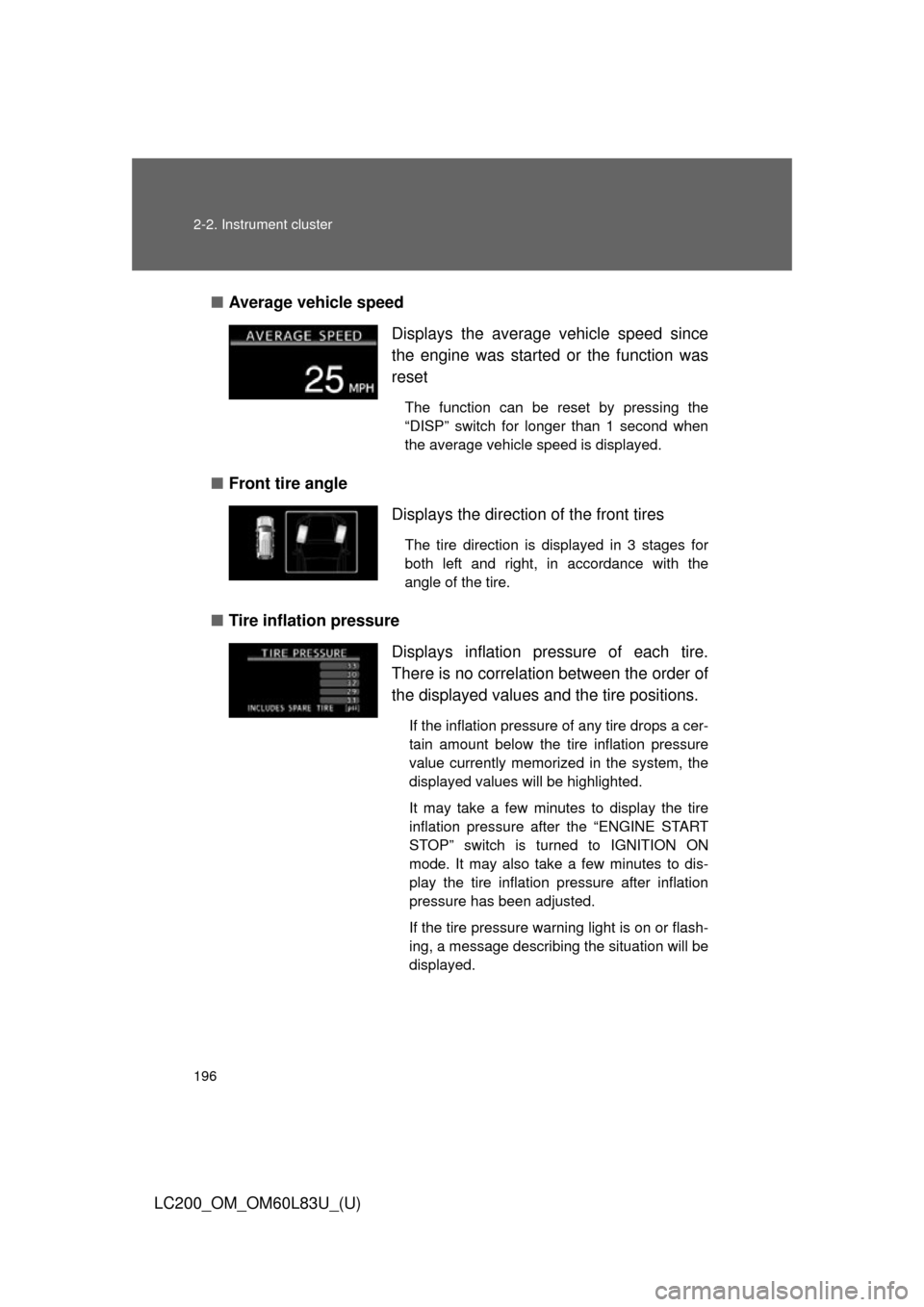
Average vehicle speed
■ Front tire angle
■ Tire inflation pressure Displays the average vehicle speed since
the engine was started
or the function was
reset
The function can be reset by pressing the
“DISP” switch for longer than 1 second when
the average vehicle speed is displayed.
Displays the direction of the front tires
The tire direction is displayed in 3 stages for
both left and right, in accordance with the
angle of the tire.
Displays inflation pressure of each tire.
There is no correlation between the order of
the displayed values and the tire positions.
If the inflation pressure of any tire drops a cer-
tain amount below the tire inflation pressure
value currently memorized in the system, the
displayed values will be highlighted.
It may take a few minutes to display the tire
inflation pressure after the “ENGINE START
STOP” switch is turned to IGNITION ON
mode. It may also take a few minutes to dis-
play the tire inflation pressure after inflation
pressure has been adjusted.
If the tire pressure warning light is on or flash-
ing, a message describing the situation will be
displayed.
Page 216 of 728
216 2-4. Using other driving systems
LC200_OM_OM60L83U_(U)
■Cruise control can be set when
●The shift lever is in the “D” or range “4” or higher of “S” has been
selected.
● Vehicle speed is above approximately 25 mph (40 km/h).
■ Accelerating after setting the vehicle speed
●The vehicle can be accelerated normally. After acceleration, the set
speed resumes.
● Even without canceling the cruise control, the set speed can be
increased by first accelerating the vehicle to the desired speed and then
pushing the lever down to set the new speed.
■ Automatic cruise control cancelation
Cruise control will stop maintaining the vehicle speed in any of the following
situations.
●Actual vehicle speed falls more than approximately 10 mph (16 km/h)
below the preset vehicle speed.
At this time, the memorized set speed is not retained.
● VSC is activated.
● Actual vehicle speed is below approximately 25 mph (40 km/h).
● The switching operation continues for 5 seconds or more after the center
differential lock switch has been operated.
■ If the warning message for the crui se control is shown on the multi-
information display
Press the “ON-OFF” button once to deactivate the system, and then press
the button again to reactivate the system.
If the cruise control speed cannot be set or if the cruise control cancels
immediately after being activated, there may be a malfunction in the cruise
control system. Have the vehicle inspected by your Toyota dealer.
Page 223 of 728
223
2-4. Using other
driving systems
2
When driving
LC200_OM_OM60L83U_(U)
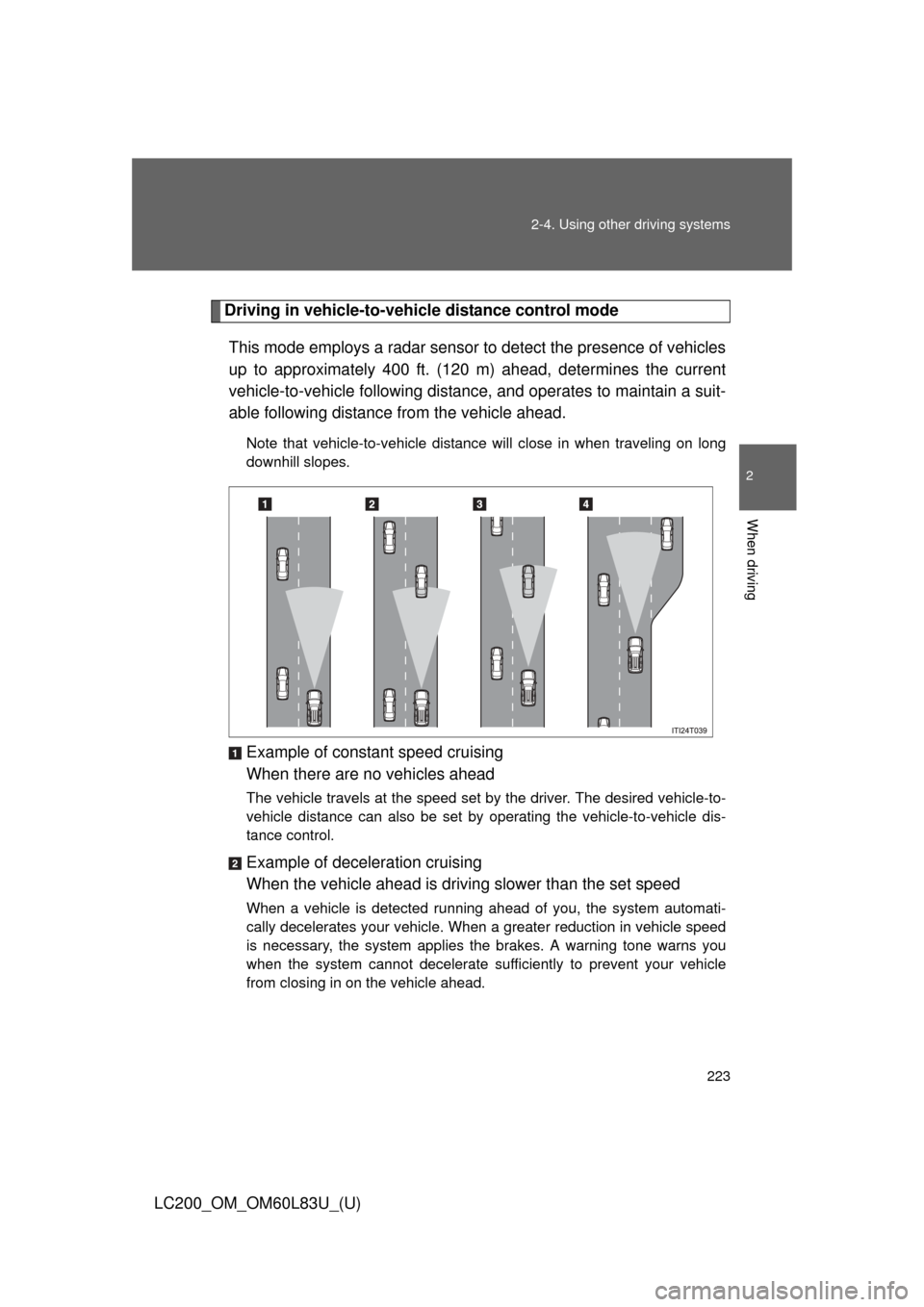
Driving in vehicle-to-vehicle distance control mode
This mode employs a radar sensor to detect the presence of vehicles
up to approximately 400 ft. (120 m) ahead, determines the current
vehicle-to-vehicle following distance, and operates to maintain a suit-
able following distance from the vehicle ahead.
Note that vehicle-to-vehicle distance will close in when traveling on long
downhill slopes.
Example of constant speed cruising
When there are no vehicles ahead
The vehicle travels at the speed set by the driver. The desired vehicle-to-
vehicle distance can also be set by operating the vehicle-to-vehicle dis-
tance control.
Example of deceleration cruising
When the vehicle ahead is driving slower than the set speed
When a vehicle is detected running ahead of you, the system automati-
cally decelerates your vehicle. When a greater reduction in vehicle speed
is necessary, the system applies the brakes. A warning tone warns you
when the system cannot decelerate sufficiently to prevent your vehicle
from closing in on the vehicle ahead.
Page 224 of 728
224 2-4. Using other driving systems
LC200_OM_OM60L83U_(U)Example of follow-up cruising
When following a vehicle driv
ing slower than the set speed
The system continues follow-up cruising while adjusting for changes in the
speed of the vehicle ahead in order to maintain the vehicle-to-vehicle dis-
tance set by the driver.
Example of acceleration
When there are no longer any vehi cles ahead driving slower than
the set speed
The system accelerates until the set speed is reached. The system then
returns to constant speed cruising.
Approach warning
When your vehicle is too close to a vehicle ahead, and sufficient
automatic deceleration via the cruise control is not possible, the dis-
play will flash and the bu zzer will sound to alert the driver. An exam-
ple of this would be if another driver cuts in front of you while you are
following a vehicle. Apply the brak es to ensure appropriate vehicle-
to-vehicle distance.
■ Warnings may not occur when
In the following instan ces, there is a possibility that the warnings
will not occur:
● When the speed of the vehicl e ahead matches or exceeds your
vehicle speed
● When the vehicle ahead is traveling at an extremely slow speed
● Immediately after the cruise control speed was set
● At the instant the accelerator is applied
Page 227 of 728
227
2-4. Using other
driving systems
2
When driving
LC200_OM_OM60L83U_(U)
■Automatic cancelation of constant speed control
The cruise control will stop maintaining the vehicle speed in the following sit-
uations:
●Actual vehicle speed is more than approximately 10 mph (16 km/h)
below the set vehicle speed.
At this time, the memorized set speed is not retained.
● Actual vehicle speed falls below approximately 25 mph (40 km/h).
● VSC is activated.
● The switching operation continues for 5 seconds or more after the center
differential lock switch has been operated.
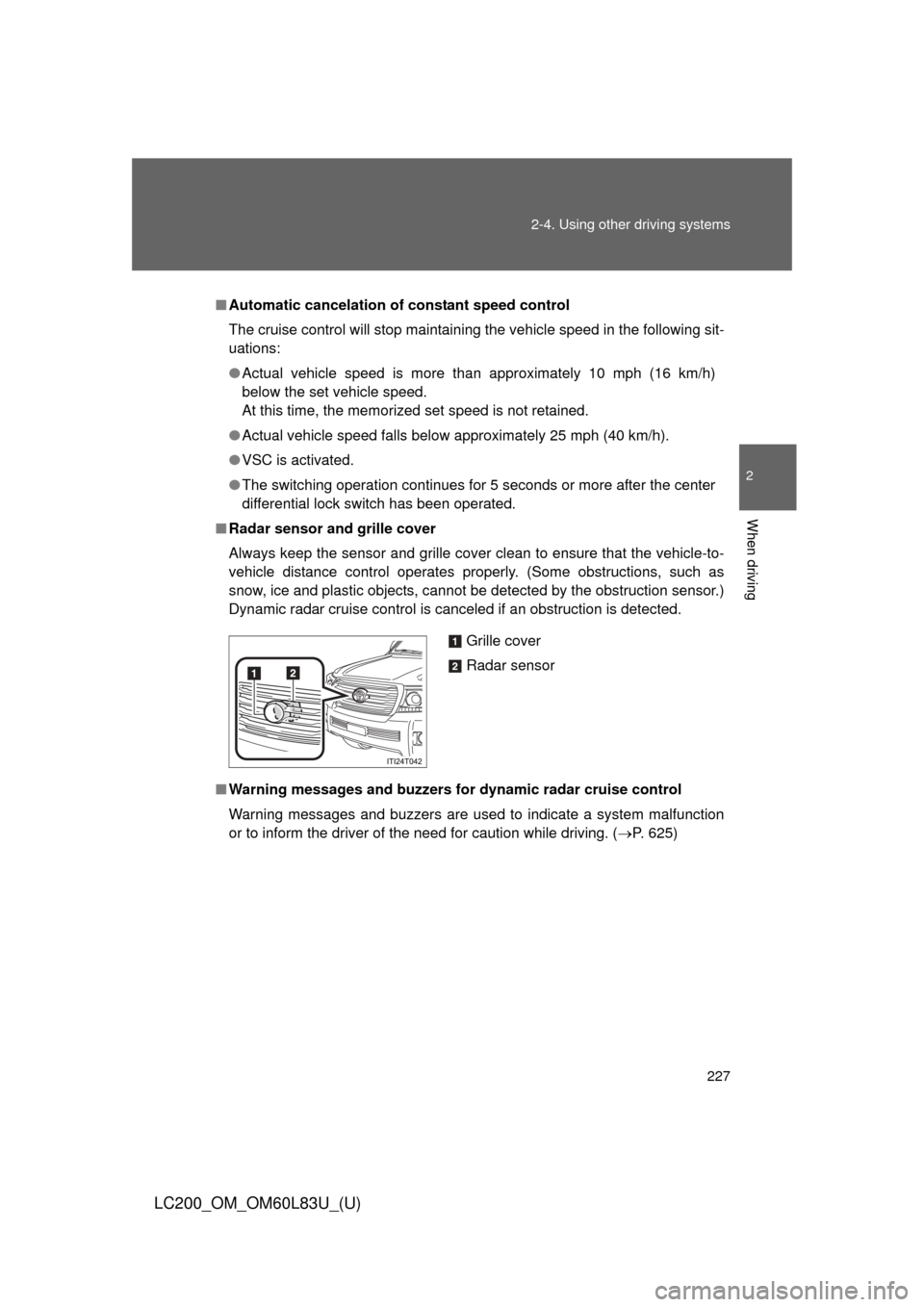
■ Radar sensor and grille cover
Always keep the sensor and grille cover clean to ensure that the vehicle-t\
o-
vehicle distance control operates properly. (Some obstructions, such as
snow, ice and plastic objects, cannot be detected by the obstruction sensor.)
Dynamic radar cruise control is canceled if an obstruction is detected.
■ Warning messages and bu zzers for dynamic radar cruise control
Warning messages and buzzers are used to indicate a system malfunction
or to inform the driver of the need for caution while driving. ( P. 625)
Grille cover
Radar sensor
Page 228 of 728

228 2-4. Using other driving systems
LC200_OM_OM60L83U_(U)
■Certification
FCC ID: HYQDNMWR005
This device complies with part 15 of the FCC Rules. Operation is subject to
the following two conditions: (1) This device may not cause harmful interfer-
ence, and (2) this device must accept any interference received, including
interference that may cause undesired operation.
FCC WARNING
Changes or modifications not expressly approved by the party responsible
for compliance could void the user’s authority to operate the equipment.
Radiofrequency radiation exposure Information:
This equipment complies with FCC radiation exposure limits set forth for an
uncontrolled environment.
This equipment should be installed and operated with minimum distance of
20 cm between the radiator (antenna) and your body.
This transmitter must not be co-located or operating in conjunction with any
other antenna or transmitter.
Page 230 of 728
230 2-4. Using other driving systems
LC200_OM_OM60L83U_(U)
CAUTION
■Situations unsuitable for dynamic radar cruise control
Do not use dynamic radar cruise control in any of the following situations.
Doing so may result in inappropriate speed control and could cause an acci-
dent resulting in death or serious injury.
●In heavy traffic
● On roads with sharp bends
● On winding roads
● On slippery roads, such as those covered with rain, ice or snow
● On steep downhills, or where there are sudden changes between sharp up
and down gradients
Vehicle speed may exceed the set speed when driving down a steep hill.
● At entrances to expressways
● When weather conditions are bad enough that they may prevent the sen-
sors from functioning correctly (fog, snow, sandstorm, heavy rain etc.)
● When an approach warning buzzer is heard often
● When your vehicle is towing a trailer or during emergency towing
Page 231 of 728
231
2-4. Using other
driving systems
2
When driving
LC200_OM_OM60L83U_(U)
CAUTION
■When the radar sensor may not be correctly detecting the vehicle
ahead
Apply the brakes as necessary when any of the following types of vehicles
are in front of you.
As the sensor may not be able to correctly detect these types of vehicles,
the approach warning ( P. 224) will not be activated, and a fatal or serious
accident may result:
● Vehicles that cut in suddenly
● Vehicles traveling at low speeds
● Vehicles that are not moving
● Vehicles with small rear ends (trailers with no load on board etc.)
● Motorcycles traveling in the same lane
■ Conditions under which the vehicle -to-vehicle distance control may
not function correctly
Apply the brakes as necessary in the following conditions as the radar sen-
sor may not be able to correctly detect vehicles ahead, and a fatal or serious
accident may result:
● When water or snow thrown up by the surrounding vehicles hinders the
functioning of the sensor
● When your vehicle is pointing upwards (caused by a heavy load in the lug-
gage compartment, etc.)
● When the road curves or when the lanes are narrow
● When steering wheel operation or your position in the lane is unstable
● When the vehicle ahead of you decelerates suddenly