turn signal TOYOTA LAND CRUISER 2015 J200 Owners Manual
[x] Cancel search | Manufacturer: TOYOTA, Model Year: 2015, Model line: LAND CRUISER, Model: TOYOTA LAND CRUISER 2015 J200Pages: 728, PDF Size: 10.53 MB
Page 3 of 728
1
2
3
4
5
6
7
3
LC200_OM_OM60L83U_(U)
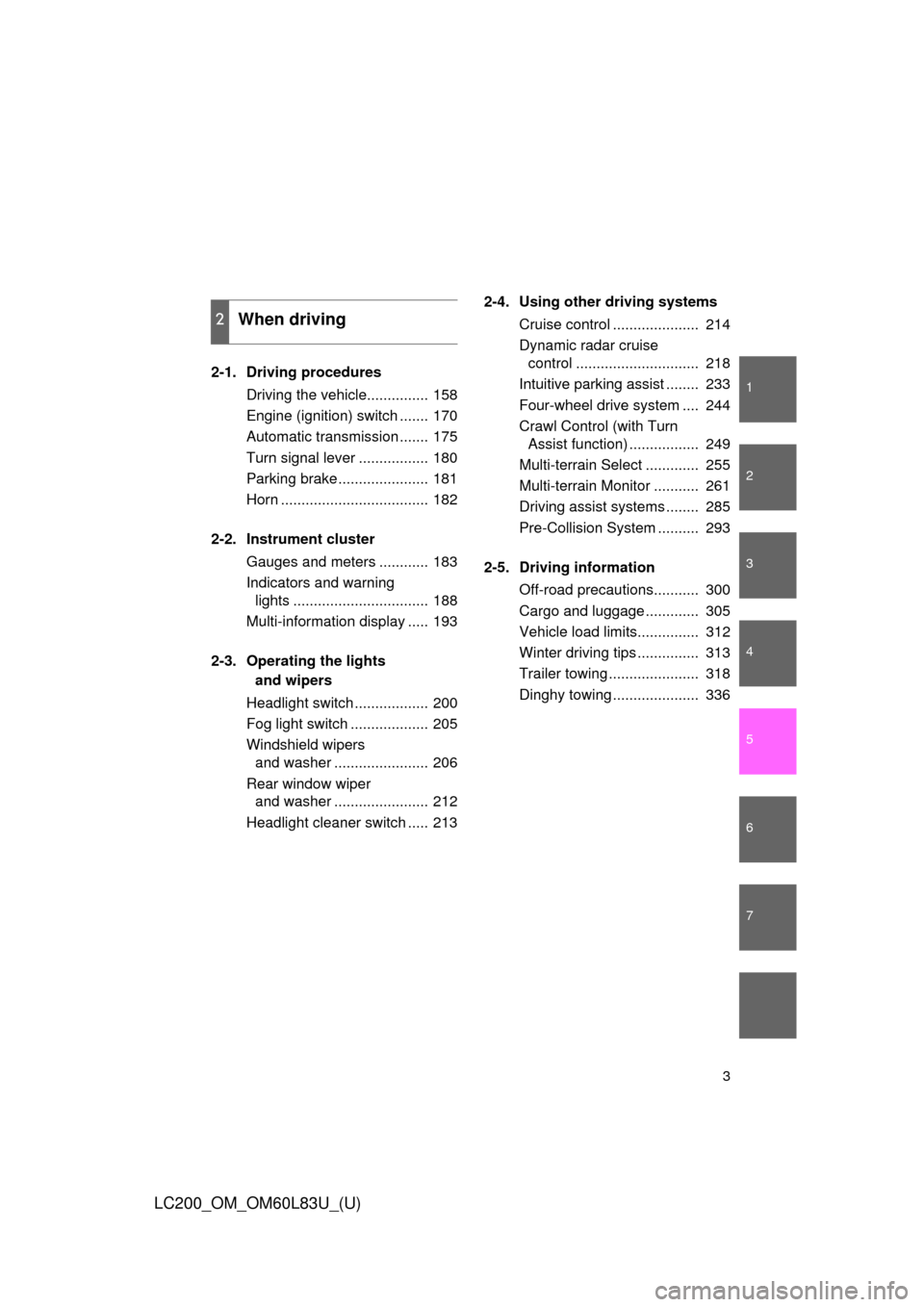
2-1. Driving proceduresDriving the vehicle............... 158
Engine (ignition) switch ....... 170
Automatic transmission ....... 175
Turn signal lever ................. 180
Parking brake ...................... 181
Horn .................................... 182
2-2. Instrument cluster Gauges and meters ............ 183
Indicators and warning lights ................................. 188
Multi-information display ..... 193
2-3. Operating the lights and wipers
Headlight switch .................. 200
Fog light switch ................... 205
Windshield wipers and washer ....................... 206
Rear window wiper and washer ....................... 212
Headlight cleaner switch ..... 213 2-4. Using other driving systems
Cruise control ..................... 214
Dynamic radar cruise control .............................. 218
Intuitive parking assist ........ 233
Four-wheel drive system .... 244
Crawl Control (with Turn Assist function) ................. 249
Multi-terrain Select ............. 255
Multi-terrain Monitor ........... 261
Driving assist systems ........ 285
Pre-Collision System .......... 293
2-5. Driving information Off-road precautions........... 300
Cargo and luggage ............. 305
Vehicle load limits............... 312
Winter driving tips ............... 313
Trailer towing ...................... 318
Dinghy towing ..................... 336
2When driving
Page 8 of 728
8
LC200_OM_OM60L83U_(U)
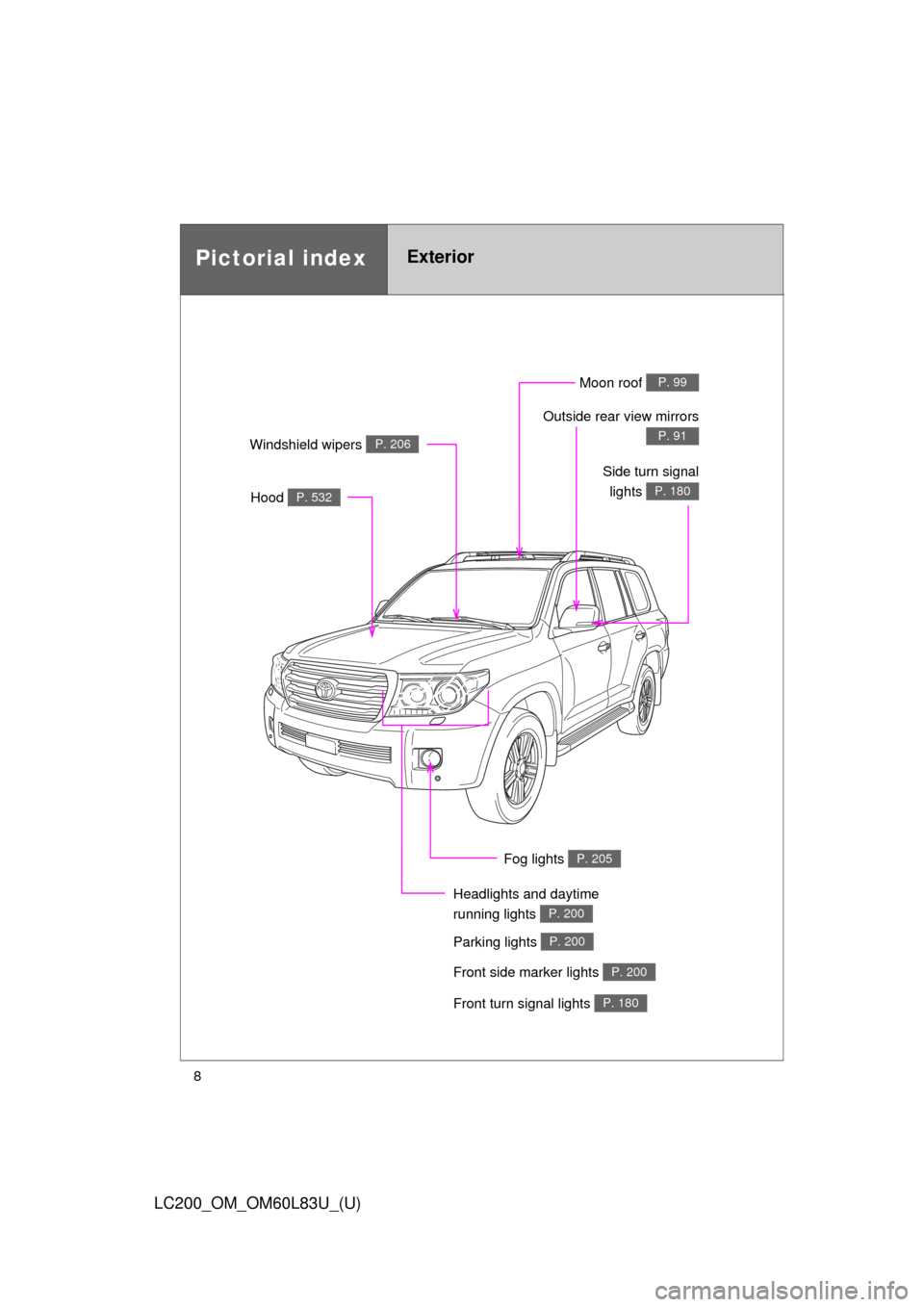
Pictorial indexExterior
Fog lights P. 205
Front turn signal lights P. 180
Parking lights P. 200
Headlights and daytime
running lights
P. 200
Hood P. 532
Windshield wipers P. 206
Moon roof P. 99
Outside rear view mirrors
P. 91
Front side marker lights P. 200
Side turn signallights
P. 180
Page 9 of 728
9
LC200_OM_OM60L83U_(U)
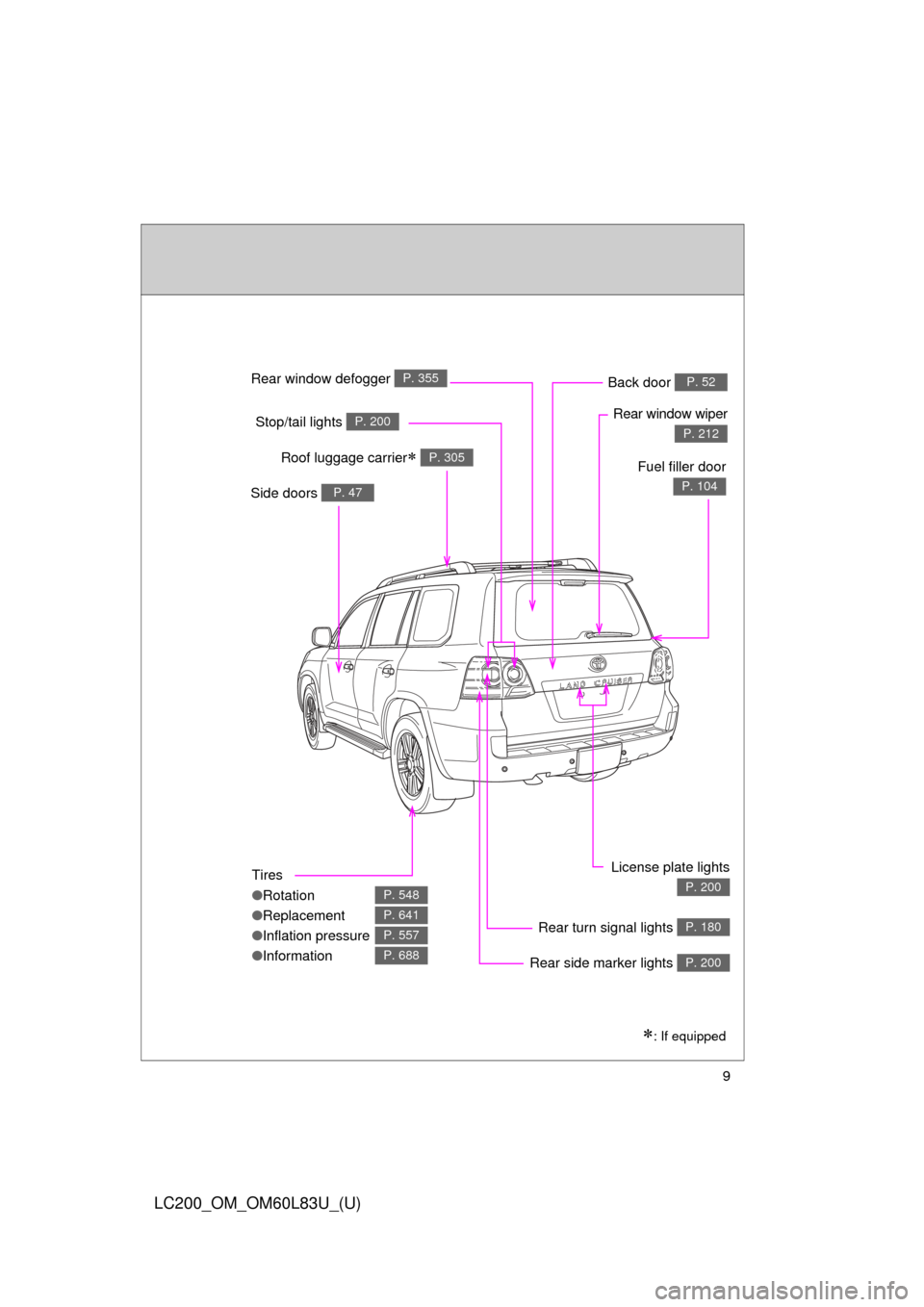
Tires
●Rotation
● Replacement
● Inflation pressure
● Information
P. 548
P. 641
P. 557
P. 688
Rear window defogger P. 355
Rear window wiper
P. 212Stop/tail lights P. 200
Side doors P. 47
Rear turn signal lights P. 180
License plate lights
P. 200
Roof luggage carrier P. 305
Back door P. 52
: If equipped
Fuel filler door
P. 104
Rear side marker lights P. 200
Page 14 of 728
14
LC200_OM_OM60L83U_(U)
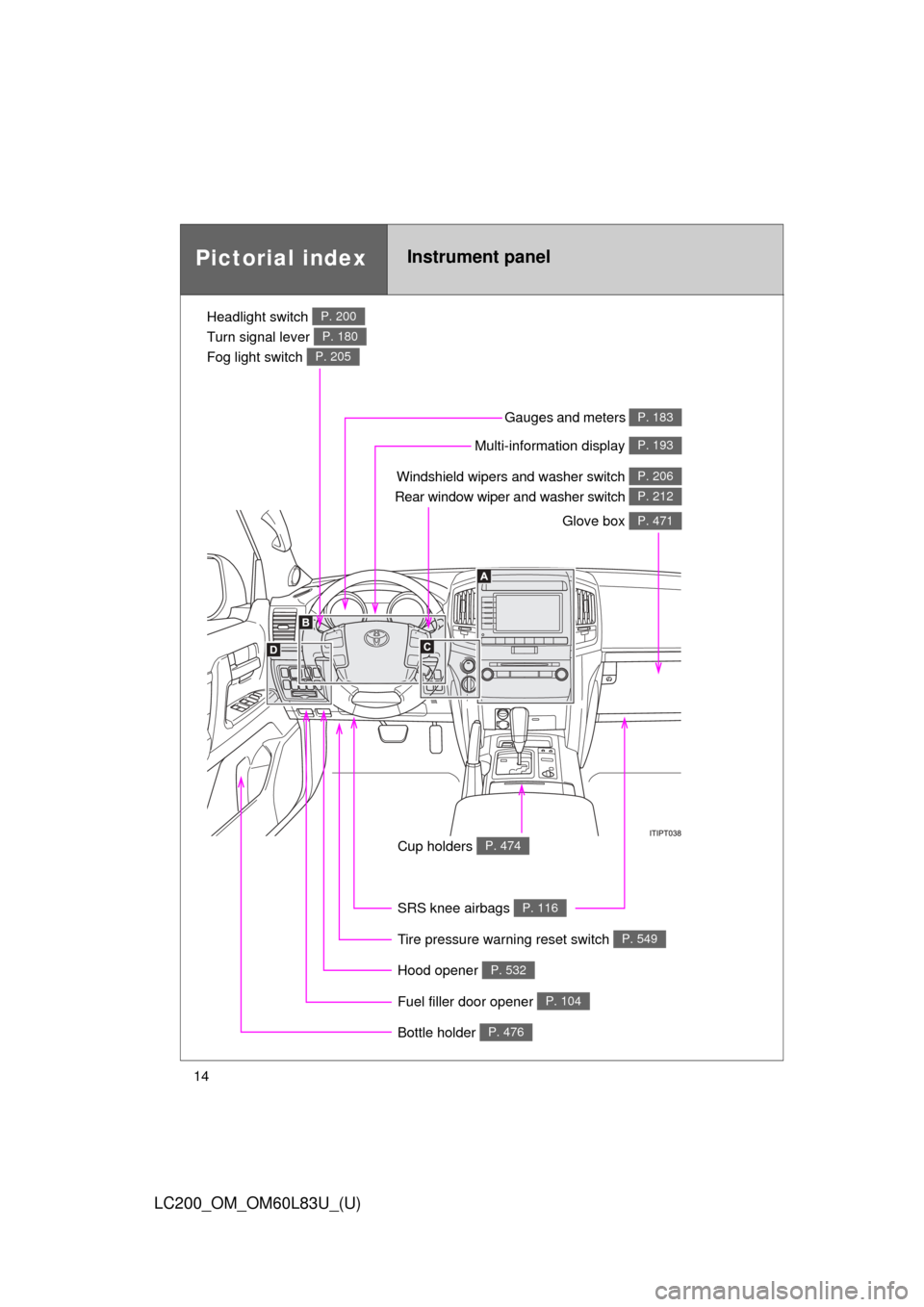
Pictorial indexInstrument panel
Headlight switch
Turn signal lever
Fog light switch P. 200
P. 180
P. 205
Windshield wipers and washer switch
Rear window wiper and washer switch P. 206
P. 212
Gauges and meters P. 183
Glove box P. 471
Fuel filler door opener P. 104
Hood opener P. 532
SRS knee airbags P. 116
Tire pressure warning reset switch P. 549
Cup holders P. 474
Multi-information display P. 193
Bottle holder P. 476
Page 42 of 728
42 1-2. Opening, closing and locking the doors
LC200_OM_OM60L83U_(U)
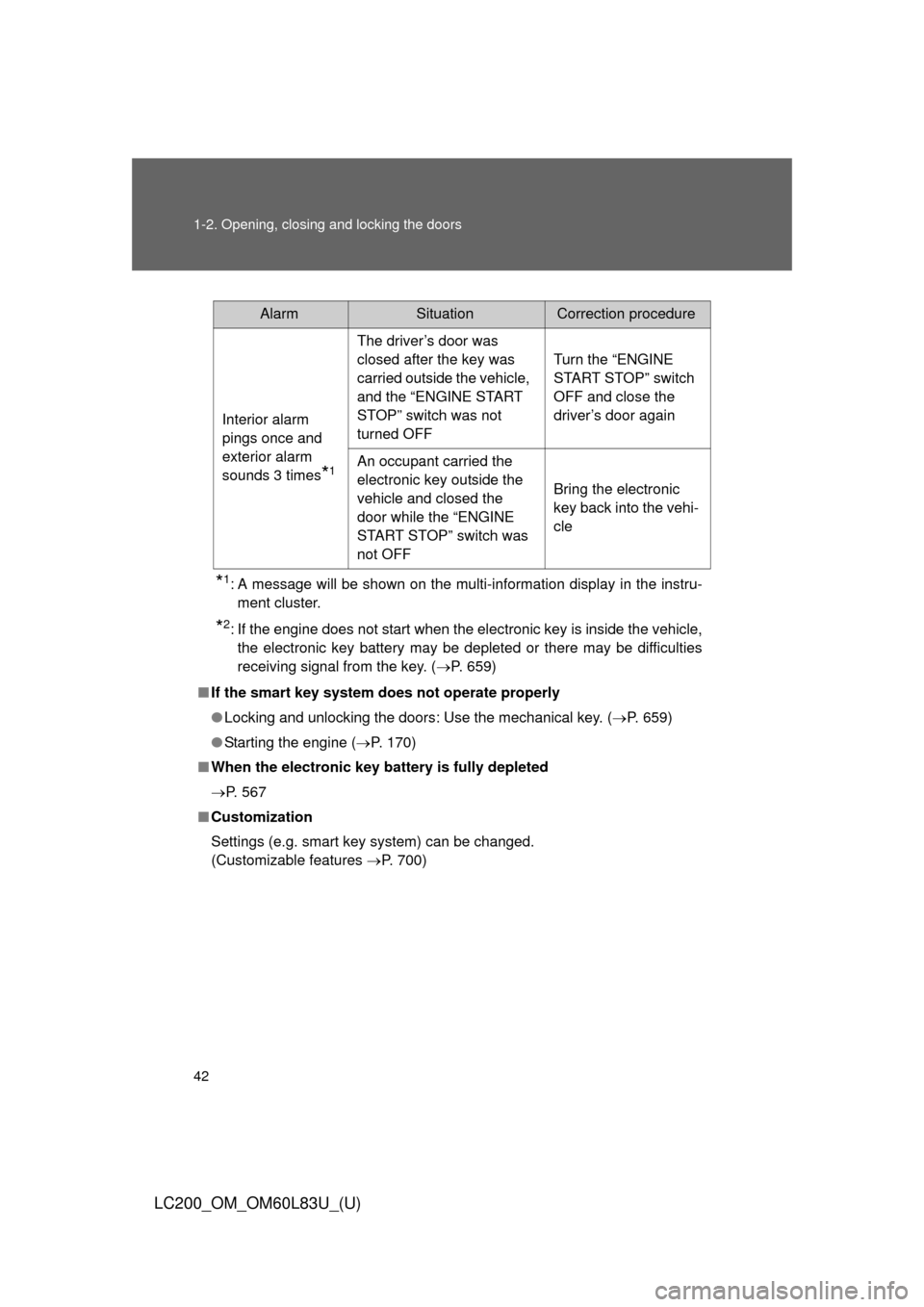
*1: A message will be shown on the multi-information display in the instru-ment cluster.
*2: If the engine does not start when the electronic key is inside the vehicle,the electronic key battery may be depleted or there may be difficulties
receiving signal from the key. ( P. 659)
■ If the smart key system does not operate properly
● Locking and unlocking the doors: Use the mechanical key. ( P. 659)
● Starting the engine ( P. 170)
■ When the electronic key battery is fully depleted
P. 567
■ Customization
Settings (e.g. smart key system) can be changed.
(Customizable features P. 700)
AlarmSituationCorrection procedure
Interior alarm
pings once and
exterior alarm
sounds 3 times
*1
The driver’s door was
closed after the key was
carried outside the vehicle,
and the “ENGINE START
STOP” switch was not
turned OFF Turn the “ENGINE
START STOP” switch
OFF and close the
driver’s door again
An occupant carried the
electronic key outside the
vehicle and closed the
door while the “ENGINE
START STOP” switch was
not OFF Bring the electronic
key back into the vehi-
cle
Page 69 of 728
69
1
1-3. Adjustable components (seats, mirrors, steering wheel)
Before driving
LC200_OM_OM60L83U_(U)
Driving position memor y system
Your preferred driving position (the position of the driver’s seat,
steering wheel and outside rear view mirrors) can be entered into the
computer’s memory and recalled with the touch of a button. It is also
possible to set this function to activate automatically when the
doors are unlocked.
Three different driving positions can be entered into memory.
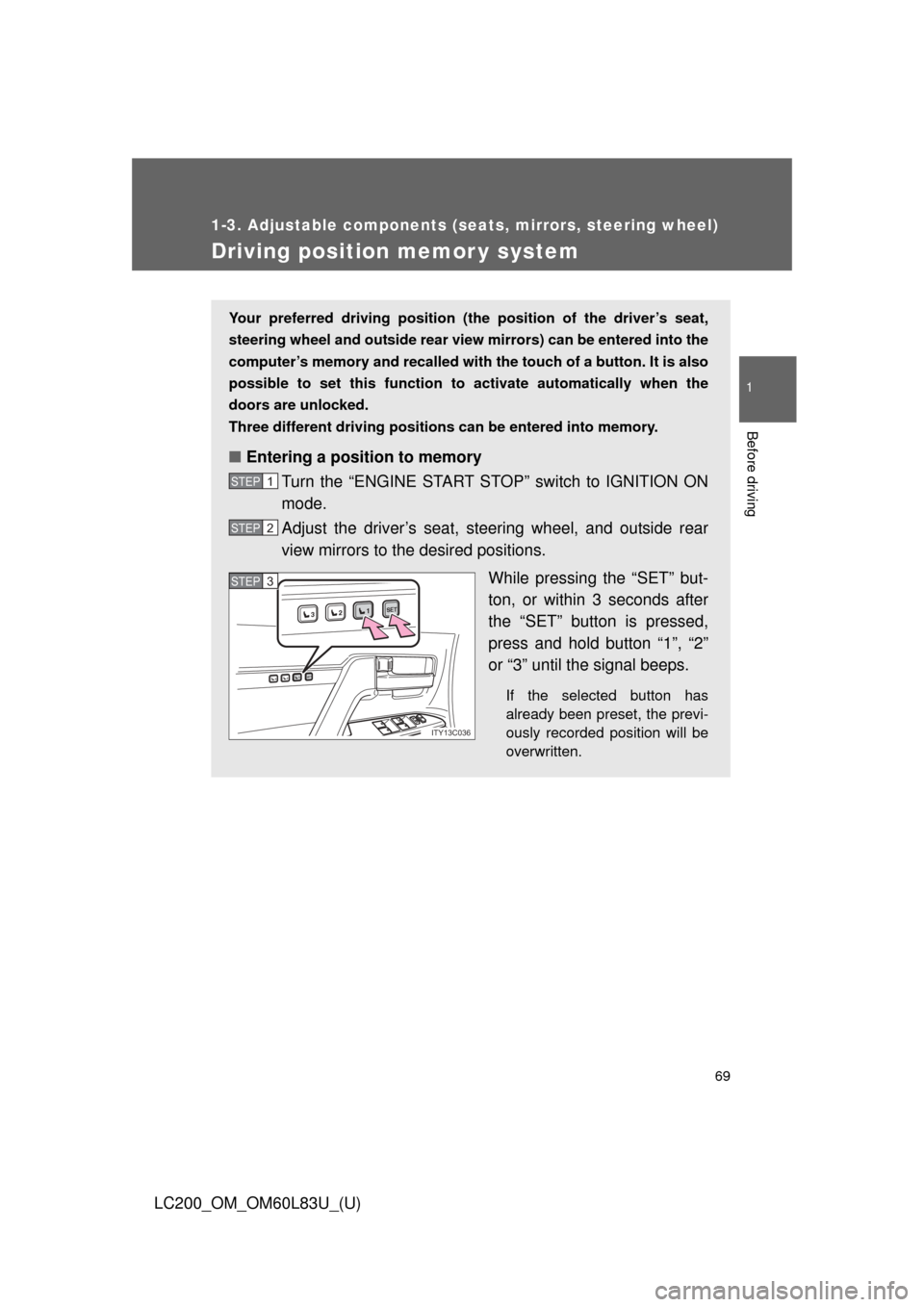
■ Entering a position to memory
Turn the “ENGINE START STOP” switch to IGNITION ON
mode.
Adjust the driver’s seat, steering wheel, and outside rear
view mirrors to the desired positions.
While pressing the “SET” but-
ton, or within 3 seconds after
the “SET” button is pressed,
press and hold button “1”, “2”
or “3” until the signal beeps.
If the selected button has
already been preset, the previ-
ously recorded position will be
overwritten.
STEP1
STEP2
1SET23
1SET23
ITY13C036
STEP3STEP3
Page 70 of 728
70 1-3. Adjustable components (seats, mirrors, steering wheel)
LC200_OM_OM60L83U_(U)
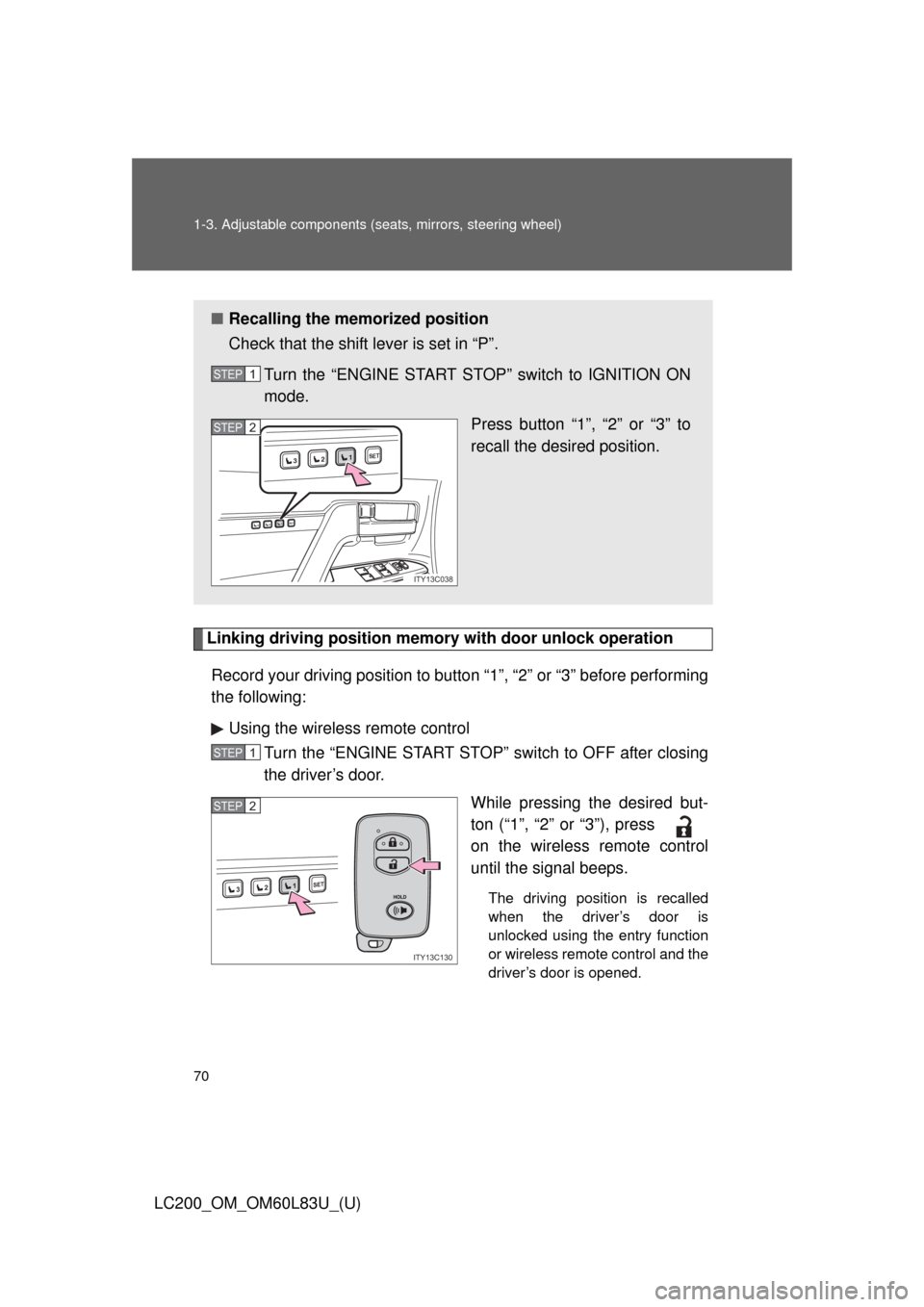
Linking driving position memory with door unlock operation
Record your driving position to button “1”, “2” or “3” before performing
the following: Using the wireless remote control Turn the “ENGINE START STOP” switch to OFF after closing
the driver’s door.
While pressing the desired but-
ton (“1”, “2” or “3”), press
on the wireless remote control
until the signal beeps.
The driving position is recalled
when the driver’s door is
unlocked using the entry function
or wireless remote control and the
driver’s door is opened.
■Recalling the memorized position
Check that the shift lever is set in “P”.
Turn the “ENGINE START STOP” switch to IGNITION ON
mode. Press button “1”, “2” or “3” to
recall the desired position.
STEP1
1SET23
1SET23
ITY13C038
STEP2
STEP1
1SET23
ITY13C130
STEP2
Page 71 of 728
71
1-3. Adjustable components (s
eats, mirrors, steering wheel)
1
Before driving
LC200_OM_OM60L83U_(U)To prevent unintended triggering of
the alarm, open and close a door
once after a driving position has been recorded. (If a door is not
opened within 60 seconds after is pressed, the doors will be
locked again and the alarm will automatically be set.)
In case that the alarm is trigge red, immediately stop the alarm.
( P. 110)
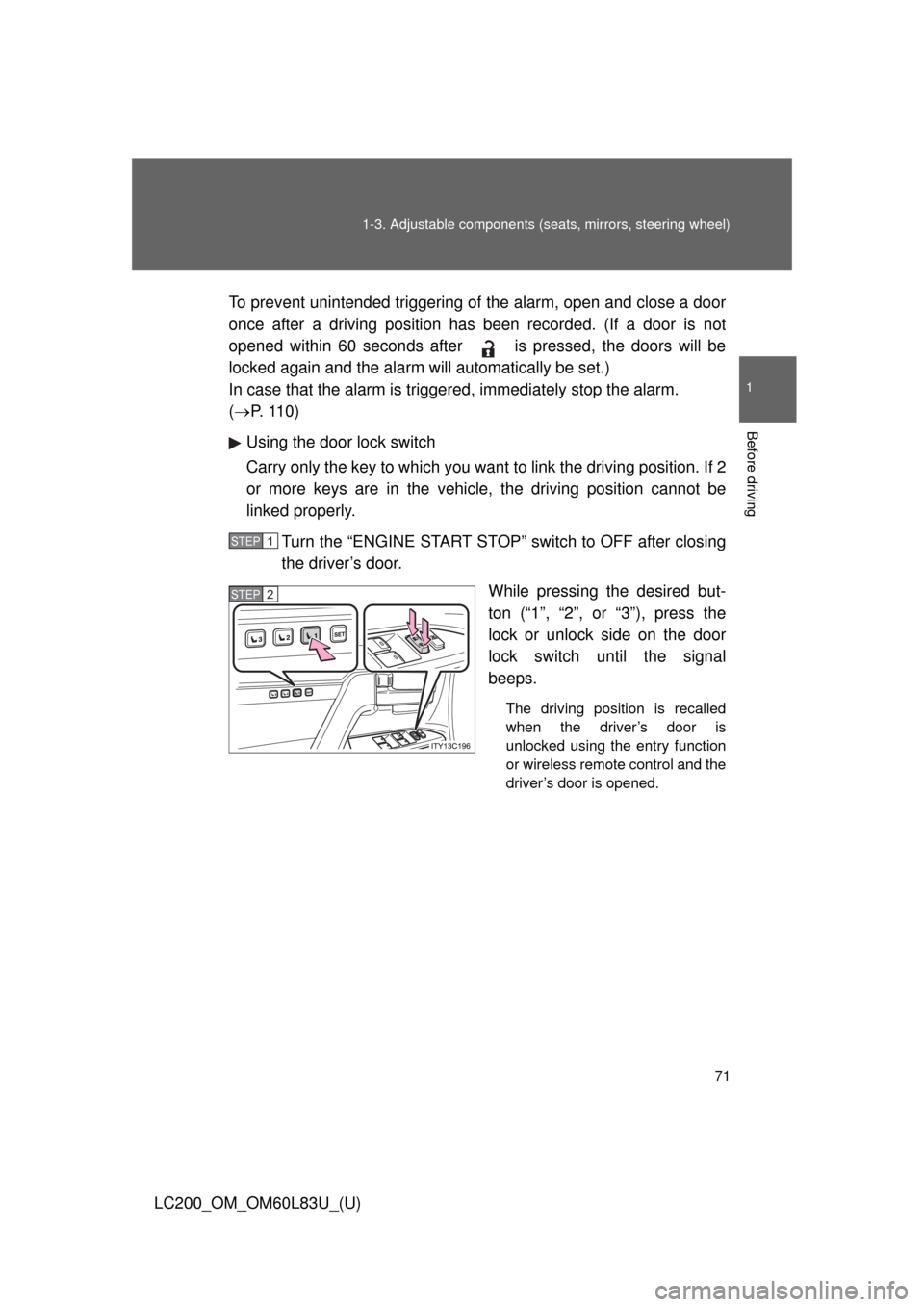
Using the door lock switch
Carry only the key to which you want to link the driving position. If 2
or more keys are in the vehicle, the driving position cannot be
linked properly.
Turn the “ENGINE START STOP” switch to OFF after closing
the driver’s door. While pressing the desired but-
ton (“1”, “2”, or “3”), press the
lock or unlock side on the door
lock switch until the signal
beeps.
The driving position is recalled
when the driver’s door is
unlocked using the entry function
or wireless remote control and the
driver’s door is opened.
STEP1
STEP2
Page 72 of 728
72 1-3. Adjustable components (seats, mirrors, steering wheel)
LC200_OM_OM60L83U_(U)
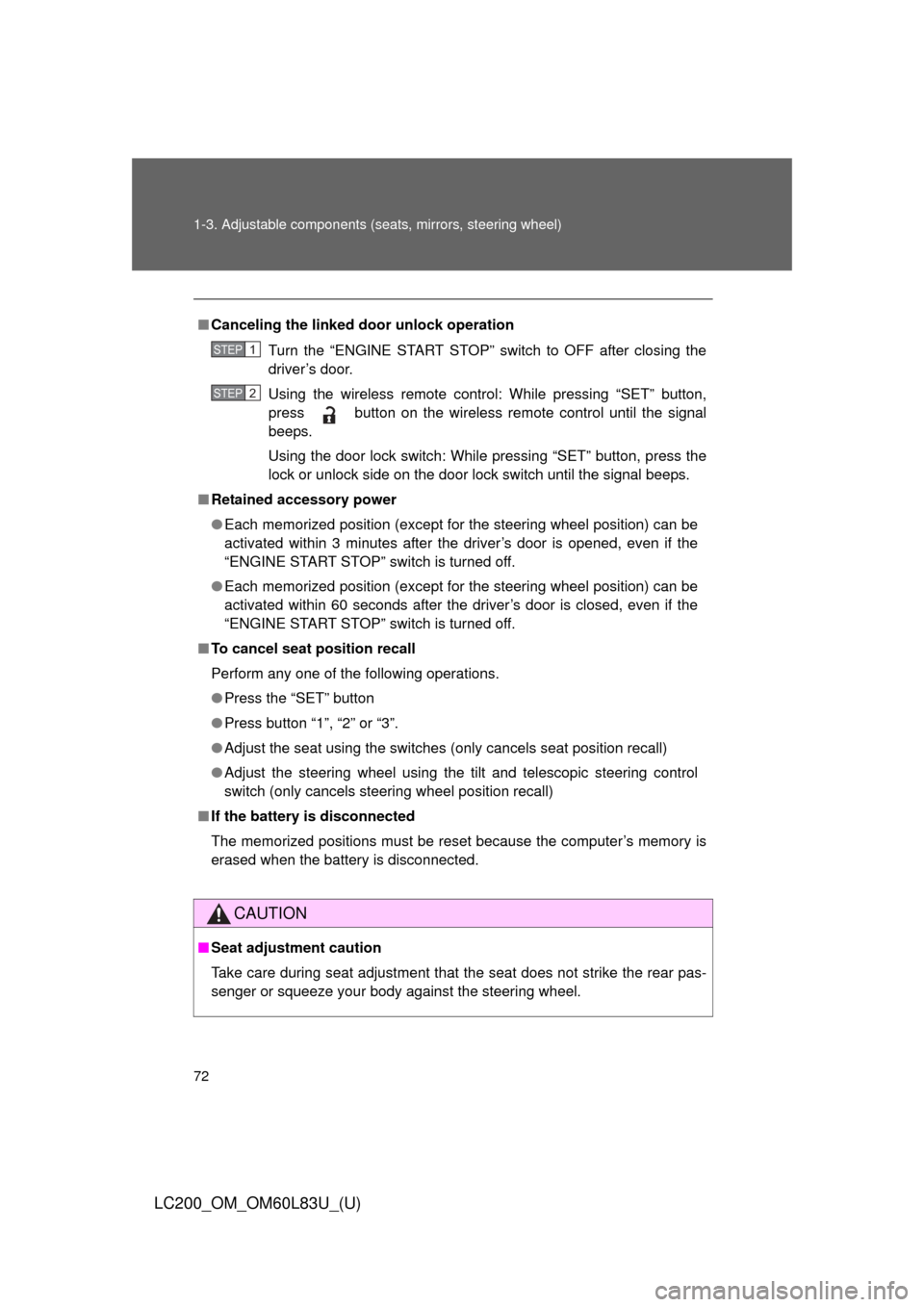
■Canceling the linked door unlock operation
Turn the “ENGINE START STOP” switch to OFF after closing the
driver’s door.
Using the wireless remote control: While pressing “SET” button,
press button on the wireless remote control until the signal
beeps.
Using the door lock switch: While pressing “SET” button, press the
lock or unlock side on the door lock switch until the signal beeps.
■ Retained accessory power
●Each memorized position (except for the steering wheel position) can be
activated within 3 minutes after the driver’s door is opened, even if the
“ENGINE START STOP” switch is turned off.
● Each memorized position (except for the steering wheel position) can be
activated within 60 seconds after the driver’s door is closed, even if the
“ENGINE START STOP” switch is turned off.
■ To cancel seat position recall
Perform any one of the following operations.
●Press the “SET” button
● Press button “1”, “2” or “3”.
● Adjust the seat using the switches (only cancels seat position recall)
● Adjust the steering wheel using the tilt and telescopic steering control
switch (only cancels steering wheel position recall)
■ If the battery is disconnected
The memorized positions must be reset because the computer’s memory is
erased when the battery is disconnected.
CAUTION
■Seat adjustment caution
Take care during seat adjustment that the seat does not strike the rear pas-
senger or squeeze your body against the steering wheel.
STEP1
STEP2
Page 157 of 728
When driving2
157
LC200_OM_OM60L83U_(U)
2-1. Driving proceduresDriving the vehicle............ 158
Engine (ignition) switch ............................. 170
Automatic transmission................... 175
Turn signal lever .............. 180
Parking brake ................... 181
Horn ................................. 182
2-2. Instrument cluster Gauges and meters ......... 183
Indicators and warning lights ................. 188
Multi-information display............................ 193
2-3. Operating the lights and wipers
Headlight switch ............... 200
Fog light switch ................ 205
Windshield wipers and washer .................... 206
Rear window wiper and washer .................... 212
Headlight cleaner switch ............................. 213 2-4. Using other driving
systems
Cruise control ................... 214
Dynamic radar cruise control ............................ 218
Intuitive parking assist...... 233
Four-wheel drive system ........................... 244
Crawl Control (with Turn Assist function) .............. 249
Multi-terrain Select ........... 255
Multi-terrain Monitor ......... 261
Driving assist systems ..... 285
Pre-Collision System........ 293
2-5. Driving information Off-road precautions ........ 300
Cargo and luggage .......... 305
Vehicle load limits ............ 312
Winter driving tips ............ 313
Trailer towing ................... 318
Dinghy towing .................. 336