lock TOYOTA MATRIX 2009 E140 / 2.G Service Manual
[x] Cancel search | Manufacturer: TOYOTA, Model Year: 2009, Model line: MATRIX, Model: TOYOTA MATRIX 2009 E140 / 2.GPages: 440, PDF Size: 9.39 MB
Page 126 of 440
126 2-3. Operating the lights and wipers
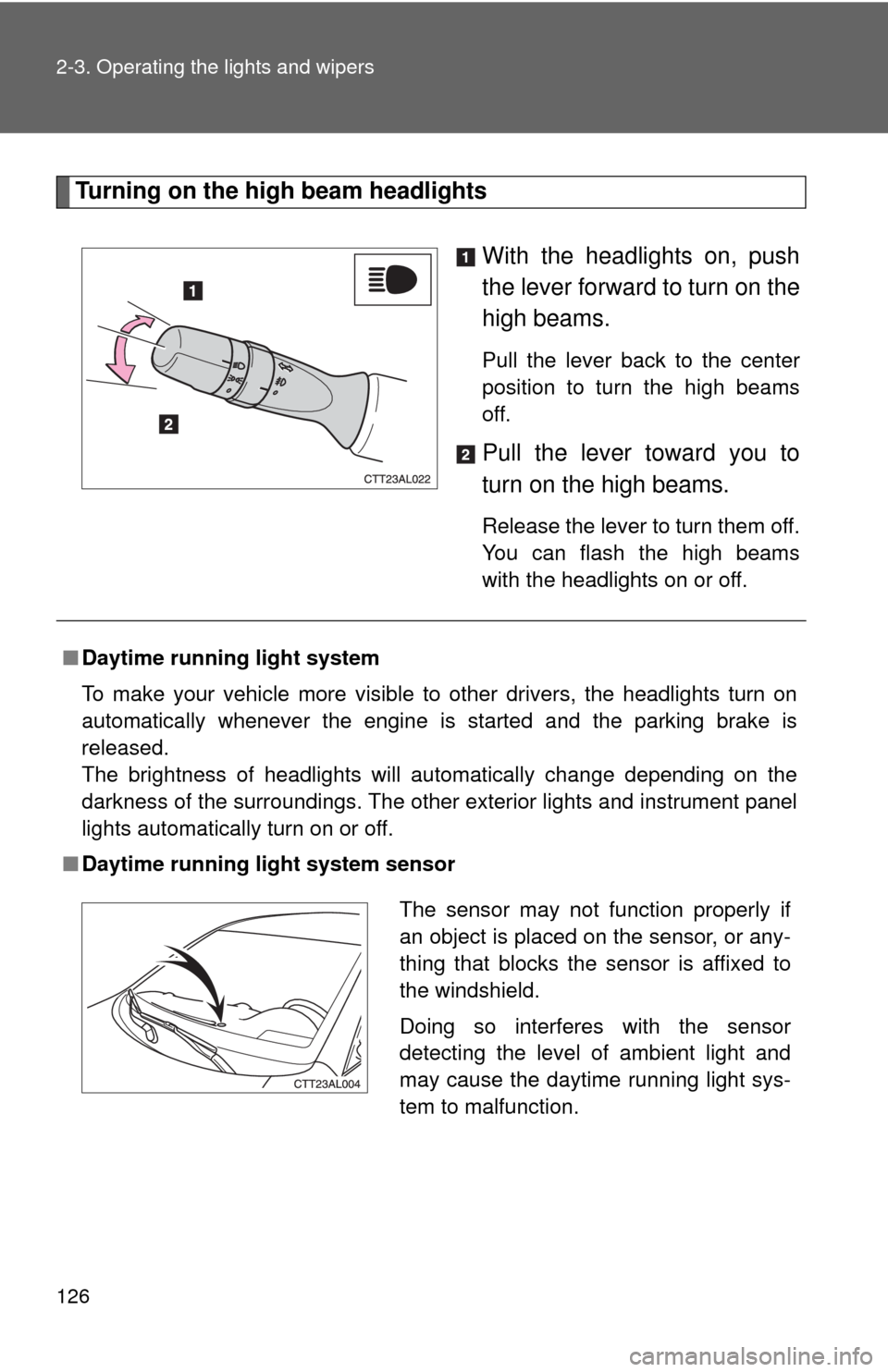
Turning on the high beam headlights
With the headlights on, push
the lever forward to turn on the
high beams.
Pull the lever back to the center
position to turn the high beams
off.
Pull the lever toward you to
turn on the high beams.
Release the lever to turn them off.
You can flash the high beams
with the headlights on or off.
■Daytime running light system
To make your vehicle more visible to other drivers, the headlights turn on
automatically whenever the engine is started and the parking brake is
released.
The brightness of headlights will automatically change depending on the
darkness of the surroundings. The other exterior lights and instrument panel
lights automatically turn on or off.
■Daytime running light system sensor
The sensor may not function properly if
an object is placed on the sensor, or any-
thing that blocks the sensor is affixed to
the windshield.
Doing so interferes with the sensor
detecting the level of ambient light and
may cause the daytime running light sys-
tem to malfunction.
Page 130 of 440
130 2-3. Operating the lights and wipers
■The windshield wipers and washers can be operated when
The engine switch is in the “ON” position.
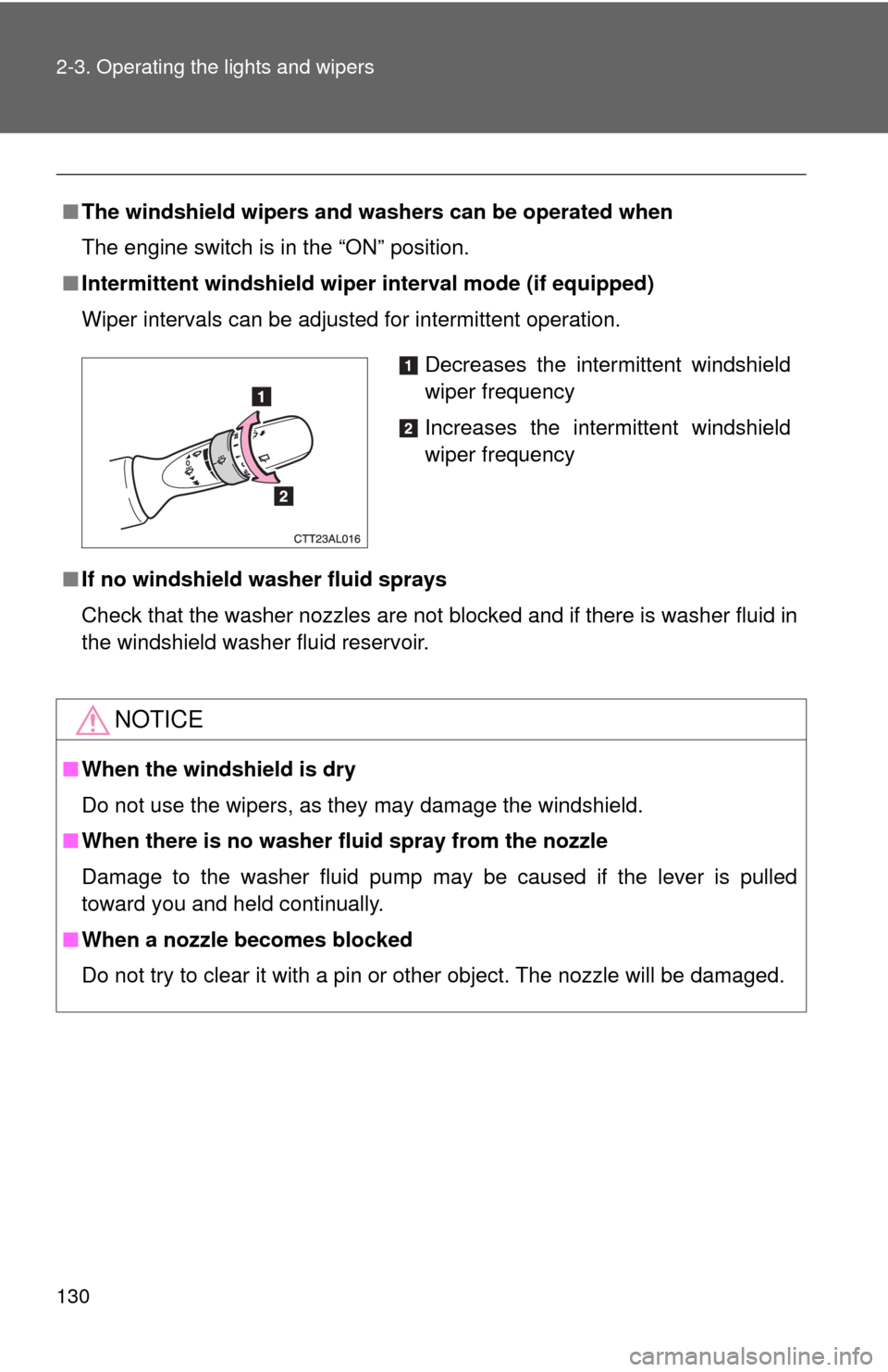
■Intermittent windshield wiper interval mode (if equipped)
Wiper intervals can be adjusted for intermittent operation.
■If no windshield washer fluid sprays
Check that the washer nozzles are not blocked and if there is washer fluid in
the windshield washer fluid reservoir.
NOTICE
■When the windshield is dry
Do not use the wipers, as they may damage the windshield.
■When there is no washer fluid spray from the nozzle
Damage to the washer fluid pump may be caused if the lever is pulled
toward you and held continually.
■When a nozzle becomes blocked
Do not try to clear it with a pin or other object. The nozzle will be damaged.
Decreases the intermittent windshield
wiper frequency
Increases the intermittent windshield
wiper frequency
Page 131 of 440
131
2-3. Operating the lights and wipers
2
When driving
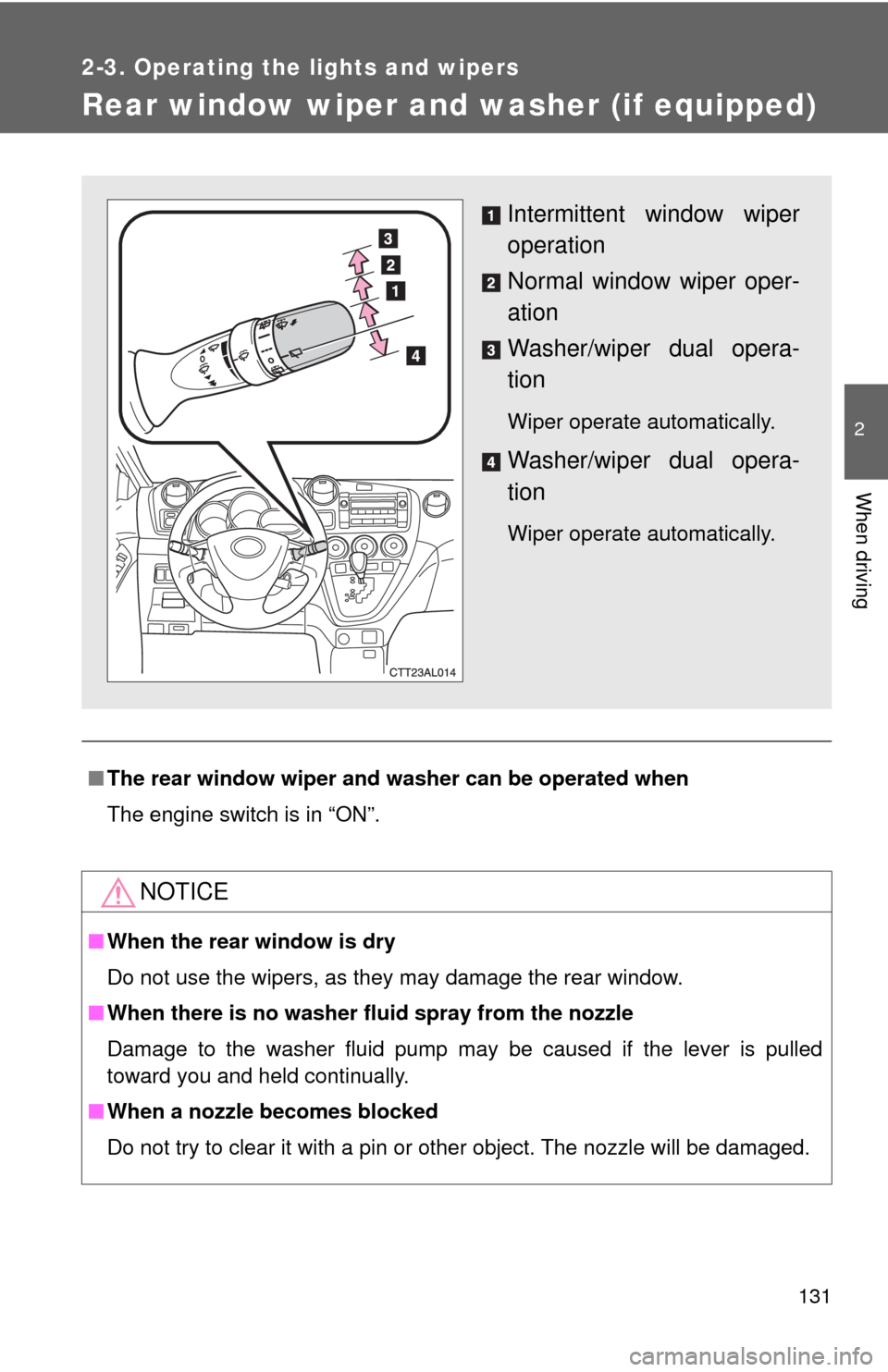
Rear window wiper and washer (if equipped)
■The rear window wiper and washer can be operated when
The engine switch is in “ON”.
NOTICE
■When the rear window is dry
Do not use the wipers, as they may damage the rear window.
■When there is no washer fluid spray from the nozzle
Damage to the washer fluid pump may be caused if the lever is pulled
toward you and held continually.
■When a nozzle becomes blocked
Do not try to clear it with a pin or other object. The nozzle will be damaged.
Intermittent window wiper
operation
Normal window wiper oper-
ation
Washer/wiper dual opera-
tion
Wiper operate automatically.
Washer/wiper dual opera-
tion
Wiper operate automatically.
Page 135 of 440
135
2-4. Using other driving systems
2
When driving
Driving assist systems
To help enhance driving safety and performance, the following sys-
tems operate automatically in response to various driving situations.
Be aware, however, that these systems are supplementary and
should not be relied upon too heavily when operating the vehicle.
■ABS (Anti-lock Brake System)
Restrains the vehicle from slipping when driving on slick road surfaces
or in the event of sudden braking.
■Brake assist
Generates an increased level of braking force after the brake pedal is
depressed, when the system detects a panic stop situation.
■VSC (Vehicle Stability Control) (if equipped)
Helps the driver to control skidding when swerving suddenly or turning
on slippery road surfaces.
■TRAC (Traction Control) (if equipped)
Maintains drive power and prevents the front wheels from spinning
when starting the vehicle or accelerating on slippery roads.
■EPS (Electric Power Steering)
Employs an electric motor to reduce the amount of effort needed to turn
the steering wheel.
■Active torque control 4WD system (if equipped)
Automatically switches from front-wheel drive to AWD (All-Wheel Drive)
according to driving conditions, helping to ensure reliable handling and
stability. Examples of conditions where the system will switch to AWD
are when cornering, going uphill, starting off or accelerating, and when
the road surface is slippery due to snow or rain etc.
Page 154 of 440
154 2-5. Driving information
●In order to maintain efficient engine braking and electrical charging
performance, do not use overdrive (automatic transmission) or the
5th gear (manual transmission).
●Due to the added load of the trailer, your vehicle's engine may
overheat on hot days (at temperatures over 85°F [30°C]) when
driving up a long or steep grade. If the engine coolant temperature
gauge indicates overheating, immediately turn off the air condition-
ing (if in use), pull your vehicle off the road and stop in a safe spot.
(→P. 385)
●Always place wheel blocks under both the vehicle and the trailer
wheels when parking. Apply the parking brake firmly, and put the
transmission in P (automatic transmission) or in 1 or R (manual
transmission). Avoid parking on a slope, but if unavoidable, do so
only after performing the following:
Apply the brakes and keep them applied.
Have someone place wheel blocks under both the vehicle and
trailer wheels.
When the wheel blocks are in place, release the brakes slowly
until the blocks absorb the load.
Apply the parking brake firmly.
Shift into 1 or R (manual transmission) or P (automatic trans-
mission) and turn off the engine.
●When restarting after parking on a slope:
With the transmission in the P position (automatic transmis-
sion) or the clutch pedal (manual transmission) depressed,
start the engine. On vehicles with an automatic transmission,
be sure to keep the brake pedal pressed.
Shift into a forward gear. If reversing, shift into the R position.
Release the parking brake (also brake pedal on vehicles with
an automatic transmission), and slowly pull or back away from
the wheel blocks. Stop and apply the brakes.
Have someone retrieve the blocks.
STEP1
STEP2
STEP3
STEP4
STEP5
STEP1
STEP2
STEP3
STEP4
Page 158 of 440
158 2-5. Driving information
NOTICE
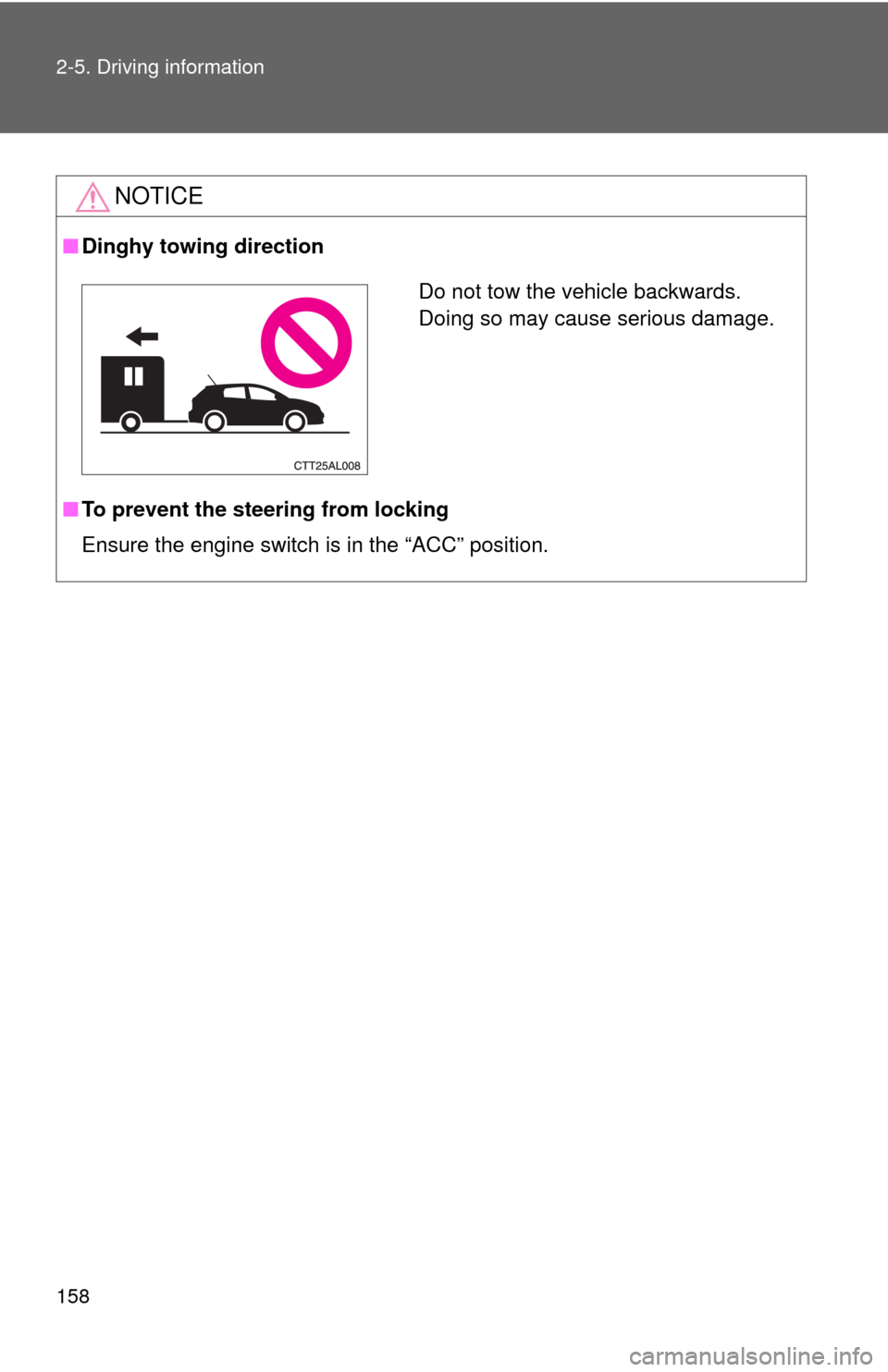
■Dinghy towing direction
■To prevent the steering from locking
Ensure the engine switch is in the “ACC” position.
Do not tow the vehicle backwards.
Doing so may cause serious damage.
Page 161 of 440
Interior features3
161
3-3. Using the hands-free
phone system
(for cellular phone) ...... 200
Hands-free phone system
(for cellular phone)
features .......................... 200
Using the hands-free
phone system
(for cellular phone) ......... 203
Making a phone call ......... 212
Setting a cellular phone ... 216
Security and system
setup .............................. 221
Using the phone book ...... 225
3-4. Using the interior
lights ............................. 232
Interior lights list ............... 232
• Interior light .................... 233
• Personal/interior lights ... 234
• Personal lights ............... 2353-5. Using the storage
features ......................... 236
List of storage features .... 236
• Glove box....................... 237
• Console box ................... 237
• Cup holders ................... 239
• Bottle holders ................. 241
• Auxiliary boxes ............... 242
3-6. Other interior
features ......................... 244
Sun visors ........................ 244
Vanity mirrors ................... 245
Clock ................................ 246
Ashtrays ........................... 247
Cigarette lighter................ 248
Power outlet ..................... 249
Grocery bag hook ............ 251
Seatback table ................. 253
Floor mat .......................... 254
Luggage compartment
feature............................ 255
Compass .......................... 262
Page 163 of 440
163 3-1. Using the air conditioning system and defogger
3
Interior features
Adjusting the settings
■Adjusting the temperature setting (heater)
Turn the temperature control dial clockwise to increase the tem-
perature.
■Adjusting the temperature setting (air conditioning system)
Turn the temperature control dial clockwise (warm) or counter-
clockwise (cool).
If is not pressed, the system will blow ambient temperature air or
heated air.
■Adjusting the fan speed
Turn the fan speed control dial clockwise (increase) or counter-
clockwise (decrease).
Set the dial to “0” to turn the fan off.
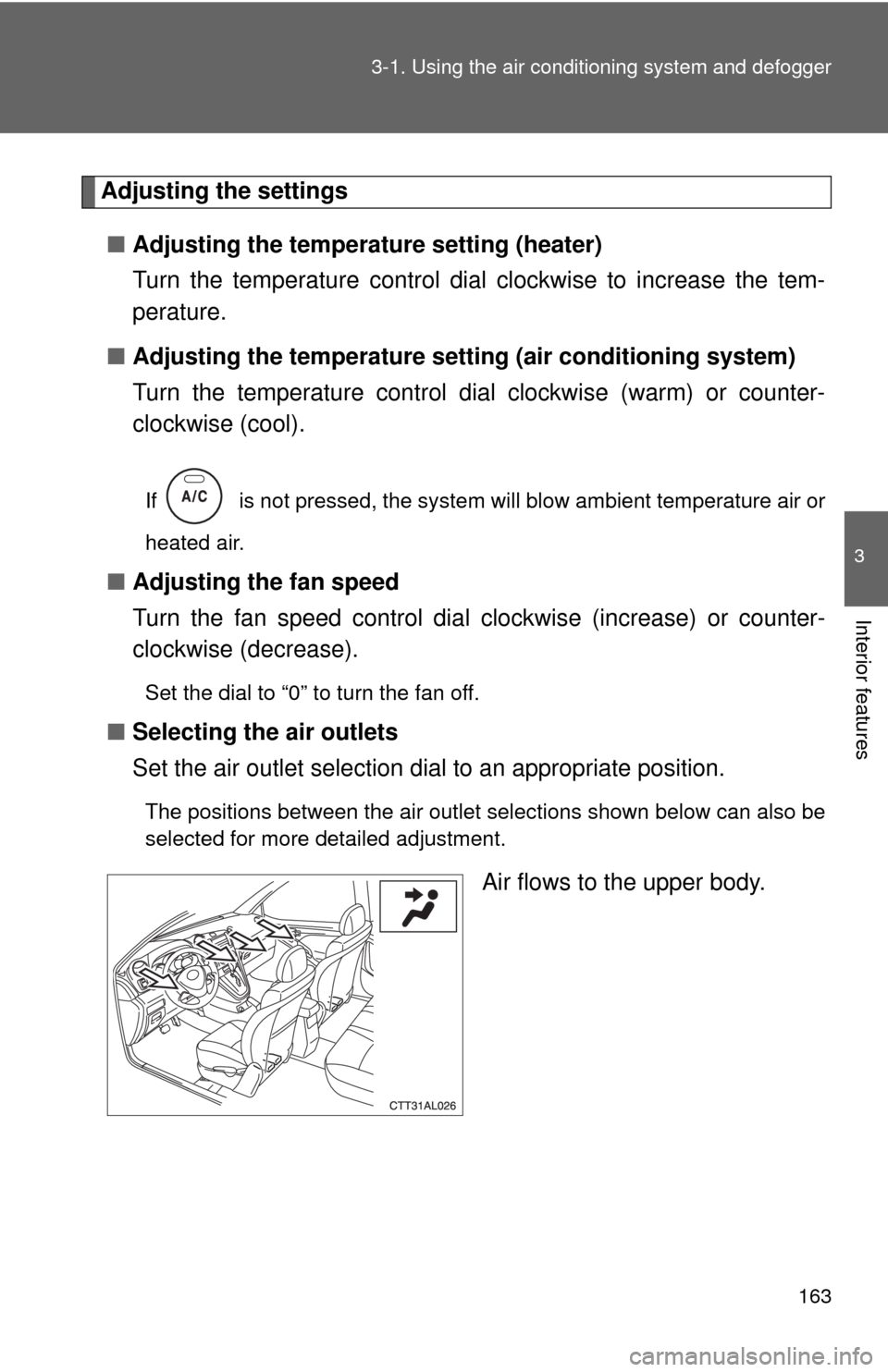
■Selecting the air outlets
Set the air outlet selection dial to an appropriate position.
The positions between the air outlet selections shown below can also be
selected for more detailed adjustment.
Air flows to the upper body.
Page 167 of 440
167 3-1. Using the air conditioning system and defogger
3
Interior features
■For quick cooling (vehicles with air conditioning system)
Turn the temperature control dial to the “MAX A/C” position and select the
recirculated air mode.
■For quick clearing of the windshield and side windows (vehicles with
air conditioning system)
Press to turn the air conditioning on.
■Using the recirculated air mode
The windows will fog up more easily if the recirculated air mode is used for
an extended period.
■When outside air temperature approaches 32°F (0°C) (vehicles with air
conditioning system)
The air conditioning system may not operate even when
is pressed.
■When
is selected for the air outlets used
For your driving comfort, air flowing to the feet may be warmer than air flow-
ing to the upper body depending on the position of the temperature adjust-
ment dial.
CAUTION
■To prevent the windshield from fogging up
Do not set the air outlet selection dial to during cool air operation in
extremely humid weather. The difference between the temperature of the
outside air and that of the windshield can cause the outer surface of the
windshield to fog up, blocking your vision.
NOTICE
■To prevent battery discharge
Do not leave the air conditioning system on longer than necessary when the
engine is stopped.
Page 209 of 440
209 3-3. Using the hands-free phone system (for cellular phone)
3
Interior features
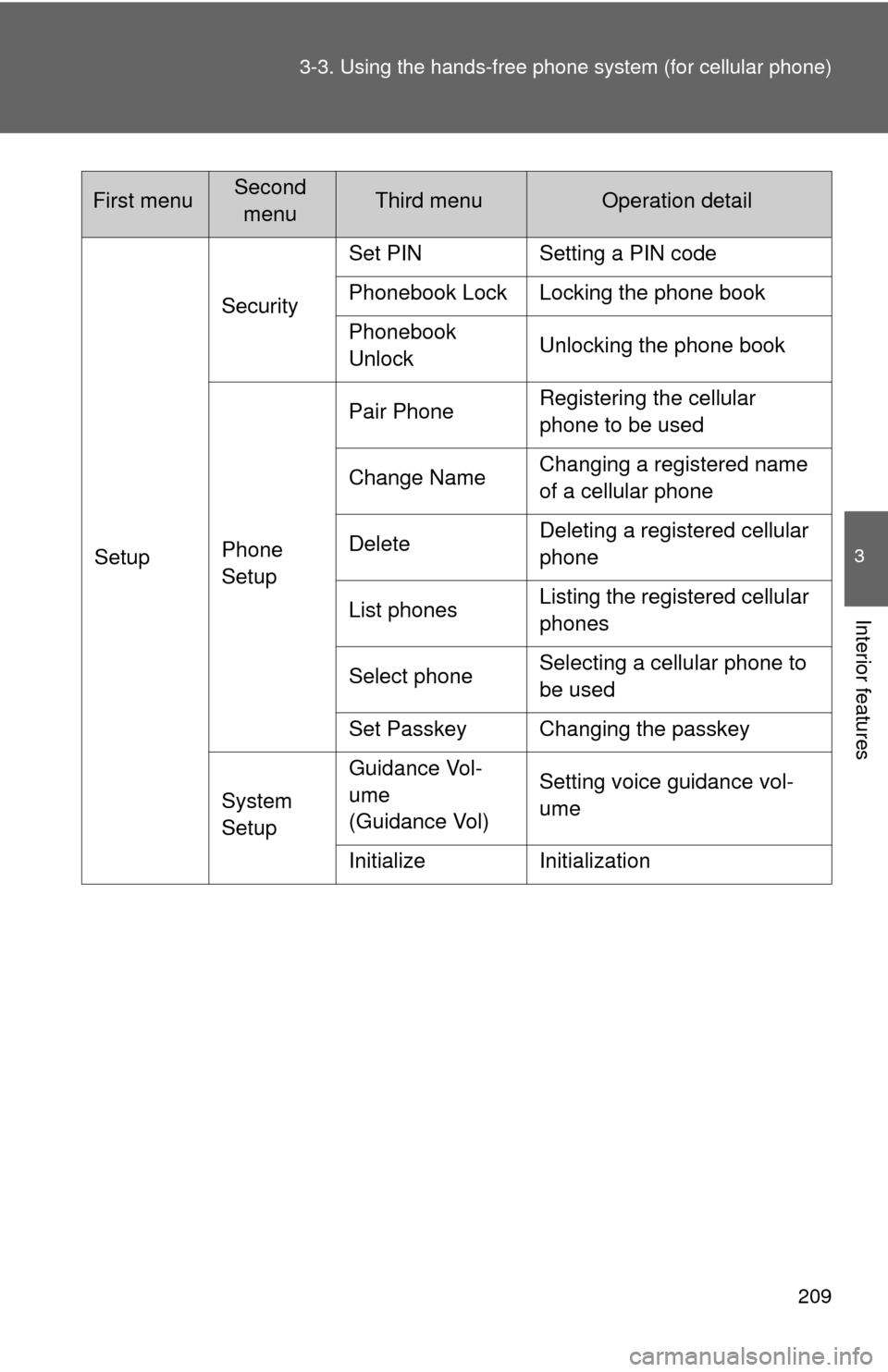
SetupSecuritySet PIN Setting a PIN code
Phonebook Lock Locking the phone book
Phonebook
UnlockUnlocking the phone book
Phone
SetupPair PhoneRegistering the cellular
phone to be used
Change NameChanging a registered name
of a cellular phone
DeleteDeleting a registered cellular
phone
List phonesListing the registered cellular
phones
Select phoneSelecting a cellular phone to
be used
Set Passkey Changing the passkey
System
SetupGuidance Vol-
ume
(Guidance Vol)Setting voice guidance vol-
ume
Initialize Initialization
First menuSecond
menuThird menuOperation detail