lock TOYOTA MATRIX 2009 E140 / 2.G Owners Manual
[x] Cancel search | Manufacturer: TOYOTA, Model Year: 2009, Model line: MATRIX, Model: TOYOTA MATRIX 2009 E140 / 2.GPages: 440, PDF Size: 9.39 MB
Page 1 of 440
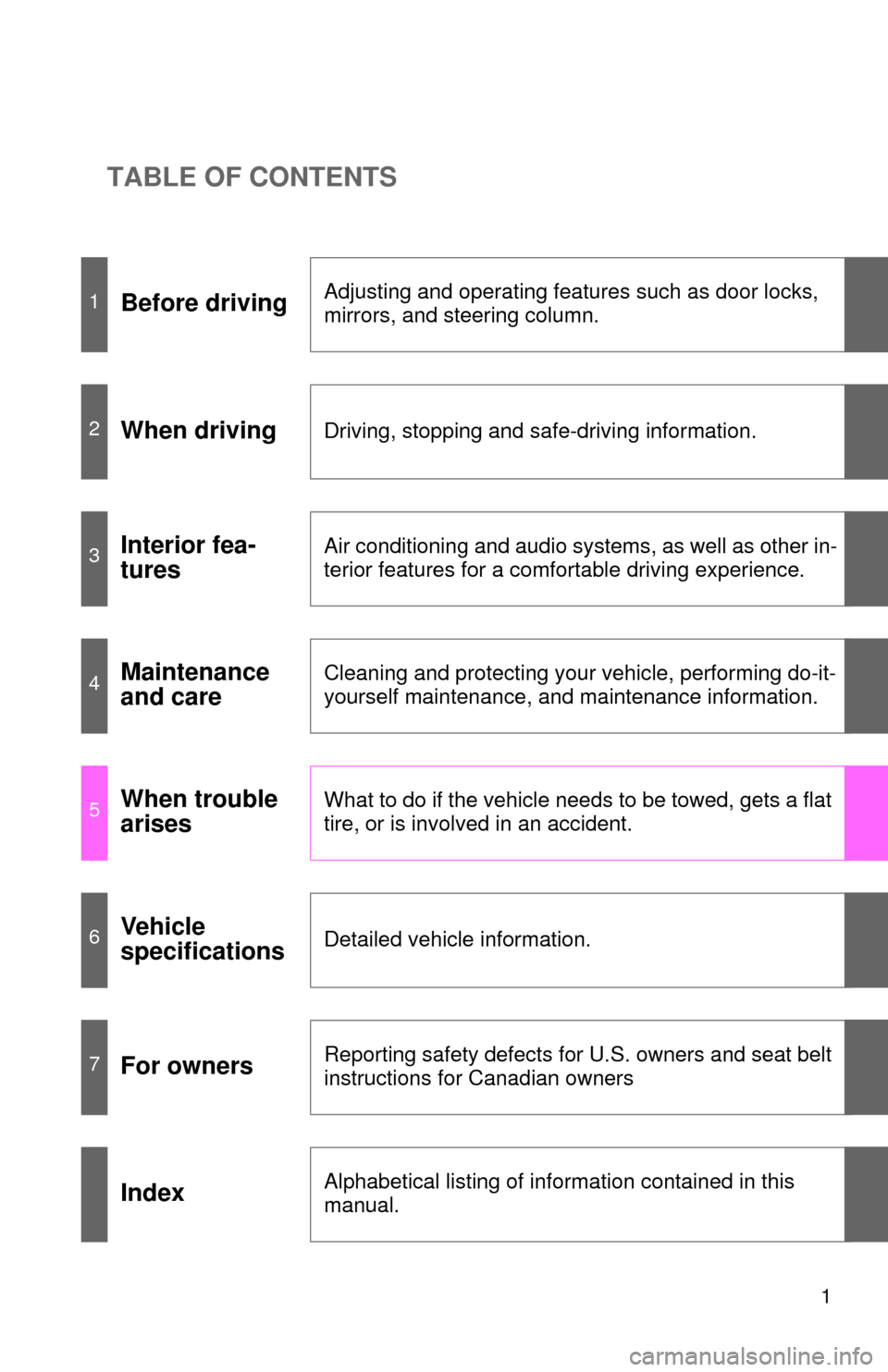
TABLE OF CONTENTS
1
1Before drivingAdjusting and operating features such as door locks,
mirrors, and steering column.
2When drivingDriving, stopping and safe-driving information.
3Interior fea-
turesAir conditioning and audio systems, as well as other in-
terior features for a comfortable driving experience.
4Maintenance
and careCleaning and protecting your vehicle, performing do-it-
yourself maintenance, and maintenance information.
5When trouble
arisesWhat to do if the vehicle needs to be towed, gets a flat
tire, or is involved in an accident.
6Vehicle
specificationsDetailed vehicle information.
7For ownersReporting safety defects for U.S. owners and seat belt
instructions for Canadian owners
IndexAlphabetical listing of information contained in this
manual.
Page 2 of 440

TABLE OF CONTENTSIndex
2
1-1. Key information .................. 24Keys ..................................... 24
1-2. Opening, closing
and
locking the
doors ............. 26
Wireless remote control ....... 26
Doors.................................... 29
Back door ............................. 33
1-3.
Adjustable components
(seats, mirrors,
steering wheel)
................. 35
Front seats ........................... 35
Rear seats ............................ 38
Head restraints ..................... 40
Seat belts ............................. 41
Steering wheel ..................... 46
Anti-glare inside rear view mirror .................................. 47
Outside rear view mirrors ..... 49
1-4. Opening a
nd closing the
window
s ............................ 51
Power windows .................... 51
Moon roof ............................. 53
1-5. Refueling ............................. 56 Opening the fuel tank cap .... 56
1-6. Theft deterrent system ...... 60 Engine immobilizer system ................................ 60
Theft prevention labels (for U.S.A.) ......................... 62 1-7. Safety information .............. 63
Correct driving posture ......... 63
SRS airbags ......................... 65
Front passenger occupant classification system ........... 77
Child restraint systems ......... 82
Installing child restraints ....... 86
2-1. Driving procedures............. 96 Driving the vehicle ................ 96
Engine (ignition) switch....... 106
Automatic transmission ...... 110
Manual transmission........... 115
Turn signal lever ................. 117
Parking brake ..................... 118
2-2. Instrument cluster ............ 119 Gauges and meters ............ 119
Indicators and warning lights ................................. 122
2-3. Operating the li
ghts and
wipers
.............................. 125
Headlight switch ................. 125
Fog light switch ................... 128
Windshield wipers and washer .............................. 129
Rear window wiper and washer .............................. 131
2-4. Using other driving systems ........................... 132
Cruise control ..................... 132
Driving assist systems ........ 135
1Before driving
2When driving
Page 3 of 440

1
2
3
4
5
6
7
3
2-5. Driving information ........... 140
Cargo and luggage ............. 140
Vehicle load limits ............... 143
Winter driving tips ............... 144
Trailer towing ...................... 148
Dinghy towing
(automatic
transmission) .................... 156
Dinghy towing
(manual transmission) ...... 157
3-1. Using the air conditioning
system and defogger...... 162
Air conditioning system ....... 162
Rear window and outside
rear view mirror
defoggers .......................... 168
3-2. Using the audio system.... 169
Audio system types ............. 169
Using the radio .................... 172
Using the CD player ............ 178
Playing MP3 and
WMA discs ........................ 185
Optimal use of the audio
system .............................. 193
Using the AUX adapter ....... 196
Using the steering wheel
audio switches .................. 197
3-3. Using the hands-free
phone system
(for cellular phone) ......... 200Hands-free phone system
(for cellular phone)
features ............................ 200
Using the hands-free
phone system
(for cellular phone) ........... 203
Making a phone call ........... 212
Setting a cellular phone ...... 216
Security and system
setup ................................ 221
Using the phone book ........ 225
3-4. Using the interior lights ... 232
Interior lights list ................. 232
• Interior light ...................... 233
• Personal/interior lights...... 234
• Personal lights.................. 235
3-5. Using the storage
features ........................... 236
List of storage features ....... 236
• Glove box ......................... 237
• Console box ..................... 237
• Cup holders ...................... 239
• Bottle holders ................... 241
• Auxiliary boxes ................. 242
3-6. Other interior features ..... 244
Sun visors........................... 244
Vanity mirrors ..................... 245
Clock .................................. 246
Ashtrays ............................. 247
Cigarette lighter .................. 248
Power outlet ....................... 249
Grocery bag hook ............... 251
Seatback table.................... 253
Floor mat ............................ 254
Luggage compartment
feature .............................. 255
3Interior features
Page 11 of 440
11
B
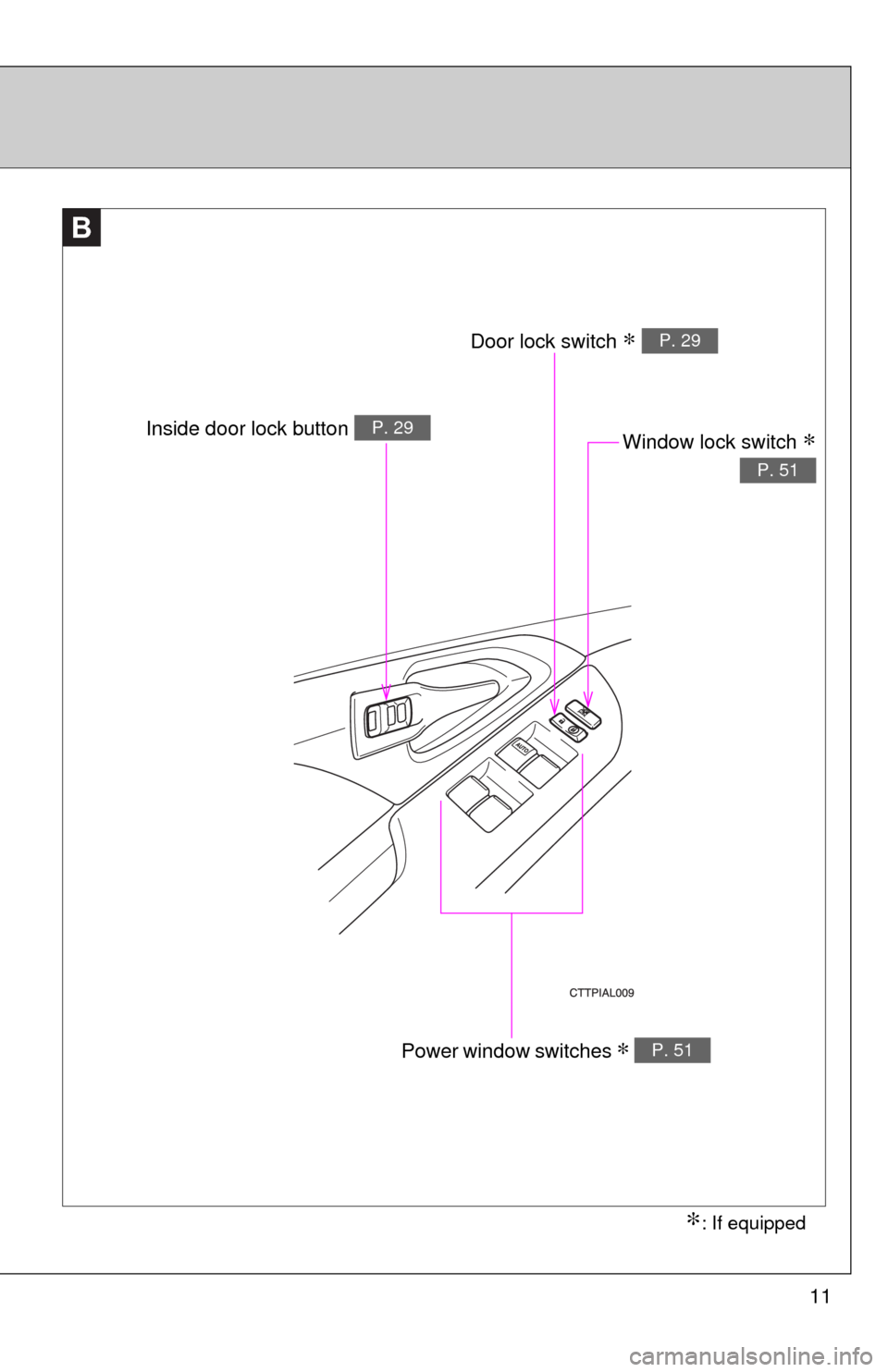
Window lock switch ∗
P. 51
Power window switches ∗ P. 51
Door lock switch ∗ P. 29
Inside door lock button P. 29
∗: If equipped
Page 16 of 440
16
C
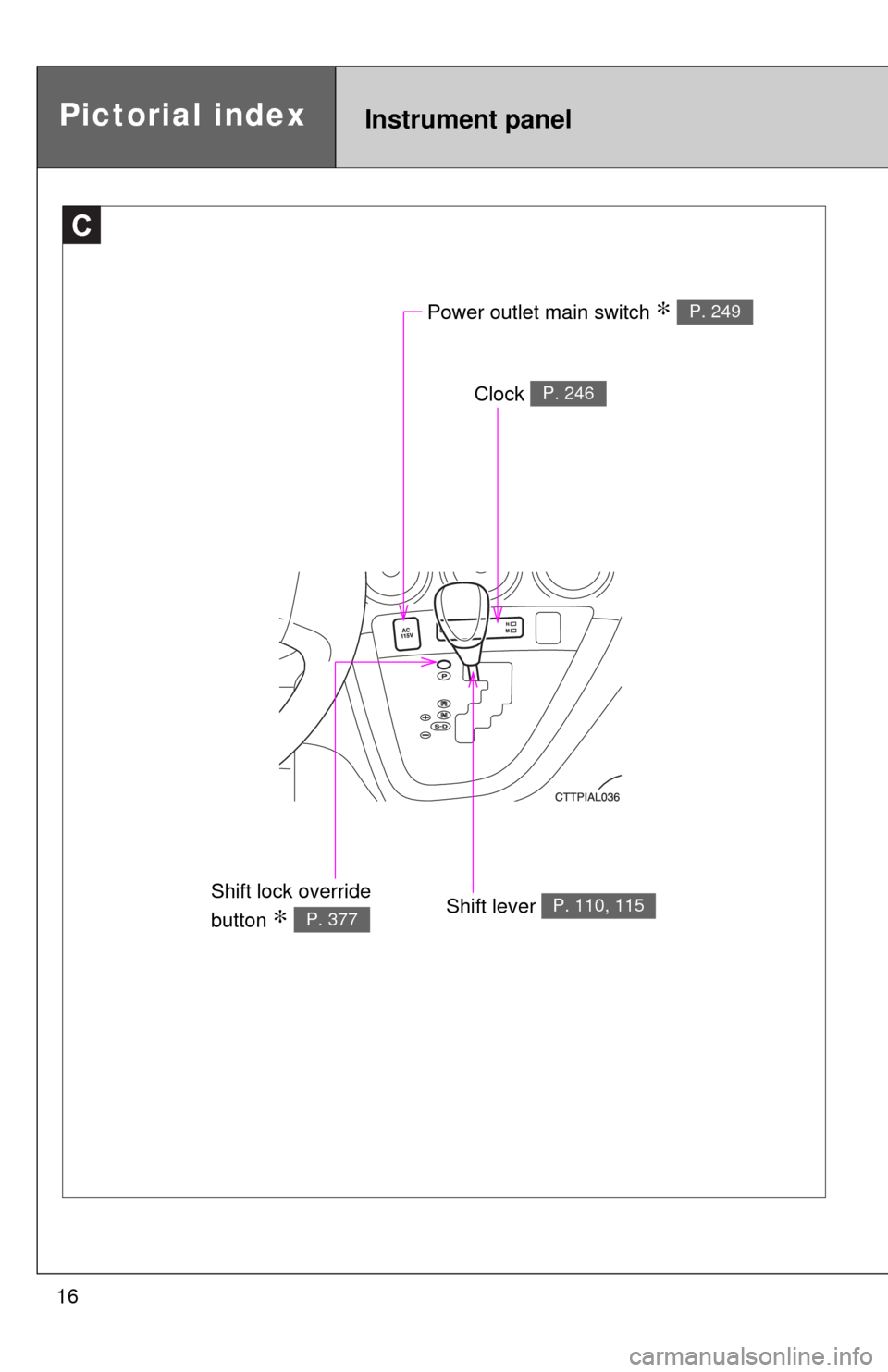
Power outlet main switch ∗ P. 249
Clock P. 246
Shift lever P. 110, 115Shift lock override
button
∗ P. 377
Instrument panelPictorial index
Page 17 of 440
17
D
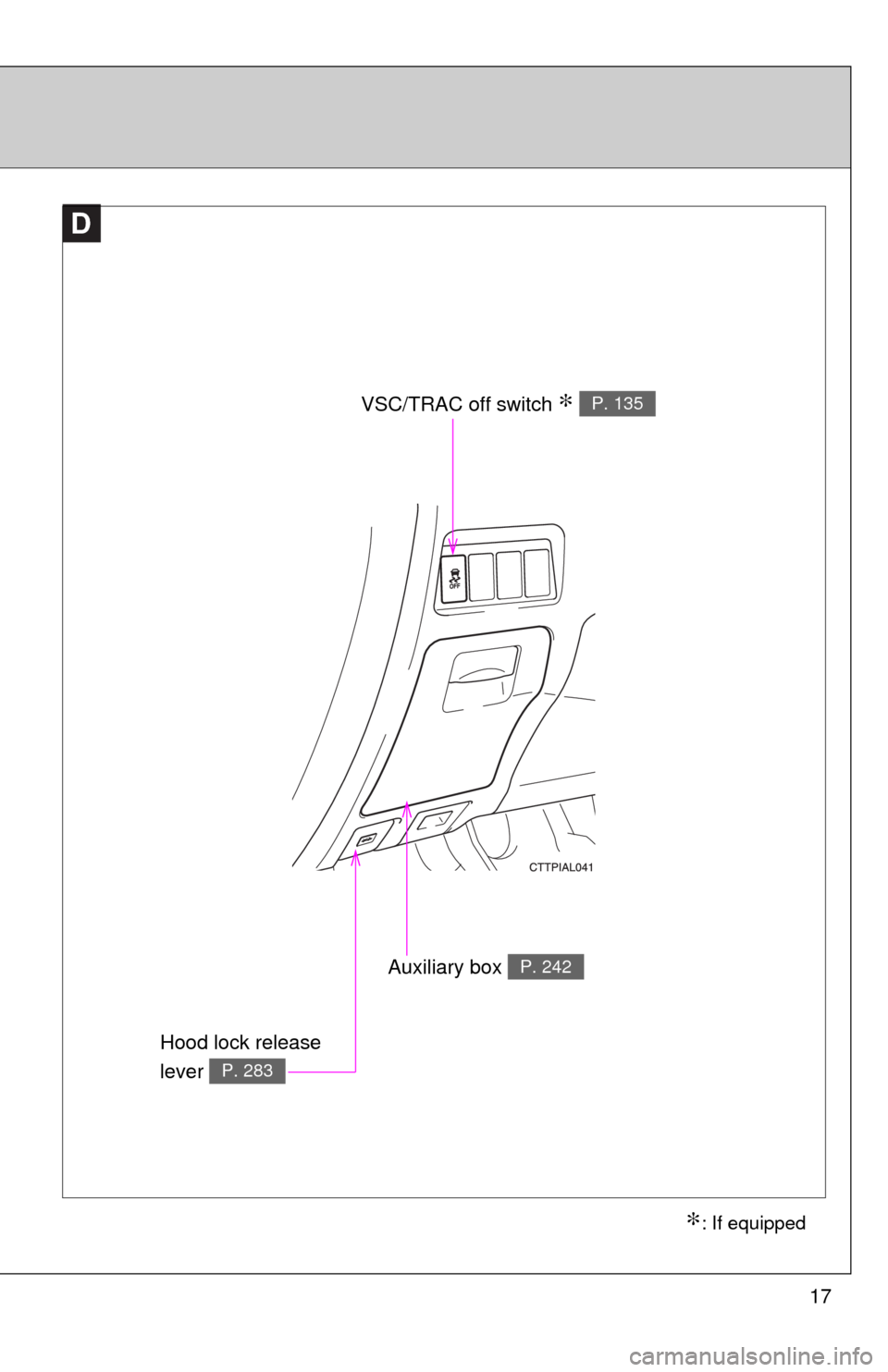
VSC/TRAC off switch ∗ P. 135
Auxiliary box P. 242
∗: If equipped
Hood lock release
lever
P. 283
Page 18 of 440

18
For your information
Main Owner’s Manual
Please note that this manual covers all models and all equipment, including
options. Therefore, you may find some explanations for equipment not
installed on your vehicle.
All specifications provided in this manual are current at the time of printing.
However, because of the Toyota policy of continual product improvement, we
reserve the right to make changes at any time without notice.
Depending on specifications, the vehicle shown in the illustrations may differ
from your vehicle in terms of equipment.
Accessories, spare parts and modification of your Toyota
A wide variety of non-genuine spare parts and accessories for Toyota
vehicles are currently available on the market. You should know that these
parts are not covered by Toyota warranty and that Toyota is not responsible
for their performance, repair, or replacement, or for any damage they may
cause to, or adverse effect they may have on, your Toyota vehicle.
This vehicle should not be modified with non-genuine Toyota products.
Modification with non-genuine Toyota products could affect its performance,
safety or durability, and may even violate governmental regulations. In
addition, damage or performance problems resulting from the modification
may not be covered under warranty.
Installation of a mobile two-way radio system
As the installation of a mobile two-way radio system in your vehicle may
affect electronic systems such as the multi-port fuel injection system/sequen-
tial multi-port fuel injection system, cruise control system, anti-lock brake
system, SRS airbag system or seat belt pretensioner system, be sure to
check with your Toyota dealer for precautionary measures or special instruc-
tions regarding installation.
Page 23 of 440
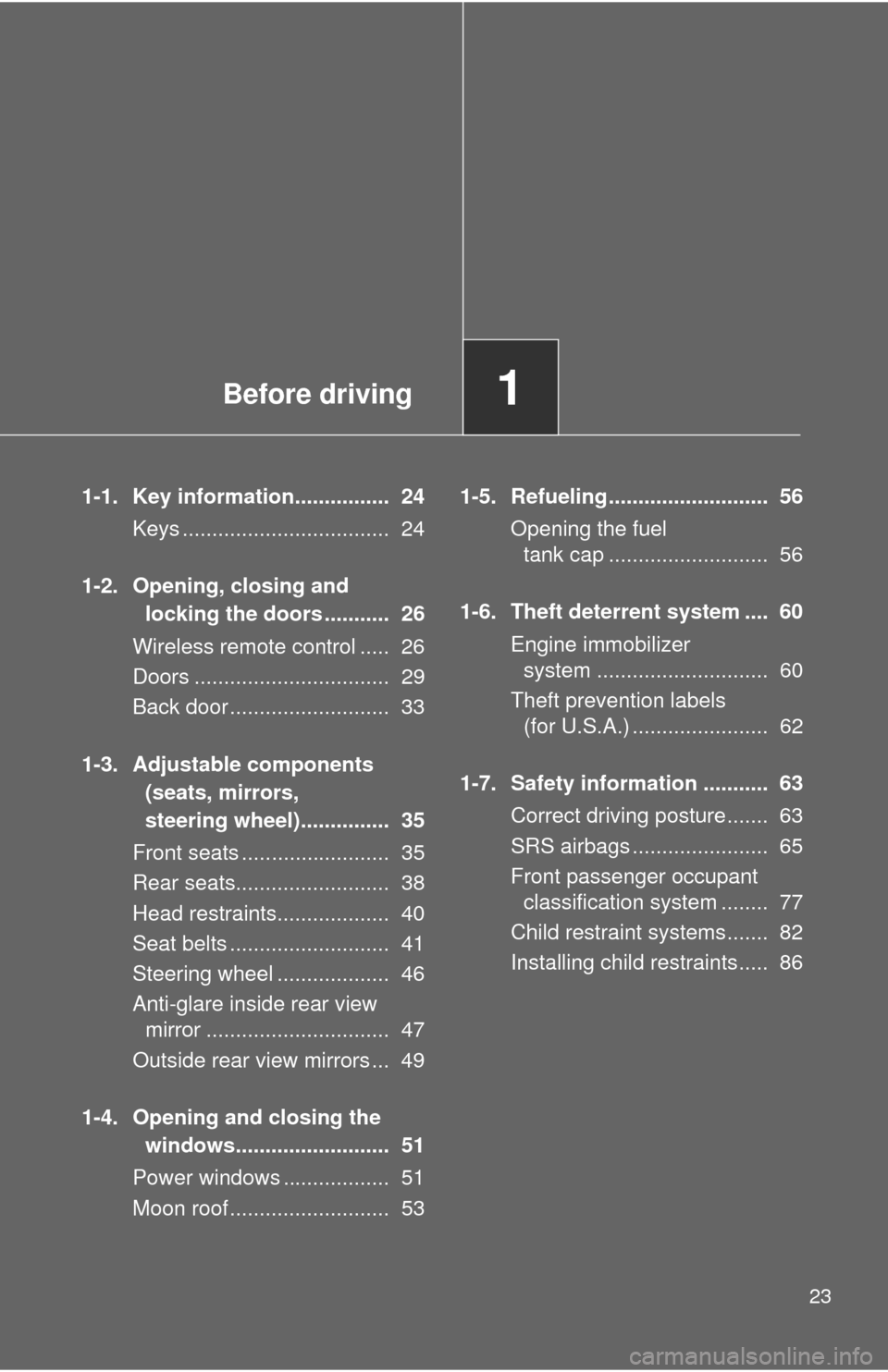
Before driving1
23
1-1. Key information................ 24
Keys ................................... 24
1-2. Opening, closing and
locking the doors ........... 26
Wireless remote control ..... 26
Doors ................................. 29
Back door ........................... 33
1-3. Adjustable components
(seats, mirrors,
steering wheel)............... 35
Front seats ......................... 35
Rear seats.......................... 38
Head restraints................... 40
Seat belts ........................... 41
Steering wheel ................... 46
Anti-glare inside rear view
mirror ............................... 47
Outside rear view mirrors ... 49
1-4. Opening and closing the
windows.......................... 51
Power windows .................. 51
Moon roof ........................... 531-5. Refueling........................... 56
Opening the fuel
tank cap ........................... 56
1-6. Theft deterrent system .... 60
Engine immobilizer
system ............................. 60
Theft prevention labels
(for U.S.A.) ....................... 62
1-7. Safety information ........... 63
Correct driving posture....... 63
SRS airbags ....................... 65
Front passenger occupant
classification system ........ 77
Child restraint systems....... 82
Installing child restraints..... 86
Page 25 of 440

25 1-1. Key information
1
Before driving
NOTICE
■To prevent key damage
●Do not subject the keys to strong shocks, expose them to high tempera-
tures by placing them in direct sunlight, or get them wet.
●Do not expose the keys to electromagnetic materials or attach any mate-
rial that blocks electromagnetic waves to the key surface.
●Do not disassemble the key.
Page 26 of 440
26
1-2. Opening, closing and locking the doors
Wireless remote control (if equipped)
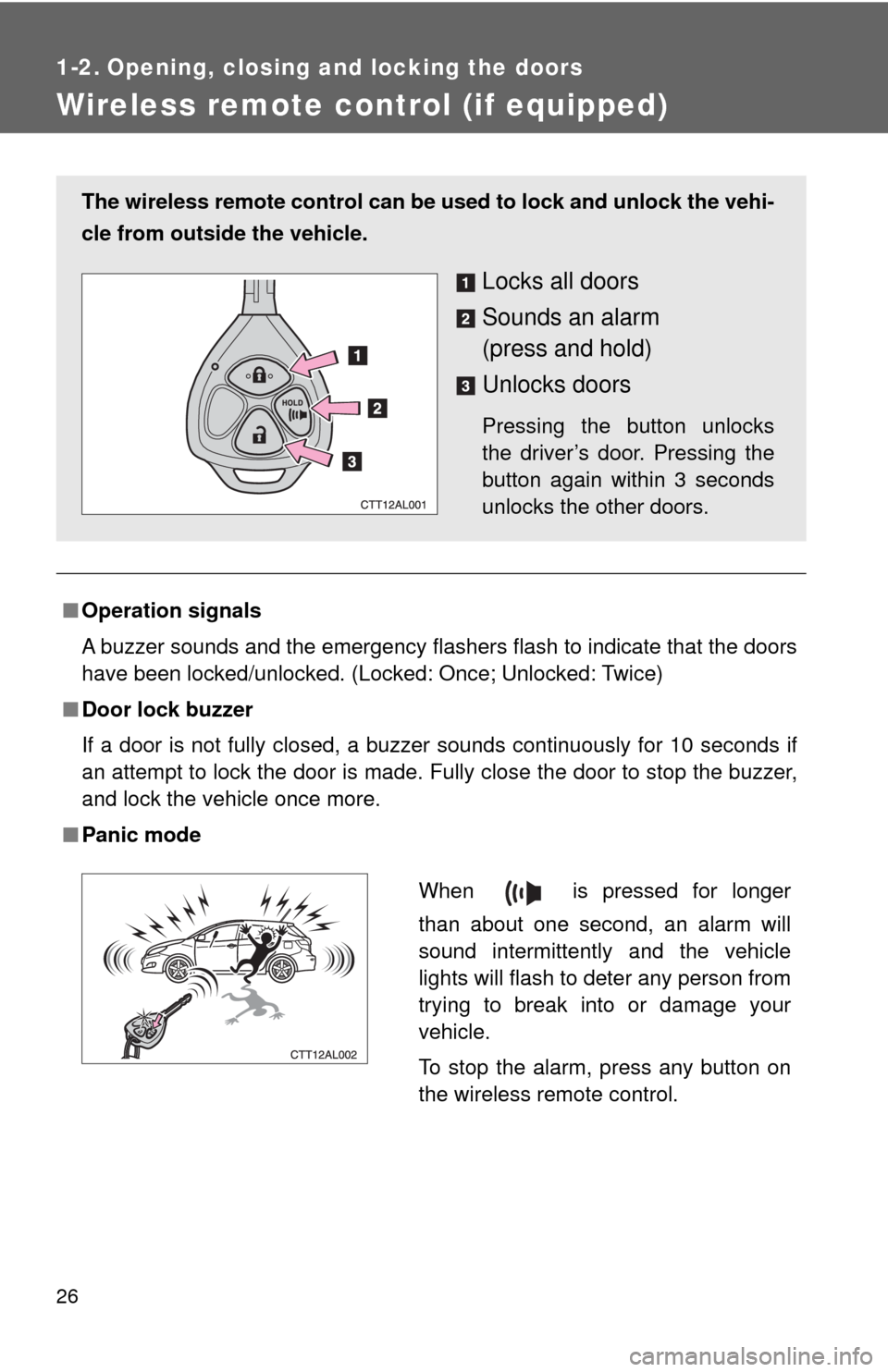
■Operation signals
A buzzer sounds and the emergency flashers flash to indicate that the doors
have been locked/unlocked. (Locked: Once; Unlocked: Twice)
■Door lock buzzer
If a door is not fully closed, a buzzer sounds continuously for 10 seconds if
an attempt to lock the door is made. Fully close the door to stop the buzzer,
and lock the vehicle once more.
■Panic mode
The wireless remote control can be used to lock and unlock the vehi-
cle from outside the vehicle.
Locks all doors
Sounds an alarm
(press and hold)
Unlocks doors
Pressing the button unlocks
the driver’s door. Pressing the
button again within 3 seconds
unlocks the other doors.
When is pressed for longer
than about one second, an alarm will
sound intermittently and the vehicle
lights will flash to deter any person from
trying to break into or damage your
vehicle.
To stop the alarm, press any button on
the wireless remote control.