air condition TOYOTA MATRIX 2010 E140 / 2.G User Guide
[x] Cancel search | Manufacturer: TOYOTA, Model Year: 2010, Model line: MATRIX, Model: TOYOTA MATRIX 2010 E140 / 2.GPages: 448, PDF Size: 9.74 MB
Page 161 of 448

161 2-5. Driving information
2
When driving
●In order to maintain efficient engine braking and electrical charging
performance, do not use “D” (automatic transmission) or the 5th
gear (manual transmission).
●Due to the added load of the trailer, your vehicle's engine may
overheat on hot days (at temperatures over 85°F [30°C]) when
driving up a long or steep grade. If the engine coolant temperature
gauge indicates overheating, immediately turn off the air condition-
ing (if in use), pull your vehicle off the road and stop in a safe spot.
(P. 391)
●Always place wheel blocks under both the vehicle and the trailer
wheels when parking. Apply the parking brake firmly, and put the
transmission in P (automatic transmission) or in 1 or R (manual
transmission). Avoid parking on a slope, but if unavoidable, do so
only after performing the following:
Apply the brakes and keep them applied.
Have someone place wheel blocks under both the vehicle and
trailer wheels.
When the wheel blocks are in place, release the brakes slowly
until the blocks absorb the load.
Apply the parking brake firmly.
Shift into 1 or R (manual transmission) or P (automatic trans-
mission) and turn off the engine.
●When restarting after parking on a slope:
With the transmission in the P position (automatic transmis-
sion) or the clutch pedal (manual transmission) depressed,
start the engine. On vehicles with an automatic transmission,
be sure to keep the brake pedal pressed.
Shift into a forward gear. If reversing, shift into the R position.
Release the parking brake (also brake pedal on vehicles with
an automatic transmission), and slowly pull or back away from
the wheel blocks. Stop and apply the brakes.
Have someone retrieve the blocks.
STEP1
STEP2
STEP3
STEP4
STEP5
STEP1
STEP2
STEP3
STEP4
Page 166 of 448
166
3-1. Using the air conditioning system and defogger
Air conditioning system .... 168
Rear window and outside rear view
mirror defoggers ............ 174
3-2. Using the audio system Audio system types .......... 175
Using the radio ................. 178
Using the CD player ......... 184
Playing MP3 and WMA discs............................... 191
Optimal use of the audio system ........................... 199
Using the AUX adapter .... 202
Using the steering wheel audio switches ............... 203
Interior features3
Page 168 of 448

168
3-1. Using the air conditioning system and defogger
Air conditioning system
Heater
Air conditioning system
Fan speed control dial Air outlet selection dial
Air intake mode switchTemperature control dial
Air conditioning ON/OFF switch Fan speed control dial Air outlet selection dial
Air intake mode switchTemperature control dial
Page 169 of 448
169 3-1. Using the air conditioning system and defogger
3
Interior features
Adjusting the settings
■Adjusting the temperature setting (heater)
Turn the temperature control dial clockwise to increase the temper-
ature.
■Adjusting the temperature setting (air conditioning system)
Turn the temperature control dial clockwise (warm) or counter-
clockwise (cool).
If is not pressed, the system will blow ambient temperature air or
heated air.
■Adjusting the fan speed
Turn the fan speed control dial clockwise (increase) or counter-
clockwise (decrease).
Set the dial to “0” to turn the fan off.
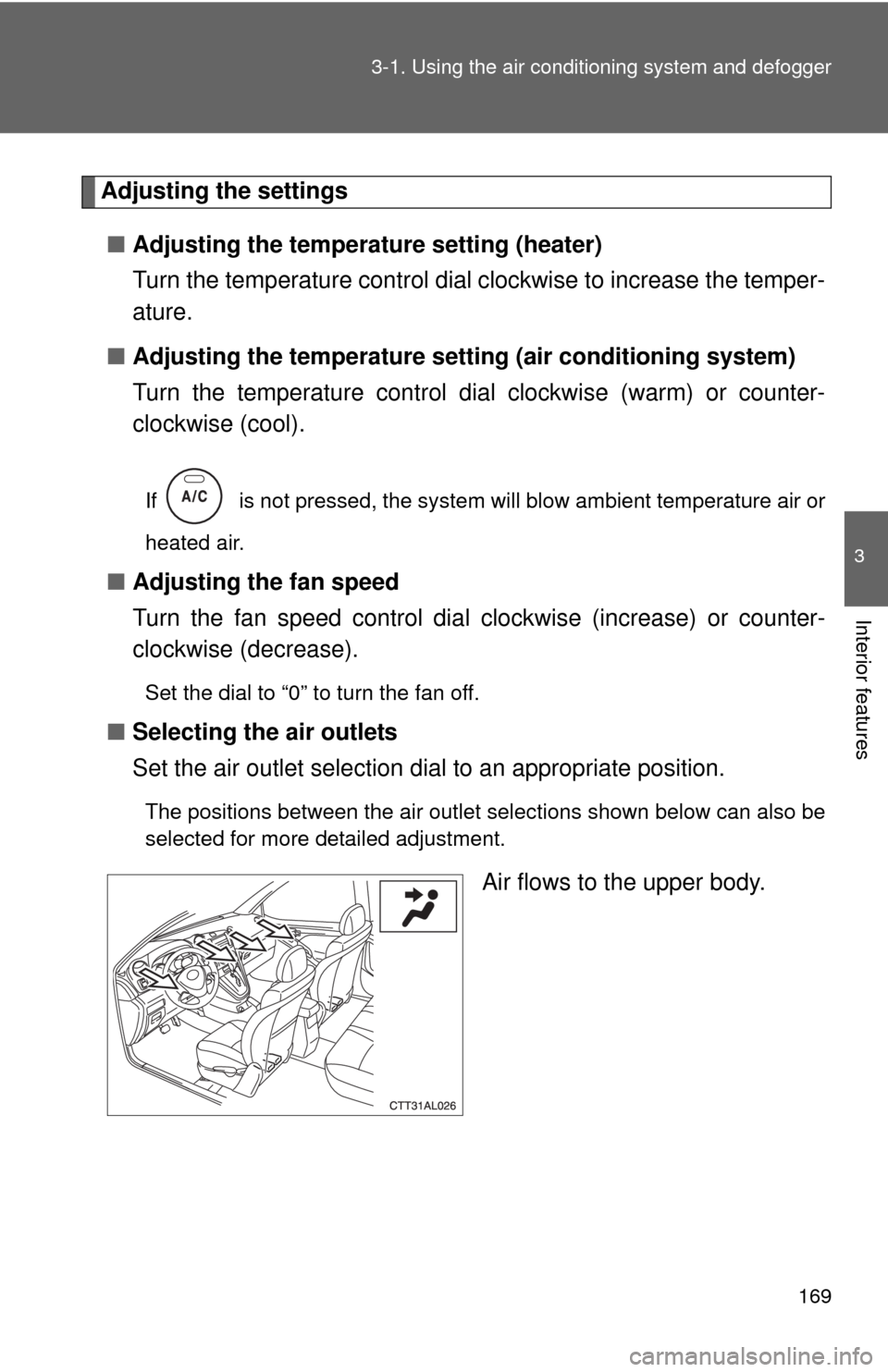
■Selecting the air outlets
Set the air outlet selection dial to an appropriate position.
The positions between the air outlet selections shown below can also be
selected for more detailed adjustment.
Air flows to the upper body.
Page 170 of 448
170 3-1. Using the air conditioning system and defogger
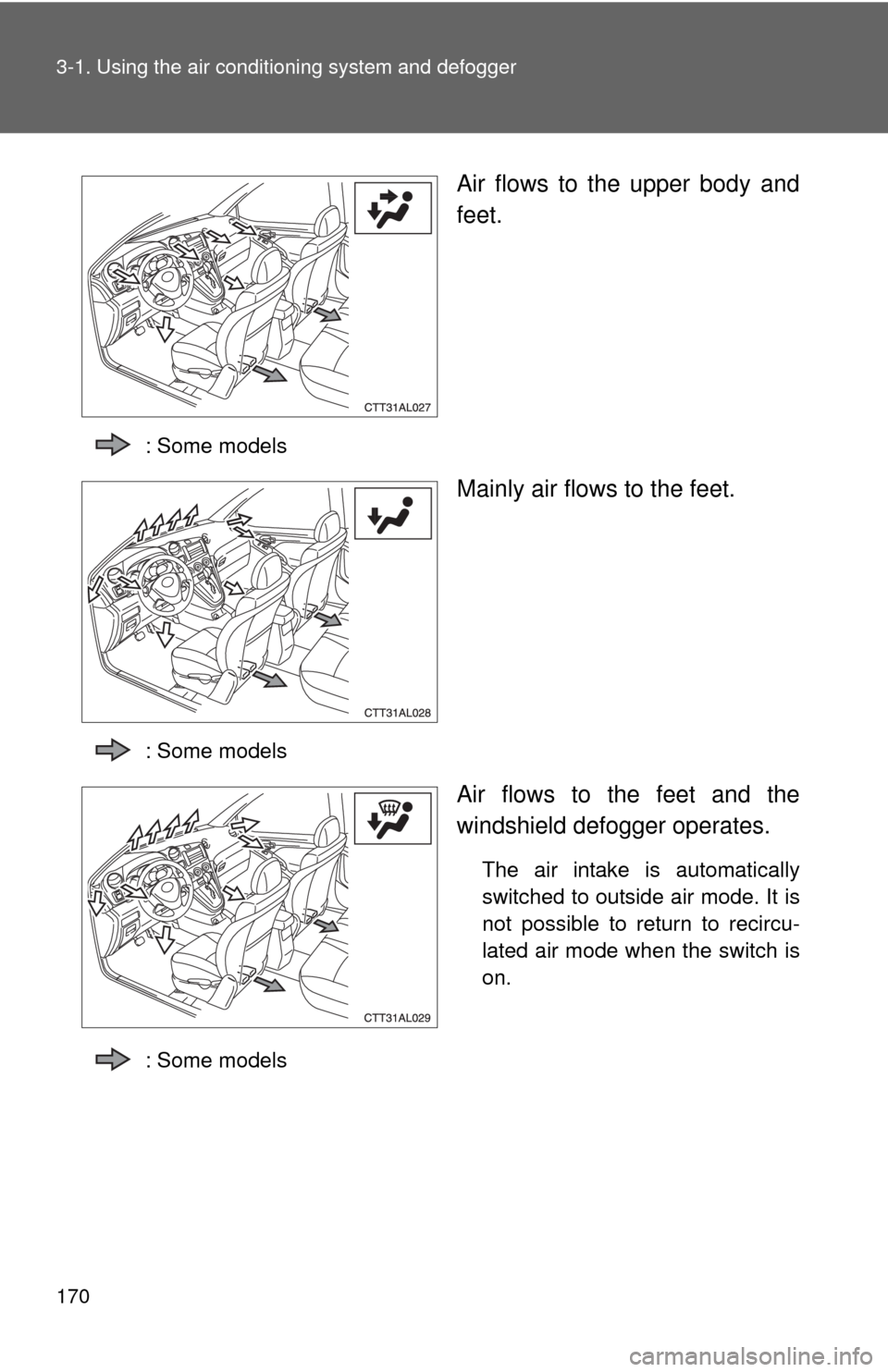
Air flows to the upper body and
feet.
: Some models
Mainly air flows to the feet.
: Some models
Air flows to the feet and the
windshield defogger operates.
The air intake is automatically
switched to outside air mode. It is
not possible to return to recircu-
lated air mode when the switch is
on.
: Some models
Page 171 of 448
171 3-1. Using the air conditioning system and defogger
3
Interior features
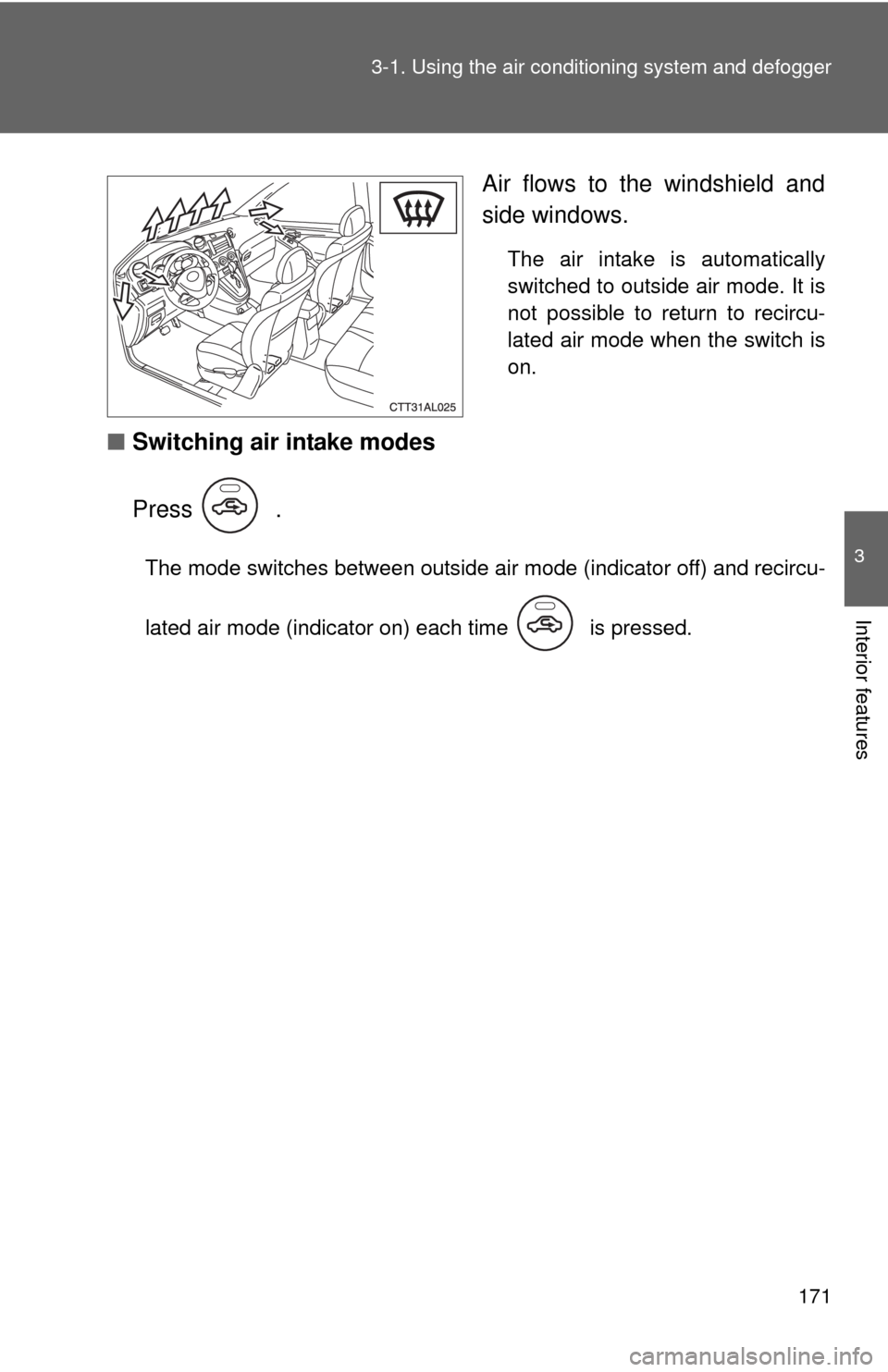
Air flows to the windshield and
side windows.
The air intake is automatically
switched to outside air mode. It is
not possible to return to recircu-
lated air mode when the switch is
on.
■Switching air intake modes
Press .
The mode switches between outside air mode (indicator off) and recircu-
lated air mode (indicator on) each time is pressed.
Page 172 of 448
172 3-1. Using the air conditioning system and defogger
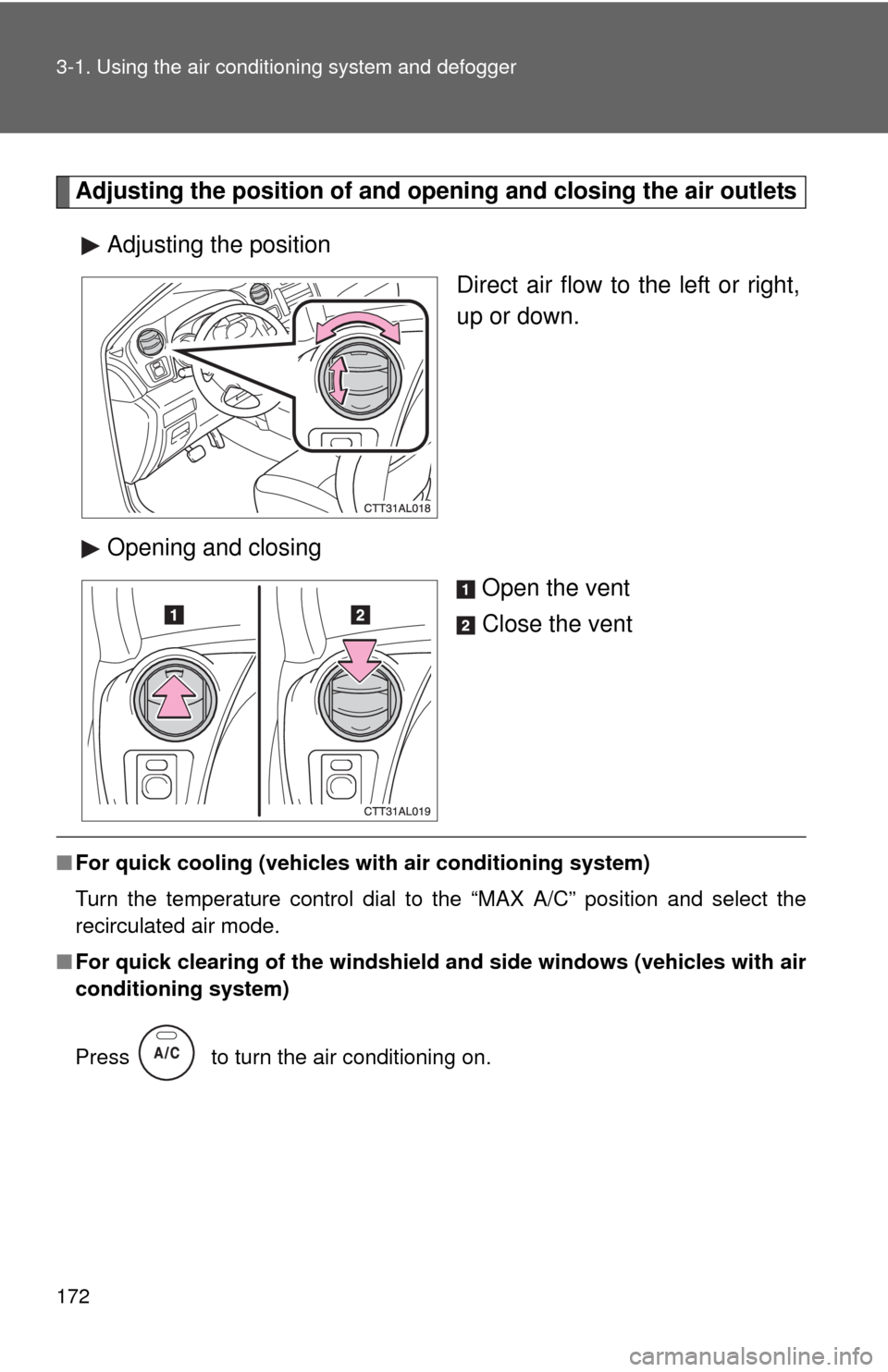
Adjusting the position of and opening and closing the air outlets
Adjusting the position
Direct air flow to the left or right,
up or down.
Opening and closing
Open the vent
Close the vent
■For quick cooling (vehicles with air conditioning system)
Turn the temperature control dial to the “MAX A/C” position and select the
recirculated air mode.
■For quick clearing of the windshield and side windows (vehicles with air
conditioning system)
Press to turn the air conditioning on.
Page 173 of 448
173 3-1. Using the air conditioning system and defogger
3
Interior features
■Using the recirculated air mode
The windows will fog up more easily if the recirculated air mode is used for an
extended period.
■When outside air temperature approaches 32°F (0°C) (vehicles with air
conditioning system)
The air conditioning system may not operate even when
is pressed.
■When
is selected for the air outlets used
For your driving comfort, air flowing to the feet may be warmer than air flowing
to the upper body depending on the position of the temperature adjustment
dial.
■Air conditioning odors
●During use, various odors from inside and outside the vehicle may enter
into and accumulate in the air conditioning system. This may then cause
odor to be emitted from the vents.
●To reduce potential odors from occurring:
It is recommended that the air conditioning system be set to outside air
mode prior to turning the vehicle off.
CAUTION
■To prevent the windshield from fogging up
Do not set the air outlet selection dial to during cool air operation in
extremely humid weather. The difference between the temperature of the
outside air and that of the windshield can cause the outer surface of the
windshield to fog up, blocking your vision.
NOTICE
■To prevent battery discharge
Do not leave the air conditioning system on longer than necessary when the
engine is stopped.
Page 174 of 448
174
3-1. Using the air conditioning system and defogger
Rear window and outside rear view mirror defoggers
■Outside rear view mirror defogger (if equipped)
Turning the rear window defogger on will turn the outside rear view mirror
defoggers on.
CAUTION
■Outside rear view mirror defogger (if equipped)
The surfaces of the outside rear view mirrors become hot. Do not touch
them to prevent from burning yourself.
NOTICE
■To prevent battery discharge
Do not leave the rear window defogger on longer than necessary when the
engine is not running.
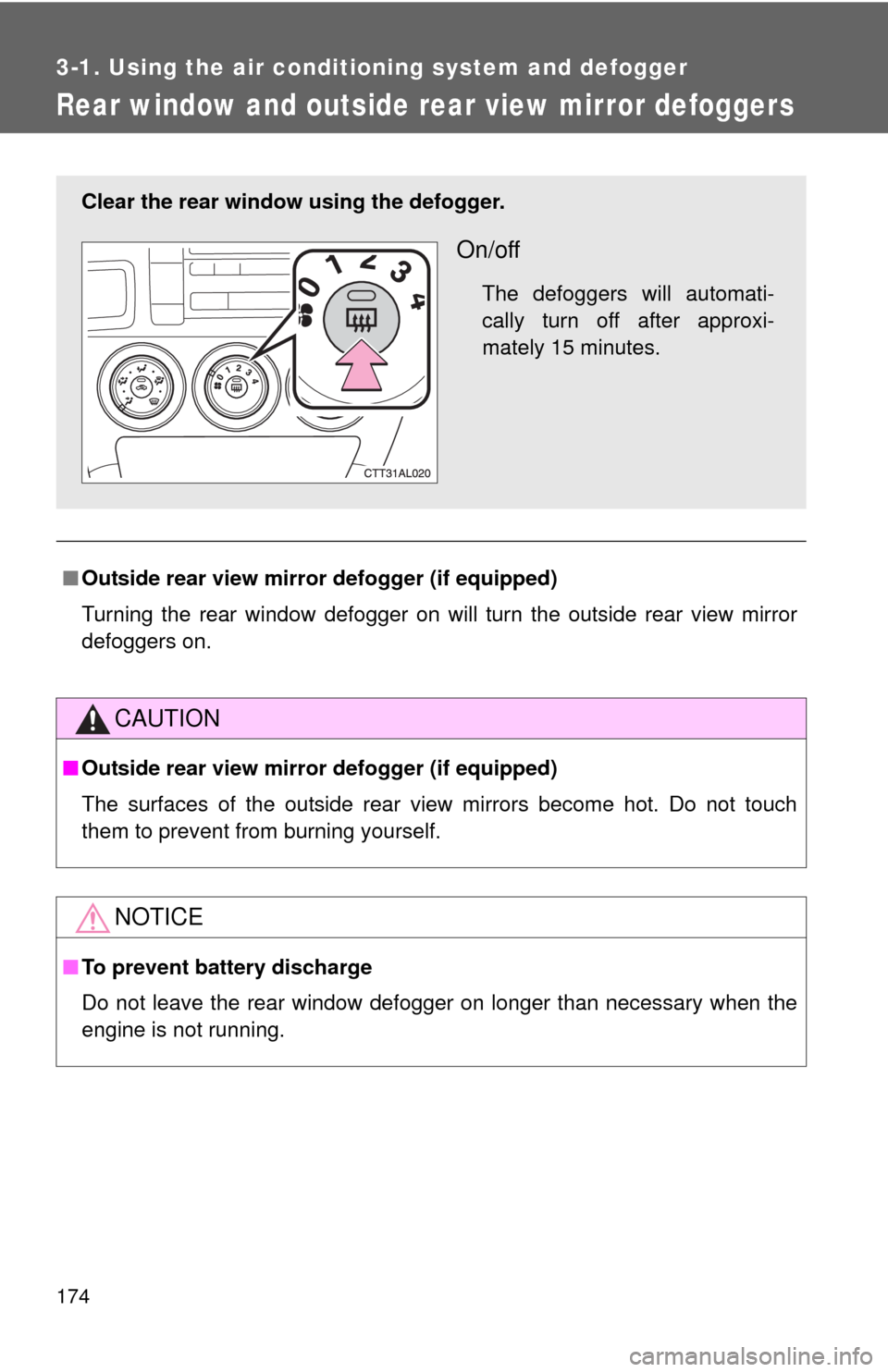
Clear the rear window using the defogger.
On/off
The defoggers will automati-
cally turn off after approxi-
mately 15 minutes.
Page 217 of 448
217 3-3. Using the hands-free phone system (for cellular phone)
3
Interior features
■Automatic adjustment of volume
When vehicle speed is 50 mph (80 km/h) or more, the volume automatically
increases. The volume returns to the previous volume setting when vehicle
speed drops to 43 mph (70 km/h) or less.
■When using a voice command
For numbers, say a combination of single digits from zero to nine, # (pound),
(star), and + (plus).
Say a command correctly and clearly.
■The system may not recognize your voice in the following situations:
●When driving on a rough road
●When driving at high speeds
●When air is blowing out of the vents onto the microphone
●When the air conditioning fan emits a loud noise
■The following cannot be performed while driving:
●Operating the system with
●Registering a cellular phone to the system
■Changing the passkey
P. 226