radio TOYOTA MATRIX 2011 E140 / 2.G User Guide
[x] Cancel search | Manufacturer: TOYOTA, Model Year: 2011, Model line: MATRIX, Model: TOYOTA MATRIX 2011 E140 / 2.GPages: 501, PDF Size: 11.47 MB
Page 185 of 501
185 3-2. Using the audio system
3
Interior features
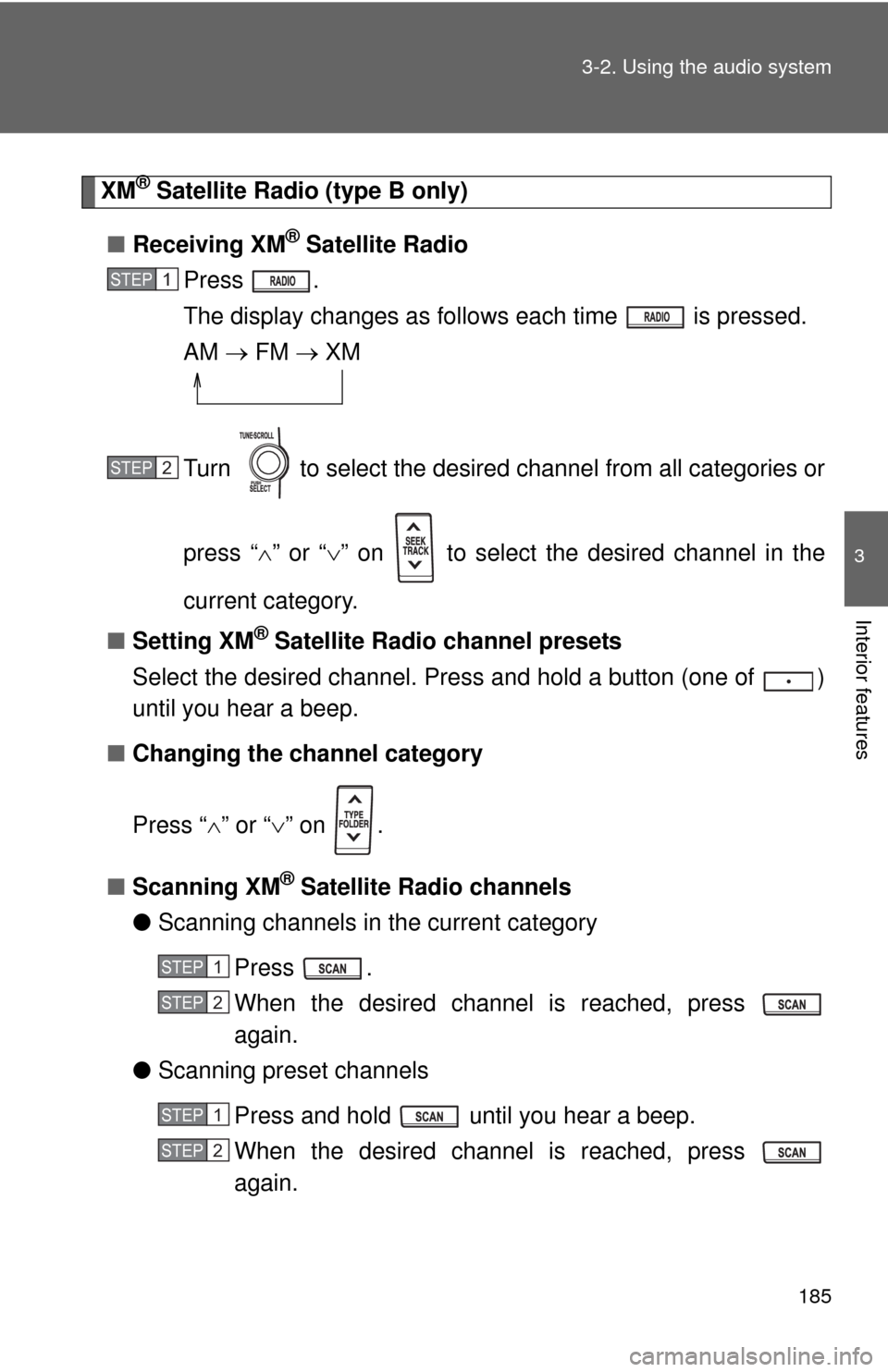
XM® Satellite Radio (type B only)
■Receiving XM
® Satellite Radio
Press .
The display changes as follows each time is pressed.
AM FM XM
Turn to select the desired channel from all categories or
press “” or “” on to select the desired channel in the
current category.
■Setting XM
® Satellite Radio channel presets
Select the desired channel. Press and hold a button (one of )
until you hear a beep.
■Changing the channel category
Press “” or “” on .
■Scanning XM
® Satellite Radio channels
●Scanning channels in the current category
Press .
When the desired channel is reached, press
again.
●Scanning preset channels
Press and hold until you hear a beep.
When the desired channel is reached, press
again.
STEP1
STEP2
STEP1
STEP2
STEP1
STEP2
Page 186 of 501
186 3-2. Using the audio system
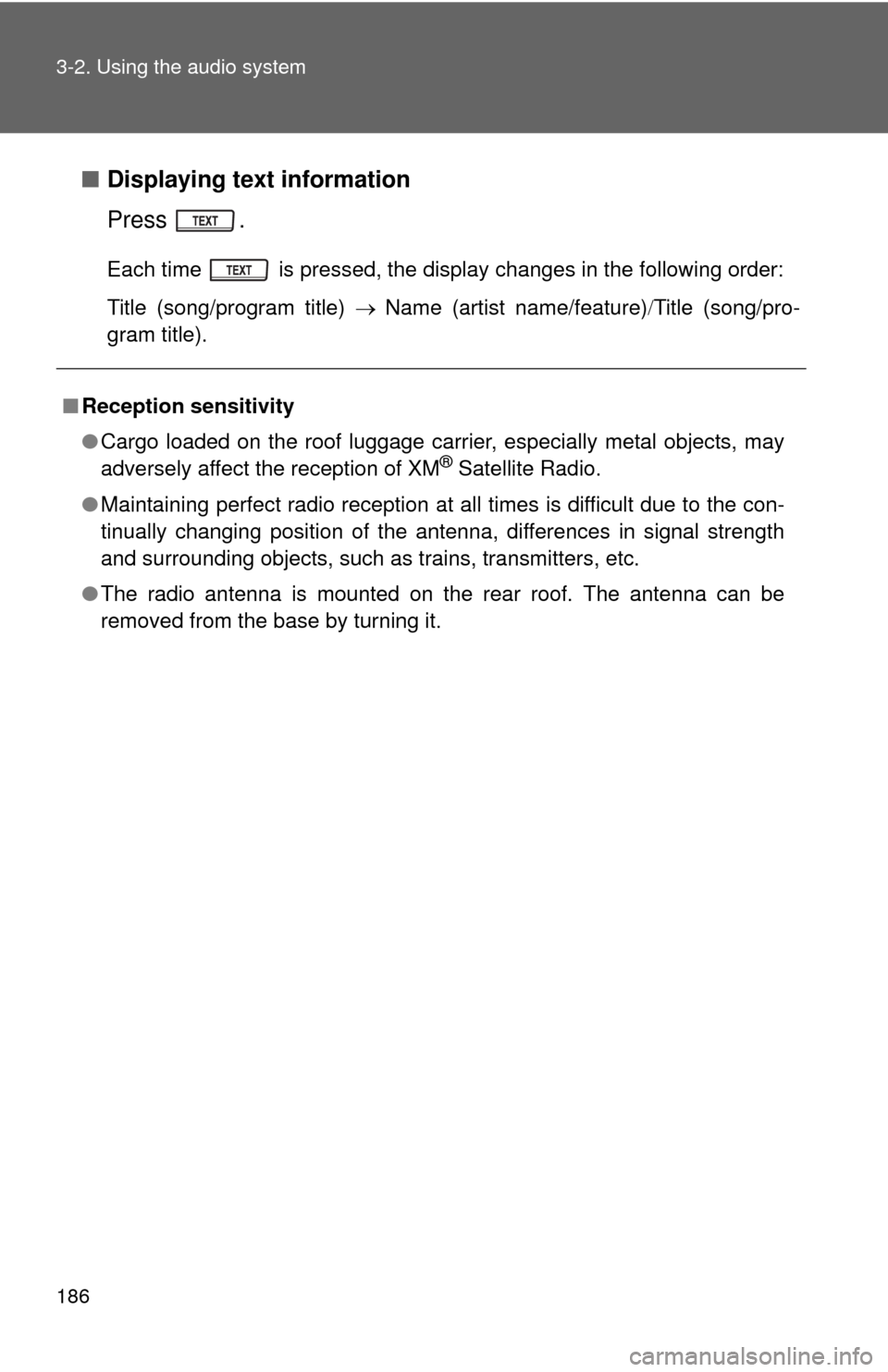
■Displaying text information
Press .
Each time is pressed, the display changes in the following order:
Title (song/program title) Name (artist name/feature)Title (song/pro-
gram title).
■Reception sensitivity
●Cargo loaded on the roof luggage carrier, especially metal objects, may
adversely affect the reception of XM
® Satellite Radio.
●Maintaining perfect radio reception at all times is difficult due to the con-
tinually changing position of the antenna, differences in signal strength
and surrounding objects, such as trains, transmitters, etc.
●The radio antenna is mounted on the rear roof. The antenna can be
removed from the base by turning it.
Page 187 of 501
187 3-2. Using the audio system
3
Interior features
■XM® Satellite Radio
An XM
® Satellite Radio is a tuner designed exclusively to receive broadcasts
provided under a separate subscription. Availability is limited to the 48 con-
tiguous states and 10 Canadian provinces.
●XM
® subscriptions
For detailed information about XM® Satellite Radio or to subscribe:
U.S.A.
Visit on the web at www.xmradio.com
or call 1-800-967-2346.
Canada
Visit on the web at www.xmradio.ca
or call 1-877-438-9677.
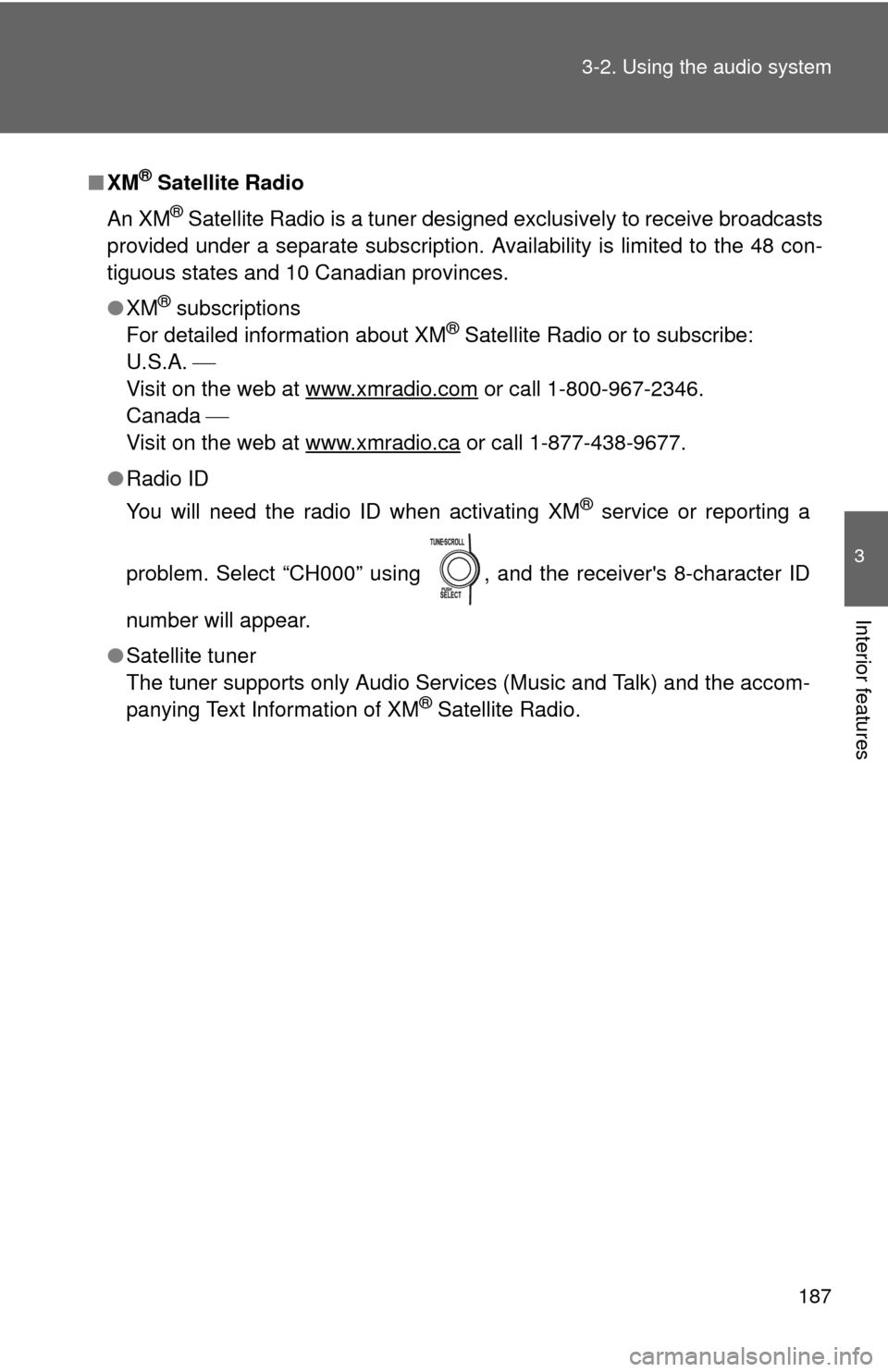
●Radio ID
You will need the radio ID when activating XM
® service or reporting a
problem. Select “CH000” using , and the receiver's 8-character ID
number will appear.
●Satellite tuner
The tuner supports only Audio Services (Music and Talk) and the accom-
panying Text Information of XM
® Satellite Radio.
Page 188 of 501
188 3-2. Using the audio system
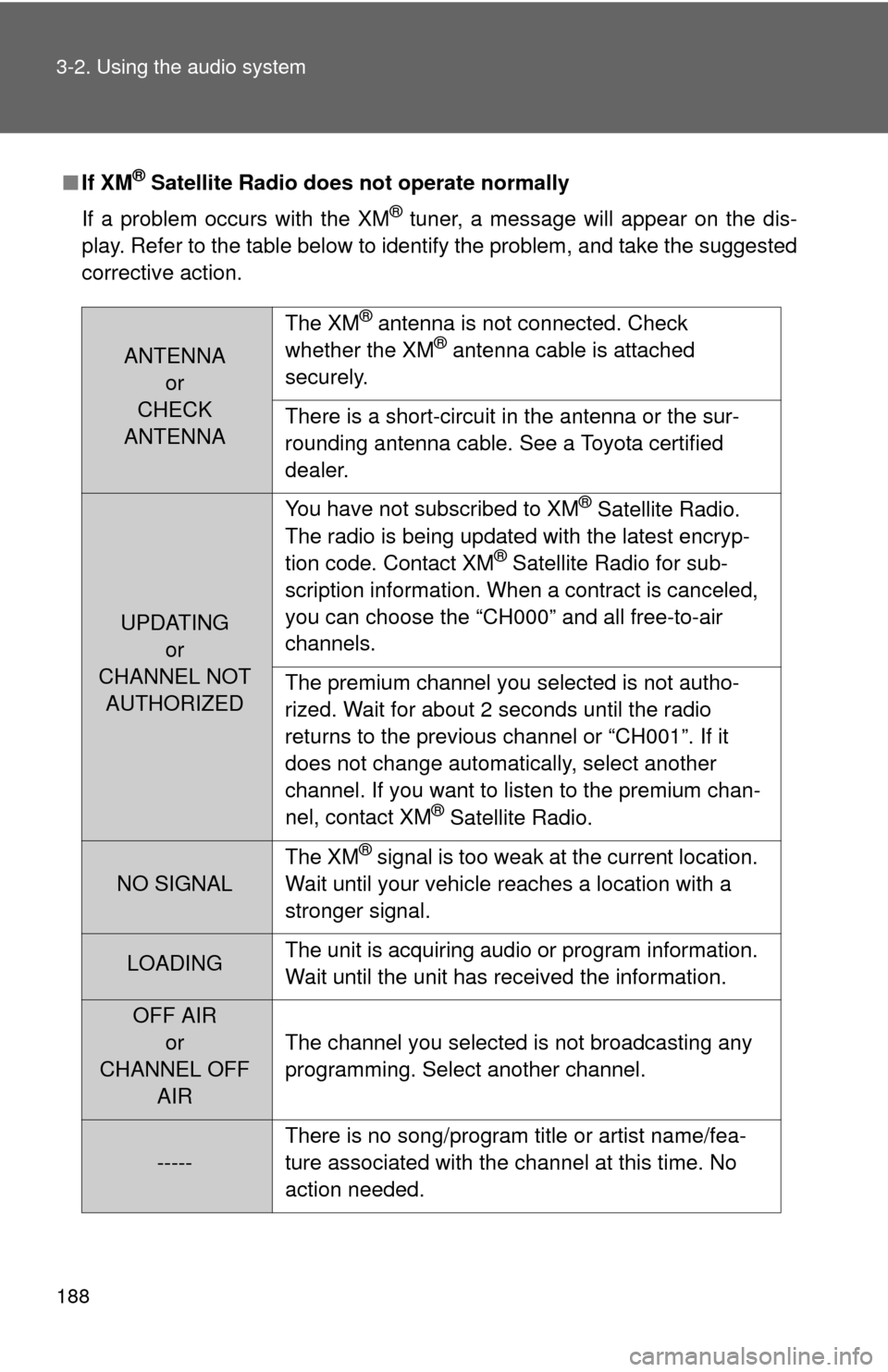
■If XM® Satellite Radio does not operate normally
If a problem occurs with the XM
® tuner, a message will appear on the dis-
play. Refer to the table below to identify the problem, and take the suggested
corrective action.
ANTENNA
or
CHECK
ANTENNAThe XM
® antenna is not connected. Check
whether the XM® antenna cable is attached
securely.
There is a short-circuit in the antenna or the sur-
rounding antenna cable. See a Toyota certified
dealer.
UPDATING
or
CHANNEL NOT
AUTHORIZEDYou have not subscribed to XM
® Satellite Radio.
The radio is being updated with the latest encryp-
tion code. Contact XM
® Satellite Radio for sub-
scription information. When a contract is canceled,
you can choose the “CH000” and all free-to-air
channels.
The premium channel you selected is not autho-
rized. Wait for about 2 seconds until the radio
returns to the previous channel or “CH001”. If it
does not change automatically, select another
channel. If you want to listen to the premium chan-
nel, contact XM
® Satellite Radio.
NO SIGNALThe XM
® signal is too weak at the current location.
Wait until your vehicle reaches a location with a
stronger signal.
LOADINGThe unit is acquiring audio or program information.
Wait until the unit has received the information.
OFF AIR
or
CHANNEL OFF
AIRThe channel you selected is not broadcasting any
programming. Select another channel.
-----There is no song/program title or artist name/fea-
ture associated with the channel at this time. No
action needed.
Page 189 of 501
189 3-2. Using the audio system
3
Interior features
Contact the XM® Listener Care Center at 1-800-967-2346 (U.S.A.) or 1-877-
438-9677 (Canada).
■Certifications for the radio tuner
This device complies with Part 15 of the FCC Rules and RSS-210 Rules.
Operation is subject to the following two conditions; (1) This device may not
cause harmful interference, and (2) this device must accept any interference
received, including interference that may cause undesired operation.
CAUTION
■FCC WARNING
Changes or modifications not expressly approved by the party responsible
for compliance could void the user's authority to operate the equipment.
NOTICE
■To prevent damage, remove the antenna in the following cases.
●The antenna will touch the ceiling of a garage.
●A cover will be put on the roof.
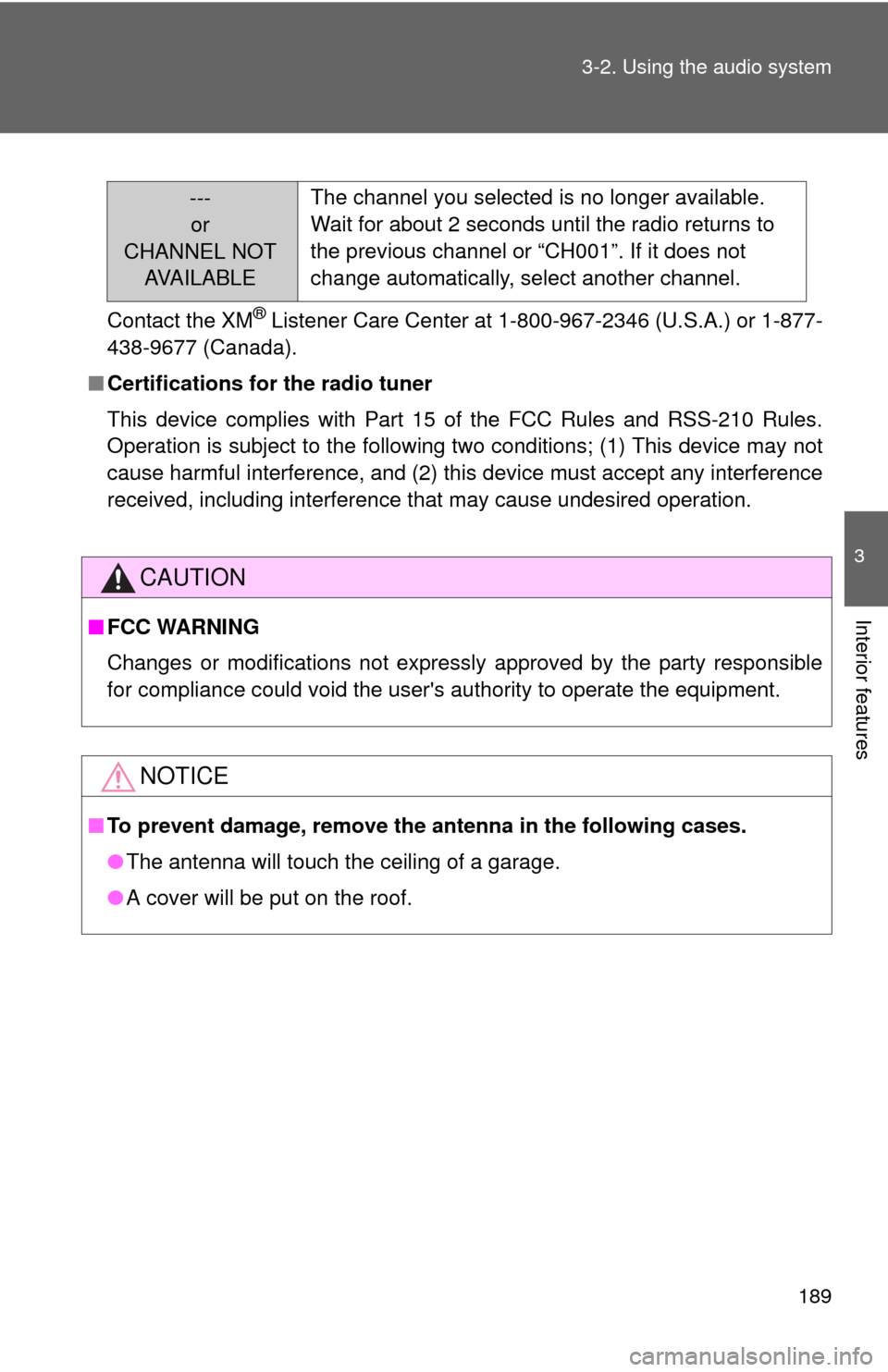
---
or
CHANNEL NOT
AVA I L A B L EThe channel you selected is no longer available.
Wait for about 2 seconds until the radio returns to
the previous channel or “CH001”. If it does not
change automatically, select another channel.
Page 222 of 501
222 3-2. Using the audio system
Using the audio control function
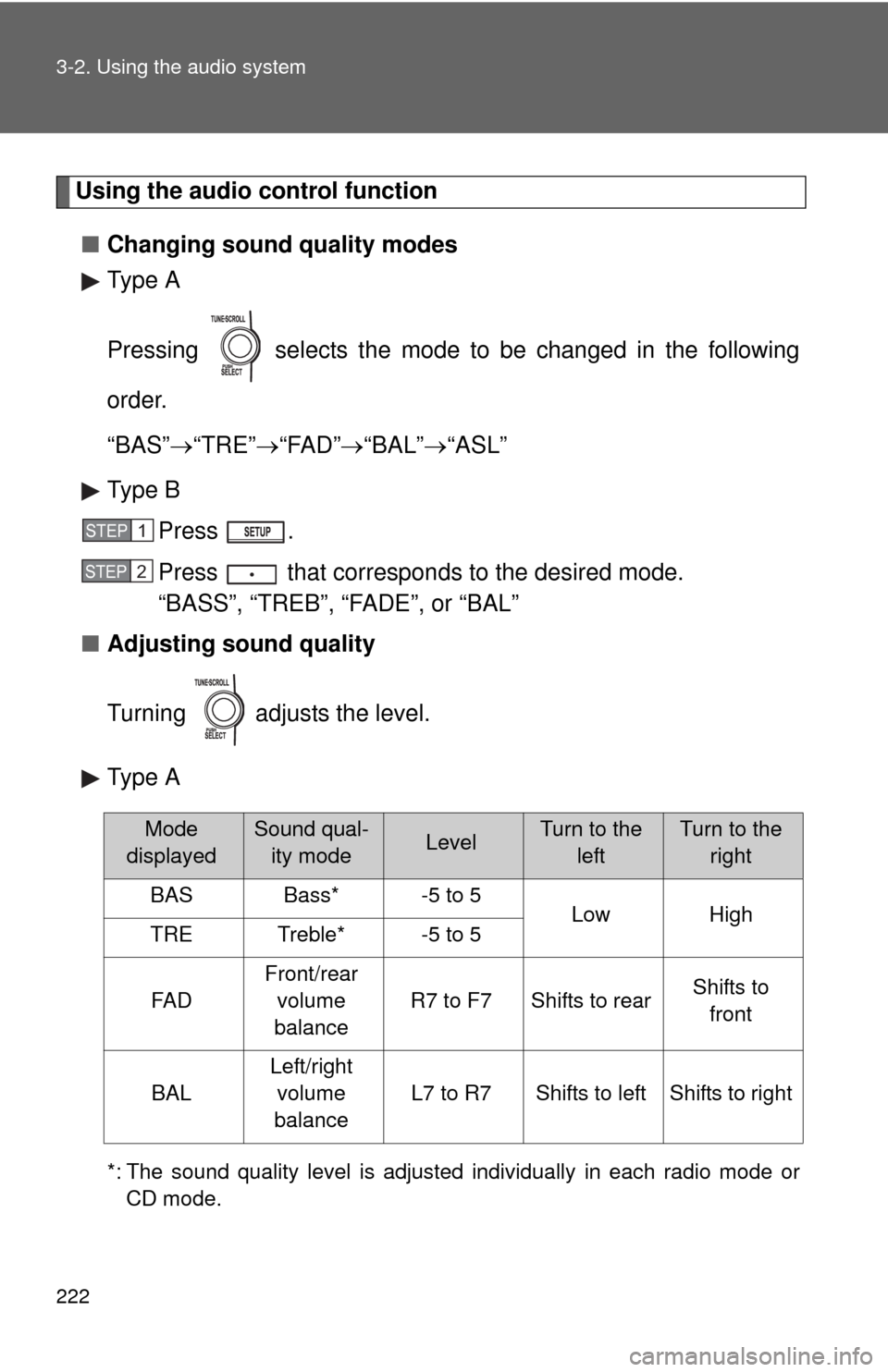
■Changing sound quality modes
Type A
Pressing selects the mode to be changed in the following
order.
“BAS”“TRE”“FAD”“BAL”“ASL”
Type B
Press .
Press that corresponds to the desired mode.
“BASS”, “TREB”, “FADE”, or “BAL”
■Adjusting sound quality
Turning adjusts the level.
Type A
*: The sound quality level is adjusted individually in each radio mode or
CD mode.
STEP1
STEP2
Mode
displayedSound qual-
ity modeLevelTurn to the
leftTurn to the
right
BASBass*-5 to 5LowHighTRETreble*-5 to 5
FA D
Front/rear
volume
balance
R7 to F7Shifts to rearShifts to
front
BAL
Left/right
volume
balance
L7 to R7Shifts to leftShifts to right
Page 227 of 501
227
3-2. Using the audio system
3
Interior features
Using the steering wheel audio switches
Turning on the power
Press when the audio system is turned off.
The audio system can be turned off by holding down until you hear a
beep.
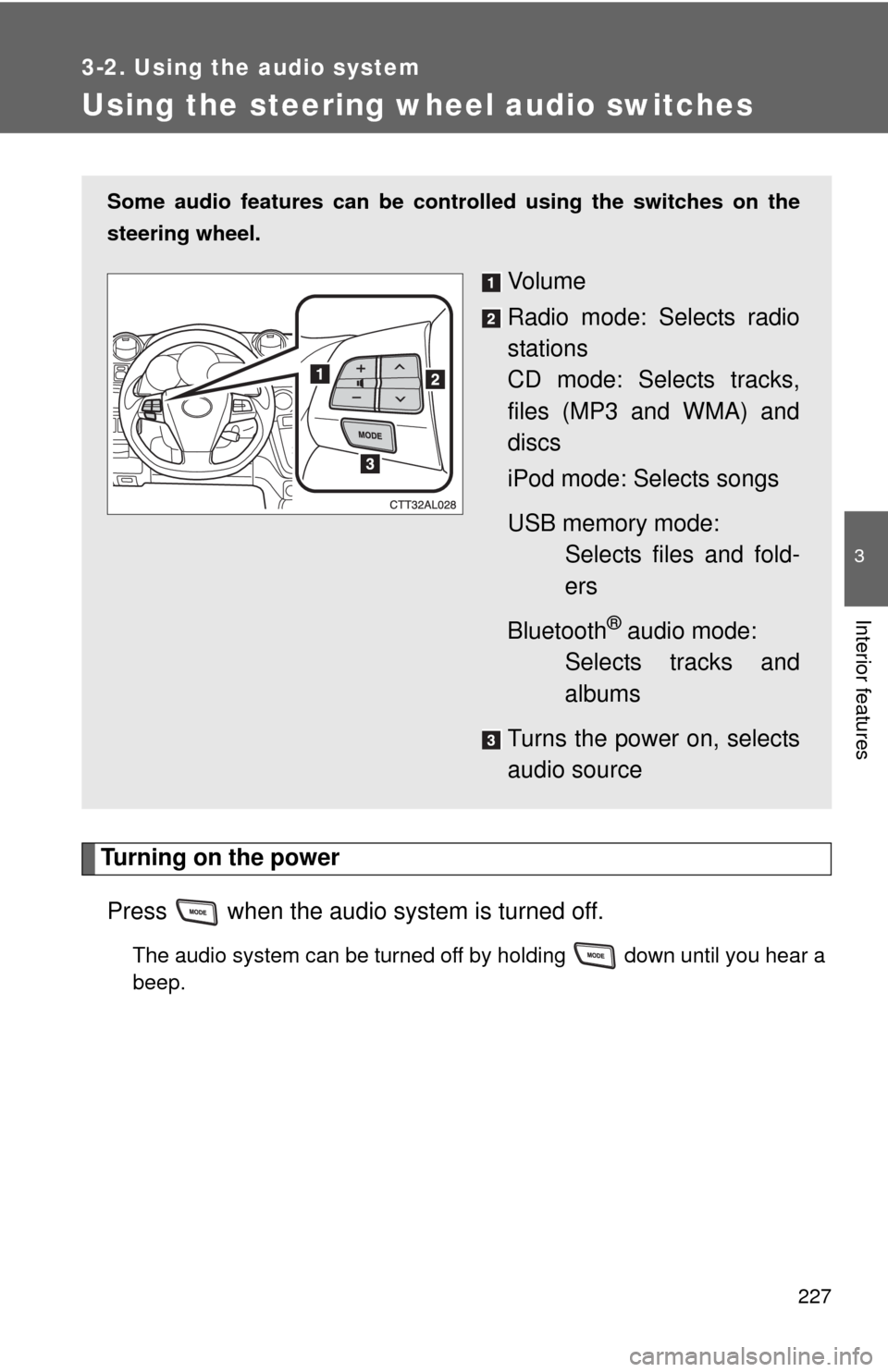
Some audio features can be controlled using the switches on the
steering wheel.
Vo l u m e
Radio mode: Selects radio
stations
CD mode: Selects tracks,
files (MP3 and WMA) and
discs
iPod mode: Selects songs
USB memory mode:
Selects files and fold-
ers
Bluetooth
® audio mode:
Selects tracks and
albums
Turns the power on, selects
audio source
Page 228 of 501
228 3-2. Using the audio system
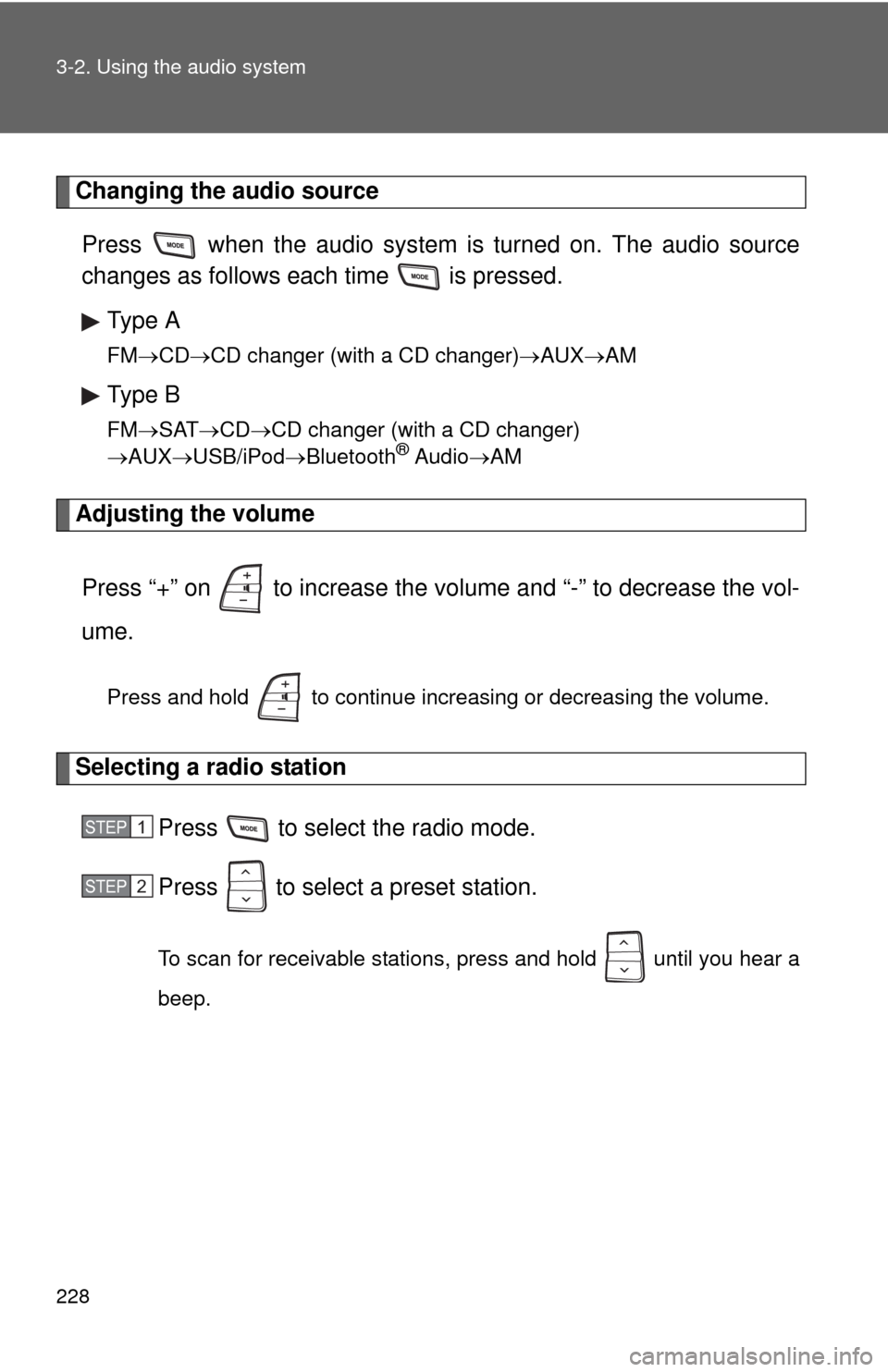
Changing the audio source
Press when the audio system is turned on. The audio source
changes as follows each time is pressed.
Type A
FMCDCD changer (with a CD changer)AUXAM
Type B
FMSATCDCD changer (with a CD changer)
AUXUSB/iPodBluetooth® AudioAM
Adjusting the volume
Press “+” on to increase the volume and “-” to decrease the vol-
ume.
Press and hold to continue increasing or decreasing the volume.
Selecting a radio station
Press to select the radio mode.
Press to select a preset station.
To scan for receivable stations, press and hold until you hear a
beep.
STEP1
STEP2
Page 232 of 501
232 3-3. Using the Bluetooth
® audio system
CAUTION
■FCC WARNING
Changes or modifications not expressly approved by the party responsible
for compliance could void the user's authority to operate the equipment.
Radio Frequency Radiation Exposure. This equipment complies with FCC/
IC radiation exposure limits set forth for uncontrolled equipment and meets
the FCC radio frequency (RF) Exposure Guidelines in Supplement C to
OET65 and RSS-102 of the IC radio frequency (RF) Exposure rules. This
equipment has very low levels of RF energy that it deemed to comply with-
out maximum permissive exposure evaluation (MPE). But it is desirable that
it should be installed and operated with at least 7.9 in. (20 cm) and more
between the radiator and person’s body (excluding extremities: hands,
wrists, feet and ankles).
This transmitter must not be co-located or operated in conjunction with any
other antenna or transmitter.
■Caution while driving
Do not connect portable players or operate the controls.
NOTICE
■To prevent damage to portable players
Do not leave portable players in the vehicle. The temperature inside the
vehicle may become high, resulting in damage to the player.
Page 250 of 501
250 3-4. Using the hands-free phone system (for cellular phone)
■About Bluetooth®
■Certification for the hands-free phone system
FCC ID: L2C0045TR
IC ID: 3432A-0045TR
MADE IN MEXICO
This device complies with Part 15 of the FCC Rules and RSS-210 Rules.
Operation is subject to the following two conditions; (1) This device may not
cause harmful interference, and (2) this device must accept any interference
received, including interference that may cause undesired operation.
CAUTION
■FCC WARNING
Changes or modifications not expressly approved by the party responsible
for compliance could void the user's authority to operate the equipment.
Radio Frequency Radiation Exposure. This equipment complies with FCC/
IC radiation exposure limits set forth for uncontrolled equipment and meets
the FCC radio frequency (RF) Exposure Guidelines in Supplement C to
OET65 and RSS-102 of the IC radio frequency (RF) Exposure rules. This
equipment has very low levels of RF energy that it deemed to comply with-
out maximum permissive exposure evaluation (MPE). But it is desirable that
it should be installed and operated with at least 7.9 in. (20 cm) and more
between the radiator and person’s body (excluding extremities: hands,
wrists, feet and ankles).
This transmitter must not be co-located or operated in conjunction with any
other antenna or transmitter.
■Caution while driving
Do not use a cellular phone, or connect the Bluetooth
® phone.
Bluetooth is a registered trademark of
Bluetooth SIG. Inc.