lights TOYOTA MATRIX 2011 E140 / 2.G Owner's Manual
[x] Cancel search | Manufacturer: TOYOTA, Model Year: 2011, Model line: MATRIX, Model: TOYOTA MATRIX 2011 E140 / 2.GPages: 501, PDF Size: 11.47 MB
Page 137 of 501
137
2-3. Operating the lights and wipers
2
When driving
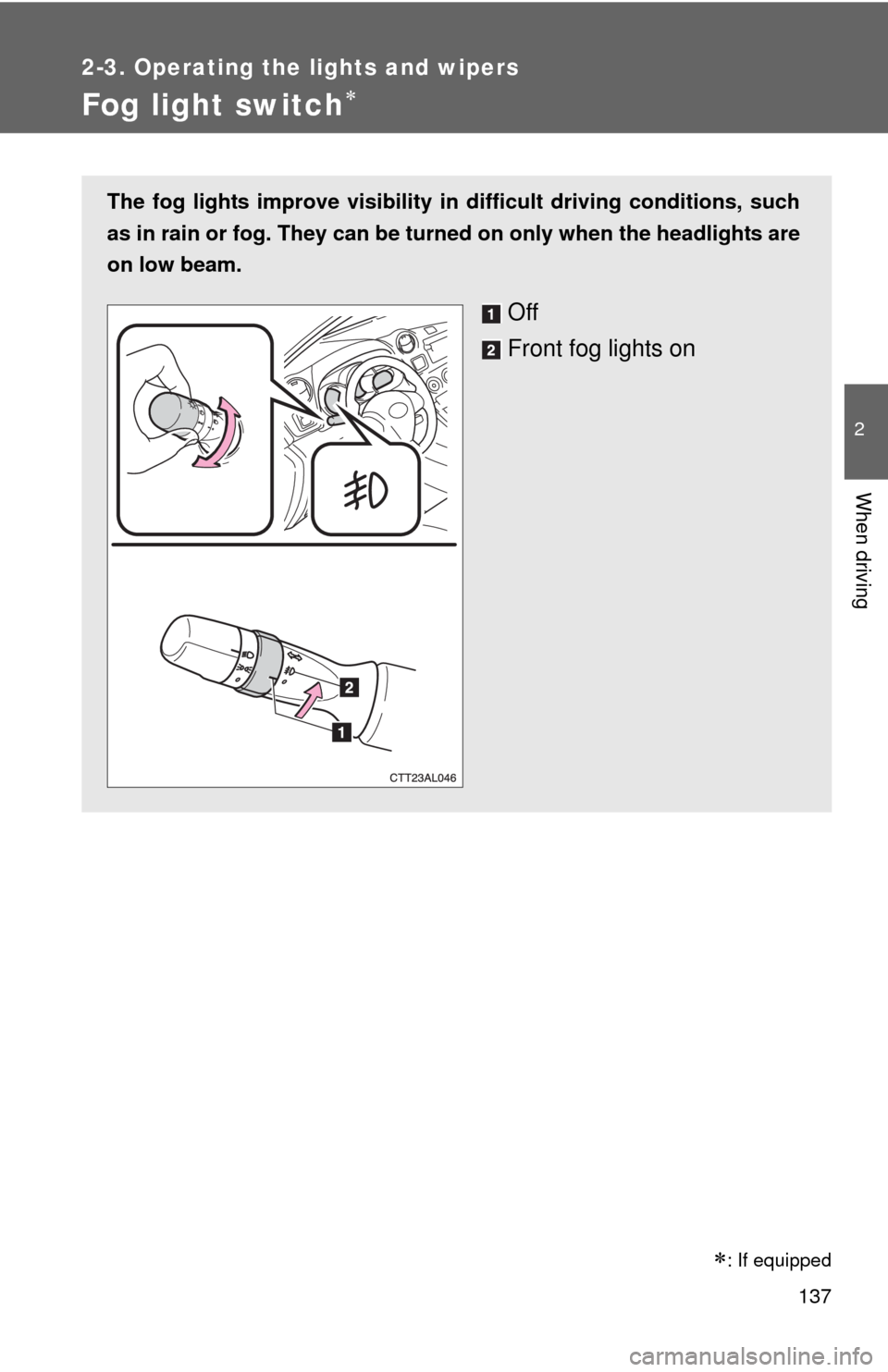
Fog light switch
The fog lights improve visibility in difficult driving conditions, such
as in rain or fog. They can be turned on only when the headlights are
on low beam.
Off
Front fog lights on
: If equipped
Page 138 of 501
138
2-3. Operating the lights and wipers
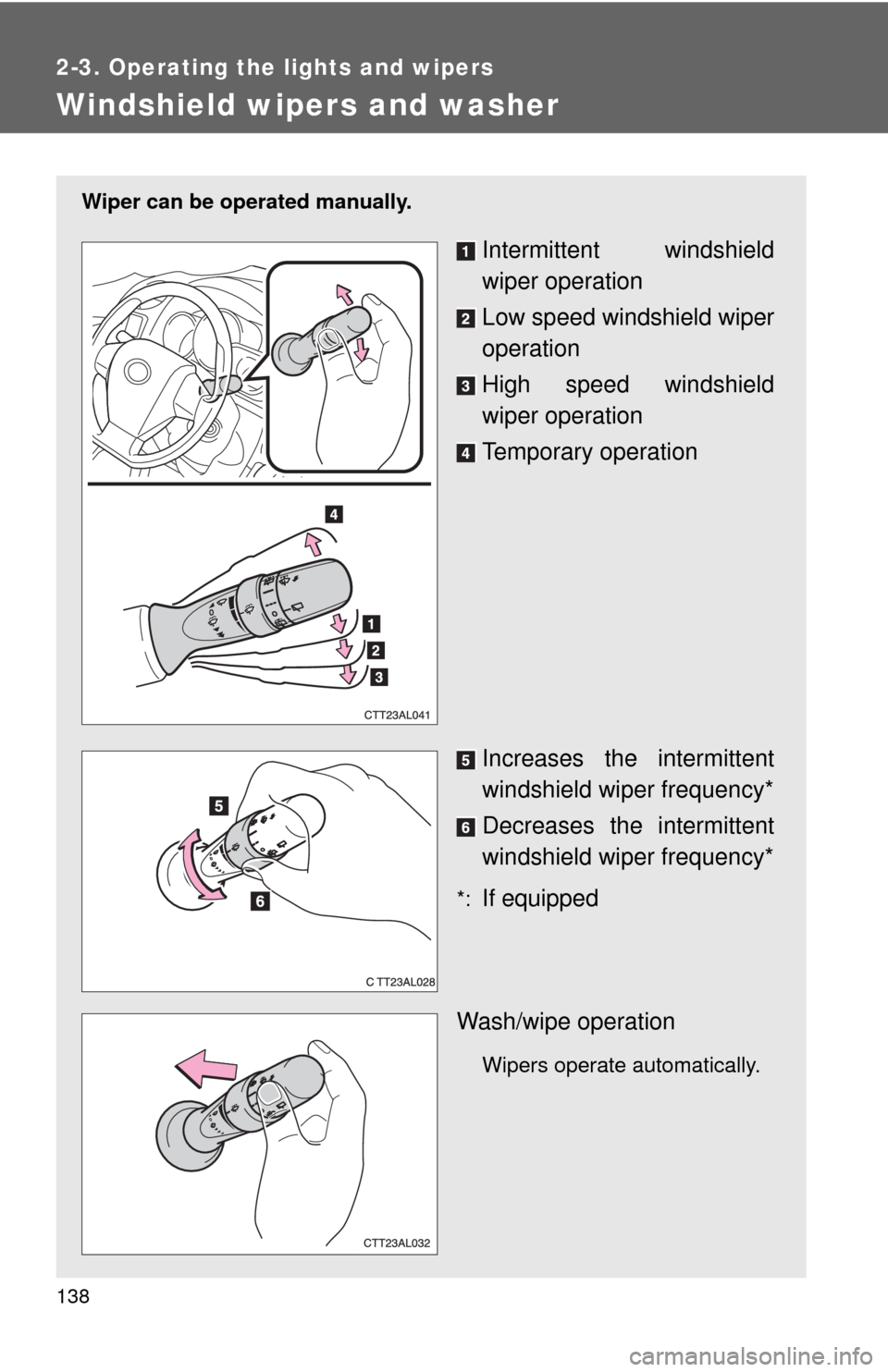
Windshield wipers and washer
Wiper can be operated manually.
Intermittent windshield
wiper operation
Low speed windshield wiper
operation
High speed windshield
wiper operation
Temporary operation
Increases the intermittent
windshield wiper frequency*
Decreases the intermittent
windshield wiper frequency*
*:If equipped
Wash/wipe operation
Wipers operate automatically.
Page 139 of 501

139 2-3. Operating the lights and wipers
2
When driving
■The windshield wipers and washers can be operated when
The engine switch is in the “ON” position.
■If no windshield washer fluid sprays
Check that the washer nozzles are not blocked and if there is washer fluid in
the windshield washer fluid reservoir.
NOTICE
■When the windshield is dry
Do not use the wipers, as they may damage the windshield.
■When there is no washer fluid spray from the nozzle
Damage to the washer fluid pump may be caused if the lever is pulled
toward you and held continually.
■When a nozzle becomes blocked
Do not try to clear it with a pin or other object. The nozzle will be damaged.
Page 140 of 501
140
2-3. Operating the lights and wipers
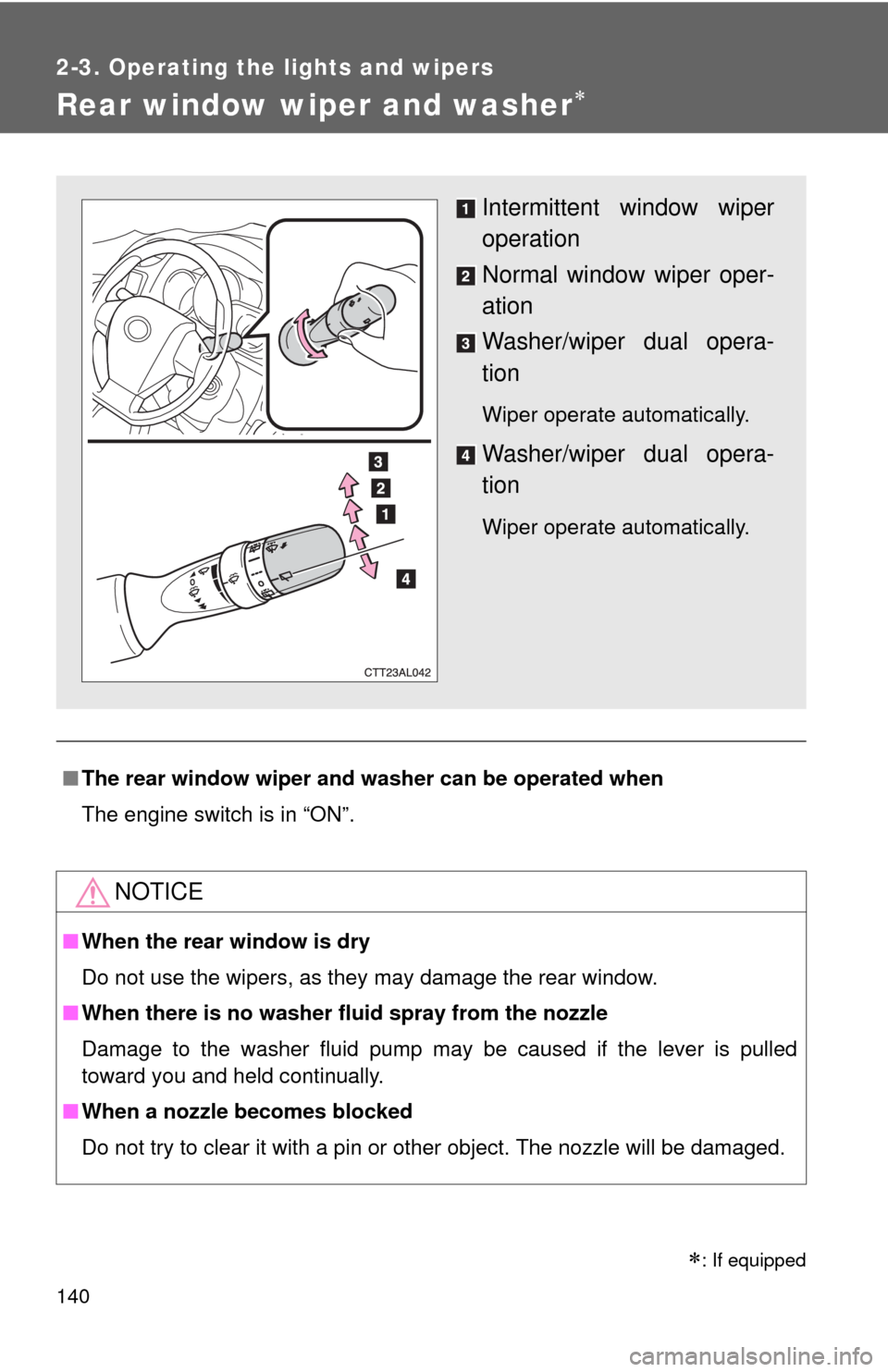
Rear window wiper and washer
■The rear window wiper and washer can be operated when
The engine switch is in “ON”.
NOTICE
■When the rear window is dry
Do not use the wipers, as they may damage the rear window.
■When there is no washer fluid spray from the nozzle
Damage to the washer fluid pump may be caused if the lever is pulled
toward you and held continually.
■When a nozzle becomes blocked
Do not try to clear it with a pin or other object. The nozzle will be damaged.
Intermittent window wiper
operation
Normal window wiper oper-
ation
Washer/wiper dual opera-
tion
Wiper operate automatically.
Washer/wiper dual opera-
tion
Wiper operate automatically.
: If equipped
Page 161 of 501

161 2-5. Driving information
2
When driving
■Before towing
●Ensure that your vehicle’s tires are properly inflated. (P. 360)
●Trailer tires should be inflated according to the trailer manufacturer's rec-
ommendation.
●All trailer lights must work in order to be legal.
●Confirm all lights work each time you connect them.
●Check that your vehicle remains level when a loaded or unloaded trailer
is hitched. Do not drive if the vehicle is not level, and check for improper
tongue load, overloading, worn suspension, or other possible causes.
●Make sure the trailer cargo is securely loaded.
●Check that your rear view mirrors conform to any federal, state/provincial
or local regulations. If they do not, install rear view mirrors appropriate for
towing purposes.
■Break-in schedule
Toyota recommends that you do not use a new vehicle or a vehicle with any
new power train components (engine, transmission, differential, wheel bear-
ings, etc.) to tow a trailer for the first 500 miles (800 km) of driving.
■Maintenance
●If you tow a trailer, your vehicle will require more frequent maintenance
due to the additional load. (See “Scheduled Maintenance Guide” or
“Owner's Manual Supplement”.)
●Retighten the fixing bolts of the towing ball and bracket after approxi-
mately 600 miles (1000 km) of trailer towing.
Page 163 of 501

163 2-5. Driving information
2
When driving
Trailer towing tips
Your vehicle will handle differently when towing a trailer. In order to
avoid accident, death or serious injury, keep the following in mind
when towing:
●Before starting out, check the trailer lights and the vehicle-trailer
connections. Recheck after driving a short distance.
●Practice turning, stopping and reversing with the trailer attached in
an area away from traffic until you become accustomed to the feel
of the vehicle.
NOTICE
■When installing a trailer hitch
●Use only the position recommended by your Toyota dealer. Do not install
the trailer hitch on the bumper; this may cause body damage.
●Do not use axle-mounted hitches, as they can cause damage to the axle
housing, wheel bearings, wheels or tires.
■Brakes
Toyota recommends trailers with brakes that conform to all applicable fed-
eral and state/provincial regulations.
■Safety chain
A safety chain must always be used between the towing vehicle and the
trailer. Leave sufficient slack in the chain for turns. The chain should cross
under the trailer tongue to prevent the tongue from dropping to the ground in
the case that it becomes damaged or separated. For the correct safety chain
installation procedure, ask your Toyota dealer.
■Do not directly splice trailer lights
Directly splicing trailer lights may damage your vehicle's electrical system
and cause a malfunction.
Page 171 of 501
Interior features3
171
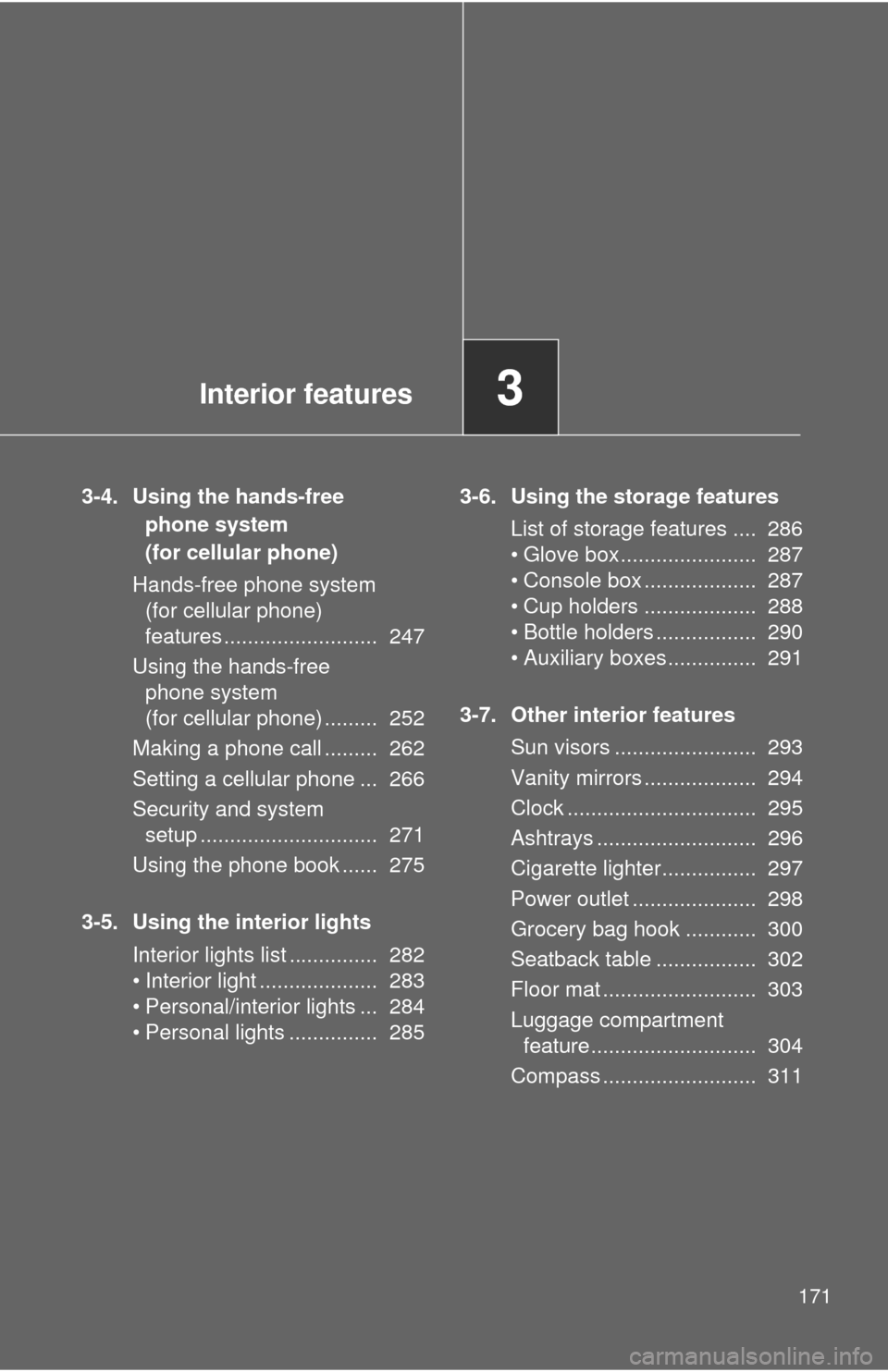
3-4. Using the hands-free
phone system
(for cellular phone)
Hands-free phone system
(for cellular phone)
features .......................... 247
Using the hands-free
phone system
(for cellular phone) ......... 252
Making a phone call ......... 262
Setting a cellular phone ... 266
Security and system
setup .............................. 271
Using the phone book ...... 275
3-5. Using the interior lights
Interior lights list ............... 282
• Interior light .................... 283
• Personal/interior lights ... 284
• Personal lights ............... 2853-6. Using the storage features
List of storage features .... 286
• Glove box....................... 287
• Console box ................... 287
• Cup holders ................... 288
• Bottle holders ................. 290
• Auxiliary boxes ............... 291
3-7. Other interior features
Sun visors ........................ 293
Vanity mirrors ................... 294
Clock ................................ 295
Ashtrays ........................... 296
Cigarette lighter................ 297
Power outlet ..................... 298
Grocery bag hook ............ 300
Seatback table ................. 302
Floor mat .......................... 303
Luggage compartment
feature............................ 304
Compass .......................... 311
Page 282 of 501
282
3-5. Using the interior lights
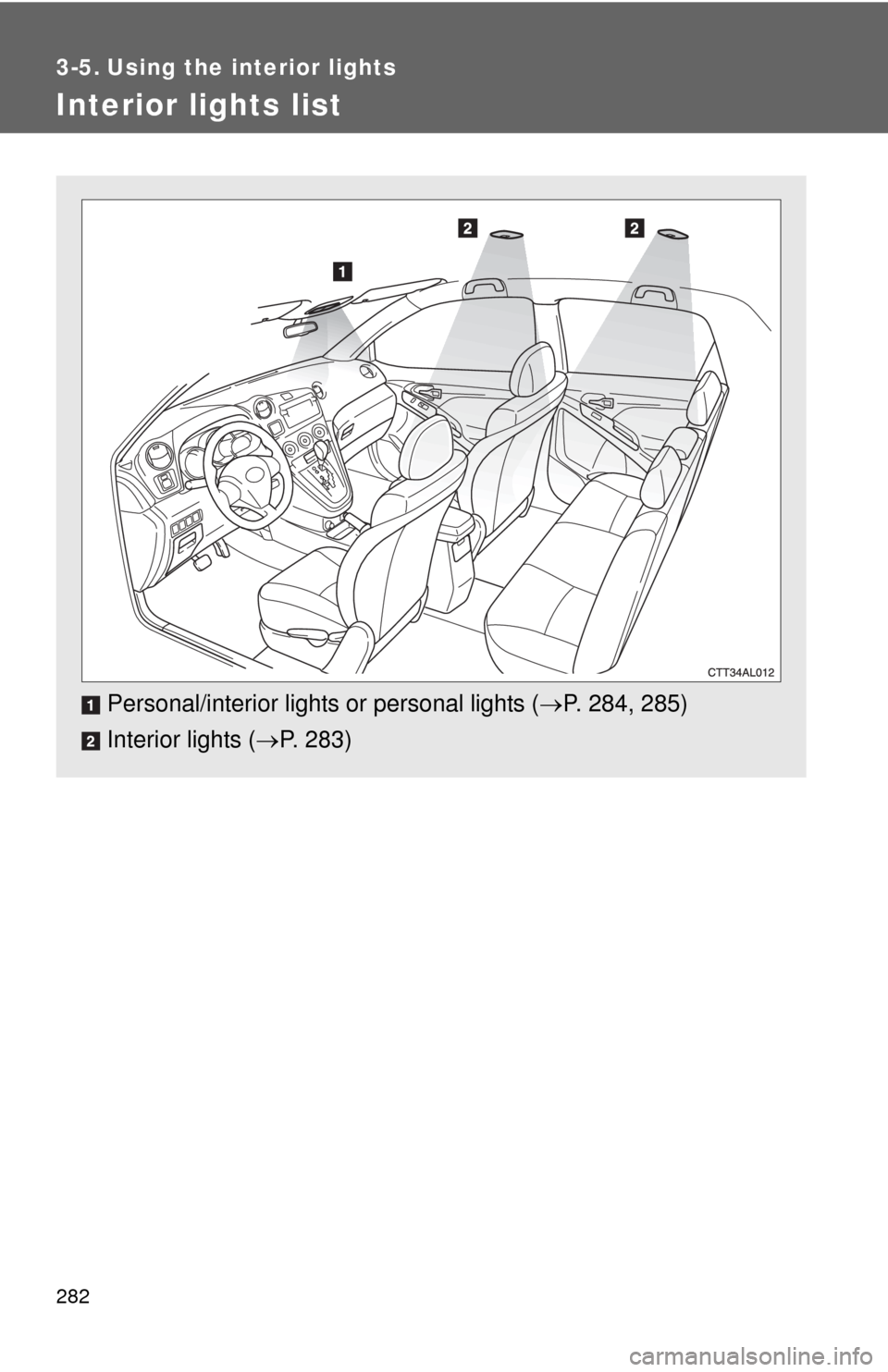
Interior lights list
Personal/interior lights or personal lights (P. 284, 285)
Interior lights (P. 283)
Page 283 of 501
283 3-5. Using the interior lights
3
Interior features
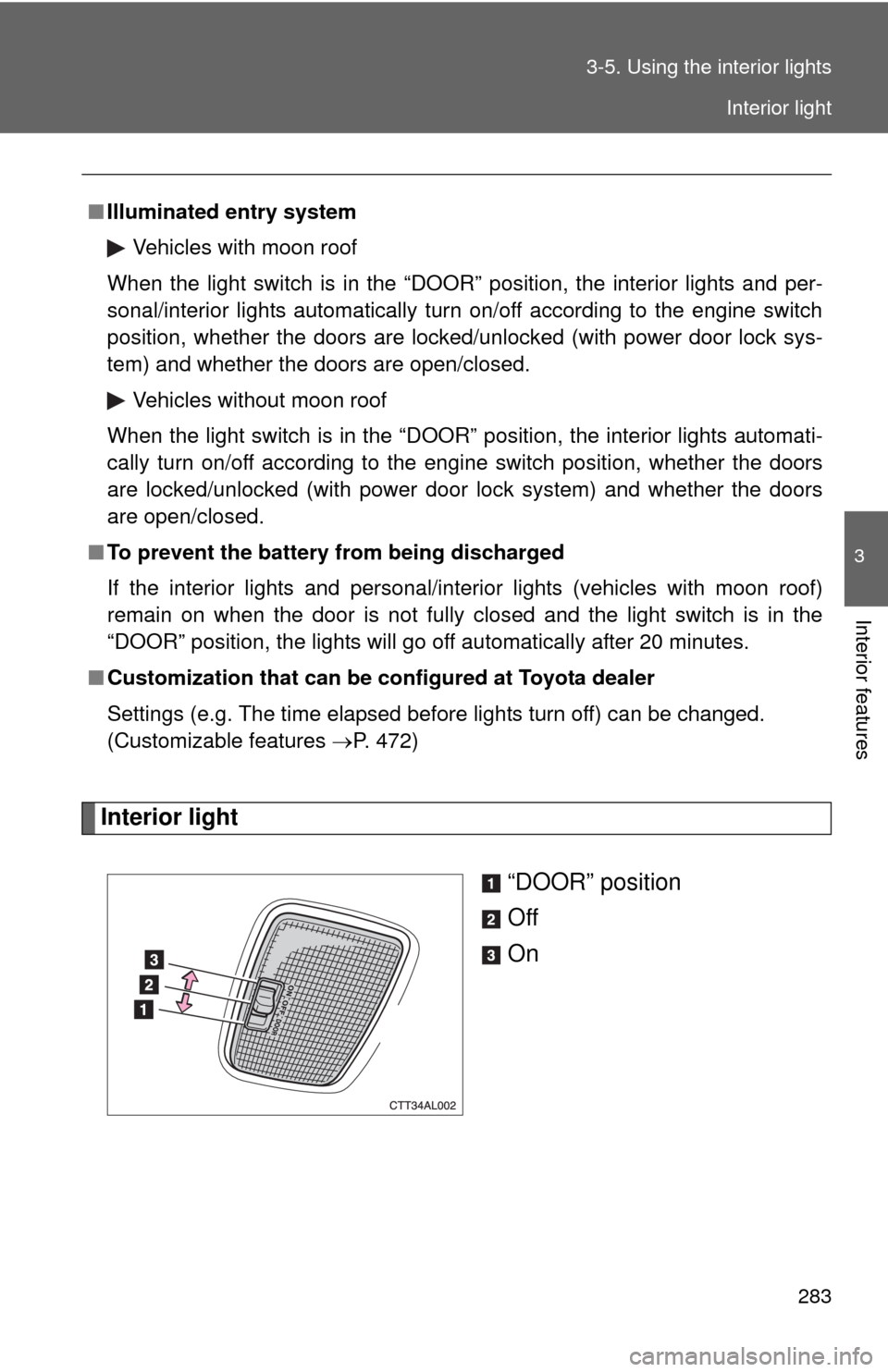
Interior light
“DOOR” position
Off
On
■Illuminated entry system
Vehicles with moon roof
When the light switch is in the “DOOR” position, the interior lights and per-
sonal/interior lights automatically turn on/off according to the engine switch
position, whether the doors are locked/unlocked (with power door lock sys-
tem) and whether the doors are open/closed.
Vehicles without moon roof
When the light switch is in the “DOOR” position, the interior lights automati-
cally turn on/off according to the engine switch position, whether the doors
are locked/unlocked (with power door lock system) and whether the doors
are open/closed.
■To prevent the battery from being discharged
If the interior lights and personal/interior lights (vehicles with moon roof)
remain on when the door is not fully closed and the light switch is in the
“DOOR” position, the lights will go off automatically after 20 minutes.
■Customization that can be configured at Toyota dealer
Settings (e.g. The time elapsed before lights turn off) can be changed.
(Customizable features P. 472)
Interior light
Page 284 of 501
284 3-5. Using the interior lights
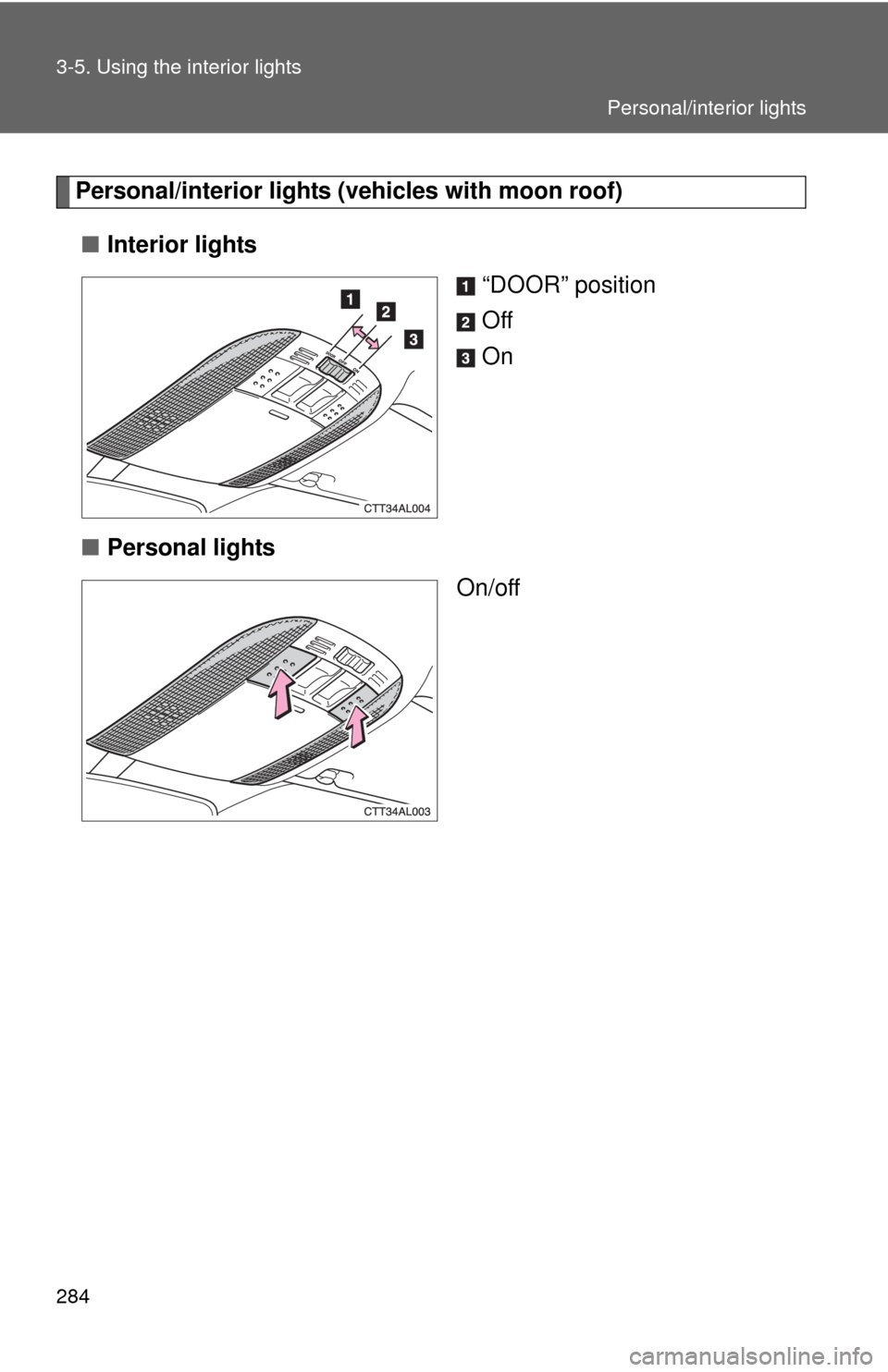
Personal/interior lights (vehicles with moon roof)
■Interior lights
“DOOR” position
Off
On
■Personal lights
On/off
Personal/interior lights