clock TOYOTA MATRIX 2014 E140 / 2.G Owners Manual
[x] Cancel search | Manufacturer: TOYOTA, Model Year: 2014, Model line: MATRIX, Model: TOYOTA MATRIX 2014 E140 / 2.GPages: 500, PDF Size: 7.02 MB
Page 4 of 500

TABLE OF CONTENTSIndex
4
3-4. Using the hands-free phone system
(for cellular phone)
Making a phone call ........... 262
Using the “SET UP” menu (“Bluetooth” menu) ........... 267
Using the “SET UP” menu (“Phone” menu) ................ 273
3-5. Using the interior lights Interior lights list ................. 279
• Interior light ...................... 280
• Personal/interior lights...... 281
• Personal lights ................. 282
3-6. Using the storage features List of storage features....... 283
• Glove box ......................... 284
• Console box ..................... 284
• Cup holders ...................... 285
• Bottle holders ................... 287
• Auxiliary boxes ................. 288
3-7. Other interior features Sun visors .......................... 290
Vanity mirrors ..................... 291
Clock .................................. 292
Ashtray ............................... 293
Cigarette lighter .................. 294
Power outlet ....................... 295
Grocery bag hooks ............. 297
Seatback table ................... 299
Assist grips ......................... 300
Floor mat ............................ 301
Luggage compartment feature .............................. 302
Compass ............................ 309 4-1. Maintenance and care
Cleaning and protecting the vehicle exterior ........... 314
Cleaning and protecting the vehicle interior ............ 317
4-2. Maintenance Maintenance requirements .................... 320
General maintenance ......... 322
Emission inspection and maintenance (I/M)
programs .......................... 325
4-3. Do-it-yourself maintenance Do-it-yourself service precautions ....................... 326
Hood ................................... 330
Positioning a floor jack........ 332
Engine compartment .......... 335
Tires.................................... 349
Tire inflation pressure ......... 358
Wheels................................ 362
Air conditioning filter ........... 365
Key battery ......................... 367
Checking and replacing fuses ................................. 369
Light bulbs .......................... 378
4Maintenance and care
Page 16 of 500
16
C
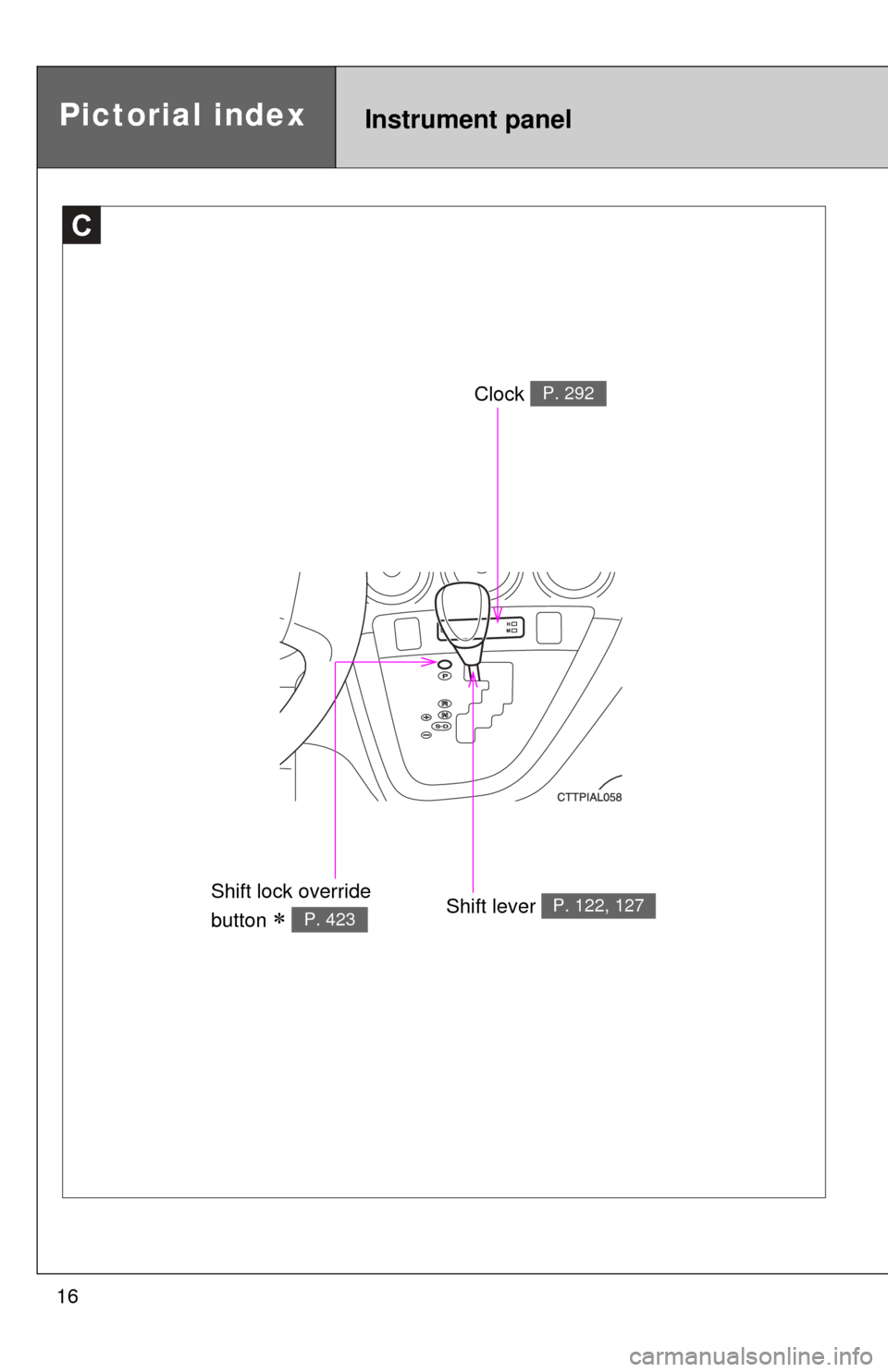
Clock P. 292
Shift lever P. 122, 127Shift lock override
button
P. 423
Instrument panelPictorial index
Page 134 of 500
134 2-2. Instrument cluster
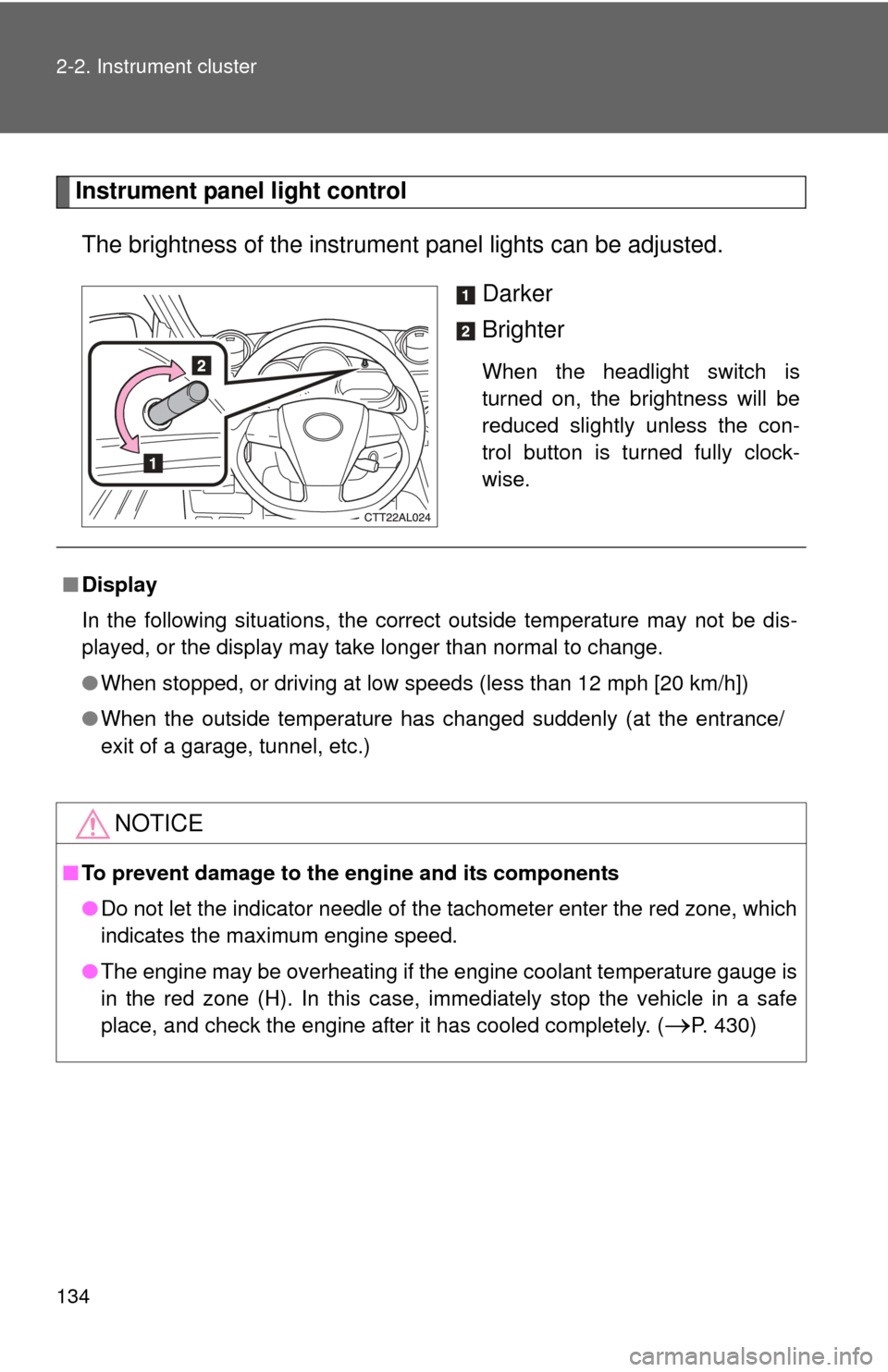
Instrument panel light controlThe brightness of the instrument panel lights can be adjusted.
Darker
Brighter
When the headlight switch is
turned on, the brightness will be
reduced slightly unless the con-
trol button is turned fully clock-
wise.
■Display
In the following situations, the correct outside temperature may not be dis-
played, or the display may take longer than normal to change.
●When stopped, or driving at low speeds (less than 12 mph [20 km/h])
● When the outside temperature has changed suddenly (at the entrance/
exit of a garage, tunnel, etc.)
NOTICE
■To prevent damage to the engine and its components
●Do not let the indicator needle of the tachometer enter the red zone, which
indicates the maximum engine speed.
● The engine may be overheating if the engine coolant temperature gauge is
in the red zone (H). In this case, immediately stop the vehicle in a safe
place, and check the engine after it has cooled completely. (
P. 430)
Page 185 of 500
Interior features3
185
3-3. Using the Bluetooth®
audio system
Bluetooth
® audio/
phone ............................. 251
Using the Bluetooth
®
audio/phone ................... 254
Operating a Bluetooth
®
enabled portable
player ............................. 259
3-4. Using the hands-free phone system
(for cellular phone)
Making a phone call ......... 262
Using the “SET UP” menu (“Bluetooth” menu) ......... 267
Using the “SET UP” menu (“Phone” menu).............. 273
3-5. Using the interior lights Interior lights list ............... 279
• Interior light .................... 280
• Personal/interior lights .................. 281
• Personal lights ............... 282 3-6. Using the storage
features
List of storage features .... 283
• Glove box....................... 284
• Console box ................... 284
• Cup holders ................... 285
• Bottle holders ................. 287
• Auxiliary boxes ............... 288
3-7. Other interior features Sun visors ........................ 290
Vanity mirrors ................... 291
Clock ................................ 292
Ashtray ............................. 293
Cigarette lighter................ 294
Power outlet ..................... 295
Grocery bag hooks........... 297
Seatback table ................. 299
Assist grips....................... 300
Floor mat .......................... 301
Luggage compartment feature............................ 302
Compass .......................... 309
Page 187 of 500
187
3-1. Using the air conditioning system
and defogger
3
Interior features
Adjusting the settings
■ Adjusting the temperature setting (heater)
Turn the temperature control dial clockwise to increase the temper-
ature.
■ Adjusting the temperature setting (air conditioning system)
Turn the temperature control dial clockwise (warm) or counter-
clockwise (cool).
If is not pressed, the system will blow ambient temperature air or
heated air.
■ Adjusting the fan speed
Turn the fan speed control dial clockwise (increase) or counter-
clockwise (decrease).
Set the dial to “0” to turn the fan off.
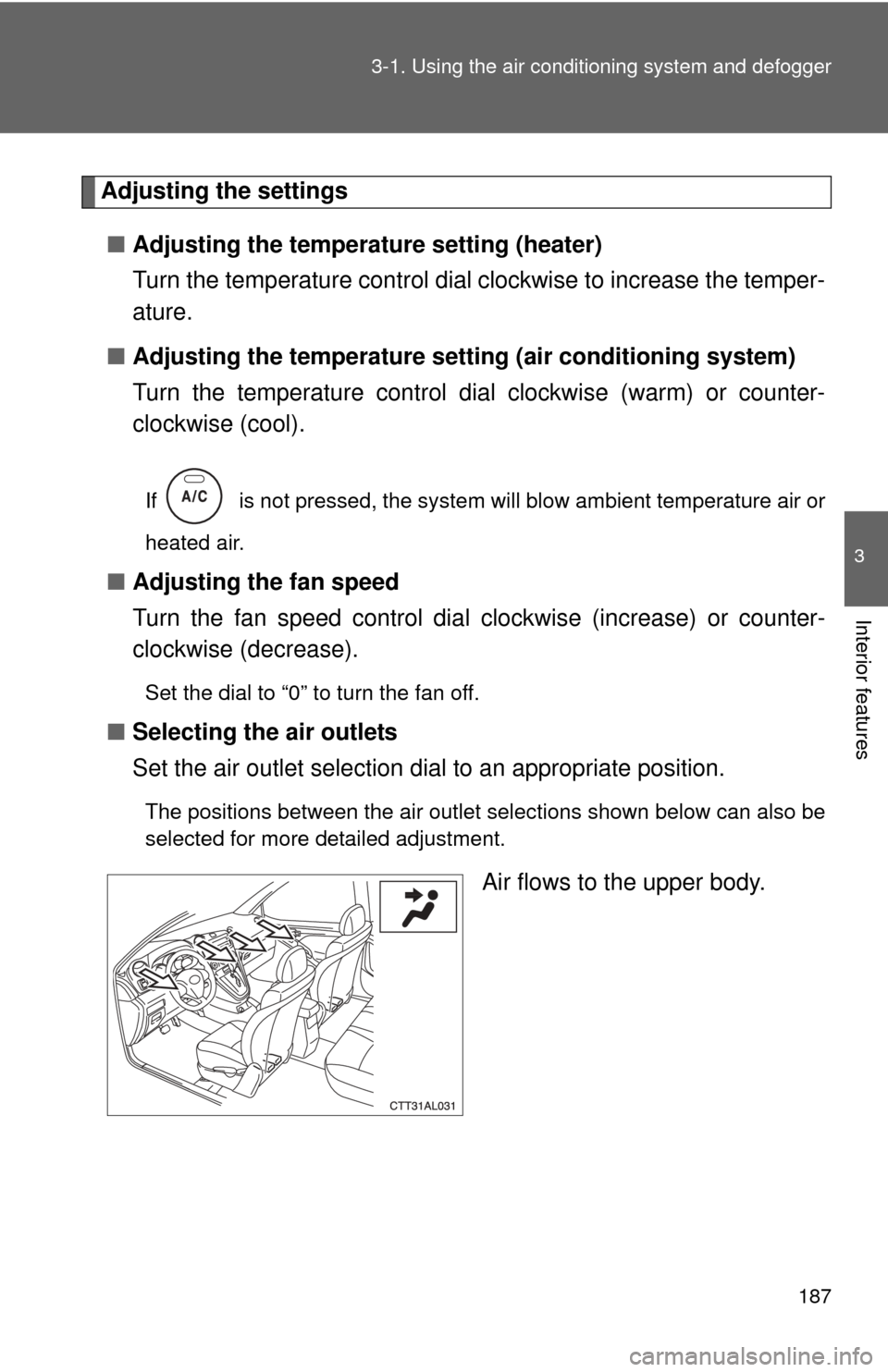
■ Selecting the air outlets
Set the air outlet selection di al to an appropriate position.
The positions between the air outlet selections shown below can also be
selected for more detailed adjustment.
Air flows to the upper body.
Page 227 of 500
227
3-2. Using the audio system
3
Interior features
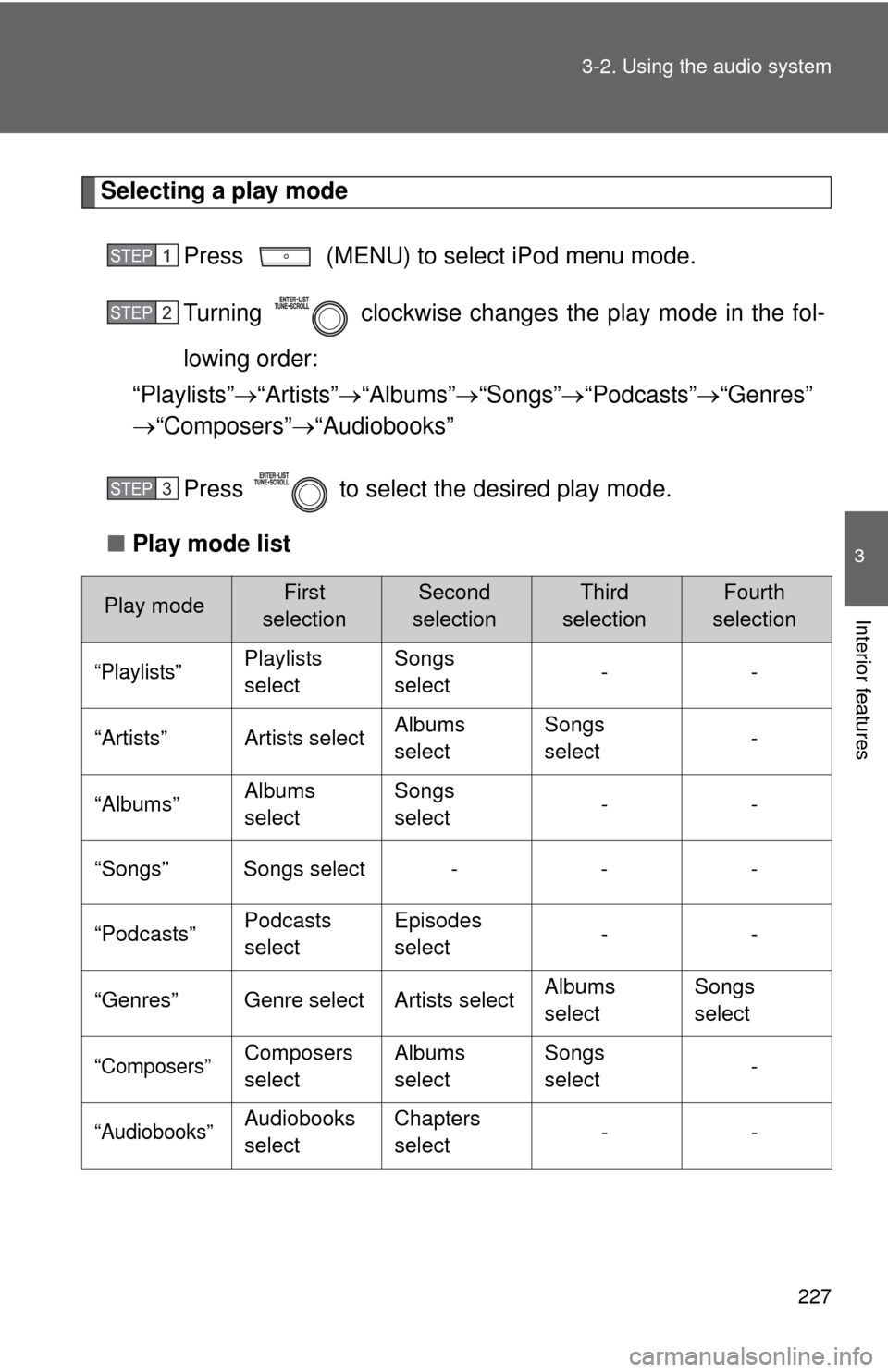
Selecting a play mode
Press (MENU) to select iPod menu mode.
Turning clockwise changes the play mode in the fol-
lowing order:
“Playlists” “Artists” “Albums” “Songs” “Podcasts” “Genres”
“Composers” “Audiobooks”
Press to select the desired play mode.
■ Play mode list
Play modeFirst
selectionSecond
selectionThird
selectionFourth
selection
“Playlists”Playlists
select Songs
select
--
“Artists” Artists select Albums
selectSongs
select
-
“Albums” Albums
selectSongs
select
--
“Songs” Songs select - - -
“Podcasts” Podcasts
selectEpisodes
select
--
“Genres” Genre select Artists select Albums
selectSongs
select
“Composers”Composers
selectAlbums
selectSongs
select
-
“Audiobooks”Audiobooks
selectChapters
select
--
STEP1
STEP2
STEP3
Page 265 of 500
265
3-4. Using the hand
s-free phone system (for cellular phone)
3
Interior features
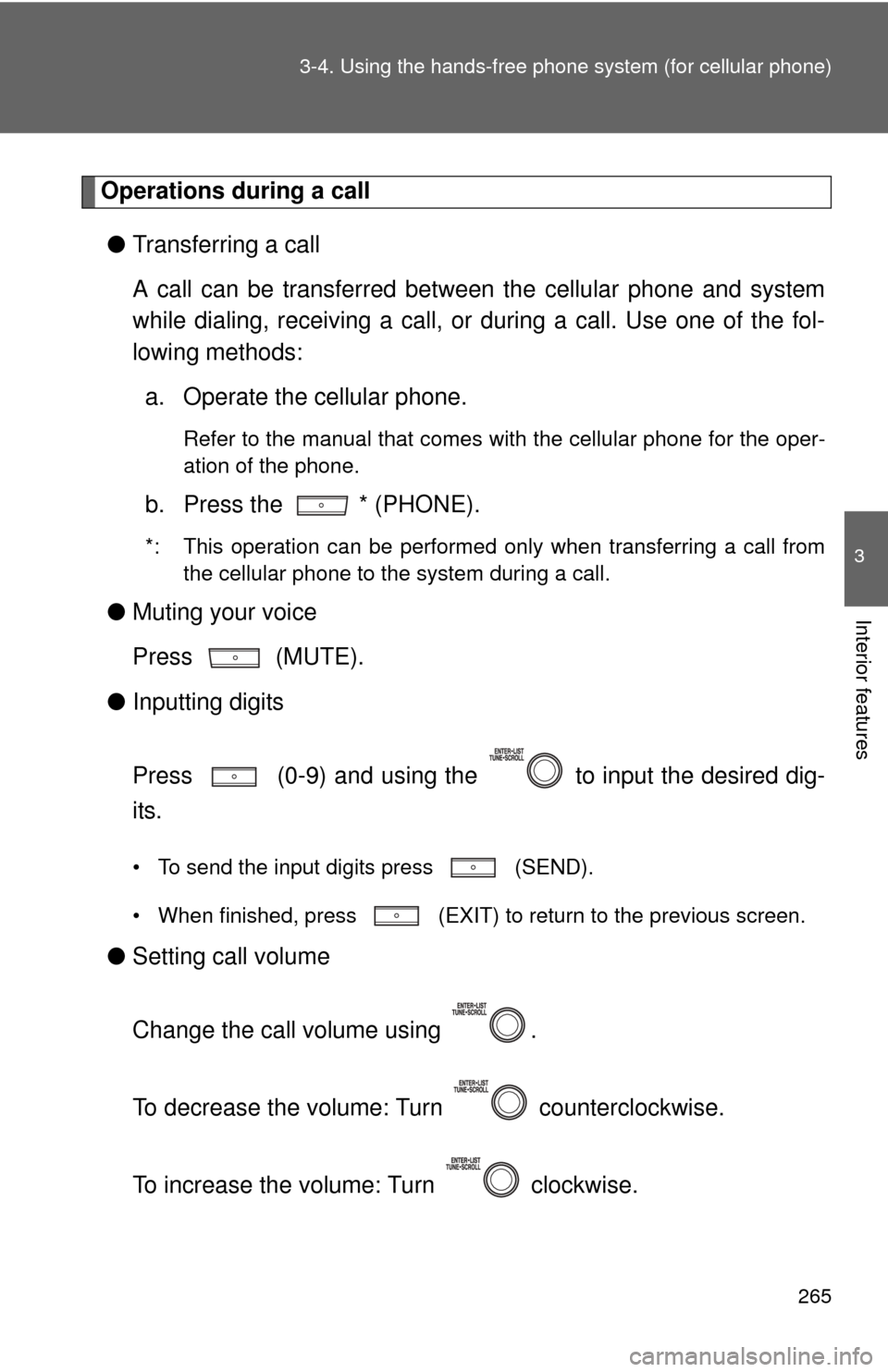
Operations during a call
● Transferring a call
A call can be transferred between the cellular phone and system
while dialing, receiving a call, or during a call. Use one of the fol-
lowing methods:
a. Operate the cellular phone.
Refer to the manual that comes with the cellular phone for the oper-
ation of the phone.
b. Press the * (PHONE).
*: This operation can be performed only when transferring a call from
the cellular phone to the system during a call.
● Muting your voice
Press (MUTE).
● Inputting digits
Press (0-9) and using the to input the desired dig-
its.
• To send the input digits press (SEND).
• When finished, press (EXIT) to return to the previous screen.
●Setting call volume
Change the call volume using .
To decrease the volume: Turn counterclockwise.
To increase the volume: Turn clockwise.
Page 266 of 500
266 3-4. Using the hands-free phone system (for cellular phone)
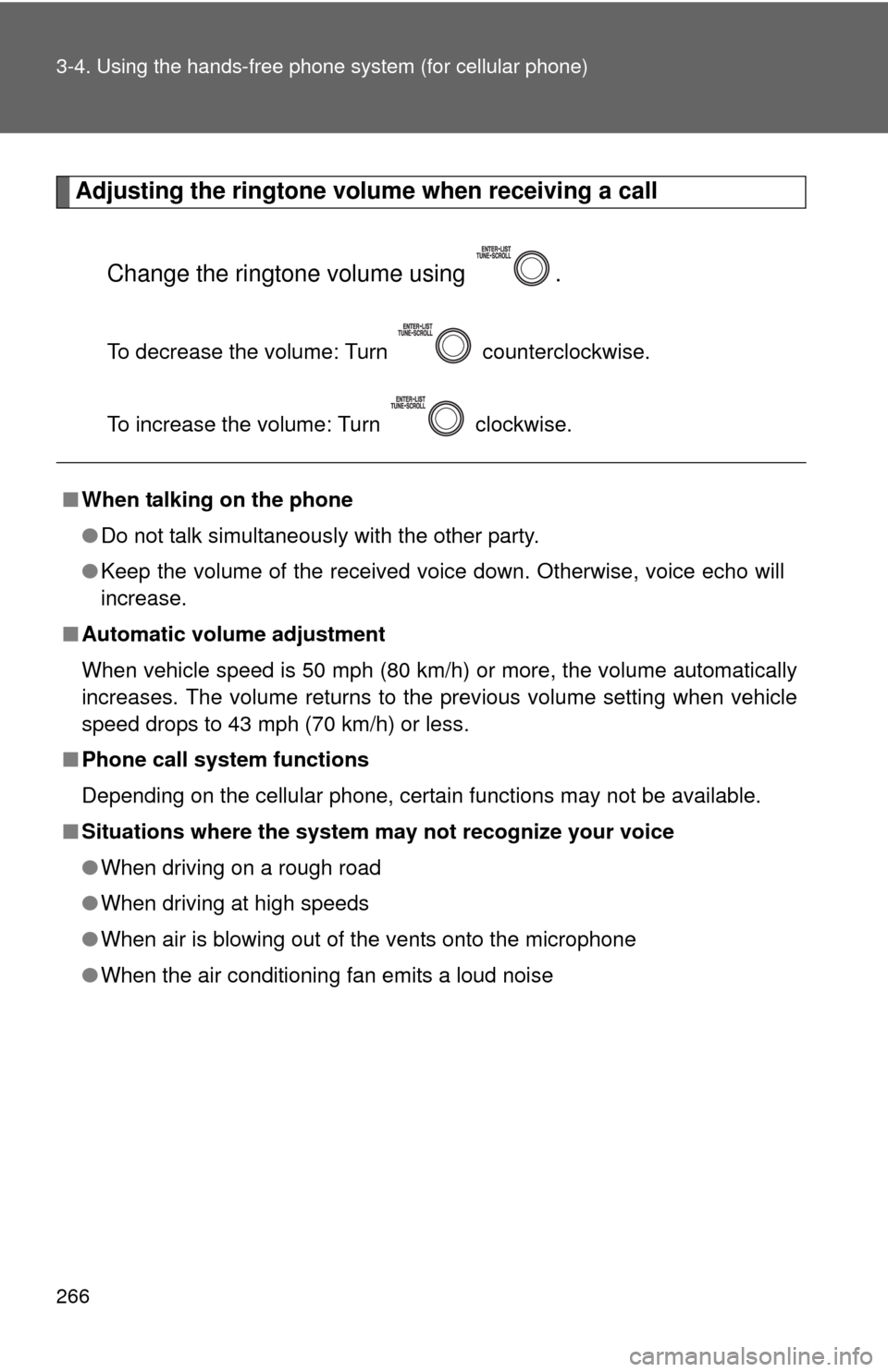
Adjusting the ringtone volume when receiving a call
Change the ringtone volume using .
To decrease the volume: Turn counterclockwise.
To increase the volume: Turn clockwise.
■When talking on the phone
●Do not talk simultaneously with the other party.
● Keep the volume of the received voice down. Otherwise, voice echo will
increase.
■ Automatic volume adjustment
When vehicle speed is 50 mph (80 km/h) or more, the volume automatically
increases. The volume returns to the previous volume setting when vehicle
speed drops to 43 mph (70 km/h) or less.
■ Phone call system functions
Depending on the cellular phone, certain functions may not be available.
■ Situations where the system m ay not recognize your voice
● When driving on a rough road
● When driving at high speeds
● When air is blowing out of the vents onto the microphone
● When the air conditioning fan emits a loud noise
Page 277 of 500
277
3-4. Using the hand
s-free phone system (for cellular phone)
3
Interior features
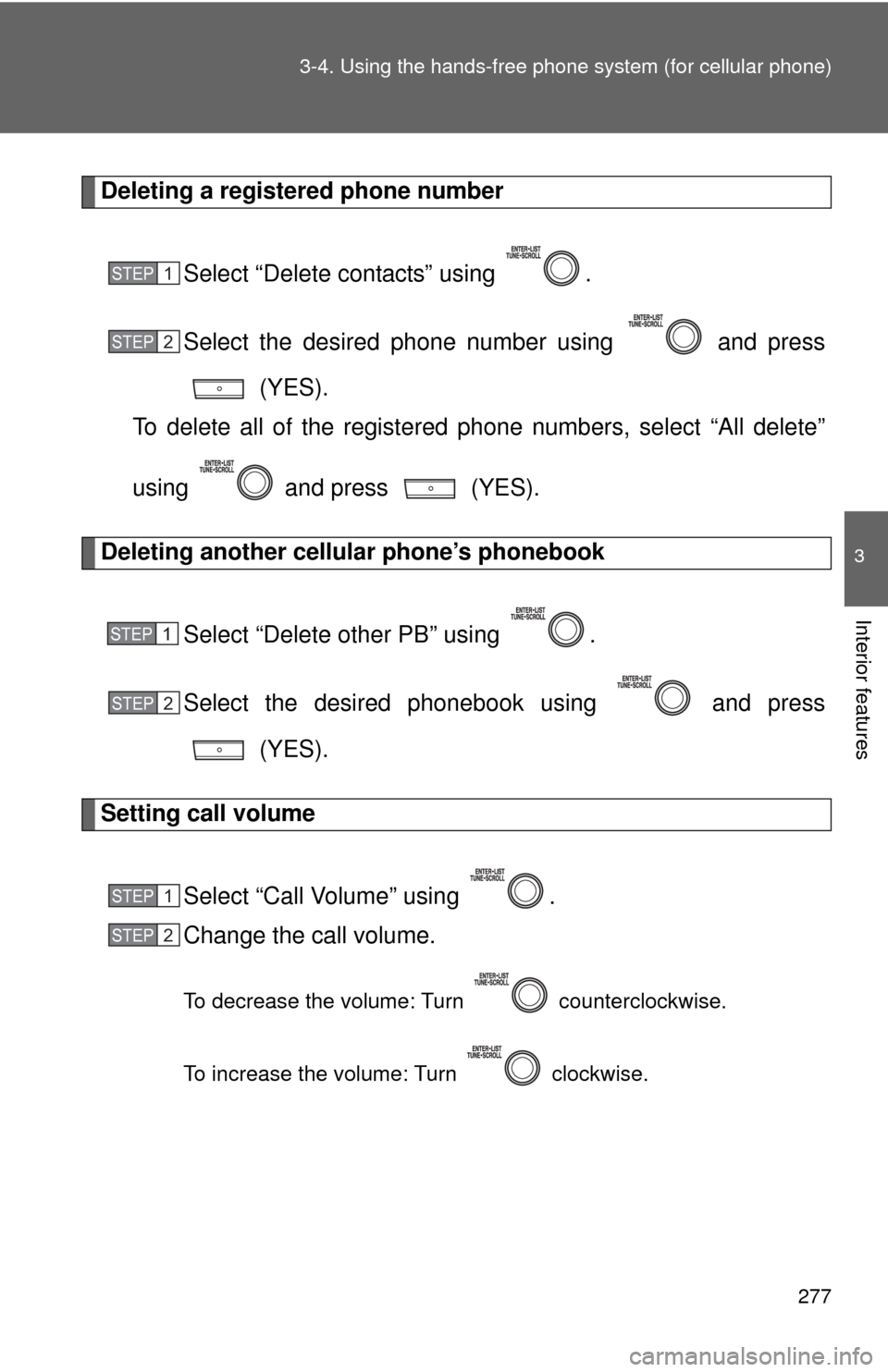
Deleting a registered phone number
Select “Delete contacts” using .
Select the desired phone number using and press (YES).
To delete all of the registered phone numbers, select “All delete”
using and press (YES).
Deleting another cellular phone’s phonebook
Select “Delete other PB” using .
Select the desired phonebook using and press (YES).
Setting call volume
Select “Call Volume” using .
Change the call volume.
To decrease the volume: Turn counterclockwise.
To increase the volume: Turn clockwise.
STEP1
STEP2
STEP1
STEP2
STEP1
STEP2
Page 278 of 500
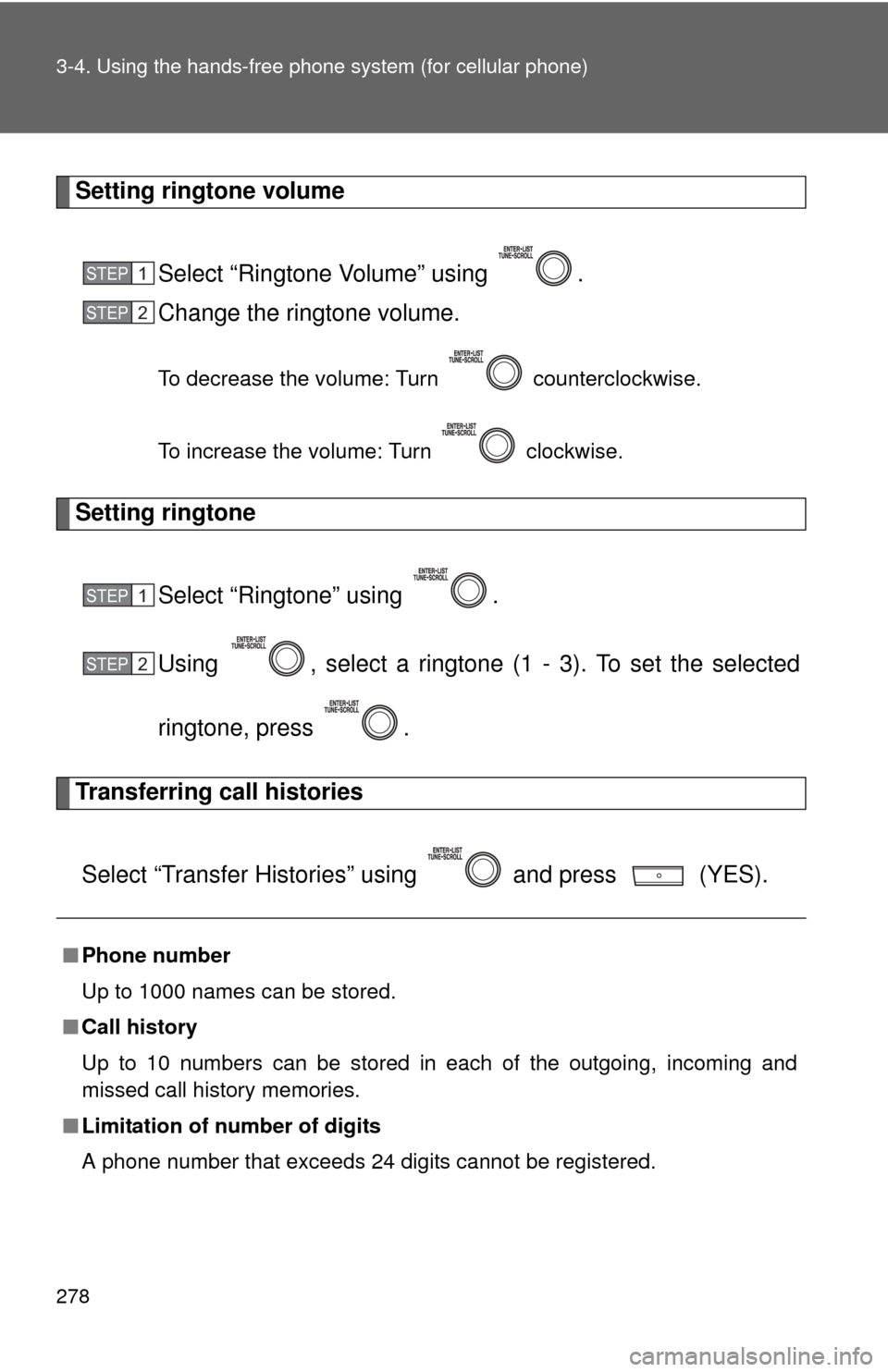
278 3-4. Using the hands-free phone system (for cellular phone)
Setting ringtone volume
Select “Ringtone Volume” using .
Change the ringtone volume.
To decrease the volume: Turn counterclockwise.
To increase the volume: Turn clockwise.
Setting ringtone
Select “Ringtone” using .
Using , select a ringtone (1 - 3). To set the selected
ringtone, press .
Transferring call histories
Select “Transfer Histories” using and press (YES).
■ Phone number
Up to 1000 names can be stored.
■ Call history
Up to 10 numbers can be stored in each of the outgoing, incoming and
missed call history memories.
■ Limitation of number of digits
A phone number that exceeds 24 digits cannot be registered.
STEP1
STEP2
STEP1
STEP2