battery TOYOTA MIRAI 2017 1.G Owner's Guide
[x] Cancel search | Manufacturer: TOYOTA, Model Year: 2017, Model line: MIRAI, Model: TOYOTA MIRAI 2017 1.GPages: 464, PDF Size: 12.09 MB
Page 189 of 464
1895-3. Operating the lights and wipers
5
Driving
MIRAI_OM_USA_OM62023U■
Automatic light off system
●When the headlights are on: The headlights and tail lights turn off 30 sec-
onds after a door is opened and closed if the power switch is turned to
ACCESSORY mode or turned off. (The lights turn off immediately if
on the key is pressed after all the doors are locked.)
● When only the tail lights are on: The tail lights turn off automatically if the
power switch is turned to ACCESSORY mode or turned off and the driver’s
door is opened.
To turn the lights on again, turn the power switch to ON mode, or turn the\
light
switch off once and then back to or .
If any of the doors or trunk lid is kept open, the lights automatically turn off
after 20 minutes.
■ Automatic headlight leveling system
The level of the headlights is automatically adjusted according to the number
of passengers and the loading condition of the vehicle to ensure that the
headlights do not interfere with other road users.
■ Light reminder buzzer
A buzzer sounds when the power switch is turned off or turned to ACCES-
SORY mode and the driver's door is opened while the lights are turned on.
■ 12-volt battery-saving function
In order to prevent the 12-volt battery of the vehicle from discharging, if the
headlights and/or tail lights are on when the power switch is turned off the
12-volt battery saving function will operate and automatically turn off all the
lights after approximately 20 minutes. When the power switch is turned to ON
mode, the 12-volt battery-saving function will be disabled.
When any of the following are performed, the 12-volt battery-saving function
is canceled once and then reactivated. All the lights will turn off automatically
20 minutes after the 12-volt battery-saving function has been reactivated:
●When the headlight switch is operated
● When a door is opened or closed
■ Customization
Settings (e.g. light sensor sensitivity) can be changed.
(Customizable features: →P. 438)
NOTICE
■ To prevent 12-volt battery discharge
Do not leave the lights on longer than necessary when the fuel cell system
is off.
Page 197 of 464
1975-3. Operating the lights and wipers
5
Driving
MIRAI_OM_USA_OM62023U
NOTICE
■When the windshield is dry
Do not use the wipers, as they may damage the windshield.
■ When the washer fluid tank is empty
Do not operate the switch continually as the washer fluid pump may over-
heat.
■ When a nozzle becomes blocked
In this case, contact your Toyota dealer.
Do not try to clear it with a pin or other object. The nozzle will be damaged.
■ To prevent 12-volt battery discharge
Do not leave the wipers on longer than necessary when the fuel cell system
is off.
Page 266 of 464
2666-1. Using the air conditioning system and defogger
MIRAI_OM_USA_OM62023U
WARNING
■To prevent the windshield from fogging up
● Do not use during cool air operation in extremely humid weather.
The difference between the temperature of the outside air and that of the
windshield can cause the outer surface of the windshield to fog up, block-
ing your vision.
■ To prevent burns
● Do not touch the rear view mirror surfaces when the outside rear view mir-
ror defoggers are on.
● Do not touch the glass at lower part of the windshield or to the side of the
front pillars when the windshield wiper de-icer is on.
NOTICE
■ Humidity sensor
■ To prevent 12-volt battery discharge
Do not leave the air conditioning system on longer than necessary when the
fuel cell system is off.
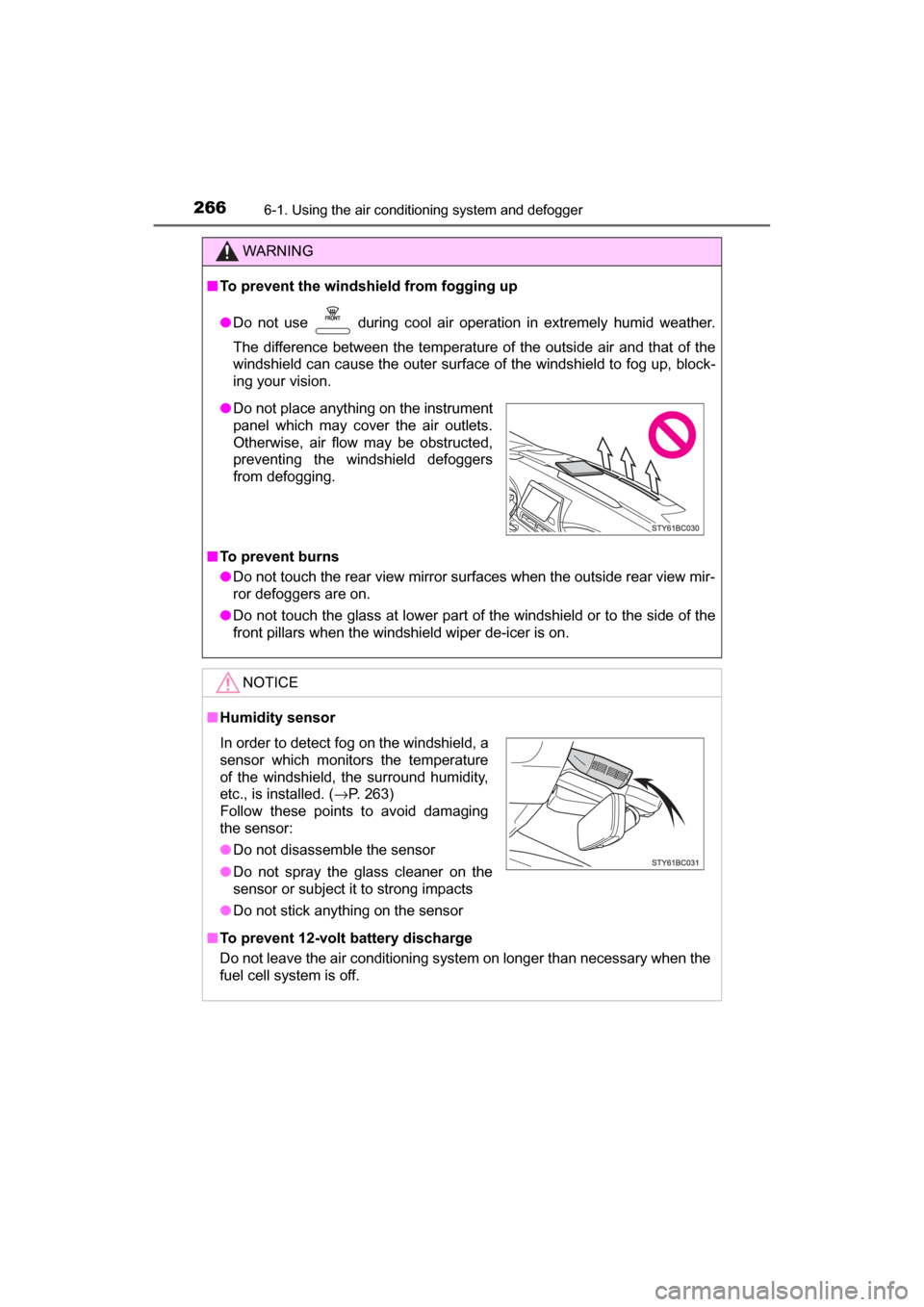
● Do not place anything on the instrument
panel which may cover the air outlets.
Otherwise, air flow may be obstructed,
preventing the windshield defoggers
from defogging.
In order to detect fog on the windshield, a
sensor which monitors the temperature
of the windshield, the surround humidity,
etc., is installed. ( →P. 263)
Follow these points to avoid damaging
the sensor:
● Do not disassemble the sensor
● Do not spray the glass cleaner on the
sensor or subject it to strong impacts
● Do not stick anything on the sensor
Page 267 of 464
2676-1. Using the air conditioning system and defogger
6
Interior features
MIRAI_OM_USA_OM62023U
Heated steering wheel/seat heaters
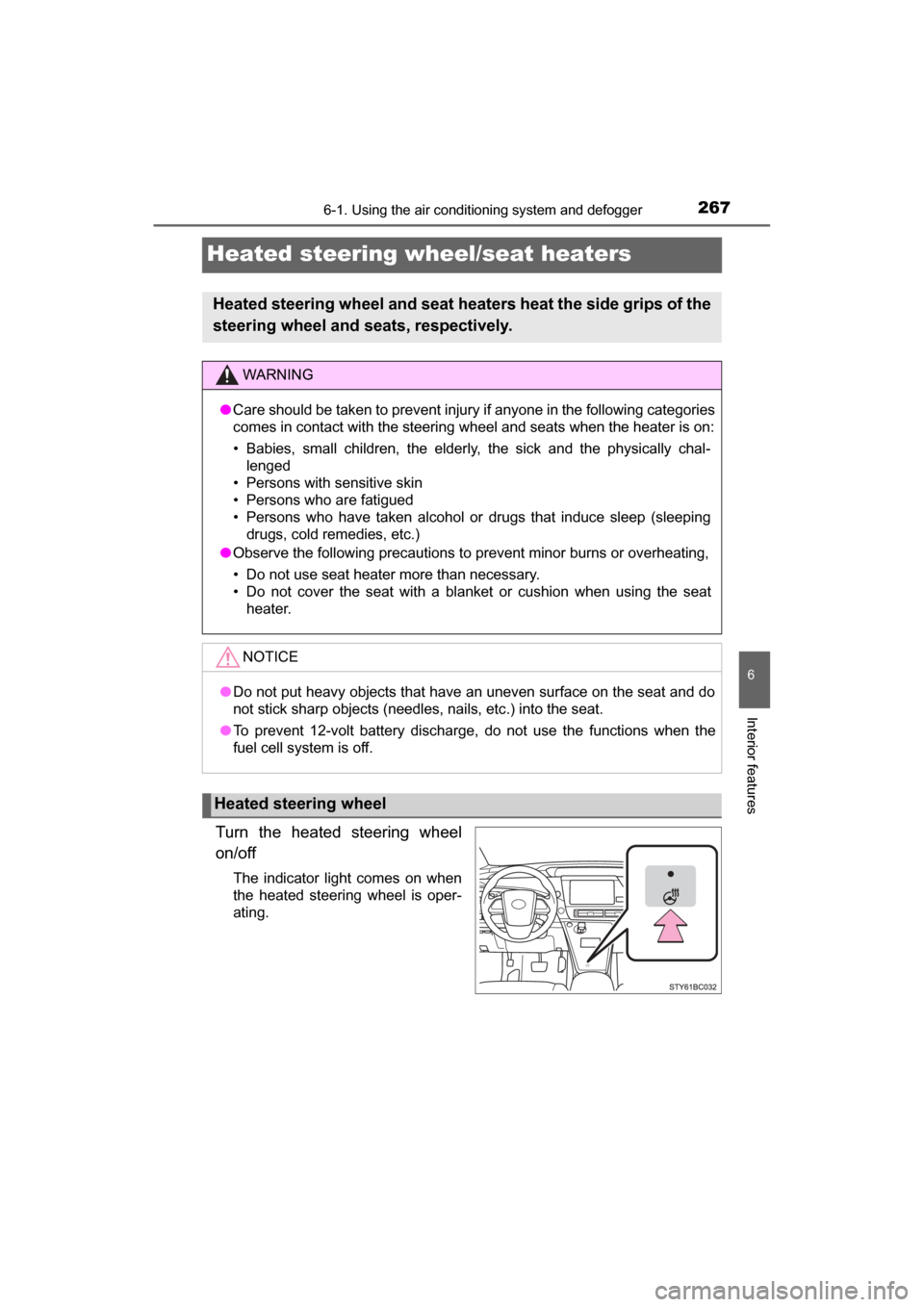
Turn the heated steering wheel
on/off
The indicator light comes on when
the heated steering wheel is oper-
ating.
Heated steering wheel and seat heaters heat the side grips of the
steering wheel and seats, respectively.
WARNING
● Care should be taken to prevent injury if anyone in the following categories
comes in contact with the steering wheel and seats when the heater is on:
• Babies, small children, the elderly, the sick and the physically chal-
lenged
• Persons with sensitive skin
• Persons who are fatigued
• Persons who have taken alcohol or drugs that induce sleep (sleeping drugs, cold remedies, etc.)
● Observe the following precautions to prevent minor burns or overheating,
• Do not use seat heater more than necessary.
• Do not cover the seat with a blanket or cushion when using the seat
heater.
NOTICE
●Do not put heavy objects that have an uneven surface on the seat and do
not stick sharp objects (needles, nails, etc.) into the seat.
● To prevent 12-volt battery discharge, do not use the functions when the
fuel cell system is off.
Heated steering wheel
Page 271 of 464
2716-2. Using the interior lights
6
Interior features
MIRAI_OM_USA_OM62023U
■Illuminated entry system
The lights automatically turn on/off according to power switch mode, the pres-
ence of the electronic key, whether the doors are locked/unlocked, and
whether the doors are opened/closed.
■ To prevent 12-volt battery discharge
If the following lights remain on when the power switch is turned off, the lights
will go off automatically after 20 minutes:
●Front interior lights
● Rear interior lights
● Personal lights
● Door courtesy lights
● Vanity lights
● Trunk light
■ Customization
Setting (e.g. the time elapsed before lights turn off) can be changed.
(Customizable features: →P. 438)
NOTICE
■ To prevent 12-volt battery discharge
Do not leave the lights on longer than necessary when the fuel cell system
is off.
Page 279 of 464
2796-4. Other interior features
6
Interior features
MIRAI_OM_USA_OM62023U
Other interior features
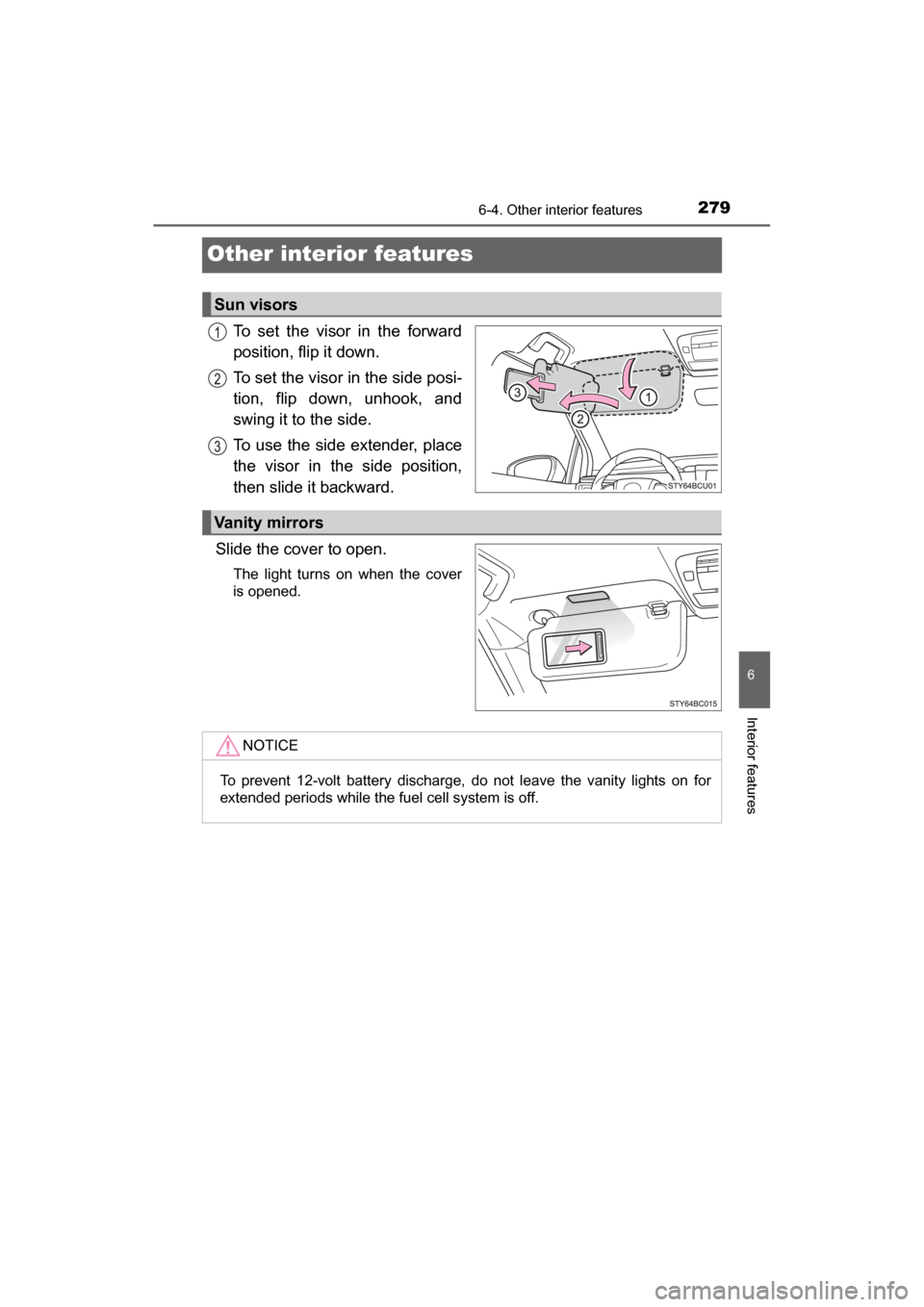
To set the visor in the forward
position, flip it down.
To set the visor in the side posi-
tion, flip down, unhook, and
swing it to the side.
To use the side extender, place
the visor in the side position,
then slide it backward.
Slide the cover to open.
The light turns on when the cover
is opened.
Sun visors
Vanity mirrors
NOTICE
To prevent 12-volt battery discharge, do not leave the vanity lights on for
extended periods while the fuel cell system is off.
Page 283 of 464
2836-4. Other interior features
6
Interior features
MIRAI_OM_USA_OM62023U
Please use a power supply for electronic goods that use less than
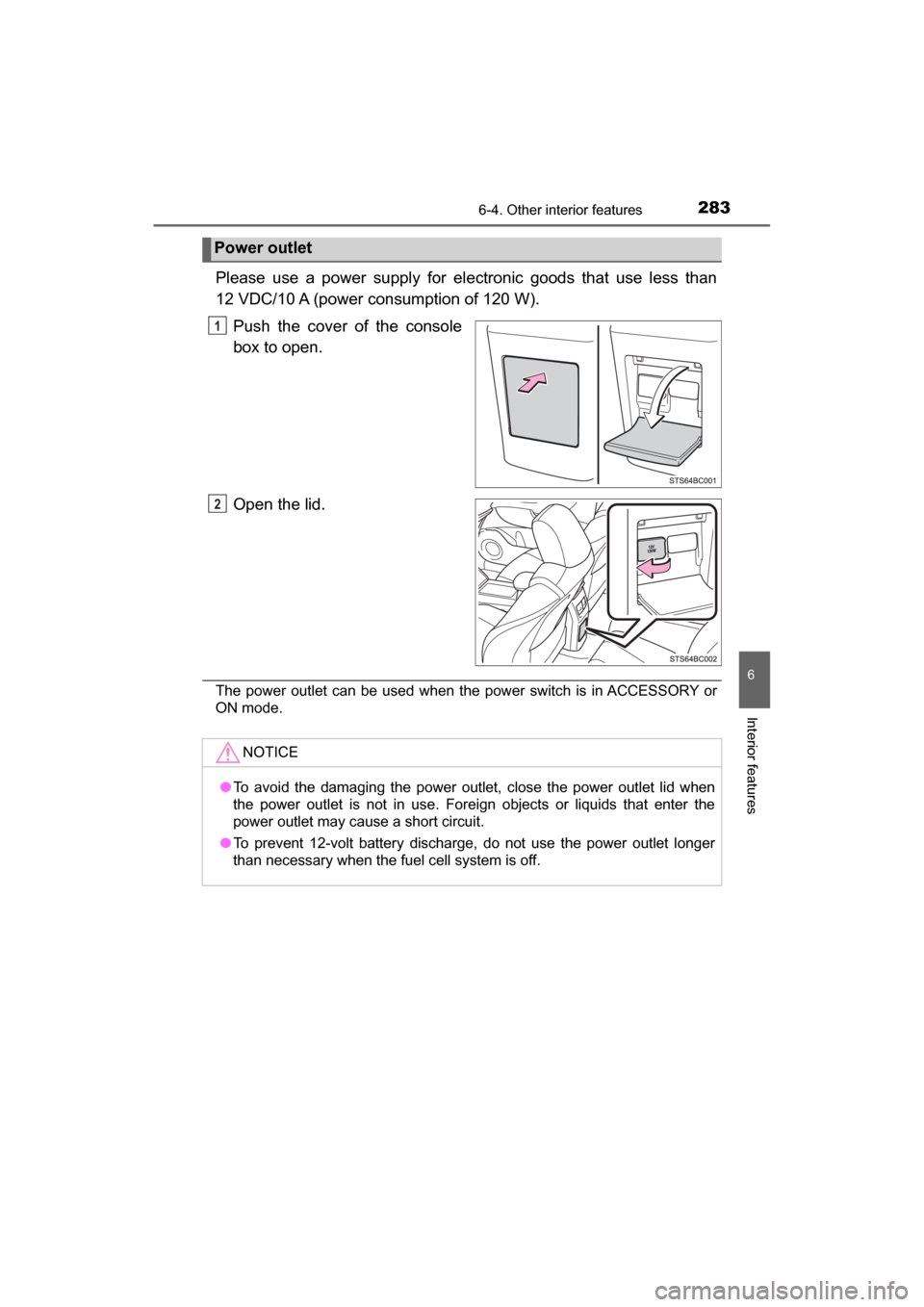
12 VDC/10 A (power consumption of 120 W).Push the cover of the console
box to open.
Open the lid.
The power outlet can be used when the power switch is in ACCESSORY or
ON mode.
Power outlet
1
2
NOTICE
●To avoid the damaging the power outlet, close the power outlet lid when
the power outlet is not in use. Foreign objects or liquids that enter the
power outlet may cause a short circuit.
● To prevent 12-volt battery discharge, do not use the power outlet longer
than necessary when the fuel cell system is off.
Page 291 of 464
2916-4. Other interior features
6
Interior features
MIRAI_OM_USA_OM62023U
NOTICE
■Conditions in which the function may not operate correctly
In the following conditions, it may not operate correctly
● The portable device is fully charged
● There is foreign matter between the charge area and portable device
● The temperature of the portable device gets higher from charging
● The charging surface of the portable device is facing up
● The placement of the portable device is out of alignment with the charge
area
● Near a TV tower, electric power plant, gas station, radio station, large dis-
play, airport or other facility that generates strong radio waves or electrical
noise
● When the electronic key is in contact with, or is covered by the following
metallic objects
• Cards to which aluminum foil is attached
• Cigarette boxes that have aluminum foil inside
• Metallic wallets or bags
• Coins
• Hand warmers made of metal
• Media such as CDs and DVDs
● When other wireless keys (that emit radio waves) are being used nearby
In addition, excluding the above-mentioned, when the charger does not per-
form normally or the operation display lamp is flashing continuously, it is
considered that the wireless charger is malfunctioning. Contact your Toyota
dealer.
■ To prevent failure or damage to data
● Do not bring magnetic cards, such as credit cards, or magnetic recording
media, etc., close to the charger while charging, otherwise, data may dis-
appear under the influence of magnetism. Also, do not bring precision
instruments such as wrist watches, etc., close to the charger, as such
objects may break.
● Do not leave portable devices in the cabin. The temperature inside the
cabin may become high, when under the sun, and cause damage to the
device.
■ To prevent 12-volt battery discharge
When the fuel cell system is stopped, do not use the wireless charger for a
long time.
Page 292 of 464
2926-4. Other interior features
MIRAI_OM_USA_OM62023U
Garage door opener
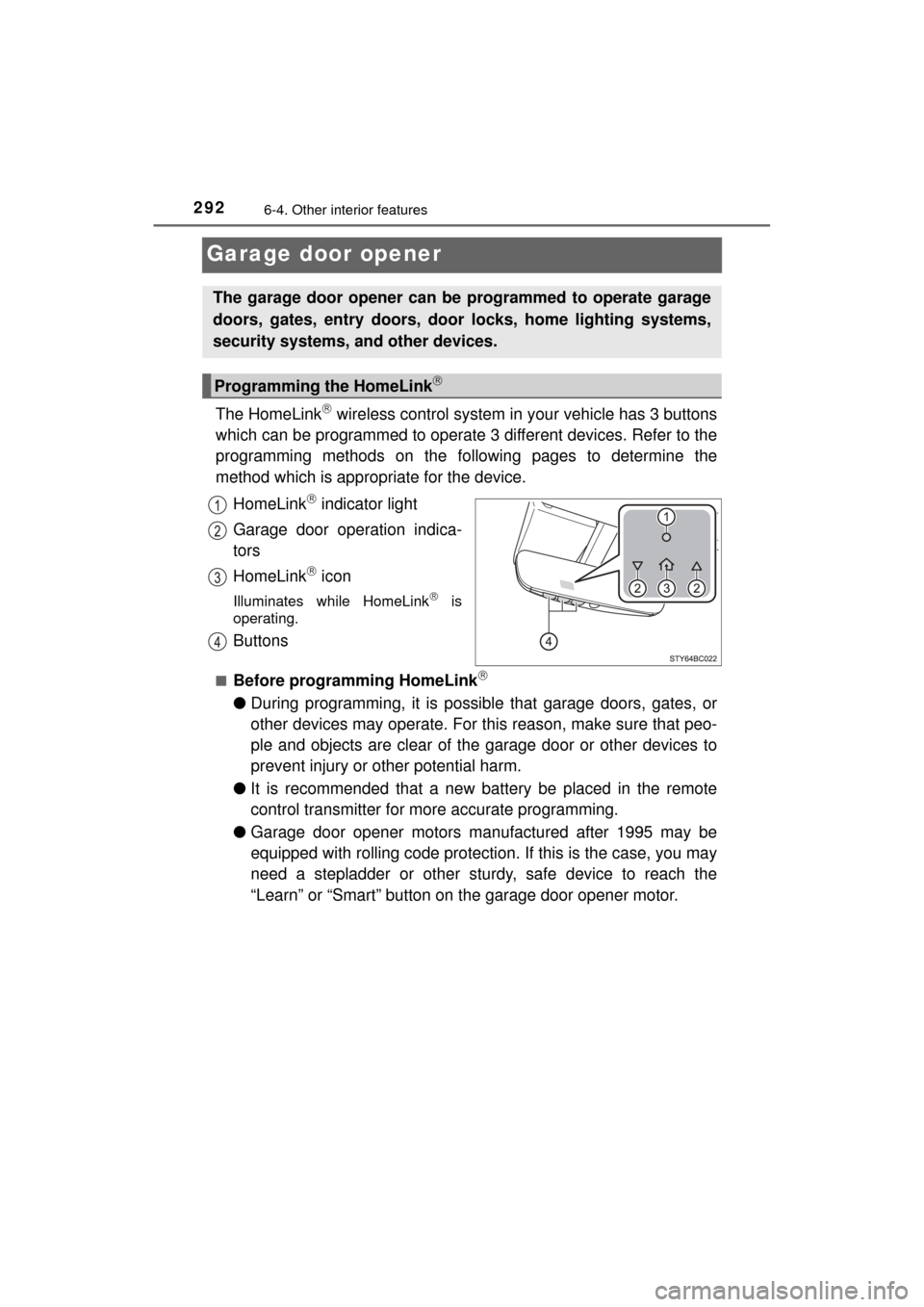
The HomeLink wireless control system in your vehicle has 3 buttons
which can be programmed to operate 3 different devices. Refer to the
programming methods on the foll owing pages to determine the
method which is appr opriate for the device.
HomeLink
indicator light
Garage door operation indica-
tors
HomeLink
icon
Illuminates while HomeLink is
operating.
Buttons
■Before programming HomeLink
● During programming, it is possible that garage doors, gates, or
other devices may operate. For this reason, make sure that peo-
ple and objects are clear of the garage door or other devices to
prevent injury or other potential harm.
● It is recommended that a new battery be placed in the remote
control transmitter for more accurate programming.
● Garage door opener motors manufactured after 1995 may be
equipped with rolling code protection. If this is the case, you may
need a stepladder or other sturdy, safe device to reach the
“Learn” or “Smart” button on the garage door opener motor.
The garage door opener can be programmed to operate garage
doors, gates, entry doors, door locks, home lighting systems,
security systems, and other devices.
Programming the HomeLink
Page 297 of 464
2976-4. Other interior features
6
Interior features
MIRAI_OM_USA_OM62023U
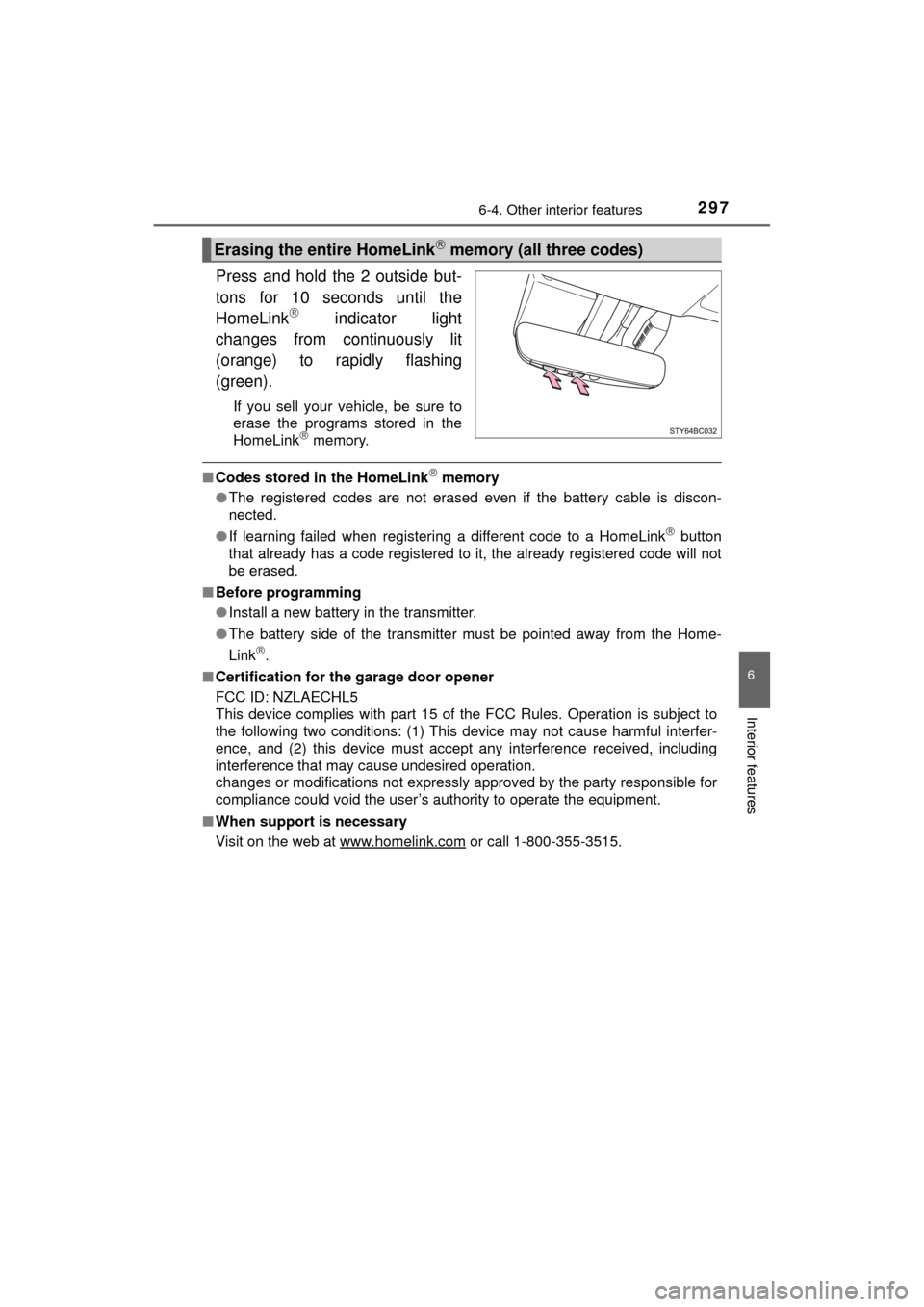
Press and hold the 2 outside but-
tons for 10 seconds until the
HomeLink
indicator light
changes from continuously lit
(orange) to rapidly flashing
(green).
If you sell your vehicle, be sure to
erase the programs stored in the
HomeLink
memory.
■ Codes stored in the HomeLink memory
● The registered codes are not erased even if the battery cable is discon-
nected.
● If learning failed when registering a different code to a HomeLink
button
that already has a code registered to it, the already registered code will not
be erased.
■ Before programming
●Install a new battery in the transmitter.
● The battery side of the transmitter must be pointed away from the Home-
Link
.
■ Certification for the garage door opener
FCC ID: NZLAECHL5
This device complies with part 15 of the FCC Rules. Operation is subject to
the following two conditions: (1) This device may not cause harmful interfer-
ence, and (2) this device must accept any interference received, including
interference that may cause undesired operation.
changes or modifications not expressly approved by the party responsible for
compliance could void the user’s authority to operate the equipment.
■ When support is necessary
Visit on the web at www.homelink.com
or call 1-800-355-3515.
Erasing the entire HomeLink memory (all three codes)