change time TOYOTA MIRAI 2019 (in English) Owner's Manual
[x] Cancel search | Manufacturer: TOYOTA, Model Year: 2019, Model line: MIRAI, Model: TOYOTA MIRAI 2019Pages: 528, PDF Size: 11.84 MB
Page 307 of 528
3076-1. Using the air conditioning system and defogger
6
Interior features
MIRAI_OM_USA_OM62054U(18MY)_O
M62048U(19MY)■
Fan speed setting
Touch (increase) to increase the fan speed and
(decrease) to decr
ease the fan speed.
Touch to turn the fan off.
■
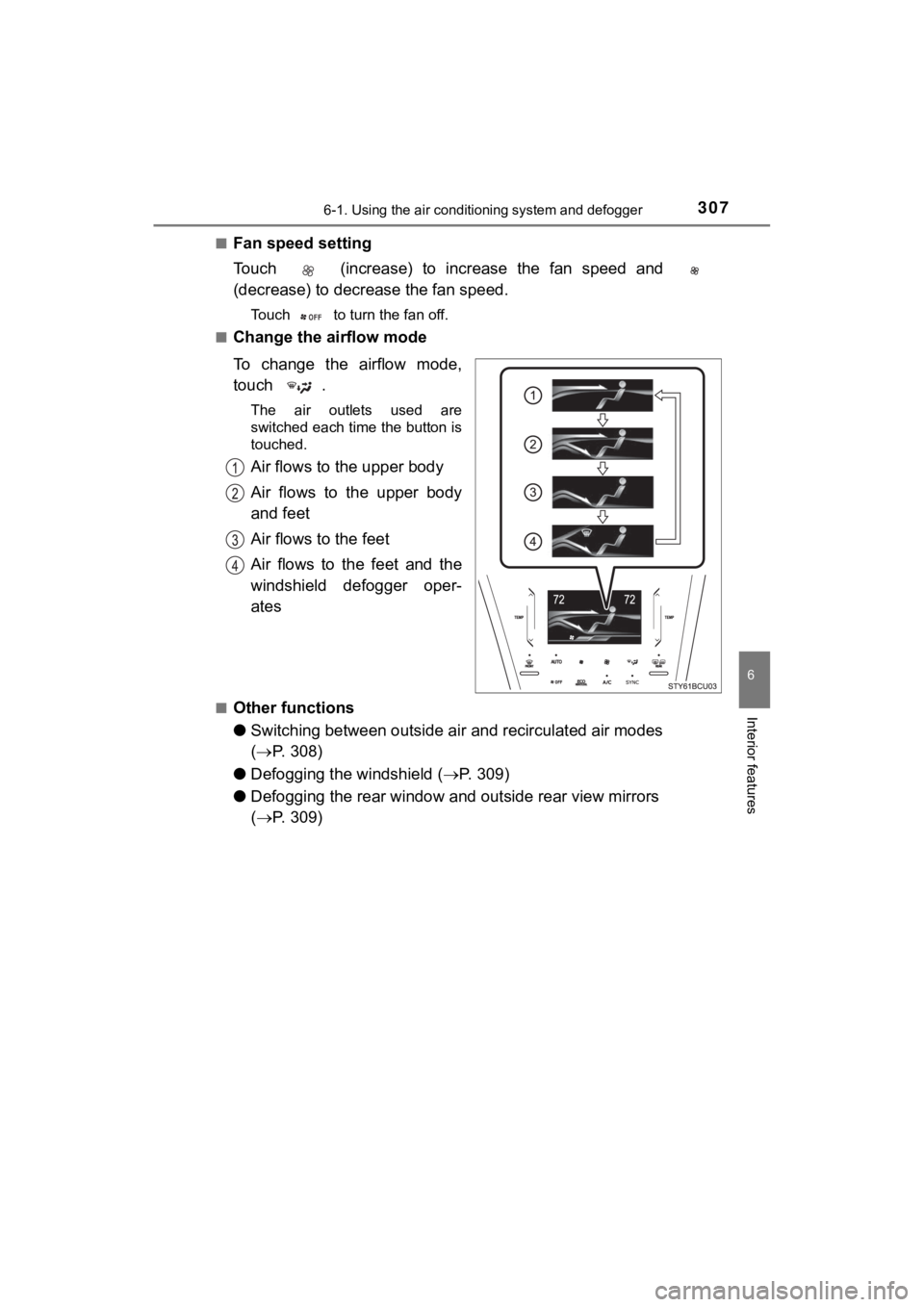
Change the airflow mode
To change the airflow mode,
touch .
The air outlets used are
switched each time the button is
touched.
Air flows to the upper body
Air flows to the upper body
and feet
Air flows to the feet
Air flows to the feet and the
windshield defogger oper-
ates
■Other functions
● Switching between outside air and recirculated air modes
( P. 308)
● Defogging the windshield ( P. 3 0 9 )
● Defogging the rear window and outside rear view mirrors
( P. 309)
Page 312 of 528
3126-1. Using the air conditioning system and defogger
MIRAI_OM_USA_OM62054U(18MY)_O
M62048U(19MY)■
When the outside t emperature is low
The dehumidification function may not operate even when is pre ssed.
■ Ventilation and air conditioning odors
●To let fresh air in, set the air conditioning system to the out side air mode.
● During use, various odors from inside and outside the vehicle m ay enter into
and accumulate in the air conditioning system. This may then ca use odor to
be emitted from the vents.
● To reduce potential odors from occurring:
• It is recommended that the air conditioning system be set to o utside air
mode prior to turning the vehicle off.
• The start timing of the blower may be delayed for a short peri od of time
immediately after the air conditioning system is started in aut omatic
mode.
■ Air conditioning filter
P. 398
■ Changing the response of the swit ch for the air conditioning operation
panel
The reaction time, from when the switch is touched, can be changed by the
following operations.
The air conditioning cannot be operated during following operat ion.
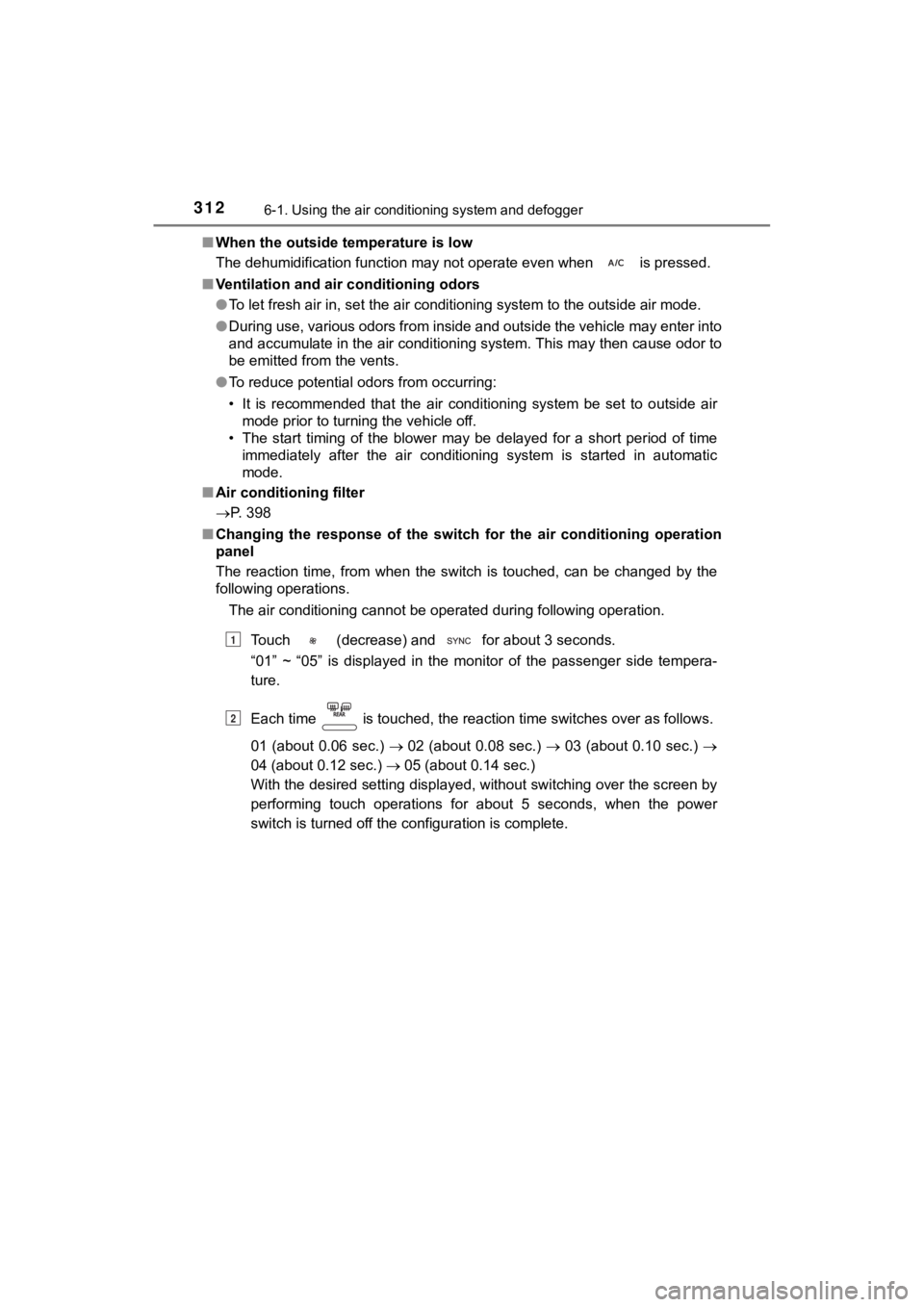
Touch (decrease) and for about 3 seconds.
“01” ~ “05” is displayed in the monitor of the passenger side t empera-
ture.
Each time is touched, the reaction time switches over as follo ws.
01 (about 0.06 sec.) 02 (about 0.08 sec.) 03 (about 0.10 sec.)
04 (about 0.12 sec.) 05 (about 0.14 sec.)
With the desired setting displayed, without switching over the screen by
performing touch operations for about 5 seconds, when the power
switch is turned off the configuration is complete.
1
2
Page 316 of 528
3166-1. Using the air conditioning system and defogger
MIRAI_OM_USA_OM62054U(18MY)_O
M62048U(19MY)
■Operation condition
The heated steering wheel can be used when the power switch is in ON
mode.
■ Timer
The heated steering wheel will automatically turn off after abo ut 30 minutes.
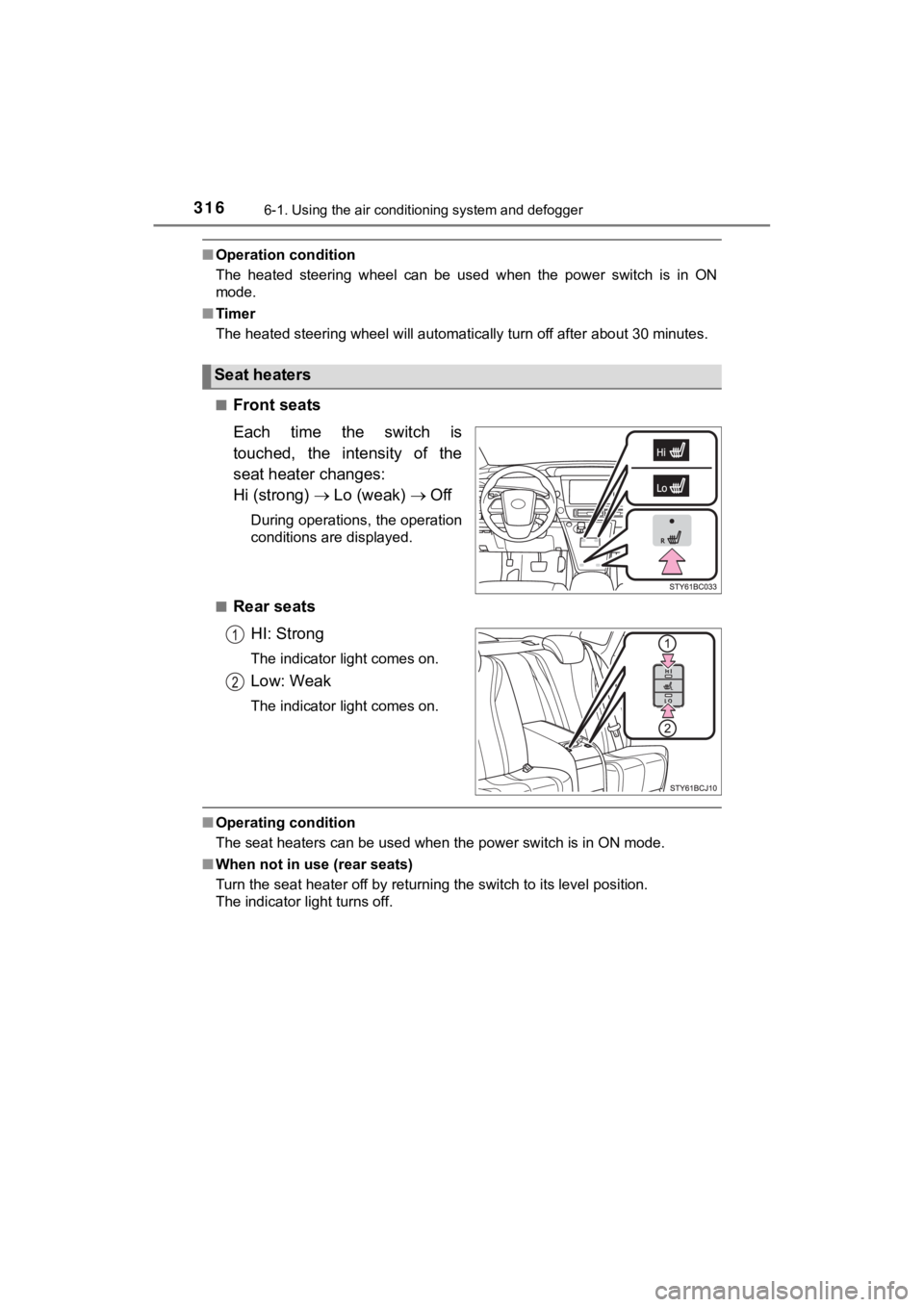
■
Front seats
Each time the switch is
touched, the intensity of the
seat heater changes:
Hi (strong) Lo (weak) Off
During operations, the operation
conditions are displayed.
■
Rear seats HI: Strong
The indicator light comes on.
Low: Weak
The indicator light comes on.
■Operating condition
The seat heaters can be used when the power switch is in ON mod e.
■ When not in use (rear seats)
Turn the seat heater off by returning the switch to its level p osition.
The indicator light turns off.
Seat heaters
Page 337 of 528

3376-4. Other interior features
6
Interior features
MIRAI_OM_USA_OM62054U(18MY)_O
M62048U(19MY)
■The wireless charger can be operated when
The power switch is in ACCESSORY or ON mode.
■ Usable portable devices
Qi standard wireless charge standard can be used on compatible devices.
However, not all Qi standard devices and compatibility are guar anteed.
Starting with mobile phones and smart phones, it is aimed for l ow power elec-
trically supplied portable devices of no more than 5 W.
■ When covers and accessories are attached to portable devices
Do not charge in situations where cover and accessories not able to handle
Qi are attached to the portable device. Depending on the type o f cover and
accessory, it may not be possible to charge. When charging is not performed
even with the portable device placed on the charge area, remove the cover
and accessories.
■ While charging, noise enters the AM radio
Turn off the wireless charger and confirm that the noise has decreased. If the
noise decreases, continuously pushing the power supply switch o f the wire-
less charger for 2 seconds, the frequency of the charger can be changed and
the noise can be reduced.
Also, on that occasion, the operation indicator light will flas h orange 2 times.
■ Important points of the wireless charger
●If the electronic key cannot be detected within the vehicle int erior, charging
cannot be done. When the door is opened and closed, charging ma y be
temporarily suspended.
● When charging, the wireless charging device and portable device will get
warmer, however this is not a malfunction.
When a portable device gets warm while charging, charging may s top due
to the protection function on the portable device side. In this case, when the
temperature of the portable device drops significantly, charge again.
■ Operation sounds
When the power supply is turned on, while searching for the portable device a
sound will be produced, however this is not a malfunction.
■ Cleaning
P. 357
Page 427 of 528
4278-2. Steps to take in an emergency
MIRAI_OM_USA_OM62054U(18MY)_O
M62048U(19MY)
8
When trouble arises
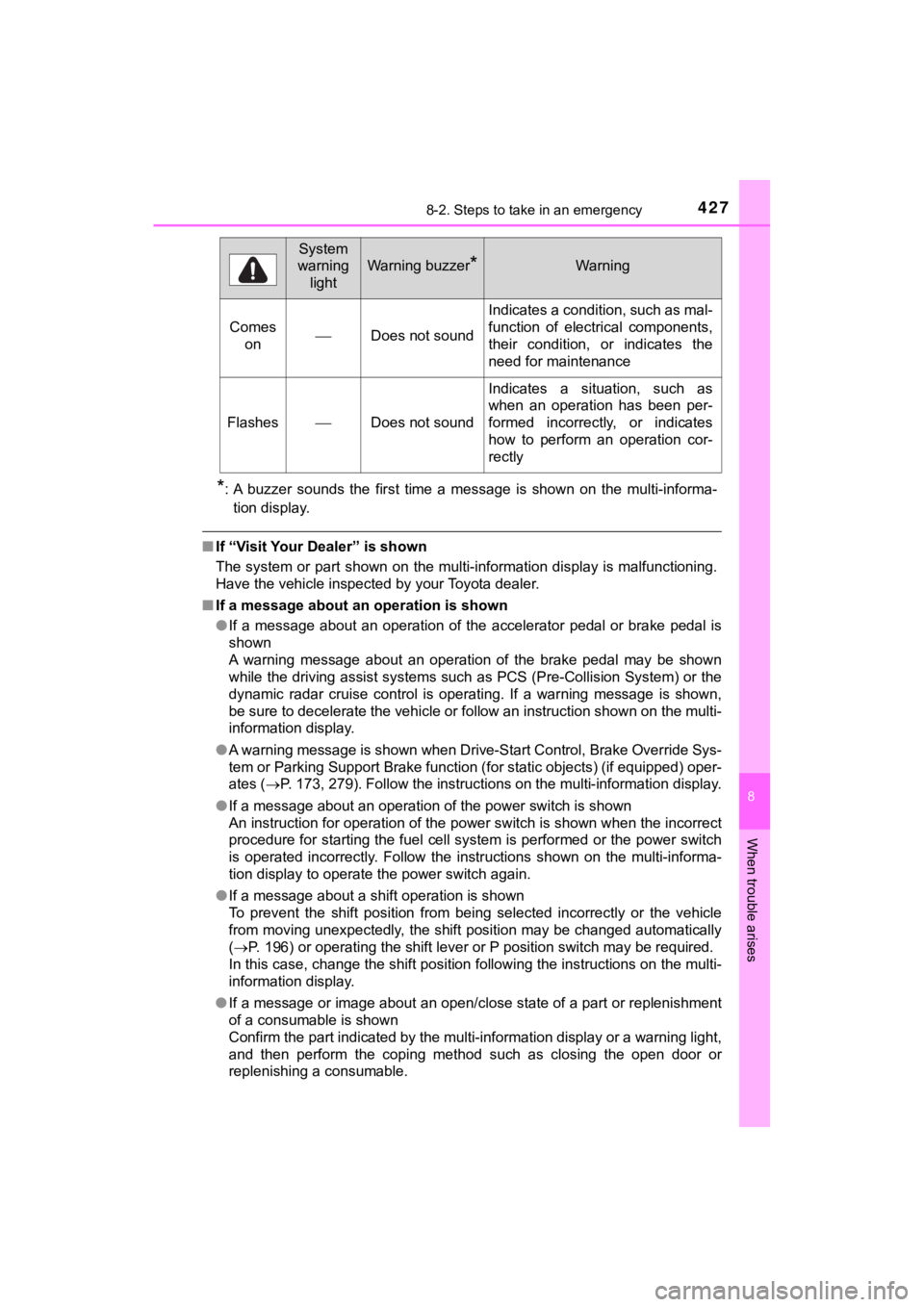
*: A buzzer sounds the first time a message is shown on the multi-informa-
tion display.
■ If “Visit Your Dealer” is shown
The system or part shown on the multi-information display is ma lfunctioning.
Have the vehicle inspected by your Toyota dealer.
■ If a message about an operation is shown
● If a message about an operation of the accelerator pedal or bra ke pedal is
shown
A warning message about an operation of the brake pedal may be shown
while the driving assist systems such as PCS (Pre-Collision Sys tem) or the
dynamic radar cruise control is operating. If a warning message is shown,
be sure to decelerate the vehicle or follow an instruction show n on the multi-
information display.
● A warning message is shown when Drive-Start Control, Brake Over ride Sys-
tem or Parking Support Brake function (for static objects) (if equipped) oper-
ates ( P. 173, 279). Follow the instructions on the multi-information display.
● If a message about an operation of the power switch is shown
An instruction for operation of the power switch is shown when the incorrect
procedure for starting the fuel cell system is performed or the power switch
is operated incorrectly. Follow the instructions shown on the m ulti-informa-
tion display to operate the power switch again.
● If a message about a shift operation is shown
To prevent the shift position from being selected incorrectly o r the vehicle
from moving unexpectedly, the shift position may be changed aut omatically
( P. 196) or operating the shift lever or P position switch may b e required.
In this case, change the shift position following the instructions on the multi-
information display.
● If a message or image about an open/close state of a part or replenishment
of a consumable is shown
Confirm the part indicated by the multi-information display or a warning light,
and then perform the coping method such as closing the open doo r or
replenishing a consumable.
Comes onDoes not sound
Indicates a condition, such as mal-
function of electrical components,
their condition, or indicates the
need for maintenance
FlashesDoes not sound
Indicates a situation, such as
when an operation has been per-
formed incorrectly, or indicates
how to perform an operation cor-
rectly
System
warning
light
Warning buzzer*Warning
Page 430 of 528

4308-2. Steps to take in an emergency
MIRAI_OM_USA_OM62054U(18MY)_O
M62048U(19MY)■
If “Insufficient Aux Battery Cha rge Shift is Unavailable See Ow ner’s
Manual” is displayed
Due to the voltage of the 12-volt battery being in a declined c ondition, when
trying to shift the shift position the warning message is displ ayed.
Have the 12-volt battery charged or replaced.
■ If “Shifting Temporarily Unavaila ble Wait a Moment and Try Agai n” is
displayed
A warning message is displayed when the shift lever and P posit ion switch
are repeatedly operated over a short period of time.
Shift the shift position after waiting for short amount of time .
■ If “Shifting to [Br] Mode Unavailable Shift to [D] once, then Shift to [Br]”
is displayed
When the shift position is in P or N, a warning message is disp layed when try-
ing to shift to Br mode.
Shift to Br mode after the shift position had been set to D.
■ If “Shifted to [N] Position Shift to [D] once, then Shift to [B r]” is dis-
played
When the shift position is in R, a warning message is displayed when trying to
shift to Br mode.
The shift position is changed to N.
Shift to Br Mode after the shift position has been set to D.
■ If “Shifting to [D] or [R] Position Unavailable Try to Shift af ter FC System
has Started” is displayed
When the power switch is in ON mode (“READY” indicator switched off), a
warning message is displayed when trying to shift the shift position to R or D,
or shift to Br mode.
After starting the fuel cell system, shift the shift position t o R or D, or shift to Br
mode.
■ If “Shifting Unavailable Press Brake Pedal before Shifting” is displayed
A warning message is displayed when attempting to shift the shi ft position
without depressing the brake pedal.
Depress the brake pedal and shift the shift position when chang ing it from P.
■ If “Shifted to [N] Position Stop Your Vehicle before Shifting t o [D]” is dis-
played
While the vehicle is moving backward, a warning message is disp layed when
attempting to shift the shift position to D.
The shift position is changed to N.
Shift the shift position after stopping the vehicle.
■ If “Shifted to [N] Position Stop Your Vehicle before Shifting t o [R]” is dis-
played
When the vehicle is moving forward, a warning message is displa yed when
attempting to shift the shift position to R.
The shift position is changed to N.
Shift the shift position after stopping the vehicle.
Page 451 of 528
4518-2. Steps to take in an emergency
MIRAI_OM_USA_OM62054U(18MY)_O
M62048U(19MY)
8
When trouble arises
■Stopping the fuel cell system
Shift the shift position to P and press the power switch as you normally do
when stopping the fuel cell system.
■ Replacing the key battery
As the above procedure is a temporary measure, it is recommende d that the
electronic key battery be replaced immediately when the battery is depleted.
( P. 400)
■ Alarm
Using the mechanical key to lock the doors will not set the ala rm system.
If a door is unlocked using the mechanical key when the alarm system is set,
the alarm may be triggered. ( P. 82)
■ When the electronic key does not work properly
●Make sure that the smart key system has not been deactivated in the cus-
tomization setting. If it is off, turn the function on.
(Customizable features P. 486)
● Check if battery-saving mode is set. If it is set, cancel the f unction.
( P. 145)
■ Changing power switch modes
Release the brake pedal and press the power switch in step abo ve.
The fuel cell system does not start and modes will be changed each time the
switch is pressed. ( P. 188)
WARNING
■When using the mechanical key and operating the power windows
Operate the power window after checking to make sure that there is no pos-
sibility of any passenger having any of their body parts caught in the win-
dow.
Also, do not allow children to operate the mechanical key. It is possible for
children and other passengers to get caught in the power window .
3
Page 455 of 528
4558-2. Steps to take in an emergency
MIRAI_OM_USA_OM62054U(18MY)_O
M62048U(19MY)
8
When trouble arises
●When the 12-volt battery is reconnected, start the fuel cell sy stem, depress
the brake pedal, and confirm that it is possible to shift into each shift posi-
tion.
● If the battery is removed or the terminals disconnected without operating the
water release function during cold weather, the vehicle may not start due to
the fuel cell system being frozen. To prevent this, operate the water release
function before removing the battery or disconnecting the terminals.
( P. 190)
■ When exchanging the 12-volt battery
Use a Central Degassing type 12-volt battery (Japanese Industri al Stan-
dards). Also, use 12-volt batteries with case sizes similar to one prior the
exchange and an equivalent 20 hour rate capacity (20HR) or grea ter.
• If the sizes differ, the 12-volt battery cannot be properly se cured.
• If the 20 hour rate capacity is low, even if the time period w here the vehicle
is not used is a short time, the 12-volt battery may discharge and fuel cell
system may not be able to start.
For details, consult your Toyota dealer.
WARNING
■ Avoiding 12-volt batte ry fires or explosions
Observe the following precautions to prevent accidentally ignit ing the flam-
mable gas that may be emitted from the 12-volt battery:
● Make sure each jumper cable is connected to the correct terminal and that
it is not unintentionally in contact with any other than the in tended terminal.
● Do not allow the other end of the jumper cable connected to the “+” termi-
nal to come into contact with any other parts or metal surfaces in the area,
such as brackets or unpainted metal.
● Do not allow the + and - clamps of the jumper cables to come in to contact
with each other.
● Do not smoke, use matches, cigarette lighters or allow open fla me near
the 12-volt battery.