turn signal TOYOTA MIRAI 2020 Owners Manual (in English)
[x] Cancel search | Manufacturer: TOYOTA, Model Year: 2020, Model line: MIRAI, Model: TOYOTA MIRAI 2020Pages: 528, PDF Size: 11.98 MB
Page 3 of 528
3
MIRAI_OM_USA_OM62073U
1
9 8 6 5
4
3
2
10
7
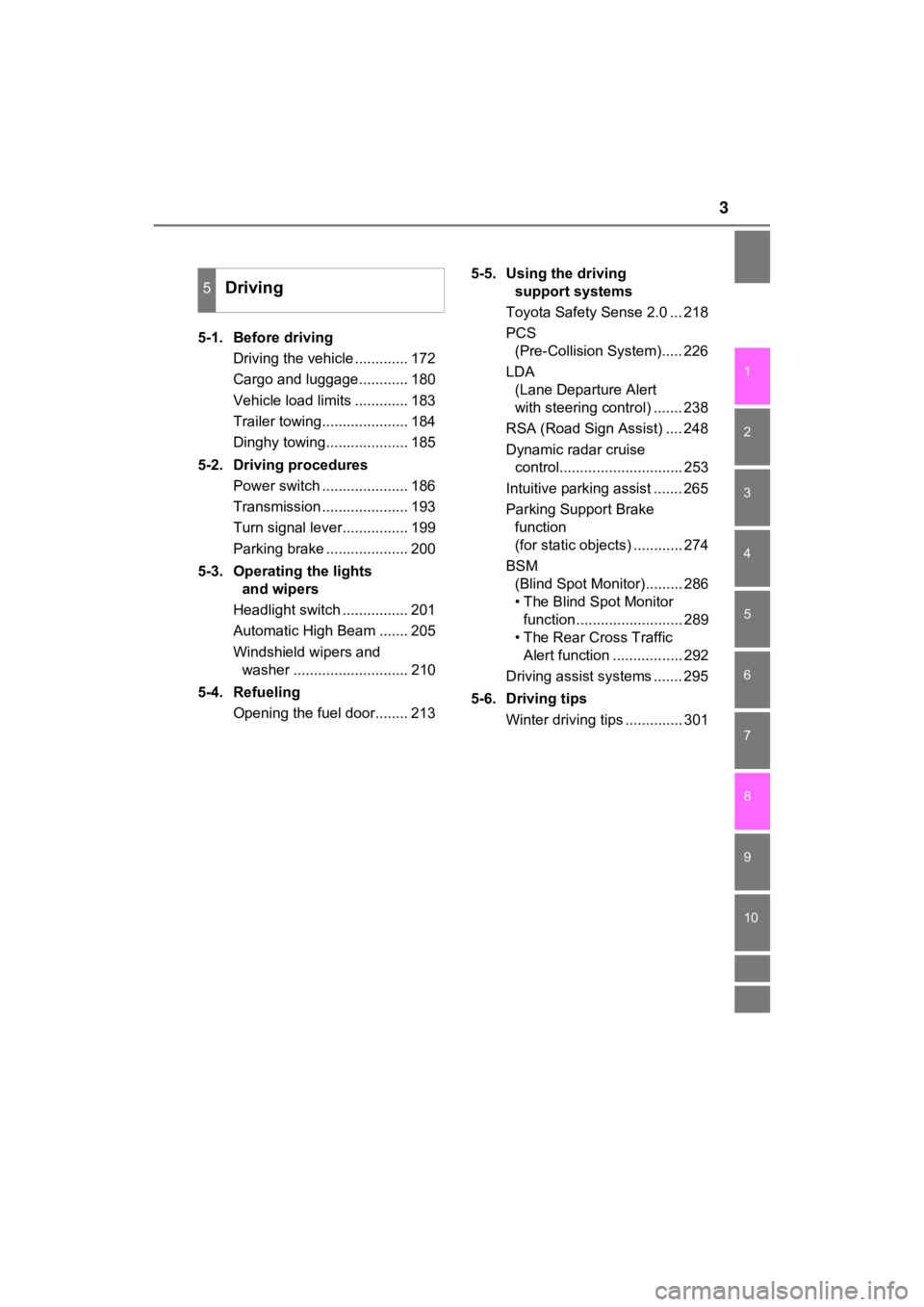
5-1. Before drivingDriving the vehicle ............. 172
Cargo and luggage............ 180
Vehicle load limits ............. 183
Trailer towing..................... 184
Dinghy towing.................... 185
5-2. Driving procedures Power switch ..................... 186
Transmission ..................... 193
Turn signal lever................ 199
Parking brake .................... 200
5-3. Operating the lights and wipers
Headlight switch ................ 201
Automatic High Beam ....... 205
Windshield wipers and washer ............................ 210
5-4. Refueling Opening the fuel door........ 213 5-5. Using the driving
support systems
Toyota Safety Sense 2.0 ... 218
PCS (Pre-Collision System)..... 226
LDA (Lane Departure Alert
with steering control) ....... 238
RSA (Road Sign Assist) .... 248
Dynamic radar cruise control.............................. 253
Intuitive parking assist ....... 265
Parking Support Brake function
(for static objects) ............ 274
BSM (Blind Spot Monitor)......... 286
• The Blind Spot Monitor function.......................... 289
• The Rear Cross Traffic Alert function ................. 292
Driving assist systems ....... 295
5-6. Driving tips Winter driving tips .............. 301
5Driving
Page 15 of 528
15Pictorial index
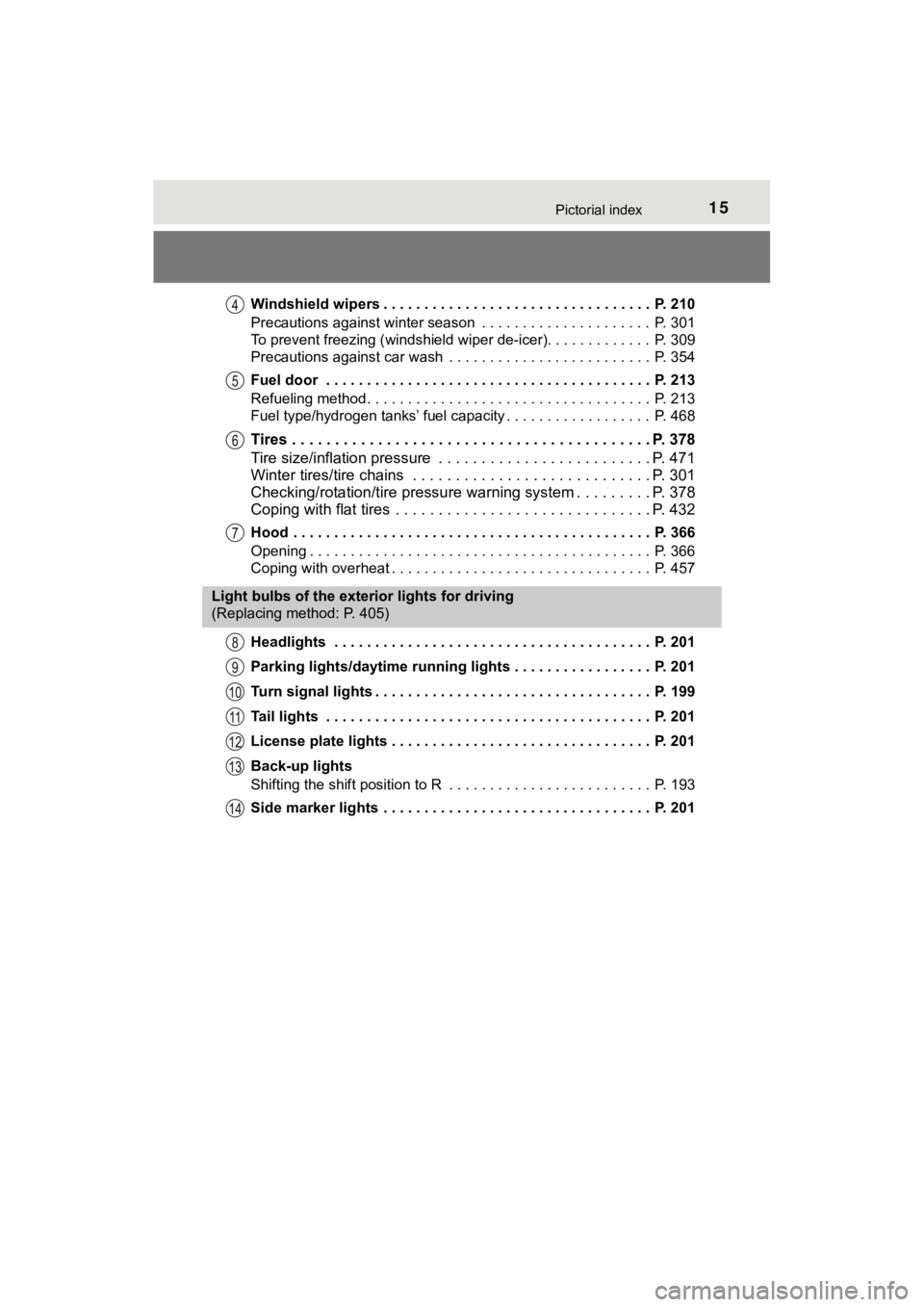
MIRAI_OM_USA_OM62073UWindshield wipers . . . . . . . . . . . . . . . . . . . . . . . . . . . . . . . . . P. 210
Precautions against winter season . . . . . . . . . . . . . . . . . . . . . P. 301
To prevent freezing (windshield wiper de-icer). . . . . . . . . . . . . P. 309
Precautions against car wash . . . . . . . . . . . . . . . . . . . . . . . . . P. 354
Fuel door . . . . . . . . . . . . . . . . . . . . . . . . . . . . . . . . . . . . . . . . P. 213
Refueling method . . . . . . . . . . . . . . . . . . . . . . . . . . . . . . . . . . . P. 213
Fuel type/hydrogen tanks’ fuel capacity . . . . . . . . . . . . . . . . . . P. 468
Tires . . . . . . . . . . . . . . . . . . . . . . . . . . . . .
. . . . . . . . . . . . . P. 378
Tire size/inflation pressure . . . . . . . . . . . . . . . . . . . . . . . . . P. 471
Winter tires/tire chains . . . . . . . . . . . . . . . . . . . . . . . . . . . . P. 301
Checking/rotation/tire pressur e warning system . . . . . . . . .P. 378
Coping with flat tires . . . . . . . . . . . . . . . . . . . . . . . . . . . . . . P. 432
Hood . . . . . . . . . . . . . . . . . . . . . . . . . . . . . . . . . . . . . . . . . . . . P. 366
Opening . . . . . . . . . . . . . . . . . . . . . . . . . . . . . . . . . . . . . . . . . . P. 366
Coping with overheat . . . . . . . . . . . . . . . . . . . . . . . . . . . . . . . . P. 457
Headlights . . . . . . . . . . . . . . . . . . . . . . . . . . . . . . . . . . . . . . . P. 201
Parking lights/daytime running lights . . . . . . . . . . . . . . . . . P. 201
Turn signal lights . . . . . . . . . . . . . . . . . . . . . . . . . . . . . . . . . . P. 199
Tail lights . . . . . . . . . . . . . . . . . . . . . . . . . . . . . . . . . . . . . . . . P. 201
License plate lights . . . . . . . . . . . . . . . . . . . . . . . . . . . . . . . . P. 201
Back-up lights
Shifting the shift position to R . . . . . . . . . . . . . . . . . . . . . . . . . P. 193
Side marker lights . . . . . . . . . . . . . . . . . . . . . . . . . . . . . . . . . P. 201
Light bulbs of the exterior lights for driving
(Replacing method: P. 405)
Page 17 of 528
17Pictorial index
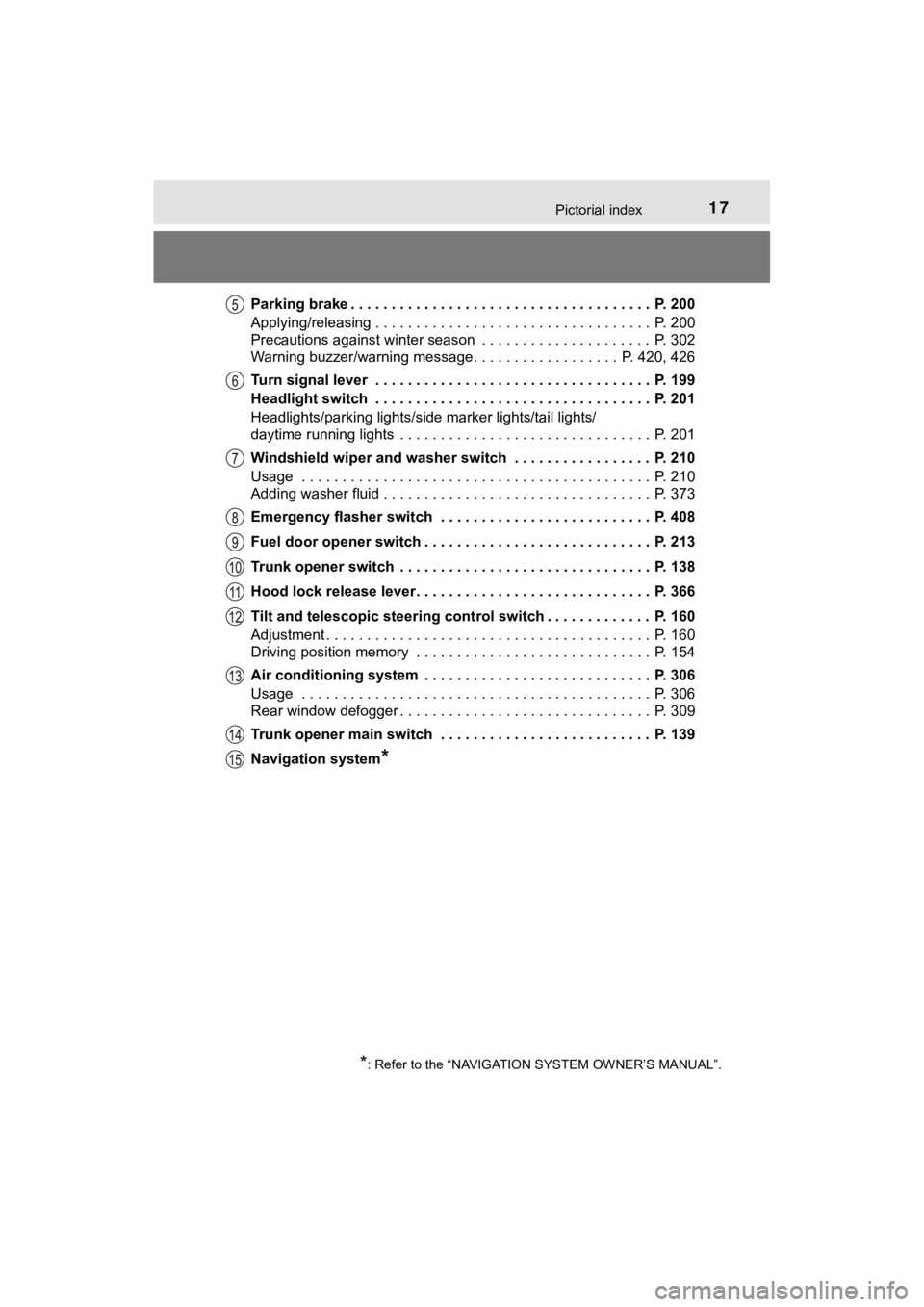
MIRAI_OM_USA_OM62073UParking brake . . . . . . . . . . . . . . . . . . . . . . . . . . . . . . . . . . . . . P. 200
Applying/releasing . . . . . . . . . . . . . . . . . . . . . . . . . . . . . . . . . . P. 200
Precautions against winter season . . . . . . . . . . . . . . . . . . . . . P. 302
Warning buzzer/warning message. . . . . . . . . . . . . . . . .
. P. 420, 426
Turn signal lever . . . . . . . . . . . . . . . . . . . . . . . . . . . . . . . . . . P. 199
Headlight switch . . . . . . . . . . . . . . . . . . . . . . . . . . . . . . . . . . P. 201
Headlights/parking lights/side marker lights/tail lights/
daytime running lights . . . . . . . . . . . . . . . . . . . . . . . . . . . . . . . P. 201
Windshield wiper and washer switch . . . . . . . . . . . . . . . . . P. 210
Usage . . . . . . . . . . . . . . . . . . . . . . . . . . . . . . . . . . . . . . . . . . . P. 210
Adding washer fluid . . . . . . . . . . . . . . . . . . . . . . . . . . . . . . . . . P. 373
Emergency flasher switch . . . . . . . . . . . . . . . . . . . . . . . . . . P. 408
Fuel door opener switch . . . . . . . . . . . . . . . . . . . . . . . . . . . . P. 213
Trunk opener switch . . . . . . . . . . . . . . . . . . . . . . . . . . . . . . . P. 138
Hood lock release lever. . . . . . . . . . . . . . . . . . . . . . . . . . . . . P. 366
Tilt and telescopic steering control switch . . . . . . . . . . . . . P. 160
Adjustment . . . . . . . . . . . . . . . . . . . . . . . . . . . . . . . . . . . . . . . . P. 160
Driving position memory . . . . . . . . . . . . . . . . . . . . . . . . . . . . . P. 154
Air conditioning system . . . . . . . . . . . . . . . . . . . . . . . . . . . . P. 306
Usage . . . . . . . . . . . . . . . . . . . . . . . . . . . . . . . . . . . . . . . . . . . P. 306
Rear window defogger . . . . . . . . . . . . . . . . . . . . . . . . . . . . . . . P. 309
Trunk opener main switch . . . . . . . . . . . . . . . . . . . . . . . . . . P. 139
Navigation system
*
*: Refer to the “NAVIGATION SYSTEM OWNER’S MANUAL”.
Page 74 of 528

741-2. Emergency assistance
MIRAI_OM_USA_OM62073U
■Safety Connect Services Information
●Phone calls using the vehicle’s Bluetooth® technology will not be possible
during Safety Connect.
● Safety Connect is available beginning Fall 2009 on select Toyot a models (in
the contiguous United States only). Contact with the Safety Con nect
response center is dependent upon the telematics device being i n operative
condition, cellular connection availability, and GPS satellite signal reception,
which can limit the ability to reach the response center or rec eive emer-
gency service support. Enrollment and Telematics Subscription S ervice
Agreement are required. A variety of subscription terms are ava ilable;
charges vary by subscription term selected and location.
● Automatic Collision Notification, Emergency Assistance and Stolen Vehicle
Location are available in the United States, including Hawaii a nd Alaska,
Puerto Rico and Canada, and Enhanced Roadside Assistance are av ailable
in the United States, Puerto Rico and Canada.
● Automatic Collision Notification, Emergency Assistance, Stolen Vehicle and
Enhanced Road Assistance are not available in the U.S. Virgin I slands.
For vehicles first sold in the U.S. Virgin Islands, no Safety C onnect services
will function in or outside the U.S. Virgin Islands.
● Safety Connect services are not subject to section 255 of the T elecommuni-
cations Act and the device is not TTY compatible.
■ Languages
The Safety Connect response center will offer support in multip le languages.
The Safety Connect system will offer voice prompts in English, Spanish, and
French. Please indicate your language of choice when enrolling.
■ When contacting the response center
You may be unable to contact the response center if the network is busy.
When the power switch is turned to ON mode, the red indicator l ight
comes on for 2 seconds then turns off. Afterward, the green ind icator
light comes on, indicating t hat the service is active.
The following indicator light patterns indicate specific system usage
conditions:
● Green indicator light on = Active service
● Green indicator light flashing = Safety Connect call in process
● Red indicator light (except at vehicle start-up) = System malfunction
(contact your Toyota dealer)
● No indicator light (off) = Saf ety Connect service not active
Safety Connect LED light Indicators
Page 109 of 528
1093. Instrument cluster
3
Instrument cluster
MIRAI_OM_USA_OM62073U
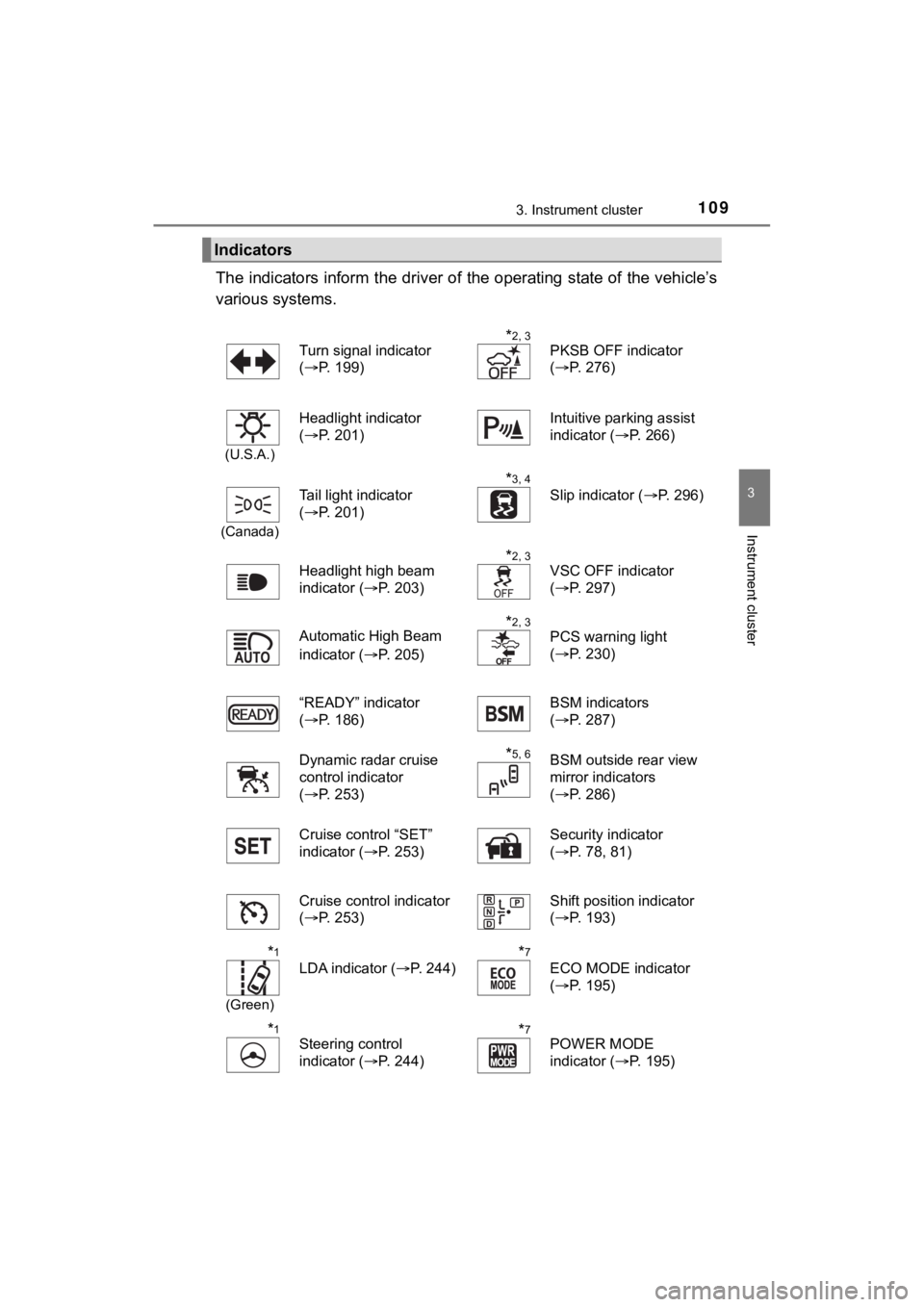
The indicators inform the driver of the operating state of the vehicle’s
various systems.
Indicators
Turn signal indicator
( P. 199)*2, 3
PKSB OFF indicator
(P. 276)
(U.S.A.)
Headlight indicator
(P. 201)Intuitive parking assist
indicator ( P. 266)
(Canada)
Tail light indicator
(P. 201)
*3, 4 Slip indicator ( P. 296)
Headlight high beam
indicator ( P. 203)
*2, 3
VSC OFF indicator
(P. 297)
Automatic High Beam
indicator ( P. 205)
*2, 3
PCS warning light
(P. 230)
“READY” indicator
( P. 186)
BSM indicators
(P. 287)
Dynamic radar cruise
control indicator
( P. 253)
*5, 6BSM outside rear view
mirror indicators
(P. 286)
Cruise control “SET”
indicator ( P. 253) Security indicator
(
P. 78, 81)
Cruise control indicator
( P. 253) Shift position indicator
(
P. 193)
*1
(Green)
LDA indicator ( P. 244)
*7
ECO MODE indicator
(P. 195)
*1
Steering control
indicator ( P. 244)*7POWER MODE
indicator (P. 195)
Page 147 of 528

1474-2. Opening, closing and locking the doors
4
Operation of each component
MIRAI_OM_USA_OM62073U■
Note for the entry function
●Even when the electronic key is within the effective range (det ection areas),
the system may not operate properly in the following cases:
• The electronic key is too close to the window or outside door handle, near
the ground, or in a high place when the doors are locked or unl ocked.
• The electronic key is near the ground or in a high place, or t oo close to
the rear bumper center when the trunk is opened.
• The electronic key is on the instrument panel, rear package tr ay or floor,
or in the door pockets or glove box when the fuel cell system i s started or
power switch modes are changed.
● Do not leave the electronic key on top of the instrument panel or near the
door pockets when exiting the vehicle. Depending on the radio w ave recep-
tion conditions, it may be detected by the antenna outside the cabin and the
door will become lockable from the outside, possibly trapping the electronic
key inside the vehicle.
● As long as the electronic key is within the effective range, th e doors may be
locked or unlocked by anyone. However, only the doors detecting the elec-
tronic key can be used to unlock the vehicle.
● Even if the electronic key is not inside the vehicle, it may be possible to start
the fuel cell system if the electronic key is near the window.
● The doors may unlock or lock if a large amount of water splashe s on the
door handle, such as in the rain or in a car wash when the elec tronic key is
within the effective range. (The doors will automatically be lo cked after
approximately 60 seconds if the doors are not opened and closed.)
● If the wireless remote control is used to lock the doors when t he electronic
key is near the vehicle, there is a possibility that the door m ay not be
unlocked by the entry function. (Use the wireless remote contro l to unlock
the doors.)
● Touching the door lock or unlock sensor while wearing gloves ma y prevent
lock or unlock operation.
● When the lock operation is performed using the lock sensor, rec ognition sig-
nals will be shown up to two consecutive times. After this, no recognition
signals will be given.
● If the door handle becomes wet while the electronic key is with in the effec-
tive range, the door may lock and unlock repeatedly. In this ca se, follow the
following correction procedures to wash the vehicle:
• Place the electronic key in a location 6 ft. (2 m) or more awa y from the
vehicle. (Take care to ensure that the key is not stolen.)
• Set the electronic key to battery-saving mode to disable the s mart key
system. ( P. 145)
● If the electronic key is inside the vehicle and a door handle b ecomes wet
during a car wash, a message may be shown on the multi-informat ion dis-
play and a buzzer will sound outside the vehicle. To turn off t he alarm, lock
all the doors.
Page 171 of 528
171
5Driving
MIRAI_OM_USA_OM62073U5-1. Before driving
Driving the vehicle ............. 172
Cargo and luggage ........... 180
Vehicle load limits ............. 183
Trailer towing..................... 184
Dinghy towing ................... 185
5-2. Driving procedures Power switch ..................... 186
Transmission ..................... 193
Turn signal lever................ 199
Parking brake .................... 200
5-3. Operating the lights and wipers
Headlight switch ................ 201
Automatic High Beam ....... 205
Windshield wipers and washer ............................ 210
5-4. Refueling Opening the fuel door ....... 213 5-5. Using the driving
support systems
Toyota Safety Sense 2.0... 218
PCS (Pre-Collision System) ... 226
LDA (Lane Departure Alert with steering control) ....... 238
RSA (Road Sign Assist) .... 248
Dynamic radar cruise control ............................. 253
Intuitive parking assist....... 265
Parking Support Brake function
(for static objects) ........... 274
BSM (Blind Spot Monitor) ........ 286
• The Blind Spot Monitor function ......................... 289
• The Rear Cross Traffic
Alert function ................. 292
Driving assist systems ...... 295
5-6. Driving tips Winter driving tips ............. 301
Page 199 of 528
1995-2. Driving procedures
5
Driving
MIRAI_OM_USA_OM62073U
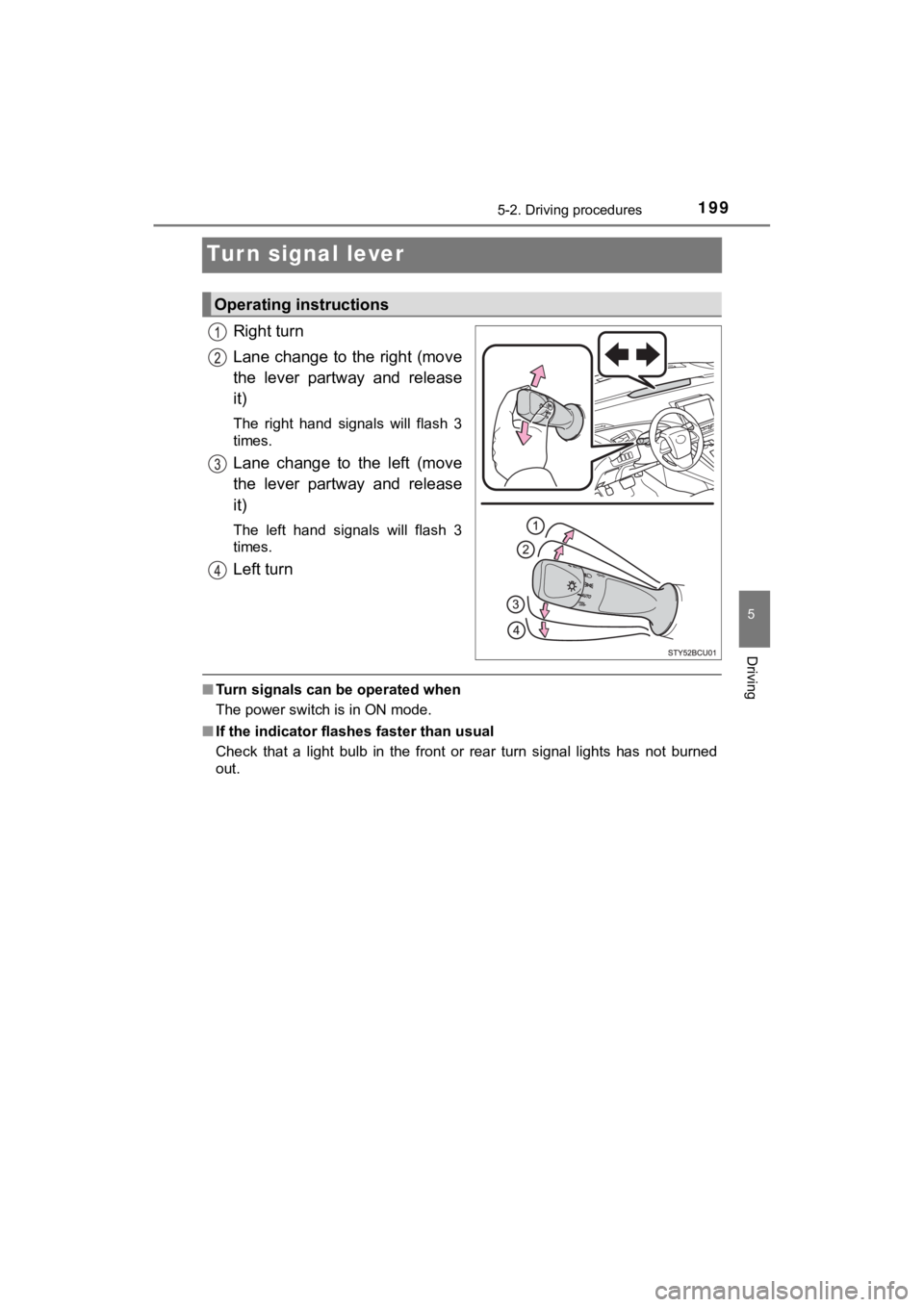
Turn signal lever
Right turn
Lane change to the right (move
the lever partway and release
it)
The right hand signals will flash 3
times.
Lane change to the left (move
the lever partway and release
it)
The left hand signals will flash 3
times.
Left turn
■Turn signals can be operated when
The power switch is in ON mode.
■ If the indicator flashes faster than usual
Check that a light bulb in the front or rear turn signal lights has not burned
out.
Operating instructions
Page 207 of 528

2075-3. Operating the lights and wipers
5
Driving
MIRAI_OM_USA_OM62073U
■The Automatic High Beam can be operated when
The power switch is in ON mode.
■ Camera sensor detection information
●High beam may not be automatically turned off in the following situations:
• When oncoming vehicles suddenly appear from a curve
• When the vehicle is cut in front of by another
• When oncoming or preceding vehicles are hidden from sight due to
repeated curves, road dividers or roadside trees
● High beam may be turned off if an oncoming vehicle that is usin g fog lights
without using the headlights is detected.
● House lights, street lights, red traffic signals, and illuminated billboards or
signs may cause the high beam to turn off.
● The following factors may affect the amount of time taken to tu rn high beam
on or off:
• The brightness of headlights, fog lights, and tail lights of o ncoming and
preceding vehicles
• The movement and direction of oncoming and preceding vehicles
• When an oncoming or preceding vehicle only has operational lig hts on
one side
• When an oncoming or preceding vehicle is a two-wheeled vehicle
• The condition of the road (gradient, curve, condition of the r oad surface,
etc.)
• The number of passengers and amount of luggage
● High beam may be turned on or off when unexpected by the driver .
Page 245 of 528
2455-5. Using the driving support systems
5
Driving
MIRAI_OM_USA_OM62073U
■Operation conditions of each function
●Lane departure alert function
This function operates when all of the following conditions are met.
• LDA is turned on.
• Vehicle speed is approximately 32 mph (50 km/h) or more.
• System recognizes white (yellow) lane lines or a course
*. (When a white
[yellow] line or course* is recognized on only one side, the sy stem will
operate only for the recognized side.)
• Width of traffic lane is approximately 9.8 ft. (3 m) or more.
• Turn signal lever is not operated.
• Vehicle is not being driven around a sharp curve.
• No system malfunctions are detected. ( P. 247)
*: Boundary between asphalt and the side of the road, such as gra ss, soil, or
a curb
● Steering assist function
This function operates when all of the following conditions are met in addi-
tion to the operation conditions for the lane departure alert function.
• Setting for “LDA Steering Assist Mode” in on the multi-inform ation
display ( P. 117) is set to “ON”.
Press or of the meter control switches ( P. 118) and select
.
Press or of the meter control switches, select and press to select the “ON”.
• Vehicle is not accelerated or decelerated by a fixed amount or more.
• Steering wheel is not operated with a steering force level suitable for
changing lanes.
• ABS, VSC, TRAC and PCS are not operating.
• TRAC or VSC is not turned off.
• Hands off steering wheel warning is not displayed. ( P. 246)
● Vehicle sway warning function
This function operates when all of the following conditions are met.
• Setting for “Lane Sway Warning Status” in on the multi-information display ( P. 117) is set to “On”.
Press or of the meter control switches ( P. 118) and select
.
Press or of the meter control switches, select and press to select the “ON”.
• Vehicle speed is approximately 32 mph (50 km/h) or more.
• Width of traffic lane is approximately 9.8 ft. (3 m) or more.
• No system malfunctions are detected. ( P. 247)
1
2
1
2