audio TOYOTA PRIUS 2009 2.G User Guide
[x] Cancel search | Manufacturer: TOYOTA, Model Year: 2009, Model line: PRIUS, Model: TOYOTA PRIUS 2009 2.GPages: 508, PDF Size: 6.84 MB
Page 204 of 508
204
3-2. Using the air conditioning system and defogger
PRIUS_U_(OM47614U)
Automatic air conditioning system (Vehicles without AUX adapter)
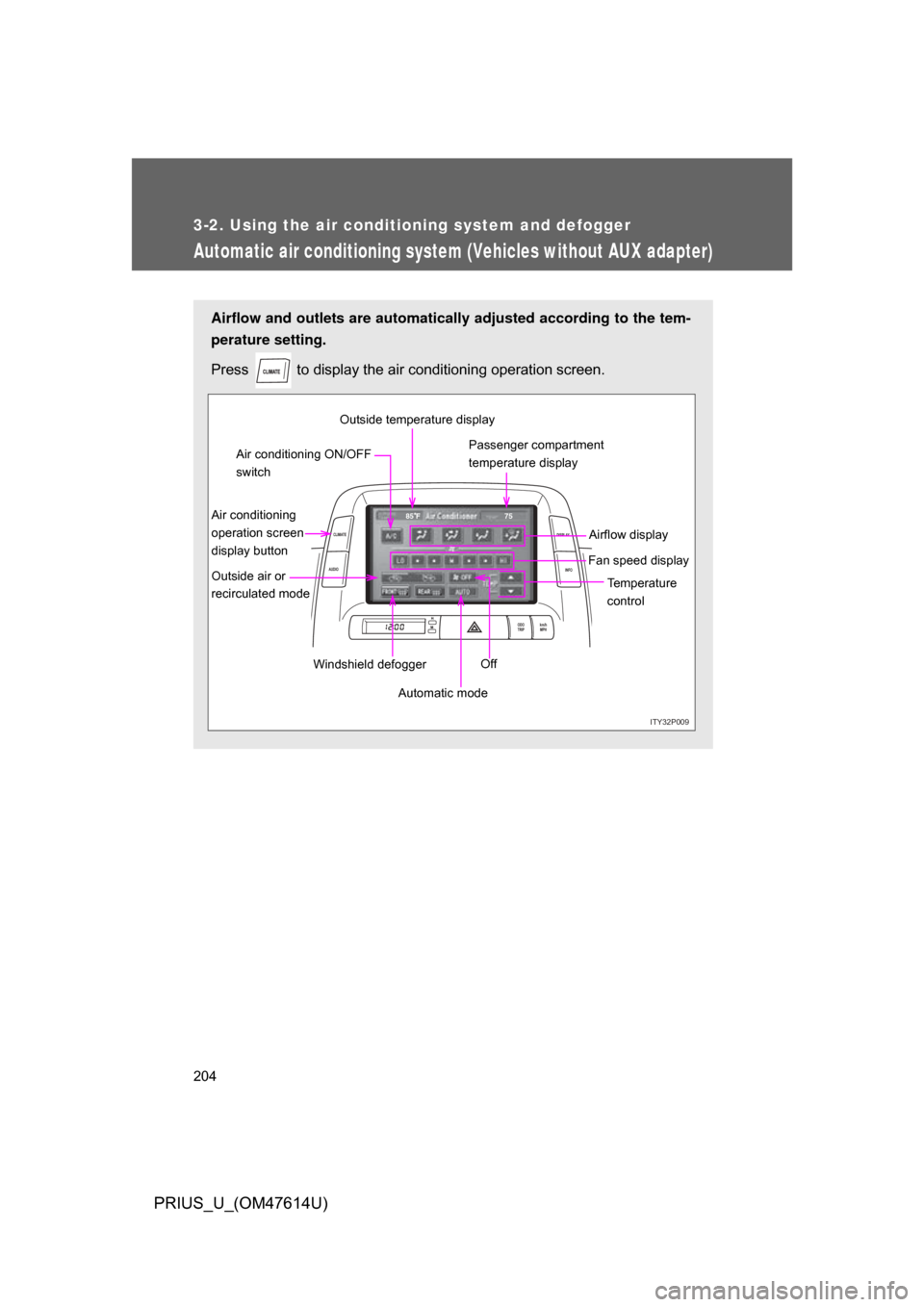
Airflow and outlets are automatically adjusted according to the tem-
perature setting.
Press
to display the air conditioning operation screen.
ITY32P009
ODO
TRIP km/h
MPH
INFO
DISPLAY
CLIMATE
AUDIO
75
85 F
Automatic mode Temperature
control
Fan speed display
Off Airflow display
Air conditioning
operation screen
display button Passenger compartment
temperature display
Air conditioning ON/OFF
switch
Outside air or
recirculated mode Windshield defoggerOutside temperature display
Page 212 of 508
212 3-2. Using the air conditioning system and defogger
PRIUS_U_(OM47614U)
Changing the recirculated air mode
Press . ( P. 2 0 1 208)
Using the windshield defogger mode
Press . ( P. 201, 208)
Using the rear window and outside rear view mirror defogger
mode
Press . ( 213)
CAUTION
■To reduce the risk of an accident
Exercise care when operating the audio switches on the steering wheel.
Page 215 of 508
215
3
Interior features
PRIUS_U_(OM47614U)
3-3. Using the audio system
Audio system type (Vehicle with AUX adapter)
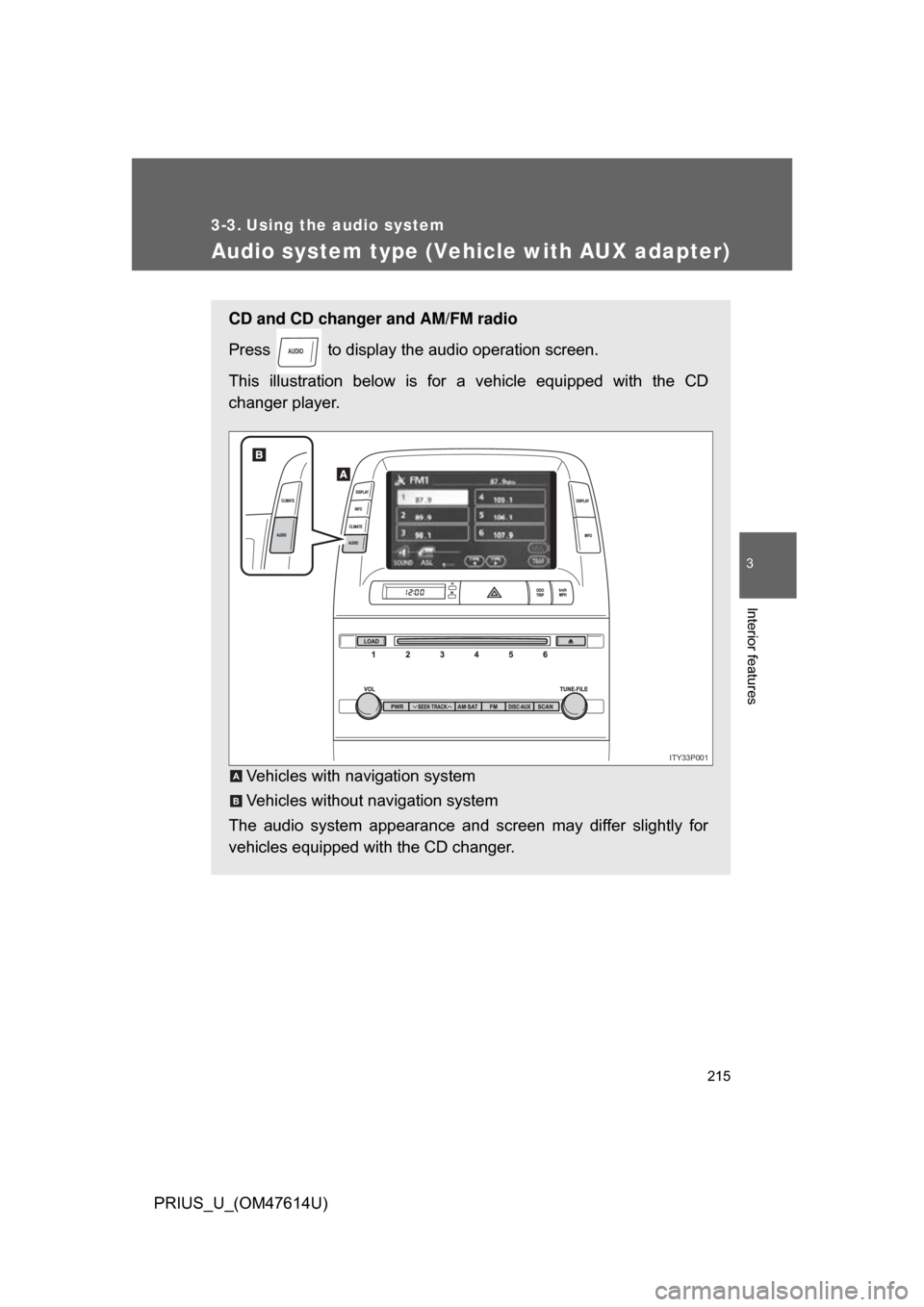
CD and CD changer and AM/FM radio
Press to display the audio operation screen.
This illustration below is for a vehicle equipped with the CD
changer player.
Vehicles with navigation system
Vehicles without navigation system
The audio system appearance and screen may differ slightly for
vehicles equipped with the CD changer.
AUDIO
ITY33P001
A
B
Page 216 of 508
216 3-3. Using the audio system
PRIUS_U_(OM47614U)
■Using cellular phones
Interference may be heard through the audio system’s speakers if a cellular
phone is being used inside or close to the vehicle while the audio system is
operating.
CD player:Plays audio CDs, CD text, MP3 discs and WMA discs.
TitlePage
Using the radioP. 221
Using the CD playerP. 235
Playing MP3 and WMA discsP. 250
Optimal use of the audio systemP. 259
Using the AUX adapterP. 265
Using the steering wheel switchesP. 266
Page 217 of 508
217
3-3. Using the audio system
3
Interior features
PRIUS_U_(OM47614U)
CAUTION
■
For vehicles sold in the U.S.A. and Canada
● Part 15 of the FCC Rules
FCC Warning:
Any unauthorized changes or modifications to this equipment will void the
user’s authority to operate this device.
● Laser products
• Do not take this unit apart or attempt to make any changes yourself.
This is an intricate unit that uses a laser pickup to retrieve information
from the surface of compact discs. The laser is carefully shielded so
that its rays remain inside the cabinet. Therefore, never try to disas-
semble the player or alter any of its parts since you may be exposed to
laser rays and dangerous voltages.
• This product utilizes a laser. Use of controls or adjustments or performance of procedures other
than those specified herein may result in hazardous radiation expo-
sure.
NOTICE
■To prevent 12 volt battery discharge
Do not leave the audio system on longer than necessary when the hybrid
system is not operating.
■ To avoid damaging the audio system
Take care not to spill drinks or other fluids over the audio system.
Page 218 of 508
218
3-3. Using the audio system
PRIUS_U_(OM47614U)
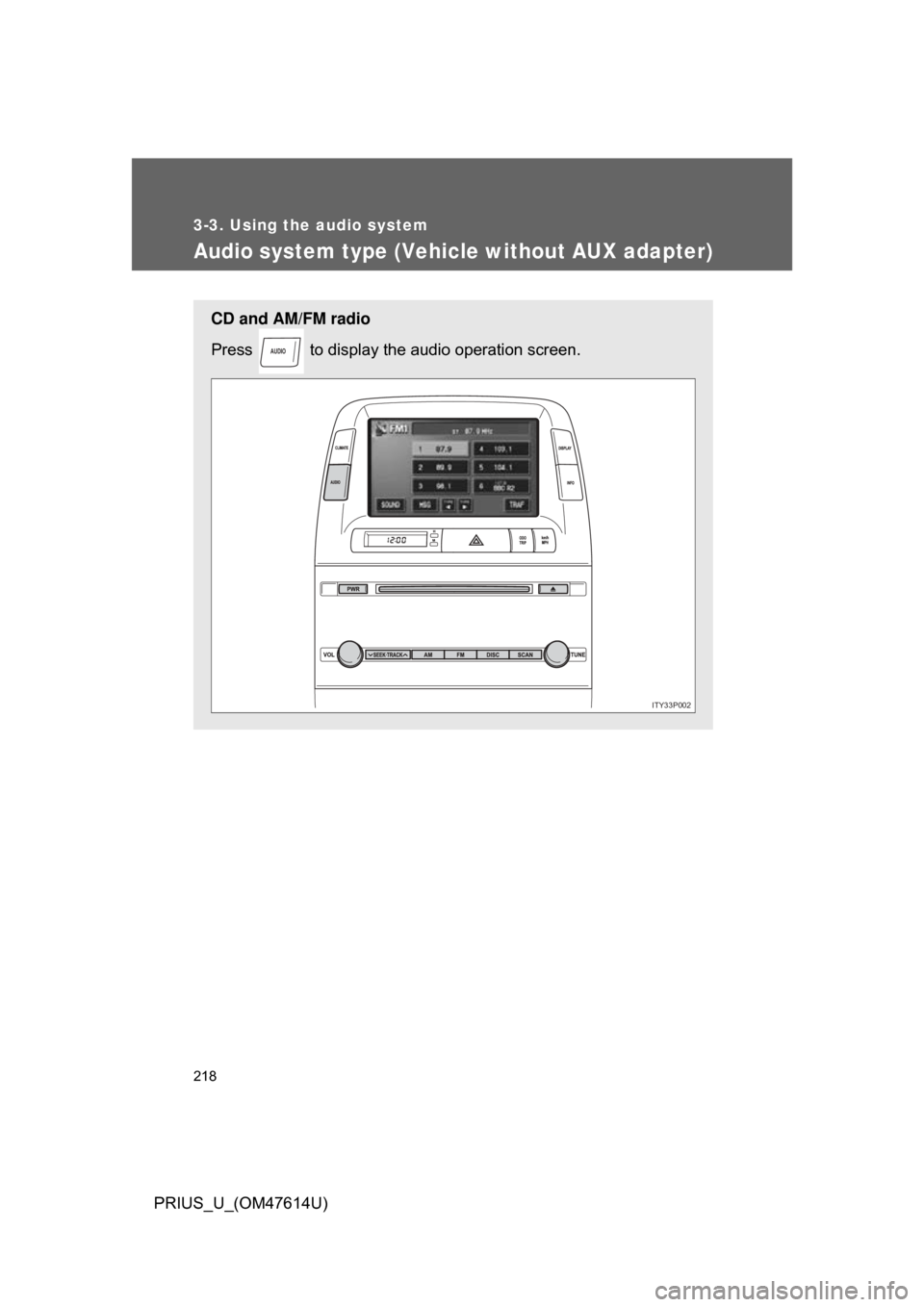
Audio system type (Vehicle without AUX adapter)
CD and AM/FM radio
Press to display the audio operation screen.
AUDIO
ITY33P002
Page 219 of 508
219
3-3. Using the audio system
3
Interior features
PRIUS_U_(OM47614U)
■
Using cellular phones
Interference may be heard through the audio system’s speakers if a cellular
phone is being used inside or close to the vehicle while the audio system is
operating.
CAUTION
■For vehicles sold in the U.S.A. and Canada
● Part 15 of the FCC Rules
FCC Warning:
Any unauthorized changes or modifications to this equipment will void the
user’s authority to operate this device.
● Laser products
• Do not take this unit apart or attempt to make any changes yourself.
This is an intricate unit that uses a laser pickup to retrieve information
from the surface of compact discs. The laser is carefully shielded so
that its rays remain inside the cabinet. Therefore, never try to disas-
semble the player or alter any of its parts since you may be exposed to
laser rays and dangerous voltages.
• This product utilizes a laser. Use of controls or adjustments or performance of procedures other
than those specified herein may result in hazardous radiation expo-
sure.
CD player:Plays audio CDs and CD text.
TitlePage
Using the radioP. 230
Using the CD playerP. 243
Optimal use of the audio systemP. 263
Using the steering wheel switchesP. 266
Page 220 of 508

220 3-3. Using the audio system
PRIUS_U_(OM47614U)
NOTICE
■To prevent 12 volt battery discharge
Do not leave the audio system on longer than necessary when the hybrid
system is not operating.
■ To avoid damaging the audio system
Take care not to spill drinks or other fluids over the audio system.
Page 221 of 508
221
3-3. Using the audio system
3
Interior features
PRIUS_U_(OM47614U)
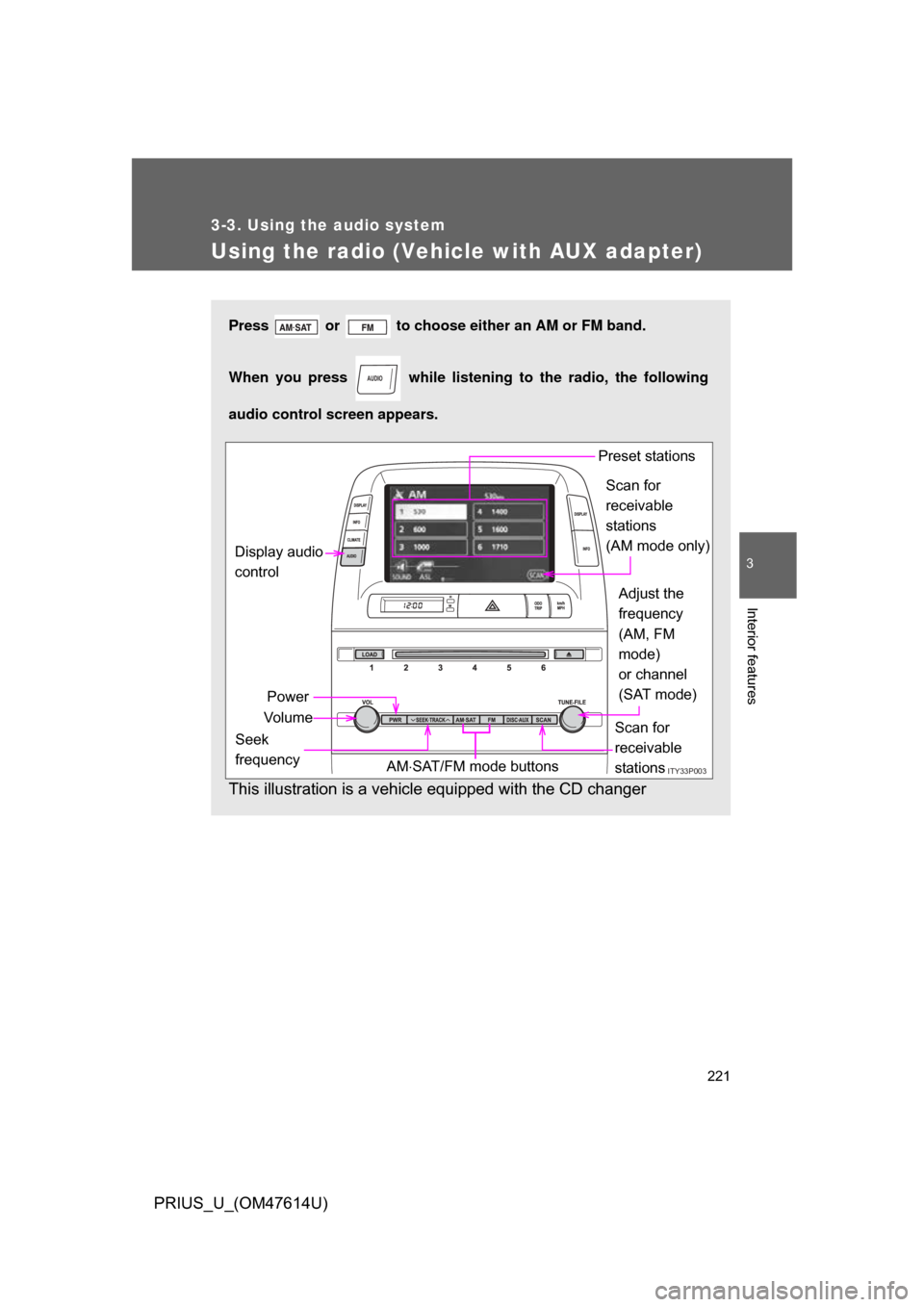
Using the radio (Vehicle with AUX adapter)
Press or to choose either an AM or FM band.
When you press while listening to the radio, the following
audio control screen appears.
This illustration is a vehicle equipped with the CD changer
AUDIO
ITY33P003
Display audio
control
Power
Vo l u m e Scan for
receivable
stations
Seek
frequency Adjust the
frequency
(AM, FM
mode)
or channel
(SAT mode)
AM SAT/FM mode buttons Preset stations
Scan for
receivable
stations
(AM mode only)
Page 222 of 508
222 3-3. Using the audio system
PRIUS_U_(OM47614U)
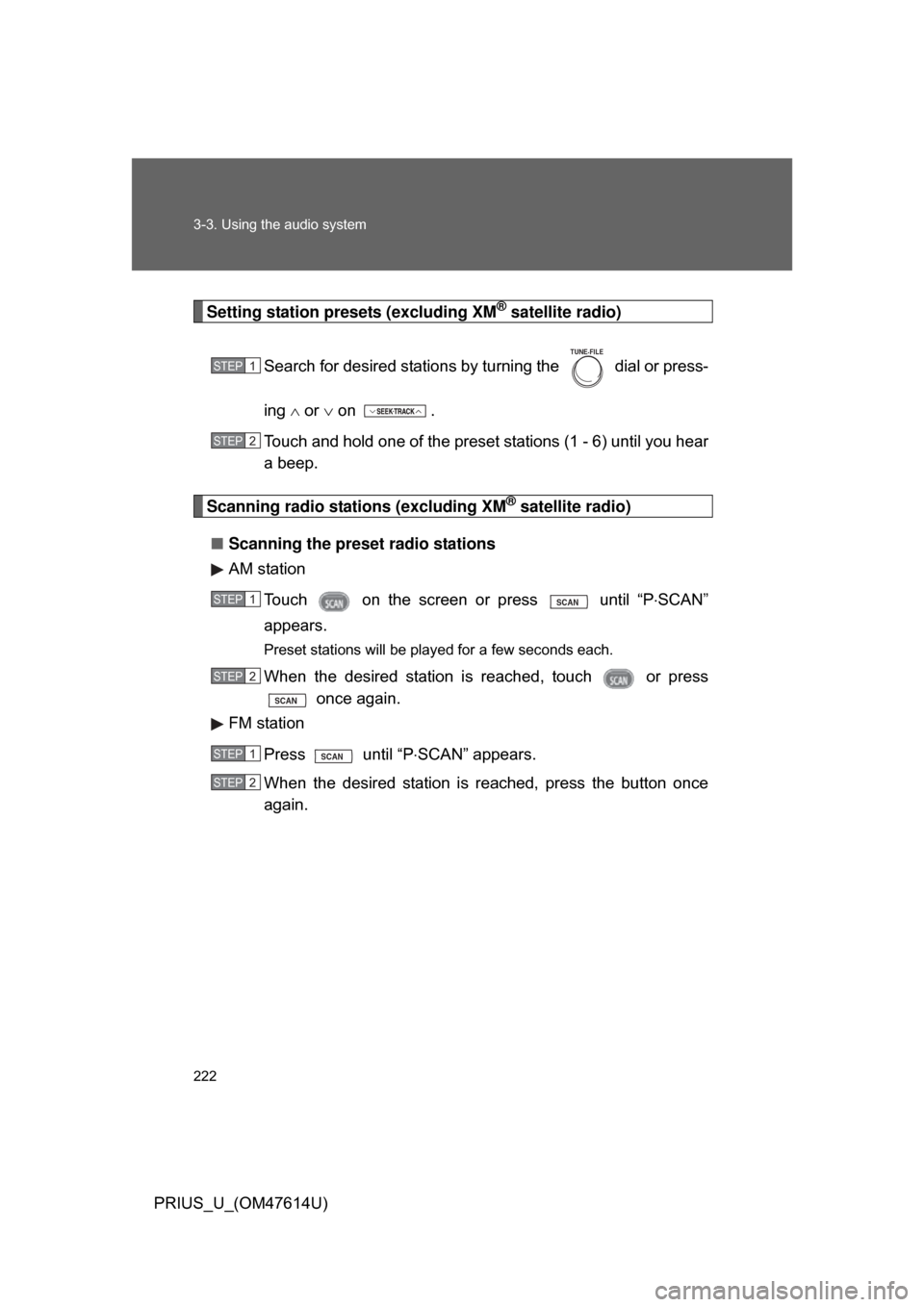
Setting station presets (excluding XM® satellite radio)
Search for desired stations by turning the
dial or press-
ing or on .
Touch and hold one of the preset stations (1 - 6) until you hear
a beep.
Scanning radio stations (excluding XM® satellite radio)
■ Scanning the preset radio stations
AM station
Touch on the screen or press
until “P SCAN”
appears.
Preset stations will be played for a few seconds each.
When the desired station is reached, touch or press once again.
FM station
Press until “P SCAN” appears.
When the desired station is reached, press the button once
again.
STEP1
TUNE FILE
STEP2
STEP1SCAN
STEP2
SCAN
STEP1SCAN
STEP2