TOYOTA PRIUS 2009 2.G User Guide
PRIUS 2009 2.G
TOYOTA
TOYOTA
https://www.carmanualsonline.info/img/14/6586/w960_6586-0.png
TOYOTA PRIUS 2009 2.G User Guide
Page 204 of 508
204
3-2. Using the air conditioning system and defogger
PRIUS_U_(OM47614U)
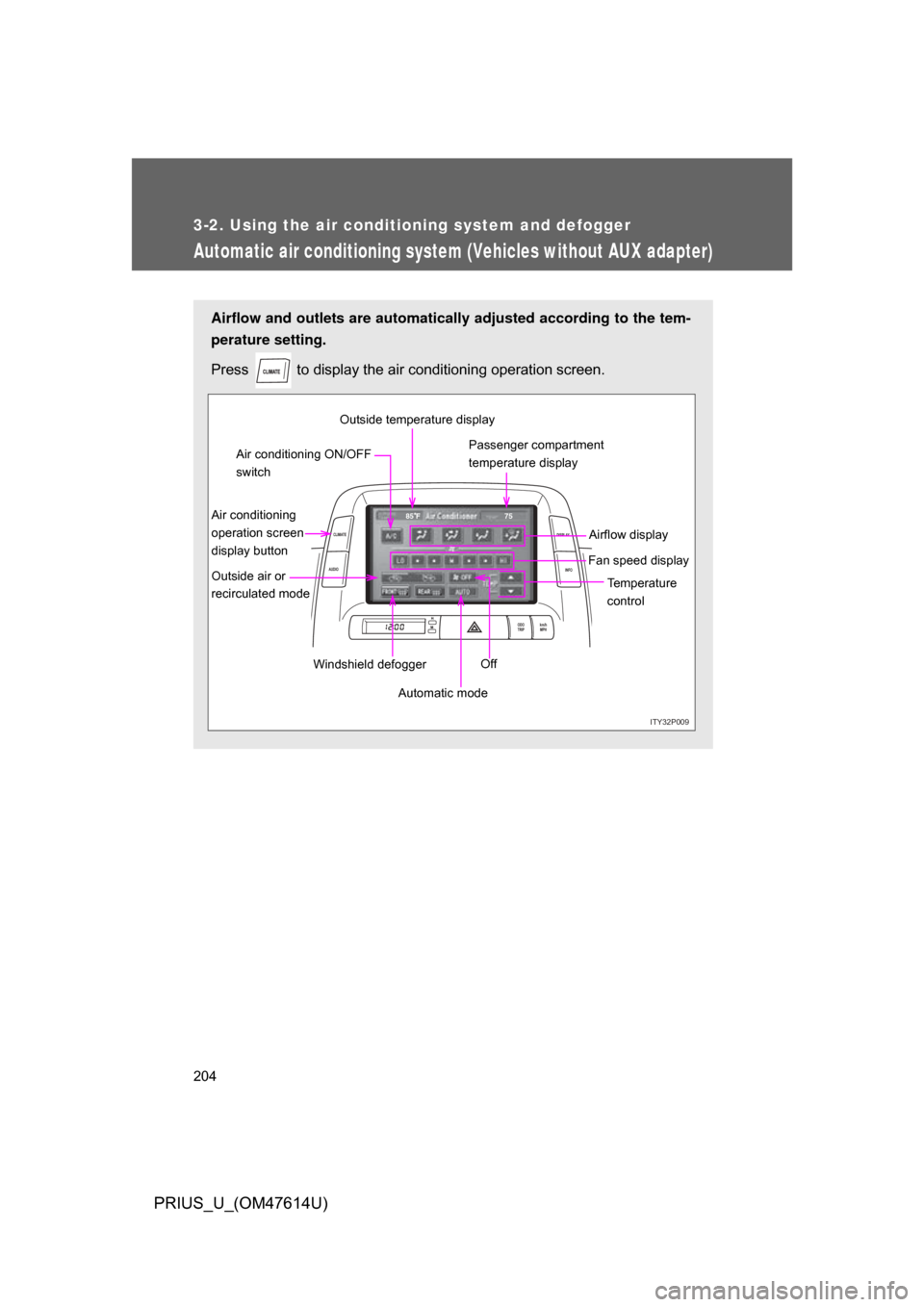
Automatic air conditioning system (Vehicles without AUX adapter)
Airflow and outlets are automatically adjusted according to the tem-
perature setting.
Press
to display the air conditioning operation screen.
ITY32P009
ODO
TRIP km/h
MPH
INFO
DISPLAY
CLIMATE
AUDIO
75
85 F
Automatic mode Temperature
control
Fan speed display
Off Airflow display
Air conditioning
operation screen
display button Passenger compartment
temperature display
Air conditioning ON/OFF
switch
Outside air or
recirculated mode Windshield defoggerOutside temperature display
Page 215 of 508
215
3
Interior features
PRIUS_U_(OM47614U)
3-3. Using the audio system
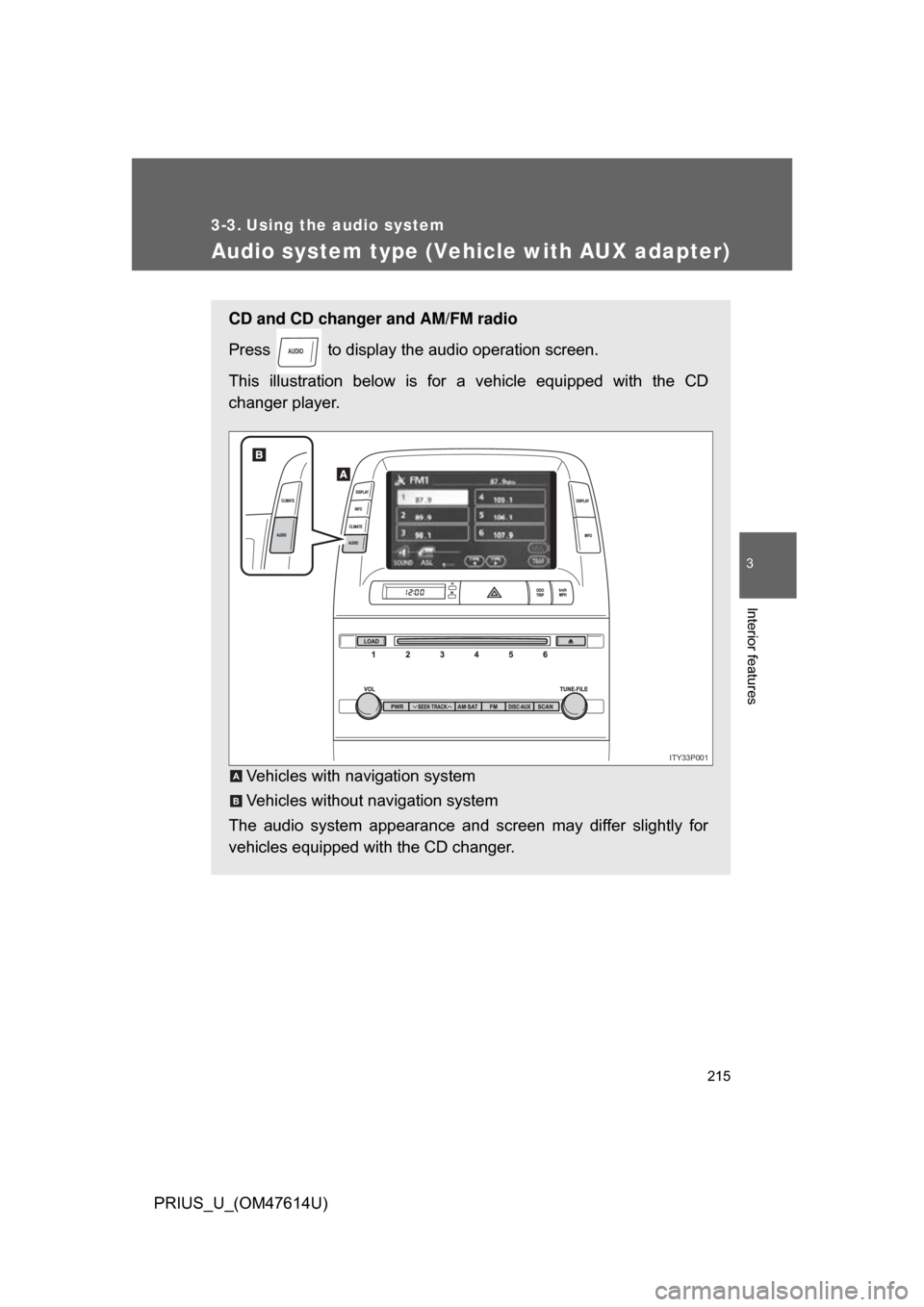
Audio system type (Vehicle with AUX adapter)
CD and CD changer and AM/FM radio
Press to display the audio operation screen.
This illustration below is for a vehicle equipped with the CD
changer player.
Vehicles with navigation system
Vehicles without navigation system
The audio system appearance and screen may differ slightly for
vehicles equipped with the CD changer.
AUDIO
ITY33P001
A
B
Page 216 of 508
216 3-3. Using the audio system
PRIUS_U_(OM47614U)
■Using cellular phones
Interference may be heard through the audio system’s speakers if a cellular
phone is being used inside or close to the vehicle while the audio system is
operating.
CD player:Plays audio CDs, CD text, MP3 discs and WMA discs.
TitlePage
Using the radioP. 221
Using the CD playerP. 235
Playing MP3 and WMA discsP. 250
Optimal use of the audio systemP. 259
Using the AUX adapterP. 265
Using the steering wheel switchesP. 266
Page 218 of 508
218
3-3. Using the audio system
PRIUS_U_(OM47614U)
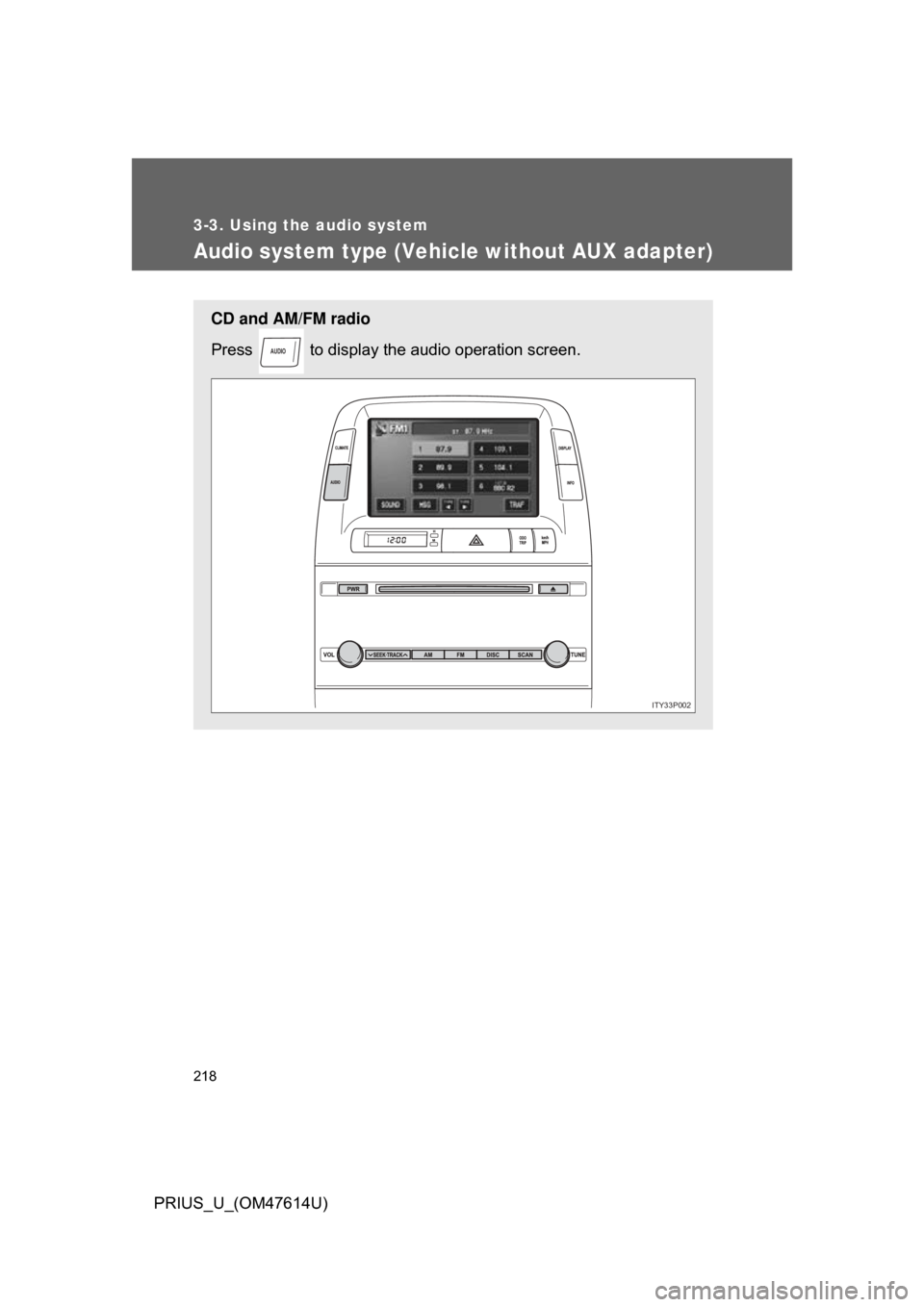
Audio system type (Vehicle without AUX adapter)
CD and AM/FM radio
Press to display the audio operation screen.
AUDIO
ITY33P002
Page 221 of 508
221
3-3. Using the audio system
3
Interior features
PRIUS_U_(OM47614U)
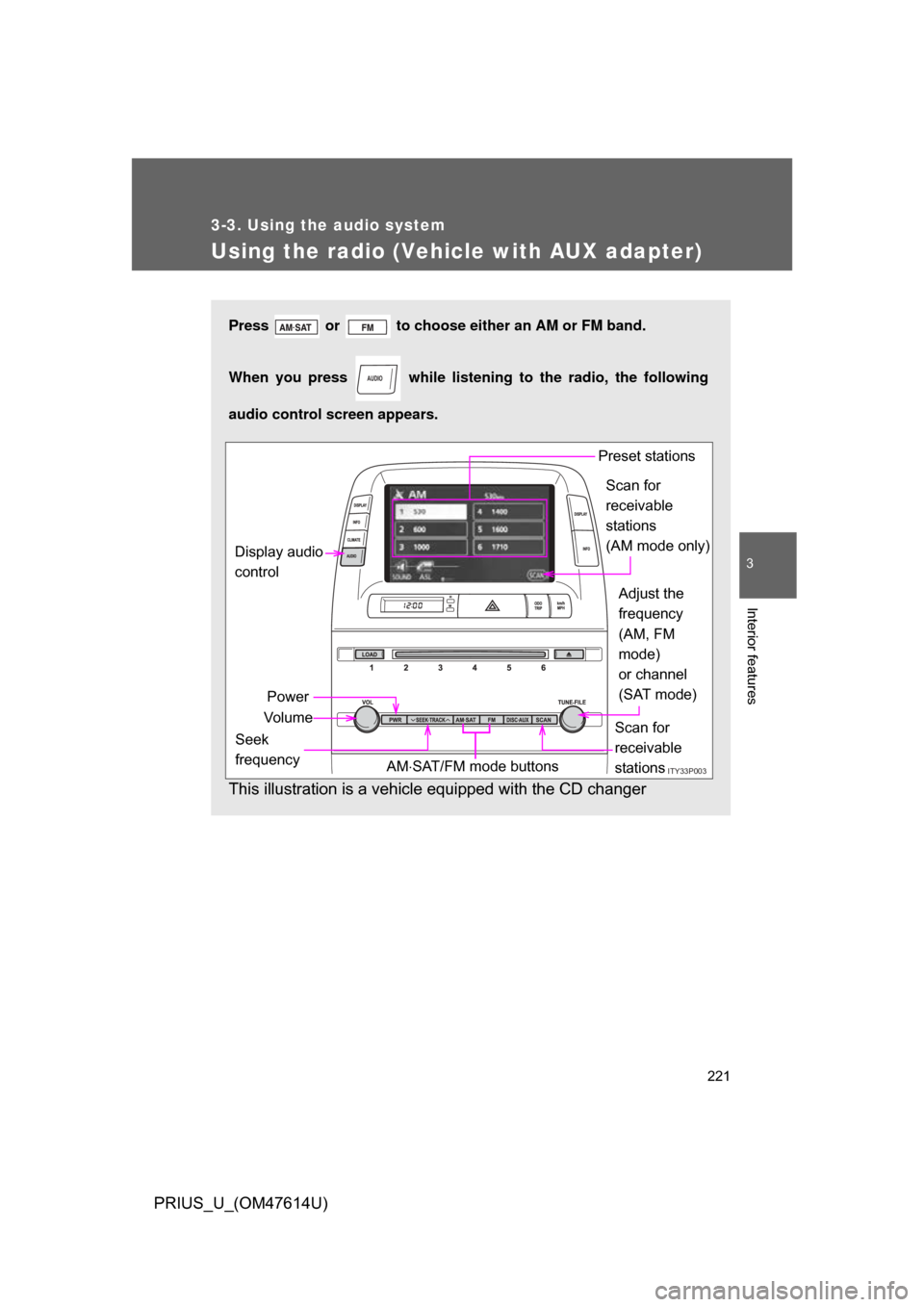
Using the radio (Vehicle with AUX adapter)
Press or to choose either an AM or FM band.
When you press while listening to the radio, the following
audio control screen appears.
This illustration is a vehicle equipped with the CD changer
AUDIO
ITY33P003
Display audio
control
Power
Vo l u m e Scan for
receivable
stations
Seek
frequency Adjust the
frequency
(AM, FM
mode)
or channel
(SAT mode)
AM SAT/FM mode buttons Preset stations
Scan for
receivable
stations
(AM mode only)
Page 230 of 508
230
3-3. Using the audio system
PRIUS_U_(OM47614U)
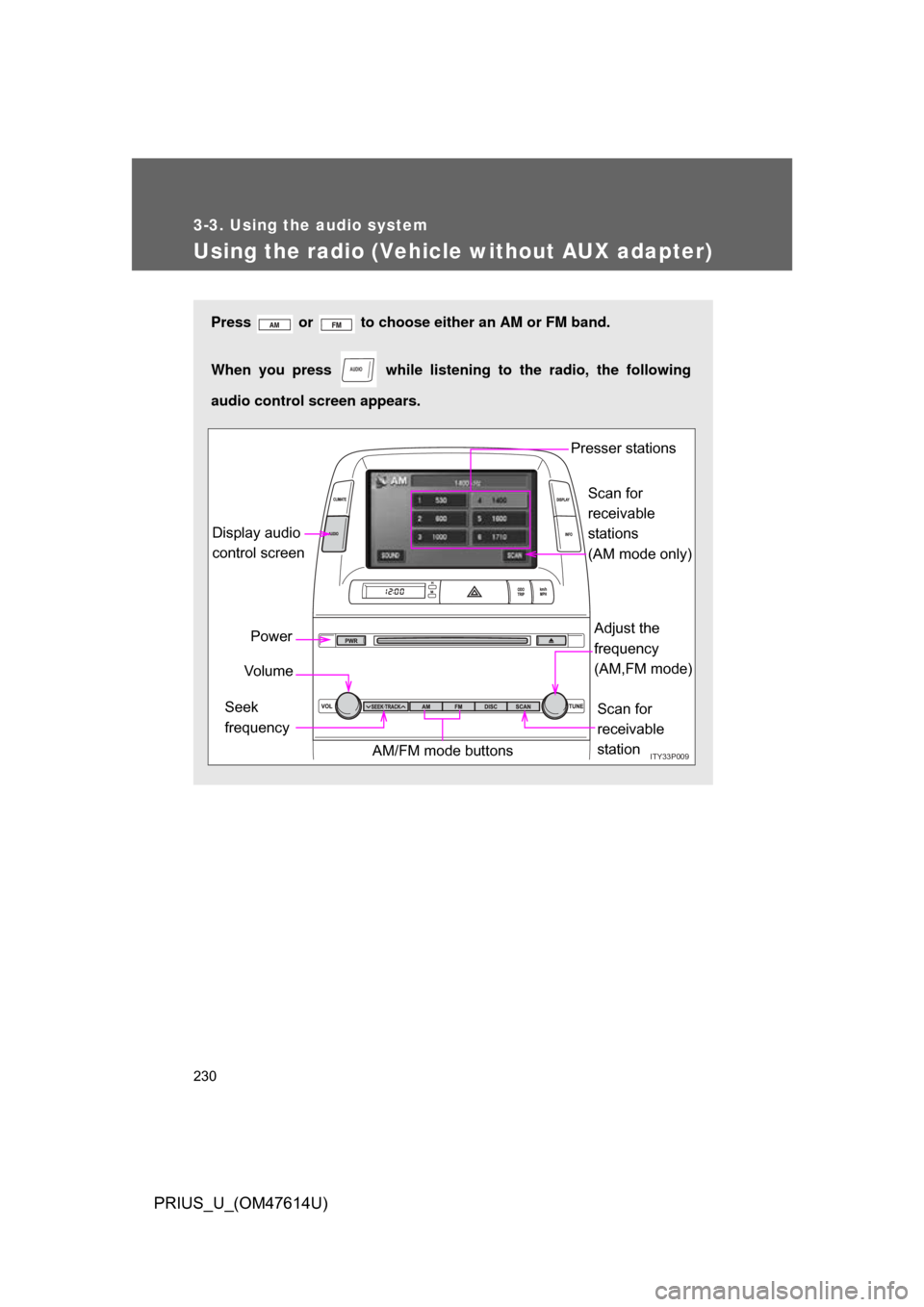
Using the radio (Vehicle without AUX adapter)
Press or to choose either an AM or FM band.
When you press while listening to the radio, the following
audio control screen appears.
AUDIO
ITY33P009
Display audio
control screen
Power
Vo l u m e
Scan for
receivable
station
Seek
frequency Adjust the
frequency
(AM,FM mode)
AM/FM mode buttons Presser stations
Scan for
receivable
stations
(AM mode only)
Page 235 of 508
235
3-3. Using the audio system
3
Interior features
PRIUS_U_(OM47614U)
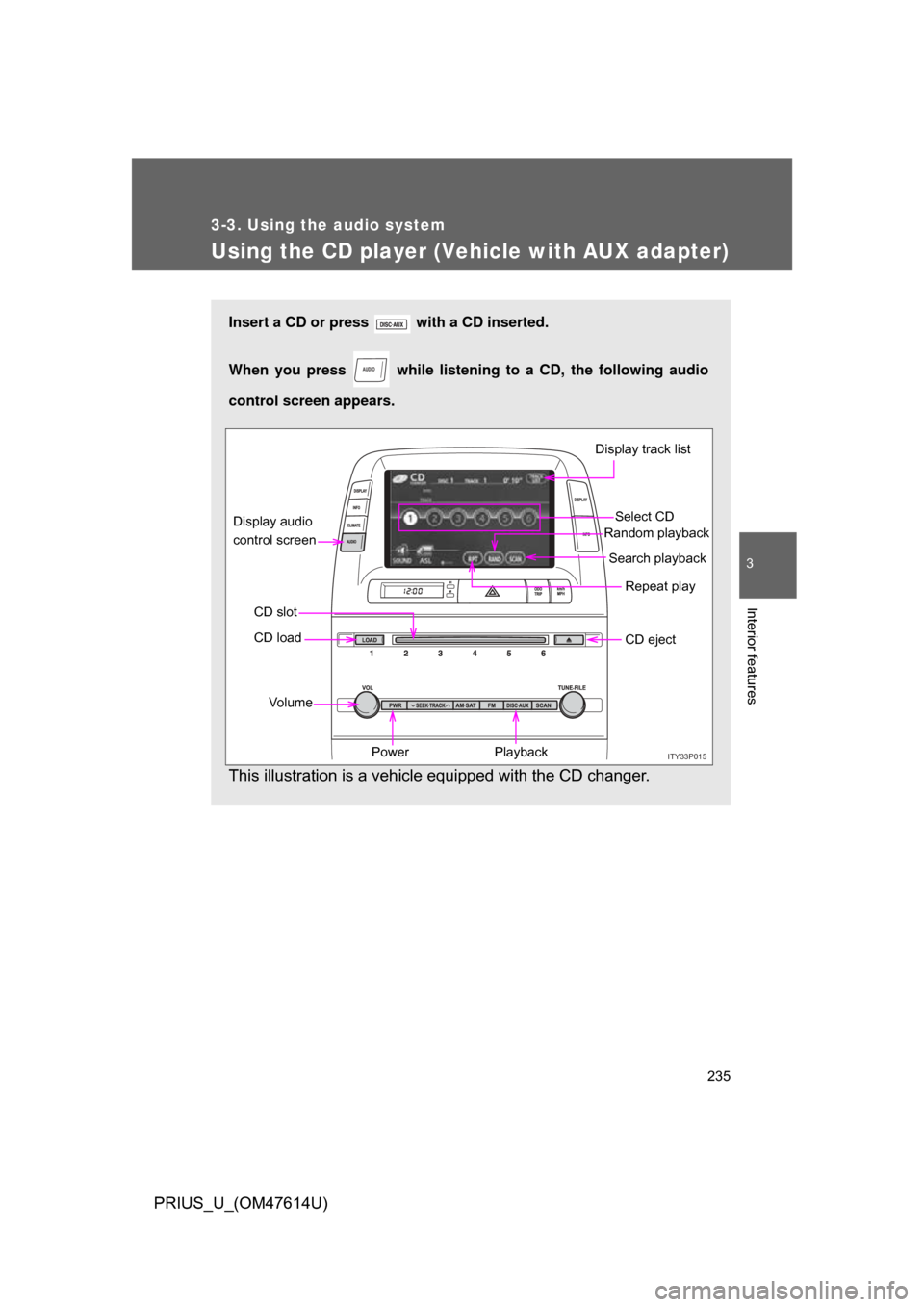
Using the CD player (Vehicle with AUX adapter)
Insert a CD or press with a CD inserted.
When you press while listening to a CD, the following audio
control screen appears.
This illustration is a vehicle equipped with the CD changer.
AUDIO
ITY33P015
Select CD
Display track list
Search playback
CD slot Random playback
Repeat play
Power
Vo l u m e CD eject
Playback
CD load
Display audio
control screen
Page 243 of 508
243
3-3. Using the audio system
3
Interior features
PRIUS_U_(OM47614U)
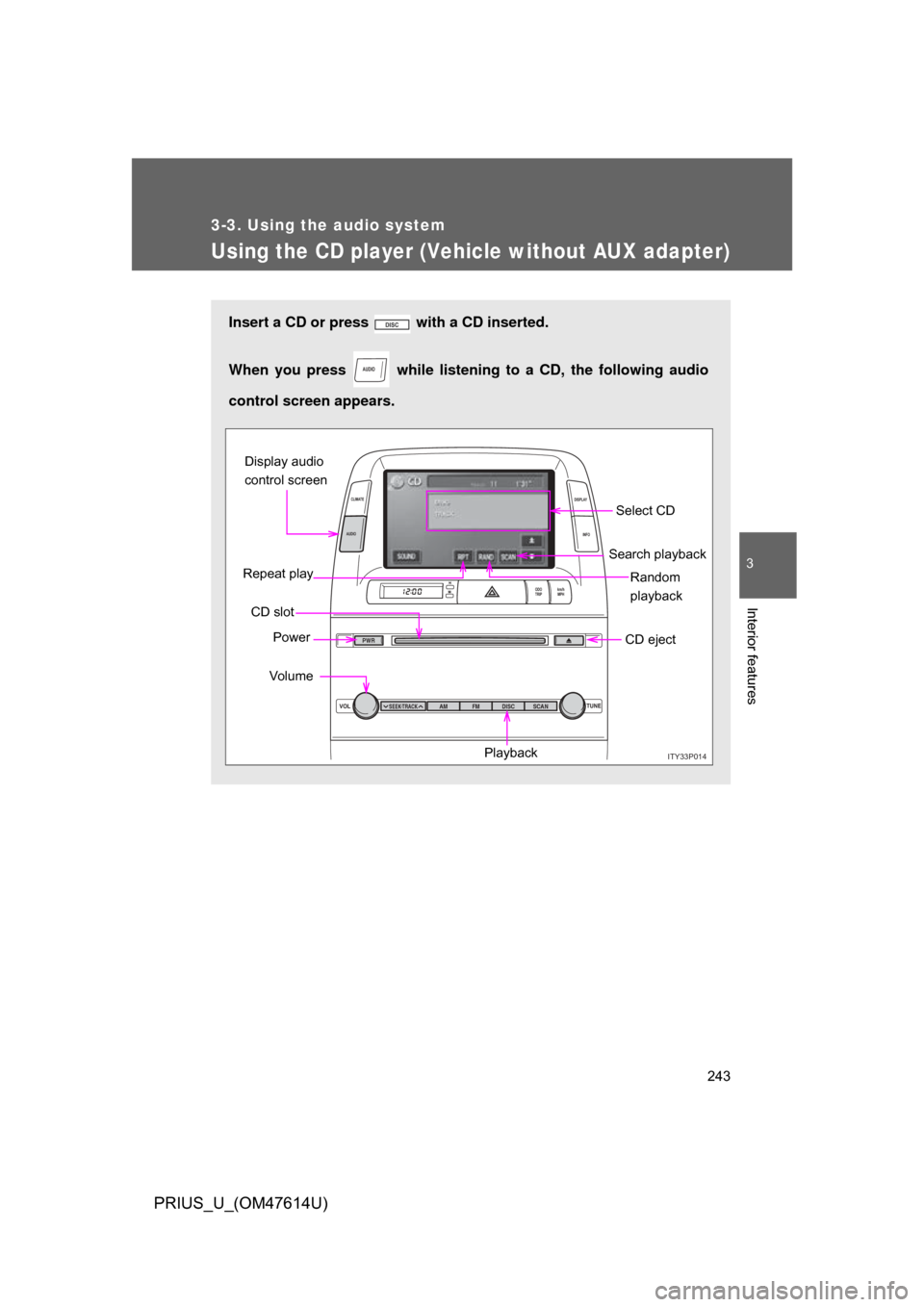
Using the CD player (Vehicle without AUX adapter)
Insert a CD or press with a CD inserted.
When you press while listening to a CD, the following audio
control screen appears.
AUDIO
ITY33P014
VOL TUNE
ODO
TRIP km/h
MPH
INFO
DISPLAY
CLIMATE
AUDIO
SEEK TRACKAM
PWR
FM DISC SCAN
Select CD
Search playback
CD slot Random
playback
Repeat play
Power
Vo lu m e CD eject
Playback
Display audio
control screen
Page 259 of 508
259
3-3. Using the audio system
3
Interior features
PRIUS_U_(OM47614U)
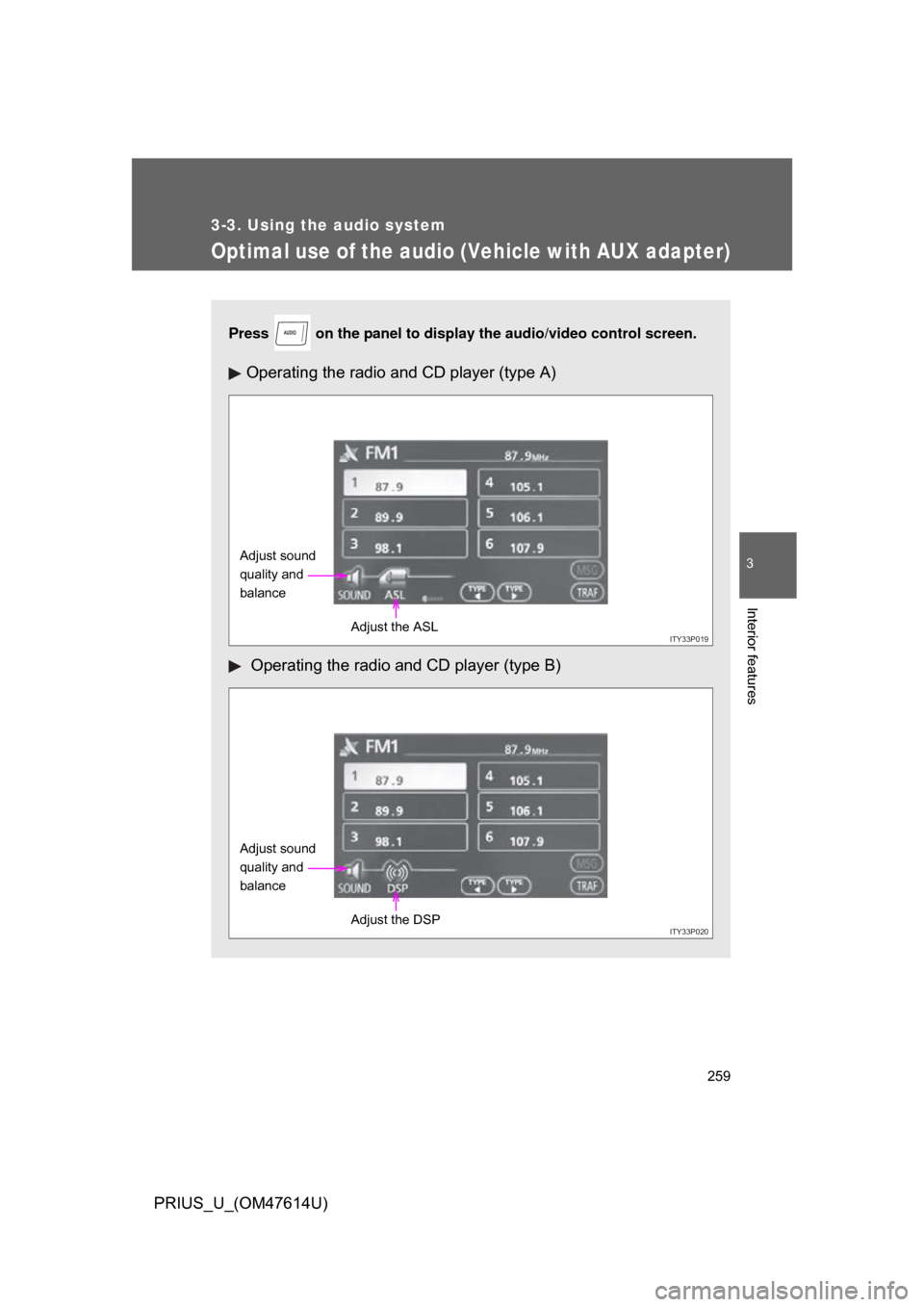
Optimal use of the audio (Vehicle with AUX adapter)
Press on the panel to display the audio/video control screen.
Operating the radio and CD player (type A)
Operating the radio and CD player (type B)
AUDIO
ITY33P019
Adjust sound
quality and
balance
Adjust the ASL
ITY33P020
Adjust sound
quality and
balanceAdjust the DSP
Page 263 of 508
263
3-3. Using the audio system
3
Interior features
PRIUS_U_(OM47614U)
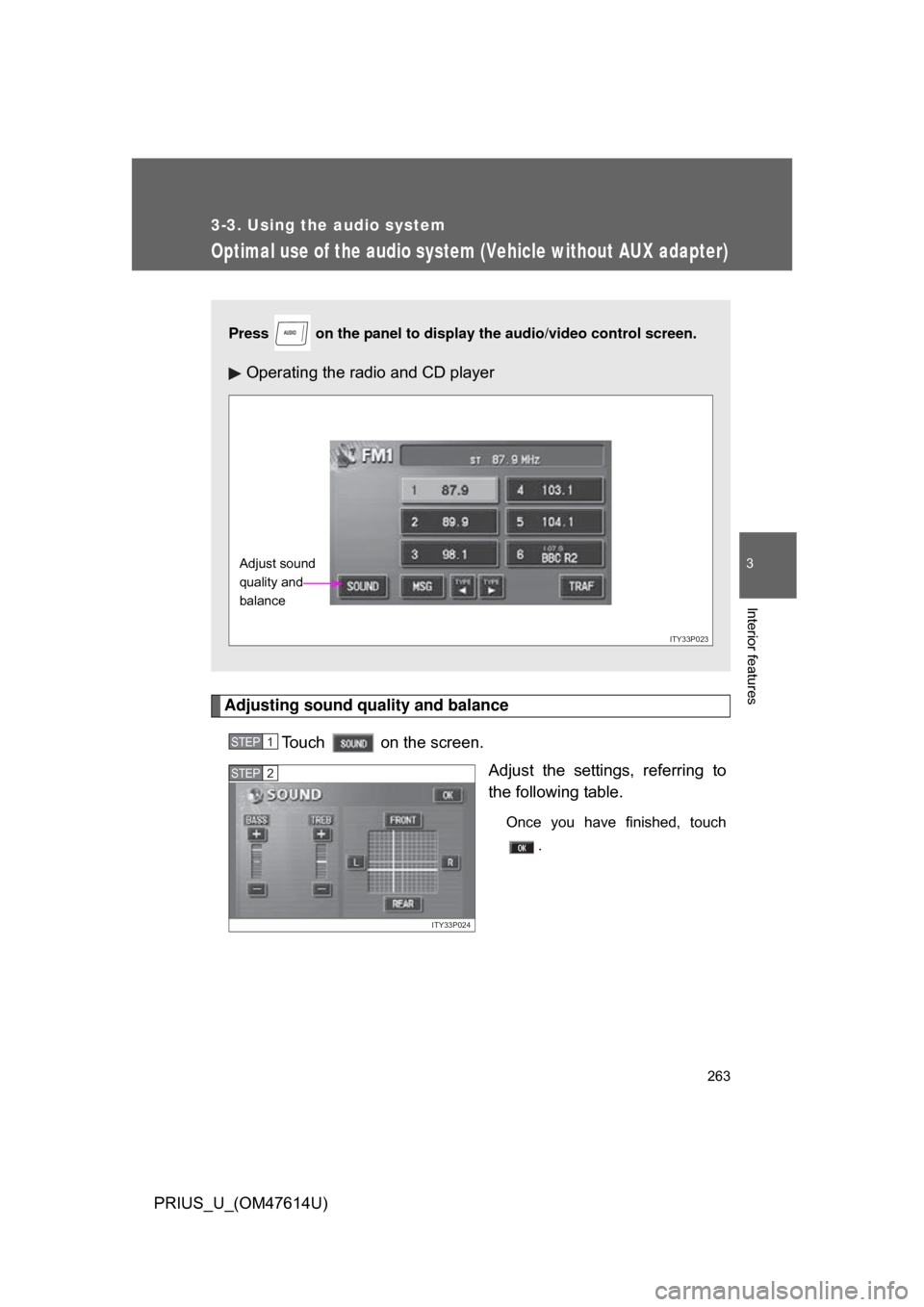
Optimal use of the audio system (Vehicle without AUX adapter)
Adjusting sound quality and balanceTouch on the screen. Adjust the settings, referring to
the following table.
Once you have finished, touch.
Press on the panel to display the audio/video control screen.
Operating the radio and CD player
AUDIO
ITY33P023
Adjust sound
quality and
balance
STEP1
ITY33P024
STEP2