display TOYOTA PRIUS 2009 2.G Repair Manual
[x] Cancel search | Manufacturer: TOYOTA, Model Year: 2009, Model line: PRIUS, Model: TOYOTA PRIUS 2009 2.GPages: 508, PDF Size: 6.84 MB
Page 293 of 508
293
3-4. Using the hands-free
system (for cellular phone)
3
Interior features
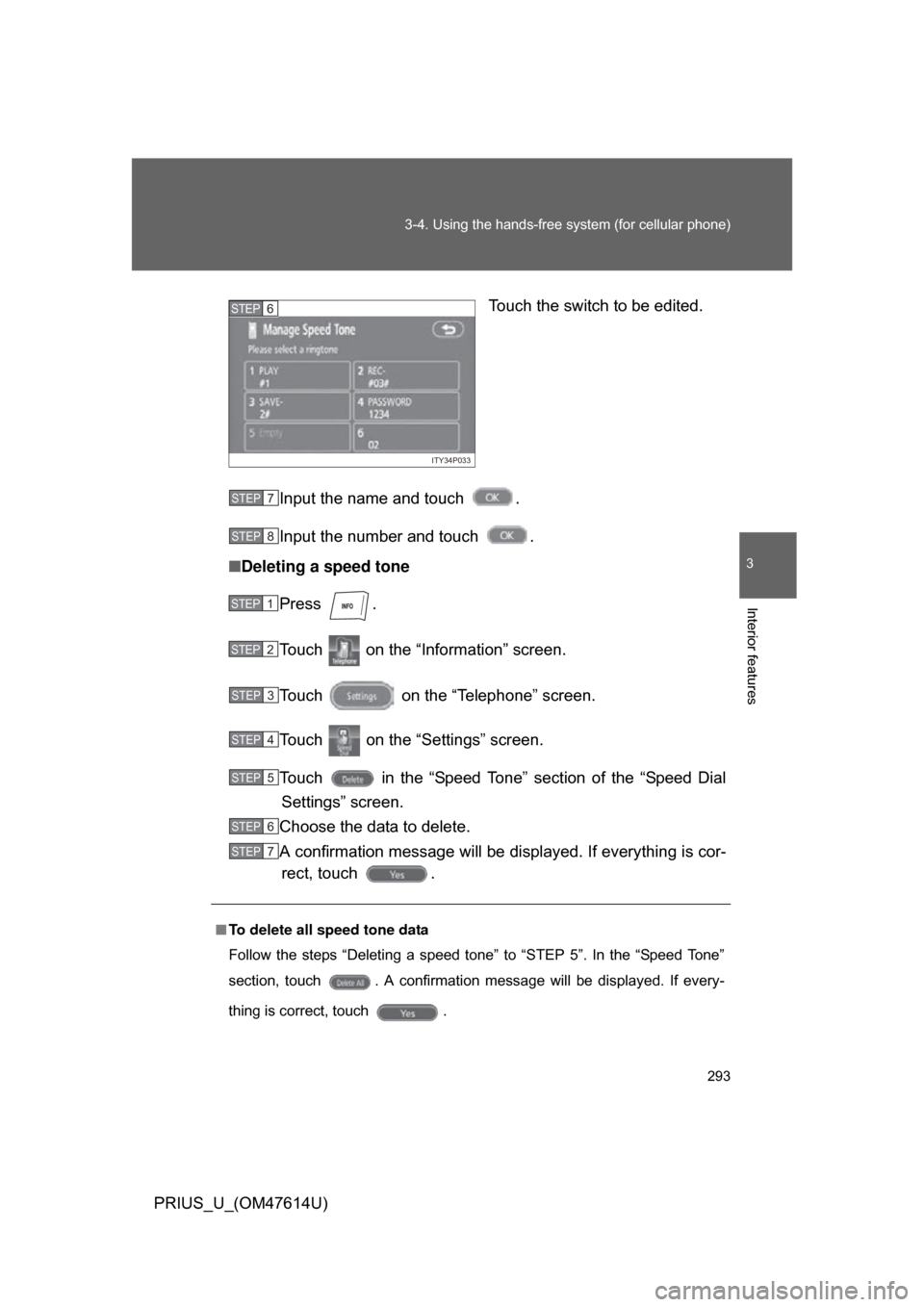
PRIUS_U_(OM47614U) Touch the switch to be edited.
Input the name and touch .
Input the number and touch .
■ Deleting a speed tone
Press .
Touch on the “Information” screen.
Touch on the “Telephone” screen.
Touch on the “Settings” screen.
Touch in the “Speed Tone” section of the “Speed DialSettings” screen.
Choose the data to delete.
A confirmation message will be di splayed. If everything is cor-
rect, touch .
ITY34P033
STEP6
■ To delete all speed tone data
Follow the steps “Deleting a speed tone” to “STEP 5”. In the “Speed Tone”
section, touch . A confirmation message will be displayed. If every-
thing is correct, touch .
STEP7
STEP8
STEP1
STEP2
STEP3
STEP4
STEP5
STEP6
STEP7
Page 295 of 508
295
3-4. Using the hands-free
system (for cellular phone)
3
Interior features
PRIUS_U_(OM47614U)
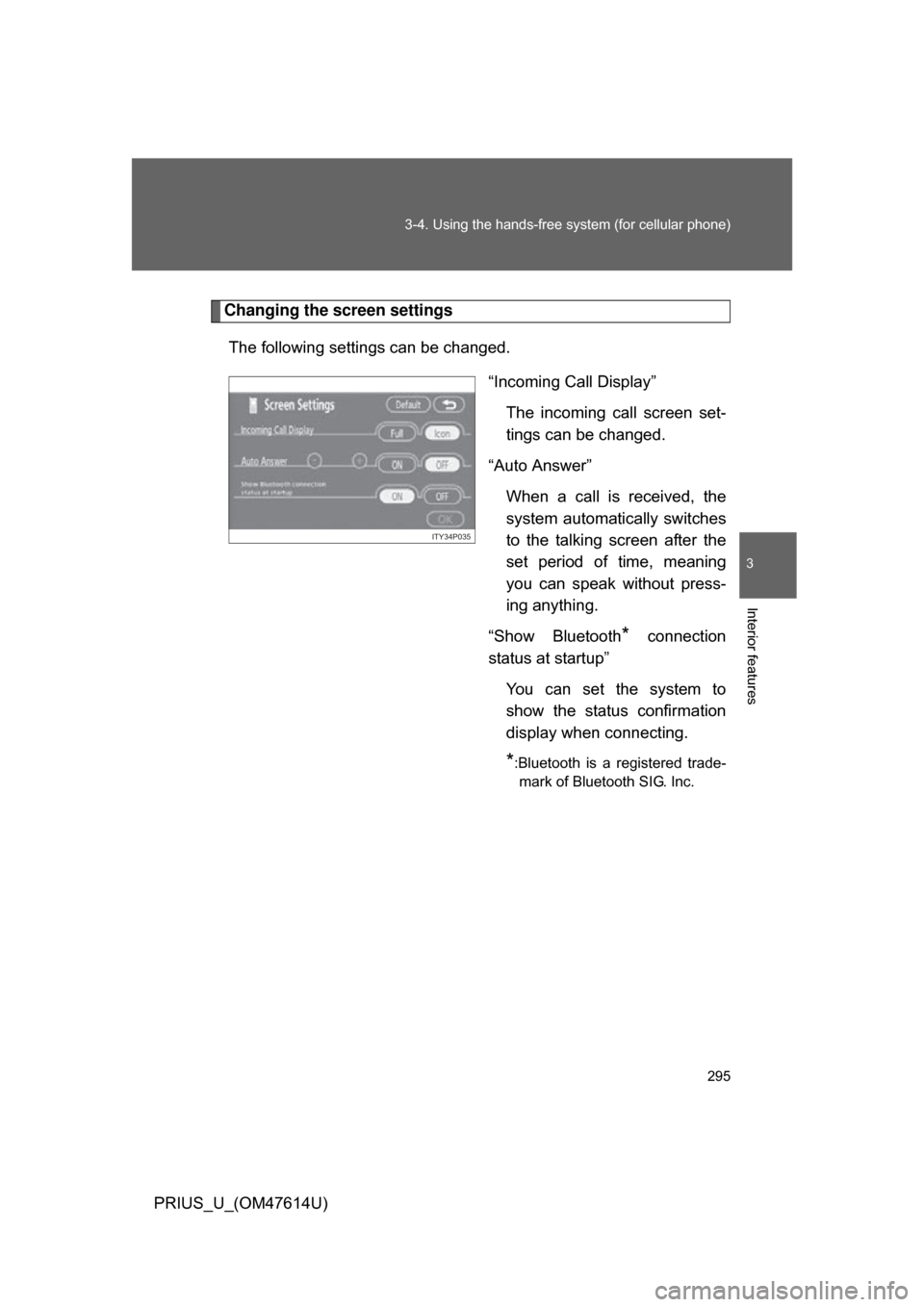
Changing the screen settings
The following settings can be changed. “Incoming Call Display”The incoming call screen set-
tings can be changed.
“Auto Answer” When a call is received, the
system automatically switches
to the talking screen after the
set period of time, meaning
you can speak without press-
ing anything.
“Show Bluetooth
* connection
status at startup”
You can set the system to
show the status confirmation
display when connecting.
*:Bluetooth is a registered trade-mark of Bluetooth SIG. Inc.
ITY34P035
Page 296 of 508
296 3-4. Using the hands-free system (for cellular phone)
PRIUS_U_(OM47614U)■
“Incoming Call Display” settings
Press .
Touch on the “Inf ormation” screen.
Touch on the “Telephone” screen.
Touch on the “Settings” screen.
Select the desired switch. :The hands-free screen is displayed when a call isreceived, and you can operate the system from that
screen.
:A message is displayed at the top of the screen, and
you can only operate the system with the steering
switches.
■ “Auto Answer” settings
Press .
Touch on the “Inf ormation” screen.
Touch on the “Telephone” screen.
Touch on the “Settings” screen.
Touch in the “Auto Answer” section of the “Screen Set- tings” screen.
Set the wait time using and . (1 - 60 seconds)
STEP1
STEP2
STEP3
STEP4
STEP5
STEP1
STEP2
STEP3
STEP4
STEP5
STEP6
Page 299 of 508
299
3-4. Using the hands-free
system (for cellular phone)
3
Interior features
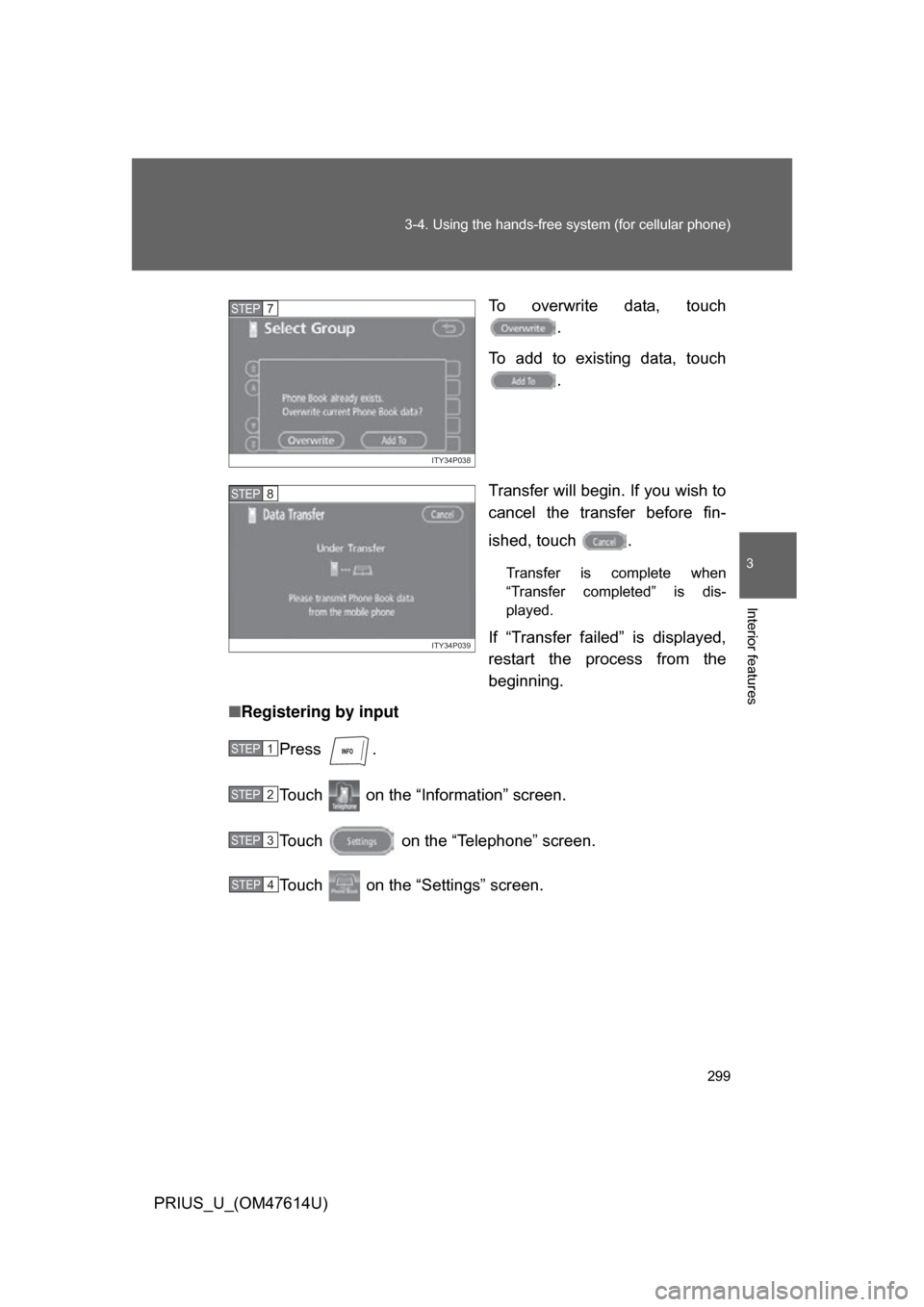
PRIUS_U_(OM47614U) To overwrite data, touch
.
To add to existing data, touch .
Transfer will begin. If you wish to
cancel the transfer before fin-
ished, touch .
Transfer is complete when
“Transfer completed” is dis-
played.
If “Transfer failed” is displayed,
restart the process from the
beginning.
■ Registering by input
Press .
Touch on the “Information” screen.
Touch on the “Telephone” screen.
Touch on the “Settings” screen.
ITY34P038
STEP7
ITY34P039
STEP8
STEP1
STEP2
STEP3
STEP4
Page 305 of 508
305
3-4. Using the hands-free
system (for cellular phone)
3
Interior features
PRIUS_U_(OM47614U)
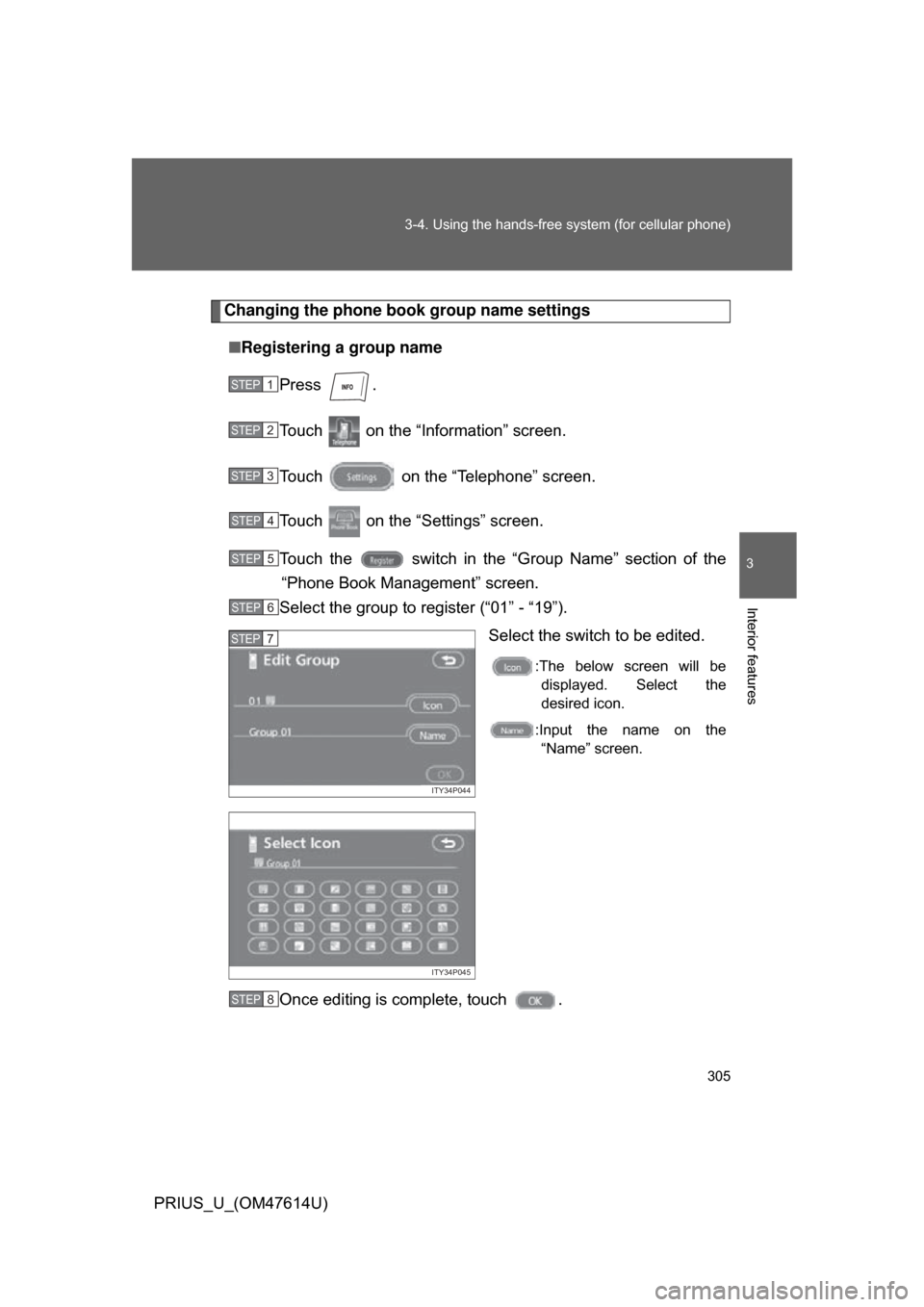
Changing the phone book group name settings
■ Registering a group name
Press .
Touch on the “Information” screen.
Touch on the “Telephone” screen.
Touch on the “Settings” screen.
Touch the switch in the “G roup Name” section of the
“Phone Book Management” screen.
Select the group to register (“01” - “19”).
Select the switch to be edited.
:The below screen will bedisplayed. Select the
desired icon.
:Input the name on the “Name” screen.
Once editing is complete, touch .
STEP1
STEP2
STEP3
STEP4
STEP5
STEP6
ITY34P044
STEP7
ITY34P045
STEP8
Page 306 of 508
306 3-4. Using the hands-free system (for cellular phone)
PRIUS_U_(OM47614U)■
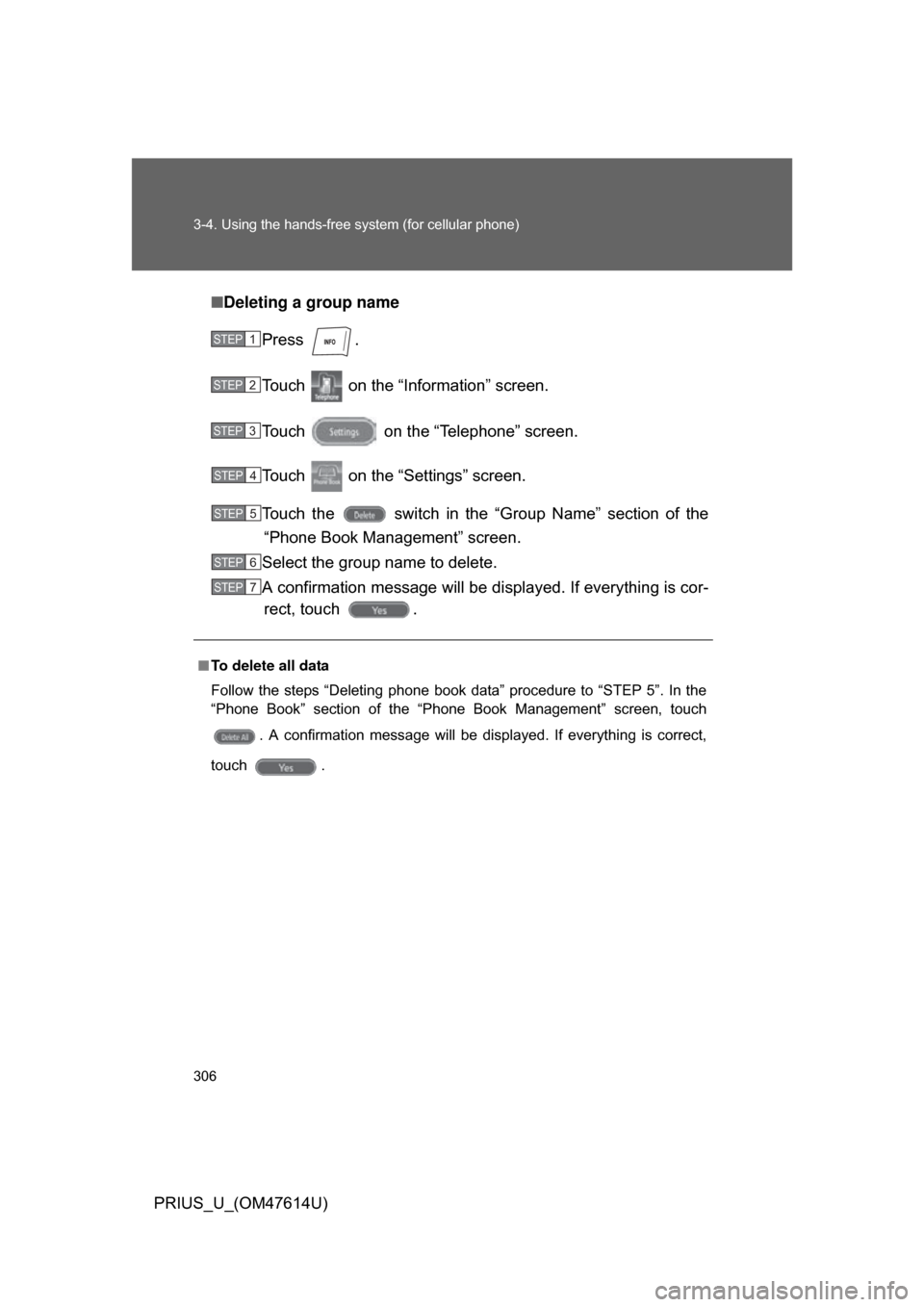
Deleting a group name
Press .
Touch on the “Inf ormation” screen.
Touch on the “Telephone” screen.
Touch on the “Settings” screen.
Touch the switch in the “G roup Name” section of the
“Phone Book Management” screen.
Select the group name to delete.
A confirmation message will be di splayed. If everything is cor-
rect, touch .
■ To delete all data
Follow the steps “Deleting phone book data” procedure to “STEP 5”. In the
“Phone Book” section of the “Phone Book Management” screen, touch
. A confirmation message will be displayed. If everything is correct,
touch .
STEP1
STEP2
STEP3
STEP4
STEP5
STEP6
STEP7
Page 310 of 508
310 3-4. Using the hands-free system (for cellular phone)
PRIUS_U_(OM47614U)■
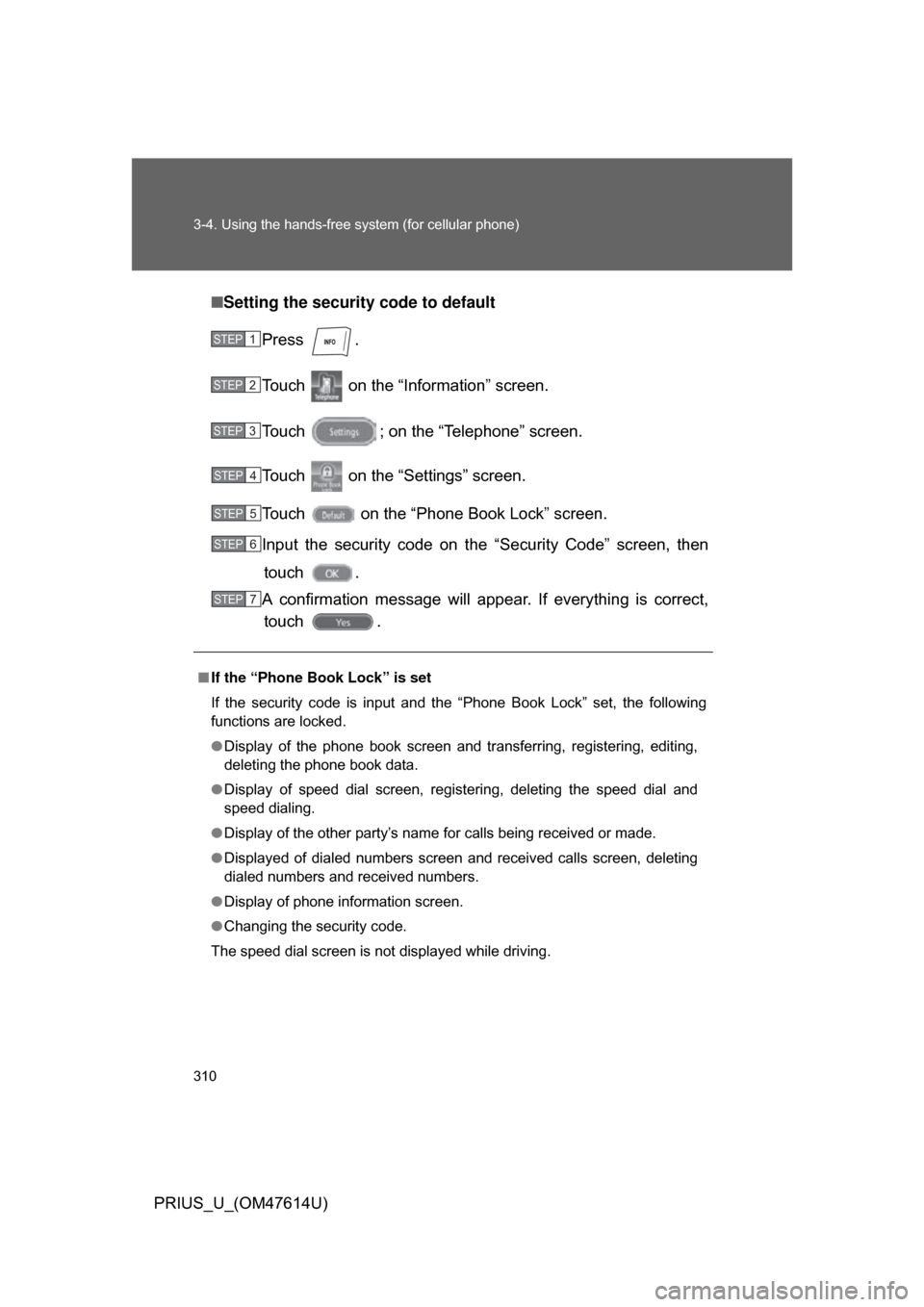
Setting the security code to default
Press .
Touch on the “Inf ormation” screen.
Touch ; on the “Telephone” screen.
Touch on the “Settings” screen.
Touch on the “Phone Book Lock” screen.
Input the security code on t he “Security Code” screen, then
touch .
A confirmation message will appear. If everything is correct, touch .
■ If the “Phone Book Lock” is set
If the security code is input and the “Phone Book Lock” set, the following
functions are locked.
● Display of the phone book screen and transferring, registering, editing,
deleting the phone book data.
● Display of speed dial screen, registering, deleting the speed dial and
speed dialing.
● Display of the other party’s name for calls being received or made.
● Displayed of dialed numbers screen and received calls screen, deleting
dialed numbers and received numbers.
● Display of phone information screen.
● Changing the security code.
The speed dial screen is not displayed while driving.
STEP1
STEP2
STEP3
STEP4
STEP5
STEP6
STEP7
Page 312 of 508
312 3-4. Using the hands-free system (for cellular phone)
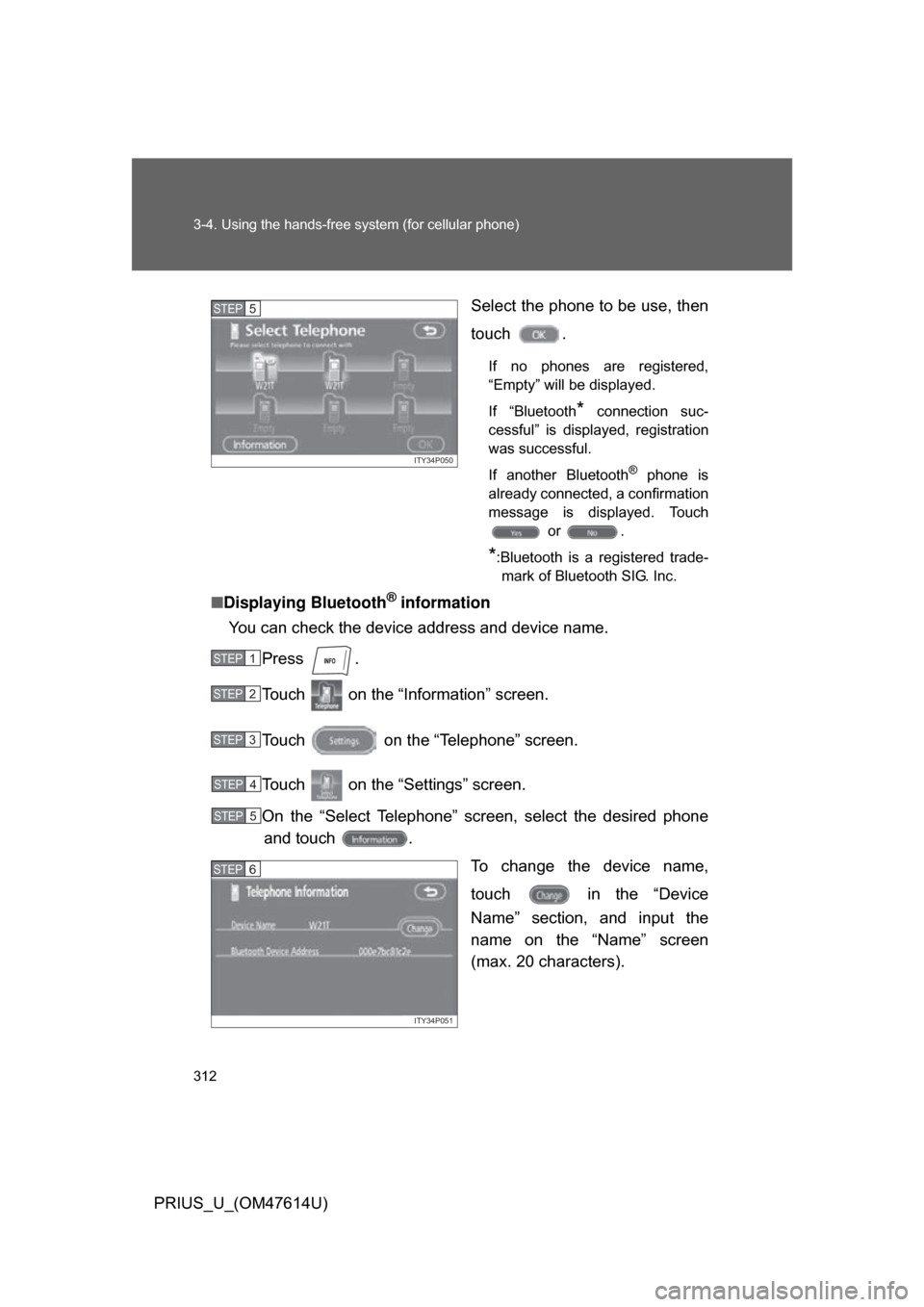
PRIUS_U_(OM47614U)Select the phone to be use, then
touch .
If no phones are registered,
“Empty” will be displayed.
If “Bluetooth
* connection suc-
cessful” is displayed, registration
was successful.
If another Bluetooth
® phone is
already connected, a confirmation
message is displayed. Touch or .
*:Bluetooth is a registered trade-mark of Bluetooth SIG. Inc.
■ Displaying Bluetooth® information
You can check the device address and device name.
Press .
Touch on the “Inf ormation” screen.
Touch on the “Telephone” screen.
Touch on the “Settings” screen.
On the “Select Telephone” screen, select the desired phone and touch .
To change the device name,
touch in the “Device
Name” section, and input the
name on the “Name” screen
(max. 20 characters).
ITY34P050
STEP5
STEP1
STEP2
STEP3
STEP4
STEP5
ITY34P051
STEP6
Page 314 of 508
314 3-4. Using the hands-free system (for cellular phone)
PRIUS_U_(OM47614U)■
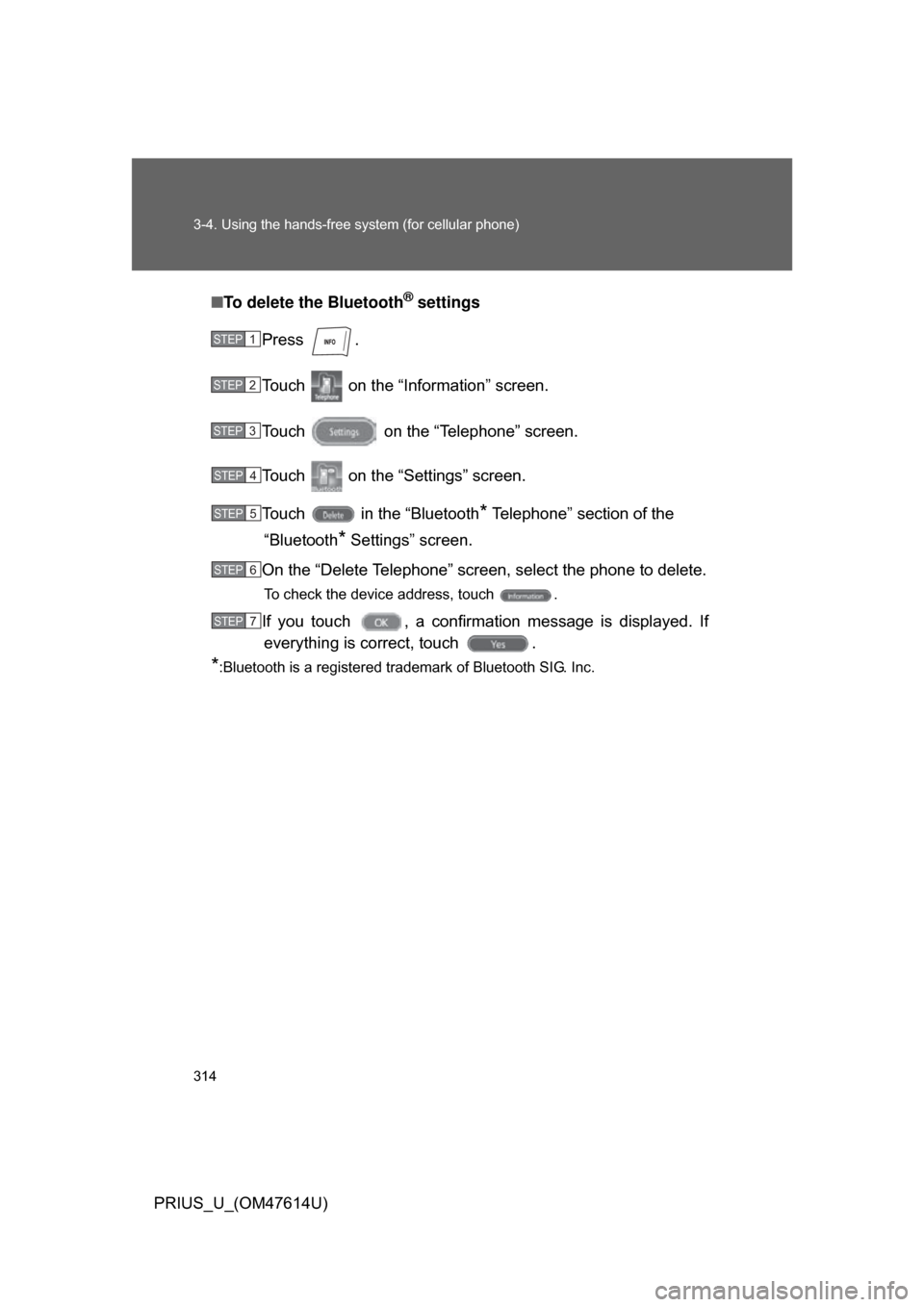
To delete the Bluetooth
® settings
Press .
Touch on the “Inf ormation” screen.
Touch on the “Telephone” screen.
Touch on the “Settings” screen.
Touch in the “Bluetooth
* Telephone” section of the
“Bluetooth
* Settings” screen.
On the “Delete Telephone” screen, select the phone to delete.
To check the device address, touch .
If you touch , a confirmation message is displayed. If everything is correct, touch .
*:Bluetooth is a registered trademark of Bluetooth SIG. Inc.
STEP1
STEP2
STEP3
STEP4
STEP5
STEP6
STEP7
Page 328 of 508
328
3-7. Other interior features
PRIUS_U_(OM47614U)
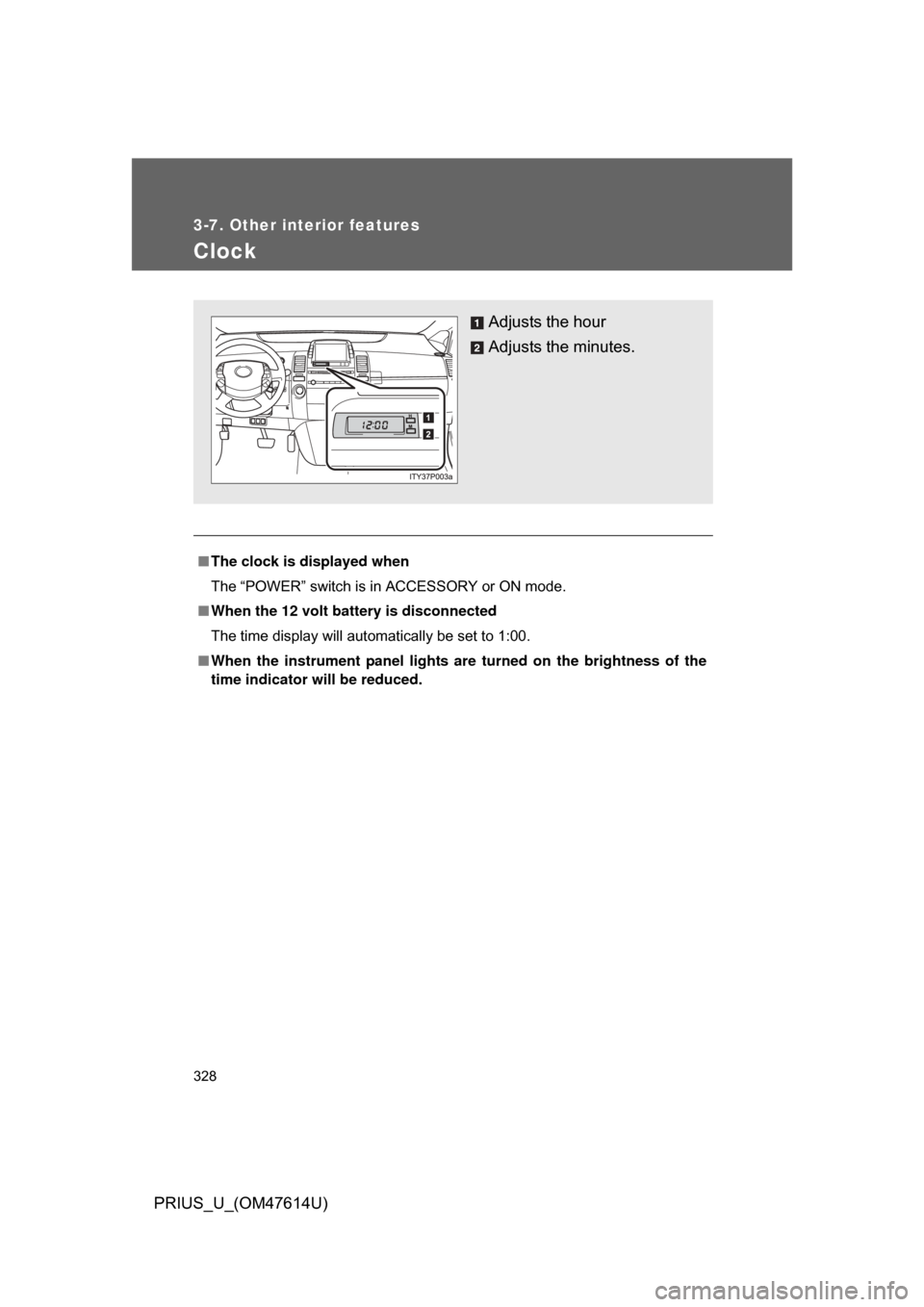
Clock
■The clock is displayed when
The “POWER” switch is in ACCESSORY or ON mode.
■ When the 12 volt battery is disconnected
The time display will automatically be set to 1:00.
■ When the instrument panel lights ar e turned on the brightness of the
time indicator will be reduced.
Adjusts the hour
Adjusts the minutes.