TOYOTA PRIUS 2012 3.G User Guide
PRIUS 2012 3.G
TOYOTA
TOYOTA
https://www.carmanualsonline.info/img/14/6598/w960_6598-0.png
TOYOTA PRIUS 2012 3.G User Guide
Page 354 of 636
354 3-3. Using the interior lights
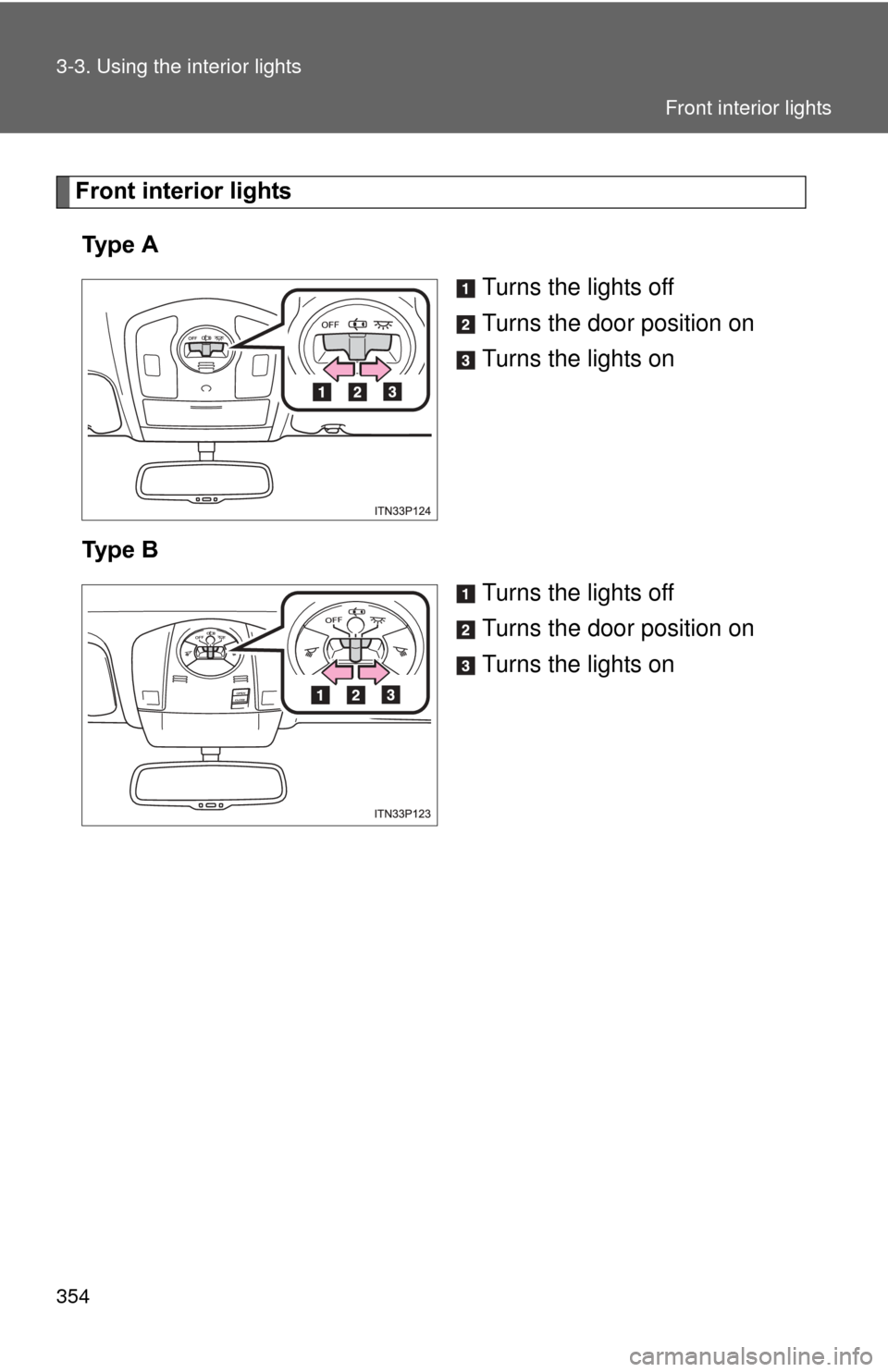
Front interior lightsTy p e A Turns the lights off
Turns the door position on
Turns the lights on
Ty p e B Turns the lights off
Turns the door position on
Turns the lights on
Front interior lights
Page 355 of 636
355
3-3. Using the interior lights
3
Interior features
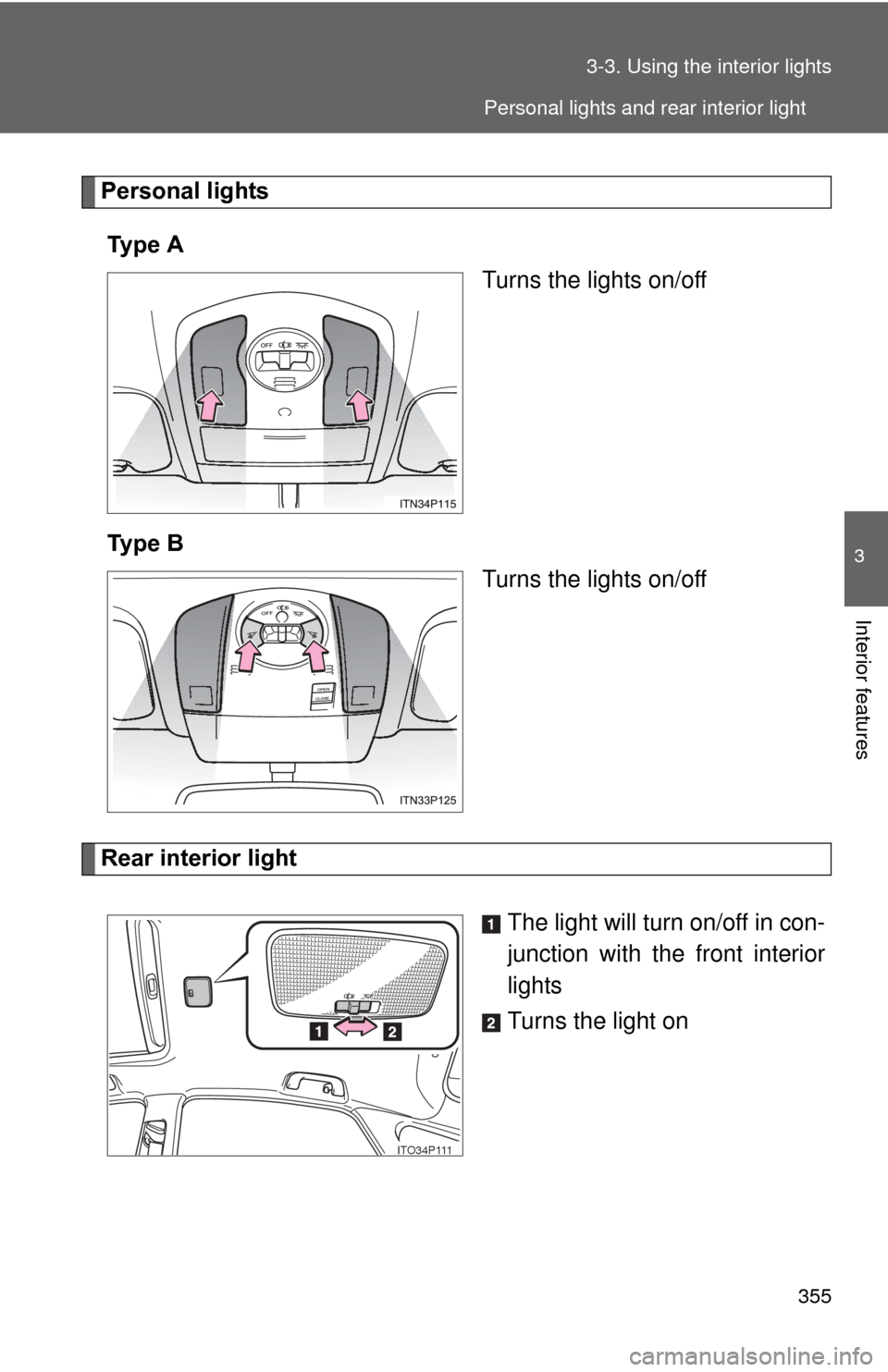
Personal lights
Ty p e A Turns the lights on/off
Ty p e B Turns the lights on/off
Rear interior light
The light will turn on/off in con-
junction with the front interior
lights
Turns the light on
ITO34P111
Personal lights and rear interior light
Page 356 of 636
356 3-3. Using the interior lights
■Illuminated entry system
The lights automatically turn on/off according to “POWER” switch mode, the
presence of the electronic key, whether the doors are locked/unlocked, and
whether the doors are opened/closed.
■ To prevent 12-volt battery discharge
If the interior lights remain on when the door is not fully closed and the inte-
rior light switch (door position on/off) is on, the lights will go off automatically
after 20 minutes.
■ Customization
Setting (e.g. The time elapsed before lights turn off) can be changed.
(Customizable features P. 594)
NOTICE
■To prevent 12-volt battery discharge
Do not leave the lights on longer than necessary when the hybrid system is
off.
Rear interior light
Page 357 of 636
357
3
Interior features
3-4. Using the storage features
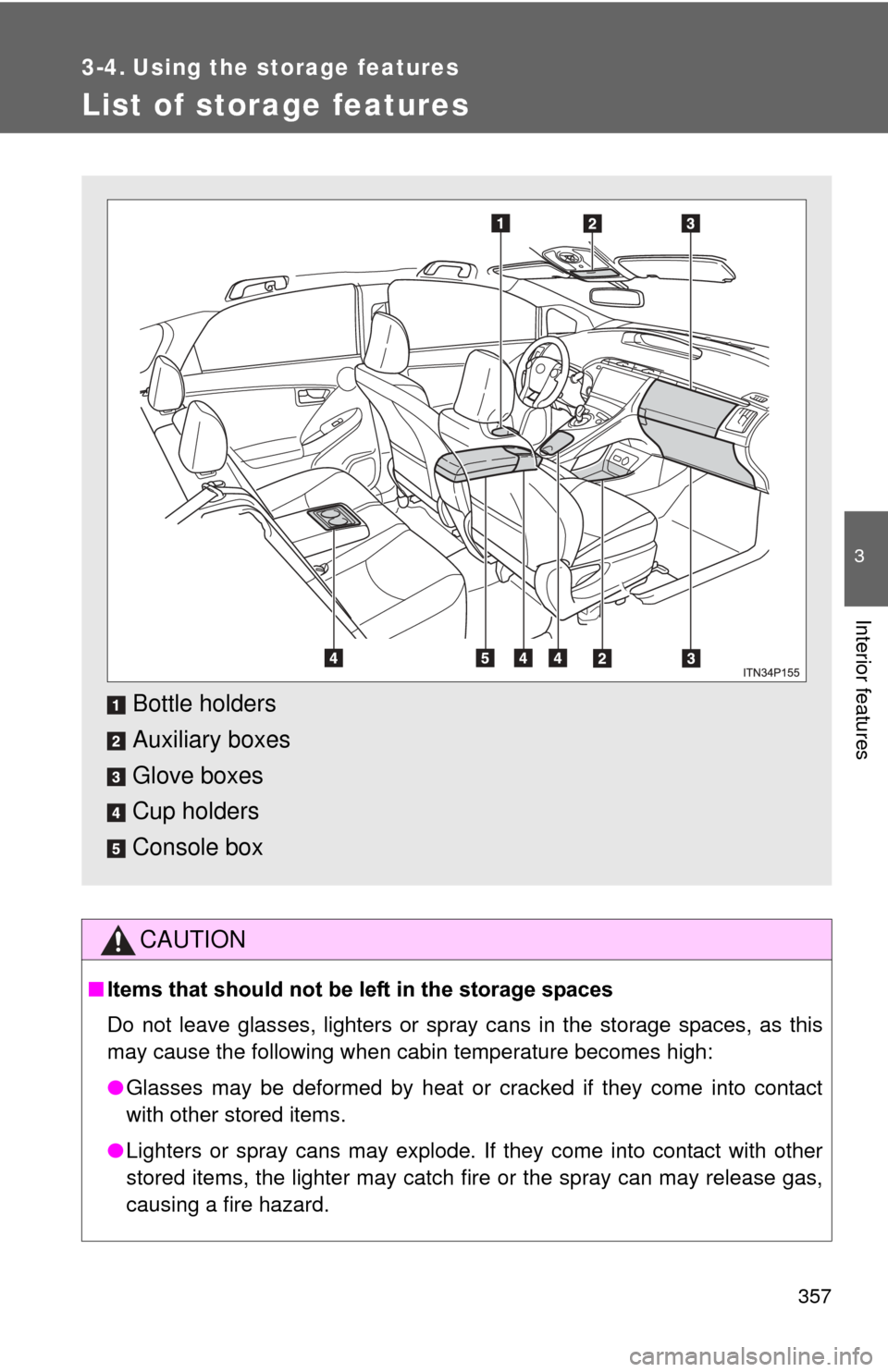
List of storage features
CAUTION
■Items that should not be left in the storage spaces
Do not leave glasses, lighters or spray cans in the storage spaces, as this
may cause the following when cabin temperature becomes high:
● Glasses may be deformed by heat or cracked if they come into contact
with other stored items.
● Lighters or spray cans may explode. If they come into contact with other
stored items, the lighter may catch fire or the spray can may release gas,
causing a fire hazard.
Bottle holders
Auxiliary boxes
Glove boxes
Cup holders
Console box
Page 365 of 636
365
3-5. Other interior features
3
Interior features
Vanity mirrors
NOTICE
■To prevent 12-volt battery discharge
Do not leave the vanity lights on for extended periods while the hybrid sys-
tem is off.
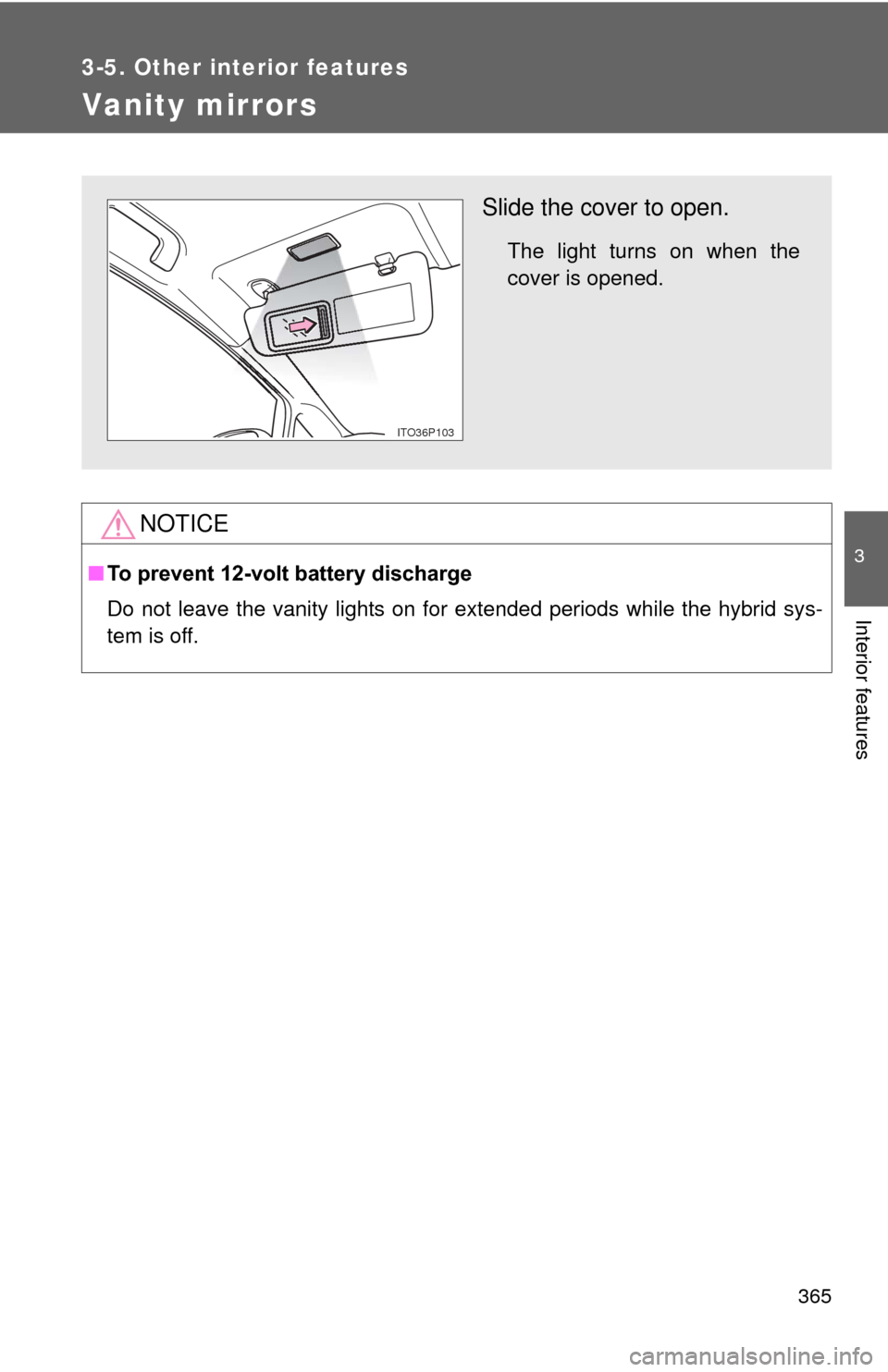
Slide the cover to open.
The light turns on when the
cover is opened.
ITO36P103
Page 369 of 636
369
3-5. Other interior features
3
Interior features
Seat heaters
: If equipped
■The seat heaters can be used when
The “POWER” switch is in ON mode.
■ When not in use
Turn the seat heater off.
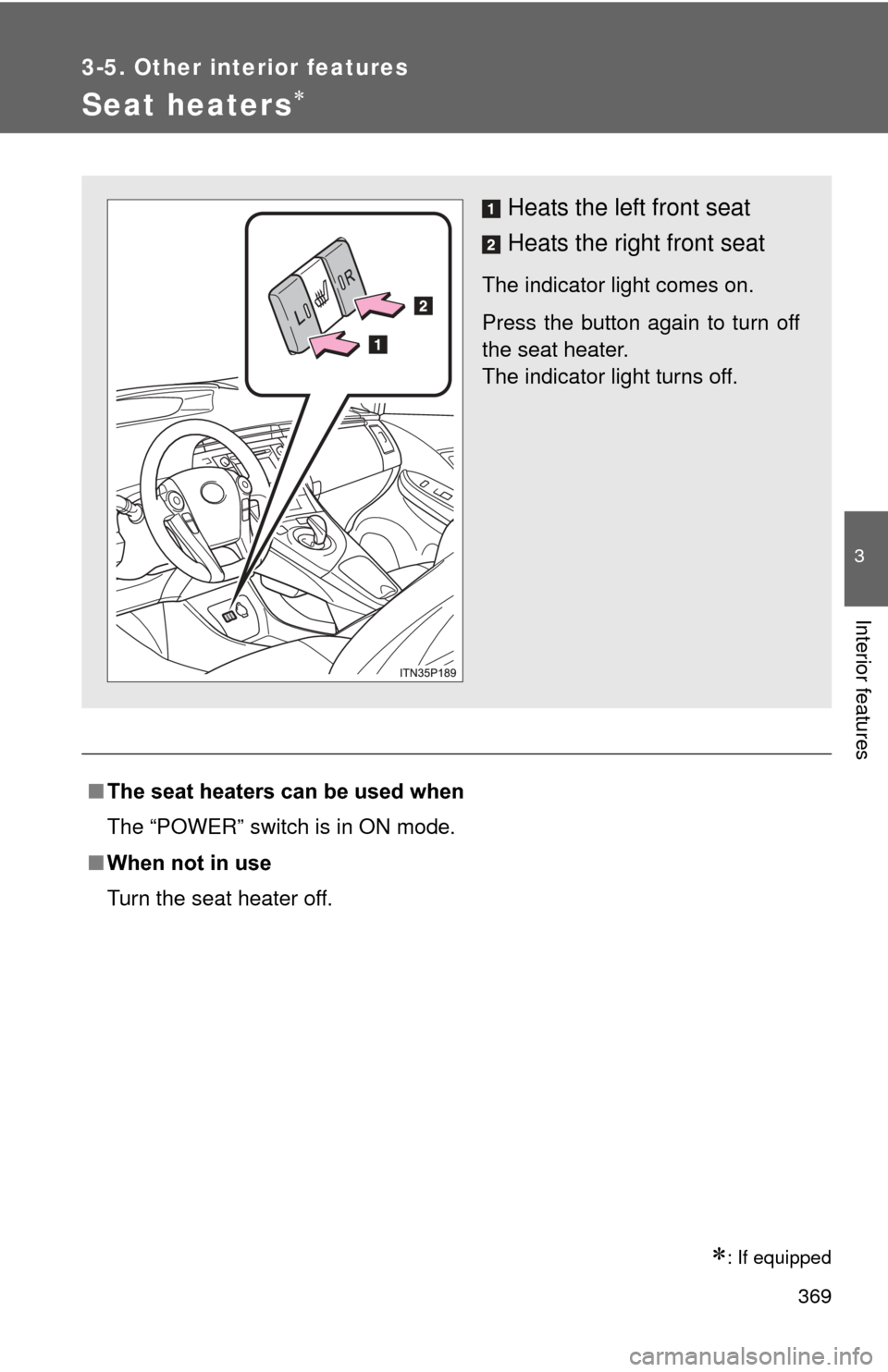
Heats the left front seat
Heats the right front seat
The indicator light comes on.
Press the button again to turn off
the seat heater.
The indicator light turns off.
Page 380 of 636
380
3-5. Other interior features
Garage door opener
The garage door opener (HomeLink® Universal Transceiver) is manufac-
tured under license from HomeLink®.
Programming the HomeLink® (for U.S.A. owners)
The HomeLink
® compatible transceiver in your vehicle has 3 buttons
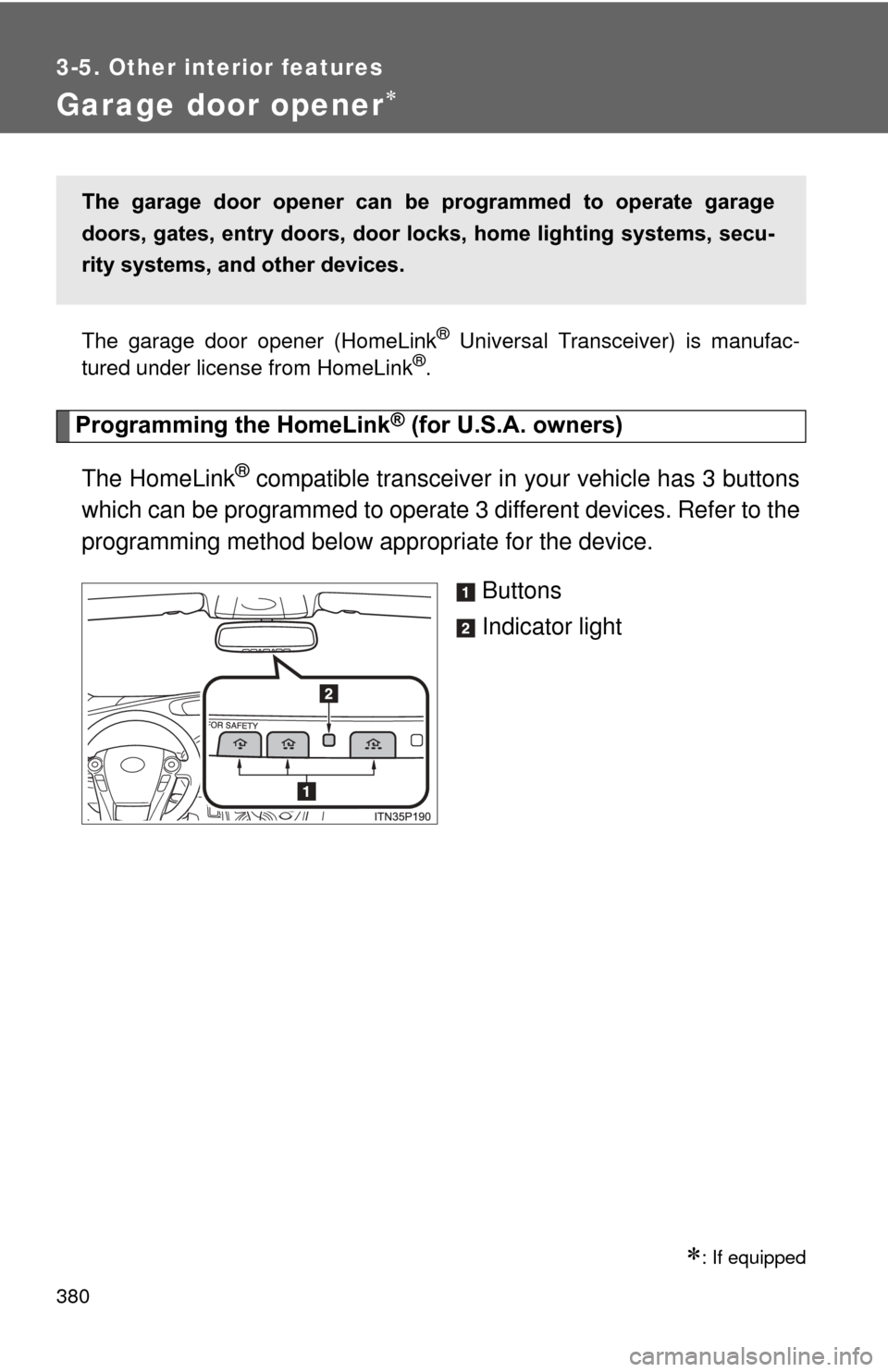
which can be programmed to operate 3 different devices. Refer to the
programming method below appropriate for the device.
Buttons
Indicator light
: If equipped
The garage door opener can be programmed to operate garage
doors, gates, entry doors, door locks, hom e lighting systems, secu-
rity systems, and other devices.
Page 381 of 636
381
3-5. Other interior features
3
Interior features
■
Programming HomeLink®
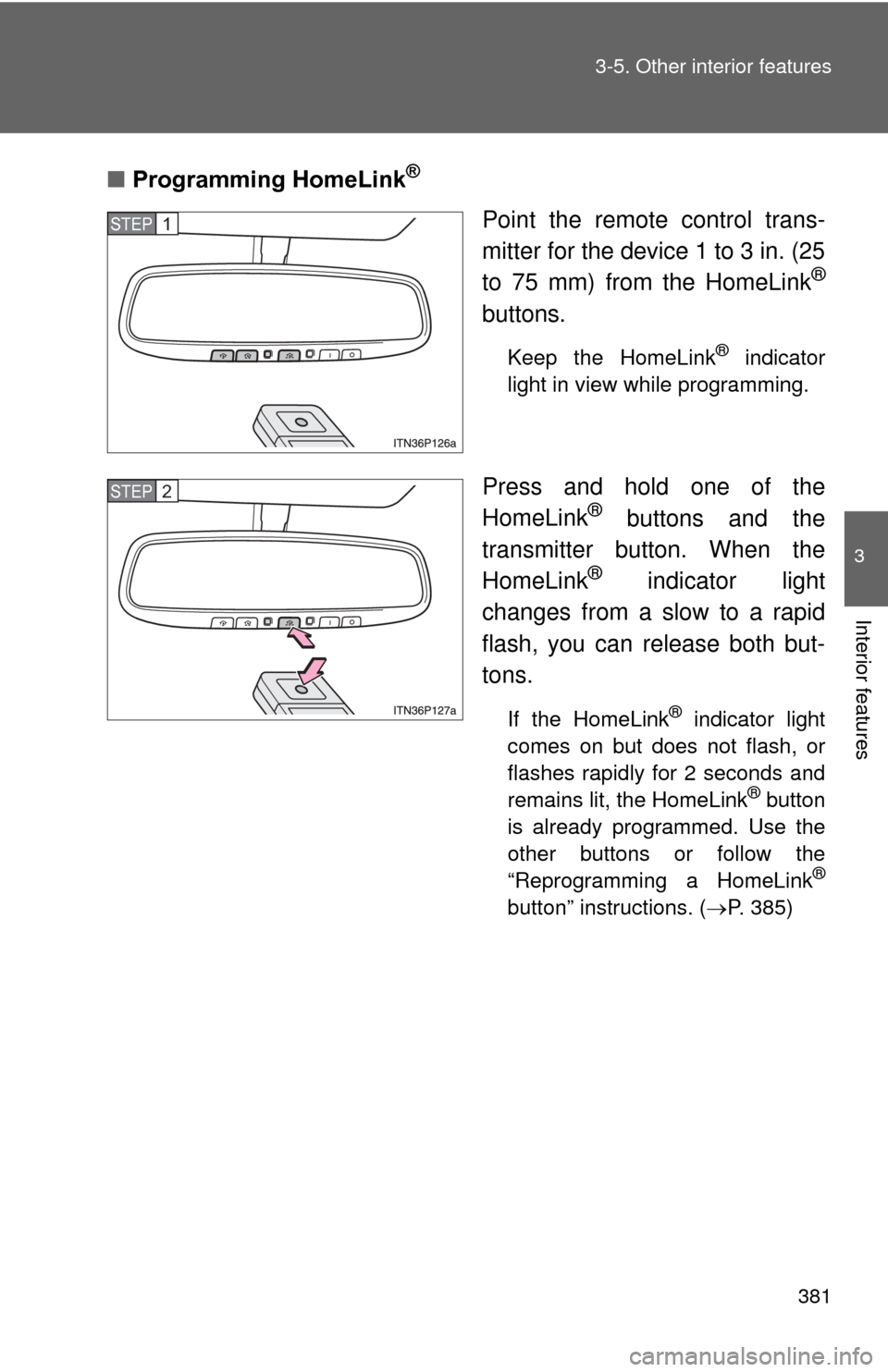
Point the remote control trans-
mitter for the device 1 to 3 in. (25
to 75 mm) from the HomeLink
®
buttons.
Keep the HomeLink® indicator
light in view while programming.
Press and hold one of the
HomeLink® buttons and the
transmitter button. When the
HomeLink
® indicator light
changes from a slow to a rapid
flash, you can release both but-
tons.
If the HomeLink® indicator light
comes on but does not flash, or
flashes rapidly for 2 seconds and
remains lit, the HomeLink
® button
is already programmed. Use the
other buttons or follow the
“Reprogramming a HomeLink
®
button” instructions. ( P. 385)
STEP 1
STEP 2
Page 382 of 636
382 3-5. Other interior features
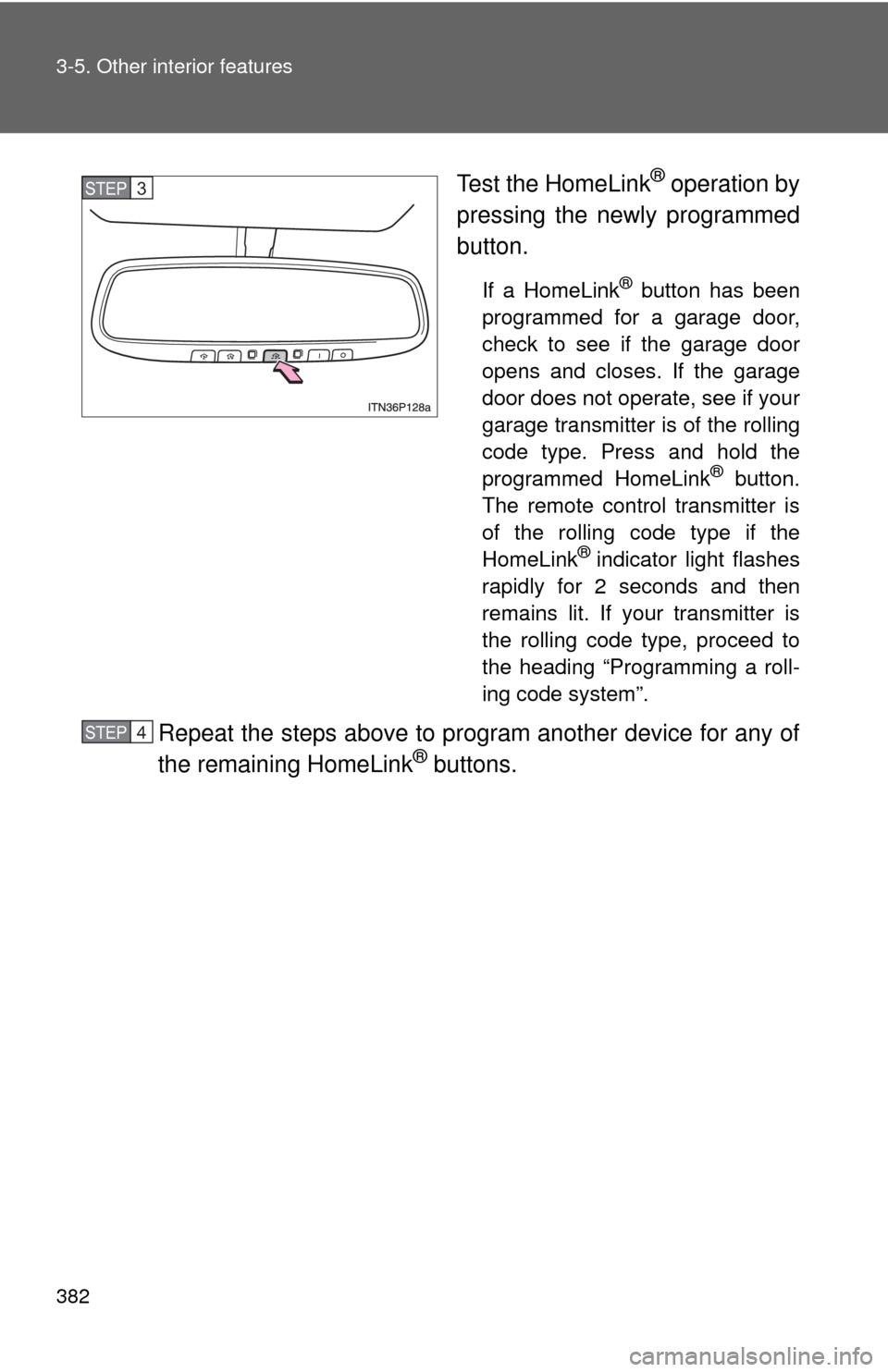
Test the HomeLink® operation by
pressing the newly programmed
button.
If a HomeLink® button has been
programmed for a garage door,
check to see if the garage door
opens and closes. If the garage
door does not operate, see if your
garage transmitter is of the rolling
code type. Press and hold the
programmed HomeLink
® button.
The remote control transmitter is
of the rolling code type if the
HomeLink
® indicator light flashes
rapidly for 2 seconds and then
remains lit. If your transmitter is
the rolling code type, proceed to
the heading “Programming a roll-
ing code system”.
Repeat the steps above to program another device for any of
the remaining HomeLink® buttons.
STEP 3
STEP 4
Page 384 of 636
384 3-5. Other interior features
■Programming an entry gate (f or U.S.A. owners)/Programming
a devices in the Canadian market
Place the remote control transmitter 1 to 3 in. (25 to 75 mm)
away from the HomeLink
® buttons.
Keep the HomeLink® indicator light in view while programming.
Press and hold the selected HomeLink® button.
Repeatedly press and release (cycle) the remote control
transmitter for 2 seconds each until step 4 is completed.
When the HomeLink
® indicator light starts to flash rapidly,
release the buttons.
Test the HomeLink
® operation by pressing the newly pro-
grammed button. Check to see if the gate/device operates
correctly.
Repeat the steps above to program another device for any of
the remaining HomeLink
® buttons.
■ Programming other devices
To program other devices such as home security systems, home
door locks and lighting, contact your Toyota dealer for assistance.
■ Reprogramming a button
The individual HomeLink
® buttons cannot be erased but can be
reprogrammed. To reprogram a button, follow the “Reprogramming
a HomeLink
® button” instructions.
STEP 1
STEP 2
STEP 3
STEP 4
STEP 5
STEP 6