change time TOYOTA PRIUS 2012 3.G User Guide
[x] Cancel search | Manufacturer: TOYOTA, Model Year: 2012, Model line: PRIUS, Model: TOYOTA PRIUS 2012 3.GPages: 636, PDF Size: 11.02 MB
Page 248 of 636

248 2-2. Instrument cluster
■When driving on snowy roads or in other bright environments
When the highest level of brightness has been reached, the display can b\
e
made even brighter by pressing and holding “ ” on the brightness control
button.
Pressing “ ” on the brightness control button or turning the “POWER” switch
off will cause the brightness level to revert to the original level.
■ Display speed setting function
The speedometer can be set to display only when a desired vehicle speed is
reached.
Press and hold the “HUD” main switch while the vehicle is stopped
and while the head-up display is showing only the speedometer.
The speedometer will begin to flash.
Set the desired display speed on the speedometer by pressing “ ”
and “ ” on the display position adjustment button.
Press “ ” to raise the speed and “ ” to lower. The speed will change
by 1 mph (1.6 km/h) each time the button is pressed, and continu-
ously by 10 mph (16 km/h) when the button is pressed and held.
Press and hold the “HUD” main switch to finish setting.
■ Head-up display
The head-up display may seem dark and hard to see when viewed through
sunglasses, especially polarized sunglasses.
Adjust the brightness of the head-up display or remove your sunglasses.
■ When the 12-volt battery is disconnected
The head-up display settings will be reset.
STEP 1
STEP 2
STEP 3
Page 267 of 636
267
2-4. Using other
driving systems
2
When driving
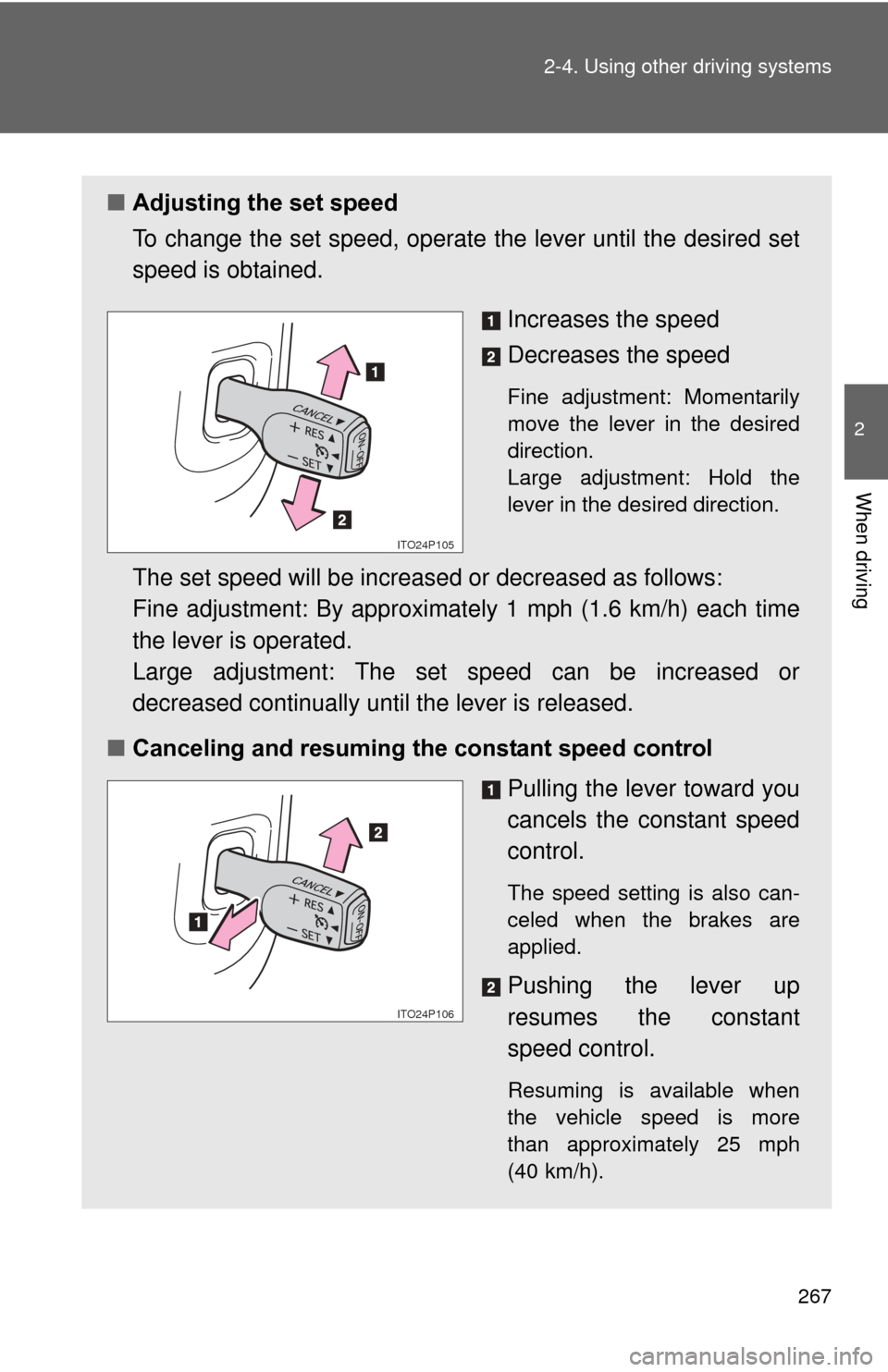
■Adjusting the set speed
To change the set speed, operate the lever until the desired set
speed is obtained.
Increases the speed
Decreases the speed
Fine adjustment: Momentarily
move the lever in the desired
direction.
Large adjustment: Hold the
lever in the desired direction.
The set speed will be increased or decreased as follows:
Fine adjustment: By approximately 1 mph (1.6 km/h) each time
the lever is operated.
Large adjustment: The set speed can be increased or
decreased continually until the lever is released.
■ Canceling and resuming the constant speed control
Pulling the lever toward you
cancels the constant speed
control.
The speed setting is also can-
celed when the brakes are
applied.
Pushing the lever up
resumes the constant
speed control.
Resuming is available when
the vehicle speed is more
than approximately 25 mph
(40 km/h).
ITO24P105
ITO24P106
Page 272 of 636
272 2-4. Using other driving systems
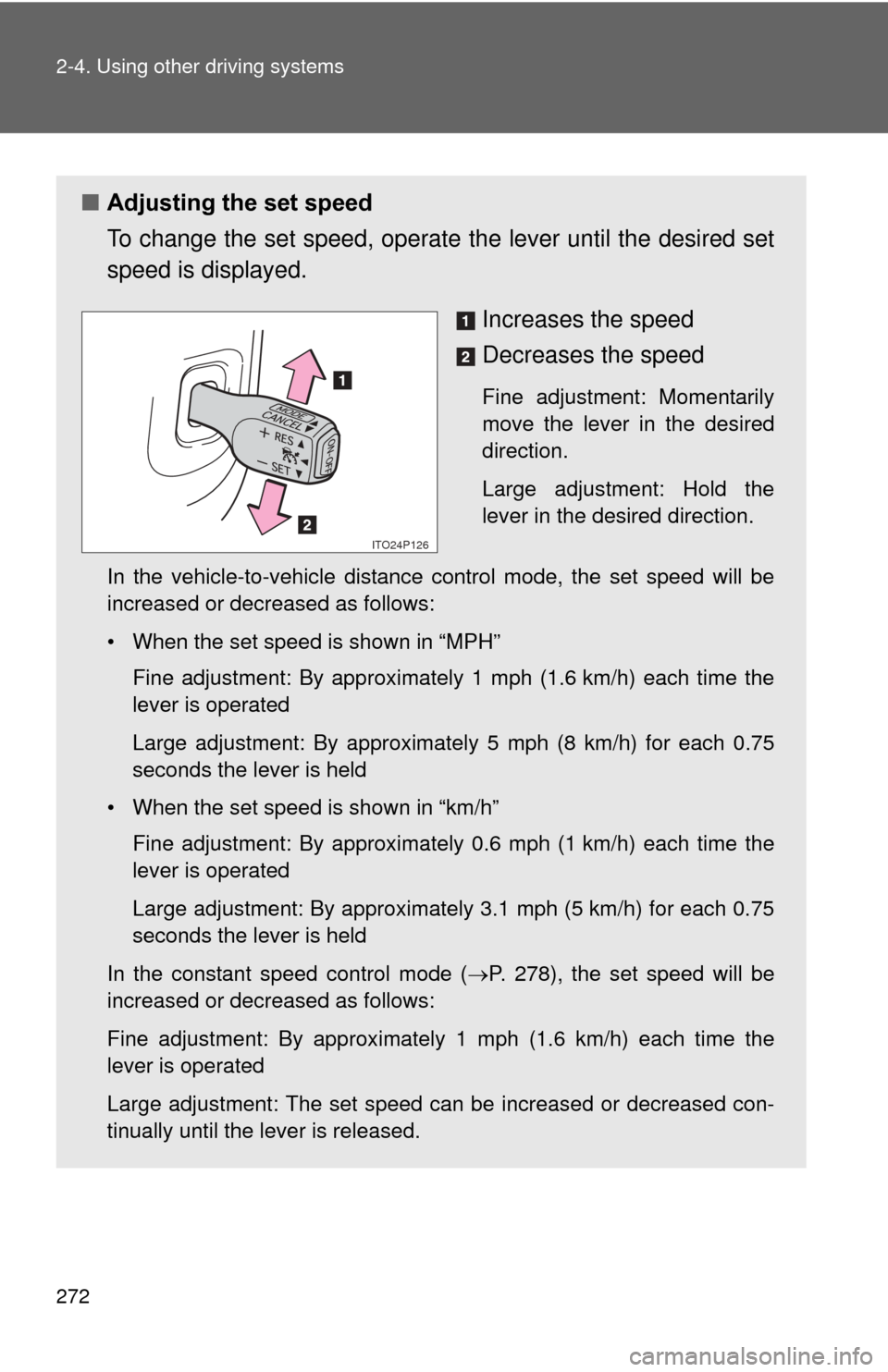
■Adjusting the set speed
To change the set speed, operate the lever until the desired set
speed is displayed.
Increases the speed
Decreases the speed
Fine adjustment: Momentarily
move the lever in the desired
direction.
Large adjustment: Hold the
lever in the desired direction.
In the vehicle-to-vehicle distance control mode, the set speed will be
increased or decreased as follows:
• When the set speed is shown in “MPH” Fine adjustment: By approximately 1 mph (1.6 km/h) each time the
lever is operated
Large adjustment: By approximately 5 mph (8 km/h) for each 0.75
seconds the lever is held
• When the set speed is shown in “km/h” Fine adjustment: By approximately 0.6 mph (1 km/h) each time the
lever is operated
Large adjustment: By approximately 3.1 mph (5 km/h) for each 0.75
seconds the lever is held
In the constant speed control mode ( P. 278), the set speed will be
increased or decreased as follows:
Fine adjustment: By approximately 1 mph (1.6 km/h) each time the
lever is operated
Large adjustment: The set speed can be increased or decreased con-
tinually until the lever is released.
ITO24P126
Page 295 of 636
295
2-4. Using other
driving systems
2
When driving
NOTICE
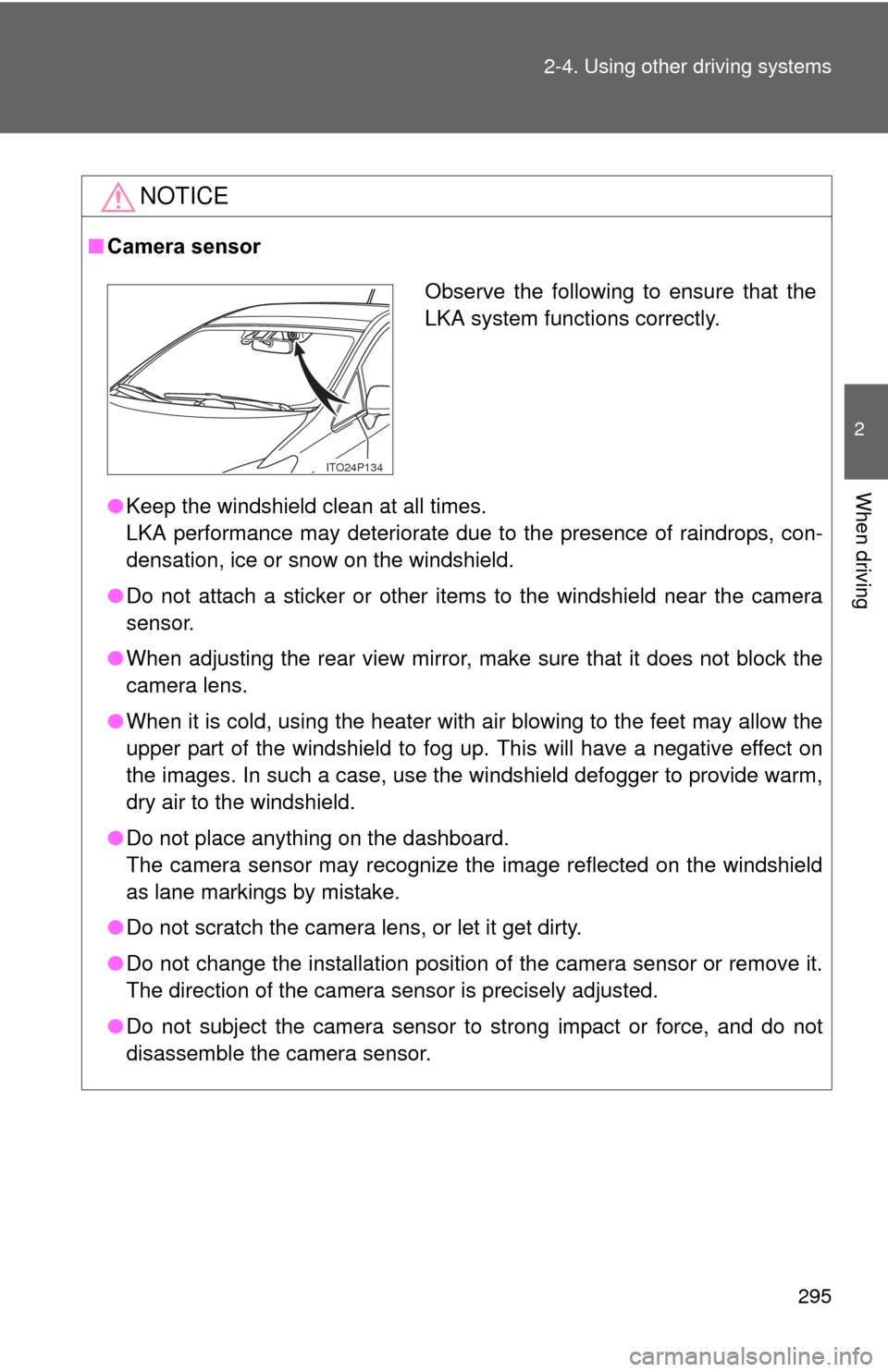
■Camera sensor
●Keep the windshield clean at all times.
LKA performance may deteriorate due to the presence of raindrops, con-
densation, ice or snow on the windshield.
● Do not attach a sticker or other items to the windshield near the camera
sensor.
● When adjusting the rear view mirror, make sure that it does not block the
camera lens.
● When it is cold, using the heater with air blowing to the feet may allow the
upper part of the windshield to fog up. This will have a negative effect on
the images. In such a case, use the windshield defogger to provide warm,
dry air to the windshield.
● Do not place anything on the dashboard.
The camera sensor may recognize the image reflected on the windshield
as lane markings by mistake.
● Do not scratch the camera lens, or let it get dirty.
● Do not change the installation position of the camera sensor or remove it.
The direction of the camera sensor is precisely adjusted.
● Do not subject the camera sensor to strong impact or force, and do not
disassemble the camera sensor.
Observe the following to ensure that the
LKA system functions correctly.
ITO24P134
Page 335 of 636
335
3-1. Using the air conditioning system
and defogger
3
Interior features
■If air flow from the vents decreases dramatically
The filter may be clogged. Contact your Toyota dealer.
■ Operation of the air conditio ning system in Eco drive mode
In the Eco drive mode, the air conditioning system is controlled as follows to
prioritize fuel efficiency:
● Engine speed and compressor operation controlled to restrict heating/
cooling capacity
● Fan speed restricted when automatic mode is selected
To improve air conditioning performance, perform the following operations:
● Adjust the fan speed
● Turn off Eco drive mode ( P. 204)
● Customize the air conditioning control of Eco drive mode. ( P. 590)
■ When outside air temperature is below 32 °F (0 °C)
The cooling and dehumidification function may not operate even when
is pressed.
■ Air conditioning odors
●During use, various odors from inside and outside the vehicle may enter
into and accumulate in the air conditioning system. This may then cause
odor to be emitted from the vents.
● To reduce potential odors from occurring:
• It is recommended that the air conditioning system be set to outside air
mode prior to turning the vehicle off.
• The start timing of the blower may be delayed for a short period of time immediately after the air conditioning system is started in automatic
mode.
■ Customization
Settings (e.g. enable/disable automatic operation of the air conditioning
compressor when the “AUTO” switch ON) can be changed.
(Customizable features P. 590)
Page 356 of 636

356 3-3. Using the interior lights
■Illuminated entry system
The lights automatically turn on/off according to “POWER” switch mode, the
presence of the electronic key, whether the doors are locked/unlocked, and
whether the doors are opened/closed.
■ To prevent 12-volt battery discharge
If the interior lights remain on when the door is not fully closed and the inte-
rior light switch (door position on/off) is on, the lights will go off automatically
after 20 minutes.
■ Customization
Setting (e.g. The time elapsed before lights turn off) can be changed.
(Customizable features P. 594)
NOTICE
■To prevent 12-volt battery discharge
Do not leave the lights on longer than necessary when the hybrid system is
off.
Rear interior light
Page 542 of 636
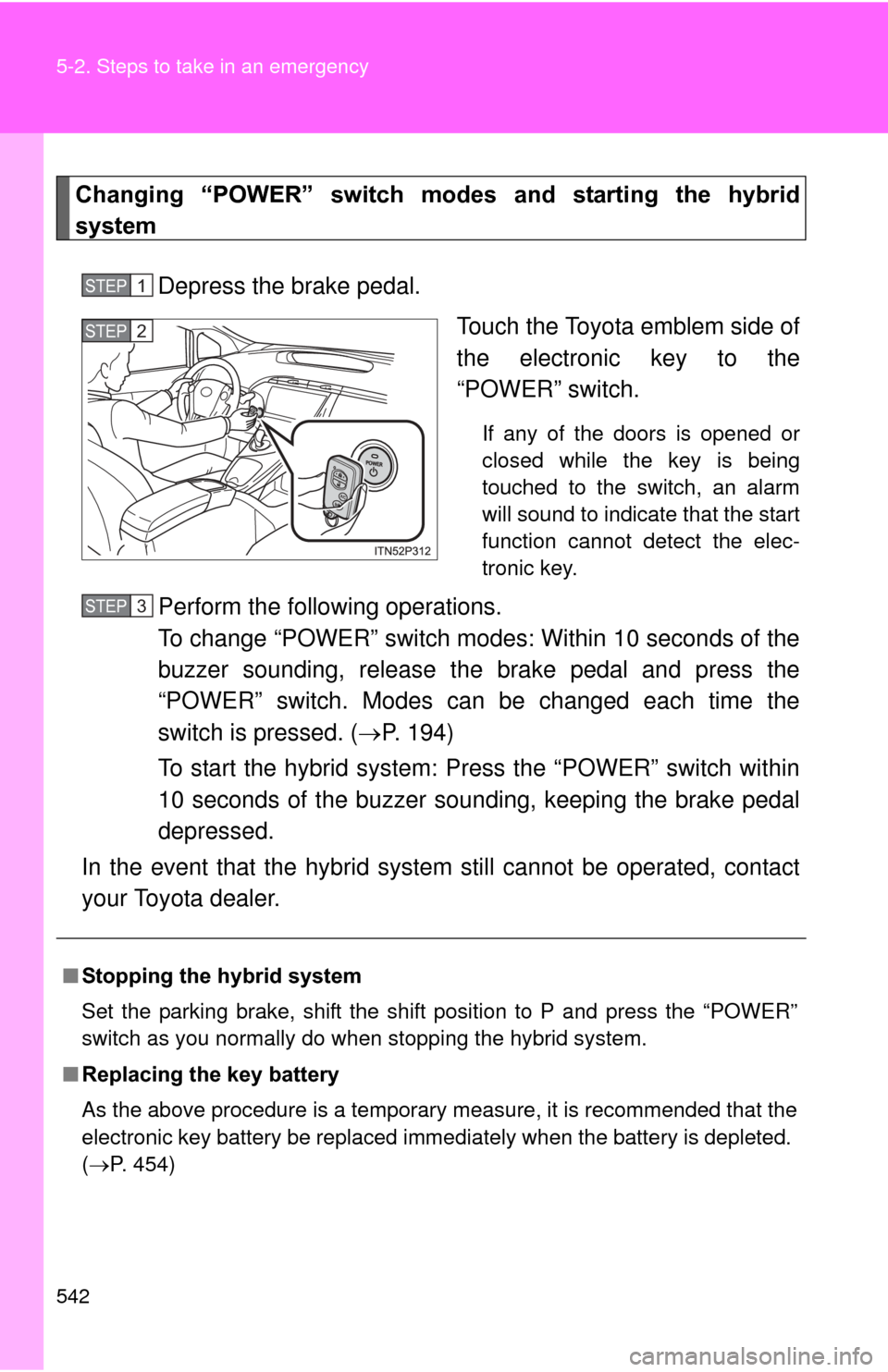
542 5-2. Steps to take in an emergency
Changing “POWER” switch modes and starting the hybrid
systemDepress the brake pedal. Touch the Toyota emblem side of
the electronic key to the
“POWER” switch.
If any of the doors is opened or
closed while the key is being
touched to the switch, an alarm
will sound to indicate that the start
function cannot detect the elec-
tronic key.
Perform the following operations.
To change “POWER” switch modes: Within 10 seconds of the
buzzer sounding, release the brake pedal and press the
“POWER” switch. Modes can be changed each time the
switch is pressed. ( P. 194)
To start the hybrid system: Press the “POWER” switch within
10 seconds of the buzzer soun ding, keeping the brake pedal
depressed.
In the event that the hybrid system still cannot be operated, contact
your Toyota dealer.
STEP 1
STEP 2
■ Stopping the hybrid system
Set the parking brake, shift the shift position to P and press the “POWER”
switch as you normally do when stopping the hybrid system.
■ Replacing the key battery
As the above procedure is a temporary measure, it is recommended that the
electronic key battery be replaced immediately when the battery is depleted.
(P. 454)
STEP 3
Page 594 of 636

594 6-2. Customization
*: When the customized settings are changed using the navigation system,these functions will be changed between ON and OFF simultaneously.
ItemFunctionDefault set- tingCustom-ized
setting
Power
windows
( P. 123) The one-touch
closing operation
except for
driver’s seat
ON OFF – – O
Illumination
( P. 353) Time elapsed
before lights turn
off
15 secondsOFF
–OO
7.5
seconds
30 seconds
Operation when
the doors are
unlocked
*
ON OFF – O O
Operation after
the “POWER”
switch turned
OFF
*
ON OFF – O O
Operation when
you approach
the vehicle with
the electric key
on your person
(When the per-
sonal/interior
light main switch
is door position)
*
ON OFF – O O
Foot lights ON OFF – – O
Foot lights oper-
ation when the
vehicle is run-
ning ON OFF – – O