light TOYOTA PRIUS 2012 3.G User Guide
[x] Cancel search | Manufacturer: TOYOTA, Model Year: 2012, Model line: PRIUS, Model: TOYOTA PRIUS 2012 3.GPages: 636, PDF Size: 11.02 MB
Page 44 of 636
44 1-1. Hybrid system
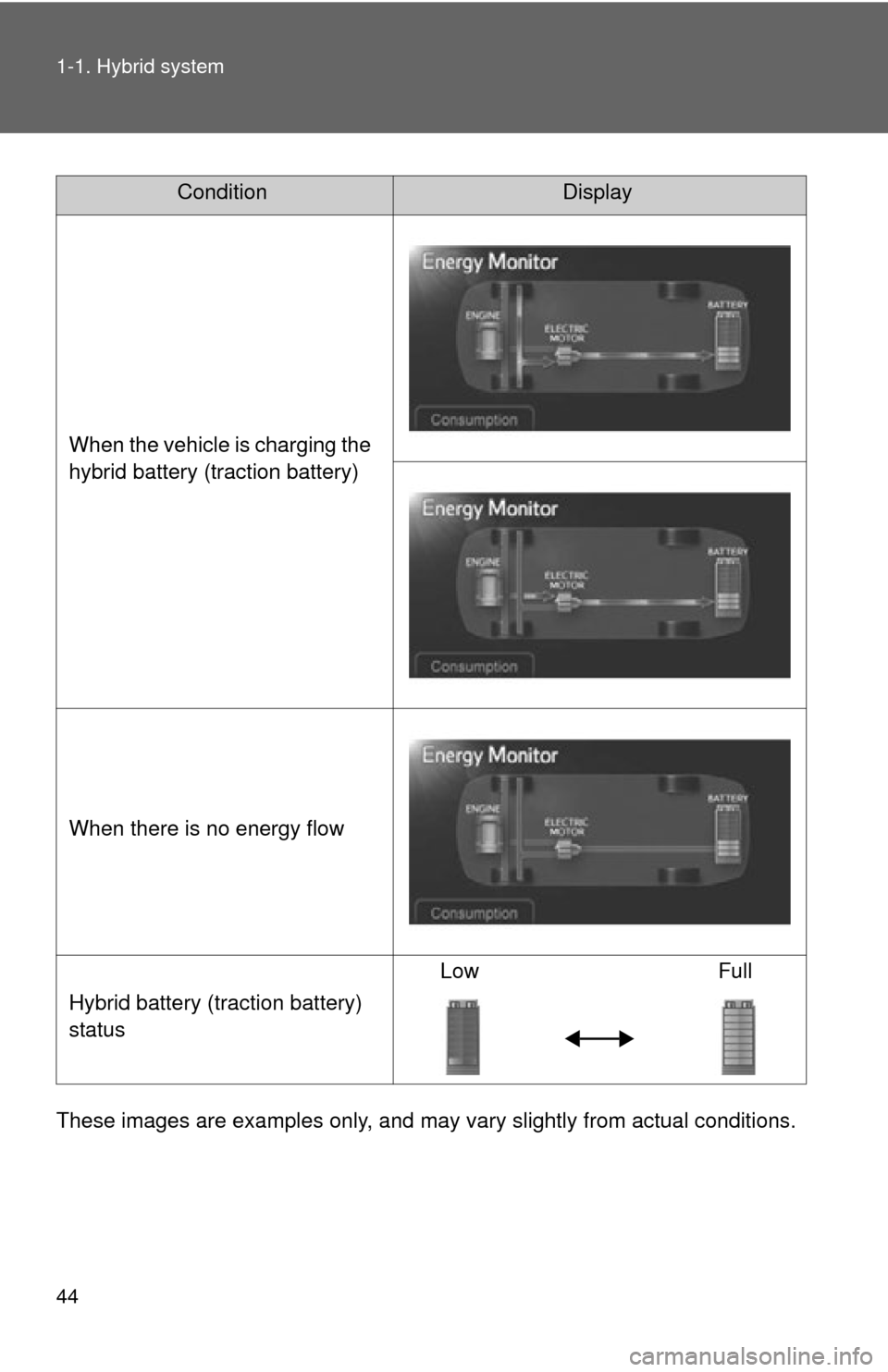
These images are examples only, and may vary slightly from actual conditions.
ConditionDisplay
When the vehicle is charging the
hybrid battery (traction battery)
When there is no energy flow
Hybrid battery (traction battery)
status Low Full
Page 47 of 636
47
1-1. Hybrid system
1
Before driving
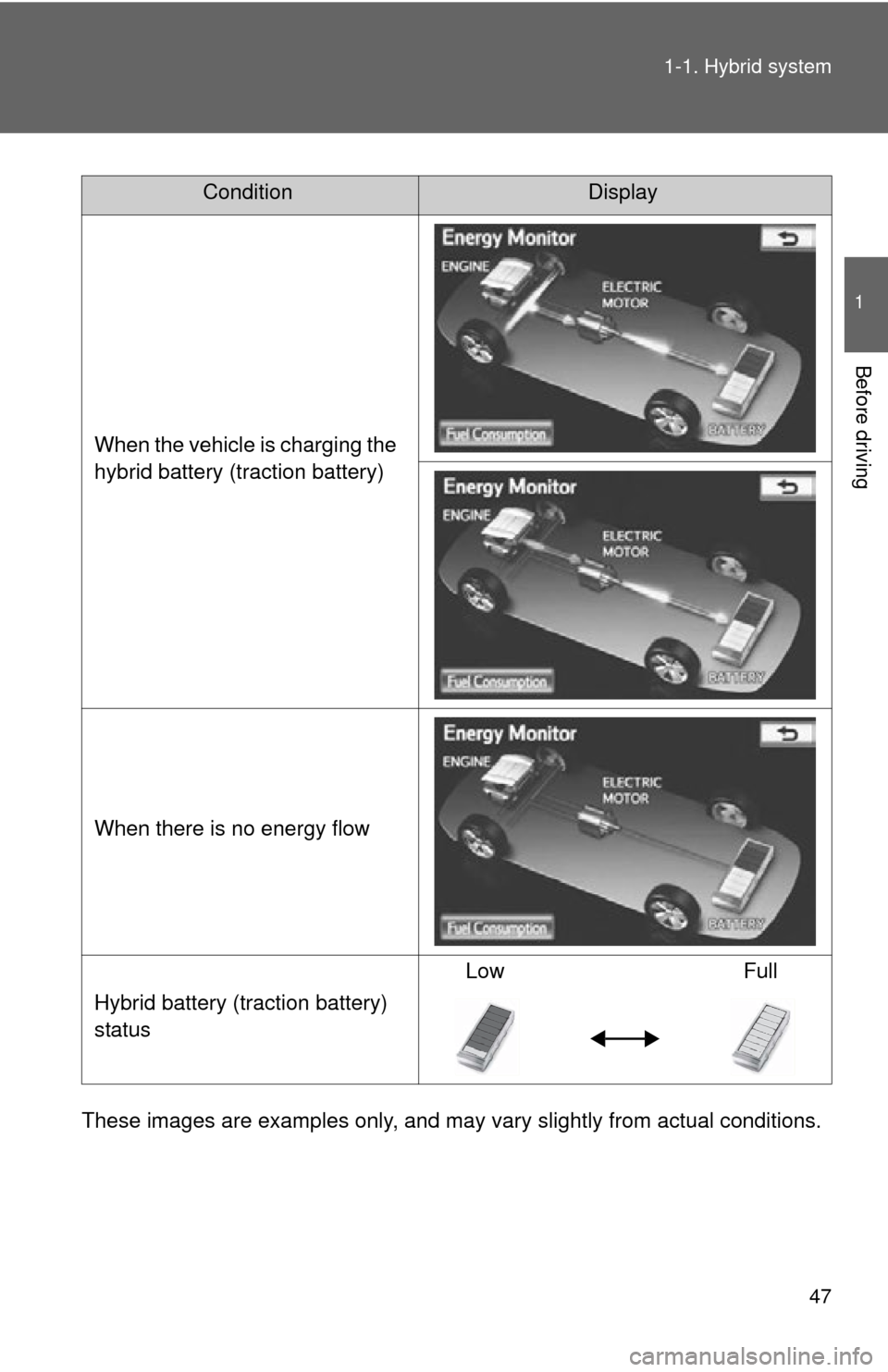
These images are examples only, and may va
ry slightly from actual conditions.
ConditionDisplay
When the vehicle is charging the
hybrid battery (traction battery)
When there is no energy flow
Hybrid battery (traction battery)
status Low Full
Page 49 of 636
49
1-1. Hybrid system
1
Before driving
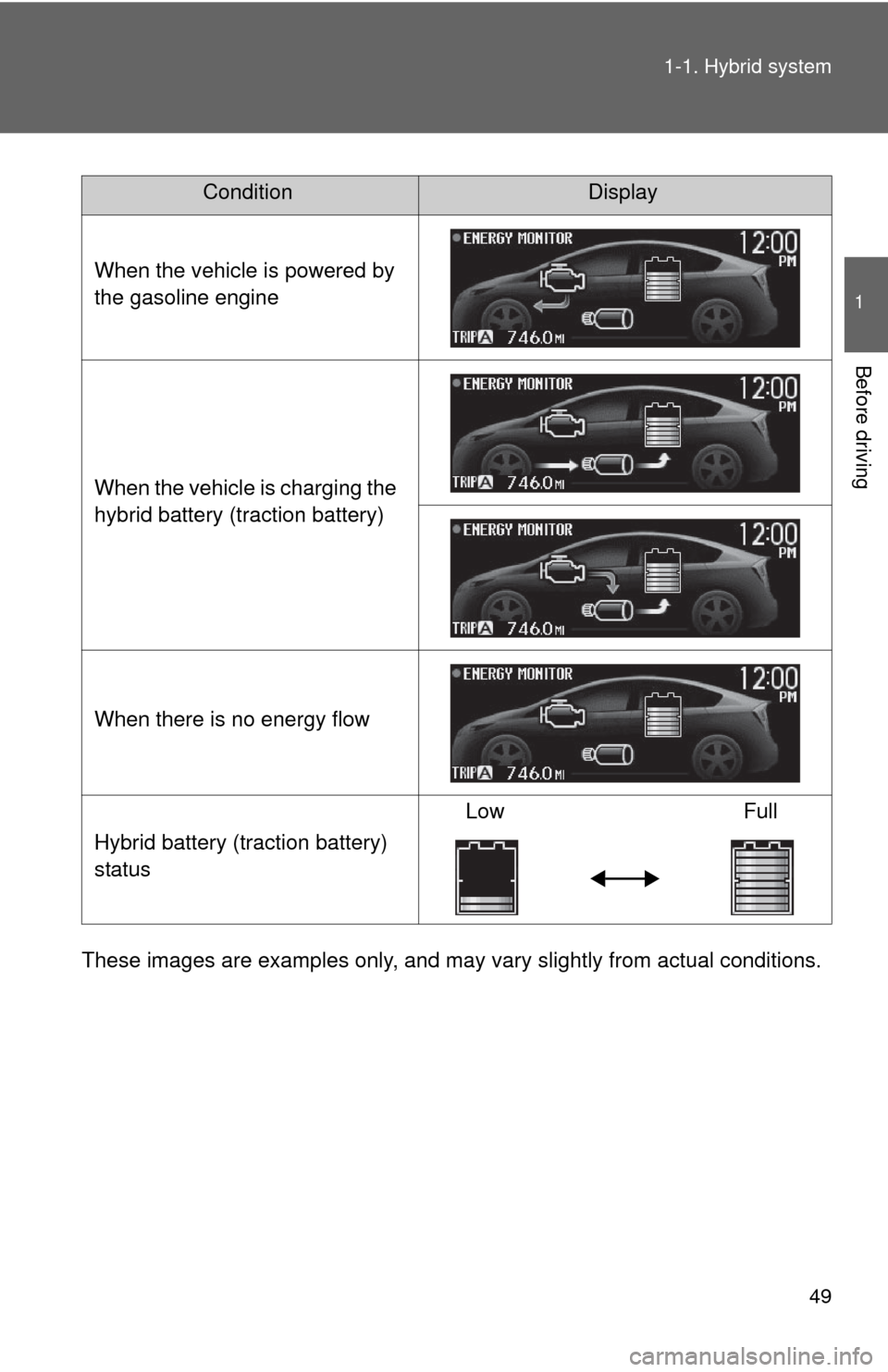
These images are examples only, and may va
ry slightly from actual conditions.
ConditionDisplay
When the vehicle is powered by
the gasoline engine
When the vehicle is charging the
hybrid battery (traction battery)
When there is no energy flow
Hybrid battery (traction battery)
status Low
Full
Page 50 of 636
50 1-1. Hybrid system
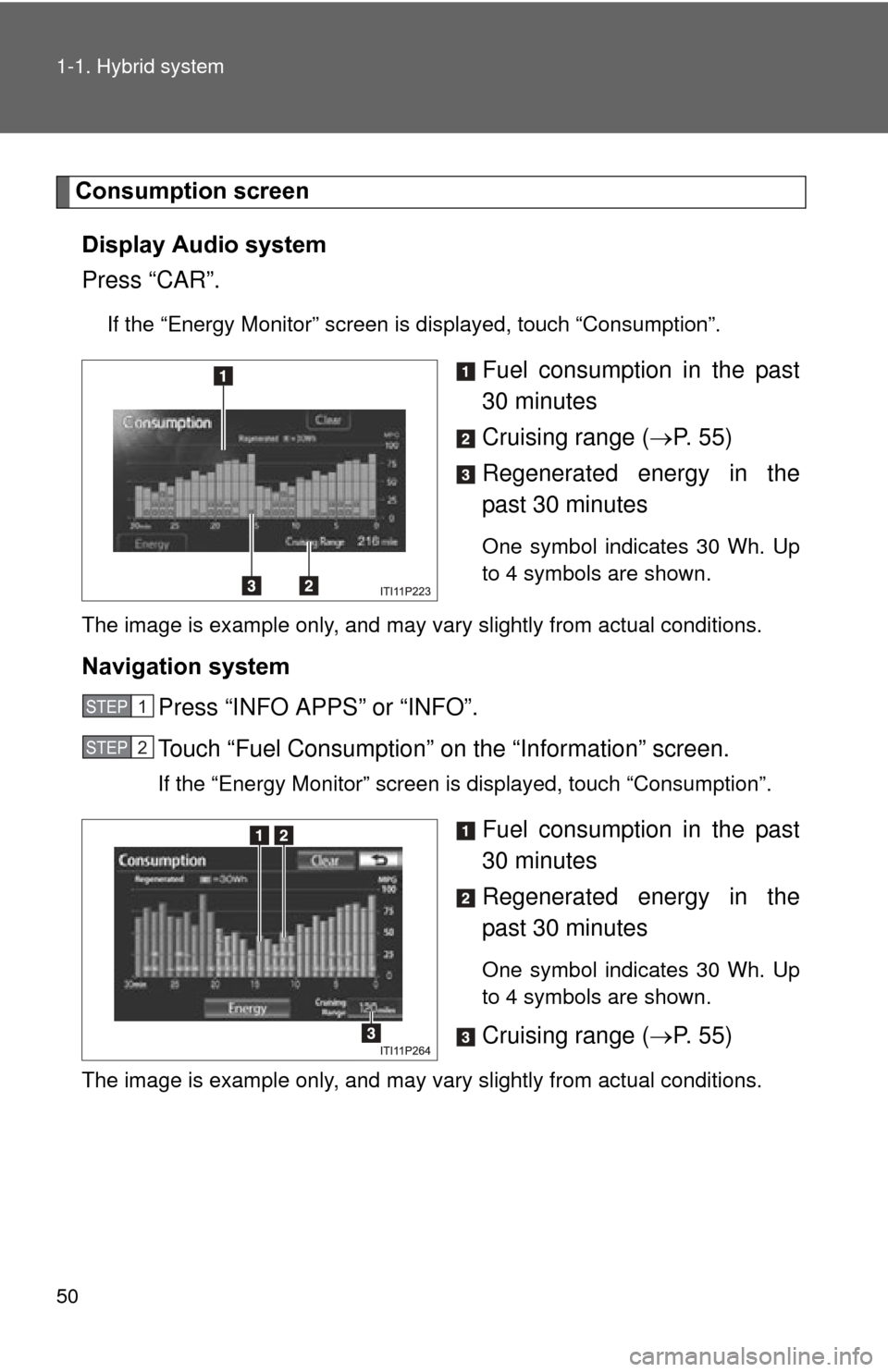
Consumption screenDisplay Audio system
Press “CAR”.
If the “Energy Monitor” screen is displayed, touch “Consumption”.
Fuel consumption in the past
30 minutes
Cruising range ( P. 5 5 )
Regenerated energy in the
past 30 minutes
One symbol indicates 30 Wh. Up
to 4 symbols are shown.
The image is example only, and may vary slightly from actual conditions.
Navigation system Press “INFO APPS” or “INFO”.
Touch “Fuel Consumption” on the “Information” screen.
If the “Energy Monitor” screen is displayed, touch “Consumption”.
Fuel consumption in the past
30 minutes
Regenerated energy in the
past 30 minutes
One symbol indicates 30 Wh. Up
to 4 symbols are shown.
Cruising range ( P. 5 5 )
The image is example only, and may vary slightly from actual conditions.
STEP 1
STEP 2
Page 52 of 636

52 1-1. Hybrid system
EV indicator*1
Eco Driving Indicator Light*1
Average speed*2
Average fuel consumption/eco
savings
*2
Use the displayed average fuel
consumption as a reference.
*1: P. 225
*2:The current amount since the tripmeter was reset will be displayed.
These functions can be reset by
pressing and holding the “TRIP”
button when either the 5-minute
or 1-minute interval fuel con-
sumption display is being shown.
The display can be switched
between average fuel consump-
tion/average speed and eco sav-
ings. ( P. 232)
Page 53 of 636
53
1-1. Hybrid system
1
Before driving
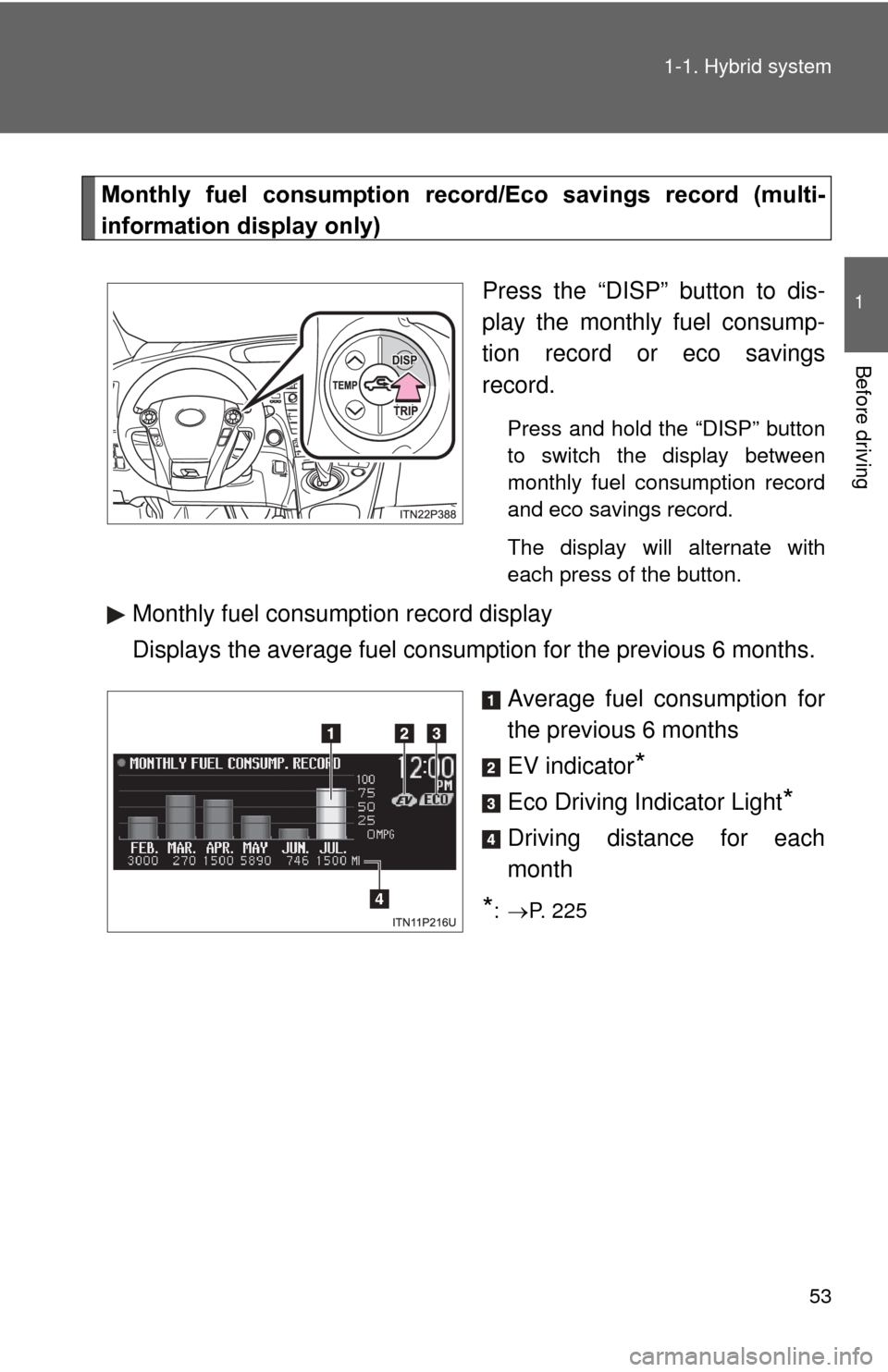
Monthly fuel consumption record
/Eco savings record (multi-
information display only)
Press the “DISP” button to dis-
play the monthly fuel consump-
tion record or eco savings
record.
Press and hold the “DISP” button
to switch the display between
monthly fuel consumption record
and eco savings record.
The display will alternate with
each press of the button.
Monthly fuel consumption record display
Displays the average fuel consumption for the previous 6 months.
Average fuel consumption for
the previous 6 months
EV indicator
*
Eco Driving Indicator Light*
Driving distance for each
month
*: P. 225
Page 54 of 636
54 1-1. Hybrid system
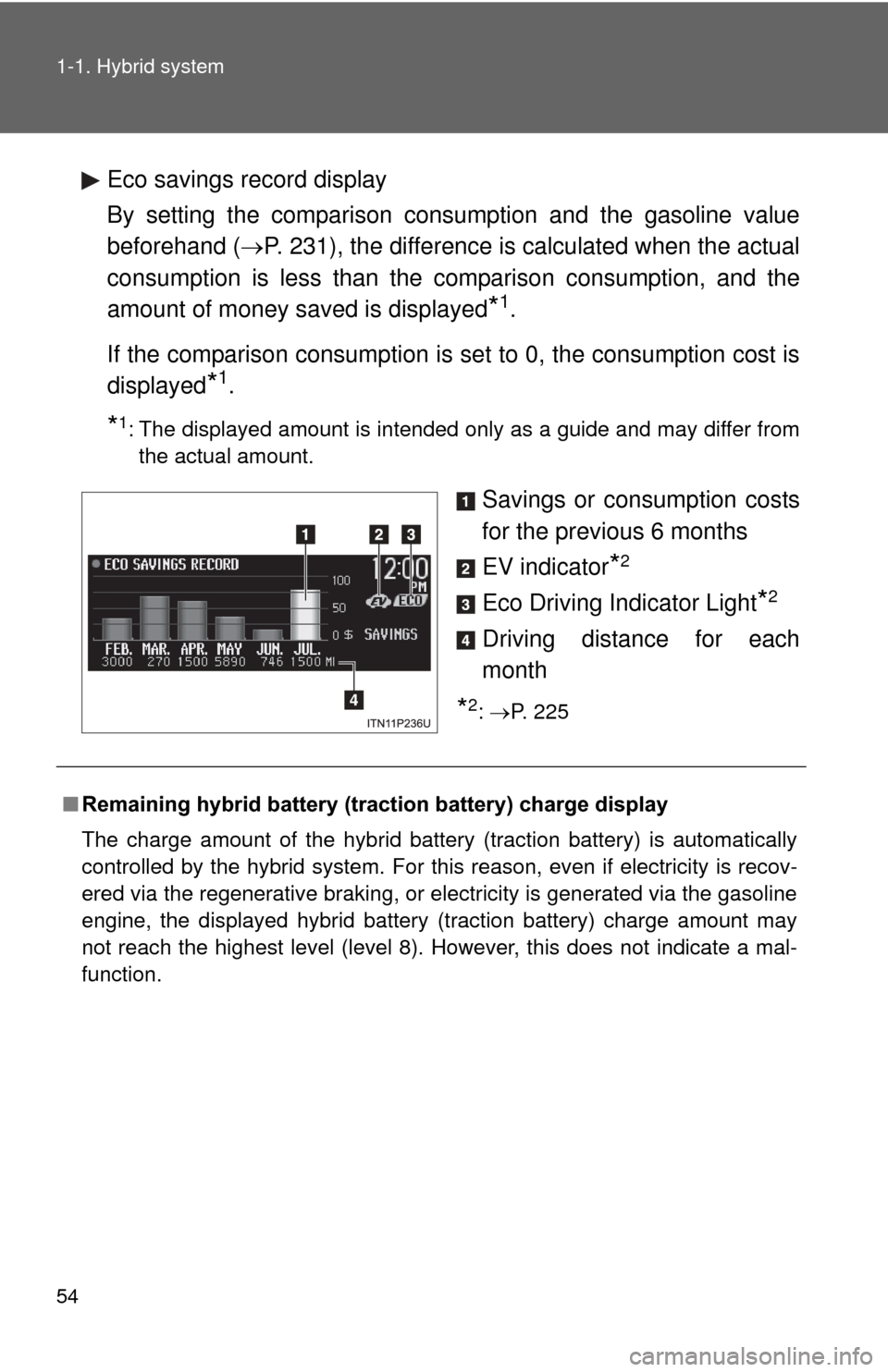
Eco savings record display
By setting the comparison consumption and the gasoline value
beforehand (P. 231), the difference is calculated when the actual
consumption is less than the comparison consumption, and the
amount of money saved is displayed
*1.
If the comparison consumption is set to 0, the consumption cost is
displayed
*1.
*1: The displayed amount is intended only as a guide and may differ from the actual amount.
Savings or consumption costs
for the previous 6 months
EV indicator
*2
Eco Driving Indicator Light*2
Driving distance for each
month
*2: P. 225
■ Remaining hybrid battery (traction battery) charge display
The charge amount of the hybrid battery (traction battery) is automatically
controlled by the hybrid system. For this reason, even if electricity is recov-
ered via the regenerative braking, or electricity is generated via the gasoline
engine, the displayed hybrid battery (traction battery) charge amount may
not reach the highest level (level 8). However, this does not indicate a mal-
function.
Page 56 of 636
56
1-1. Hybrid system
Hybrid vehicle driving tips
For economical and ecological driving, pay attention to the
following points:
■Using Eco drive mode
When using Eco drive mode, the torque corresponding to the
accelerator pedal depression amount can be generated more
smoothly than it is in normal conditions. In addition, the opera-
tion of the air conditioning system (heating/cooling) will be mini-
mized, improving th e fuel economy. (P. 204)
■ Use of Hybrid System Indicator
Eco-friendly driving is possible by keeping the indicate of Hybrid
System Indicator within Eco area. ( P. 225)
■ When braking the vehicle
Make sure to operate the brakes gently and in good time. A
greater amount of electrical energy can be retained when slow-
ing down.
■ Delays
Repeated acceleration and deceleration, as well as long waits at
traffic lights, will lead to bad fuel consumption. Check traffic
reports before leaving and avoid delays as much as possible.
When encountering a delay, gently release the brake pedal to
allow the vehicle to move forward slightly while avoiding overuse
of the accelerator pedal. Doing so can help control excessive
gasoline consumption.
■ Highway driving
Control your speed and keep at a constant speed. Also, before
stopping at a toll booth or similar, allow plenty of time to release
the accelerator and gently apply the brakes. A greater amount of
electrical energy can be reta ined when slowing down.
Page 67 of 636

67
1-3. Opening, closing and locking the doors
1
Before driving
■
Alarms and warning lights
A combination of exterior and interior alarms as well as warning lights are
used to prevent theft of the vehicle and accidents resulting from erroneous
operation. Take appropriate measures in response to any warning message
shown on the multi-information display. ( P. 517)
The following table describes circumstances and correction procedures
when only alarms are sounded.
AlarmSituationCorrection procedure
Interior alarm
pings once and
exterior alarm
sounds once for
5 seconds
*1
An attempt was made to
lock the doors using the
entry function while the
electronic key was still
inside the passenger com-
partment Retrieve the elec-
tronic key from the
passenger compart-
ment and lock the
doors again
An attempt was made to
exit the vehicle and lock
the doors without first turn-
ing the “POWER” switch
off Turn the “POWER”
switch off and lock the
doors again
Exterior alarm
sounds once for
5 seconds An attempt was made to
lock the vehicle while a
door is open Close all of the doors
and lock the doors
again
Page 75 of 636

75
1-3. Opening, closing and locking the doors
1
Before driving
■
Note for the unlocking function
●A sudden approach to the effective range or door handle may prevent the
doors from being unlocked. In this case, return the door handle to the
original position and check that the doors unlock before pulling the door
handle again.
● Gripping the door handle when wearing a glove may not unlock the door.
Remove the gloves and touch the sensor on the back of the door handle
again.
● If the door handle becomes wet while the electronic key is within the
effective range, the door may lock and unlock repeatedly. Place the key
in a position 6 ft. (2 m) or more separate from the vehicle while the vehi-
cle is being washed. (Take care to ensure that the key is not stolen.)
● If there is another electronic key in the detection area, it may take slightly
longer to unlock the doors after the door handle is gripped.
● Fingernails may scrape against the door during operation of the door
handle. Be careful not to injure fingernails or damage the surface of the
door.
■ When the vehicle is not dr iven for extended periods
● To prevent theft of the vehicle, do not leave the electronic key within 6 ft.
(2 m) of the vehicle.
● The smart key system can be deactivated in advance. ( P. 590)
■ To operate the system properly
Make sure to carry the electronic key when operating the system. Do not get
the electronic key too close to the vehicle when operating the system from
the outside of the vehicle.
Depending on the position and holding condition of the electronic key, the
key may not be detected correctly and the system may not operate properly.
(The door lock prevention may not operate.)