normal TOYOTA PRIUS 2012 3.G User Guide
[x] Cancel search | Manufacturer: TOYOTA, Model Year: 2012, Model line: PRIUS, Model: TOYOTA PRIUS 2012 3.GPages: 636, PDF Size: 11.02 MB
Page 190 of 636

190 2-1. Driving procedures
NOTICE
■When driving the vehicle
●Do not depress the accelerator and brake pedals at the same time during
driving, as this may restrain driving torque.
● Do not use the accelerator pedal or depress the accelerator and brake
pedals at the same time to hold the vehicle on a hill.
■ Avoiding damage to vehicle parts
●Do not turn the steering wheel fully in either direction and hold it there for
an extended period of time.
Doing so may damage the power steering motor.
● When driving over bumps in the road, drive as slowly as possible to avoid
damaging the wheels, underside of the vehicle, etc.
■ If you get a flat tire while driving
A flat or damaged tire may cause the following situations. Hold the steering
wheel firmly and gradually depress the br ake pedal to slow down the vehicle.
● It may be difficult to control your vehicle.
● The vehicle will make abnormal sounds or vibrations.
● The vehicle will lean abnormally.
Information on what to do in case of a flat tire. ( P. 523)
Page 199 of 636
199
2-1. Driving procedures
2
When driving
EV drive mode
In EV drive mode, the electric motor (traction motor), powered by the
hybrid battery (traction battery), is used to drive the vehicle.
This mode allows you to drive in residential areas late at night, or in
indoor parking lots etc. without concern for noises and exhaust gas
emissions.
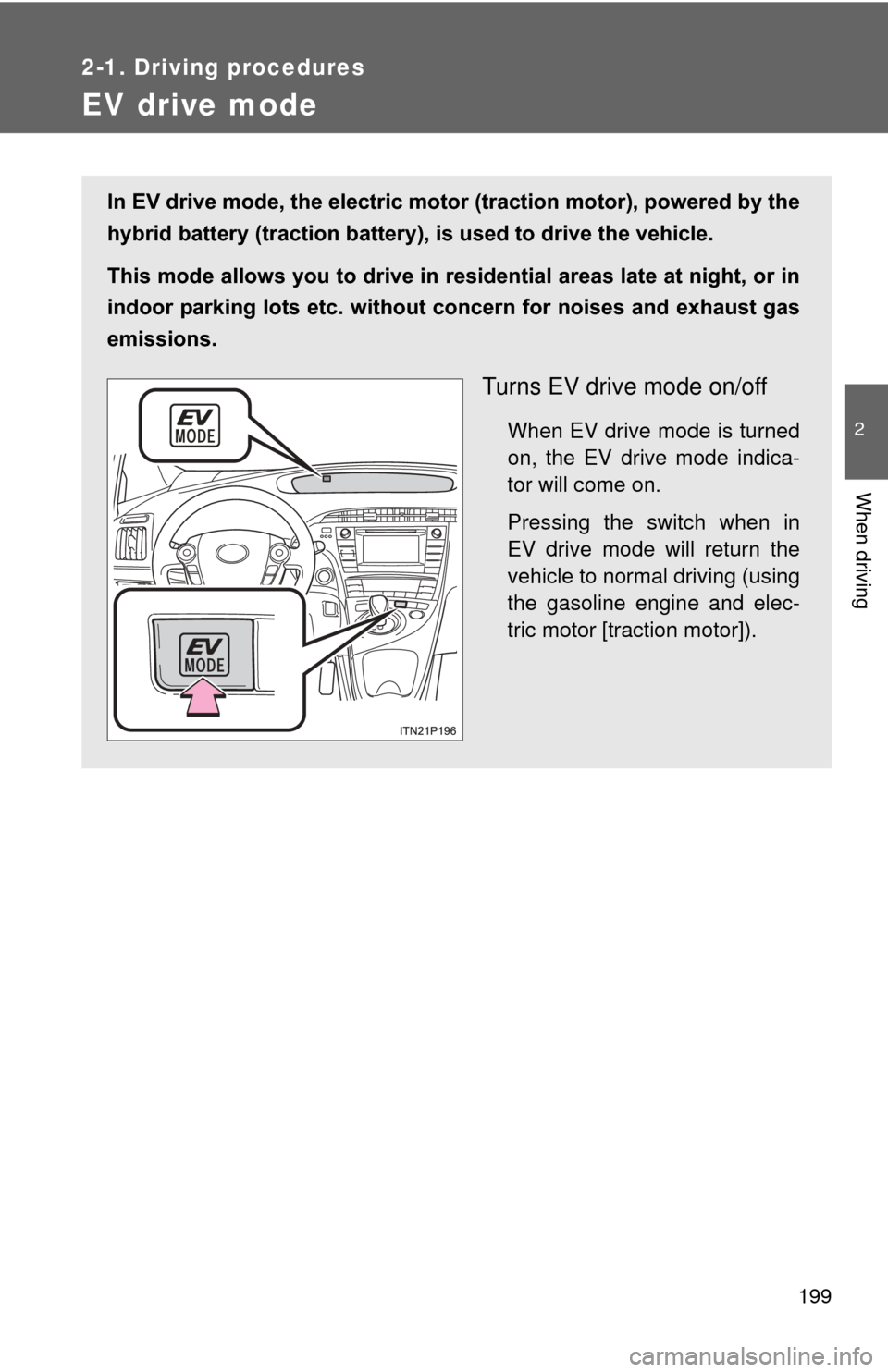
Turns EV drive mode on/off
When EV drive mode is turned
on, the EV drive mode indica-
tor will come on.
Pressing the switch when in
EV drive mode will return the
vehicle to normal driving (using
the gasoline engine and elec-
tric motor [traction motor]).
Page 201 of 636

201
2-1. Driving procedures
2
When driving
■
Automatic cancelation of EV drive mode
When driving in EV drive mode, the gasoline engine may automatically
restart in the following situations. When EV drive mode is canceled, a buzzer
will sound and the EV drive mode indicator will flash and go off.
●The hybrid battery (traction battery) becomes low.
● Vehicle speed becomes high.
● The accelerator pedal is depressed firmly or the vehicle is on a hill etc.
■ Possible driving distance when driving in EV drive mode
In EV drive mode, it is possible to drive up to about 1.3 mile (2 km) if driving
at a speed of about 25 mph (40 km/h) or less. (The distance that is possible
depends on the hybrid battery [traction battery] level and driving conditions.)
■ Changing a driving mode when in EV drive mode
EV drive mode can be used in conjunction with Eco drive mode and power
mode.
However, EV drive mode may be automatically canceled when used in con-
junction with power mode.
■ Fuel economy
PRIUS is designed to achieve the best possible fuel economy during normal
driving (using the gasoline engine and electric motor [traction motor]). Driv-
ing in EV drive mode more than necessary may lower fuel economy.
CAUTION
■While driving
When driving in EV drive mode, pay special attention to the area around the
vehicle. Because there is no engine noise, pedestrians, people riding bicy-
cles or other people and vehicles in the area may not be aware of the vehicle
starting off or approaching them, so take extra care while driving.
Page 203 of 636
203
2-1. Driving procedures
2
When driving
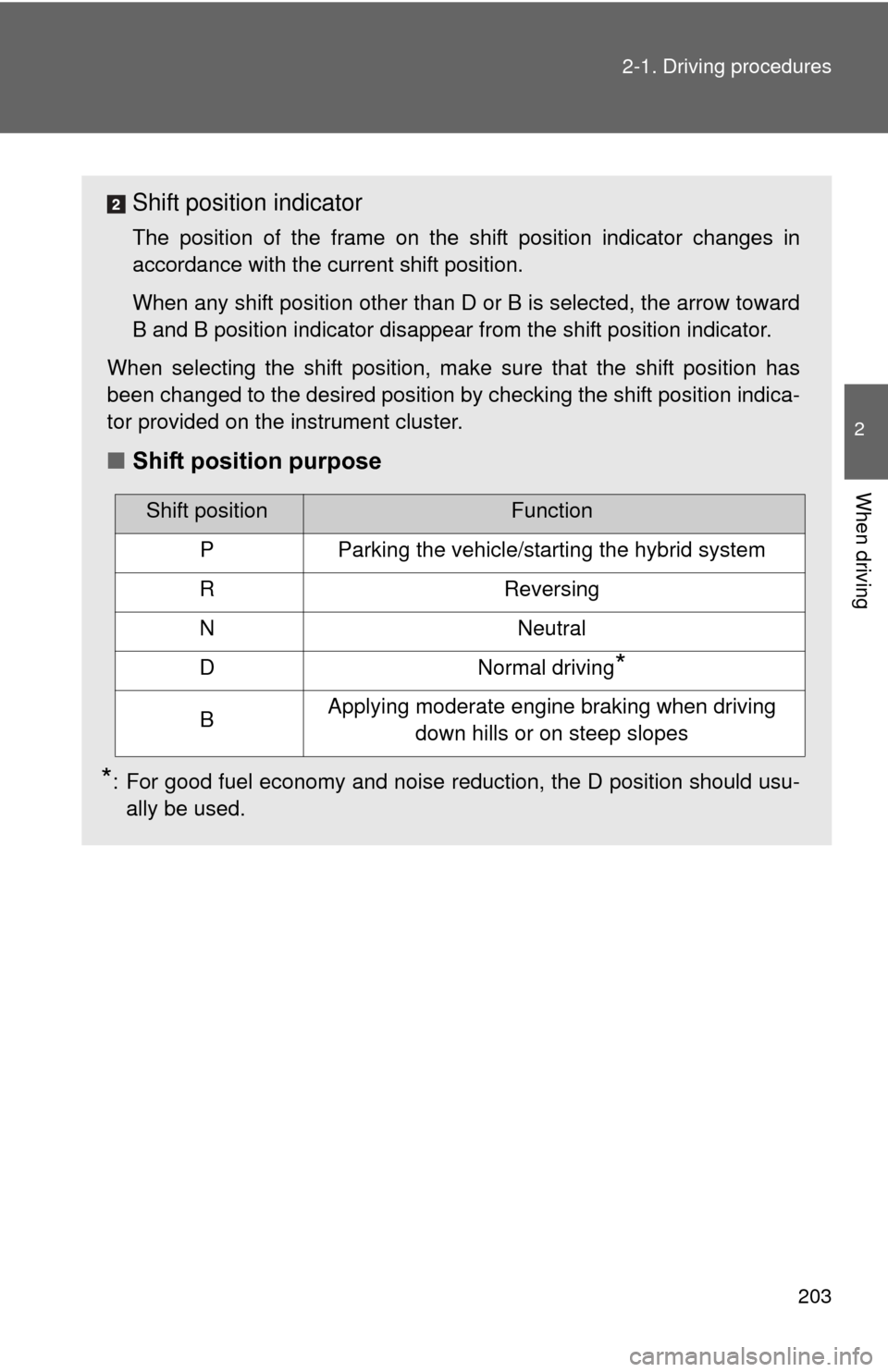
Shift position indicator
The position of the frame on the shift position indicator changes in
accordance with the current shift position.
When any shift position other than D or B is selected, the arrow toward
B and B position indicator disappear from the shift position indicator.
When selecting the shift position, make sure that the shift position has
been changed to the desired position by checking the shift position indica-
tor provided on the instrument cluster.
■ Shift position purpose
*: For good fuel economy and noise reduction, the D position should usu-
ally be used.
Shift positionFunction
PParking the vehicle/starting the hybrid system
RReversing
NNeutral
DNormal driving*
BApplying moderate engine braking when driving down hills or on steep slopes
Page 204 of 636
204 2-1. Driving procedures
■Selecting a driving mode
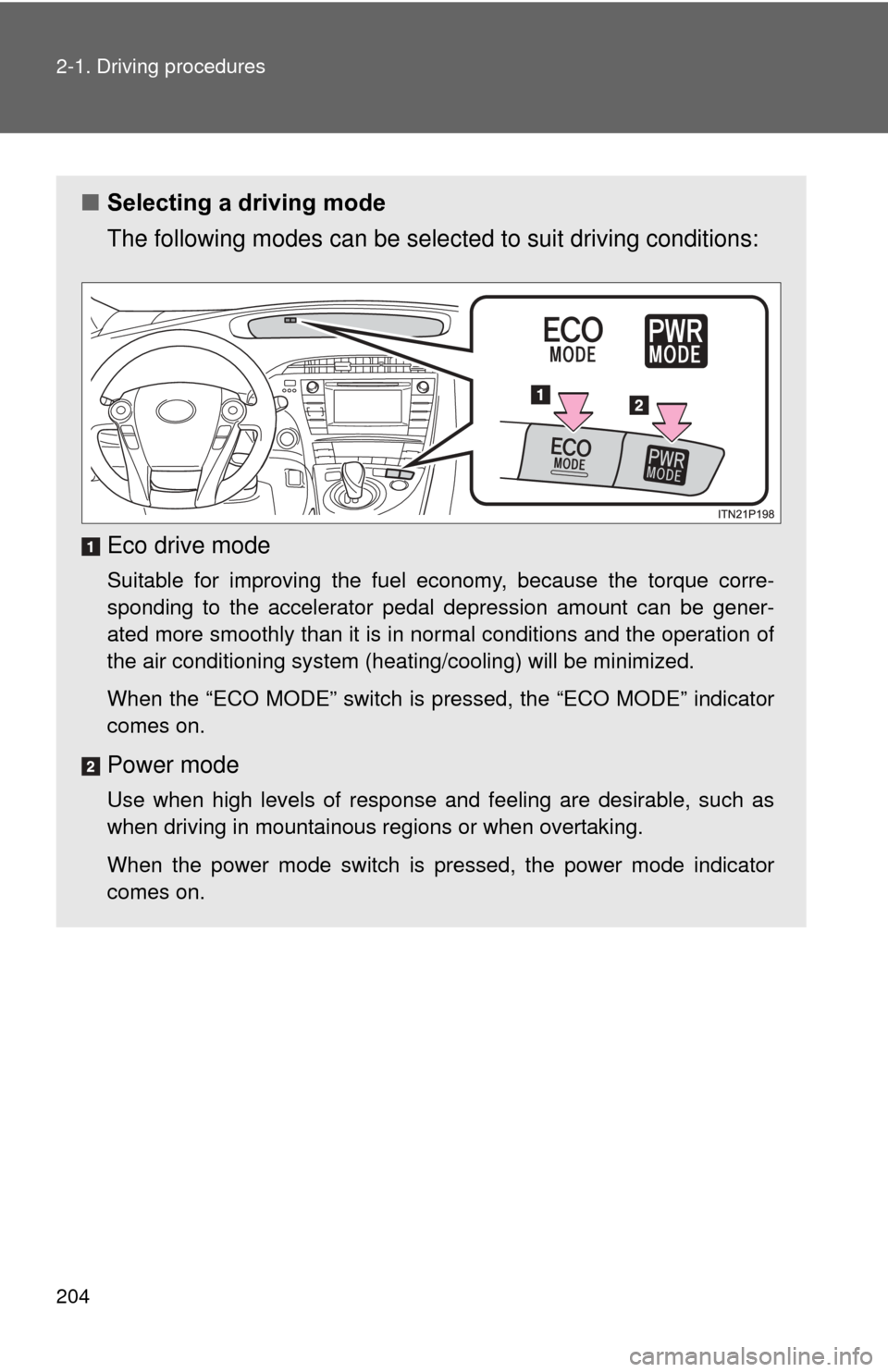
The following modes can be selected to suit driving conditions:
Eco drive mode
Suitable for improving the fuel economy, because the torque corre-
sponding to the accelerator pedal depression amount can be gener-
ated more smoothly than it is in normal conditions and the operation of
the air conditioning system (heating/cooling) will be minimized.
When the “ECO MODE” switch is pressed, the “ECO MODE” indicator
comes on.
Power mode
Use when high levels of response and feeling are desirable, such as
when driving in mountainous r egions or when overtaking.
When the power mode switch is pressed, the power mode indicator
comes on.
Page 240 of 636
240 2-2. Instrument cluster
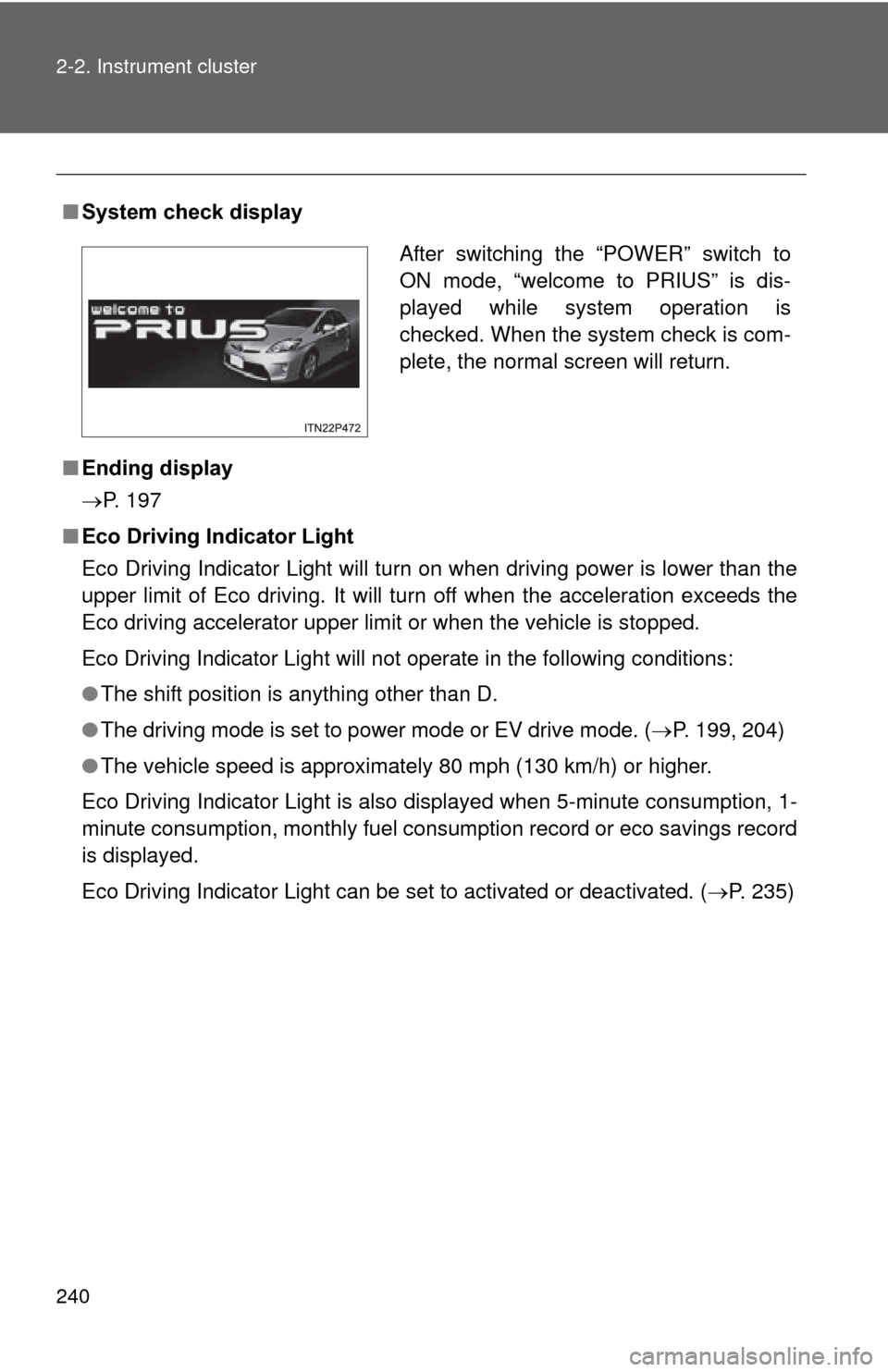
■System check display
■ Ending display
P. 197
■ Eco Driving Indicator Light
Eco Driving Indicator Light will turn on when driving power is lower than the
upper limit of Eco driving. It will turn off when the acceleration exceeds the
Eco driving accelerator upper limit or when the vehicle is stopped.
Eco Driving Indicator Light will not operate in the following conditions:
●The shift position is anything other than D.
● The driving mode is set to power mode or EV drive mode. ( P. 199, 204)
● The vehicle speed is approximately 80 mph (130 km/h) or higher.
Eco Driving Indicator Light is also displayed when 5-minute consumption, 1-
minute consumption, monthly fuel cons umption record or eco savings record
is displayed.
Eco Driving Indicator Light can be set to activated or deactivated. ( P. 235)
After switching the “POWER” switch to
ON mode, “welcome to PRIUS” is dis-
played while system operation is
checked. When the system check is com-
plete, the normal screen will return.
Page 247 of 636
247
2-2. Instrument cluster
2
When driving
Turn-by-turn navigati
on display (if equipped)
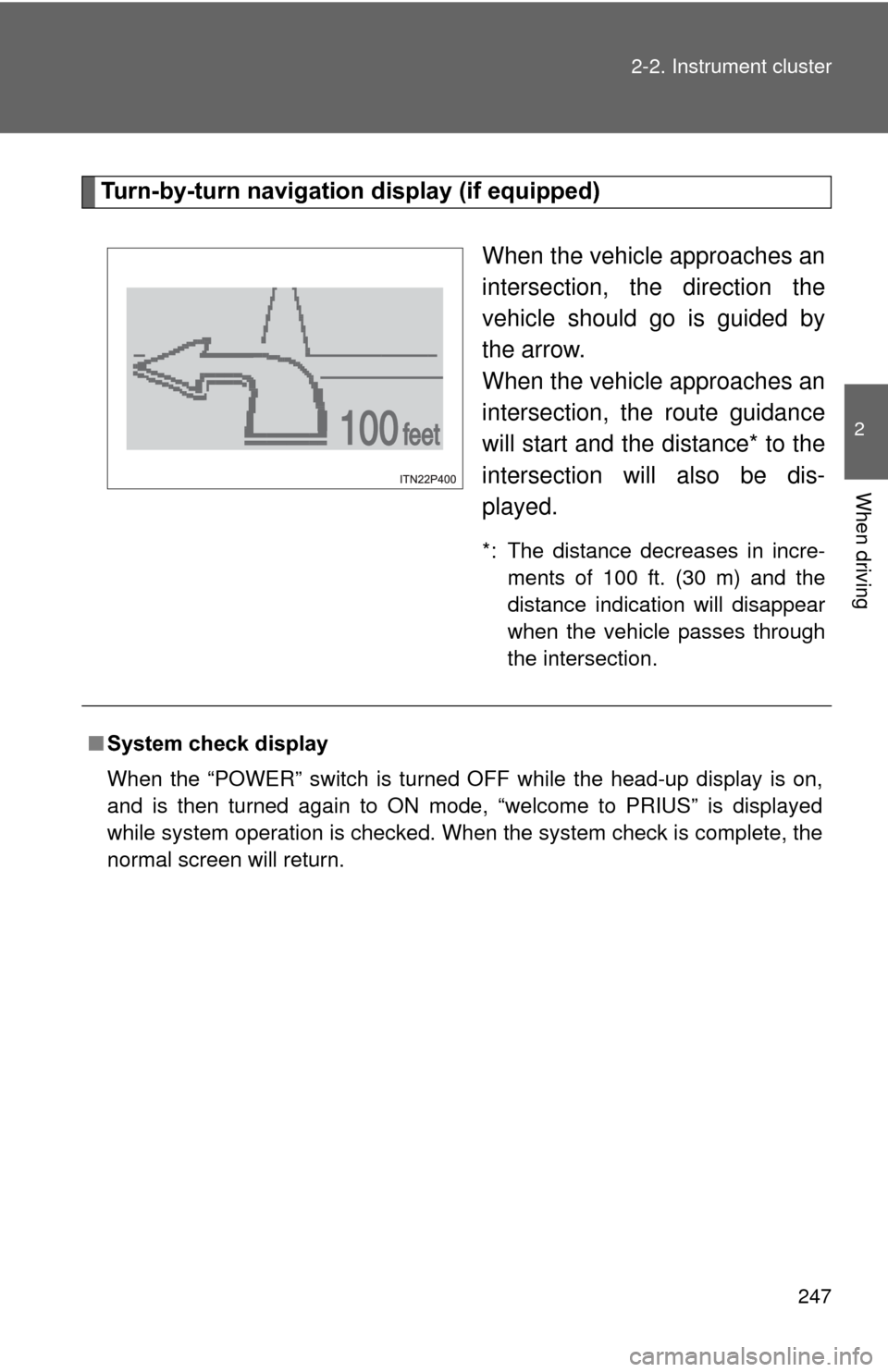
When the vehicle approaches an
intersection, the direction the
vehicle should go is guided by
the arrow.
When the vehicle approaches an
intersection, the route guidance
will start and the distance* to the
intersection will also be dis-
played.
*: The distance decreases in incre-ments of 100 ft. (30 m) and the
distance indication will disappear
when the vehicle passes through
the intersection.
■System check display
When the “POWER” switch is turned OFF while the head-up display is on,
and is then turned again to ON mode, “welcome to PRIUS” is displayed
while system operation is checked. When the system check is complete, the
normal screen will return.
Page 262 of 636
262
2-3. Operating the lights and windshield wipers
Rear window wiper and washer
: If equipped
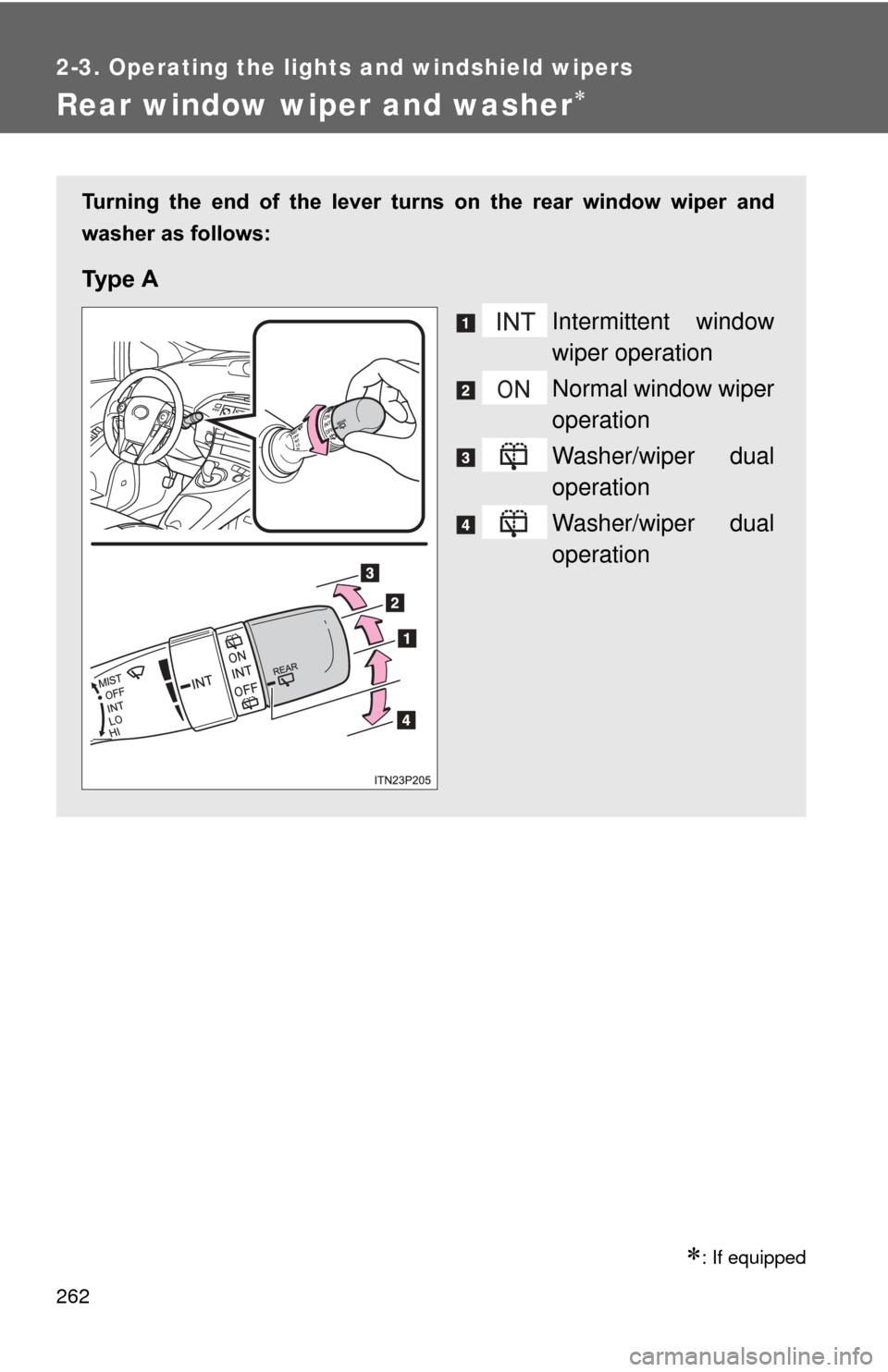
Turning the end of the lever turns on the rear window wiper and
washer as follows:
Ty p e A
Intermittent window
wiper operation
Normal window wiper
operation
Washer/wiper dual
operation
Washer/wiper dual
operation
Page 263 of 636
263
2-3. Operating the lights and windshield wipers
2
When driving
■
The rear window wiper and washer can be operated when
The “POWER” switch is in ON mode.
■ If no washer fluid sprays
Check that the washer nozzles are not blocked if there is washer fluid in the
washer fluid reservoir.
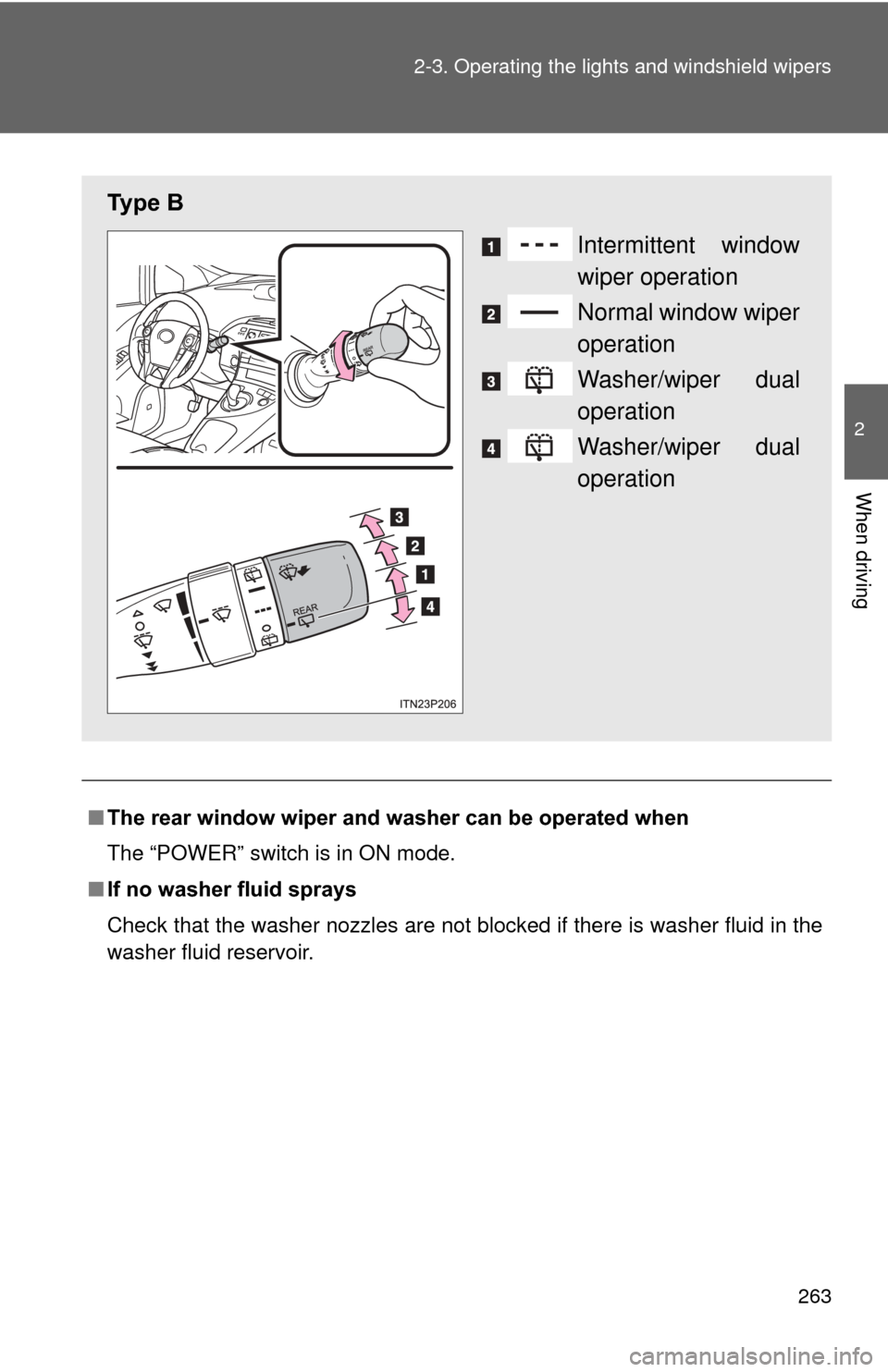
Ty p e B
Intermittent window
wiper operation
Normal window wiper
operation
Washer/wiper dual
operation
Washer/wiper dual
operation
Page 268 of 636

268 2-4. Using other driving systems
■Cruise control can be set when
●The shift position is in D.
● Vehicle speed is above approximately 25 mph (40 km/h).
■ Accelerating after setting the vehicle speed
●The vehicle can be accelerated normally. After acceleration, the set
speed resumes.
● Even without canceling the cruise control, the set speed can be
increased by first accelerating the vehicle to the desired speed and then
pushing the lever down to set the new speed.
■ Automatic cruise control cancelation
Cruise control will stop maintaining the vehicle speed in any of the following
situations.
●Actual vehicle speed falls more than approximately 10 mph (16 km/h)
below the preset vehicle speed.
At this time, the memorized set speed is not retained.
● Actual vehicle speed is below approximately 25 mph (40 km/h).
● Enhanced VSC is activated.
■ If the cruise control indicator light flashes
Press the “ON-OFF” button once to deactivate the system, and then press
the button again to reactivate the system.
If the cruise control speed cannot be set or if the cruise control cancels
immediately after being activated, there may be a malfunction in the cruise
control system. Have the vehicle inspected by your Toyota dealer.