Audio system TOYOTA PRIUS 2014 3.G User Guide
[x] Cancel search | Manufacturer: TOYOTA, Model Year: 2014, Model line: PRIUS, Model: TOYOTA PRIUS 2014 3.GPages: 640, PDF Size: 11.68 MB
Page 62 of 640
62 1-2. Key information
PRIUS_OM_OM47857U_DVD_(U)
NOTICE
■To prevent key damage
Observe the following:
●Do not drop the keys, subject them to strong shocks or bend them.
● Do not expose the keys to high temperatures for long periods of time.
● Do not get the keys wet or wash them in an ultrasonic washer etc.
● Do not attach metallic or magnetic materials to the keys or place the keys
close to such materials.
● Do not disassemble the keys.
● Do not attach a sticker or anything else to the surface of the electronic key.
● Do not place the keys near objects that produce magnetic fields, such as
TVs, audio systems and induction cookers, or medical electrical equip-
ment, such as low-frequency therapy equipment.
■ Carrying the electronic key on your person
Carry the electronic key 3.9 in. (10 cm) or more away from electric appli-
ances that are turned on. Radio waves emitted from electric appliances
within 3.9 in. (10 cm) of the electronic key may interfere with the key, causing
the key to not function properly.
■ In case of a smart key system malf unction or other key-related prob-
lems
Take your vehicle with all the electronic keys provided with your vehicle to
your Toyota dealer.
■ When a vehicle key is lost
If the key remains lost, the risk of vehicle theft increases significantly. Visit
your Toyota dealer immediately with all remaining electronic keys that was
provided with your vehicle.
Page 74 of 640

74 1-3. Opening, closing and locking the doors
PRIUS_OM_OM47857U_DVD_(U)
■Conditions affecting operation
The smart key system, wireless remote control and immobilizer system use
weak radio waves. In the following situations, the communication between
the electronic key and the vehicle may be affected, preventing the smart key
system, wireless remote control and immobilizer system from operating
properly. (Ways of coping: P. 548)
● When the electronic key battery is depleted
● Near a TV tower, electric power plant, gas station, radio station, large dis-
play, airport or other facility that generates strong radio waves or electri-
cal noise
● When carrying a portable radio, ce llular phone, cordless phone or other
wireless communication devices
● When the electronic key is in contact with, or is covered by the following
metallic objects
• Cards to which aluminum foil is attached
• Cigarette boxes that have aluminum foil inside
• Metallic wallets or bags
• Coins
• Hand warmers made of metal
• Media such as CDs and DVDs
● When other wireless key (that emit radio waves) is being used nearby
● When carrying the electronic key together with the following devices that
emit radio waves
• Another vehicle’s electronic key or a wireless key that emits radio
waves
• Personal computers or personal digital assistants (PDAs)
• Digital audio players
• Portable game systems
● If window tint with a metallic content or metallic objects are attached to
the rear window
Page 80 of 640

80 1-3. Opening, closing and locking the doors
PRIUS_OM_OM47857U_DVD_(U)
CAUTION
■Caution regarding interfer ence with electronic devices
● People with implantable cardiac pacemakers, cardiac resynchronization
therapy-pacemakers or implantable ca rdioverter defibrillators should keep
away from the smart key system antennas. ( P. 66)
The radio waves may affect the operation of such devices. If necessary,
the entry function can be disabled. Ask your Toyota dealer for details, such
as the frequency of radio waves and timing of the emitted radio waves.
Then, consult your doctor to see if you should disable the entry function.
● Users of any electrical medical device other than implantable cardiac
pacemakers, cardiac resynchronizati on therapy-pacemakers or implant-
able cardioverter defibrillators should consult the manufacturer of the
device for information about its operation under the influence of radio
waves.
Radio waves could have unexpected effects on the operation of such
medical devices.
Ask your Toyota dealer for details on disabling the entry function.
On vehicles with the Display Audio system or the navigation system, the
entry function can be disabled personally. ( P. 596)
Page 196 of 640
196 2-1. Driving procedures
PRIUS_OM_OM47857U_DVD_(U)
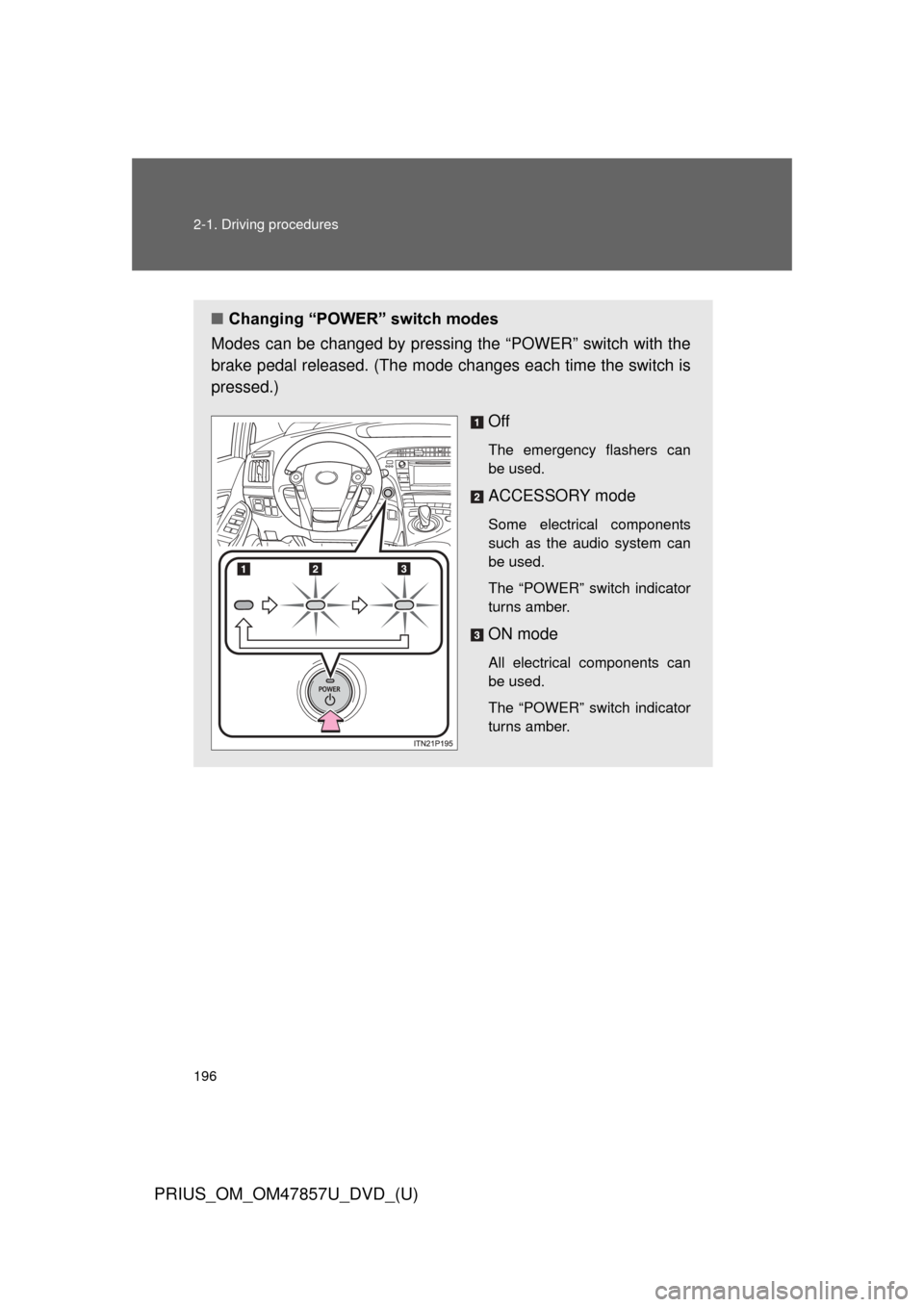
■Changing “POWER” switch modes
Modes can be changed by pressing the “POWER” switch with the
brake pedal released. (The mode changes each time the switch is
pressed.)
Off
The emergency flashers can
be used.
ACCESSORY mode
Some electrical components
such as the audio system can
be used.
The “POWER” switch indicator
turns amber.
ON mode
All electrical components can
be used.
The “POWER” switch indicator
turns amber.
Page 217 of 640
217
2-2. Instrument cluster
PRIUS_OM_OM47857U_DVD_(U)
2
When driving
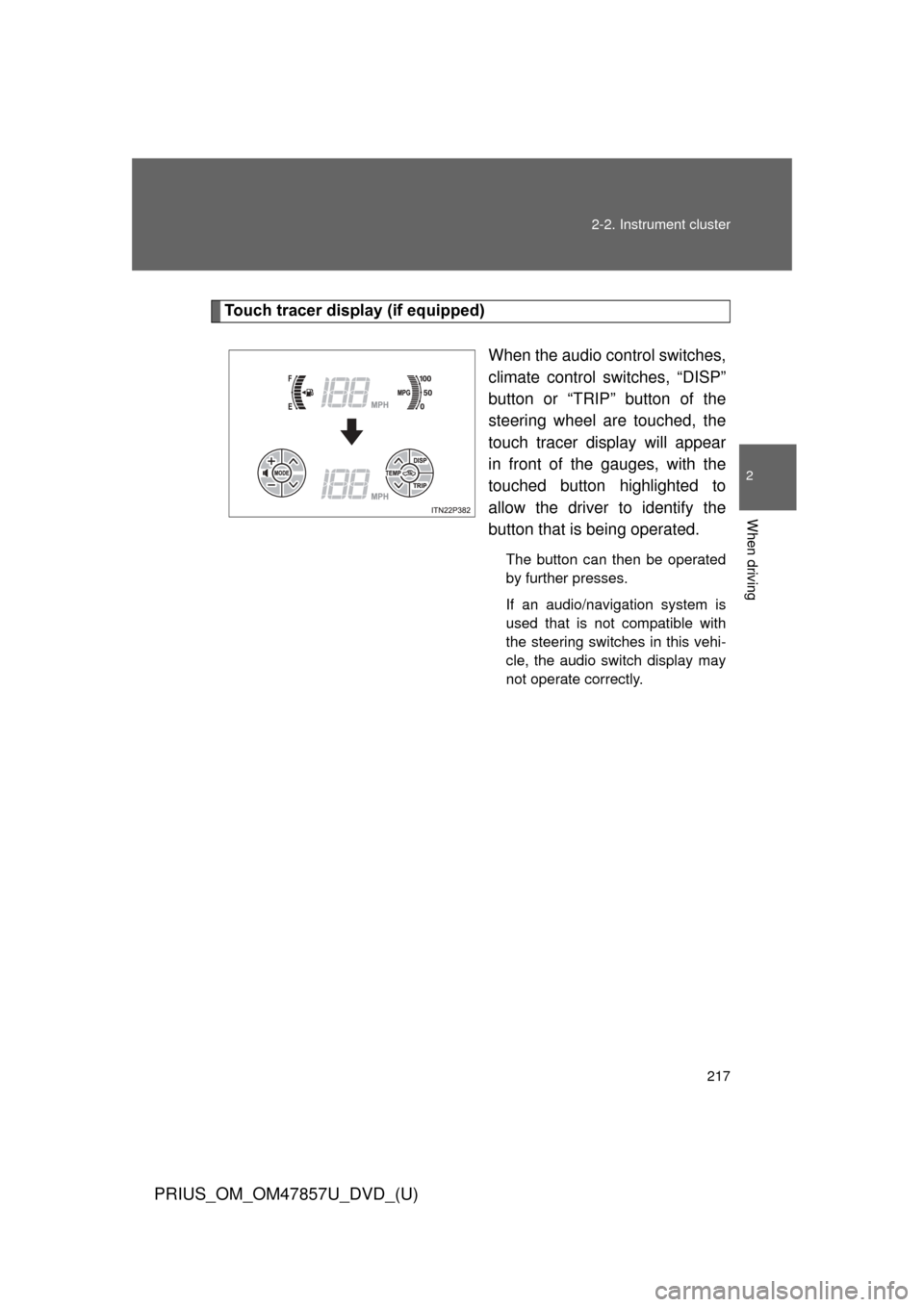
Touch tracer display (if equipped)
When the audio control switches,
climate control switches, “DISP”
button or “TRIP” button of the
steering wheel are touched, the
touch tracer display will appear
in front of the gauges, with the
touched button highlighted to
allow the driver to identify the
button that is being operated.
The button can then be operated
by further presses.
If an audio/navigation system is
used that is not compatible with
the steering switches in this vehi-
cle, the audio switch display may
not operate correctly.
Page 329 of 640
Interior features3
329
PRIUS_OM_OM47857U_DVD_(U)
3-1. Using the air conditioning system and defogger
Air conditioning system .... 330
Using the steering wheel climate remote control
switches ......................... 341
Solar Ventilation System ........................... 343
Remote Air Conditioning System ........................... 346
Rear window and outside rear view mirror
defoggers switch ............ 350 3-2. Using the audio system
Audio system types .......... 351
Using the AUX port/USB port ................................. 356
3-3. Using the interior lights Interior lights list ............... 357
• Front interior lights ......... 358
• Personal lights ............... 359
• Rear interior light ........... 359
3-4. Using the storage features List of storage features .... 361
• Glove boxes ................... 362
• Console box ................... 363
• Cup holders ................... 364
• Bottle holders ................. 366
• Auxiliary boxes ............... 367
3-5. Other interior features Sun visors ........................ 368
Vanity mirrors ................... 369
Outside temperature display............................ 370
Power outlets ................... 371
Seat heaters..................... 373
Armrest ............................ 375
Assist grips....................... 376
Floor mats ........................ 377
Luggage compartment features .......................... 379
Garage door opener......... 385
Safety Connect ................ 393
Page 351 of 640
351
PRIUS_OM_OM47857U_DVD_(U)
3
Interior features
3-2. Using the audio system
Audio system types
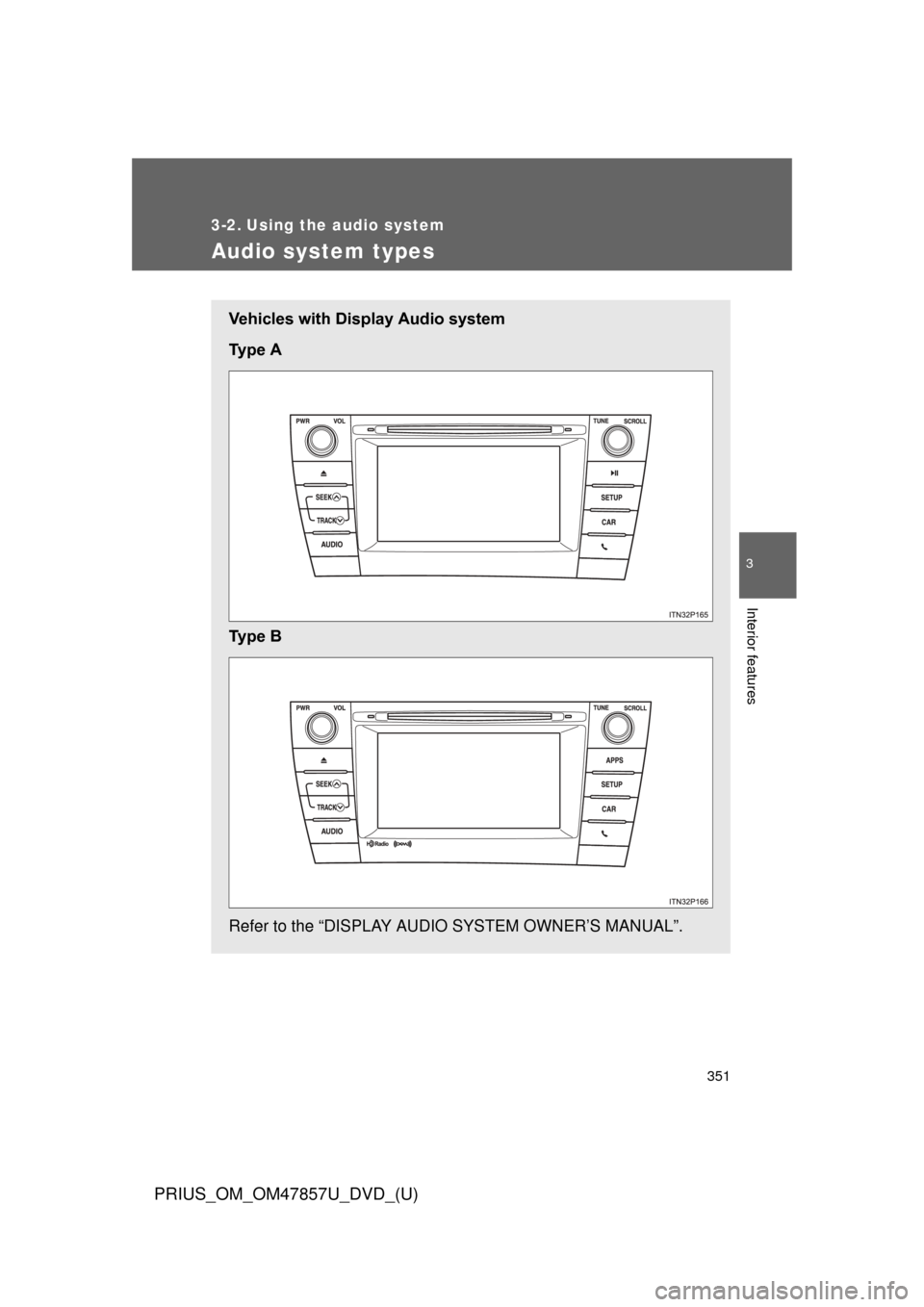
Vehicles with Display Audio system
Ty p e A
Ty p e B
Refer to the “DISPLAY AUDIO SYSTEM OWNER’S MANUAL”.
Page 352 of 640
352 3-2. Using the audio system
PRIUS_OM_OM47857U_DVD_(U)
Steering wheel audio switchesSome audio features can be contro lled using the switches on the
steering wheel. For details, refer to the “DISPLAY AUDIO SYSTEM
OWNER’S MANUAL” or “NAVIGATION SYSTEM OWNER’S MAN-
UAL”.
Operation may differ and usage may not be possible with audio/navi-
gation systems that are not compatible with the steering switches in
this vehicle.
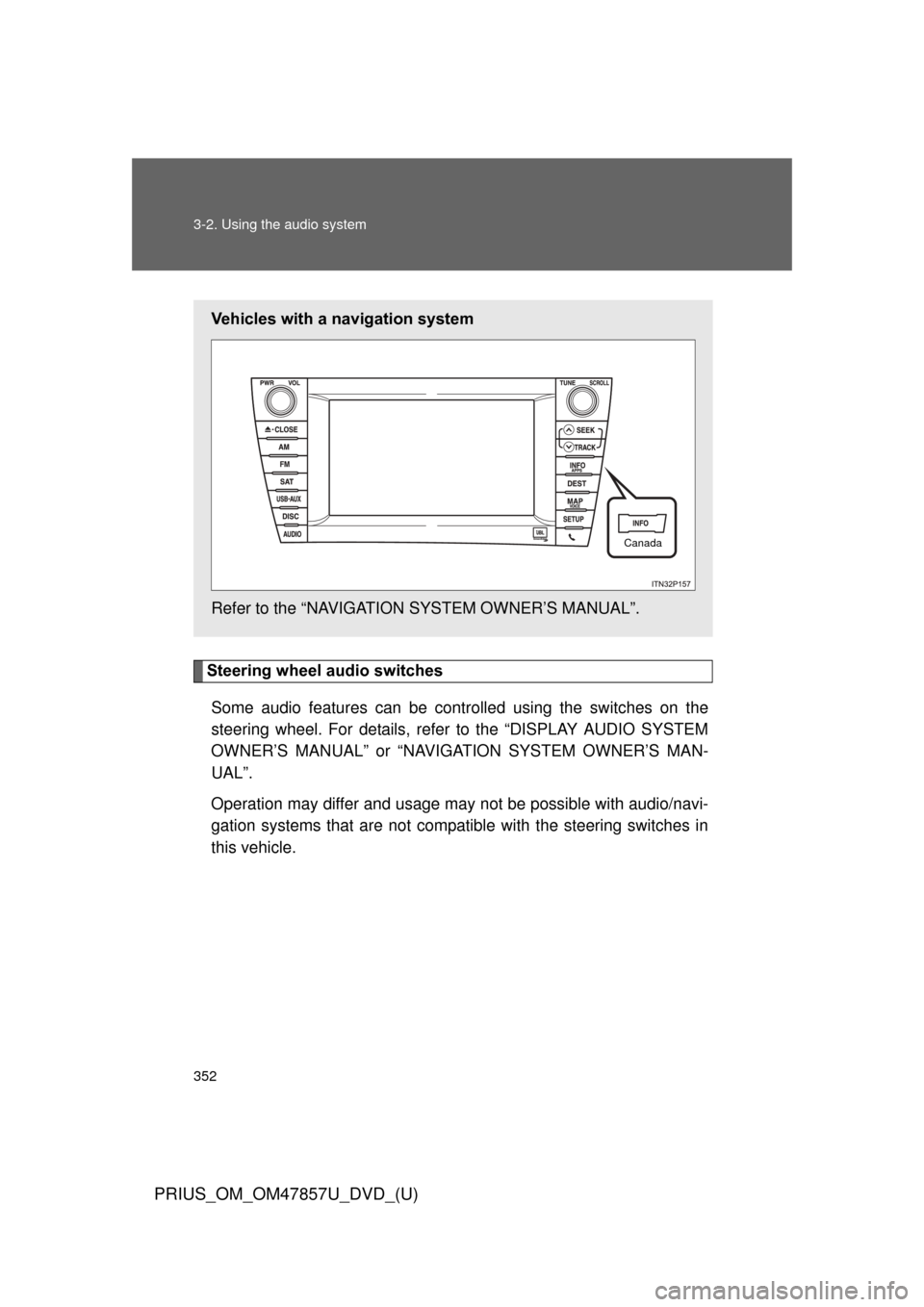
Vehicles with a navigation system
Refer to the “NAVIGATION SYSTEM OWNER’S MANUAL”.
Canada
Page 353 of 640
353
3-2. Using the audio system
PRIUS_OM_OM47857U_DVD_(U)
3
Interior features
■
About Bluetooth® (vehicles with Display Audio system)
CAUTION
■Certification for the Display Audio system
FCC ID: ACJ932CQ-US70G0
●Part 15 of the FCC Rules
FCC Warning:
Any unauthorized changes or modifications to this equipment will void the
user’s authority to operate this device.
● Laser products
• Do not take this unit apart or attempt to make any changes by yourself.
This is an intricate unit that uses a laser pickup to retrieve information
from the surface of compact discs. The laser is carefully shielded so
that its rays remain inside the cabinet. Therefore, never try to disas-
semble the player or alter any of its parts since you may be exposed to
laser rays and dangerous voltages.
• This product utilizes a laser. Use of controls or adjustments or performance of procedures other
than those specified herein may result in hazardous radiation expo-
sure.
Bluetooth is a registered trade mark of
Bluetooth SIG, Inc.
The Bluetooth word mark and logos are
owned by the Bluetooth SIG, Inc. and any
use of such marks by Panasonic Corpo-
ration is under license.
Other trademarks and trade names are
those of their respective owners.
Page 354 of 640

354 3-2. Using the audio system
PRIUS_OM_OM47857U_DVD_(U)
CAUTION
Properly shielded a grounded cables and connectors must be used for con-
nection to host computer and / or peripherals in order to meet FCC emission
limits.
This transmitter must not be co-located or operated in conjunction with any
other antenna or transmitter.
This device complies with Part 15 of FCC Rules and Industry Canada
licence-exempt RSS standard(s). Operation is subject to the following two
conditions: (1) this device may not cause interference, and (2) this device
must accept any interference, including interference that may cause undesi-
red operation of this device.
Le présent appareil est conforme aux la partie 15 des règles de la FCC et
CNR d’Industrie Canada applicables aux appareils radio exempts de
licence. L’exploitation est autorisée aux deux conditions suivantes : (1)
l’appareil ne doit pas produire de brouillage, et (2) l’utilisateur de l’appareil
doit accepter tout brouillage radioélectrique subi, même si le brouillage est
susceptible d’en compromettre le fonctionnement.
This equipment complies with FCC/IC radiation exposure limits set forth for
an uncontrolled environment and meets the FCC radio frequency (RF) Expo-
sure Guidelines in Supplement C to OET65 and RSS-102 of the IC radio fre-
quency (RF) Exposure rules. This equipment has very low levels of RF
energy that it deemed to comply without maximum permissive exposure
evaluation (MPE).
But it is desirable that it should be installed and operated keeping the radia-
tor at least 20 cm or more away from person’s body (excluding extremities:
hands, wrists, feet and ankles).
Cet équipement est conforme aux limites d’exposition aux rayonnements
énoncées pour un environnement non contrôlé et respecte les règles les
radioélectriques (RF) de la FCC lignes directices d’exposition dans le Sup-
plément C à OET65 et d’exposition aux fréquences radioélectriques (RF)
CNR-102 de l’IC. Cet équipement émet une énergie RF très faible qui est
considérée conforme sans évaluation de l’exposition maximale autorisée.
Cependant, cet équipement doit être installé et utilisé en gardant une dis-
tance de 20 cm ou plus entre le dispositif rayonnant et le corps (à l’exception
des extrémités : mains, poignets, pieds et chivilles).