battery TOYOTA PRIUS 2017 4.G User Guide
[x] Cancel search | Manufacturer: TOYOTA, Model Year: 2017, Model line: PRIUS, Model: TOYOTA PRIUS 2017 4.GPages: 796, PDF Size: 20.13 MB
Page 87 of 796
871-3. Hybrid system
PRIUS_OM_OM47B54U_(U)
1
For safety and security
WARNING
■Hybrid battery (traction battery)
● ZVW51 models
*: Your vehicle contains a sealed lithium-ion battery.
● Never resell, hand over or modify the hybrid battery. To prevent accidents,
hybrid batteries that have been removed from a disposed vehicle are col-
lected through Toyota dealer. Do not dispose of the battery yourself.
Unless the battery is properly collected, the following may occur, resulting
in death or serious injury:
• The hybrid battery may be illegally disposed of or dumped, and it is haz-
ardous to the environment or someone may touch a high voltage part,
resulting in an electric shock.
• The hybrid battery is intended to be used exclusively with your hybrid vehicle. If the hybrid battery is used outside of your vehicle or modified
in any way, accidents such as electric shock, heat generation, smoke
generation, an explosion and electrolyte leakage may occur.
When reselling or handing over your vehicle, the possibility of an accident
is extremely high because the person receiving the vehicle may not be
aware of these dangers.
● If your vehicle is disposed of without the hybrid battery having been
removed, there is a danger of serious electric shock if high voltage parts,
cables and their connectors are touched. In the event that your vehicle
must be disposed of, the hybrid battery must be disposed of by your
Toyota dealer or a qualified service shop. If the hybrid battery is not dis-
posed of properly, it may cause electric shock that can result in death or
serious injury.
*: The model code is indicated on the Certification Label. ( →P. 723)
Page 88 of 796
881-3. Hybrid system
PRIUS_OM_OM47B54U_(U)
NOTICE
■Hybrid battery (traction battery) air intake vent
● Make sure not to block the air intake vent with anything, such as a seat
cover, plastic cover, or luggage. The hybrid battery (traction battery) may
overheat and be damaged.
● When dust etc. has accumulated in the air intake vent, clean it with a vac-
uum cleaner to prevent the vent from clogging.
● Do not get water or foreign materials in the air intake vent as this may
cause a short circuit and damage the hybrid battery (traction battery).
● Do not carry large amounts of water such as water cooler bottles in the
vehicle. If water spills onto the hybrid battery (traction battery), the battery
may be damaged. Have the vehicle inspected by your Toyota dealer.
● There is a filter installed to the air intake vent. When the filter remains
noticeably dirty even after cleaning the air intake vent, filter cleaning or
replacement is recommended. For information regarding filter cleaning or
replacement, contact your Toyota dealer.
● If “Maintenance required for Traction battery cooling parts See owner’s
manual” is shown on the multi-information display, the air intake vent and
filter may be clogged. Refer to P. 573 for information on how to clean the
air intake vent.
Page 98 of 796
98
PRIUS_OM_OM47B54U_(U)
2. Instrument cluster
■The meters and display illuminate when
The power switch is in ON mode.
■ Adjusting the instrument cluster brightness (→P. 94)
● The brightness levels that can be selected differ depending on whether the
tail lights are on and surrounding brightness levels, as shown in the table
below.
*: 22 levels of the brightness are displayed on the setting screen. However,
the brightness setting will be the brightest when other than 1st level (the
darkest) is selected. If other than 1st or 22nd level is selected, when the
tail lights are turned on in a dark place, the instrument cluster brightness
setting will be the selected level.
● If the taillights are illuminated in a dark environment, the instrument cluster
light dims. However, when the brightness of the instrument cluster is set to
minimum or maximum (1st or 22nd level of the instrument cluster bright-
ness), even if the taillights are illuminated, the instrument cluster light will
not dim.
■ When disconnecting and reconnect ing 12-volt battery terminals
The settings of the clock will be reset.
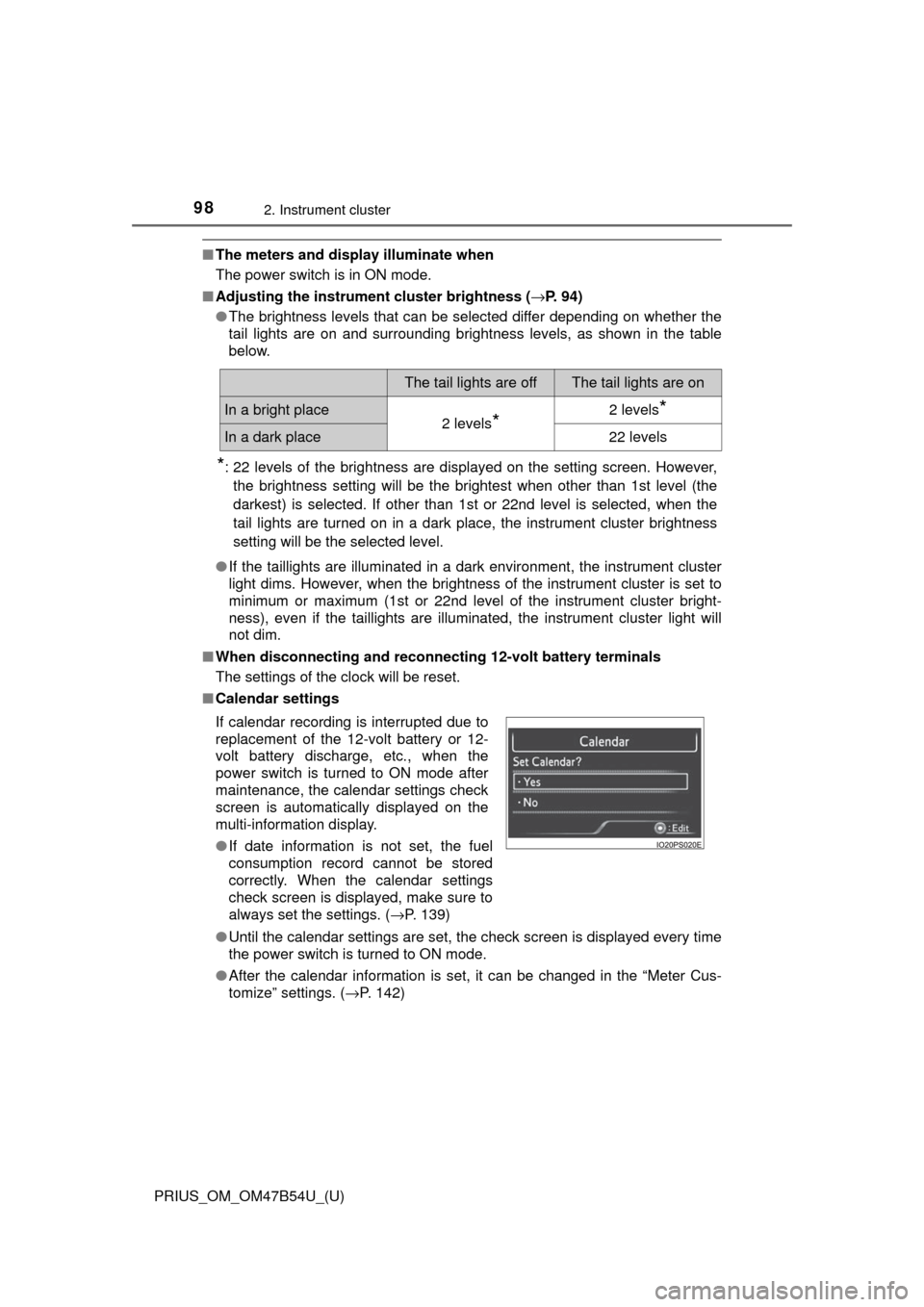
■ Calendar settings
●Until the calendar settings are set, the check screen is displayed every time
the power switch is turned to ON mode.
● After the calendar information is set, it can be changed in the “Meter Cus-
tomize” settings. (→P. 142)
The tail lights are offThe tail lights are on
In a bright place2 levels*2 levels*
In a dark place22 levels
If calendar recording is interrupted due to
replacement of the 12-volt battery or 12-
volt battery discharge, etc., when the
power switch is turned to ON mode after
maintenance, the calendar settings check
screen is automatically displayed on the
multi-information display.
● If date information is not set, the fuel
consumption record cannot be stored
correctly. When the calendar settings
check screen is displayed, make sure to
always set the settings. ( →P. 139)
Page 112 of 796
112
PRIUS_OM_OM47B54U_(U)
2. Instrument cluster
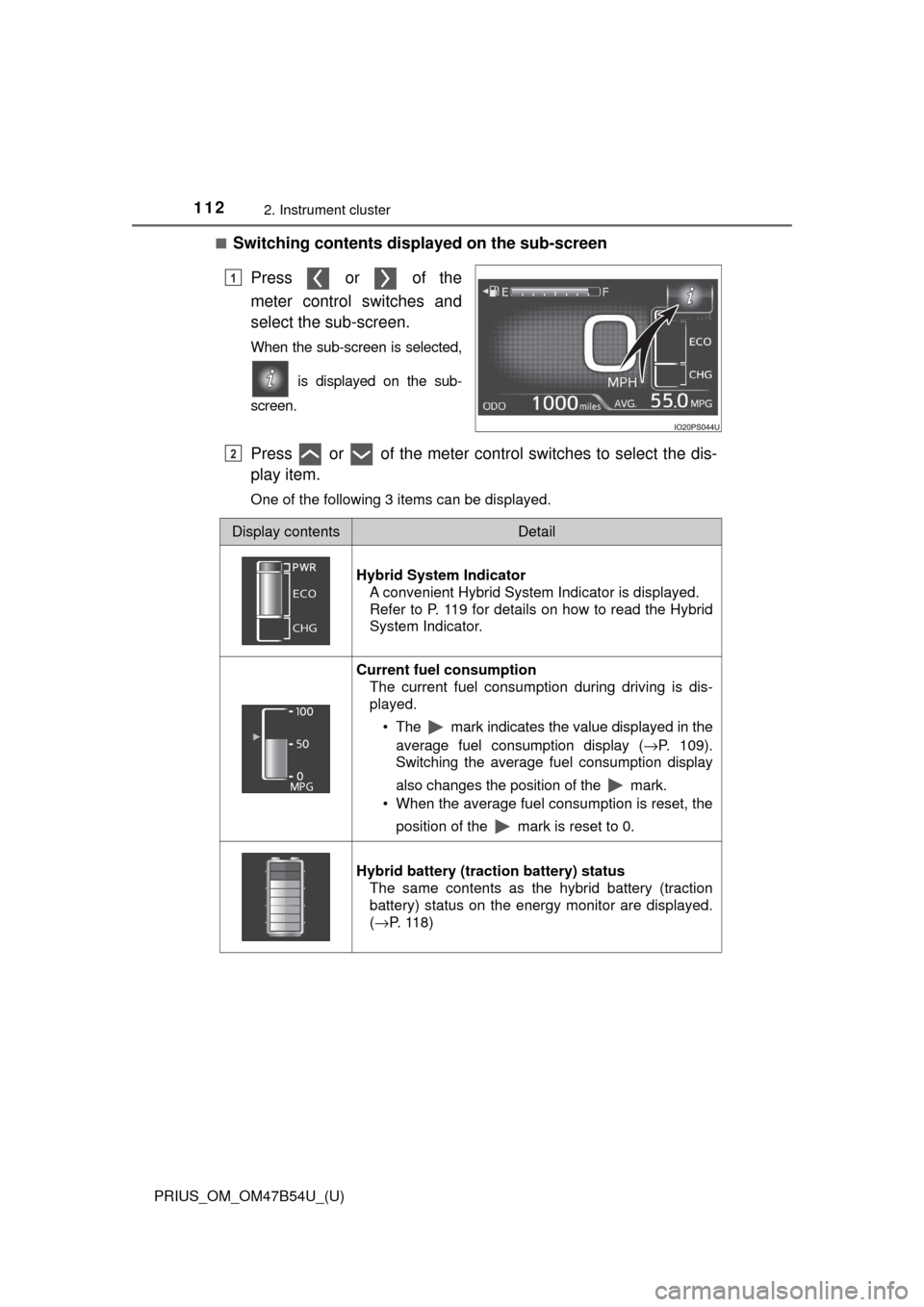
■Switching contents displayed on the sub-screenPress or of the
meter control switches and
select the sub-screen.
When the sub-screen is selected,
is displayed on the sub-
screen.
Press or of the meter control switches to select the dis-
play item.
One of the following 3 items can be displayed.
1
2
Display contentsDetail
Hybrid System Indicator A convenient Hybrid System Indicator is displayed.
Refer to P. 119 for details on how to read the Hybrid
System Indicator.
Current fuel consumption
The current fuel consumption during driving is dis-
played.
• The mark indicates the value displayed in theaverage fuel consumption display ( →P. 109).
Switching the average fuel consumption display
also changes the position of the mark.
• When the average fuel consumption is reset, the
position of the mark is reset to 0.
Hybrid battery (traction battery) status The same contents as the hybrid battery (traction
battery) status on the energy monitor are displayed.
(→P. 118)
Page 117 of 796
PRIUS_OM_OM47B54U_(U)
1172. Instrument cluster
2
Instrument cluster
◆Energy monitor
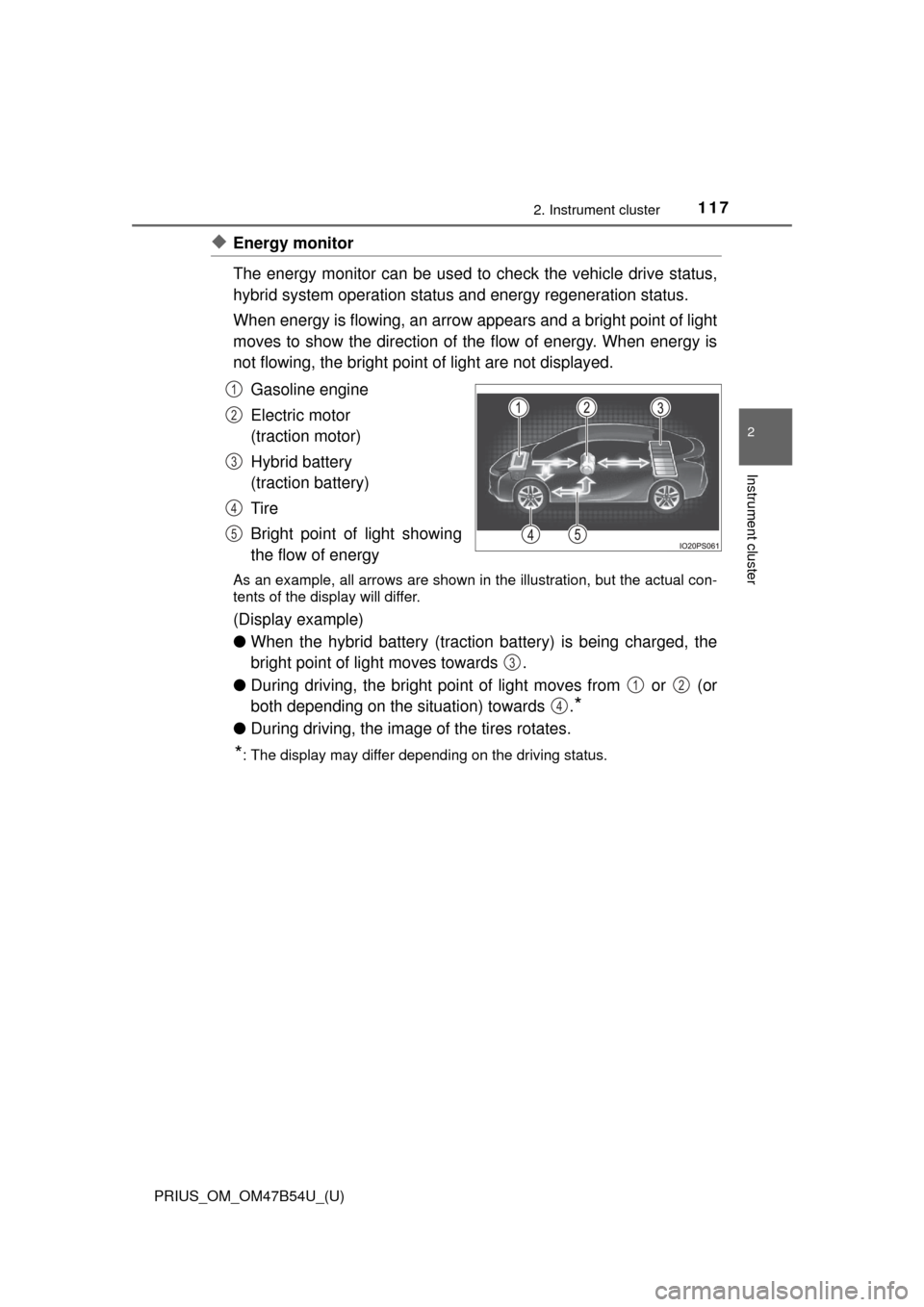
The energy monitor can be used to check the vehicle drive status,
hybrid system operation status and energy regeneration status.
When energy is flowing, an arrow appears and a bright point of light
moves to show the direction of the flow of energy. When energy is
not flowing, the bright point of light are not displayed.
Gasoline engine
Electric motor
(traction motor)
Hybrid battery
(traction battery)
Tire
Bright point of light showing
the flow of energy
As an example, all arrows are shown in the illustration, but the actual con-
tents of the display will differ.
(Display example)
●When the hybrid battery (traction battery) is being charged, the
bright point of light moves towards .
● During driving, the bright point of light moves from or (or
both depending on the situation) towards .
*
●During driving, the image of the tires rotates.
*: The display may differ depending on the driving status.
1
2
3
4
5
3
12
4
Page 118 of 796
118
PRIUS_OM_OM47B54U_(U)
2. Instrument cluster
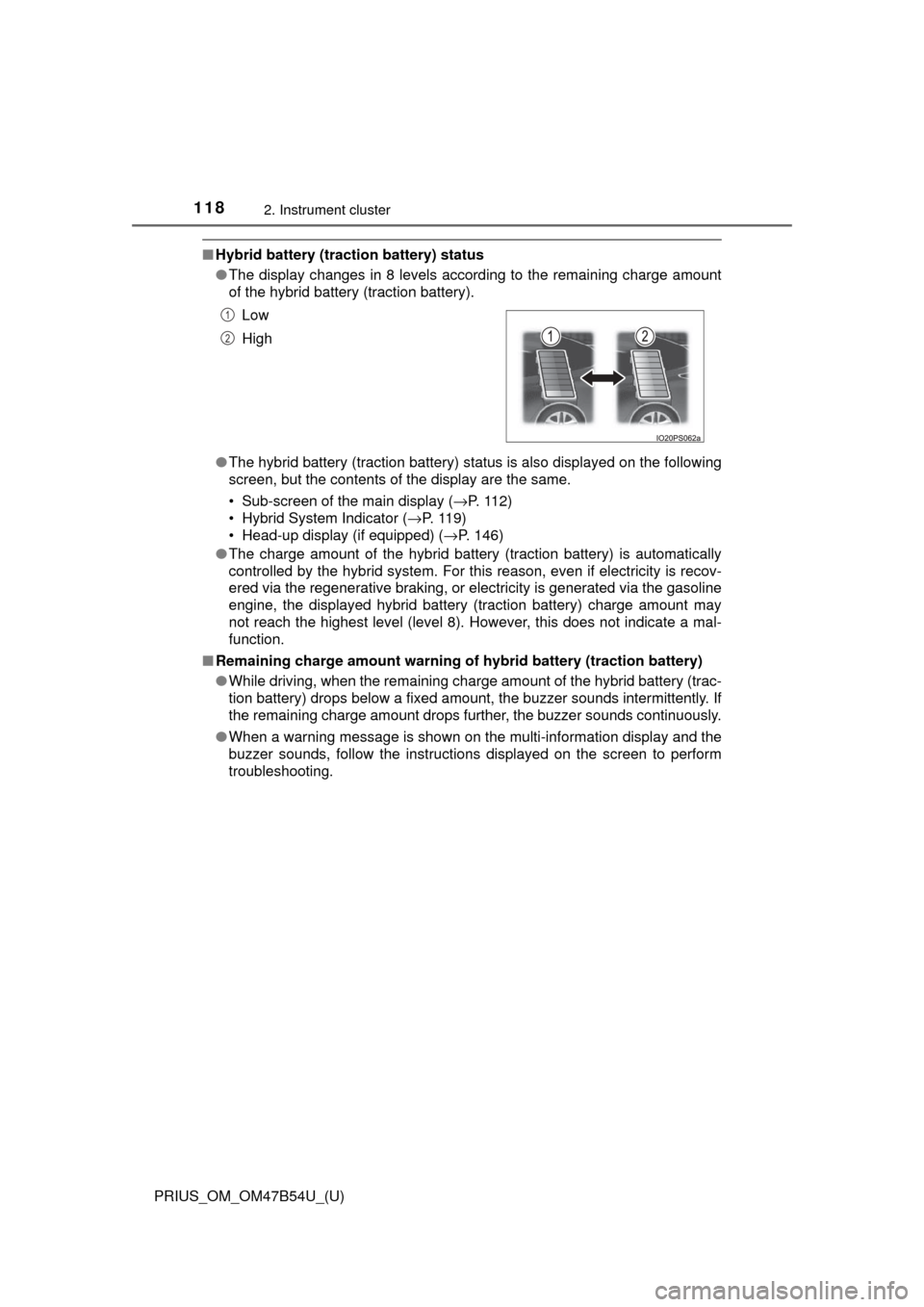
■Hybrid battery (tract ion battery) status
● The display changes in 8 levels according to the remaining charge amount
of the hybrid battery (traction battery).
● The hybrid battery (traction battery) status is also displayed on the following
screen, but the contents of the display are the same.
• Sub-screen of the main display ( →P. 112)
• Hybrid System Indicator ( →P. 11 9 )
• Head-up display (if equipped) ( →P. 146)
● The charge amount of the hybrid battery (traction battery) is automatically
controlled by the hybrid system. For this reason, even if electricity is recov-
ered via the regenerative braking, or electricity is generated via the gasoline
engine, the displayed hybrid battery (traction battery) charge amount may
not reach the highest level (level 8). However, this does not indicate a mal-
function.
■ Remaining charge amount warning of hybrid battery (traction battery)
●While driving, when the remaining charge amount of the hybrid battery (trac-
tion battery) drops below a fixed amount, the buzzer sounds intermittently. If
the remaining charge amount drops further, the buzzer sounds continuously.
● When a warning message is shown on the multi-information display and the
buzzer sounds, follow the instructions displayed on the screen to perform
troubleshooting.Low
High
1
2
Page 120 of 796
120
PRIUS_OM_OM47B54U_(U)
2. Instrument cluster
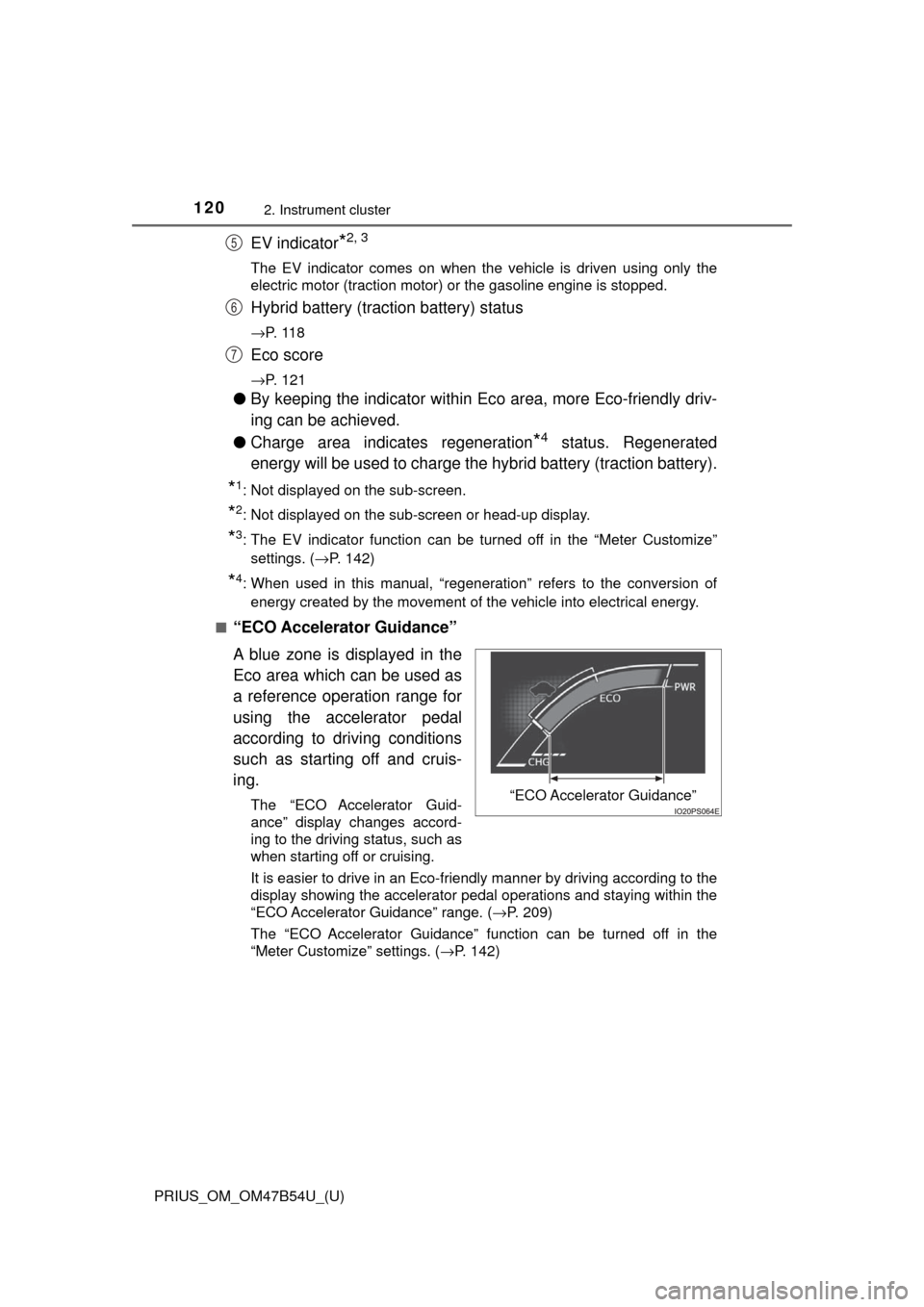
EV indicator*2, 3
The EV indicator comes on when the vehicle is driven using only the
electric motor (traction motor) or the gasoline engine is stopped.
Hybrid battery (traction battery) status
→P. 1 1 8
Eco score
→P. 121
●By keeping the indicator within Ec o area, more Eco-friendly driv-
ing can be achieved.
● Charge area indicates regeneration
*4 status. Regenerated
energy will be used to charge the hybrid battery (traction battery).
*1: Not displayed on the sub-screen.
*2: Not displayed on the sub-screen or head-up display.
*3: The EV indicator function can be turned off in the “Meter Customize”
settings. ( →P. 142)
*4: When used in this manual, “regeneration” refers to the conversion of
energy created by the movement of the vehicle into electrical energy.
■
“ECO Accelerator Guidance”
A blue zone is displayed in the
Eco area which can be used as
a reference operation range for
using the accelerator pedal
according to driving conditions
such as starting off and cruis-
ing.
The “ECO Accelerator Guid-
ance” display changes accord-
ing to the driving status, such as
when starting off or cruising.
It is easier to drive in an Eco-friendly manner by driving according to the
display showing the accelerator pedal operations and staying within the
“ECO Accelerator Guidance” range. ( →P. 209)
The “ECO Accelerator Guidance” function can be turned off in the
“Meter Customize” settings. ( →P. 142)
5
6
7
“ECO Accelerator Guidance”
Page 145 of 796
PRIUS_OM_OM47B54U_(U)
1452. Instrument cluster
2
Instrument cluster
WARNING
■Cautions while setting up the display
As the hybrid system needs to be operating during setting up the display,
ensure that the vehicle is parked in a place with adequate ventilation. In a
closed area such as a garage, exhaust gases including harmful carbon
monoxide (CO) may collect and enter the vehicle. This may lead to death or
a serious health hazard.
NOTICE
■While setting up the display
To prevent 12-volt battery discharge, ensure that the hybrid system is oper-
ating while setting up the display features.
Page 151 of 796

PRIUS_OM_OM47B54U_(U)
1512. Instrument cluster
2
Instrument cluster
■Enabling/disabling of the head-up display
When the head-up display is turned off with the “HUD” switch, it is not dis-
played until the “HUD” switch is used to turn the head-up display on again.
(Operation of the head-up display is not linked with the power switch.)
■ Display brightness
●The brightness of the head-up display is automatically adjusted according to
the operation status of the headlights (on/off) and the brightness of the sur-
roundings.
● When the brightness of the head-up display is adjusted to a certain level or
higher, the display automatically dims when the vehicle is stopped. Once the
vehicle starts off and the vehicle speed reaches approximately 3.1 mph
(5 km/h) or more, the display automatically returns to its previous bright-
ness.
■ Vehicle speed display
In extremely cold environments, the display of the speedometer and the vehi-
cle speed of the head-up display may slightly differ.
■ Head-up display
The head-up display may seem dark and hard to see when viewed through
sunglasses, especially polarized sunglasses.
■ When the 12-volt battery is disconnected
The customize settings of the head-up display will be reset.
■ Route guidance display (vehicles with navigation system)
The route guidance is not displayed on both the head-up display and multi-
information display simultaneously. When the route guidance is displayed on
the head-up display, the multi-information display does not display the route
guidance even if the navigation system-linked display ( →P. 133) is selected
on the multi-information display.
Page 155 of 796
PRIUS_OM_OM47B54U_(U)
1552. Instrument cluster
2
Instrument cluster
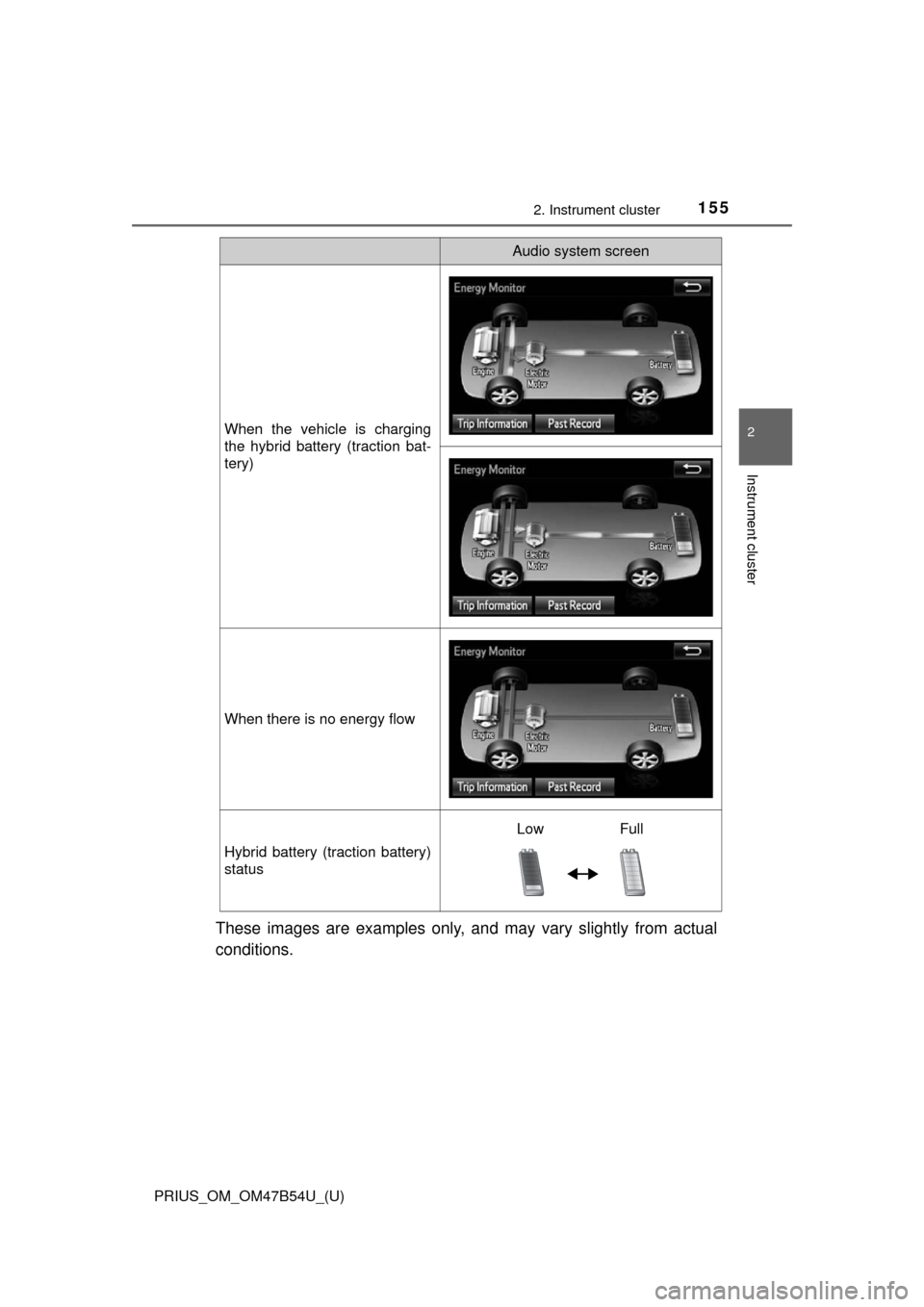
These images are examples only, and may vary slightly from actual
conditions.
When the vehicle is charging
the hybrid battery (traction bat-
tery)
When there is no energy flow
Hybrid battery (traction battery)
status
Audio system screen
Low Full