remote control TOYOTA PRIUS 2017 4.G User Guide
[x] Cancel search | Manufacturer: TOYOTA, Model Year: 2017, Model line: PRIUS, Model: TOYOTA PRIUS 2017 4.GPages: 796, PDF Size: 20.13 MB
Page 179 of 796
PRIUS_OM_OM47B54U_(U)
1793-2. Opening, closing and locking the doors
3
Operation of each component
■Note for the entry function
●Even when the electronic key is within the effective range (detection areas),
the system may not operate properly in the following cases:
• The electronic key is too close to the window or outside door handle, near
the ground, or in a high place when the doors are locked or unlocked.
• The electronic key is on the instrument panel, floor, or in the door pockets
or glove box when the hybrid system is started or power switch modes
are changed.
● Do not leave the electronic key on top of the instrument panel or near t\
he
door pockets when exiting the vehicle. Depending on the radio wave recep-
tion conditions, it may be detected by the antenna outside the cabin and the
door will become lockable from the out side, possibly trapping the electronic
key inside the vehicle.
● As long as the electronic key is within the effective range, the doors may be
unlocked or locked by anyone.
● Even if the electronic key is not inside the vehicle, it may be possible to start
the hybrid system if the electronic key is near the window.
● The doors may unlock if a large amount of water splashes on the door han-
dle, such as in the rain or in a car wash when the electronic key is within the
effective range. (The door will automatically be locked after approximately
60 seconds if the doors are not opened and closed.)
● If the wireless remote control is used to lock the doors when the electronic
key is near the vehicle, there is a possibility that the door may not be
unlocked by the entry function. (Use the wireless remote control to unlock
the doors.)
● Touching the door lock sensor while wearing gloves may delay or prevent
lock operation. Remove the gloves and touch the lock sensor again.
● When the lock operation is performed using the lock sensor, recognition sig-
nals will be shown up to two consecutive times. After this, no recognition
signals will be given.
● If the door handle becomes wet while the electronic key is within the effec-
tive range, the door may lock and unlock repeatedly. In this case, follow the
following correction procedures to wash the vehicle.
• Place the electronic key in a location 6 ft. (2 m) or more away from the
vehicle. (Take care to ensure that the key is not stolen.)
• Set electronic key to battery-saving mode to disable the smart key sys-
tem. ( →P. 178)
● If the electronic key is inside the vehicle and a door handle becomes wet
during a car wash, a message may be shown on the multi-information dis-
play and a buzzer will sound outside the vehicle. To turn off the alarm, lock
all the doors.
Page 180 of 796
180
PRIUS_OM_OM47B54U_(U)
3-2. Opening, closing and locking the doors
●The lock sensor may not work properly if it comes into contact with ice,
snow, mud, etc. Clean the lock sensor and attempt to operate it again.
● A sudden approach to the effective range or door handle may prevent the
doors from being unlocked. In this case, return the door handle to the origi-
nal position and check that the doors unlock before pulling the door handle
again.
● If there is another electronic key in the detection area, it may take slightly
longer to unlock the doors after the door handle is gripped.
■ When the vehicle is not driven for extended periods
●To prevent theft of the vehicle, do not leave the electronic key within 6 ft.
(2 m) of the vehicle.
● The smart key system can be deactivated in advance. ( →P. 748)
■ To operate the system properly
Make sure to carry the electronic key when operating the system. Do not get
the electronic key too close to the vehicle when operating the system from the
outside of the vehicle.
Depending on the position and holding condition of the electronic key, the key
may not be detected correctly and the system may not operate properly. (The
alarm may go off accidentally, or the door lock prevention may not operate.)
■ If the smart key system do es not operate properly
● Locking and unlocking the doors: Use the mechanical key. ( →P. 705)
● Starting the hybrid system: →P. 706
■ Customization
Settings (e.g. smart key system) can be changed.
(Customizable features: →P. 748)
■ If the smart key system has been deactivated in a customized setting
●Unlocking and locking the doors:
Use the wireless remote control or mechanical key. ( →P. 166, 705)
● Starting the hybrid system and changing power switch modes: →P. 706
● Stopping the hybrid system: →P. 226
Page 200 of 796
200
PRIUS_OM_OM47B54U_(U)
3-5. Opening and closing the windows and moon roof
■Door lock linked window operation
●The power windows can be opened and closed using the mechanical key.
*
(→P. 705)
● The power windows can be opened using the wireless remote control.
*
(→P. 166)
*: These settings must be customized at your Toyota dealer.
■ Power window open reminder function
The buzzer sounds and a message is shown on the multi-information display
in the instrument cluster when the power switch is turned off and the driver’s
door is opened with the power windows open.
■ Customization
Settings (e.g. linked door lock operation) can be changed.
(Customizable features: →P. 748)
WARNING
Observe the following precautions.
Failing to do so may result in death or serious injury.
■Closing the windows
● The driver is responsible for all the power window operations, including the
operation for the passengers. In order to prevent accidental operation,
especially by a child, do not let a child operate the power windows. It is
possible for children and other passengers to have body parts caught in
the power window. Also, when riding with a child, it is recommended to use
the window lock switch. ( →P. 198)
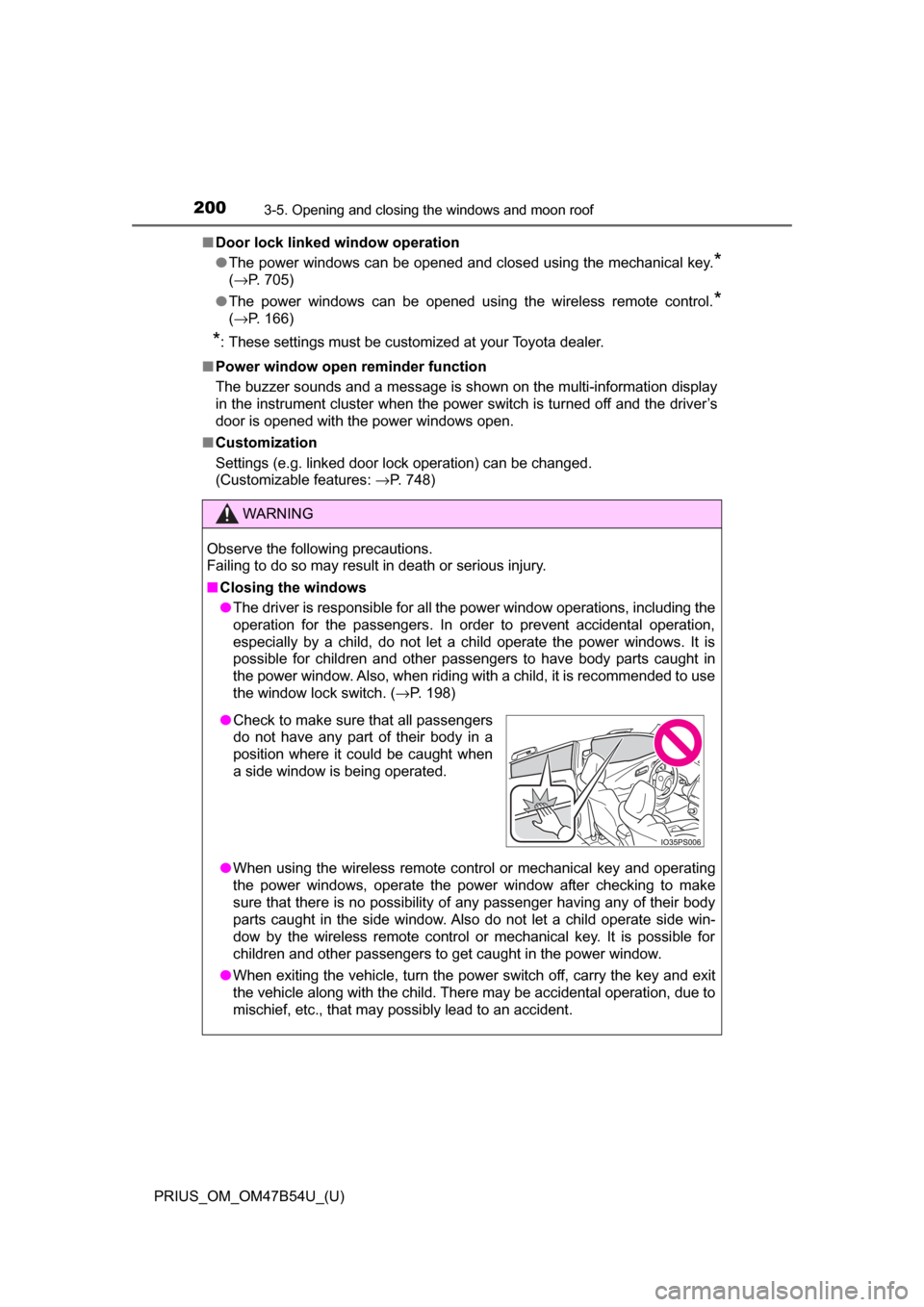
● When using the wireless remote control or mechanical key and operating
the power windows, operate the power window after checking to make
sure that there is no possibility of any passenger having any of their body
parts caught in the side window. Also do not let a child operate side win-
dow by the wireless remote control or mechanical key. It is possible for
children and other passengers to get caught in the power window.
● When exiting the vehicle, turn the power switch off, carry the key and exit
the vehicle along with the child. There may be accidental operation, due to
mischief, etc., that may possibly lead to an accident.
●Check to make sure that all passengers
do not have any part of their body in a
position where it could be caught when
a side window is being operated.
Page 203 of 796
PRIUS_OM_OM47B54U_(U)
2033-5. Opening and closing the windows and moon roof
3
Operation of each component
■The moon roof can be operated when
The power switch is in ON mode.
■ Operating the moon roof after turning the hybrid system off
The moon roof can be operated for approximately 45 seconds even after the
power switch is turned to ACCESSORY mode or turned off. It cannot, how-
ever, be operated once either front door is opened.
■ Jam protection function
If an object is detected between the moon roof and the frame while the moon
roof is closing or tilting down, travel is stopped and the moon roof opens
slightly.
■ Sunshade
The sunshade can be opened and closed manually. However, the sunshade
will open automatically to slightly before the fully open position when the
moon roof is opened.
■ Door lock linked mo on roof operation
● The moon roof can be opened and closed using the mechanical key.
*
( →P. 705)
● The moon roof can be opened using the wireless remote control.
*
( →P. 166)
*: These settings must be customized at your Toyota dealer.
Page 205 of 796
PRIUS_OM_OM47B54U_(U)
2053-5. Opening and closing the windows and moon roof
3
Operation of each component
WARNING
Observe the following precautions.
Failing to do so may cause death or serious injury.
■Opening the moon roof
● Do not allow any passengers to put their hands or heads outside the vehi-
cle while it is moving.
● Do not sit on top of the moon roof.
■ Closing the moon roof
● The driver is responsible for moon roof opening and closing operations. In
order to prevent accidental operation, especially by a child, do not let a
child operate the moon roof. It is possible for children and other passen-
gers to have body parts caught in the moon roof.
● When exiting the vehicle, turn the power switch off, carry the key and exit
the vehicle along with the child. There may be accidental operation, due to
mischief, etc., that may possibly lead to an accident.
■ Jam protection function
● Never use any part of your body to intentionally activate the jam protection
function.
● The jam protection function may not work if something gets caught just
before the moon roof fully closes.
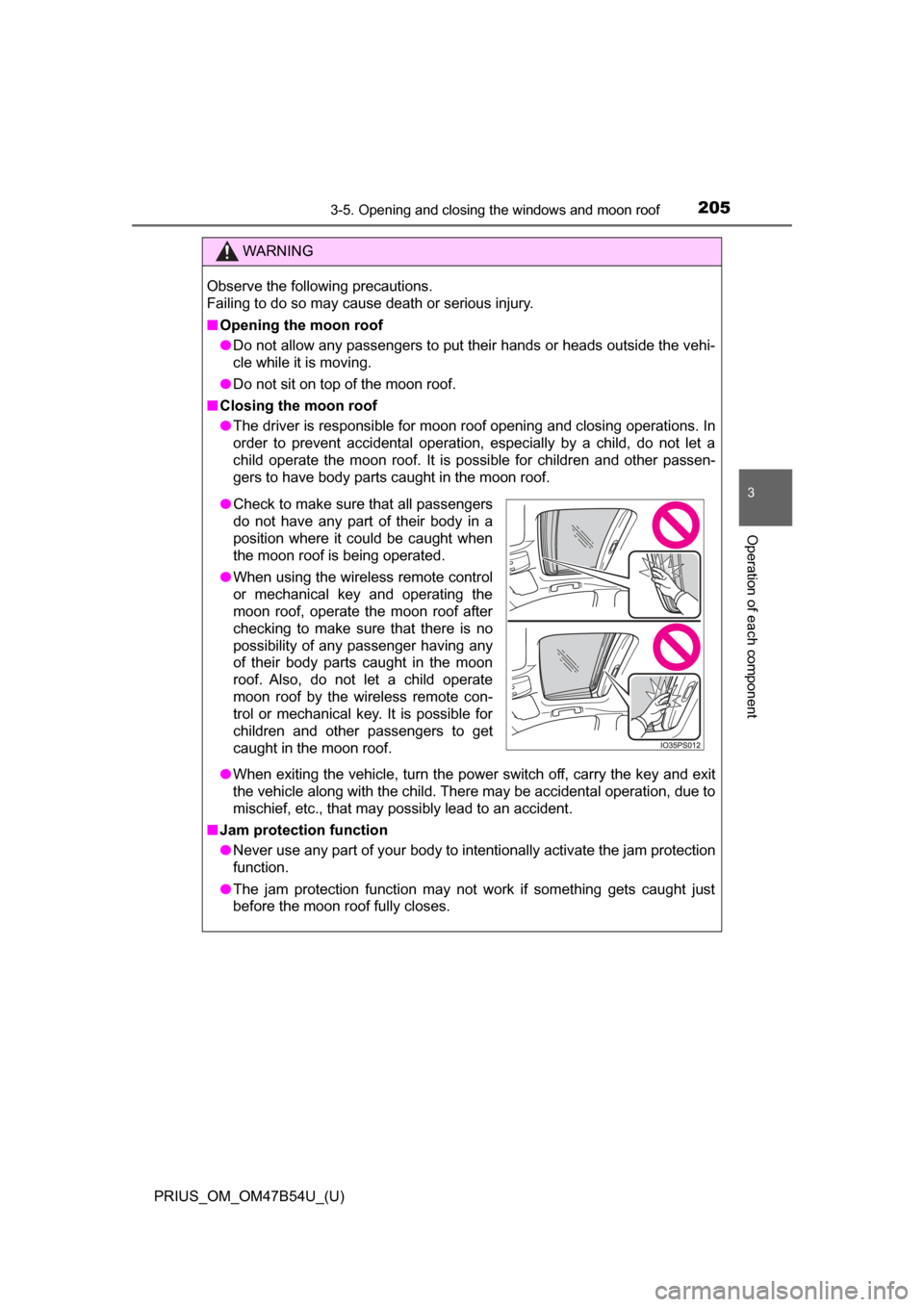
●Check to make sure that all passengers
do not have any part of their body in a
position where it could be caught when
the moon roof is being operated.
● When using the wireless remote control
or mechanical key and operating the
moon roof, operate the moon roof after
checking to make sure that there is no
possibility of any passenger having any
of their body parts caught in the moon
roof. Also, do not let a child operate
moon roof by the wireless remote con-
trol or mechanical key. It is possible for
children and other passengers to get
caught in the moon roof.
Page 499 of 796
PRIUS_OM_OM47B54U_(U)
4995-10. Bluetooth®
5
Audio system
■Compatible models
The Bluetooth® audio system supports portable audio players with the follow-
ing specifications.
● Bluetooth
® specifications:
Ver. 2.0, or higher (Recommended: Ver. 3.0+EDR or higher)
● Profiles:
• A2DP (Advanced Audio Distribution Profile) Ver. 1.0, or higher
(Recommended: Ver. 1.2 or higher)
This is a profile to transmit stereo audio or high quality sound to the audio
system.
• AVRCP (Audio/Video Remote Control Profile) Ver. 1.0 or higher (Recommended: Ver. 1.4 or higher)
This is a profile to allow remote control the A/V equipment.
However, please note that some functions may be limited depending on the
type of portable audio player connected.
The hands-free system supports cellular phones with the following specifica-
tions.
● Bluetooth
® specification:
Ver. 2.0 or higher (Recommended: Ver. 3.0+EDR or higher)
● Profiles:
• HFP (Hands Free Profile) Ver. 1.0 or higher (Recommended: Ver. 1.6 or
higher)
This is a profile to allow hands-free phone calls using a cellular phone or
head set. It has outgoing and incoming call functions.
• OPP (Object Push Profile) Ver. 1. 1 or higher (Recommended: Ver. 1.2)
This is a profile to transfer contact data. When a Bluetooth
® compatible
cellular phone has both PBAP and OPP, OPP cannot be used.
• PBAP (Phone Book Access Profile ) Ver. 1.0 or higher (Recommended:
Ver. 1.1)
This is a profile to transfer contact data.
• MAP (Message Access Profile) Ver.1.0 or higher This is a profile to using phone message.
If the cellular phone does not support HFP, you cannot register it with the
hands-free system. OPP, PBAP or MAP services must be selected individu-
ally.
Page 553 of 796
PRIUS_OM_OM47B54U_(U)
5536-4. Using the other interior features
6
Interior features
■Programming HomeLink®
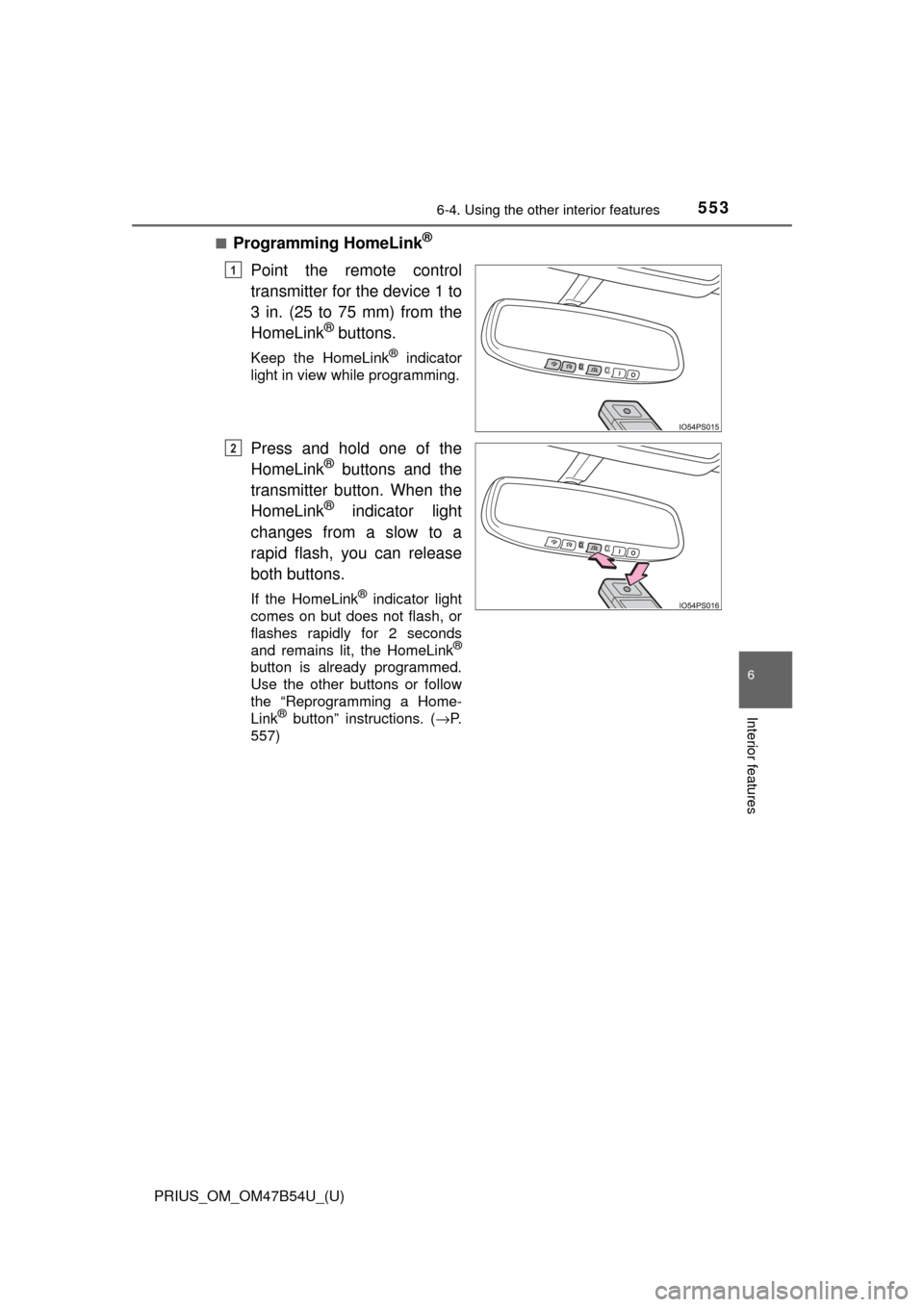
Point the remote control
transmitter for the device 1 to
3 in. (25 to 75 mm) from the
HomeLink
® buttons.
Keep the HomeLink® indicator
light in view while programming.
Press and hold one of the
HomeLink® buttons and the
transmitter button. When the
HomeLink
® indicator light
changes from a slow to a
rapid flash, you can release
both buttons.
If the HomeLink® indicator light
comes on but does not flash, or
flashes rapidly for 2 seconds
and remains lit, the HomeLink
®
button is already programmed.
Use the other buttons or follow
the “Reprogramming a Home-
Link
® button” instructions. ( →P.
557)
1
2
Page 554 of 796
554
PRIUS_OM_OM47B54U_(U)
6-4. Using the other interior features
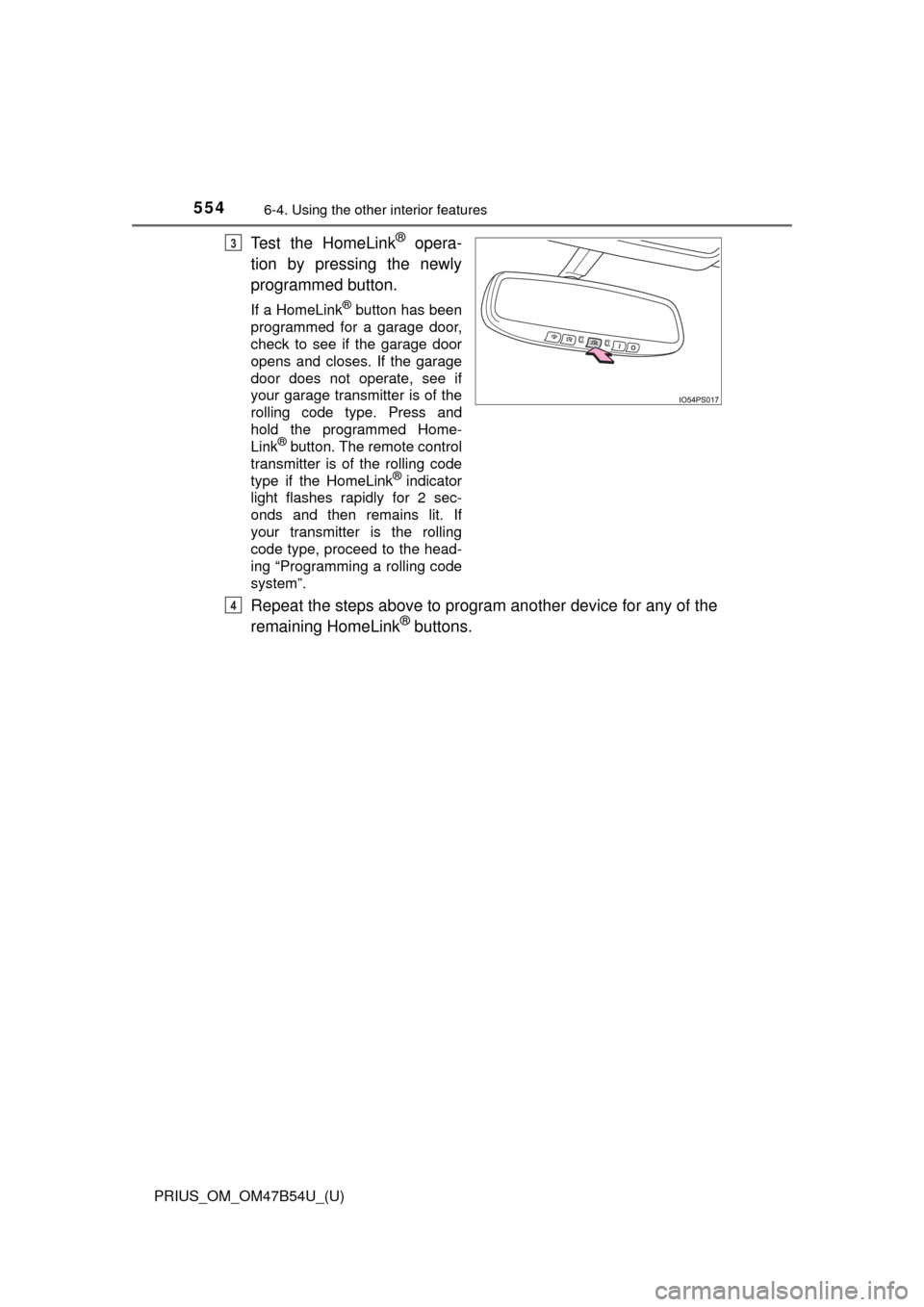
Test the HomeLink® opera-
tion by pressing the newly
programmed button.
If a HomeLink® button has been
programmed for a garage door,
check to see if the garage door
opens and closes. If the garage
door does not operate, see if
your garage transmitter is of the
rolling code type. Press and
hold the programmed Home-
Link
® button. The remote control
transmitter is of the rolling code
type if the HomeLink
® indicator
light flashes rapidly for 2 sec-
onds and then remains lit. If
your transmitter is the rolling
code type, proceed to the head-
ing “Programming a rolling code
system”.
Repeat the steps above to program another device for any of the
remaining HomeLink® buttons.
3
4
Page 556 of 796
556
PRIUS_OM_OM47B54U_(U)
6-4. Using the other interior features
■Programming an entry gate (for U.S.A. owners)/Programming a
devices in the Canadian market
Place the remote control transmitter 1 to 3 in. (25 to 75 mm)
away from the HomeLink
® buttons.
Keep the HomeLink® indicator light in view while programming.
Press and hold the selected HomeLink® button.
Repeatedly press and release (cyc le) the remote control trans-
mitter for 2 seconds each until step 4 is completed.
When the HomeLink
® indicator light starts to flash rapidly,
release the buttons.
Test the HomeLink
® operation by pressing the newly pro-
grammed button. Check to see if the gate/device operates cor-
rectly.
Repeat the steps above to program another device for any of the
remaining HomeLink
® buttons.
■Programming other devices
To program other devices such as home security systems, home
door locks and lighting, contact your Toyota dealer for assistance.
■Reprogramming a button
The individual HomeLink
® buttons cannot be erased but can be
reprogrammed. To reprogram a button, follow the “Reprogramming
a HomeLink
® button” instructions.
Press the appropriate HomeLink
® button. The HomeLink® indicator
light should come on.
The HomeLink® compatible transceiver in your vehicle continues to send a
signal for up to 20 seconds as long as the button is pressed.
Operating HomeLink®
1
2
3
4
5
6
Page 557 of 796
PRIUS_OM_OM47B54U_(U)
5576-4. Using the other interior features
6
Interior features
Press and hold the desired HomeLink® button. After 20 seconds, the
HomeLink® indicator light will start flashing slowly. Keep pressing the
HomeLink® button and press and hold the transmitter button until the
HomeLink® indicator light changes from a slow to a rapid flash.
Release the buttons.
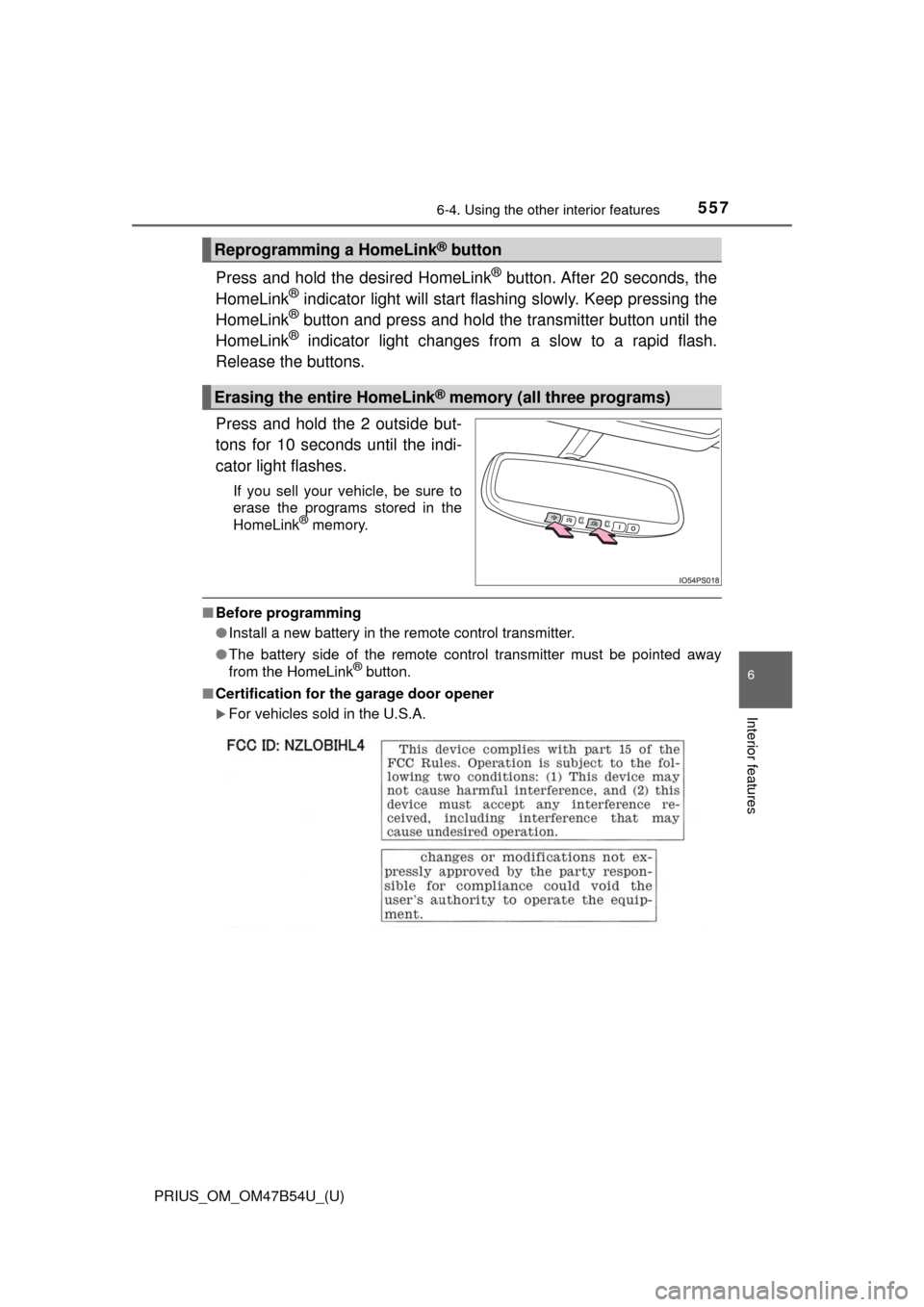
Press and hold the 2 outside but-
tons for 10 seconds until the indi-
cator light flashes.
If you sell your vehicle, be sure to
erase the programs stored in the
HomeLink
® memory.
■ Before programming
●Install a new battery in the remote control transmitter.
● The battery side of the remote control transmitter must be pointed away
from the HomeLink
® button.
■ Certification for the garage door opener
For vehicles sold in the U.S.A.
Reprogramming a HomeLink® button
Erasing the entire HomeLink® memory (all three programs)