warning TOYOTA PRIUS 2017 4.G Workshop Manual
[x] Cancel search | Manufacturer: TOYOTA, Model Year: 2017, Model line: PRIUS, Model: TOYOTA PRIUS 2017 4.GPages: 796, PDF Size: 20.13 MB
Page 105 of 796
PRIUS_OM_OM47B54U_(U)
1052. Instrument cluster
2
Instrument cluster
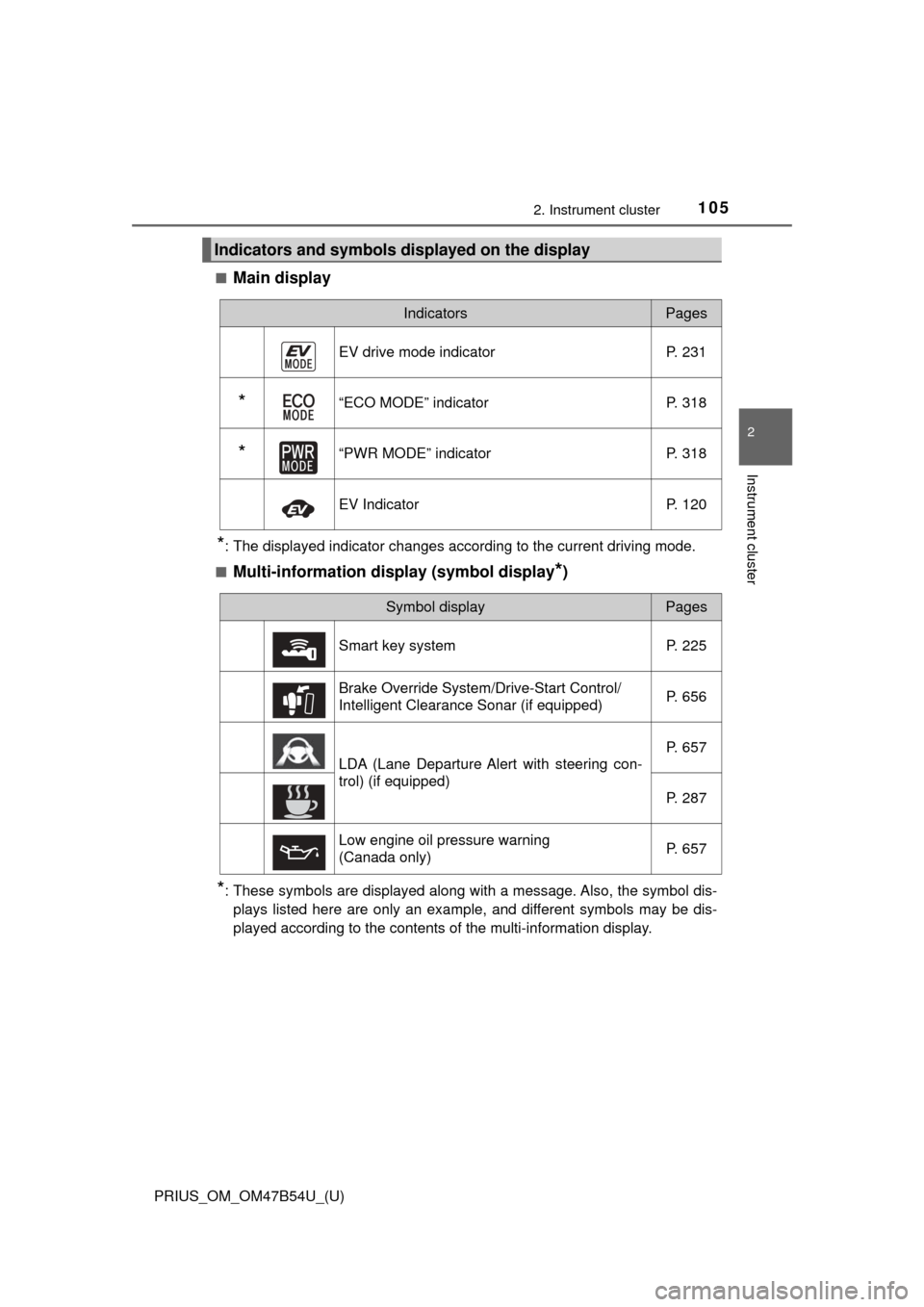
■Main display
*: The displayed indicator changes according to the current driving mode.
■
Multi-information display (symbol display*)
*: These symbols are displayed along with a message. Also, the symbol dis- plays listed here are only an example, and different symbols may be dis-
played according to the contents of the multi-information display.
Indicators and symbols displayed on the display
IndicatorsPages
EV drive mode indicator P. 231
*“ECO MODE” indicator P. 318
*“PWR MODE” indicatorP. 318
EV IndicatorP. 120
Symbol displayPages
Smart key system P. 225
Brake Override System/Drive-Start Control/
Intelligent Clearance Sonar (if equipped) P. 656
LDA (Lane Departure Alert with steering con-
trol) (if equipped)P. 657
P. 287
Low engine oil pressure warning
(Canada only) P. 657
Page 106 of 796
106
PRIUS_OM_OM47B54U_(U)
2. Instrument cluster
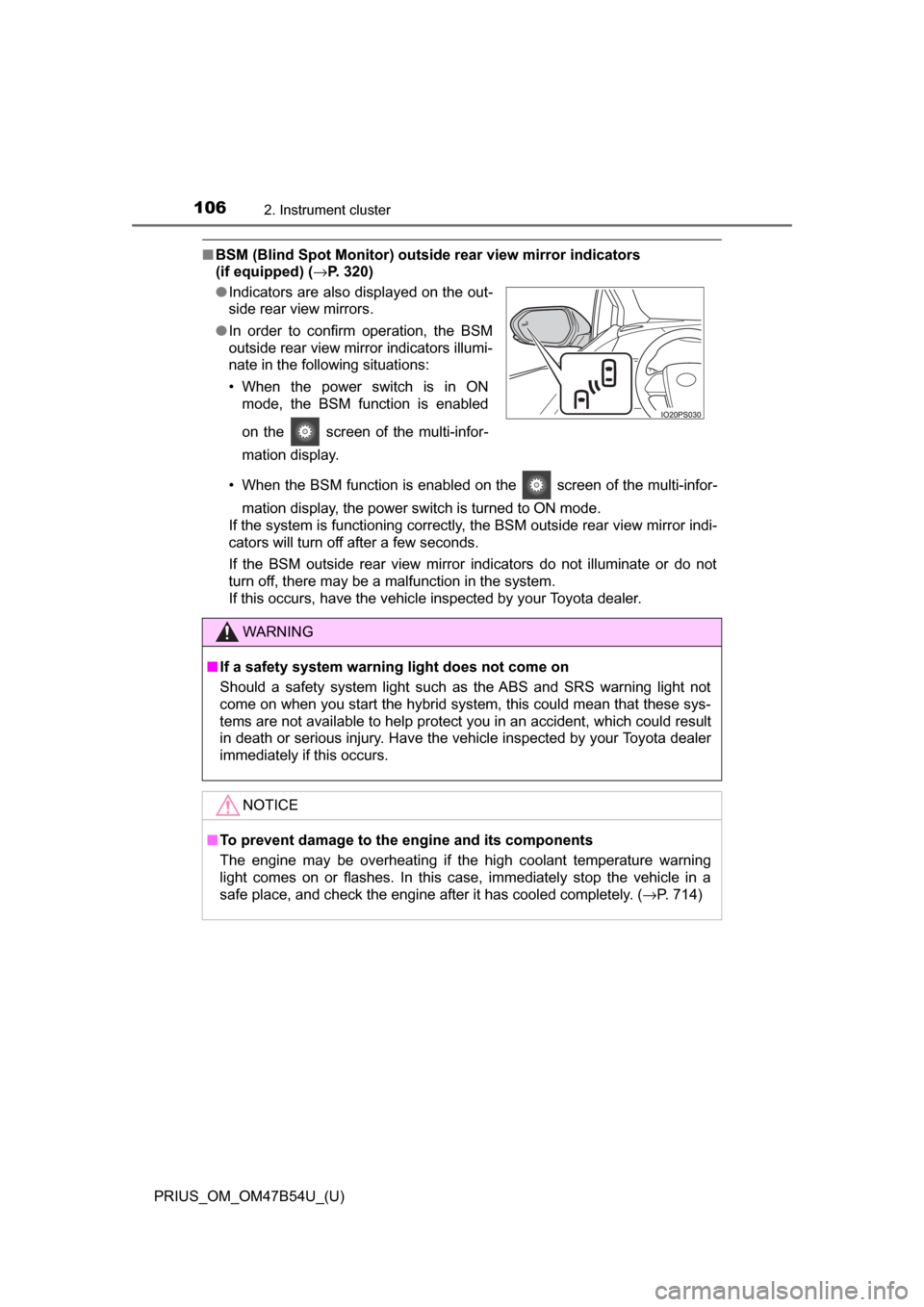
■BSM (Blind Spot Monitor) outsid e rear view mirror indicators
(if equipped) ( →P. 320)
• When the BSM function is enabled on the screen of the multi-infor- mation display, the power switch is turned to ON mode.
If the system is functioning correctly, the BSM outside rear view mirror indi-
cators will turn off after a few seconds.
If the BSM outside rear view mirror indicators do not illuminate or do not
turn off, there may be a malfunction in the system.
If this occurs, have the vehicle inspected by your Toyota dealer.
●
Indicators are also displayed on the out-
side rear view mirrors.
● In order to confirm operation, the BSM
outside rear view mirror indicators illumi-
nate in the following situations:
• When the power switch is in ON
mode, the BSM function is enabled
on the screen of the multi-infor-
mation display.
WARNING
■If a safety system warning light does not come on
Should a safety system light such as the ABS and SRS warning light not
come on when you start the hybrid system, this could mean that these sys-
tems are not available to help protect you in an accident, which could r\
esult
in death or serious injury. Have the vehicle inspected by your Toyota dealer
immediately if this occurs.
NOTICE
■To prevent damage to the engine and its components
The engine may be overheating if the high coolant temperature warning
light comes on or flashes. In this case, immediately stop the vehicle in a
safe place, and check the engine after it has cooled completely. ( →P. 714)
Page 115 of 796
PRIUS_OM_OM47B54U_(U)
1152. Instrument cluster
2
Instrument cluster
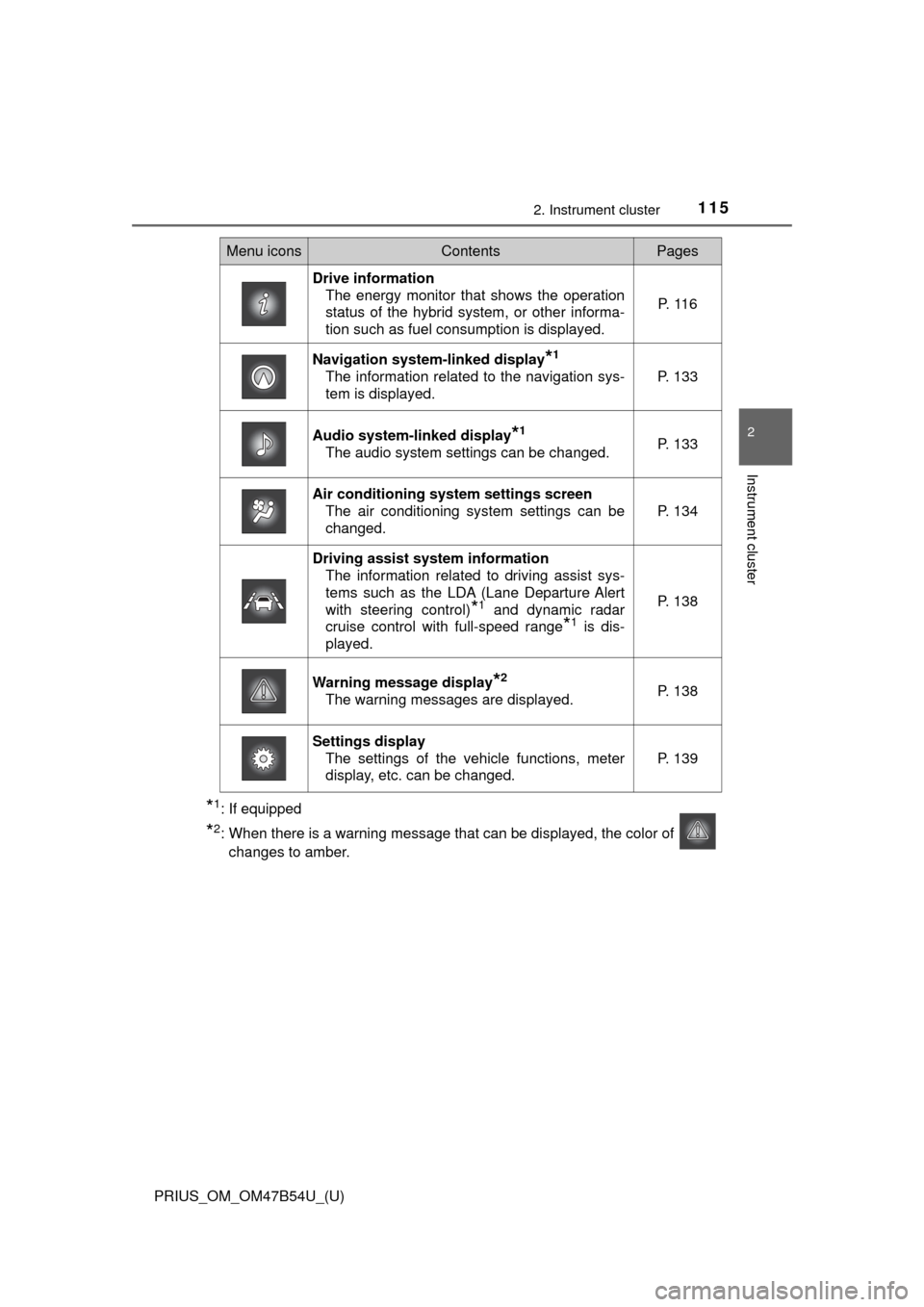
*1: If equipped
*2: When there is a warning message that can be displayed, the color of changes to amber.
Menu iconsContentsPages
Drive information The energy monitor that shows the operation
status of the hybrid system, or other informa-
tion such as fuel consumption is displayed. P. 1 1 6
Navigation system-linked display*1
The information related to the navigation sys-
tem is displayed.P. 133
Audio system-linked display*1
The audio system settings can be changed.P. 133
Air conditioning system settings screen
The air conditioning system settings can be
changed.
P. 134
Driving assist system informationThe information related to driving assist sys-
tems such as the LDA (Lane Departure Alert
with steering control)
*1 and dynamic radar
cruise control with full-speed range
*1 is dis-
played.
P. 138
Warning message display*2
The warning messages are displayed.P. 138
Settings display The settings of the vehicle functions, meter
display, etc. can be changed.
P. 139
Page 118 of 796
118
PRIUS_OM_OM47B54U_(U)
2. Instrument cluster
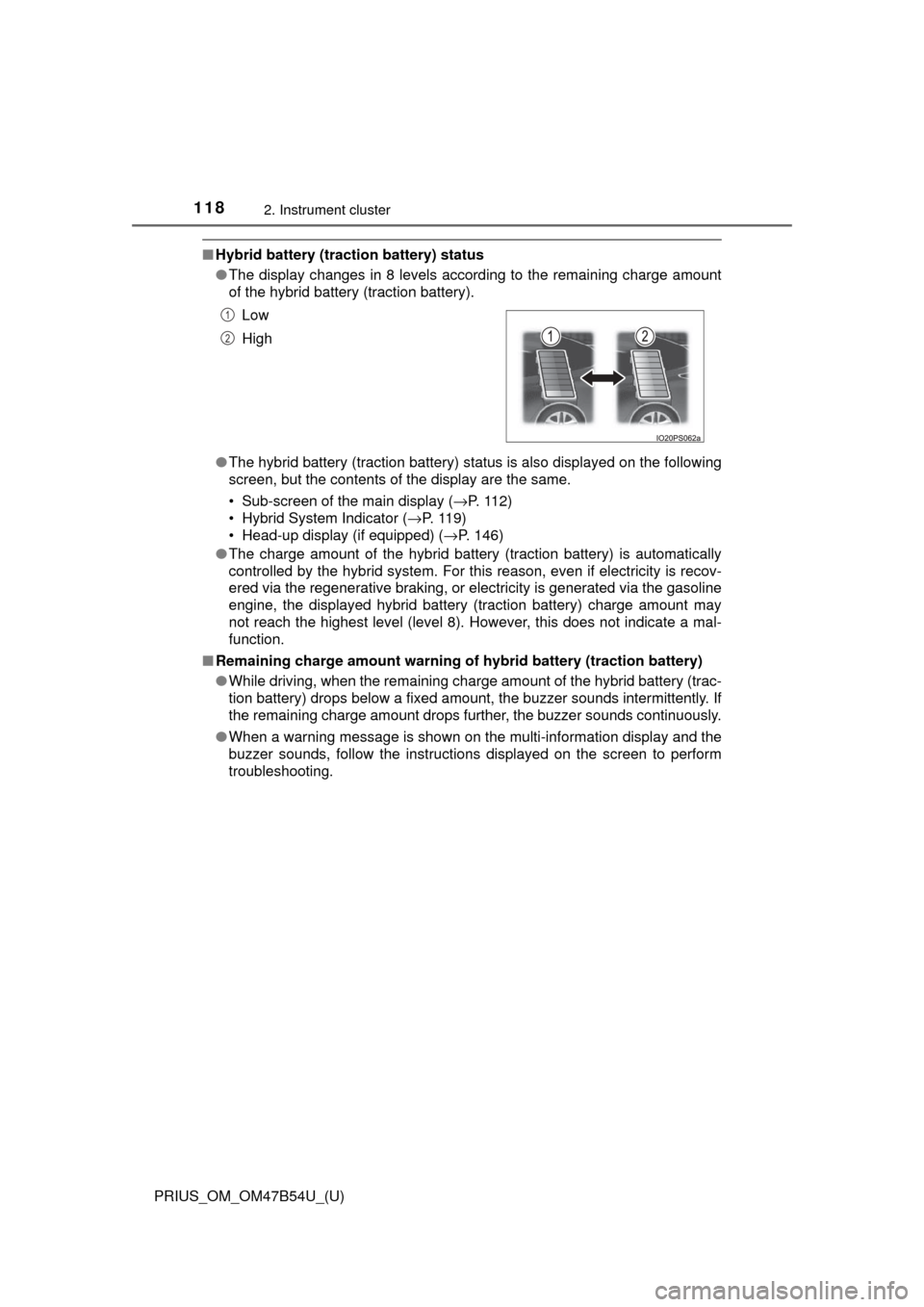
■Hybrid battery (tract ion battery) status
● The display changes in 8 levels according to the remaining charge amount
of the hybrid battery (traction battery).
● The hybrid battery (traction battery) status is also displayed on the following
screen, but the contents of the display are the same.
• Sub-screen of the main display ( →P. 112)
• Hybrid System Indicator ( →P. 11 9 )
• Head-up display (if equipped) ( →P. 146)
● The charge amount of the hybrid battery (traction battery) is automatically
controlled by the hybrid system. For this reason, even if electricity is recov-
ered via the regenerative braking, or electricity is generated via the gasoline
engine, the displayed hybrid battery (traction battery) charge amount may
not reach the highest level (level 8). However, this does not indicate a mal-
function.
■ Remaining charge amount warning of hybrid battery (traction battery)
●While driving, when the remaining charge amount of the hybrid battery (trac-
tion battery) drops below a fixed amount, the buzzer sounds intermittently. If
the remaining charge amount drops further, the buzzer sounds continuously.
● When a warning message is shown on the multi-information display and the
buzzer sounds, follow the instructions displayed on the screen to perform
troubleshooting.Low
High
1
2
Page 138 of 796
138
PRIUS_OM_OM47B54U_(U)
2. Instrument cluster
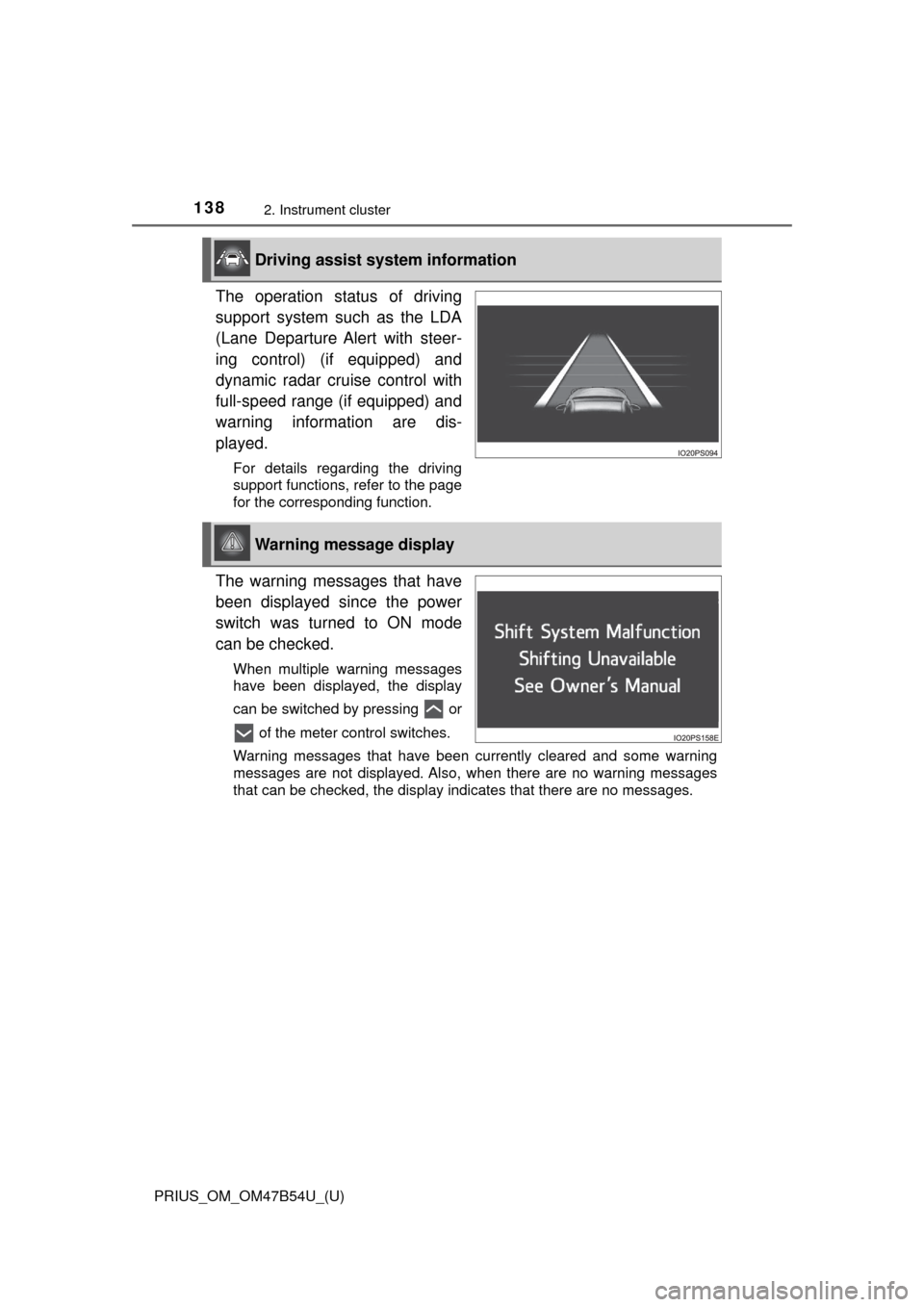
The operation status of driving
support system such as the LDA
(Lane Departure Alert with steer-
ing control) (if equipped) and
dynamic radar cruise control with
full-speed range (if equipped) and
warning information are dis-
played.
For details regarding the driving
support functions, refer to the page
for the corresponding function.
The warning messages that have
been displayed since the power
switch was turned to ON mode
can be checked.
When multiple warning messages
have been displayed, the display
can be switched by pressing or of the meter control switches.
Warning messages that have been currently cleared and some warning
messages are not displayed. Also, when there are no warning messages
that can be checked, the display indicates that there are no messages.
Driving assist system information
Warning message display
Page 140 of 796
140
PRIUS_OM_OM47B54U_(U)
2. Instrument cluster
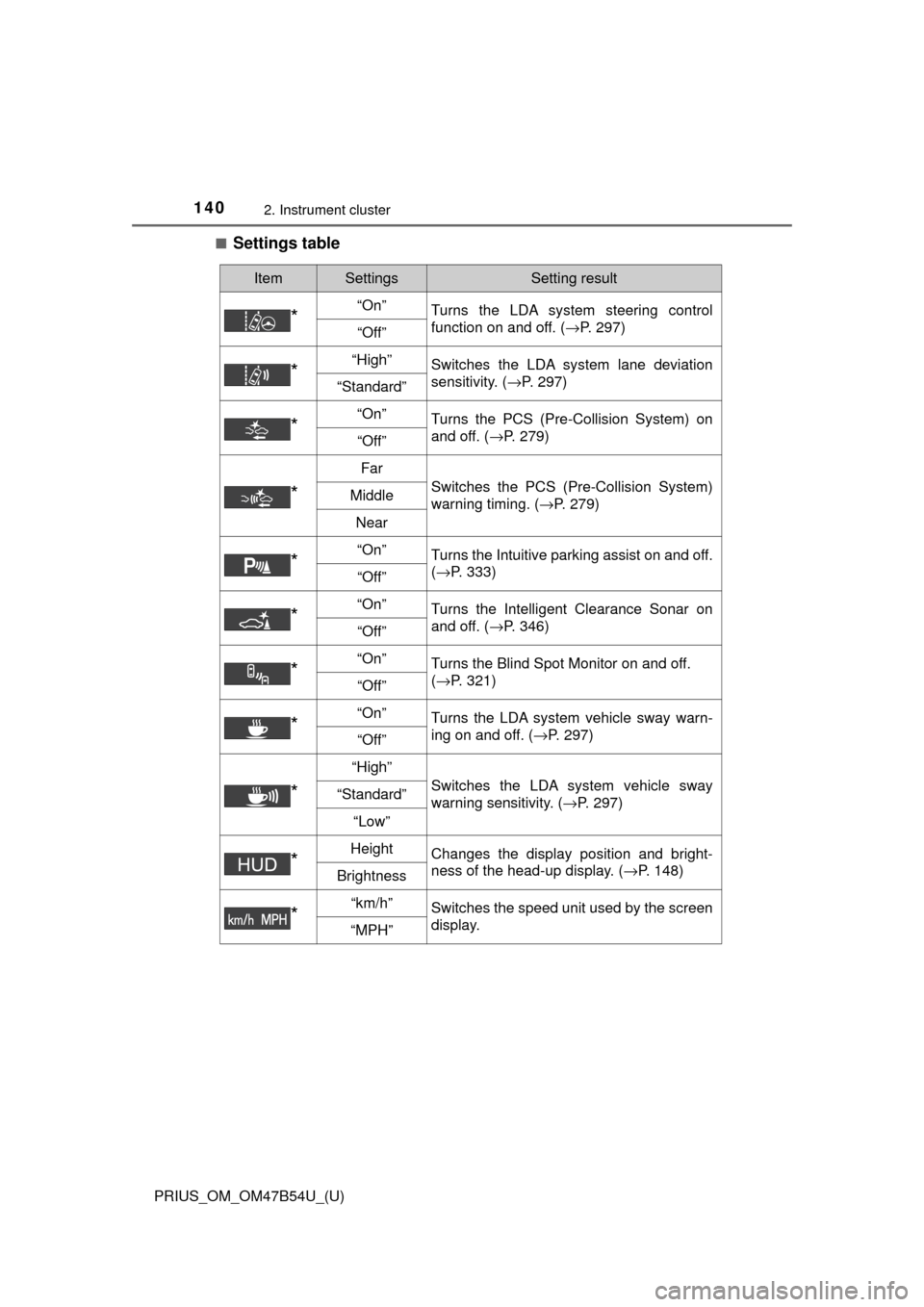
■Settings table
ItemSettingsSetting result
*“On”Turns the LDA system steering control
function on and off. ( →P. 297)
“Off”
*“High”Switches the LDA system lane deviation
sensitivity. (→P. 297)
“Standard”
*“On”Turns the PCS (Pre-Collision System) on
and off. (→P. 279)
“Off”
*
Far
Switches the PCS (Pre-Collision System)
warning timing. ( →P. 279)Middle
Near
*“On”Turns the Intuitive parking assist on and off.
(→P. 333)
“Off”
*“On”Turns the Intelligent Clearance Sonar on
and off. ( →P. 346)
“Off”
*“On”Turns the Blind Spot Monitor on and off.
(→P. 321)
“Off”
*“On”Turns the LDA system vehicle sway warn-
ing on and off. ( →P. 297)
“Off”
*
“High”
Switches the LDA system vehicle sway
warning sensitivity. ( →P. 297)“Standard”
“Low”
*HeightChanges the display position and bright-
ness of the head-up display. ( →P. 148)
Brightness
*“km/h”Switches the speed unit used by the screen
display.
“MPH”
Page 144 of 796
144
PRIUS_OM_OM47B54U_(U)
2. Instrument cluster
■Setting items
●“Meter Customize” and “Vehicle Settings” setting items are not selectable
during driving and cannot be operated.
Also, the settings screen is temporarily canceled in the following situations.
• A warning message is displayed.
• The vehicle starts off.
● Settings for functions not equipped to the vehicle are not displayed.
● When a function is turned off, the related settings for that function are not
selectable.
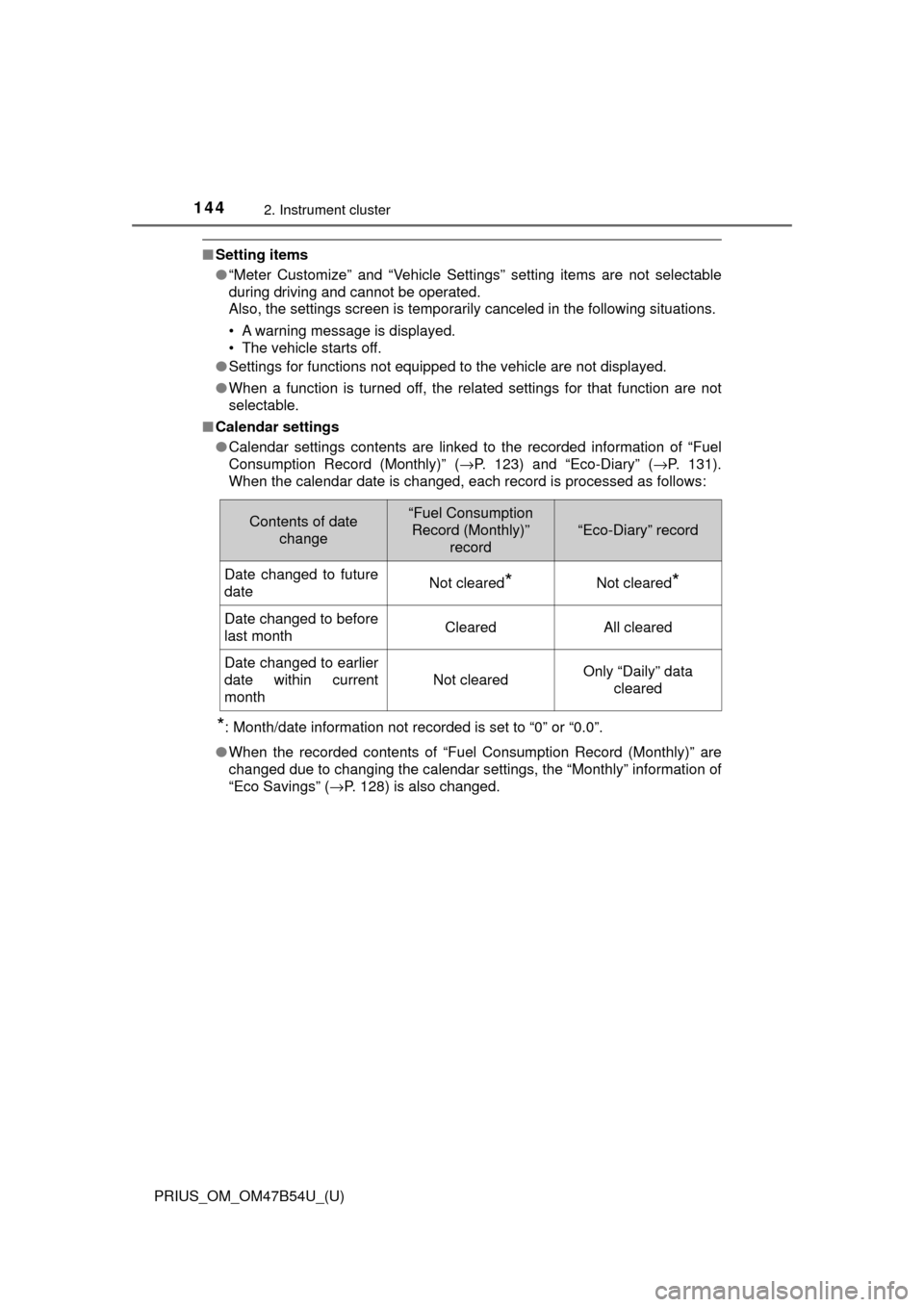
■ Calendar settings
●Calendar settings contents are linked to the recorded information of “Fuel
Consumption Record (Monthly)” ( →P. 123) and “Eco-Diary” (→P. 131).
When the calendar date is changed, each record is processed as follows:
*: Month/date information not recorded is set to “0” or “0.0”.
● When the recorded contents of “Fuel Consumption Record (Monthly)” are
changed due to changing the calendar settings, the “Monthly” information of
“Eco Savings” ( →P. 128) is also changed.
Contents of date
change“Fuel Consumption Record (Monthly)”
record
“Eco-Diary” record
Date changed to future
dateNot cleared*Not cleared*
Date changed to before
last monthClearedAll cleared
Date changed to earlier
date within current
month
Not clearedOnly “Daily” data cleared
Page 145 of 796
PRIUS_OM_OM47B54U_(U)
1452. Instrument cluster
2
Instrument cluster
WARNING
■Cautions while setting up the display
As the hybrid system needs to be operating during setting up the display,
ensure that the vehicle is parked in a place with adequate ventilation. In a
closed area such as a garage, exhaust gases including harmful carbon
monoxide (CO) may collect and enter the vehicle. This may lead to death or
a serious health hazard.
NOTICE
■While setting up the display
To prevent 12-volt battery discharge, ensure that the hybrid system is oper-
ating while setting up the display features.
Page 148 of 796
148
PRIUS_OM_OM47B54U_(U)
2. Instrument cluster
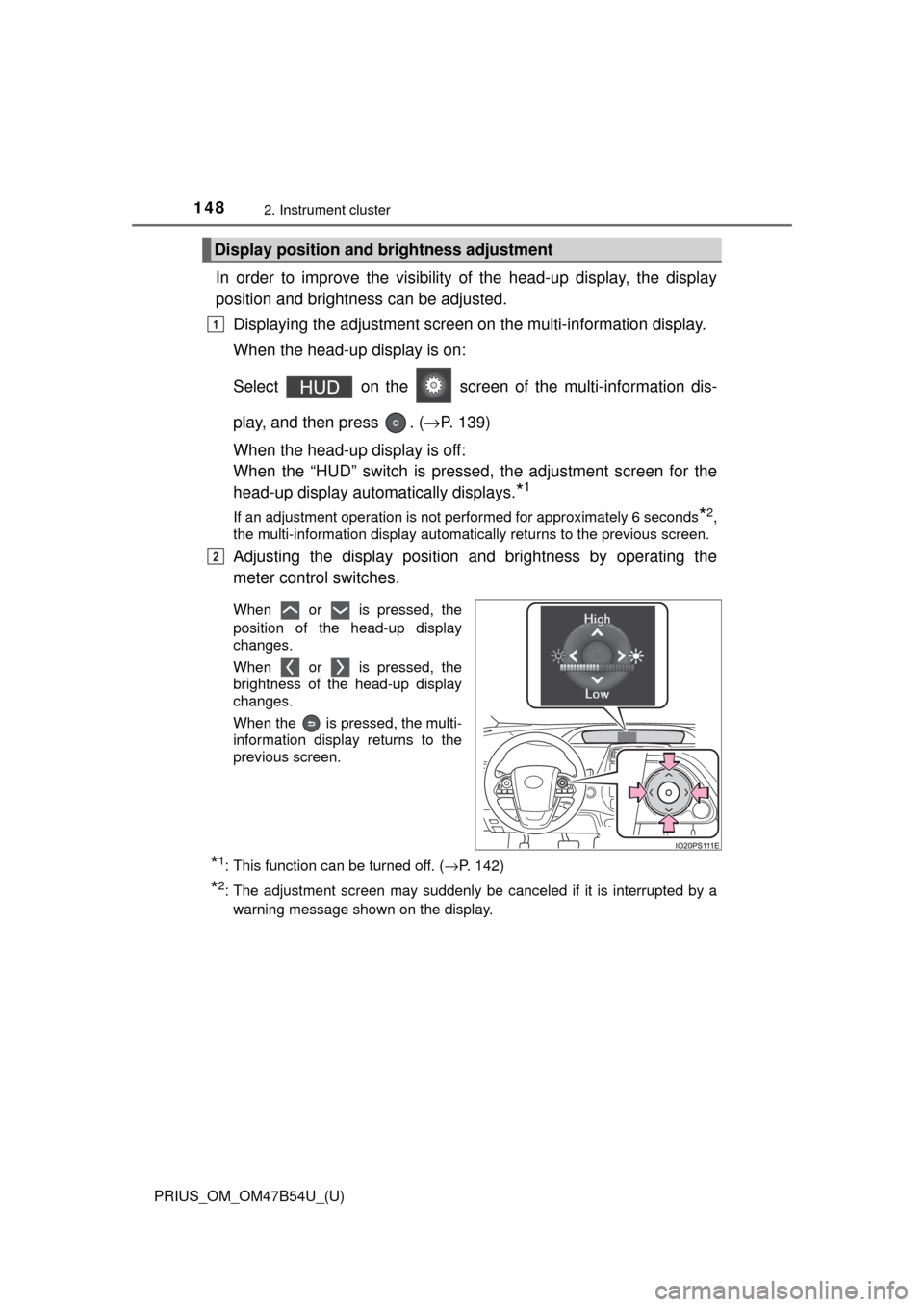
In order to improve the visibility of the head-up display, the display
position and brightness can be adjusted.
Displaying the adjustment screen on the multi-information display.
When the head-up display is on:
Select on the screen of the multi-information dis-
play, and then press . ( →P. 139)
When the head-up display is off:
When the “HUD” switch is pressed, the adjustment screen for the
head-up display automatically displays.
*1
If an adjustment operation is not performed for approximately 6 seconds*2,
the multi-information display automatically returns to the previous screen.
Adjusting the display position and brightness by operating the
meter control switches.
When or is pressed, the
position of the head-up display
changes.
When or is pressed, the
brightness of the head-up display
changes.
When the is pressed, the multi-
information display returns to the
previous screen.
*1: This function can be turned off. ( →P. 142)
*2: The adjustment screen may suddenly be canceled if it is interrupted by a
warning message shown on the display.
Display position and brightness adjustment
1
2
Page 149 of 796
PRIUS_OM_OM47B54U_(U)
1492. Instrument cluster
2
Instrument cluster
■Insert displays of the driving support systems
Insert displays are linked with the operation of the following sys-
tems and used to show some of the information shown on the multi-
information display on the head-up display.
*: If equipped
■
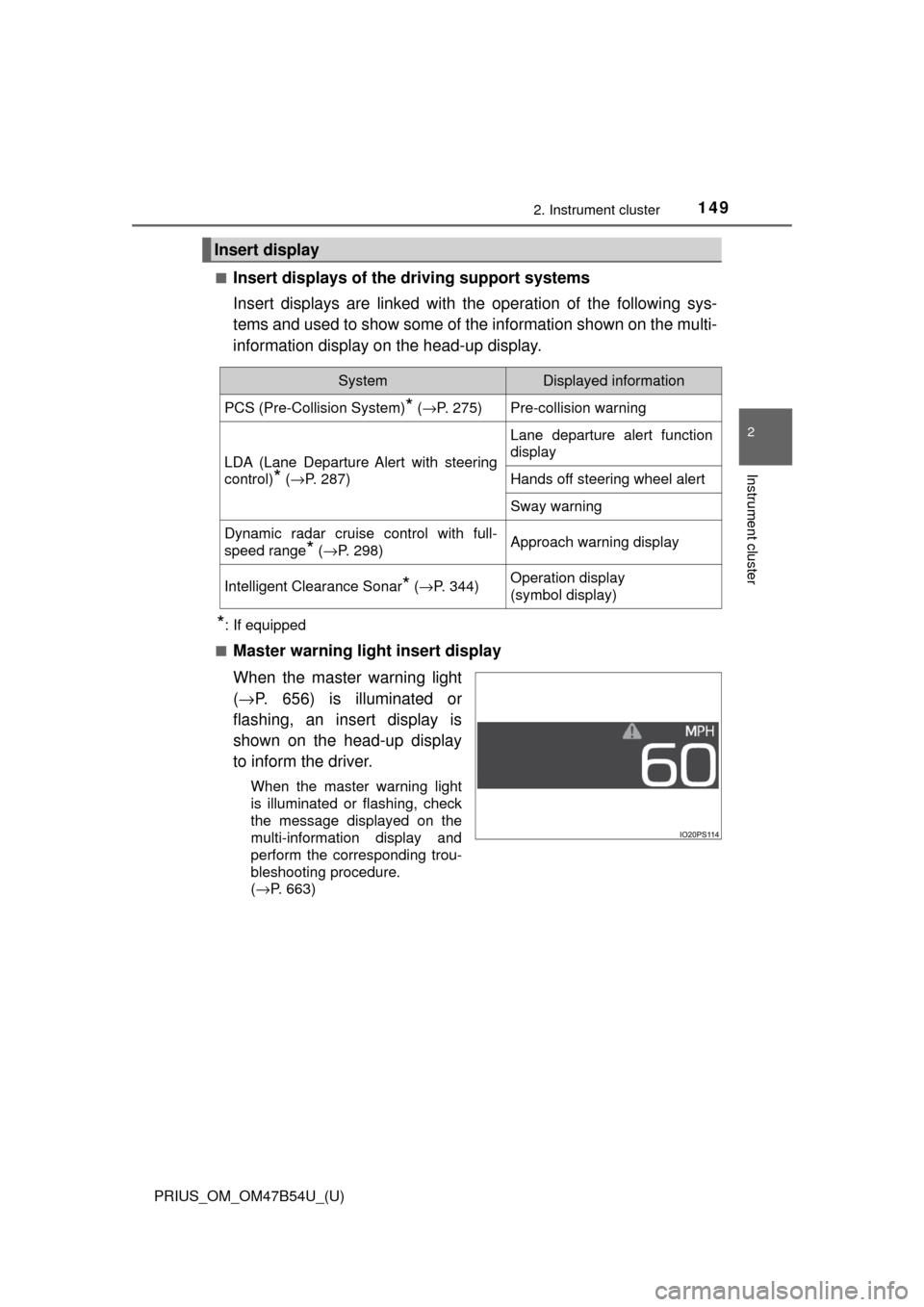
Master warning light insert display
When the master warning light
( → P. 656) is illuminated or
flashing, an insert display is
shown on the head-up display
to inform the driver.
When the master warning light
is illuminated or flashing, check
the message displayed on the
multi-information display and
perform the corresponding trou-
bleshooting procedure.
( →P. 663)
Insert display
SystemDisplayed information
PCS (Pre-Collision System)* ( →P. 275)Pre-collision warning
LDA (Lane Departure Alert with steering
control)
* (→P. 287)
Lane departure alert function
display
Hands off steering wheel alert
Sway warning
Dynamic radar cruise control with full-
speed range
* (→P. 298)Approach warning display
Intelligent Clearance Sonar* (→ P. 344)Operation display
(symbol display)