service TOYOTA PRIUS 2018 Accessories, Audio & Navigation (in English)
[x] Cancel search | Manufacturer: TOYOTA, Model Year: 2018, Model line: PRIUS, Model: TOYOTA PRIUS 2018Pages: 294, PDF Size: 4.43 MB
Page 94 of 294

94
2. RADIO OPERATION
PRIUS_Navi_OM47C01U_(U)
17.08.28 17:21
NOTICE
●It is prohibited to copy, decompile, disas-
semble, reverse engineer, hack, manip-
ulate, or otherwise make available any
technology or software incorporated in
receivers compatible with the XM
Satellite Radio System or that support
the XM website, the Online Service or
any of its content. Furthermore, the
AMBE
® voice compression software
included in this product is protected by
intellectual property rights including pat-
ent rights, copyrights, and trade secrets
of Digital Voice Systems, Inc.
● Note: this applies to XM receivers only
and not XM Ready devices.
INFORMATION
●XM Radio Services ⎯Descriptions
• Radio and Entertainment XM offers more than 170 satellite radio
channels of commercial-free music
and premier sports, news, talk, and
entertainment. XM is broadcast via sat-
ellites to millions of listeners across the
continental United States. XM sub-
scribers listen to XM on satellite radio
receivers for the car, home, and porta-
ble use. More information about XM is
available online at www.siriusxm.com
(U.S.A.) or www.xmradio.ca (Canada).
INFORMATION
● XM Radio Services ⎯Subscription
Instructions
• For XM Services requiring a subscrip- tion (such as XM Radio, and some
Infotainment & data services), the fol-
lowing paragraph shall be included.
Required XM Radio and some Infotain-
ment & data services monthly sub-
scriptions sold separately after trial
period. Subscription fee is consumer
only. All fees and programming subject
to change. Subscriptions are subject to
the Customer Agreement available at
www.siriusxm.com. XM service only
available in the 48 contiguous United
States. 2011 Sirius XM Radio Inc.
Sirius, XM and all related marks and
logos are trademarks of Sirius XM
Radio Inc. All other marks, channel
names and logos are the property of
their respective owners.
For more information, program sched-
ules, and to subscribe or extend sub-
scription after complimentary trial
period; more information is available
at:
USA Customers:
Visit www.siriusxm.com or call
1-877-447-0011
Page 95 of 294
95
2. RADIO OPERATION
PRIUS_Navi_OM47C01U_(U)
17.08.28 17:21
AUDIO SYSTEM
3If “Ch 000” is selected using the
“TUNE SCROLL” knob, the ID code,
which is 8 alphanumeric characters, will
be displayed. If another channel is
selected, the ID code will no longer be dis-
played. The channel (000) alternates
between displaying the radio ID and the
specific radio code.
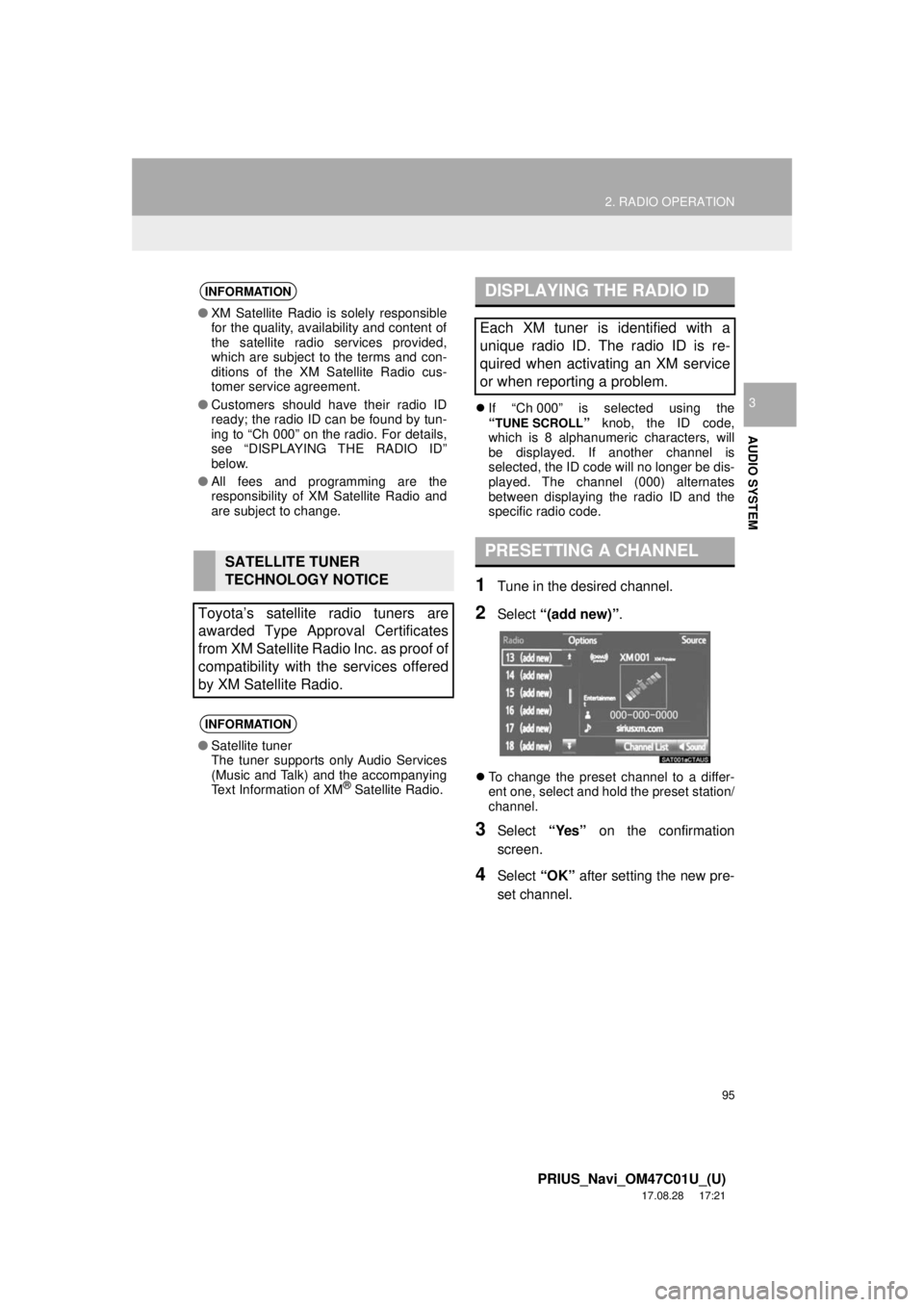
1Tune in the desired channel.
2Select “(add new)” .
To change the preset channel to a differ-
ent one, select and hold the preset station/
channel.
3Select “Yes” on the confirmation
screen.
4Select “OK” after setting the new pre-
set channel.
INFORMATION
● XM Satellite Radio is solely responsible
for the quality, availability and content of
the satellite radio services provided,
which are subject to the terms and con-
ditions of the XM Satellite Radio cus-
tomer service agreement.
● Customers should have their radio ID
ready; the radio ID can be found by tun-
ing to “Ch 000” on the radio. For details,
see “DISPLAYING THE RADIO ID”
below.
● All fees and programming are the
responsibility of XM Satellite Radio and
are subject to change.
SATELLITE TUNER
TECHNOLOGY NOTICE
Toyota’s satellite radio tuners are
awarded Type Approval Certificates
from XM Satellite Radio Inc. as proof of
compatibility with the services offered
by XM Satellite Radio.
INFORMATION
● Satellite tuner
The tuner supports only Audio Services
(Music and Talk) and the accompanying
Text Information of XM
® Satellite Radio.
DISPLAYING THE RADIO ID
Each XM tuner is identified with a
unique radio ID. The radio ID is re-
quired when activating an XM service
or when reporting a problem.
PRESETTING A CHANNEL
Page 98 of 294
98
2. RADIO OPERATION
PRIUS_Navi_OM47C01U_(U)
17.08.28 17:21
3. INTERNET RADIO
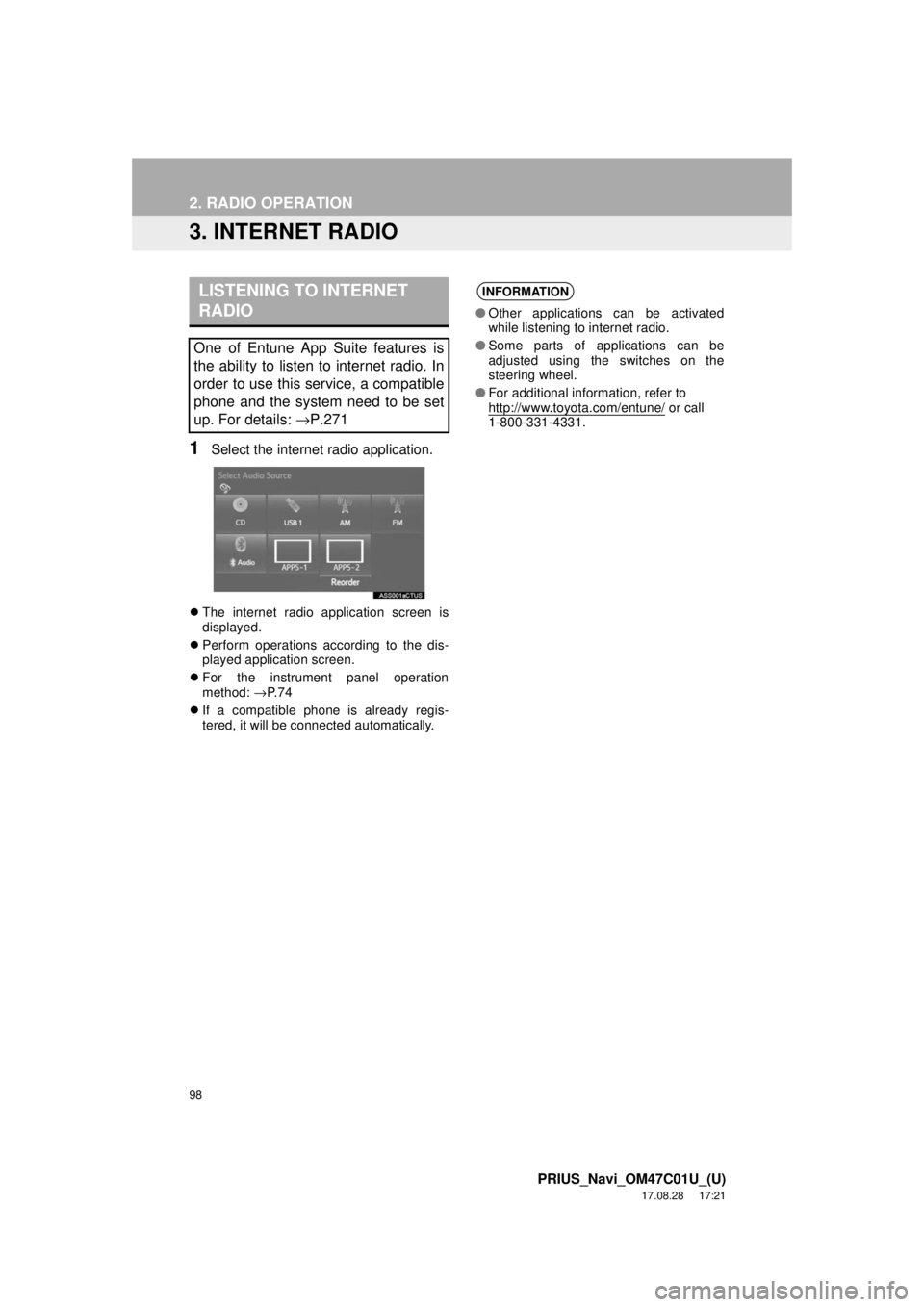
1Select the internet radio application.
The internet radio application screen is
displayed.
Perform operations according to the dis-
played application screen.
For the instrument panel operation
method: →P. 7 4
If a compatible phone is already regis-
tered, it will be connected automatically.
LISTENING TO INTERNET
RADIO
One of Entune App Suite features is
the ability to listen to internet radio. In
order to use this service, a compatible
phone and the system need to be set
up. For details: →P.271
INFORMATION
●Other applications can be activated
while listening to internet radio.
● Some parts of applications can be
adjusted using the switches on the
steering wheel.
● For additional information, refer to
http://www.toyota.com/entune/
or call
1-800-331-4331.
Page 149 of 294
5
149
PRIUS_Navi_OM47C01U_(U)
17.08.28 17:49
1
2
3
4
5
6
7
8
1. RECEIVING WEATHER INFORMATION ......................... 150
DISPLAYING WEATHER
INFORMATION ................................. 150
2. DATA SERVICES SETTINGS ..... 152
SETTING DOWNLOAD METHODS .... 152
1USEFUL INFORMATION
INFORMATION
Page 152 of 294
152
1. USEFUL INFORMATION
PRIUS_Navi_OM47C01U_(U)
17.08.28 17:21
2. DATA SERVICES SETTINGS
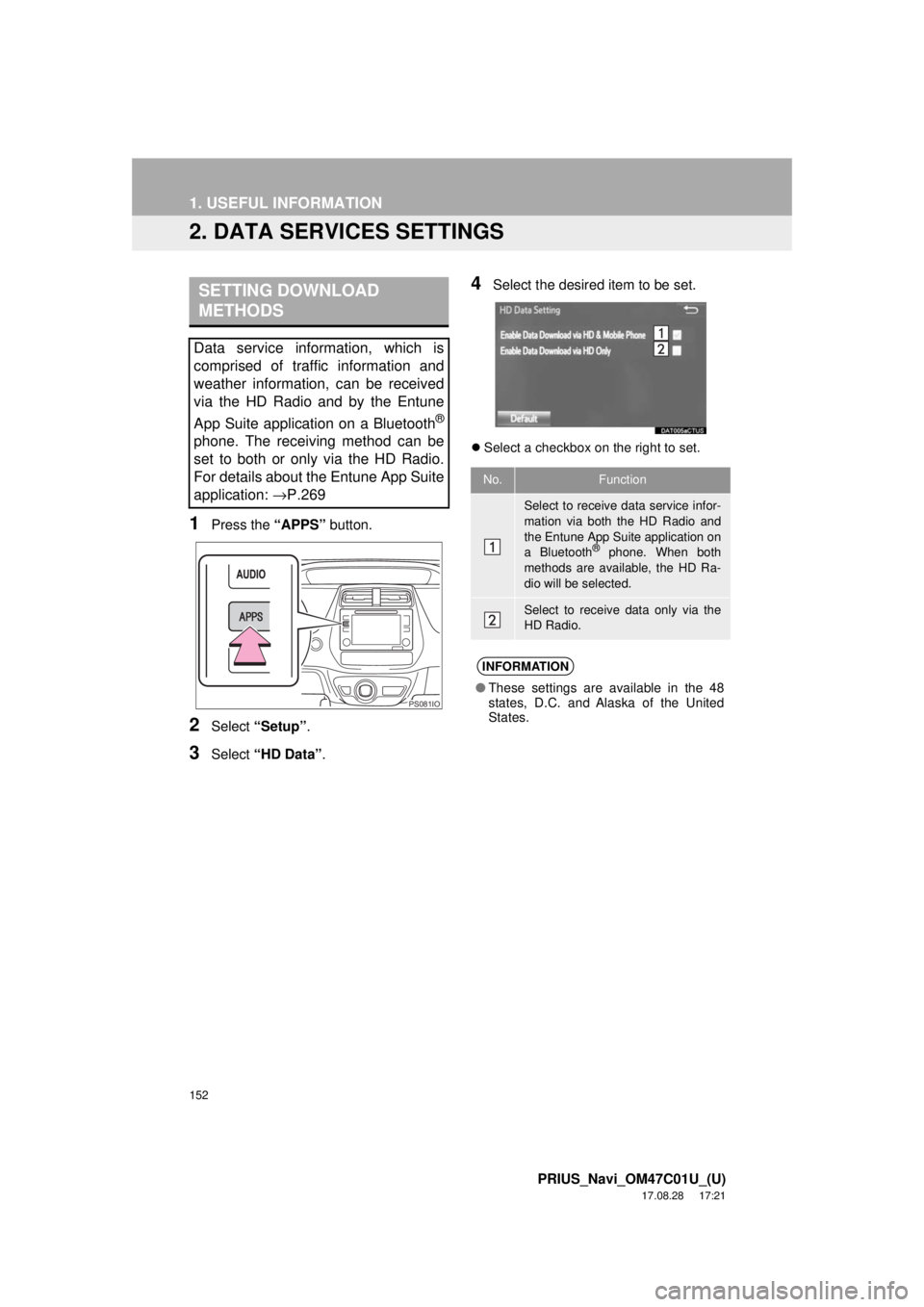
1Press the “APPS” button.
2Select “Setup” .
3Select “HD Data” .
4Select the desired item to be set.
Select a checkbox on the right to set.
SETTING DOWNLOAD
METHODS
Data service information, which is
comprised of traffic information and
weather information, can be received
via the HD Radio and by the Entune
App Suite application on a Bluetooth
®
phone. The receiving method can be
set to both or only via the HD Radio.
For details about the Entune App Suite
application: →P.269
PS081IO
No.Function
Select to receive data service infor-
mation via both the HD Radio and
the Entune App Suite application on
a Bluetooth
® phone. When both
methods are available, the HD Ra-
dio will be selected.
Select to receive data only via the
HD Radio.
INFORMATION
● These settings are available in the 48
states, D.C. and Alaska of the United
States.
Page 167 of 294
167
1. PHONE OPERATION (HANDS-FREE SYSTEM FOR CELLULAR PHONES)
PRIUS_Navi_OM47C01U_(U)
17.08.28 17:21
PHONE
6
■BY SELECTING “Release Tones”
1Select “Release Tones” .
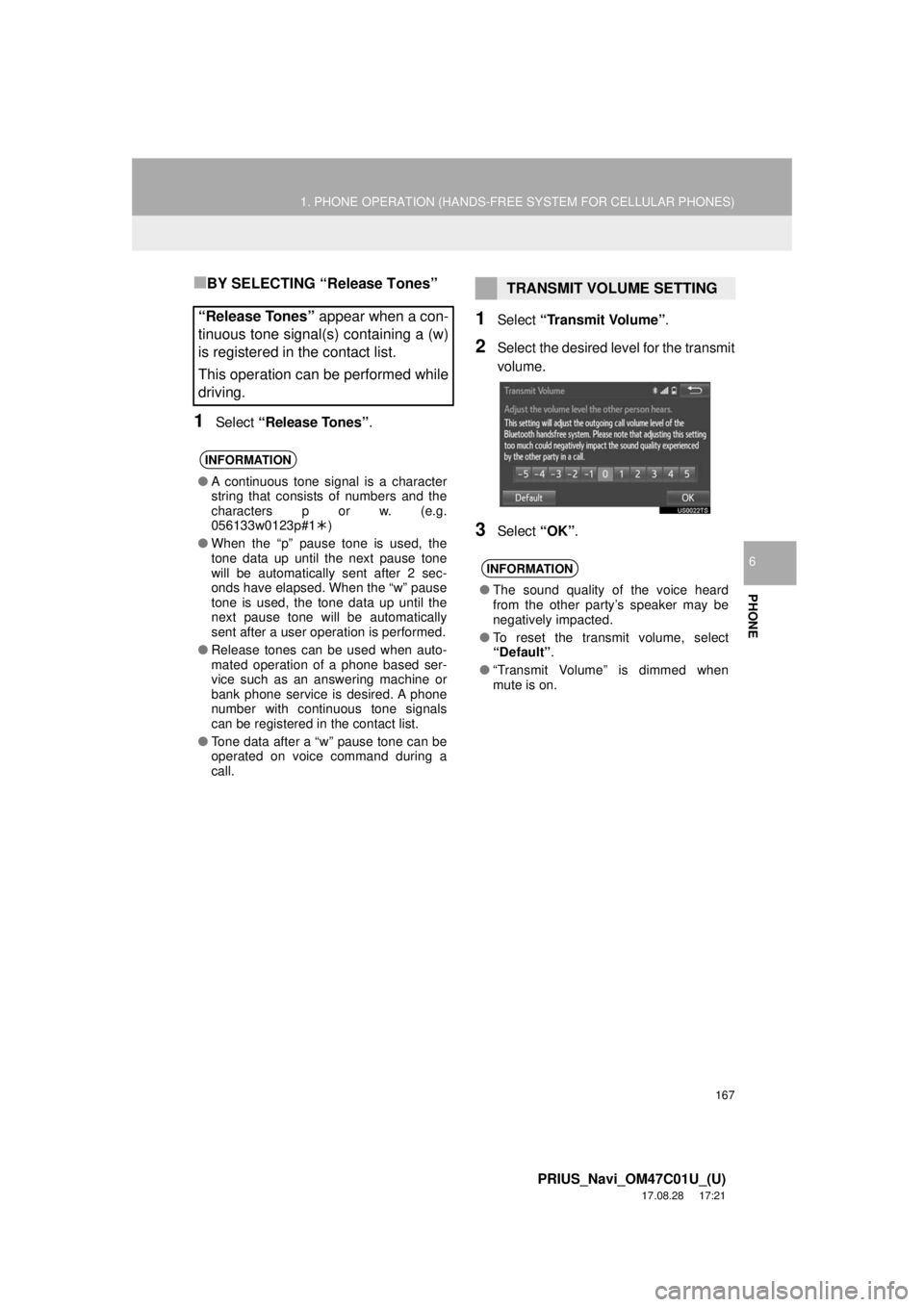
1Select “Transmit Volume”.
2Select the desired level for the transmit
volume.
3Select “OK”.
“Release Tones” appear when a con-
tinuous tone signal(s) containing a (w)
is registered in the contact list.
This operation can be performed while
driving.
INFORMATION
● A continuous tone signal is a character
string that consists of numbers and the
characters p or w. (e.g.
056133w0123p#1 )
● When the “p” pause tone is used, the
tone data up until the next pause tone
will be automatically sent after 2 sec-
onds have elapsed. When the “w” pause
tone is used, the tone data up until the
next pause tone will be automatically
sent after a user operation is performed.
● Release tones can be used when auto-
mated operation of a phone based ser-
vice such as an answering machine or
bank phone service is desired. A phone
number with continuous tone signals
can be registered in the contact list.
● Tone data after a “w” pause tone can be
operated on voice command during a
call.
TRANSMIT VOLUME SETTING
INFORMATION
●The sound quality of the voice heard
from the other party’s speaker may be
negatively impacted.
● To reset the transmit volume, select
“Default” .
● “Transmit Volume” is dimmed when
mute is on.
Page 189 of 294
189
3. WHAT TO DO IF...
PRIUS_Navi_OM47C01U_(U)
17.08.28 17:21
PHONE
6
When making/receiving a call
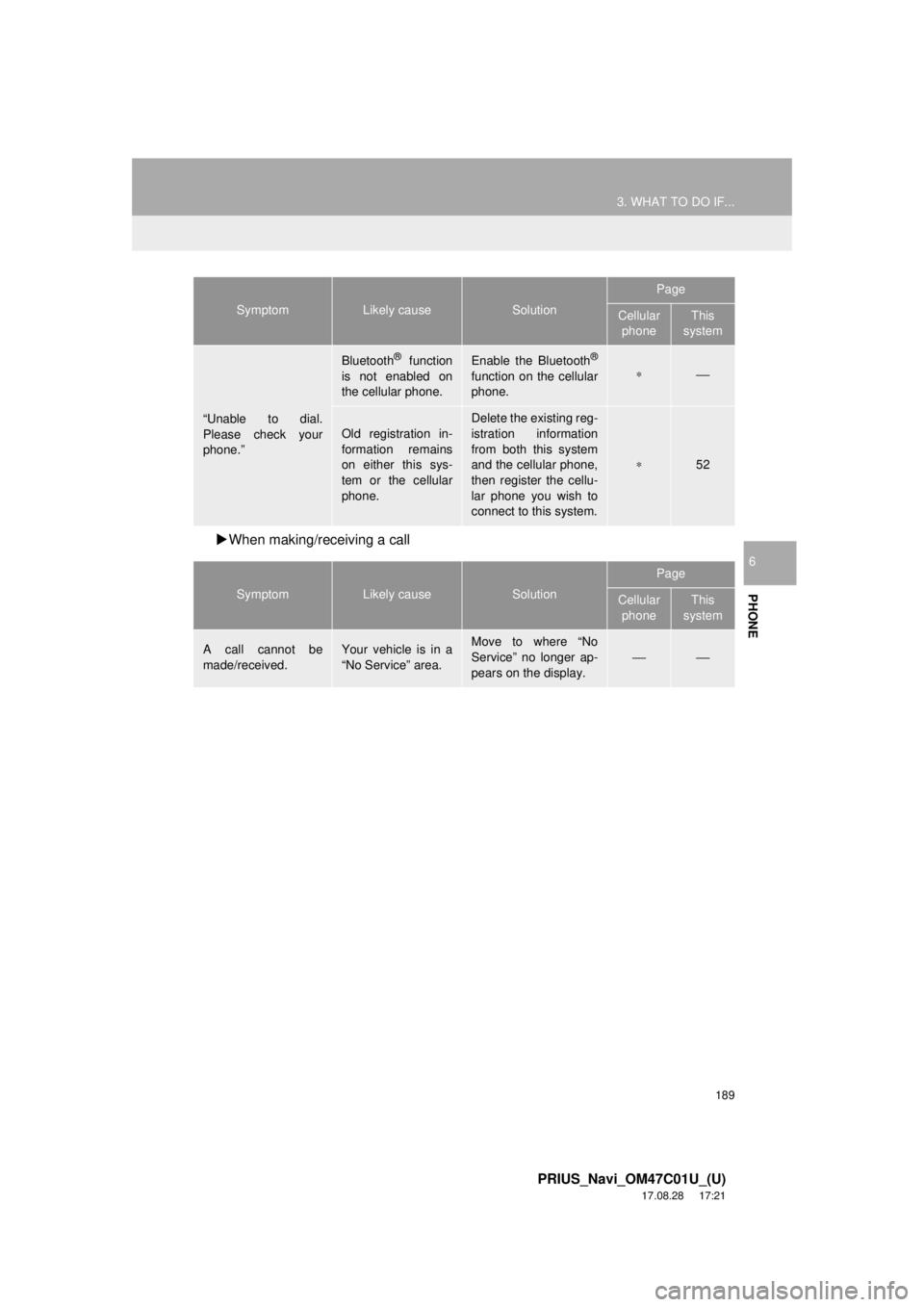
“Unable to dial.
Please check your
phone.”
Bluetooth® function
is not enabled on
the cellular phone.Enable the Bluetooth®
function on the cellular
phone.∗⎯
Old registration in-
formation remains
on either this sys-
tem or the cellular
phone.Delete the existing reg-
istration information
from both this system
and the cellular phone,
then register the cellu-
lar phone you wish to
connect to this system.
∗52
SymptomLikely causeSolution
Page
Cellular phoneThis
system
A call cannot be
made/received.Your vehicle is in a
“No Service” area.Move to where “No
Service” no longer ap-
pears on the display.
⎯⎯
SymptomLikely causeSolution
Page
Cellular phoneThis
system
Page 213 of 294
213
2. DESTINATION SEARCH
PRIUS_Navi_OM47C01U_(U)
17.08.28 17:21
NAVIGATION SYSTEM
7
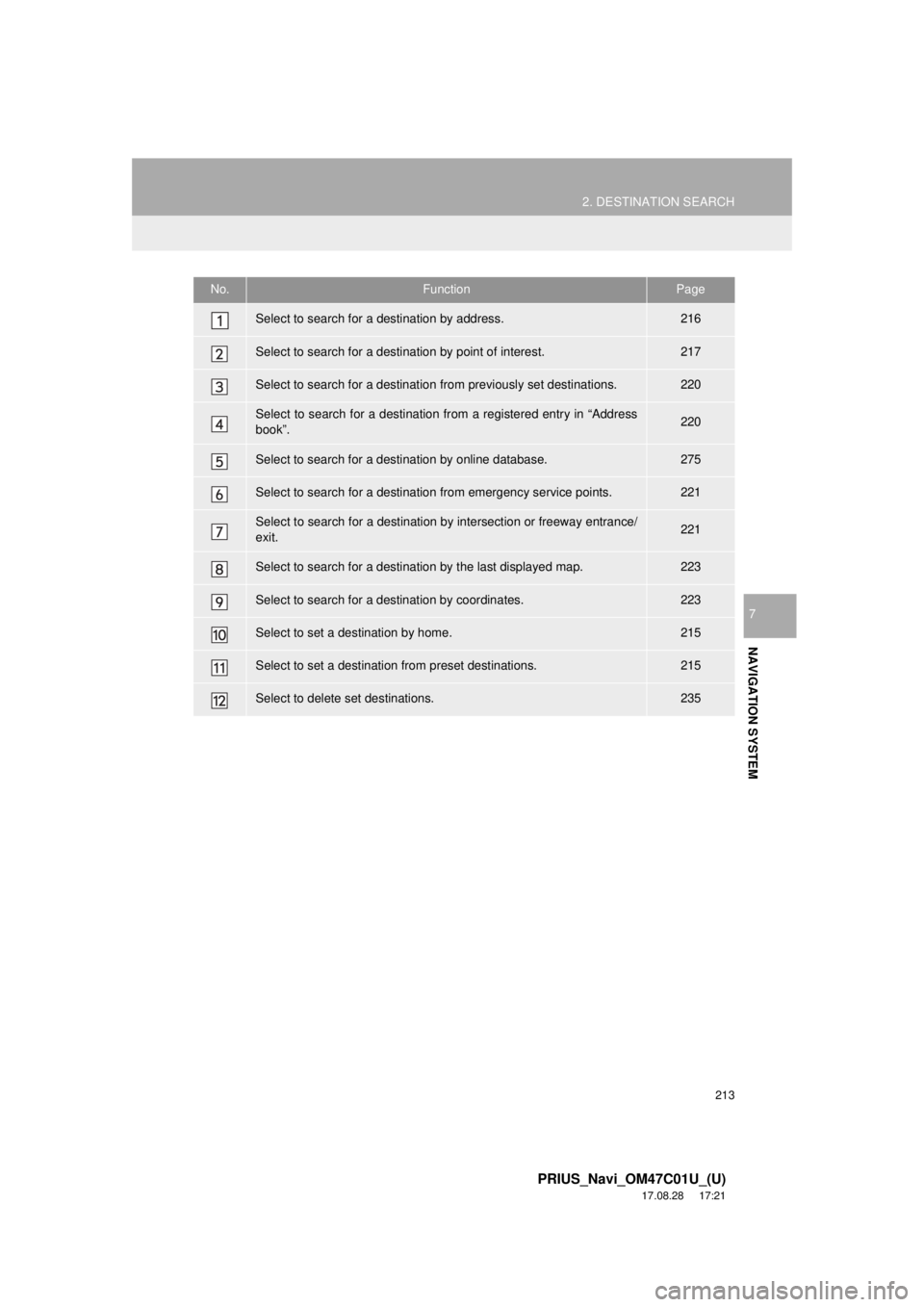
No.FunctionPage
Select to search for a destination by address. 216
Select to search for a destination by point of interest. 217
Select to search for a destination from previously set destinations.220
Select to search for a destination from a registered entry in “Address
book”.220
Select to search for a destination by online database. 275
Select to search for a destination from emergency service points.221
Select to search for a destination by intersection or freeway entrance/
exit.221
Select to search for a destination by the last displayed map.223
Select to search for a destination by coordinates.223
Select to set a destination by home.215
Select to set a destinati on from preset destinations.215
Select to delete set destinations.235
Page 265 of 294
8
265
PRIUS_Navi_OM47C01U_(U)
17.08.28 17:56
1
2
3
4
5
6
7
8
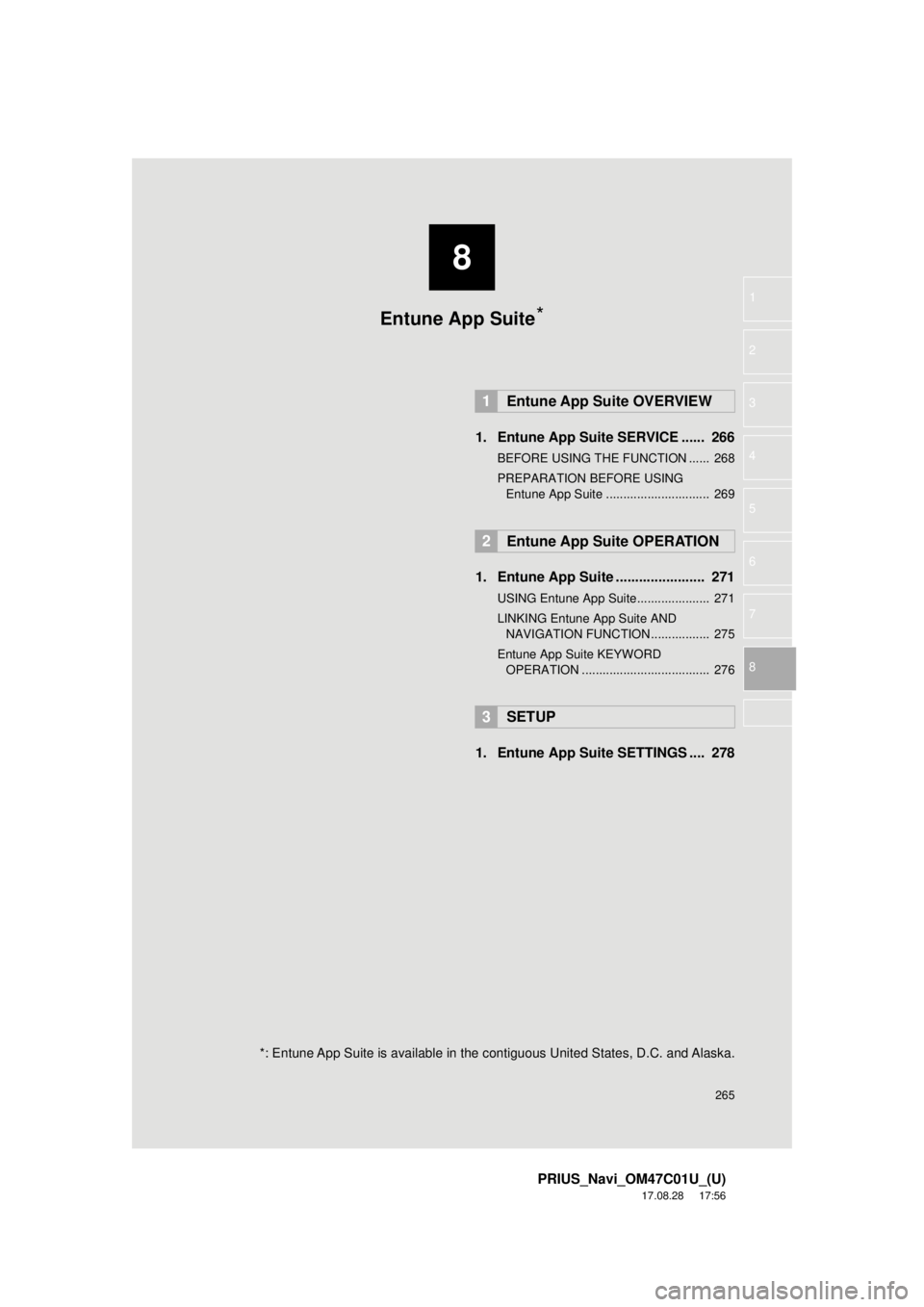
1. Entune App Suite SERVICE ...... 266
BEFORE USING THE FUNCTION ...... 268
PREPARATION BEFORE USING Entune App Suite .............................. 269
1. Entune App Suite ....................... 271
USING Entune App Suite..................... 271
LINKING Entune App Suite AND NAVIGATION FUNCTION ................. 275
Entune App Suite KEYWORD OPERATION ..................................... 276
1. Entune App Suit e SETTINGS .... 278
1Entune App Suite OVERVIEW
2Entune App Suite OPERATION
3SETUP
Entune App Suite*
*: Entune App Suite is available in the contiguous United States, D.C. and Alaska.
Page 266 of 294
266
PRIUS_Navi_OM47C01U_(U)
17.08.28 17:21
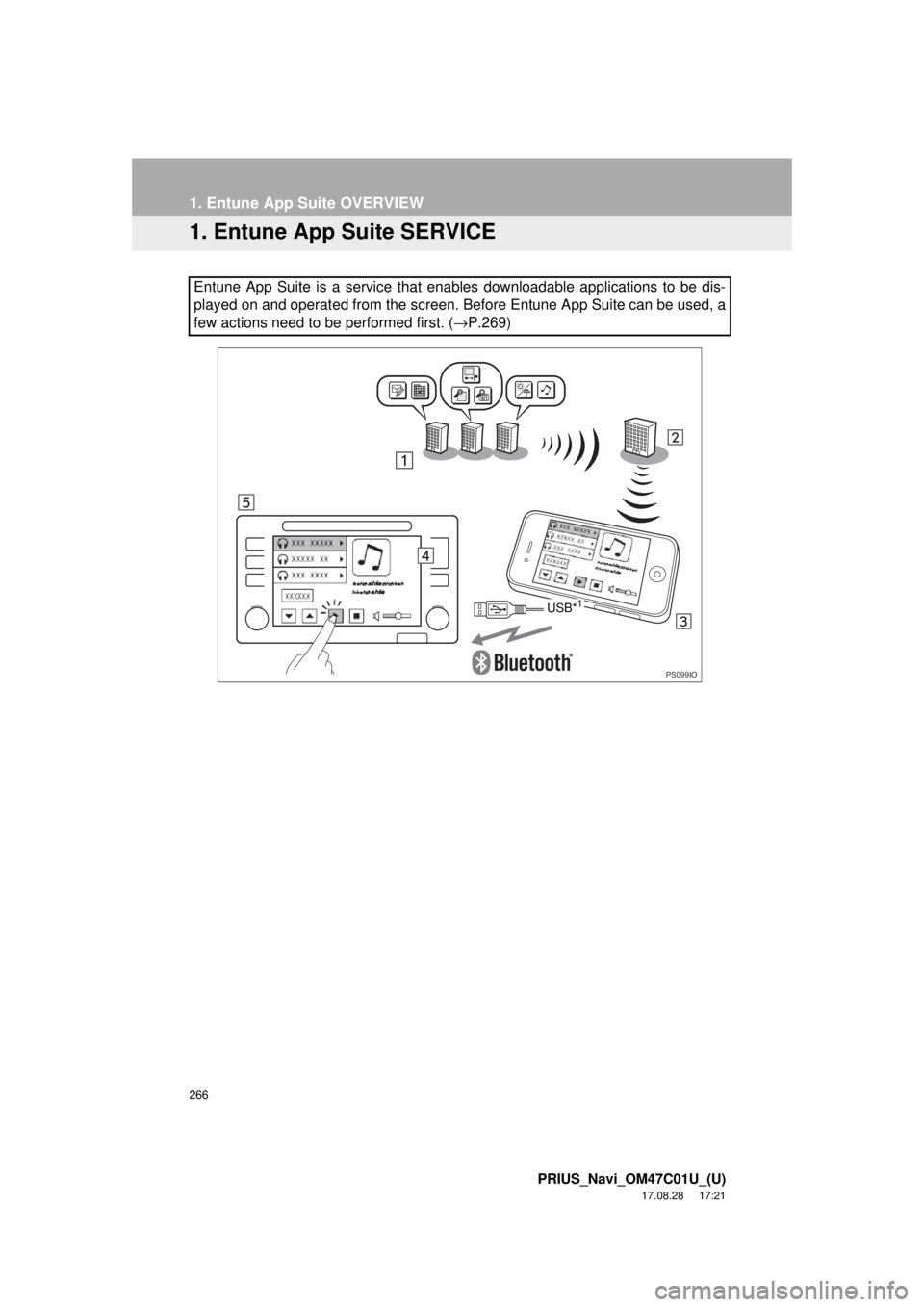
1. Entune App Suite OVERVIEW
1. Entune App Suite SERVICE
Entune App Suite is a service that enables downloadable applications to be dis-
played on and operated from the screen. Before Entune App Suite can be used, a
few actions need to be performed first. (→P.269)
PS099IO
USB*1