ad blue TOYOTA PRIUS 2018 Accessories, Audio & Navigation (in English)
[x] Cancel search | Manufacturer: TOYOTA, Model Year: 2018, Model line: PRIUS, Model: TOYOTA PRIUS 2018Pages: 294, PDF Size: 4.43 MB
Page 113 of 294
113
3. MEDIA OPERATION
PRIUS_Navi_OM47C01U_(U)
17.08.28 17:21
AUDIO SYSTEM
3
4. Bluetooth® AUDIO
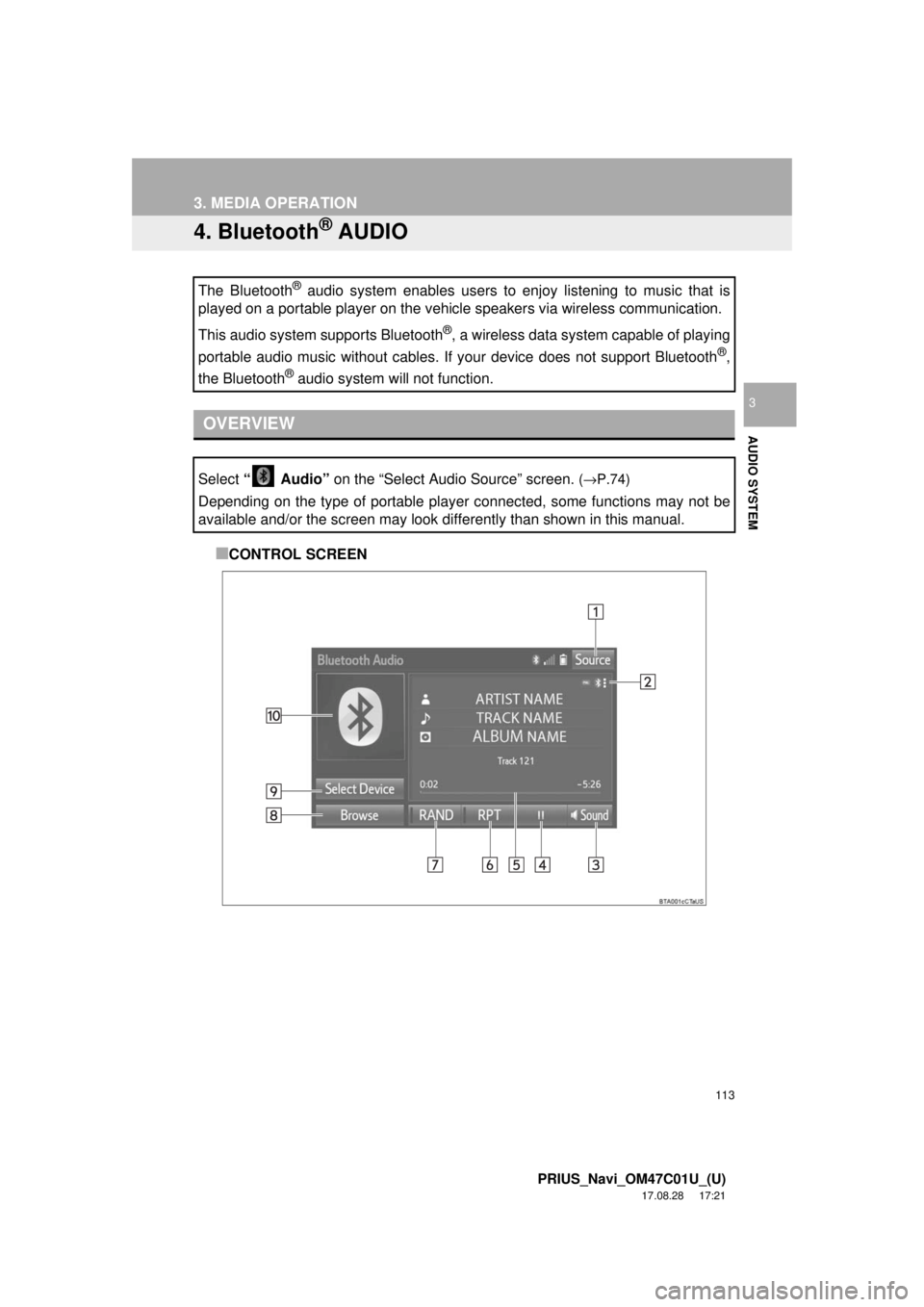
■CONTROL SCREEN
The Bluetooth
® audio system enables users to enjoy listening to music that is
played on a portable player on the vehicle speakers via wireless communi\
cation.
This audio system supports Bluetooth
®, a wireless data system capable of playing
portable audio music without cables. If your device does not support Bluetooth
®,
the Bluetooth
® audio system will not function.
OVERVIEW
Select “ Audio” on the “Select Audio Source” screen. (→P.74)
Depending on the type of portable player connected, some functions may not be
available and/or the screen may look differently than shown in this manual.
Page 114 of 294
114
3. MEDIA OPERATION
PRIUS_Navi_OM47C01U_(U)
17.08.28 17:21
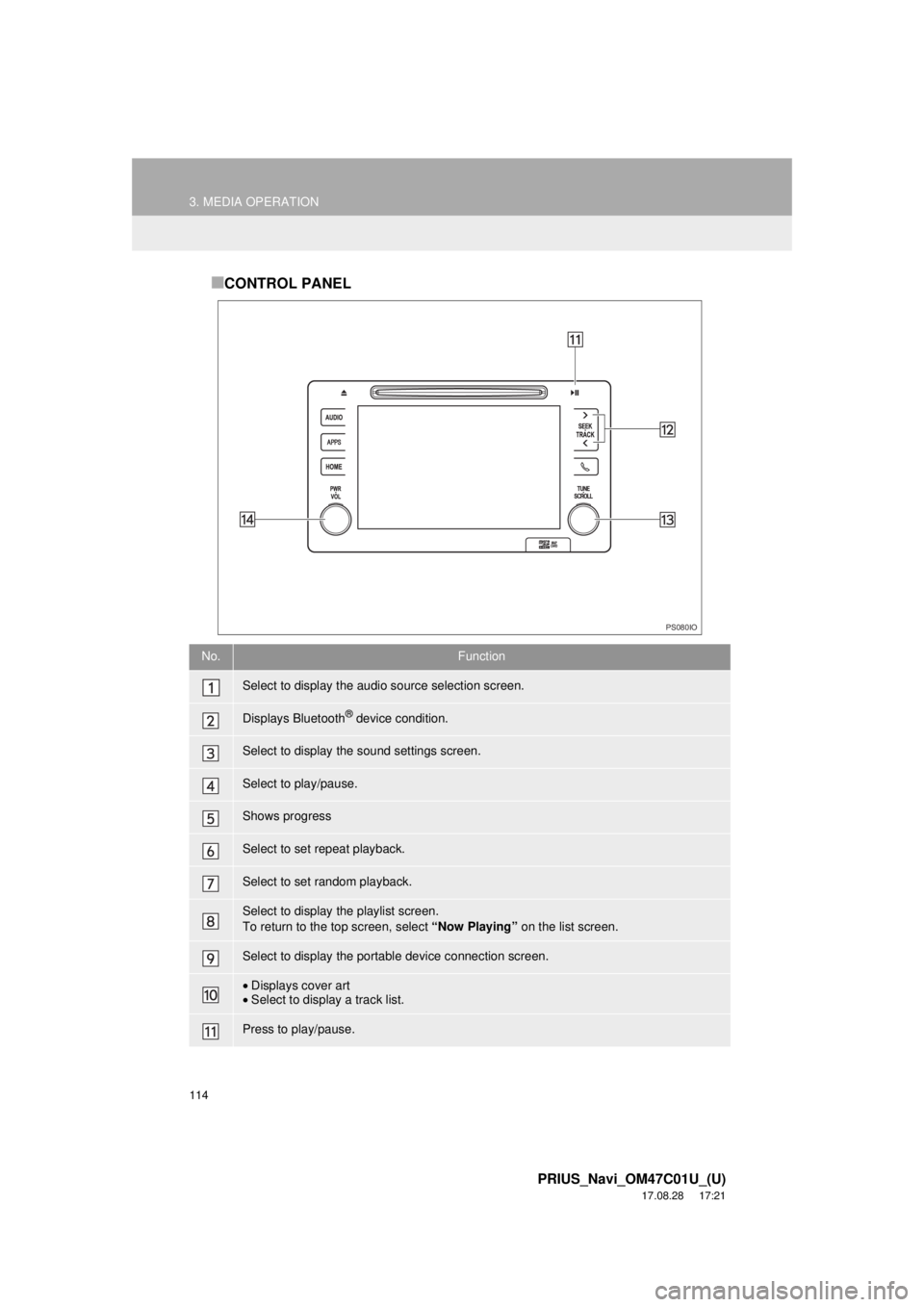
■CONTROL PANEL
No.Function
Select to display the audio source selection screen.
Displays Bluetooth® device condition.
Select to display the sound settings screen.
Select to play/pause.
Shows progress
Select to set repeat playback.
Select to set random playback.
Select to display the playlist screen.
To return to the top screen, select “Now Playing” on the list screen.
Select to display the portable device connection screen.
•Displays cover art
• Select to display a track list.
Press to play/pause.
PS080IO
Page 115 of 294
115
3. MEDIA OPERATION
PRIUS_Navi_OM47C01U_(U)
17.08.28 17:21
AUDIO SYSTEM
3
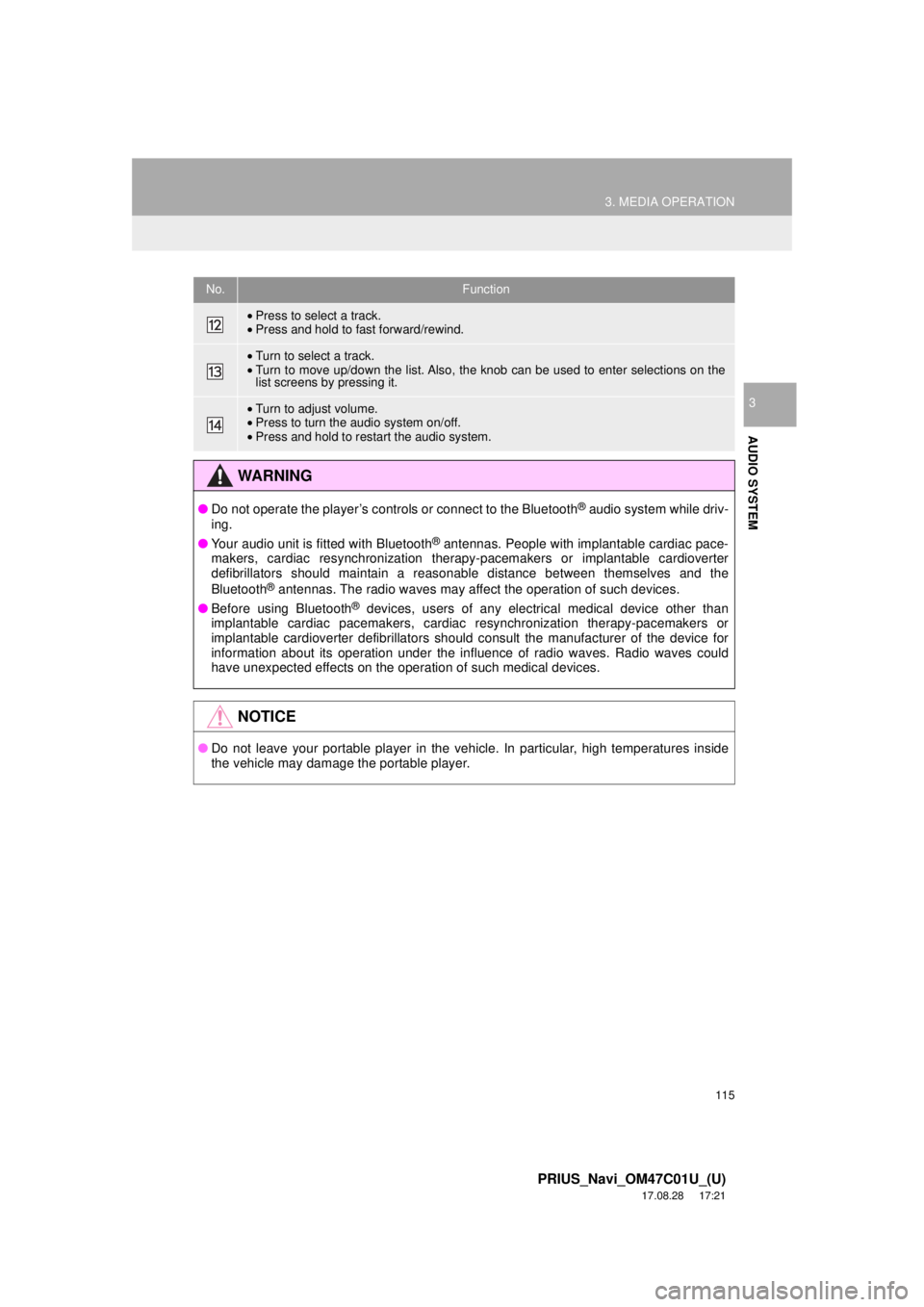
•Press to select a track.
• Press and hold to fast forward/rewind.
•Turn to select a track.
• Turn to move up/down the list. Also, the knob can be used to enter selections on the
list screens by pressing it.
•Turn to adjust volume.
• Press to turn the audio system on/off.
• Press and hold to restart the audio system.
WA R N I N G
● Do not operate the player’s controls or connect to the Bluetooth® audio system while driv-
ing.
● Your audio unit is fitted with Bluetooth
® antennas. People with implantable cardiac pace-
makers, cardiac resynchronization therapy-pacemakers or implantable cardioverter
defibrillators should maintain a reasonable distance between themselves and the
Bluetooth
® antennas. The radio waves may affect the operation of such devices.
● Before using Bluetooth
® devices, users of any electrical medical device other than
implantable cardiac pacemakers, cardiac resynchronization therapy-pacemakers or
implantable cardioverter defibrillators should consult the manufacturer of the device for
information about its operation under the influence of radio waves. Radio waves could
have unexpected effects on the operation of such medical devices.
NOTICE
● Do not leave your portable player in the vehicle. In particular, high temperatures inside
the vehicle may damage the portable player.
No.Function
Page 116 of 294

116
3. MEDIA OPERATION
PRIUS_Navi_OM47C01U_(U)
17.08.28 17:21
INFORMATION
●Depending on the Bluetooth® device that is connected to the system, the music may start
playing when selecting while it is paused. Conversely, the music may pause when
selecting while it is playing.
● In the following conditions, the system may not function:
• The Bluetooth
® device is turned off.
• The Bluetooth
® device is not connected.
• The Bluetooth
® device has a low battery.
● It may take time to connect the phone when Bluetooth
® audio is being played.
● For operating the portable player, see the instruction manual that comes with it.
● If the Bluetooth
® device is disconnected due to poor reception from the Bluetooth® net-
work when the power switch is in ACCE SSORY or ON mode, the system automatically
reconnects the portable player.
● If the system is attempting to connect to a Bluetooth
® device and the Bluetooth® device is
turned off and then back on, the system will attempt to reconnect.
● Bluetooth
® device information is registered when the Bluetooth® device is connected to
the Bluetooth® audio system. When selling or disposing of the vehicle, remove the
Bluetooth® audio information from the system. ( →P. 6 3 )
Page 117 of 294
117
3. MEDIA OPERATION
PRIUS_Navi_OM47C01U_(U)
17.08.28 17:21
AUDIO SYSTEM
3
Registering an additional device
1Select “Select Device” on the
Bluetooth
® audio control screen.
2For more information: →P.51
Selecting a registered device
1Select “Select Device” on the
Bluetooth
® audio control screen.
2For more information: →P.53
1Select the repeat button to change on/
off.
1Select the random button to change
on/off.
CONNECTING A Bluetooth®
DEVICE
To use the Bluetooth® audio system, it
is necessary to register a Bluetooth
®
device with the system.
LISTENING TO Bluetooth®
AUDIO
REPEATING
The track currently being listened to
can be repeated.
RANDOM ORDER
Tracks can be automatically and ran-
domly selected.
Page 146 of 294
146
PRIUS_Navi_OM47C01U_(U)
17.08.28 17:21
2. MOBILE ASSISTANT OPERATION
1. MOBILE ASSISTANT
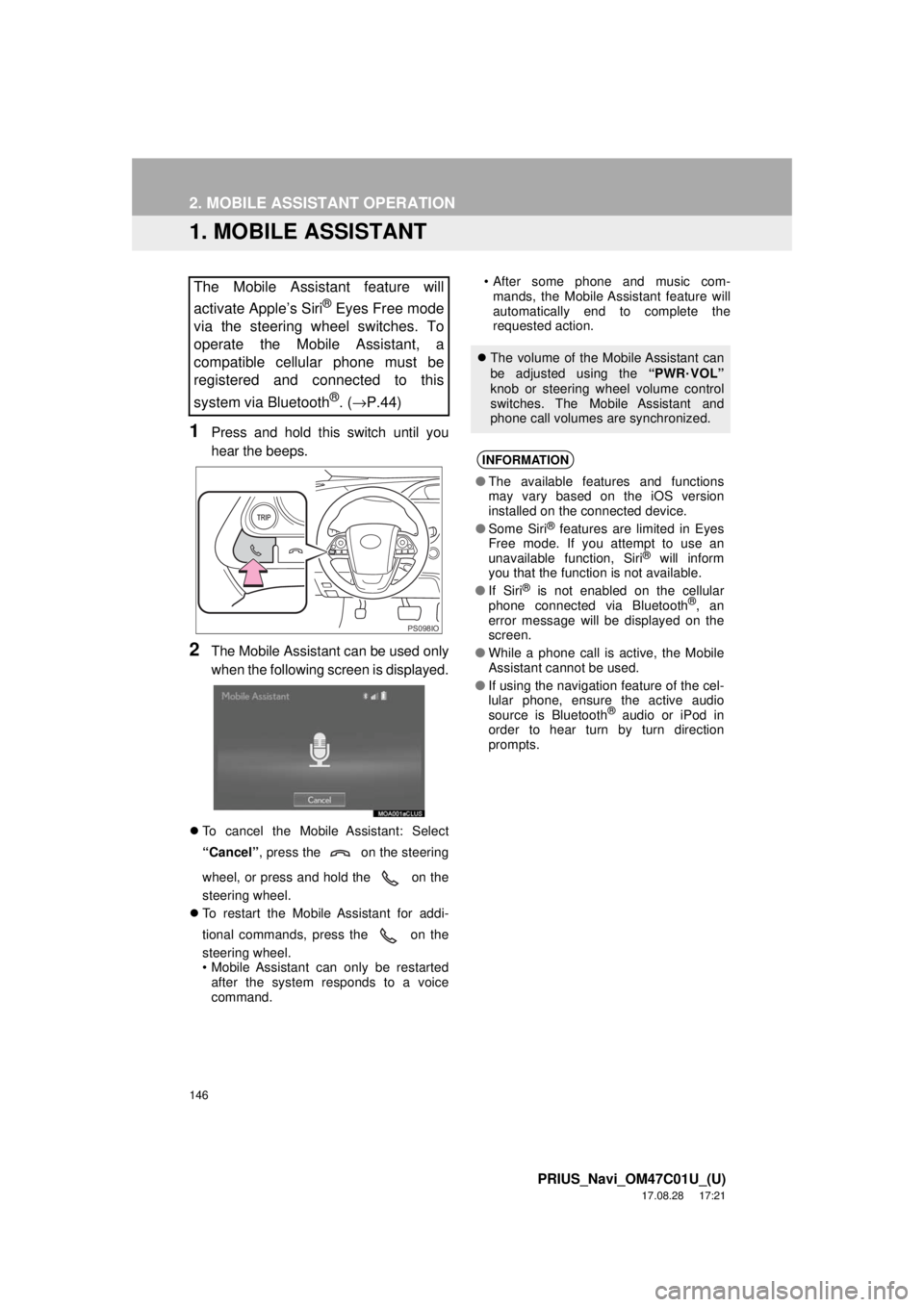
1Press and hold this switch until you
hear the beeps.
2The Mobile Assistant can be used only
when the following screen is displayed.
To cancel the Mobile Assistant: Select
“Cancel” , press the on the steering
wheel, or press and hold the on the
steering wheel.
To restart the Mobile Assistant for addi-
tional commands, press the on the
steering wheel.
• Mobile Assistant can only be restarted
after the system responds to a voice
command. • After some phone and music com-
mands, the Mobile Assistant feature will
automatically end to complete the
requested action.
The Mobile Assistant feature will
activate Apple’s Siri
® Eyes Free mode
via the steering wheel switches. To
operate the Mobile Assistant, a
compatible cellular phone must be
registered and connected to this
system via Bluetooth
®. ( →P.44)
PS098IO
The volume of the Mobile Assistant can
be adjusted using the “PWR
·VOL”
knob or steering wheel volume control
switches. The Mobile Assistant and
phone call volumes are synchronized.
INFORMATION
● The available features and functions
may vary based on the iOS version
installed on the connected device.
● Some Siri
® features are limited in Eyes
Free mode. If you attempt to use an
unavailable function, Siri
® will inform
you that the function is not available.
● If Siri
® is not enabled on the cellular
phone connected via Bluetooth®, an
error message will be displayed on the
screen.
● While a phone call is active, the Mobile
Assistant cannot be used.
● If using the navigation feature of the cel-
lular phone, ensure the active audio
source is Bluetooth
® audio or iPod in
order to hear turn by turn direction
prompts.
Page 150 of 294
150
PRIUS_Navi_OM47C01U_(U)
17.08.28 17:21
1. USEFUL INFORMATION
1. RECEIVING WEATHER INFORMATION
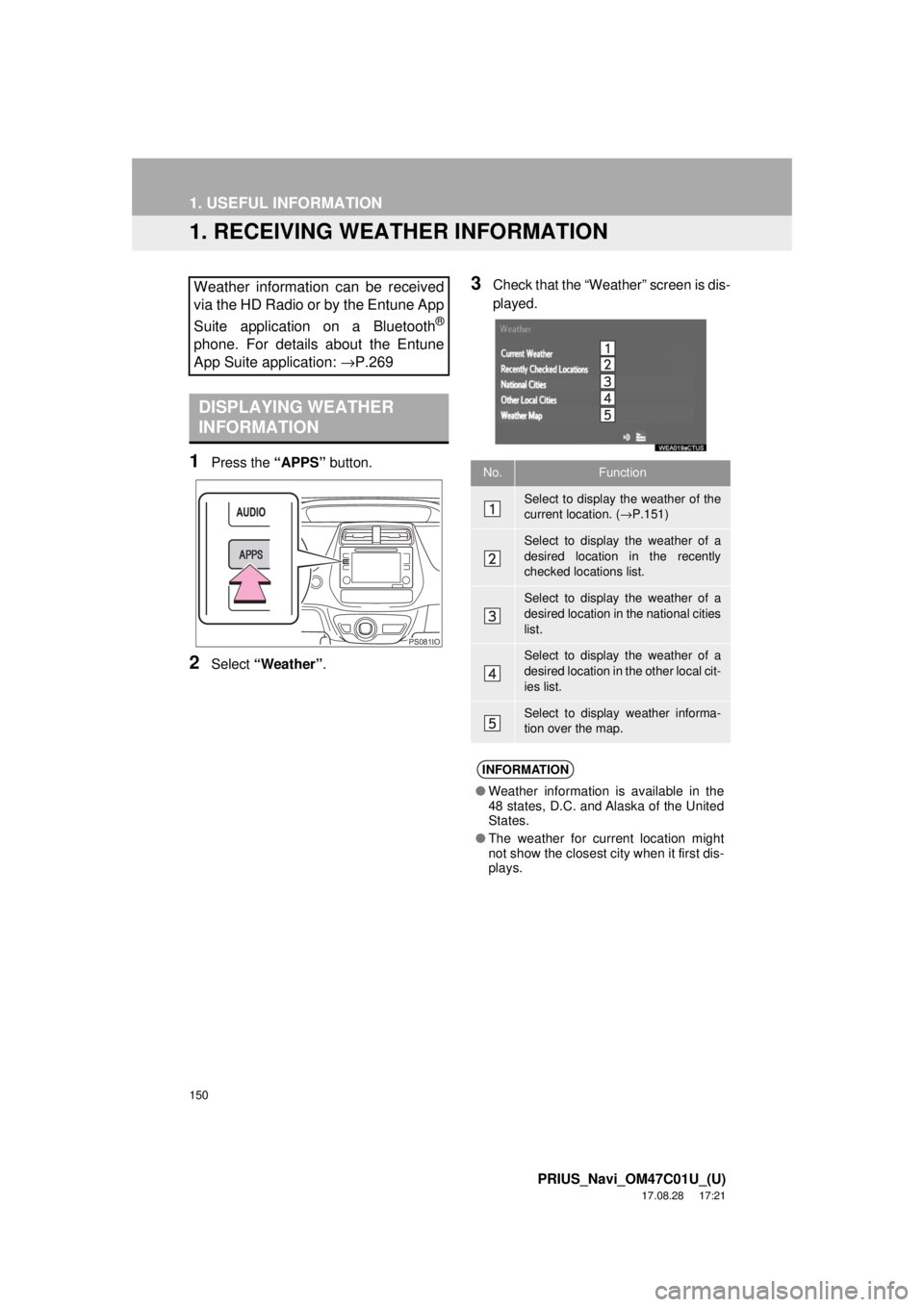
1Press the “APPS” button.
2Select “Weather” .
3Check that the “Weather” screen is dis-
played.Weather information can be received
via the HD Radio or by the Entune App
Suite application on a Bluetooth
®
phone. For details about the Entune
App Suite application: →P.269
DISPLAYING WEATHER
INFORMATION
PS081IO
No.Function
Select to display the weather of the
current location. (→P.151)
Select to display the weather of a
desired location in the recently
checked locations list.
Select to display the weather of a
desired location in the national cities
list.
Select to display the weather of a
desired location in the other local cit-
ies list.
Select to display weather informa-
tion over the map.
INFORMATION
● Weather information is available in the
48 states, D.C. and Alaska of the United
States.
● The weather for current location might
not show the closest city when it first dis-
plays.
Page 152 of 294
152
1. USEFUL INFORMATION
PRIUS_Navi_OM47C01U_(U)
17.08.28 17:21
2. DATA SERVICES SETTINGS
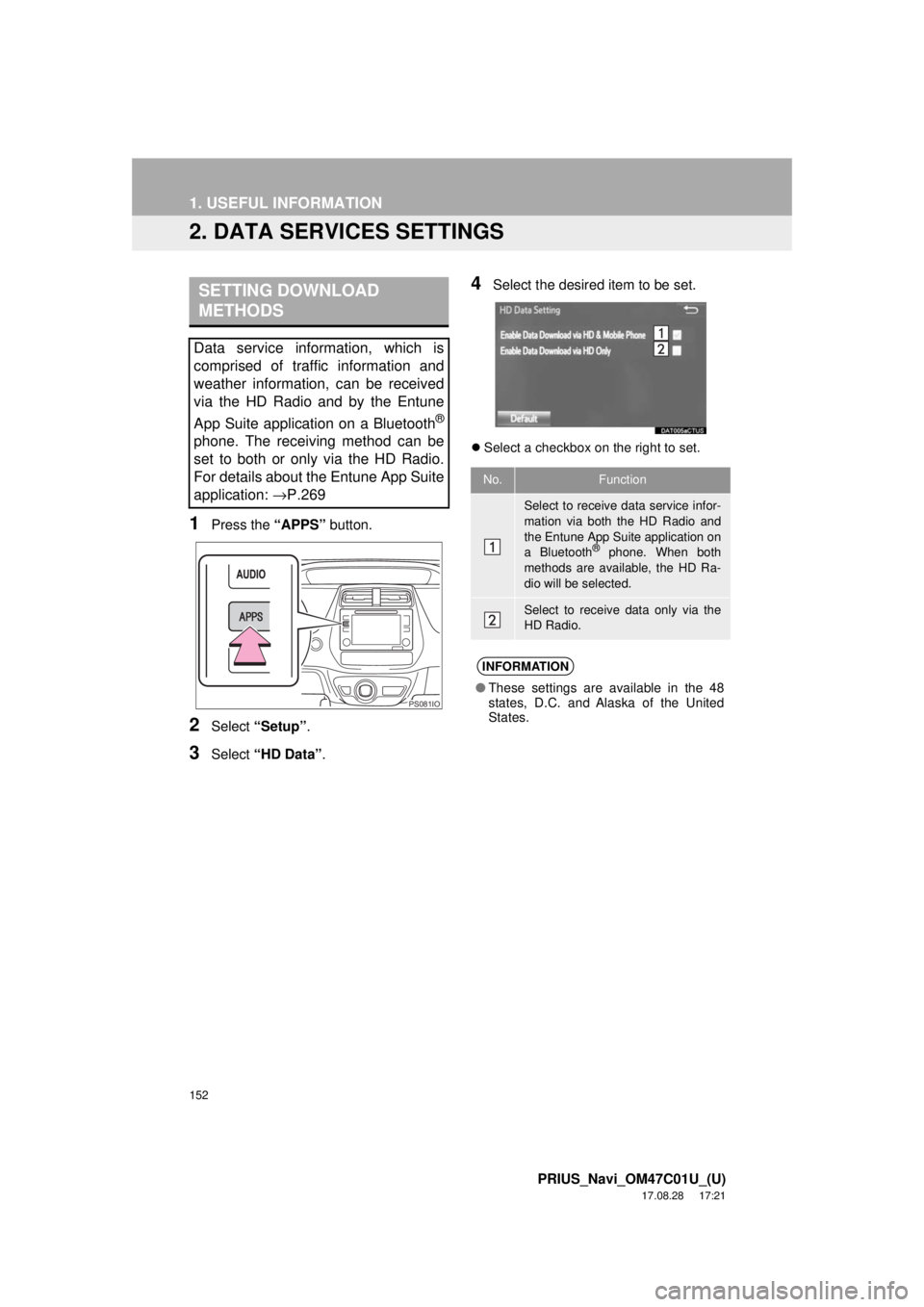
1Press the “APPS” button.
2Select “Setup” .
3Select “HD Data” .
4Select the desired item to be set.
Select a checkbox on the right to set.
SETTING DOWNLOAD
METHODS
Data service information, which is
comprised of traffic information and
weather information, can be received
via the HD Radio and by the Entune
App Suite application on a Bluetooth
®
phone. The receiving method can be
set to both or only via the HD Radio.
For details about the Entune App Suite
application: →P.269
PS081IO
No.Function
Select to receive data service infor-
mation via both the HD Radio and
the Entune App Suite application on
a Bluetooth
® phone. When both
methods are available, the HD Ra-
dio will be selected.
Select to receive data only via the
HD Radio.
INFORMATION
● These settings are available in the 48
states, D.C. and Alaska of the United
States.
Page 153 of 294
6
153
PRIUS_Navi_OM47C01U_(U)
17.08.28 17:51
1
2
3
4
5
6
7
8
1. QUICK REFERENCE ................... 154
2. SOME BASICS ............................ 155
REGISTERING/CONNECTING A Bluetooth® PHONE ........................... 155
USING THE PHONE SWITCH/ MICROPHONE ................................. 156
VOICE COMMAND SYSTEM .............. 157
ABOUT THE CONTACTS IN THE CONTACT LIST ................................ 158
WHEN SELLING OR DISPOSING OF THE VEHICLE............................. 158
3. CALLING ON THE Bluetooth®
PHONE....................................... 159
BY FAVORITES LIST .......................... 160
BY CALL HISTORY ............................. 160
BY CONTACTS LIST .......................... 161
BY DIAL PAD ...................................... 163
BY OFF HOOK SWITCH ..................... 163
BY “Home” SCREEN ........................... 164
4. RECEIVING ON THE Bluetooth®
PHONE ...................................... 165
INCOMING CALLS .............................. 165
5. TALKING ON THE Bluetooth®
PHONE ...................................... 166
INCOMING CALL WAITING ................ 168
6. Bluetooth® PHONE MESSAGE
FUNCTION ...... ....................... ... 169
MESSAGE INBOX SCREEN ............... 169
RECEIVING A MESSAGE ................... 170
CHECKING MESSAGES ..................... 171
REPLYING TO A MESSAGE
(QUICK REPLY) ................................ 172
CALLING THE MESSAGE SENDER ........................................... 173
1. PHONE/MESSAGE SETTINGS ................................. 174
PHONE/MESSAGE SETTINGS
SCREEN ........................................... 174
“Sound Settings” SCREEN .................. 175
“Contact/Call History Settings” SCREEN ........................................... 176
“Messaging Settings” SCREEN ........... 184
“Phone Display Settings” SCREEN ..... 186
1. TROUBLESHOOTING ................ 187
1
PHONE OPERATION
(HANDS-FREE SYSTEM FOR
CELLULAR PHONES)
2SETUP
3WHAT TO DO IF...
PHONE
Page 154 of 294
154
PRIUS_Navi_OM47C01U_(U)
17.08.28 17:21
1. PHONE OPERATION (HANDS-FREE SYSTEM FOR CELLULAR PHONES)
1. QUICK REFERENCE
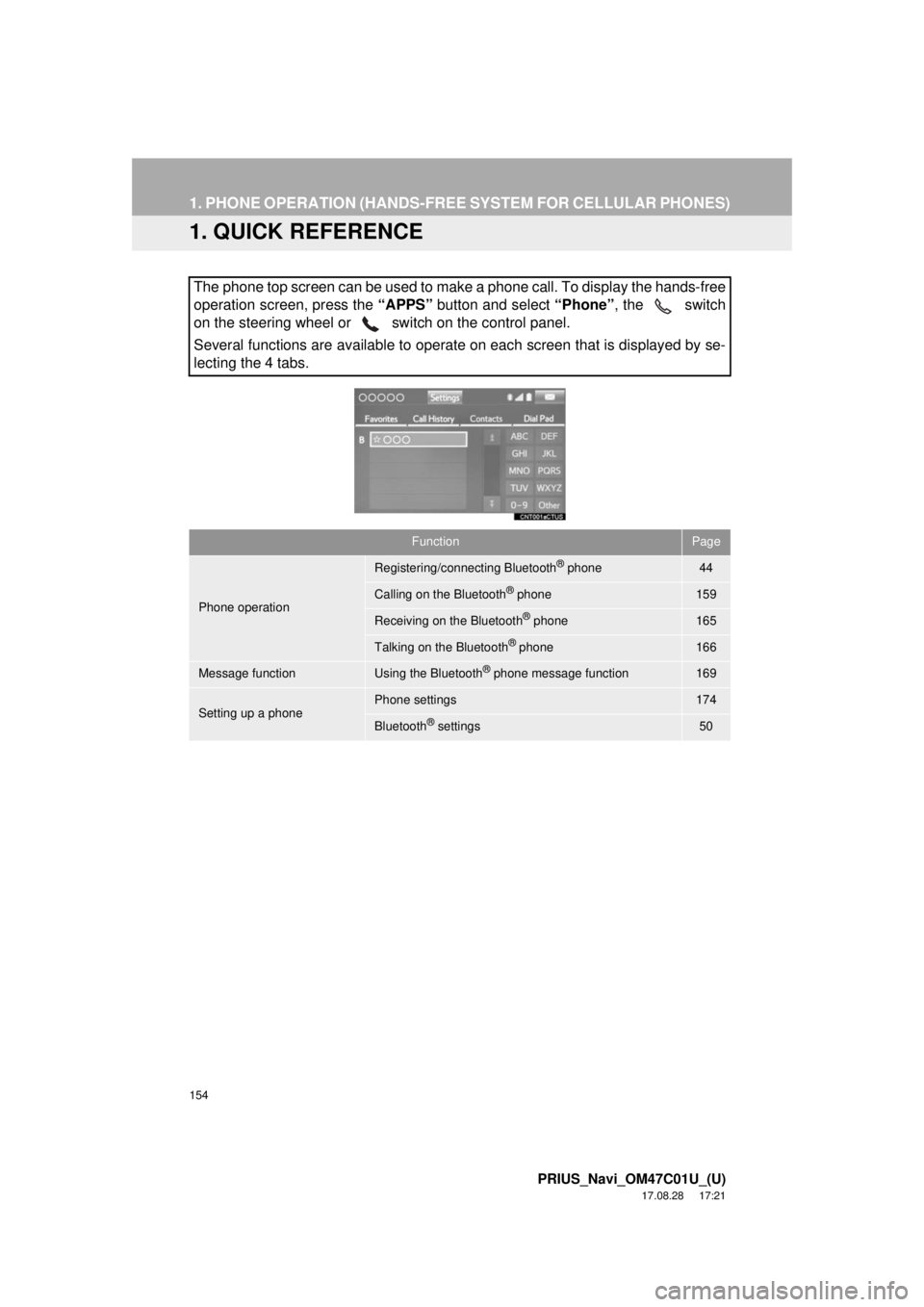
The phone top screen can be used to make a phone call. To display the hands-free
operation screen, press the “APPS” button and select “Phone” , the switch
on the steering wheel or switch on the control panel.
Several functions are available to operate on each screen that is displayed by se-
lecting the 4 tabs.
FunctionPage
Phone operation
Registering/connecting Bluetooth® phone44
Calling on the Bluetooth® phone159
Receiving on the Bluetooth® phone165
Talking on the Bluetooth® phone166
Message functionUsing the Bluetooth® phone message function169
Setting up a phonePhone settings174
Bluetooth® settings50