air condition TOYOTA PRIUS 2022 User Guide
[x] Cancel search | Manufacturer: TOYOTA, Model Year: 2022, Model line: PRIUS, Model: TOYOTA PRIUS 2022Pages: 744, PDF Size: 14.35 MB
Page 146 of 744
146
PRIUS_OM_OM47F01U_(U)
2. Instrument cluster
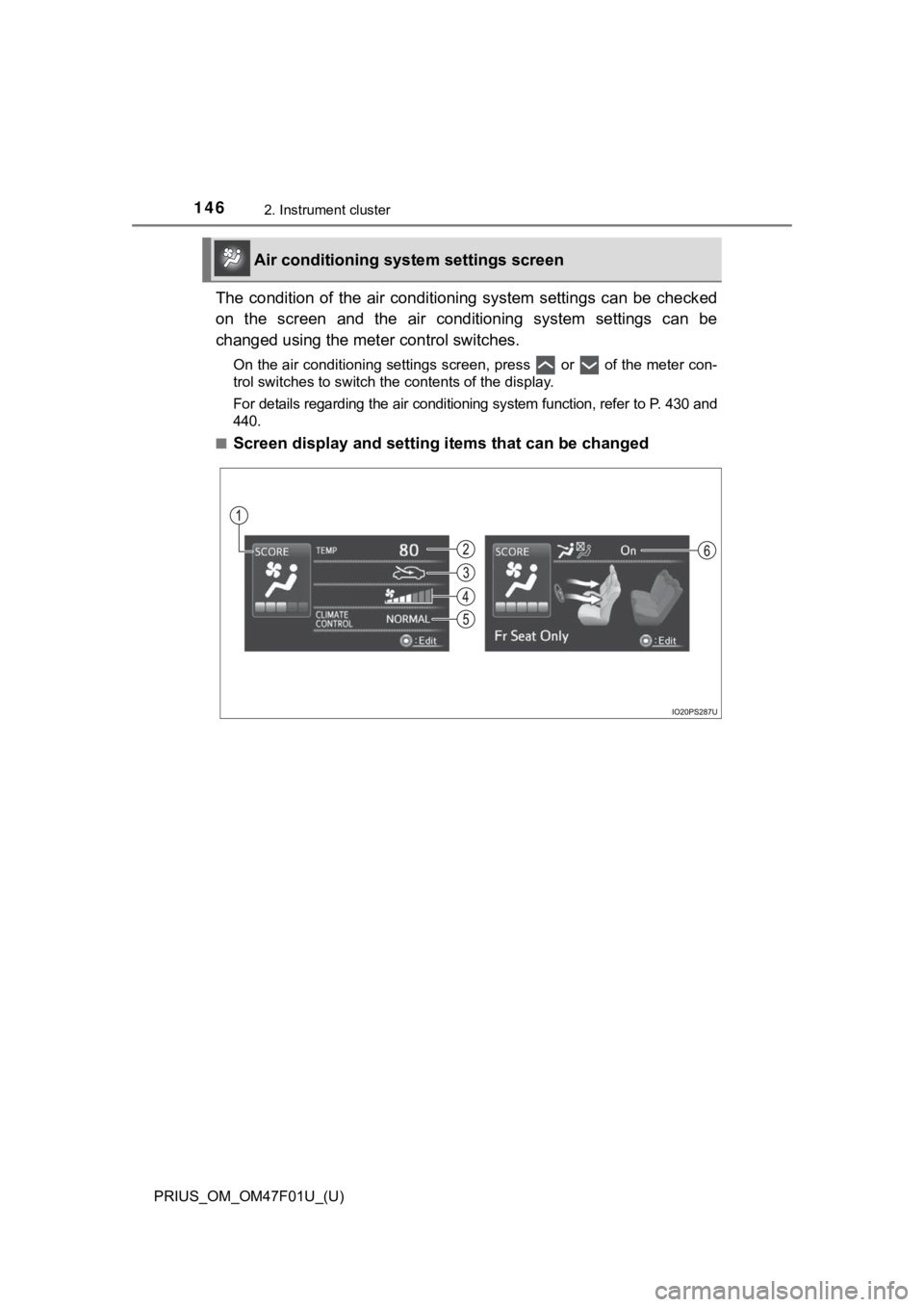
The condition of the air conditioning system settings can be checked
on the screen and the air conditioning system settings can be
changed using the mete r control switches.
On the air conditioning settings screen, press or of the meter con-
trol switches to switch the contents of the display.
For details regarding the air conditioning system function, refer to P. 430 and
440.
■
Screen display and setting items that can be changed
Air conditioning syst em settings screen
Page 147 of 744
PRIUS_OM_OM47F01U_(U)
1472. Instrument cluster
2
Instrument cluster
*1: “LO” is displayed if the temperature is adjusted to the lowest setting, and
“HI” is displayed if the temperature is adjusted to the highest setting.
*2: The selectable modes differ depending on whether a passenger i s present.
( P. 432, 442)
■
Adjusting the settings
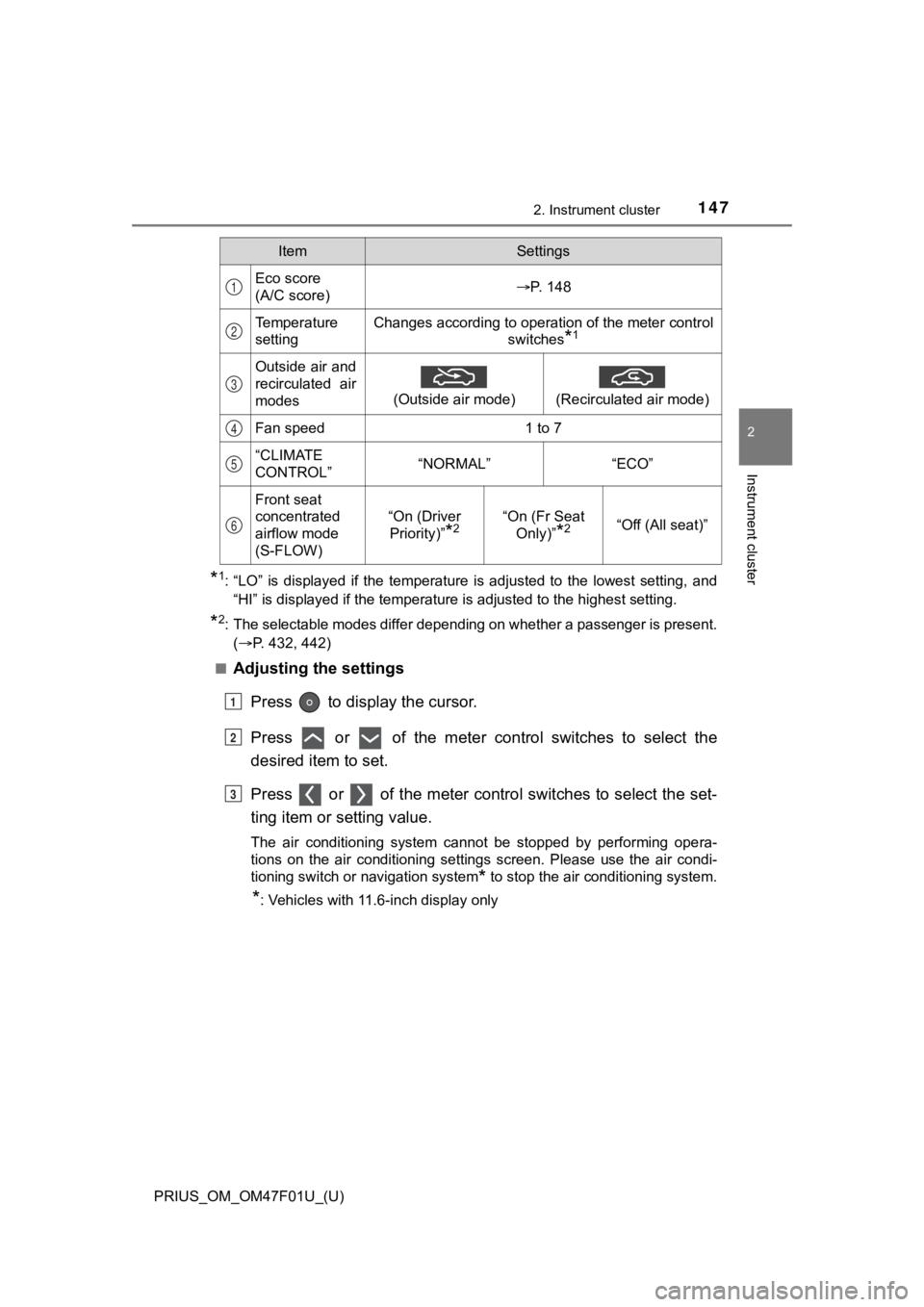
Press to display the cursor.
Press or of the meter control switches to select the
desired item to set.
Press or of the meter contro l switches to select the set-
ting item or setting value.
The air conditioning system cannot be stopped by performing ope ra-
tions on the air conditioning settings screen. Please use the a ir condi-
tioning switch or navigation system
* to stop the air conditioning system.
*: Vehicles with 11.6-inch display only
ItemSettings
Eco score
(A/C score)P. 148
Temperature
settingChanges according to operation of the meter control switches
*1
Outside air and
recirculated air
modes
(Outside air mode)
(Recirculated air mode)
Fan speed1 to 7
“CLIMATE
CONTROL”“NORMAL”“ECO”
Front seat
concentrated
airflow mode
(S-FLOW)
“On (Driver Priority)”
*2“On (Fr Seat Only)”
*2“Off (All seat)”
1
2
3
4
5
6
1
2
3
Page 148 of 744
148
PRIUS_OM_OM47F01U_(U)
2. Instrument cluster
■Eco score (A/C score)
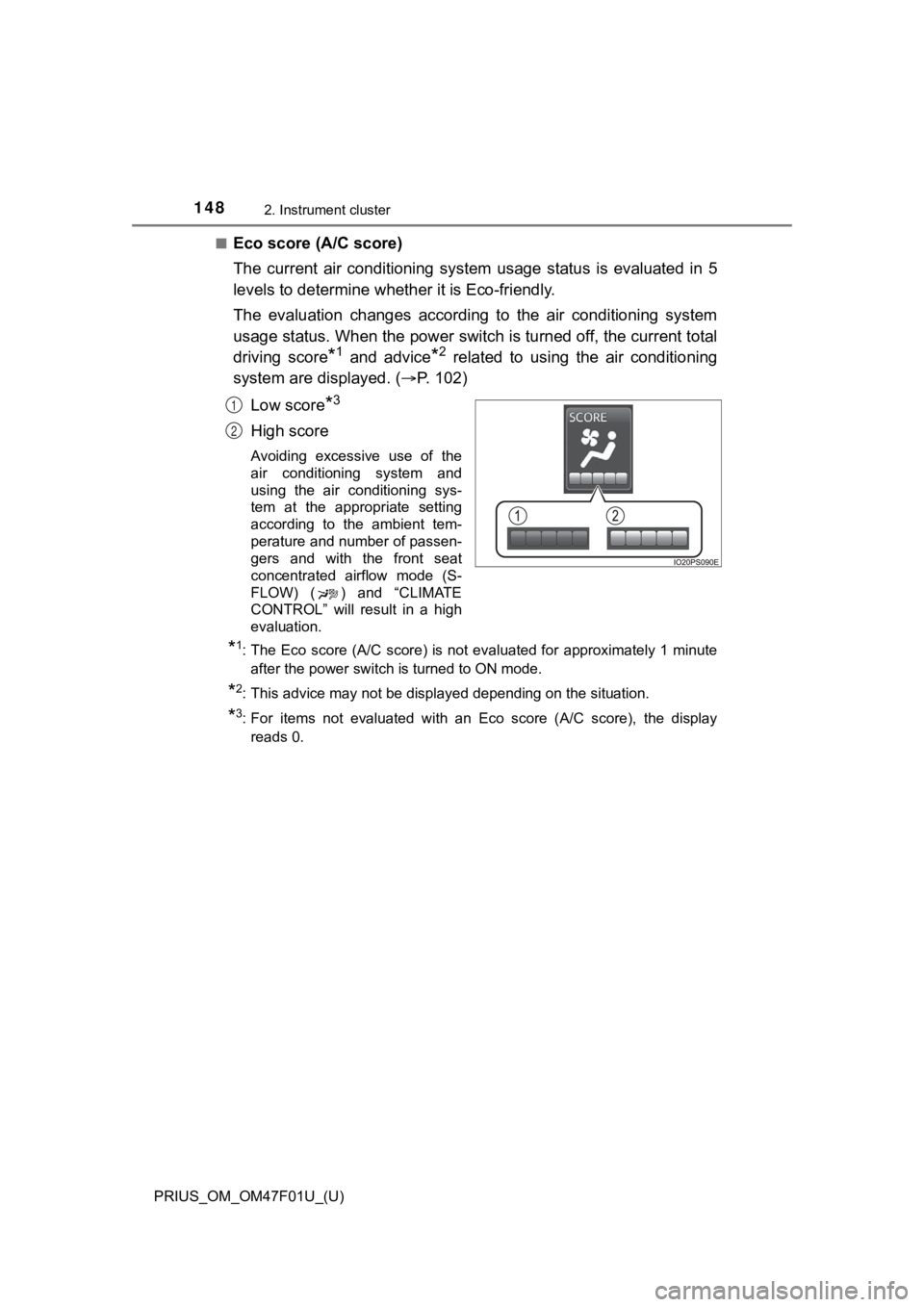
The current air conditioning system usage status is evaluated i n 5
levels to determine whether it is Eco-friendly.
The evaluation changes according to the air conditioning system
usage status. When the power switch is turned off, the current total
driving score
*1 and advice*2 related to using the air conditioning
system are displayed. ( P. 1 0 2 )
Low score
*3
High score
Avoiding excessive use of the
air conditioning system and
using the air conditioning sys-
tem at the appropriate setting
according to the ambient tem-
perature and number of passen-
gers and with the front seat
concentrated airflow mode (S-
FLOW) ( ) and “CLIMATE
CONTROL” will result in a high
evaluation.
*1: The Eco score (A/C score) is not evaluated for approximately 1 minute after the power switch is turned to ON mode.
*2: This advice may not be displayed depending on the situation.
*3: For items not evaluated with an Eco score (A/C score), the displayreads 0.
1
2
Page 149 of 744
PRIUS_OM_OM47F01U_(U)
1492. Instrument cluster
2
Instrument cluster
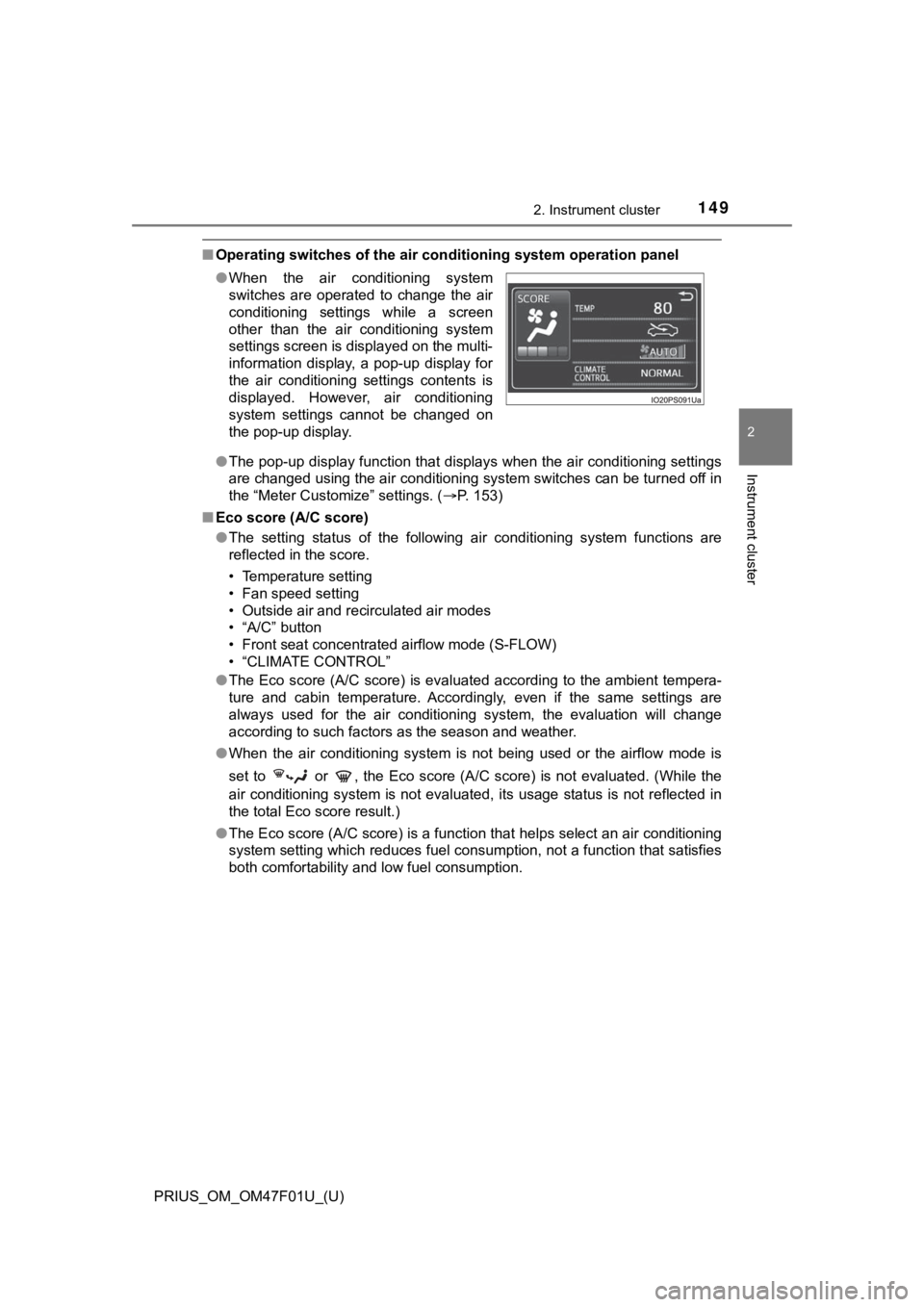
■Operating switches of the air conditioning system operation pan el
● The pop-up display function that displays when the air conditioning settings
are changed using the air conditioning system switches can be turned off in
the “Meter Customize” settings. ( P. 153)
■ Eco score (A/C score)
●The setting status of the following air conditioning system fun ctions are
reflected in the score.
• Temperature setting
• Fan speed setting
• Outside air and recirculated air modes
• “A/C” button
• Front seat concentrated airflow mode (S-FLOW)
• “CLIMATE CONTROL”
● The Eco score (A/C score) is evaluated according to the ambient tempera-
ture and cabin temperature. Accordingly, even if the same setti ngs are
always used for the air conditioning system, the evaluation will change
according to such factors as the season and weather.
● When the air conditioning system is not being used or the airflow mode is
set to or , the Eco score (A/C score) is not evaluated. (While the
air conditioning system is not evaluated, its usage status is n ot reflected in
the total Eco score result.)
● The Eco score (A/C score) is a function that helps select an ai r conditioning
system setting which reduces fuel consumption, not a function t hat satisfies
both comfortability and low fuel consumption.
●
When the air conditioning system
switches are operated to change the air
conditioning settings while a screen
other than the air conditioning system
settings screen is displayed on the multi-
information display, a pop-up display for
the air conditioning settings contents is
displayed. However, air conditioning
system settings cannot be changed on
the pop-up display.
Page 171 of 744
PRIUS_OM_OM47F01U_(U)
1712. Instrument cluster
2
Instrument cluster
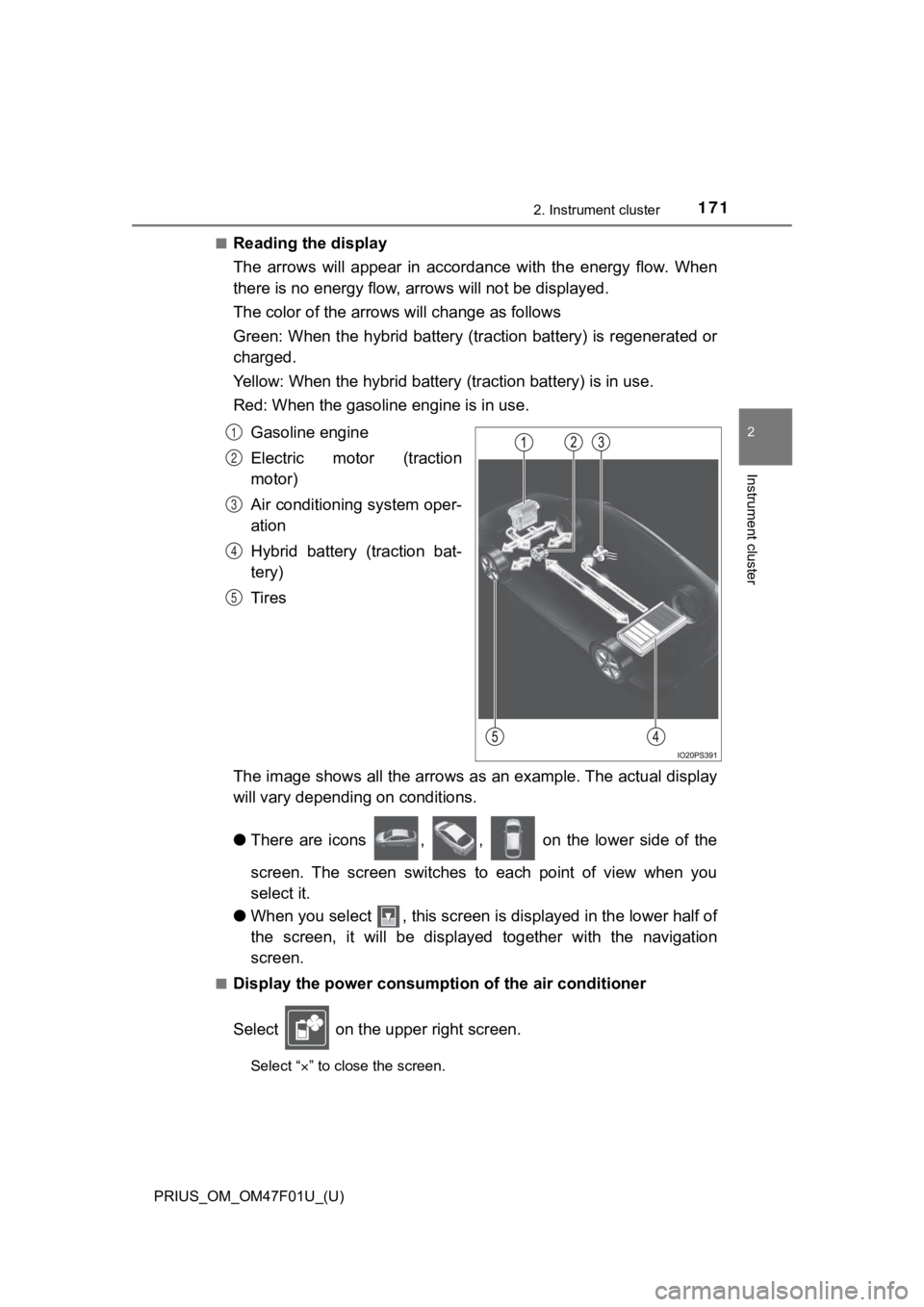
■Reading the display
The arrows will appear in accordance with the energy flow. When
there is no energy flow, arrows will no t be displayed.
The color of the arrows will change as follows
Green: When the hybrid battery (tr action battery) is regenerated or
charged.
Yellow: When the hybrid battery (traction battery) is in use.
Red: When the gasolin e engine is in use.
Gasoline engine
Electric motor (traction
motor)
Air conditioning system oper-
ation
Hybrid battery (traction bat-
tery)
Tires
The image shows all the arrows as an example. The actual displa y
will vary dependin g on conditions.
● There are icons , , on the lower side of the
screen. The screen switches to each point of view when you
select it.
● When you select , this screen is displayed in the lower half of
the screen, it will be displayed together with the navigation
screen.
■Display the power consump tion of the air conditioner
Select on the upper right screen.
Select “ ” to close the screen.
1
2
3
4
5
Page 194 of 744
194
PRIUS_OM_OM47F01U_(U)
3-2. Opening, closing and locking the doors
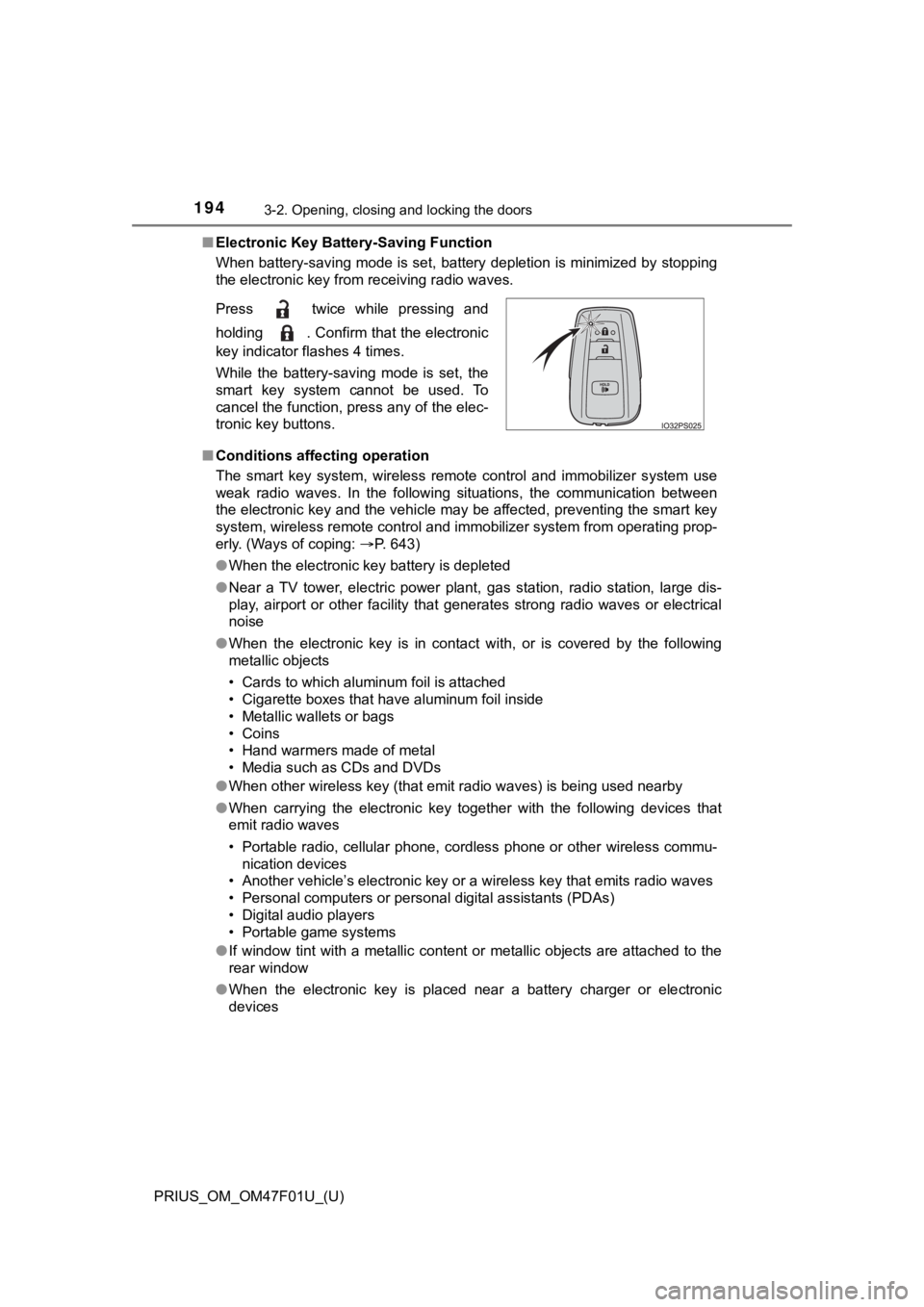
■Electronic Key Battery-Saving Function
When battery-saving mode is set, battery depletion is minimized by stopping
the electronic key from receiving radio waves.
■ Conditions affecting operation
The smart key system, wireless remote control and immobilizer s ystem use
weak radio waves. In the following situations, the communication between
the electronic key and the vehicle may be affected, preventing the smart key
system, wireless remote control and immobilizer system from operating prop-
erly. (Ways of coping: P. 643)
● When the electronic key battery is depleted
● Near a TV tower, electric power plant, gas station, radio stati on, large dis-
play, airport or other facility that generates strong radio wav es or electrical
noise
● When the electronic key is in contact with, or is covered by the following
metallic objects
• Cards to which aluminum foil is attached
• Cigarette boxes that have aluminum foil inside
• Metallic wallets or bags
• Coins
• Hand warmers made of metal
• Media such as CDs and DVDs
● When other wireless key (that emit radio waves) is being used n earby
● When carrying the electronic key together with the following devices that
emit radio waves
• Portable radio, cellular phone, cordless phone or other wirele ss commu-
nication devices
• Another vehicle’s electronic key or a wireless key that emits radio waves
• Personal computers or personal digital assistants (PDAs)
• Digital audio players
• Portable game systems
● If window tint with a metallic content or metallic objects are attached to the
rear window
● When the electronic key is placed near a battery charger or ele ctronic
devices
Press twice while pressing and
holding . Confirm that the electronic
key indicator flashes 4 times.
While the battery-saving mode is set, the
smart key system cannot be used. To
cancel the function, press any of the elec-
tronic key buttons.
Page 260 of 744
260
PRIUS_OM_OM47F01U_(U)
4-3. Operating the lights and wipers
■Daytime running light system
●The daytime running lights illuminate using the same lights as the head-
lights, and illuminate dimmer than the headlights.
● To make your vehicle more visible to other drivers during dayti me driving,
the daytime running lights turn on automatically when all of the following
conditions are met. (The daytime running lights are not designe d for use at
night.)
• The hybrid system is operating
• The parking brake is released
• The headlight switch is in the , or
* position
*: When the surroundings are bright
The daytime running lights remain on after they illuminate, eve n if the park-
ing brake is set again.
● For the U.S.A.: Daytime running lights can be turned off by ope rating the
switch.
● Compared to turning on the headlights, the daytime running ligh t system
offers greater durability and consumes less electricity, so it can help improve
fuel economy.
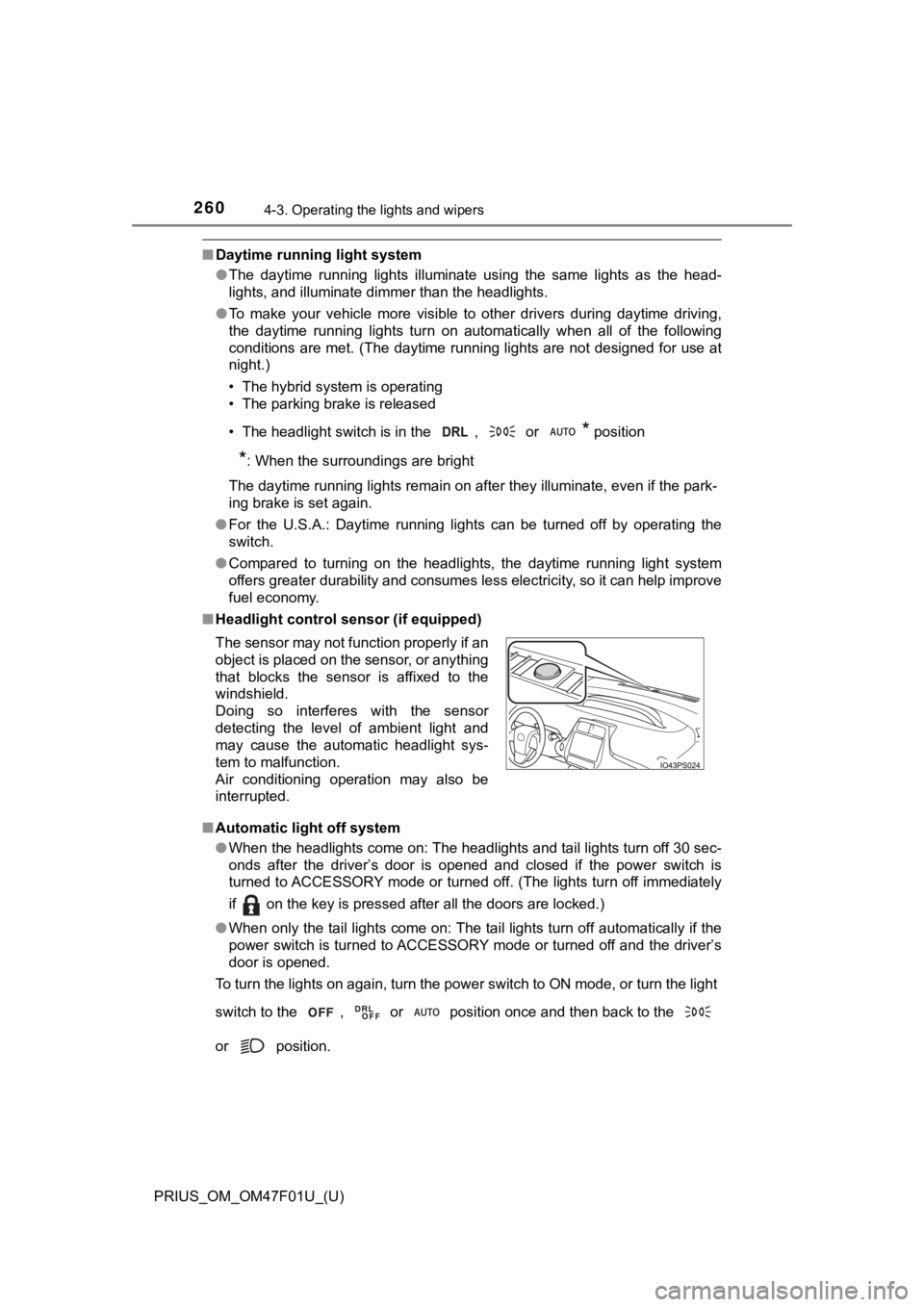
■ Headlight control sensor (if equipped)
■ Automatic light off system
●When the headlights come on: The headlights and tail lights tur n off 30 sec-
onds after the driver’s door is opened and closed if the power switch is
turned to ACCESSORY mode or turned off. (The lights turn off im mediately
if on the key is pressed after all the doors are locked.)
● When only the tail lights come on: The tail lights turn off automatically if the
power switch is turned to ACCESSORY mode or turned off and the driver’s
door is opened.
To turn the lights on again, turn the power switch to ON mode, or turn the light
switch to the , or position once and then back to the
or position. The sensor may not function properly if an
object is placed on the sensor, or anything
that blocks the sensor is affixed to the
windshield.
Doing so interferes with the sensor
detecting the level of ambient light and
may cause the automatic headlight sys-
tem to malfunction.
Air conditioning operation may also be
interrupted.
Page 289 of 744
PRIUS_OM_OM47F01U_(U)
2894-5. Using the driving support systems
4
Driving
■If a warning message is displayed on the multi-information disp lay
A system may be temporarily unavailable or there may be a malfu nction in
the system.
● In the following situations, perform the actions specified in t he table. When
the normal operating conditions are detected, the message will disappear
and the system will become operational.
If the message does not disappear, contact your Toyota dealer.
SituationActions
When the area around a cam-
era is covered with dirt, mois-
ture (fogged up, covered with
condensation, ice, etc.), or
other foreign matter
Using the wiper and A/C function,
remove the dirt and other attached mat-
ter. ( P. 434, 444)
When the temperature around
the front camera is outside of
the operational range, such as
when the vehicle is in the sun or
in an extremely cold environ-
ment
If the front camera is hot, such as after
the vehicle had been parked in the sun,
use the air conditioning system to
decrease the temperature around the
front camera.
If a sunshade was used when the vehi-
cle was parked, depending on its type,
the sunlight reflected from the surface
of the sunshade may cause the tem-
perature of the front camera to become
excessively high.
If the front camera is cold, such after the
vehicle is parked in an extremely cold
environment, use the air conditioning
system to increase the temperature
around the front camera.
The area in front of the front
camera is obstructed, such as
when the hood is open or a
sticker is attached to the part of
the windshield in front of the
front camera.
Close the hood, remove the sticker, etc.
to clear the obstruction.
When “Pre-Collision System
Unavailable” is displayed.Check whether there is attached materi-
als on the radar sensor and radar sensor
cover, and if there is, remove it.
Page 303 of 744
PRIUS_OM_OM47F01U_(U)
3034-5. Using the driving support systems
4
Driving
WARNING
■Before using LTA system
● Do not rely solely upon the LTA system. The LTA system does not auto-
matically drive the vehicle or reduce the amount of attention that must be
paid to the area in front of the vehicle. The driver must always assume full
responsibility for driving safely by paying careful attention to the surround-
ing conditions and operating the steering wheel to correct the path of the
vehicle. Also, the driver must take adequate breaks when fatigued, such
as from driving for a long period of time.
● Failure to perform appropriate driving operations and pay careful attention
may lead to an accident, resulting in death or serious injury.
● When not using the LTA system, use the LTA switch to turn the system off.
■ Situations unsuitable for LTA system
In the following situations, use the LTA switch to turn the system off. Failure
to do so may lead to an accident, resulting in death or serious injury.
● Vehicle is driven on a road surface which is slippery due to rainy weather,
fallen snow, freezing, etc.
● Vehicle is driven on a snow-covered road.
● White (yellow) lines are difficult to see due to rain, snow, fog, dust, etc.
● Vehicle is driven in a temporary lane or restricted lane due to construction
work.
● Vehicle is driven in a construction zone.
● A spare tire, tire chains, etc. are equipped.
● When the tires have been excessively worn, or when the tire inf lation pres-
sure is low.
● During emergency towing.
■ Preventing LTA system malfunctions and operations performed by
mistake
● Do not modify the headlights or place stickers, etc. on the sur face of the
lights.
● Do not modify the suspension etc. If the suspension etc. needs to be
replaced, contact your Toyota dealer.
● Do not install or place anything on the hood or grille. Also, d o not install a
grille guard (bull bars, kangaroo bar, etc.).
● If your windshield needs repairs, contact your Toyota dealer.
Page 343 of 744

PRIUS_OM_OM47F01U_(U)
3434-5. Using the driving support systems
4
Driving
Normal mode
Suitable for normal driving.
When normal mode is selected, the “ECO MODE” and “PWR MODE”
indicators turn off.
Power mode
Suitable for when crisp handling and enhanced accelerator
response are desired, such as when driving on mountainous roads .
When power mode is selected, the “PWR MODE” indicator will illuminate
on the main display.
Eco drive mode
Suitable for driving that impro ves fuel economy by generating
torque in response to accelerator pedal operations more smoothl y
than in normal mode.
When Eco drive mode is selected, the “ECO MODE” indicator will illumi-
nate on the main display.
While the air conditioning is being used, the system automatically
switches to air conditioning eco mode (P. 433, 443), allowing for driv-
ing that leads to even better fuel economy.
■ The driving mode after turning the power switch off
The driving mode will not be changed automatically until the switch is
pressed, even if the power switch is turned off.
■ Switching the driving mode when in EV drive mode
P. 247
1
2
3