fuel TOYOTA PRIUS 2022 Service Manual
[x] Cancel search | Manufacturer: TOYOTA, Model Year: 2022, Model line: PRIUS, Model: TOYOTA PRIUS 2022Pages: 744, PDF Size: 14.35 MB
Page 155 of 744
PRIUS_OM_OM47F01U_(U)
1552. Instrument cluster
2
Instrument cluster
*1: If equipped
*2: When the screen is turned off, pressing displays the setting screen
again.
*3: U.S.A. only
*4: Except for Canada
*5: For Canada
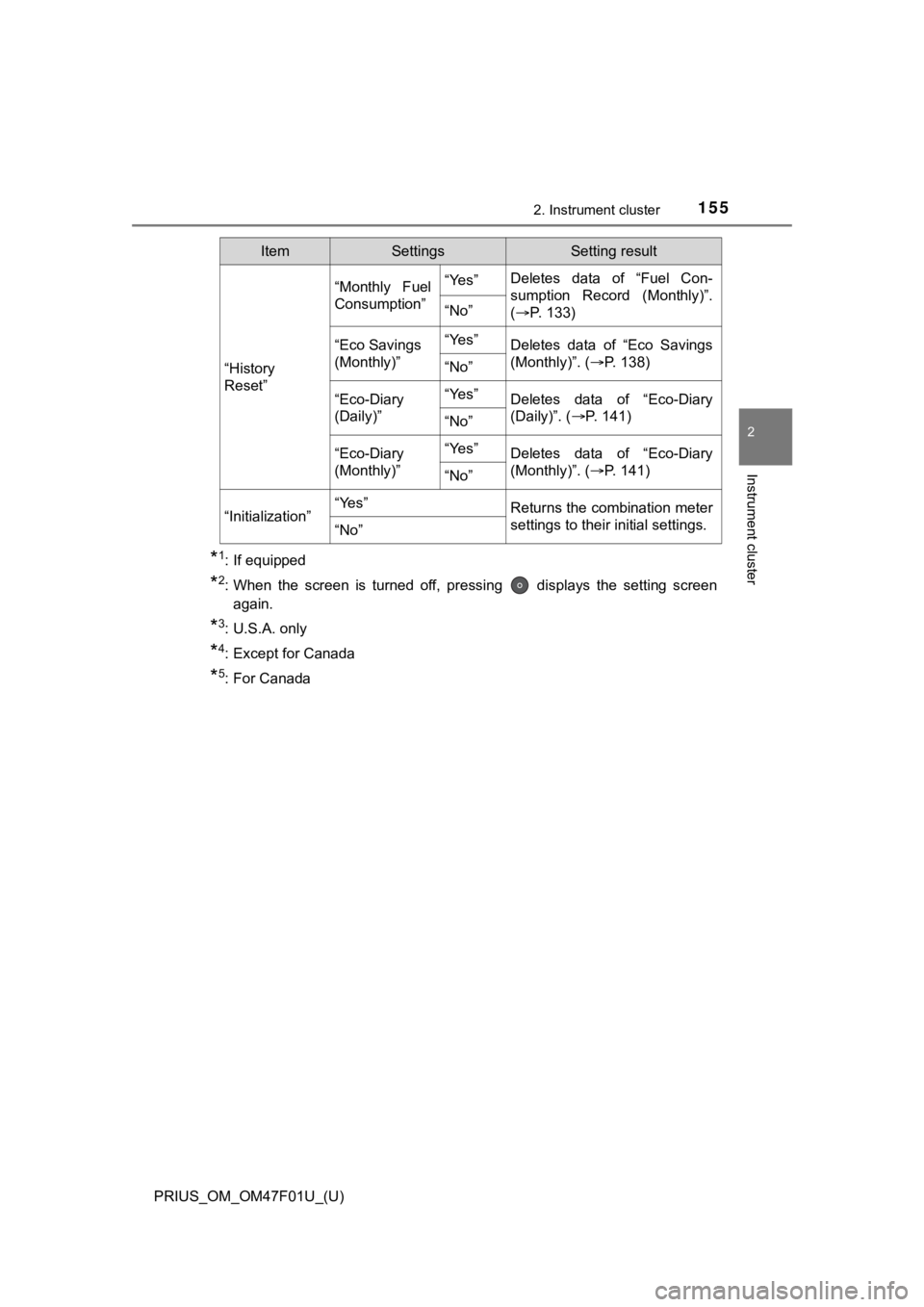
“History
Reset”
“Monthly Fuel
Consumption”“Yes”Deletes data of “Fuel Con-
sumption Record (Monthly)”.
( P. 1 3 3 )
“No”
“Eco Savings
(Monthly)”“Yes”Deletes data of “Eco Savings
(Monthly)”. (P. 138)
“No”
“Eco-Diary
(Daily)”“Yes”Deletes data of “Eco-Diary
(Daily)”. ( P. 141)
“No”
“Eco-Diary
(Monthly)”“Yes”Deletes data of “Eco-Diary
(Monthly)”. ( P. 141)
“No”
“Initialization”“Yes”Returns the combination meter
settings to their initial settings.
“No”
ItemSettingsSetting result
Page 156 of 744
156
PRIUS_OM_OM47F01U_(U)
2. Instrument cluster
■Setting items
●“Meter Customize” and “Vehicle Settings” setting items are not selectable
during driving and cannot be operated.
Also, the settings screen is temporarily canceled in the follow ing situations.
• A warning message is displayed.
• The vehicle starts off.
● Settings for functions not equipped to the vehicle are not disp layed.
● When a function is turned off, the related settings for that fu nction are not
selectable.
■ Calendar settings
●Calendar settings contents are linked to the recorded informati on of “Fuel
Consumption Record (Monthly)” ( P. 133) and “Eco-Diary” (P. 141).
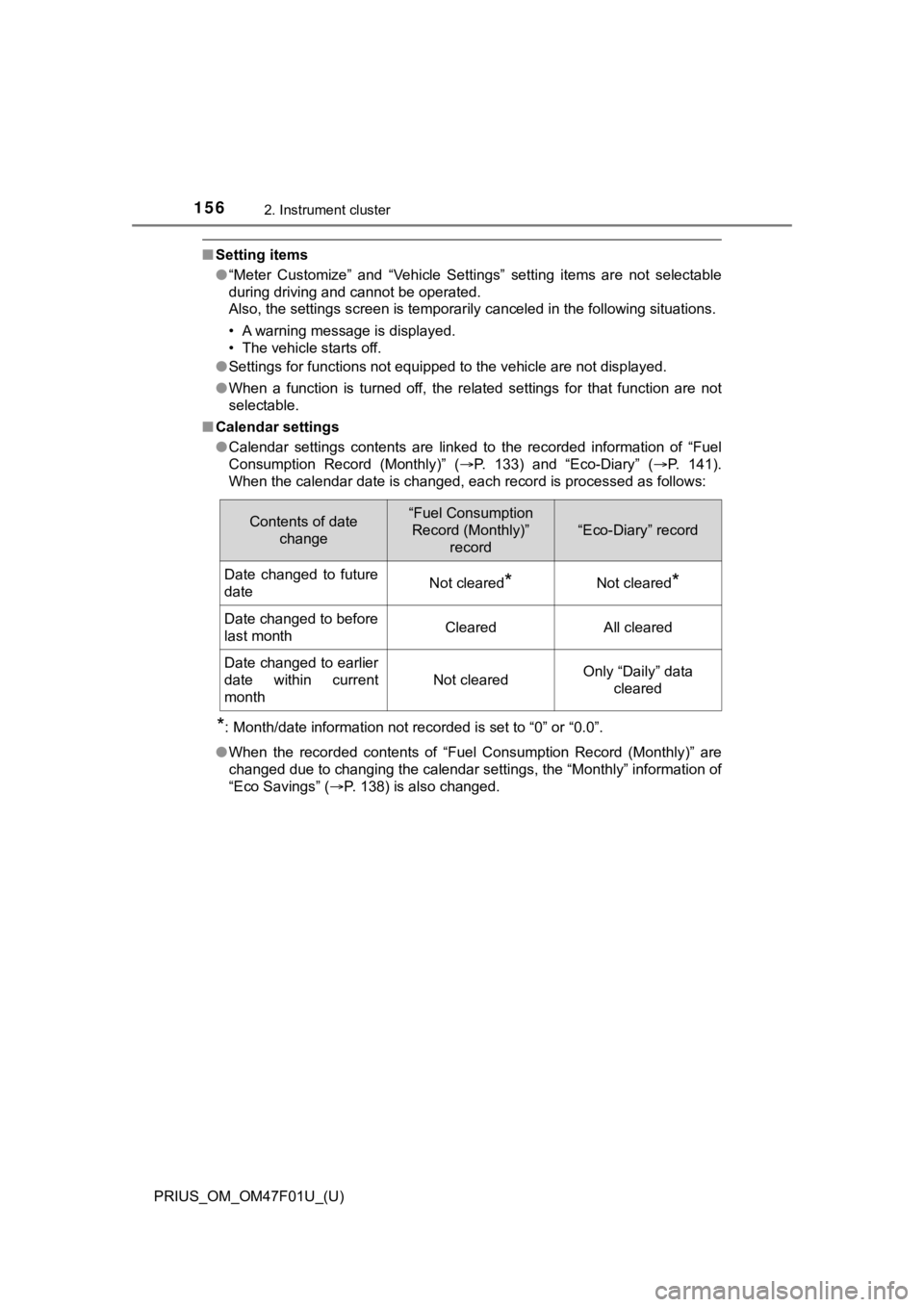
When the calendar date is changed, each record is processed as follows:
*: Month/date information not recorded is set to “0” or “0.0”.
● When the recorded contents of “Fuel Consumption Record (Monthly )” are
changed due to changing the calendar settings, the “Monthly” information of
“Eco Savings” ( P. 138) is also changed.
Contents of date
change“Fuel Consumption Record (Monthly)”
record
“Eco-Diary” record
Date changed to future
dateNot cleared*Not cleared*
Date changed to before
last monthClearedAll cleared
Date changed to earlier
date within current
month
Not clearedOnly “Daily” data cleared
Page 165 of 744
165
PRIUS_OM_OM47F01U_(U)
2. Instrument cluster
2
Instrument cluster
Energy monitor/consumption screen
(vehicles with 7-inch display)
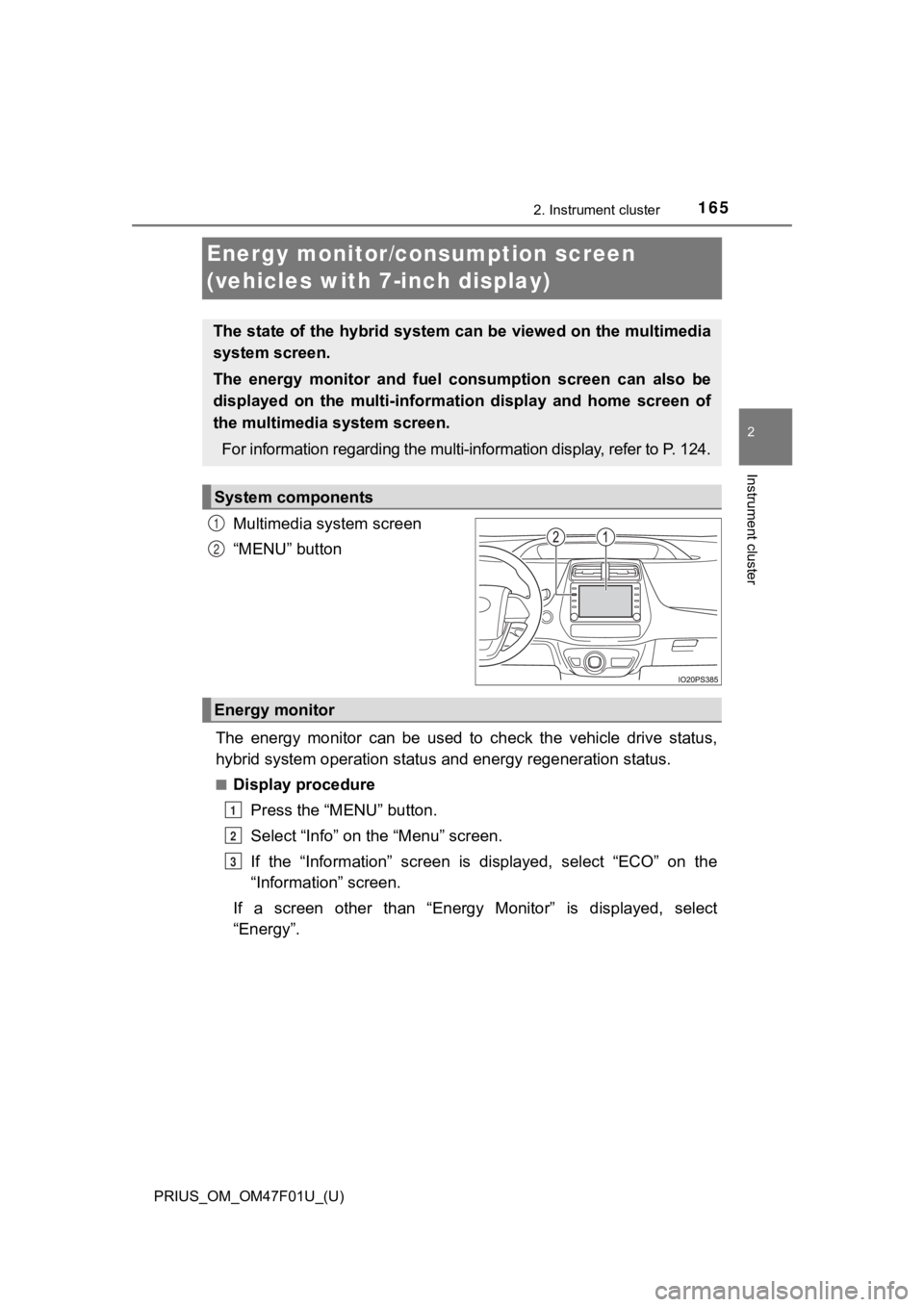
Multimedia system screen
“MENU” button
The energy monitor can be used to check the vehicle drive statu s,
hybrid system operation status and energy regeneration status.
■Display procedure
Press the “MENU” button.
Select “Info” on t he “Menu” screen.
If the “Information” screen is displayed, select “ECO” on the
“Information” screen.
If a screen other than “Energy Monitor” is displayed, select
“Energy”.
The state of the hybrid system can be viewed on the multimedia
system screen.
The energy monitor and fuel consumption screen can also be
displayed on the multi-informat ion display and home screen of
the multimedia system screen.
For information regarding the mu lti-information display, refer to P. 124.
System components
1
2
Energy monitor
1
2
3
Page 168 of 744
168
PRIUS_OM_OM47F01U_(U)
2. Instrument cluster
■Display procedurePress the “MENU” button.
Select “Info” on t he “Menu” screen.
If the “Information” screen is displayed, select “ECO” on the
“Information” screen.
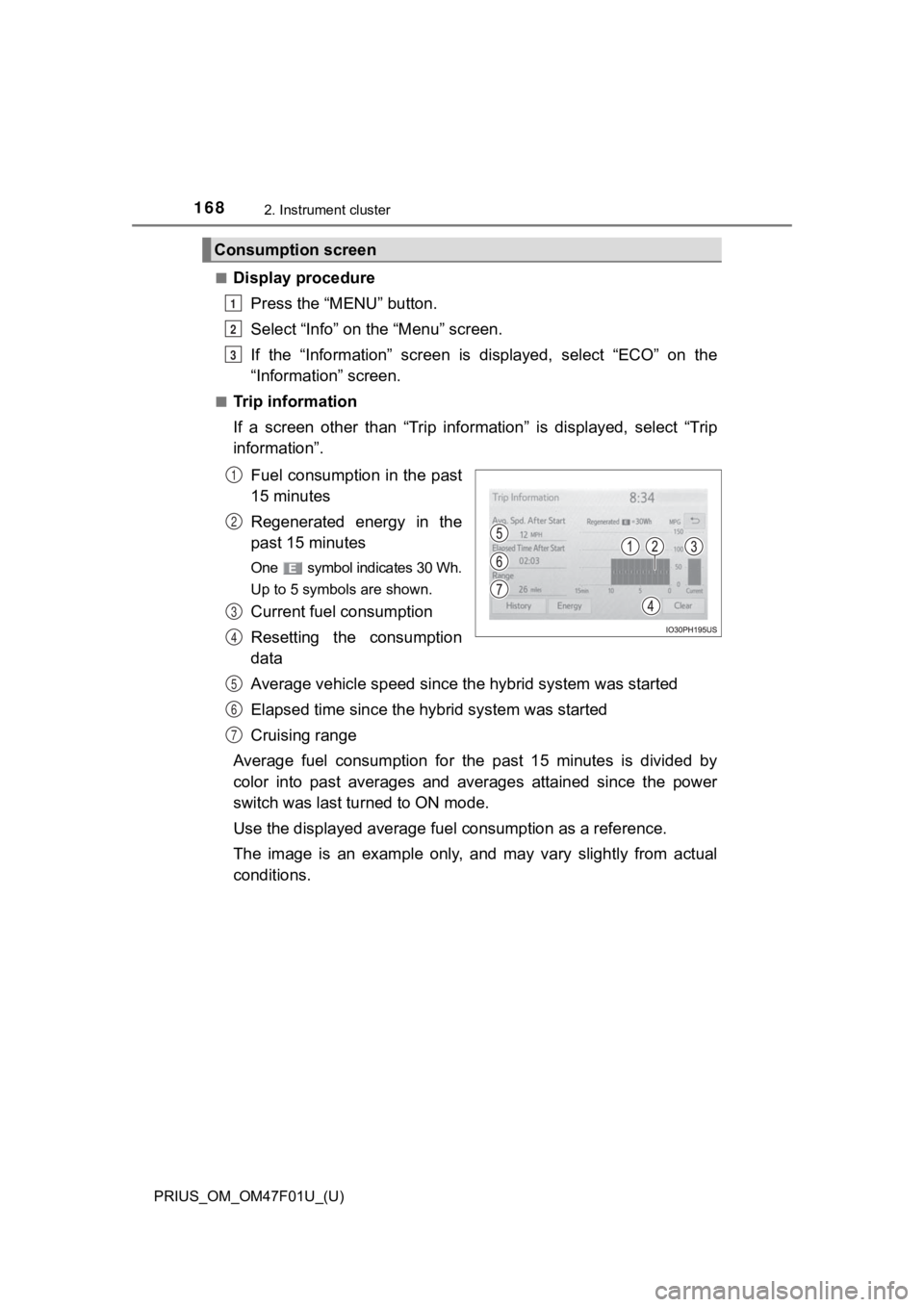
■Trip information
If a screen other than “Trip information” is displayed, select “Trip
information”.
Fuel consumption in the past
15 minutes
Regenerated energy in the
past 15 minutes
One symbol indicates 30 Wh.
Up to 5 symbols are shown.
Current fuel consumption
Resetting the consumption
data
Average vehicle speed since the hybrid system was started
Elapsed time since the hybr id system was started
Cruising range
Average fuel consumption for the past 15 minutes is divided by
color into past averages and averages attained since the power
switch was last turned to ON mode.
Use the displayed average fuel consumption as a reference.
The image is an example only, and may vary slightly from actual
conditions.
Consumption screen
1
2
3
1
2
3
4
5
6
7
Page 169 of 744
PRIUS_OM_OM47F01U_(U)
1692. Instrument cluster
2
Instrument cluster
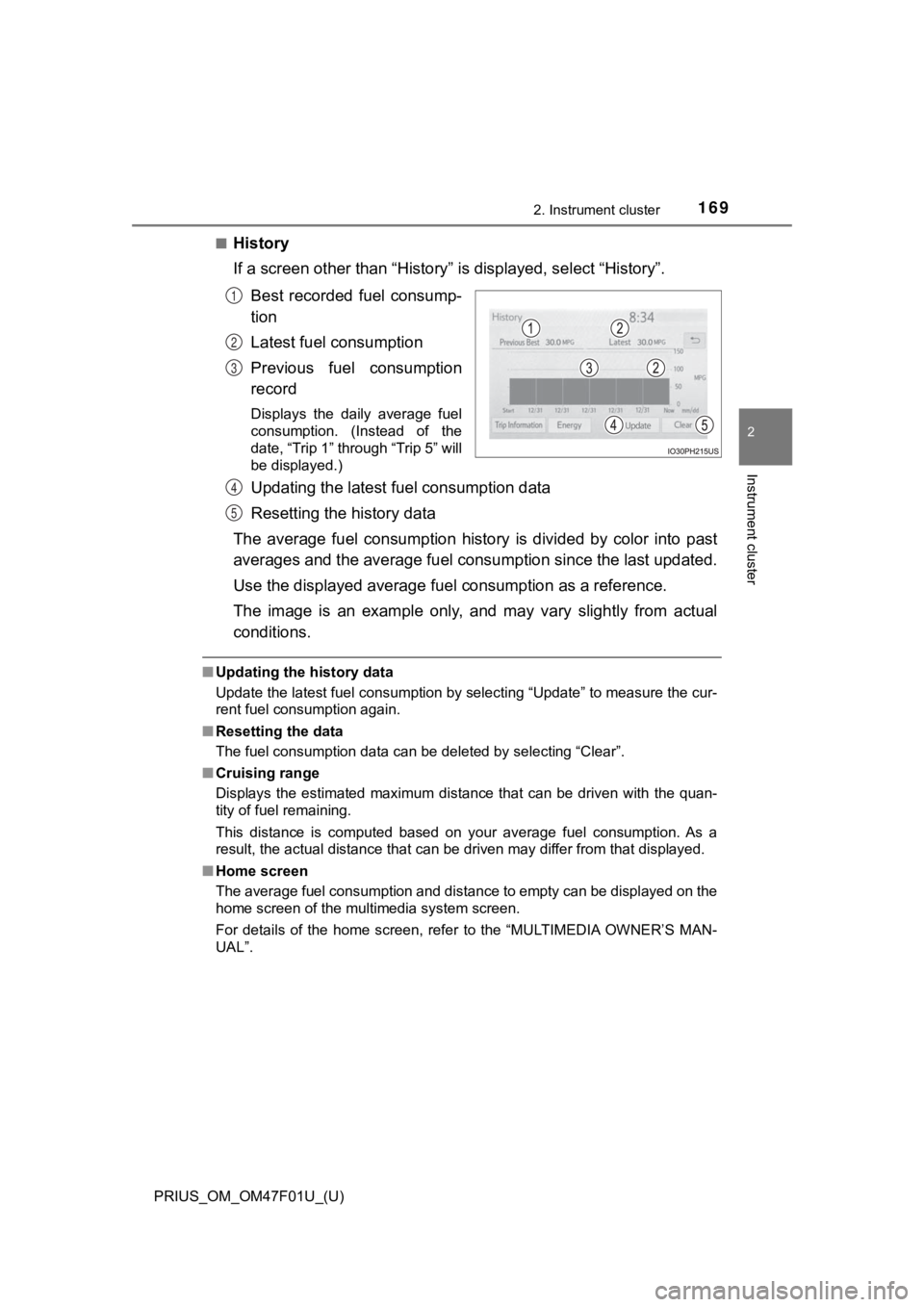
■History
If a screen other than “History” is displayed, select “History”.
Best recorded fuel consump-
tion
Latest fuel consumption
Previous fuel consumption
record
Displays the daily average fuel
consumption. (Instead of the
date, “Trip 1” through “Trip 5” will
be displayed.)
Updating the latest fuel consumption data
Resetting the history data
The average fuel consumption history is divided by color into p ast
averages and the average fuel con sumption since the last updated.
Use the displayed average fuel consumption as a reference.
The image is an example only, and may vary slightly from actual
conditions.
■ Updating the history data
Update the latest fuel consumption by selecting “Update” to mea sure the cur-
rent fuel consumption again.
■ Resetting the data
The fuel consumption data can be deleted by selecting “Clear”.
■ Cruising range
Displays the estimated maximum distance that can be driven with the quan-
tity of fuel remaining.
This distance is computed based on your average fuel consumptio n. As a
result, the actual distance that can be driven may differ from that displayed.
■ Home screen
The average fuel consumption and distance to empty can be displ ayed on the
home screen of the multimedia system screen.
For details of the home screen, refer to the “MULTIMEDIA OWNER’ S MAN-
UAL”.
1
2
3
4
5
Page 170 of 744
170
PRIUS_OM_OM47F01U_(U)
2. Instrument cluster
Energy monitor/consumption screen
(vehicles with 11.6-inch display)
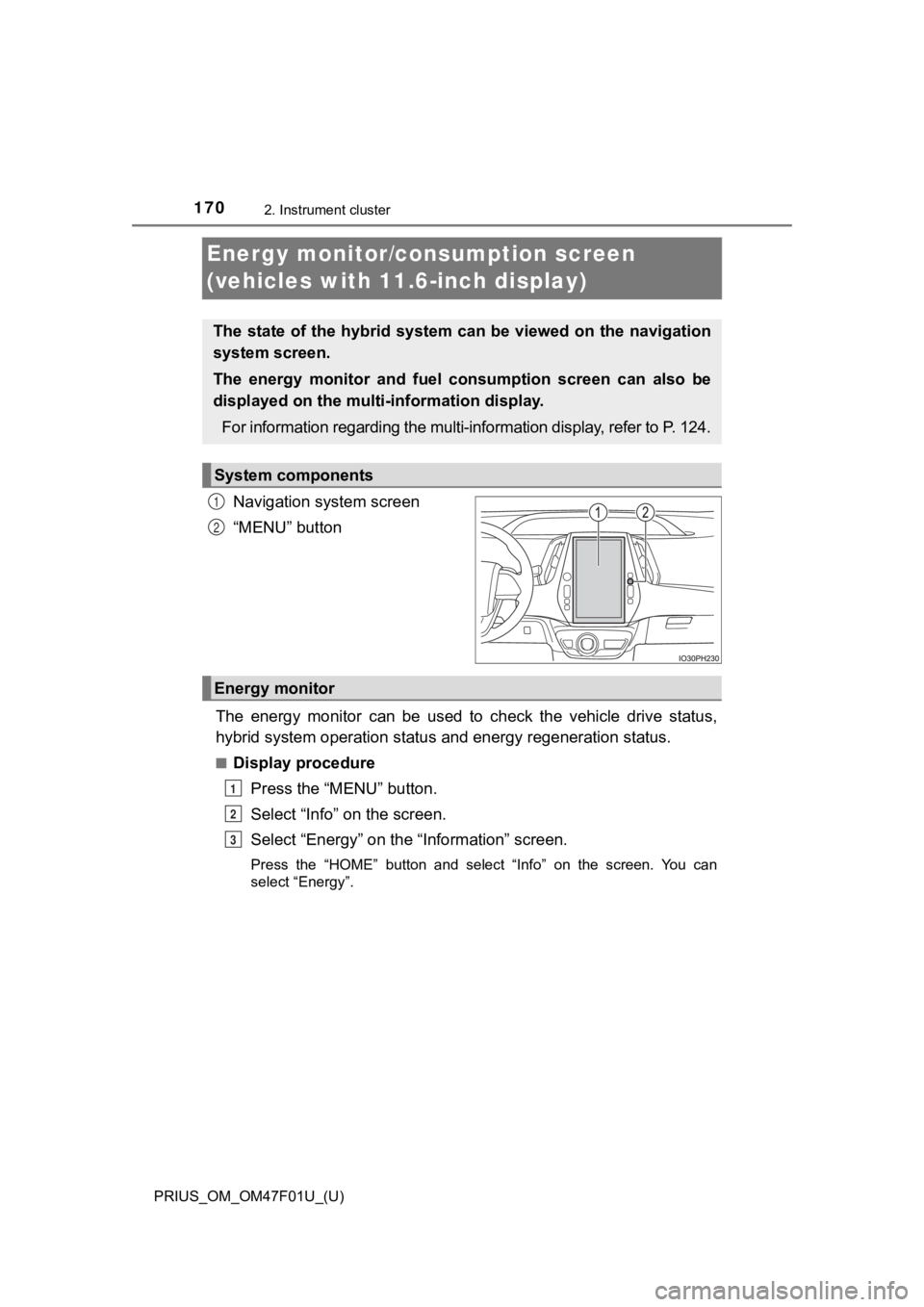
Navigation system screen
“MENU” button
The energy monitor can be used to check the vehicle drive statu s,
hybrid system operation status and energy regeneration status.
■Display procedure
Press the “MENU” button.
Select “Info” on the screen.
Select “Energy” on the “Information” screen.
Press the “HOME” button and select “Info” on the screen. You ca n
select “Energy”.
The state of the hybrid system can be viewed on the navigation
system screen.
The energy monitor and fuel consumption screen can also be
displayed on the multi- information display.
For information regarding the mu lti-information display, refer to P. 124.
System components
1
2
Energy monitor
1
2
3
Page 173 of 744
PRIUS_OM_OM47F01U_(U)
1732. Instrument cluster
2
Instrument cluster
■Display procedurePress the “MENU” button.
Select “Info” on the screen.
Select “Past Recor d” on the “Information” screen.
Press the “HOME” button and select “Info” on the screen. You ca n
select “Past Record”.
■
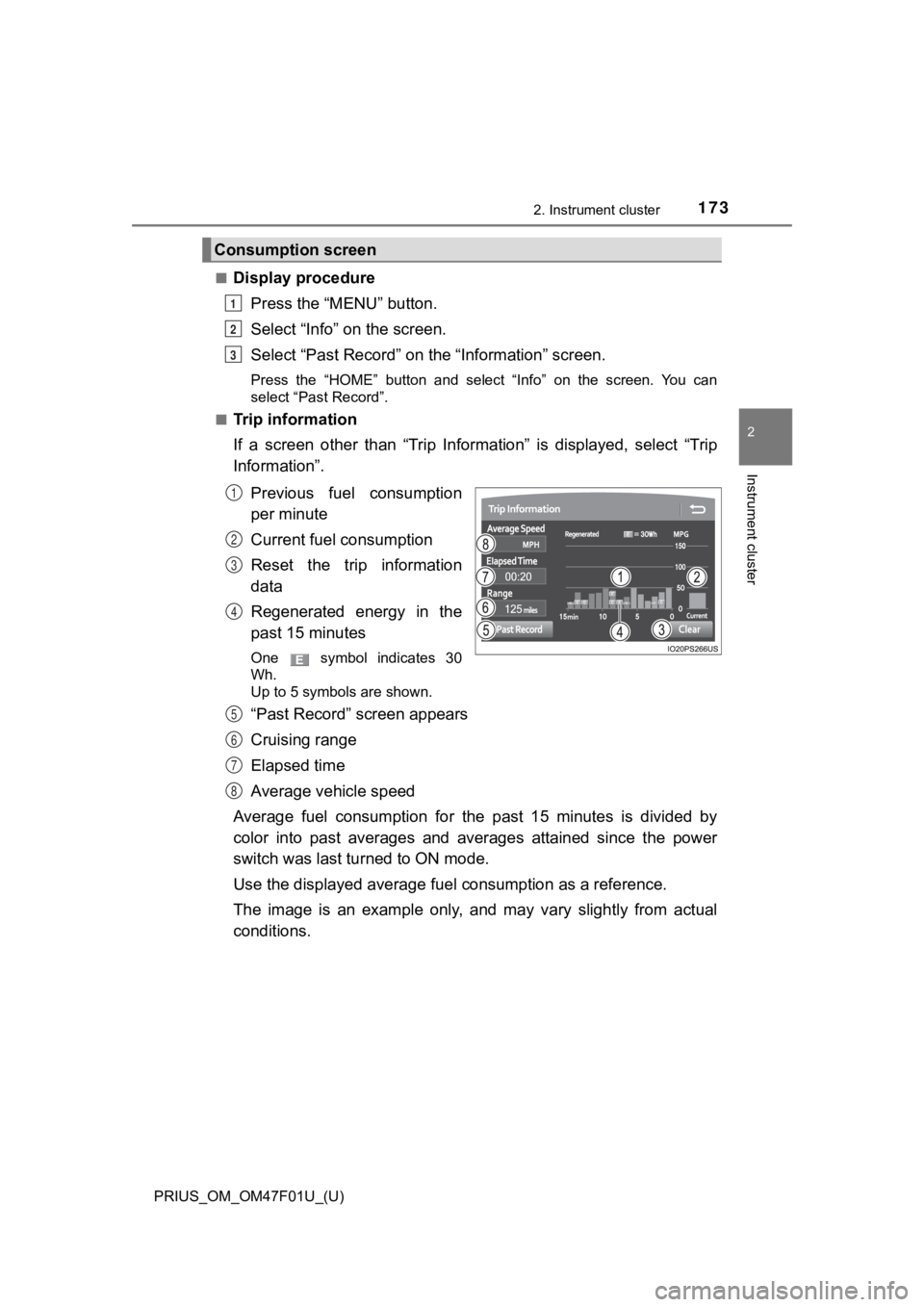
Trip information
If a screen other than “Trip Information” is displayed, select “Trip
Information”.
Previous fuel consumption
per minute
Current fuel consumption
Reset the trip information
data
Regenerated energy in the
past 15 minutes
One symbol indicates 30
Wh.
Up to 5 symbols are shown.
“Past Record” screen appears
Cruising range
Elapsed time
Average vehicle speed
Average fuel consumption for the past 15 minutes is divided by
color into past averages and averages attained since the power
switch was last turned to ON mode.
Use the displayed average fuel consumption as a reference.
The image is an example only, and may vary slightly from actual
conditions.
Consumption screen
1
2
3
1
2
3
4
5
6
7
8
Page 174 of 744
174
PRIUS_OM_OM47F01U_(U)
2. Instrument cluster
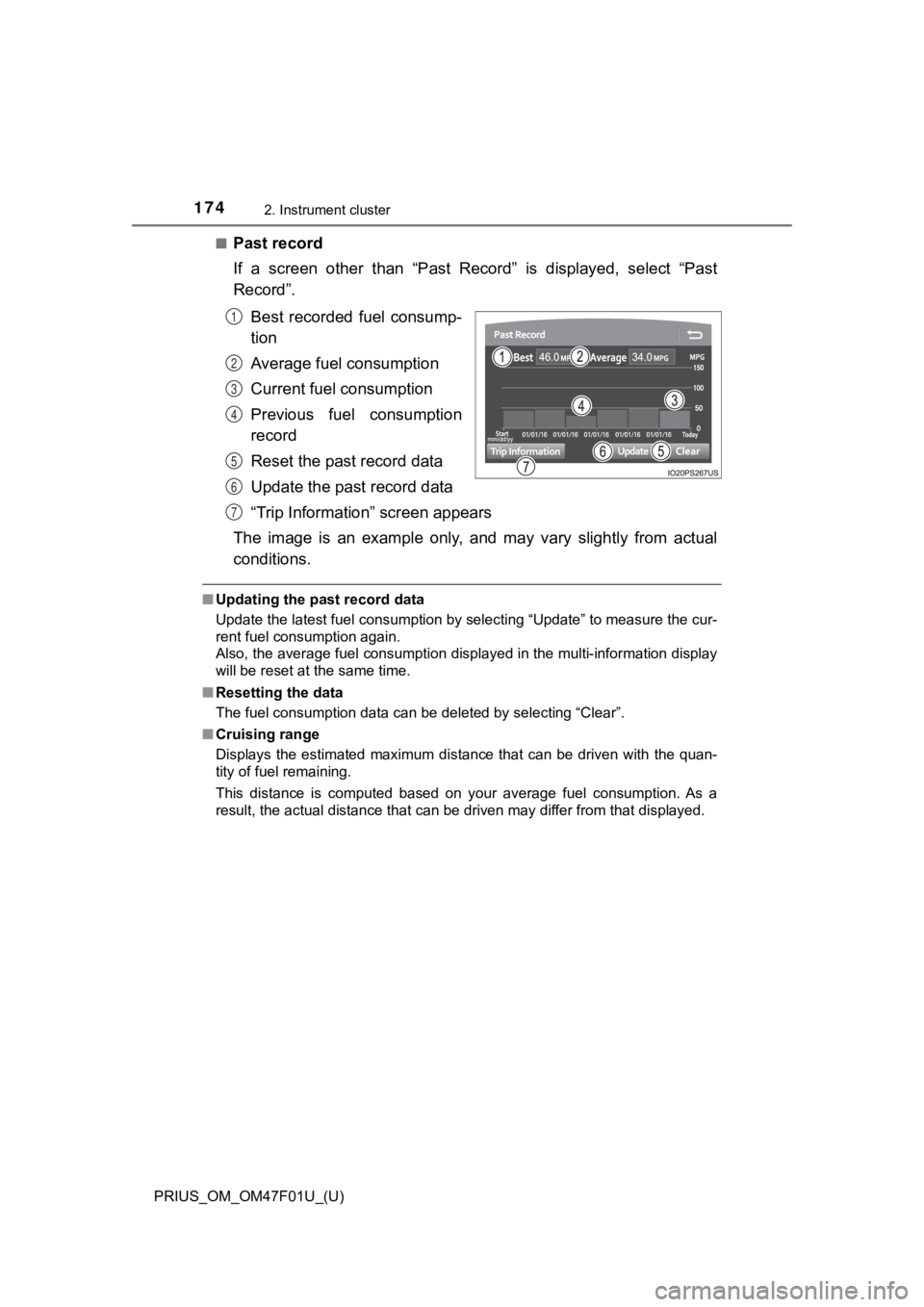
■Past record
If a screen other than “Past Record” is displayed, select “Past
Record”.Best recorded fuel consump-
tion
Average fuel consumption
Current fuel consumption
Previous fuel consumption
record
Reset the past record data
Update the past record data
“Trip Information” screen appears
The image is an example only, and may vary slightly from actual
conditions.
■ Updating the past record data
Update the latest fuel consumption by selecting “Update” to mea sure the cur-
rent fuel consumption again.
Also, the average fuel consumption displayed in the multi-infor mation display
will be reset at the same time.
■ Resetting the data
The fuel consumption data can be deleted by selecting “Clear”.
■ Cruising range
Displays the estimated maximum distance that can be driven with the quan-
tity of fuel remaining.
This distance is computed based on your average fuel consumptio n. As a
result, the actual distance that can be driven may differ from that displayed.
1
2
3
4
5
6
7
Page 221 of 744
221
PRIUS_OM_OM47F01U_(U)
4Driving
4-1. Before drivingDriving the vehicle ............. 222
Cargo and luggage ........... 233
Vehicle load limits ............. 236
Trailer towing..................... 237
Dinghy towing ................... 238
4-2. Driving procedures Power (ignition) switch ...... 239
EV drive mode .................. 246
Hybrid transmission........... 249
Turn signal lever................ 255
Parking brake .................... 256
4-3. Operating the lights and wipers
Headlight switch ................ 257
AHB (Automatic High Beam) ............................. 262
Fog light switch ................. 267
Windshield wipers and washer ............................ 269
Rear window wiper and washer ............................ 275 4-4. Refueling
Opening the fuel tank cap .................................. 277
4-5. Using the driving support systems
Toyota Safety Sense 2.0... 282
PCS (Pre-Collision System)........................... 291
LTA (Lane Tracing Assist) ............................. 302
RSA (Road Sign Assist) .... 317
Dynamic radar cruise control with full-speed
range............................... 321
Cruise control .................... 337
Driving mode select switch .............................. 342
BSM (Blind Spot Monitor) ........ 344
• The Blind Spot Monitor function ......................... 349
• The Rear Cross Traffic Alert function ................. 352
Intuitive parking assist....... 358
Parking Support Brake function ........................... 370
S-APGS (Simple Advanced Parking
Guidance System) .......... 381
Driving assist systems ...... 415
4-6. Driving tips Hybrid vehicle driving tips .................................. 422
Winter driving tips ............. 425
Page 223 of 744
PRIUS_OM_OM47F01U_(U)
2234-1. Before driving
4
Driving
Firmly set the parking brake with the brake pedal depressed, and
then shift the shift position to D.
Release the brake ped al and gently depress the accelerator peda l.
Release the parking brake.
When the following unusual operation is performed with the acce lera-
tor pedal depressed, the hybrid system output may be restrained .
● When the shift position is shifted to R
*.
● When the shift position is shifted from P or R to forward drive shift
position such as D
*.
When the system operates, a me ssage appears on the multi-inform a-
tion display. Read the message and follow the instruction.
*: Depending on the situation, the shift position may not be chan ged.
■When starting off on an uphill
The hill-start assist control will activate. ( P. 416)
■ For fuel-efficient driving
Keep in mind that hybrid vehicles are similar to conventional vehicles, and it
is necessary to refrain from activities such as sudden accelera tion. (P. 422)
■ Driving in the rain
●Drive carefully when it is raining, because visibility will be reduced, the win-
dows may become fogged-up, and the road will be slippery.
● Drive carefully when it starts to rain, because the road surface will be espe-
cially slippery.
● Refrain from high speeds when driving on an expressway in the r ain,
because there may be a layer of water between the tires and the road sur-
face, preventing the steering and brakes from operating properl y.
■ Restraining the hybrid system o utput (Brake Override System)
● When the accelerator and brake pedals are depressed at the same time, the
hybrid system output may be restrained.
● A warning message is displayed on the multi-information display while the
system is operating. ( P. 604)
Starting off on a steep uphill
Sudden start restraint contro l (Drive-Start Control [DSC])
1
2
3