lights TOYOTA PRIUS 2023 User Guide
[x] Cancel search | Manufacturer: TOYOTA, Model Year: 2023, Model line: PRIUS, Model: TOYOTA PRIUS 2023Pages: 770, PDF Size: 122.55 MB
Page 25 of 770
23Pictorial index
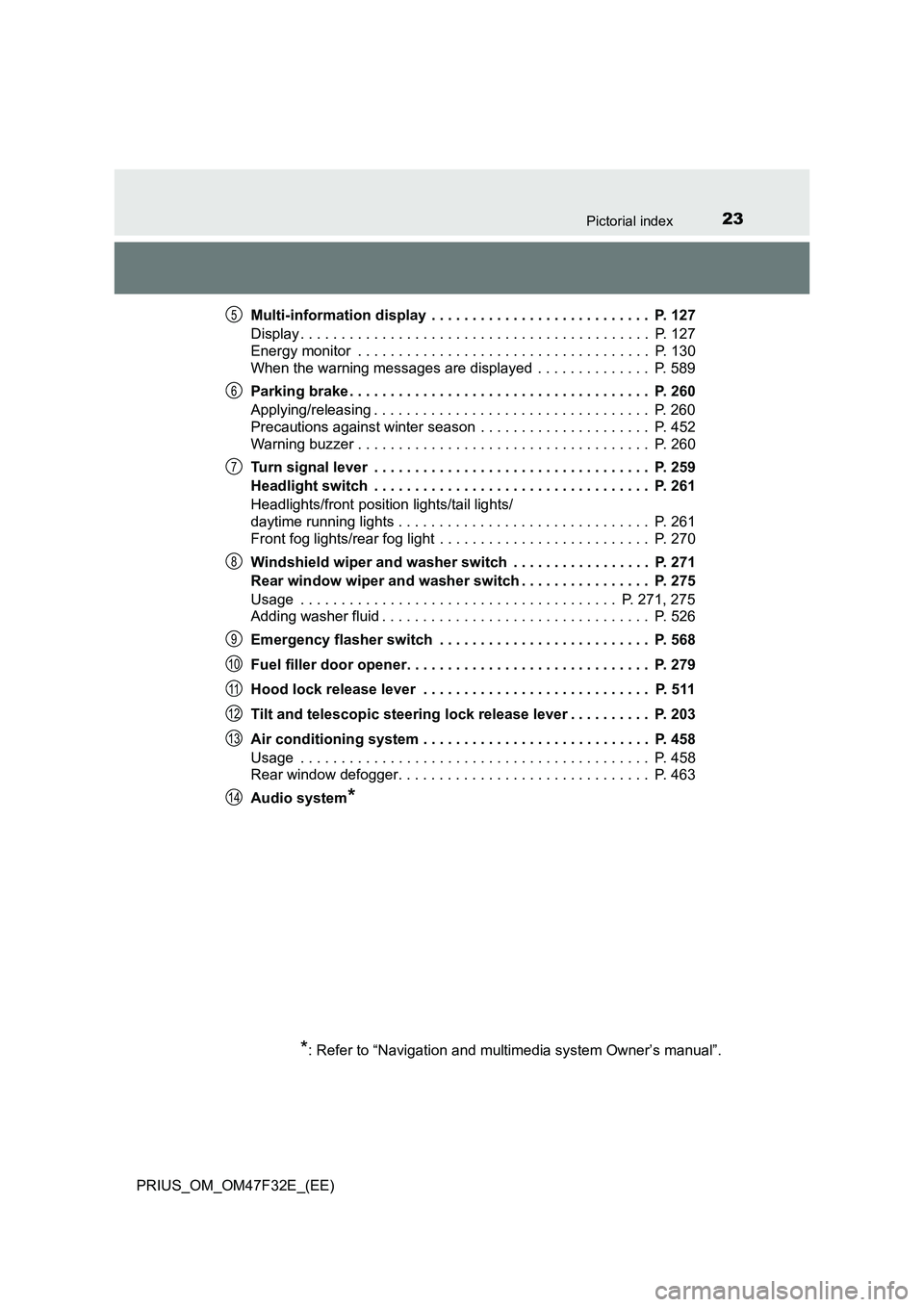
PRIUS_OM_OM47F32E_(EE)Multi-information display . . . . . . . . . . . . . . . . . . . . . . . . . . . P. 127
Display . . . . . . . . . . . . . . . . . . . . . . . . . . . . . . . . . . . . . . . . . . . P. 127
Energy monitor . . . . . . . . . . . . . . . . . . . . . . . . . . . . . . . . . . . . P. 130
When the warning messages are displayed . . . . . . . . . . . . . . P. 589
Parking brake . . . . . . . . . . . . . . . . . . . . . . . . . . . . . . . . . . . . . P. 260
Applying/releasing . . . . . . . . . . . . . . . . . . . . . . . . . . . . . . . . . . P. 260
Precautions against winter season . . . . . . . . . . . . . . . . . . . . . P. 452
Warning buzzer . . . . . . . . . . . . . . . . . . . . . . . . . . . . . . . . . . . . P. 260
Turn signal lever . . . . . . . . . . . . . . . . . . . . . . . . . . . . . . . . . . P. 259
Headlight switch . . . . . . . . . . . . . . . . . . . . . . . . . . . . . . . . . . P. 261
Headlights/front position lights/tail lights/
daytime running lights . . . . . . . . . . . . . . . . . . . . . . . . . . . . . . . P. 261
Front fog lights/rear fog light . . . . . . . . . . . . . . . . . . . . . . . . . . P. 270
Windshield wiper and washer switch . . . . . . . . . . . . . . . . . P. 271
Rear window wiper and washer switch . . . . . . . . . . . . . . . . P. 275
Usage . . . . . . . . . . . . . . . . . . . . . . . . . . . . . . . . . . . . . . . P. 271, 275
Adding washer fluid . . . . . . . . . . . . . . . . . . . . . . . . . . . . . . . . . P. 526
Emergency flasher switch . . . . . . . . . . . . . . . . . . . . . . . . . . P. 568
Fuel filler door opener. . . . . . . . . . . . . . . . . . . . . . . . . . . . . . P. 279
Hood lock release lever . . . . . . . . . . . . . . . . . . . . . . . . . . . . P. 511
Tilt and telescopic steering lock release lever . . . . . . . . . . P. 203
Air conditioning system . . . . . . . . . . . . . . . . . . . . . . . . . . . . P. 458
Usage . . . . . . . . . . . . . . . . . . . . . . . . . . . . . . . . . . . . . . . . . . . P. 458
Rear window defogger. . . . . . . . . . . . . . . . . . . . . . . . . . . . . . . P. 463
Audio system
*
*
: Refer to “Navigation and multimedia system Owner’s manual”.
5
6
7
8
9
10
11
12
13
14
Page 29 of 770
27Pictorial index
PRIUS_OM_OM47F32E_(EE)
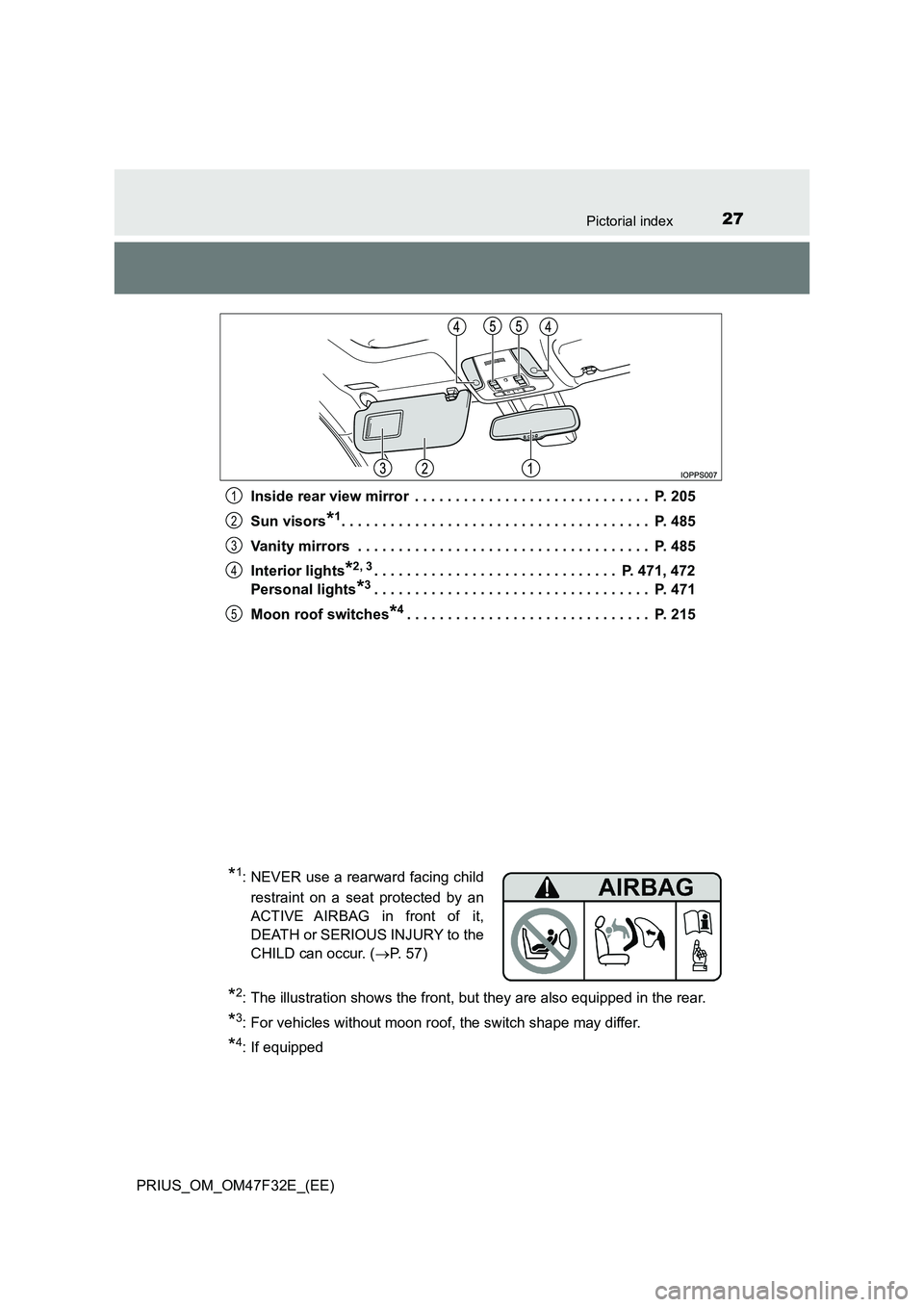
Inside rear view mirror . . . . . . . . . . . . . . . . . . . . . . . . . . . . . P. 205
Sun visors*1. . . . . . . . . . . . . . . . . . . . . . . . . . . . . . . . . . . . . . P. 485
Vanity mirrors . . . . . . . . . . . . . . . . . . . . . . . . . . . . . . . . . . . . P. 485
Interior lights*2, 3. . . . . . . . . . . . . . . . . . . . . . . . . . . . . . P. 471, 472
Personal lights*3. . . . . . . . . . . . . . . . . . . . . . . . . . . . . . . . . . P. 471
Moon roof switches*4. . . . . . . . . . . . . . . . . . . . . . . . . . . . . . P. 215
1
2
3
4
5
*1: NEVER use a rearward facing child
restraint on a seat protected by an
ACTIVE AIRBAG in front of it,
DEATH or SERIOUS INJURY to the
CHILD can occur. ( P. 5 7 )
*2: The illustration shows the front, but they are also equipped in the rear.
*3: For vehicles without moon roof, the switch shape may differ.
*4: If equipped
Page 76 of 770
741-3. Emergency assistance
PRIUS_OM_OM47F32E_(EE)
ERA-GLONASS/EVAK1, 2, 3
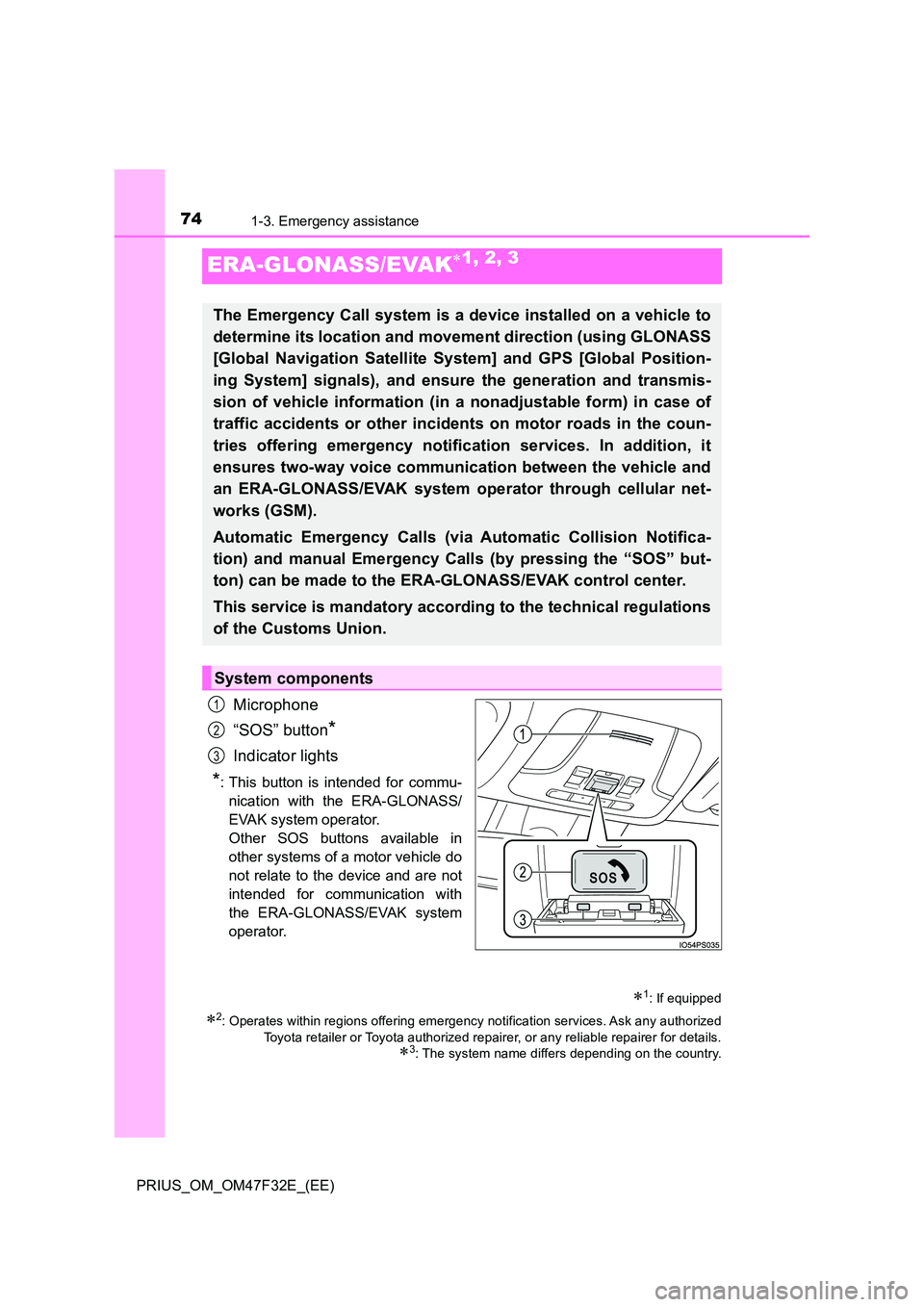
Microphone
“SOS” button*
Indicator lights
*: This button is intended for commu-
nication with the ERA-GLONASS/
EVAK system operator.
Other SOS buttons available in
other systems of a motor vehicle do
not relate to the device and are not
intended for communication with
the ERA-GLONASS/EVAK system
operator.
1: If equipped
2: Operates within regions offering emergency notification services. Ask any authorized
Toyota retailer or Toyota authorized repairer, or any reliable repairer for details.
3: The system name differs depending on the country.
The Emergency Call system is a device installed on a vehicle to
determine its location and movement direction (using GLONASS
[Global Navigation Satellite System] and GPS [Global Position-
ing System] signals), and ensure the generation and transmis-
sion of vehicle information (in a nonadjustable form) in case of
traffic accidents or other incidents on motor roads in the coun-
tries offering emergency notification services. In addition, it
ensures two-way voice communication between the vehicle and
an ERA-GLONASS/EVAK system operator through cellular net-
works (GSM).
Automatic Emergency Calls (via Automatic Collision Notifica-
tion) and manual Emergency Calls (by pressing the “SOS” but-
ton) can be made to the ERA-GLONASS/EVAK control center.
This service is mandatory according to the technical regulations
of the Customs Union.
System components
1
2
3
Page 78 of 770
761-3. Emergency assistance
PRIUS_OM_OM47F32E_(EE)
When the power switch is turned to ON mode, the red indicator light
will illuminate for 10 seconds and then the green indicator light will illu-
minate, indicating that the system is enabled. The indicator lights indi-
cate the following:
● If the green indicator light illuminates and stays on, the system is
enabled.
● If the green indicator light flashes twice per second, an automatic or
manual Emergency Call is being made.
● If no indicator lights illuminate, the system is not enabled.
● If the red indicator light illuminates at any time other than immedi-
ately after the power switch is turned to ON mode, the system may
be malfunctioning or the backup battery may be depleted. Contact
any authorized Toyota retailer or Toyota authorized repairer, or any
reliable repairer.
● If the red indicator light blinks for approximately 30 seconds during
an Emergency Call, the call has been disconnected or the cellular
network signal is weak.
The backup battery has lifespan of at least 3 years.
A test mode is provided for to check the performance of the Emer-
gency Call system. To test the device, contact any authorized Toyota
retailer or Toyota authorized repairer, or any reliable repairer.
Indicator lights
Device test mode
Page 79 of 770
771-3. Emergency assistance
1
PRIUS_OM_OM47F32E_(EE)
For safety and security
WARNING
■When the Emergency Call may not be made
● It may not be possible to make Emergency Calls in any of the following sit-
uations. In such cases, report to emergency services provider (112 system
etc.) by other means such as nearby public phones.
• Even when the vehicle is in the cellular phone service area, it may be
difficult to connect to the ERA-GLONASS/EVAK control center if the
reception is poor or the line is busy. In such cases, even though the sys-
tem attempts to connect to the ERA-GLONASS/EVAK control center,
you may not be able to connect to the ERA-GLONASS/EVAK control
center to make Emergency Calls and contact emergency services.
• When the vehicle is out of the cellular phone service area, the Emer-
gency Calls cannot be made.
• When any related equipment (such as the “SOS” button panel, indicator
lights, microphone, speaker, DCM, antenna, or any wires connecting
the equipment) is malfunctioning, damaged or broken, the Emergency
Call cannot be made.
• During an Emergency Call, the system makes repeated attempts to
connect to the ERA-GLONASS/EVAK control center. However, if it can-
not connect to the ERA-GLONASS/EVAK control center due to poor
radio wave reception, the system may not be able to connect to the cel-
lular network and the call may finish without connecting. The red indica-
tor light will blink for approximately 30 seconds to indicate this
disconnection.
• This device may not function if a shock is applied to it.
● If the 12-volt battery’s voltage decreases or there is a disconnection, the
system may not be able to connect to the ERA-GLONASS/EVAK control
center.
■ When the Emergency Call system is replaced with a new one
The Emergency Call system should be registered. Contact any authorized
Toyota retailer or Toyota authorized repairer, or any reliable repairer.
Page 101 of 770
99
2Instrument cluster
PRIUS_OM_OM47F32E_(EE)2. Instrument cluster
Combination meter ............ 100
Warning lights and
indicators ......................... 110
Main display ....................... 117
Multi-information
display ............................. 127
Head-up display ................. 160
Energy monitor/
consumption screen ........ 166
Page 102 of 770
1002. Instrument cluster
PRIUS_OM_OM47F32E_(EE)
Combination meter
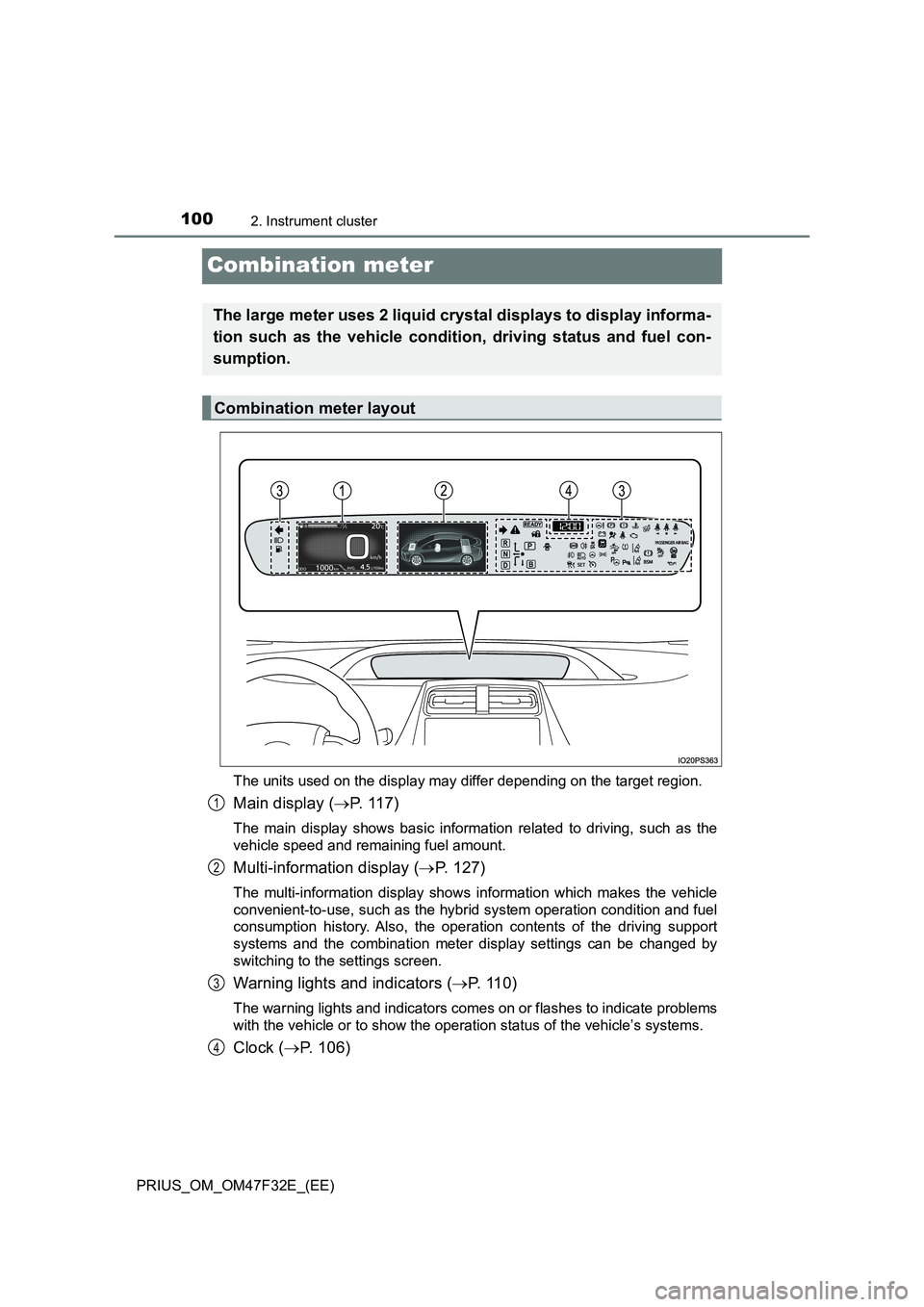
The units used on the display may differ depending on the target region.
Main display (P. 1 1 7 )
The main display shows basic information related to driving, such as the
vehicle speed and remaining fuel amount.
Multi-information display (P. 127)
The multi-information display shows information which makes the vehicle
convenient-to-use, such as the hybrid system operation condition and fuel
consumption history. Also, the operation contents of the driving support
systems and the combination meter display settings can be changed by
switching to the settings screen.
Warning lights and indicators (P. 1 1 0 )
The warning lights and indicators comes on or flashes to indicate problems
with the vehicle or to show the operation status of the vehicle’s systems.
Clock (P. 106)
The large meter uses 2 liquid crystal displays to display informa-
tion such as the vehicle condition, driving status and fuel con-
sumption.
Combination meter layout
1
2
3
4
Page 104 of 770
1022. Instrument cluster
PRIUS_OM_OM47F32E_(EE)
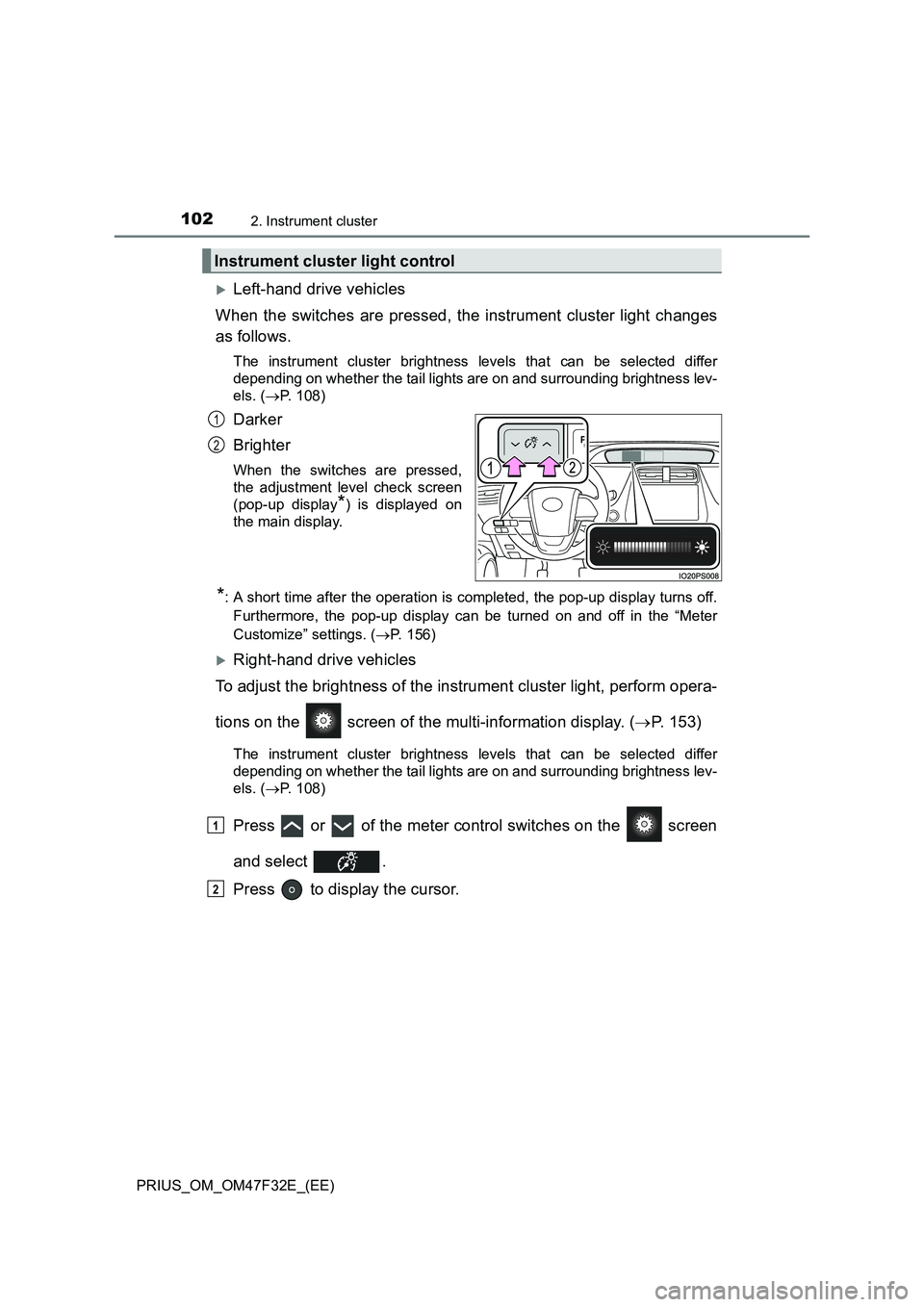
Left-hand drive vehicles
When the switches are pressed, the instrument cluster light changes
as follows.
The instrument cluster brightness levels that can be selected differ
depending on whether the tail lights are on and surrounding brightness lev-
els. (P. 108)
Darker
Brighter
When the switches are pressed,
the adjustment level check screen
(pop-up display
*) is displayed on
the main display.
*: A short time after the operation is completed, the pop-up display turns off.
Furthermore, the pop-up display can be turned on and off in the “Meter
Customize” settings. (P. 156)
Right-hand drive vehicles
To adjust the brightness of the instrument cluster light, perform opera-
tions on the screen of the multi-information display. (P. 153)
The instrument cluster brightness levels that can be selected differ
depending on whether the tail lights are on and surrounding brightness lev-
els. (P. 108)
Press or of the meter control switches on the screen
and select .
Press to display the cursor.
Instrument cluster light control
1
2
1
2
Page 110 of 770
1082. Instrument cluster
PRIUS_OM_OM47F32E_(EE)
■The meters and display illuminate when
The power switch is in ON mode.
■Adjusting the instrument cluster brightness (P. 102)
●The brightness levels that can be selected differ depending on whether the
tail lights are on and surrounding brightness levels, as shown in the table
below.
*: 22 levels of the brightness are displayed on the setting screen. However,
the brightness setting will be the brightest when other than 1st level (the
darkest) is selected. If other than 1st or 22nd level is selected, when the
tail lights are turned on in a dark place, the instrument cluster brightness
setting will be the selected level.
●If the taillights are illuminated in a dark environment, the instrument cluster
light dims. However, when the brightness of the instrument cluster is set to
minimum or maximum (1st or 22nd level of the instrument cluster bright-
ness), even if the taillights are illuminated, the instrument cluster light will
not dim.
■When disconnecting and reconnecting 12-volt battery terminals
The settings of the clock will be reset.
■Calendar settings
●Until the calendar settings are set, the check screen is displayed every time
the power switch is turned to ON mode.
●After the calendar information is set, it can be changed in the “Meter Custo-
mize” settings. (P. 156)
The tail lights are offThe tail lights are on
In a bright place2 levels*2 levels*
In a dark place22 levels
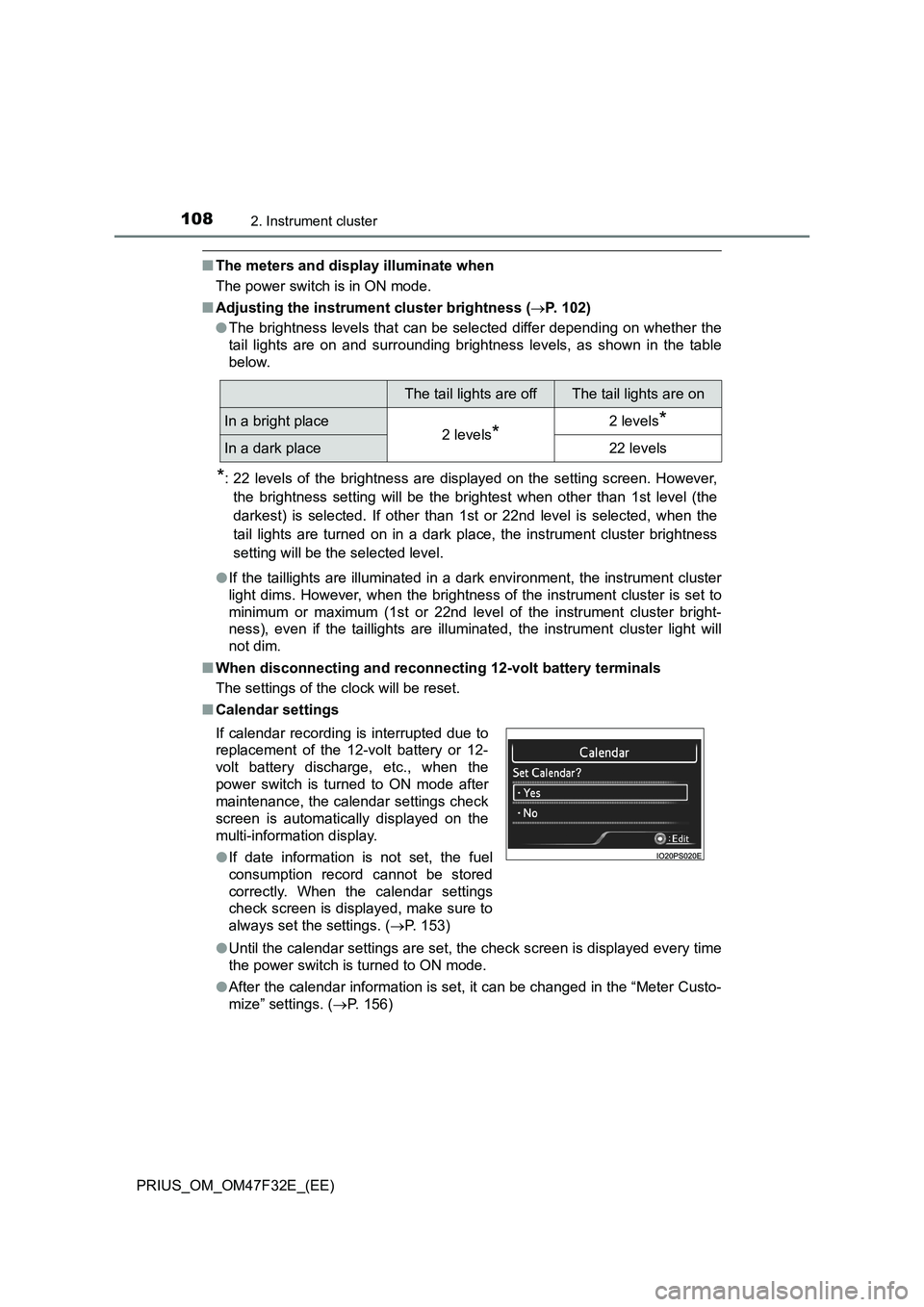
If calendar recording is interrupted due to
replacement of the 12-volt battery or 12-
volt battery discharge, etc., when the
power switch is turned to ON mode after
maintenance, the calendar settings check
screen is automatically displayed on the
multi-information display.
●If date information is not set, the fuel
consumption record cannot be stored
correctly. When the calendar settings
check screen is displayed, make sure to
always set the settings. (P. 153)
Page 112 of 770
1102. Instrument cluster
PRIUS_OM_OM47F32E_(EE)
War ning lights and indicators
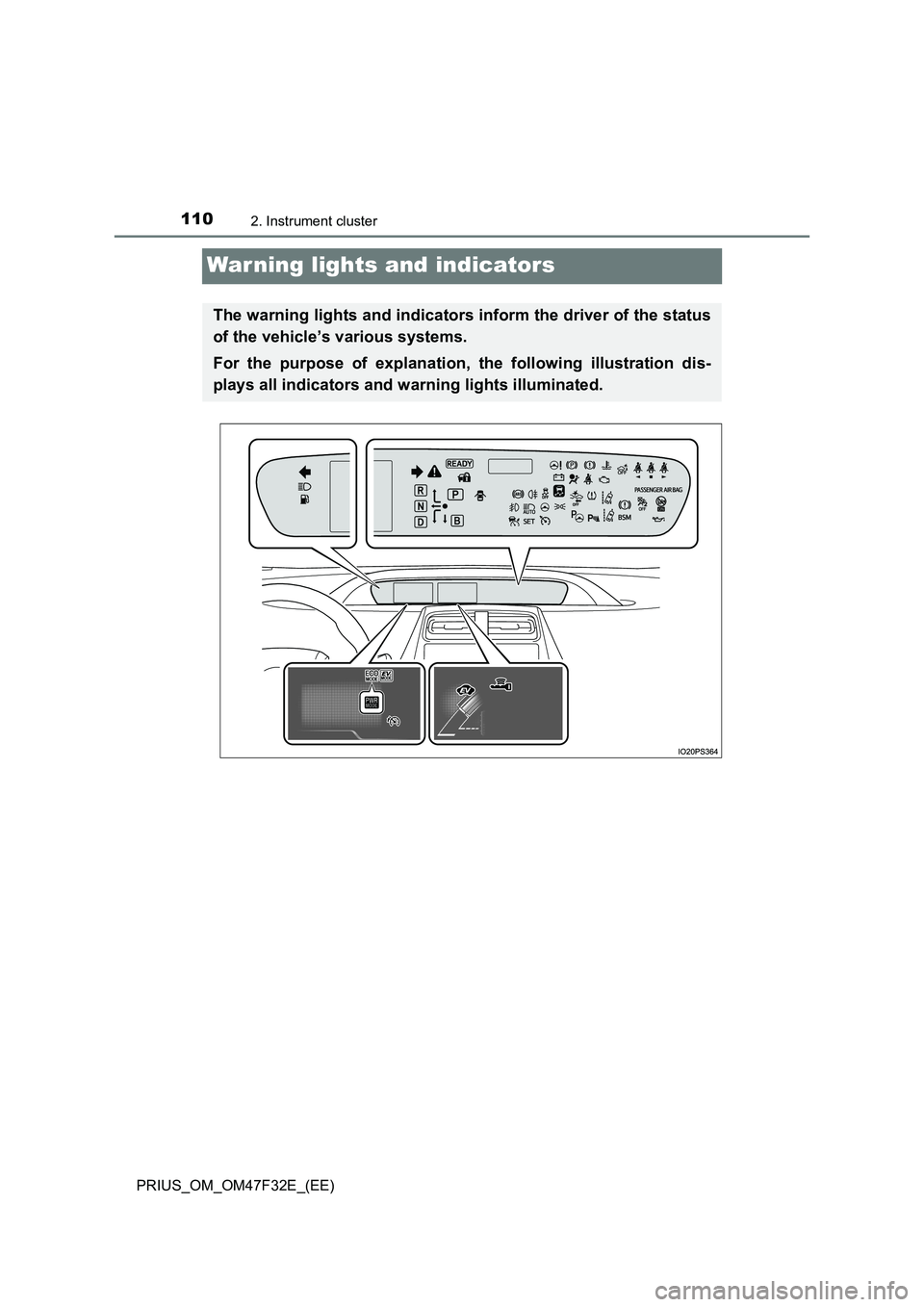
The warning lights and indicators inform the driver of the status
of the vehicle’s various systems.
For the purpose of explanation, the following illustration dis-
plays all indicators and warning lights illuminated.