lock TOYOTA PRIUS 2023 Owner's Manual
[x] Cancel search | Manufacturer: TOYOTA, Model Year: 2023, Model line: PRIUS, Model: TOYOTA PRIUS 2023Pages: 770, PDF Size: 122.55 MB
Page 95 of 770
93
1
1-5. Theft deterrent system
PRIUS_OM_OM47F32E_(EE)
For safety and security
Alar m
The alarm uses light and sound to give an alert when an intrusion is
detected.
The alarm is triggered in the following situations when the alarm is
set:
● A locked door or back door is unlocked or opened in any way other
than using the entry function or wireless remote control. (The doors
will lock again automatically.)
● The hood is opened.
● If equipped, the intrusion sensor detects something moving inside
the vehicle. (An intruder gets in the vehicle.)
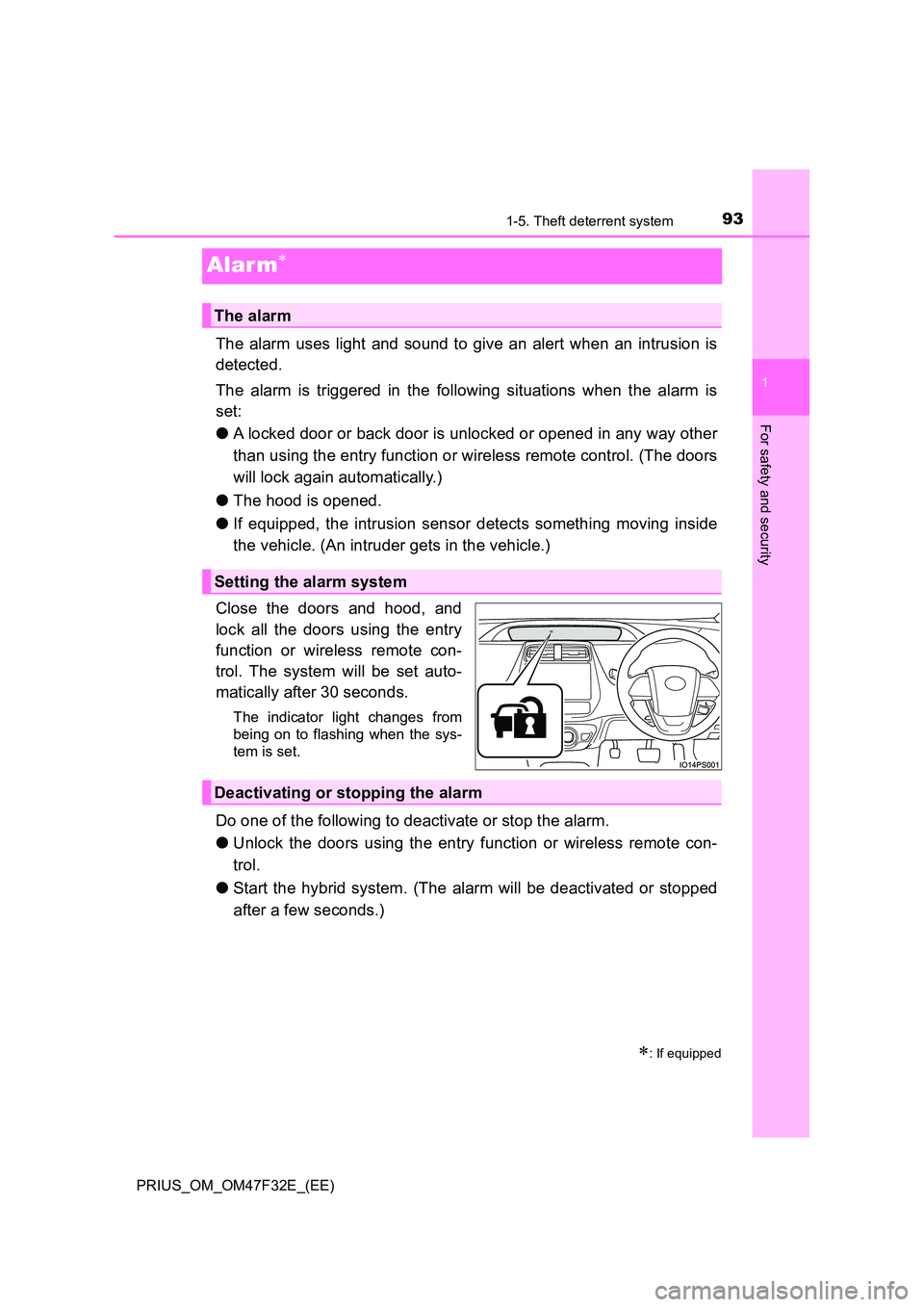
Close the doors and hood, and
lock all the doors using the entry
function or wireless remote con-
trol. The system will be set auto-
matically after 30 seconds.
The indicator light changes from
being on to flashing when the sys-
tem is set.
Do one of the following to deactivate or stop the alarm.
● Unlock the doors using the entry function or wireless remote con-
trol.
● Start the hybrid system. (The alarm will be deactivated or stopped
after a few seconds.)
: If equipped
The alarm
Setting the alarm system
Deactivating or stopping the alarm
Page 96 of 770
941-5. Theft deterrent system
PRIUS_OM_OM47F32E_(EE)
■System maintenance
The vehicle has a maintenance-free type alarm system.
■ Items to check before locking the vehicle
To prevent unexpected triggering of the alarm and vehicle theft, make sure of
the following.
● Nobody is in the vehicle.
● The side windows and moon roof (if equipped) are closed before the alarm
is set.
● No valuables or other personal items are left in the vehicle.
■ Triggering of the alarm
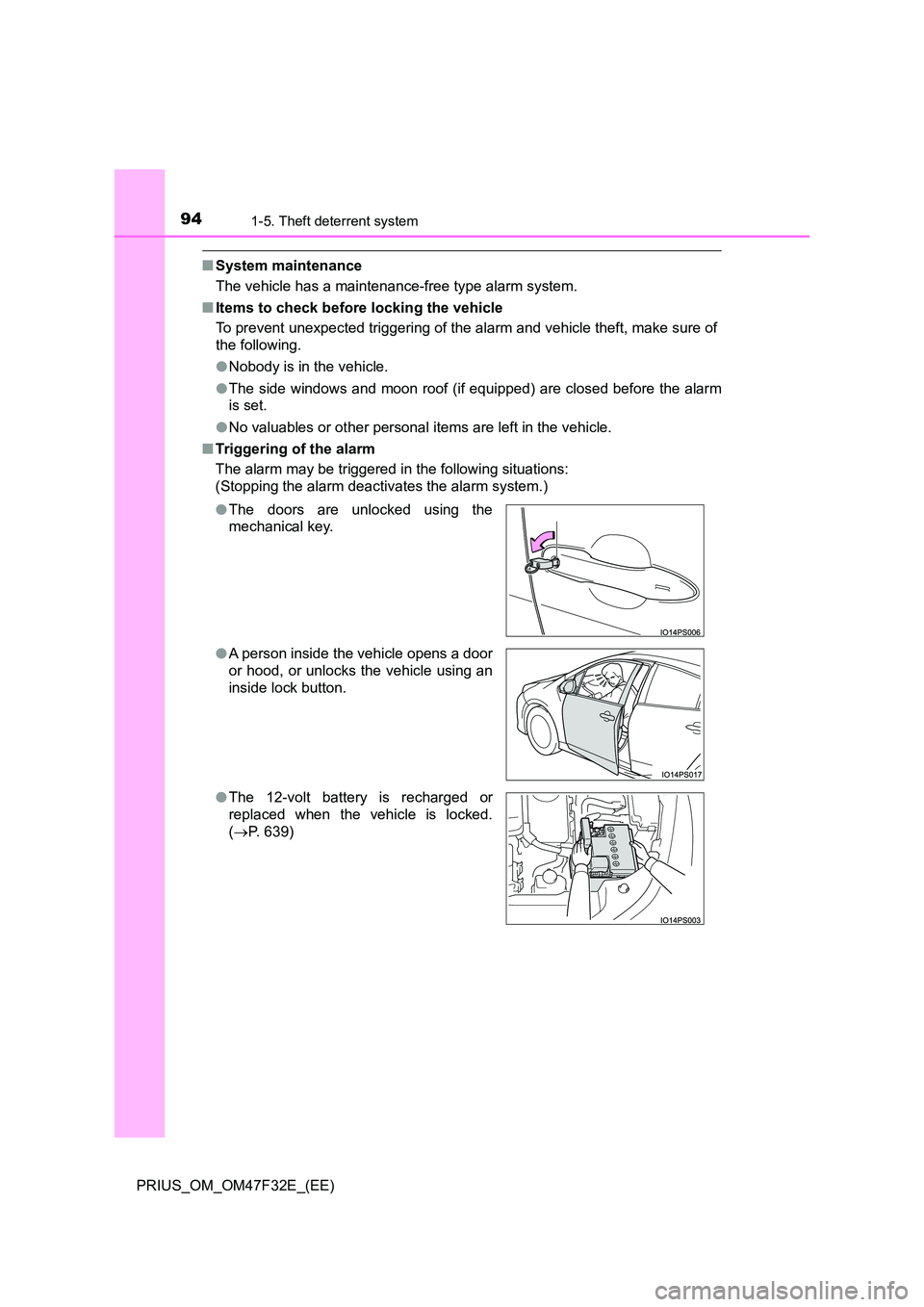
The alarm may be triggered in the following situations:
(Stopping the alarm deactivates the alarm system.)
● The doors are unlocked using the
mechanical key.
● A person inside the vehicle opens a door
or hood, or unlocks the vehicle using an
inside lock button.
● The 12-volt battery is recharged or
replaced when the vehicle is locked.
( P. 639)
Page 97 of 770
951-5. Theft deterrent system
1
PRIUS_OM_OM47F32E_(EE)
For safety and security
■Alarm-operated door lock
In the following cases, depending on the situation, the door may automatically
lock to prevent improper entry into the vehicle:
● When a person remaining in the vehicle unlocks the door and the alarm is
activated.
● While the alarm is activated, a person remaining in the vehicle unlocks the
door.
● When recharging or replacing the 12-volt battery
NOTICE
■To ensure the system operates correctly
Do not modify or remove the system. If modified or removed, the proper
operation of the system cannot be guaranteed.
Page 99 of 770
971-5. Theft deterrent system
1
PRIUS_OM_OM47F32E_(EE)
For safety and security
■When the message asking if you wish to cancel the intrusion sensor is
not displayed
The message may not be displayed if other message is displayed. In this
case, turn the power switch to ON mode, follow the instructions on the display
and turn the power switch off again.
■ Canceling and automatic re-enabling of the intrusion sensor
● The alarm will still be set even when the intrusion sensor is canceled.
● After the intrusion sensor is canceled, pressing the power switch or unlock-
ing the doors using the entry function or wireless remote control will re-
enable the intrusion sensor.
● The intrusion sensor will automatically be re-enabled when the alarm sys-
tem is deactivated.
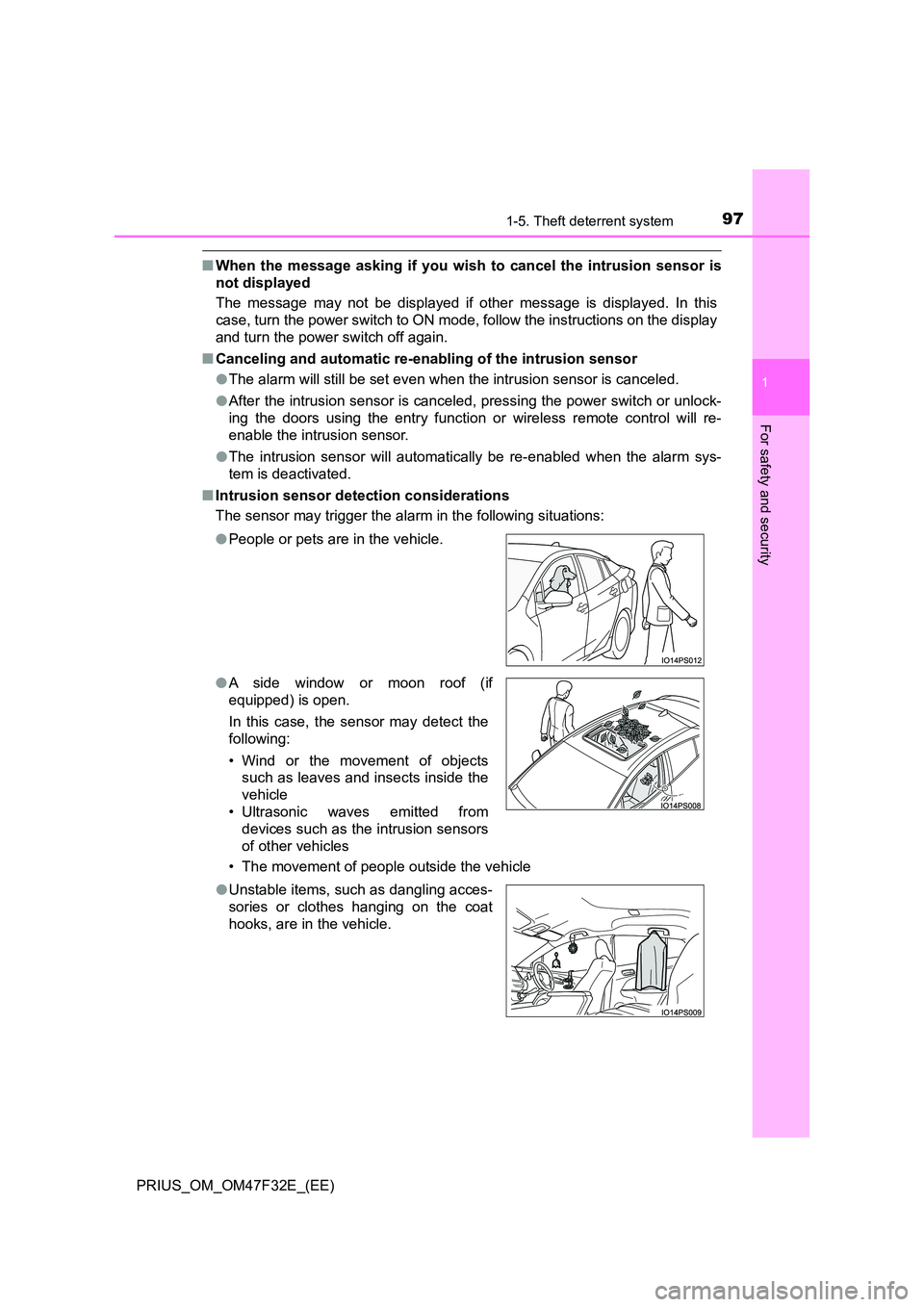
■ Intrusion sensor detection considerations
The sensor may trigger the alar m in the following situations:
• The movement of people outside the vehicle
● People or pets are in the vehicle.
● A side window or moon roof (if
equipped) is open.
In this case, the sensor may detect the
following:
• Wind or the movement of objects
such as leaves and insects inside the
vehicle
• Ultrasonic waves emitted from
devices such as the intrusion sensors
of other vehicles
● Unstable items, such as dangling acces-
sories or clothes hanging on the coat
hooks, are in the vehicle.
Page 102 of 770
1002. Instrument cluster
PRIUS_OM_OM47F32E_(EE)
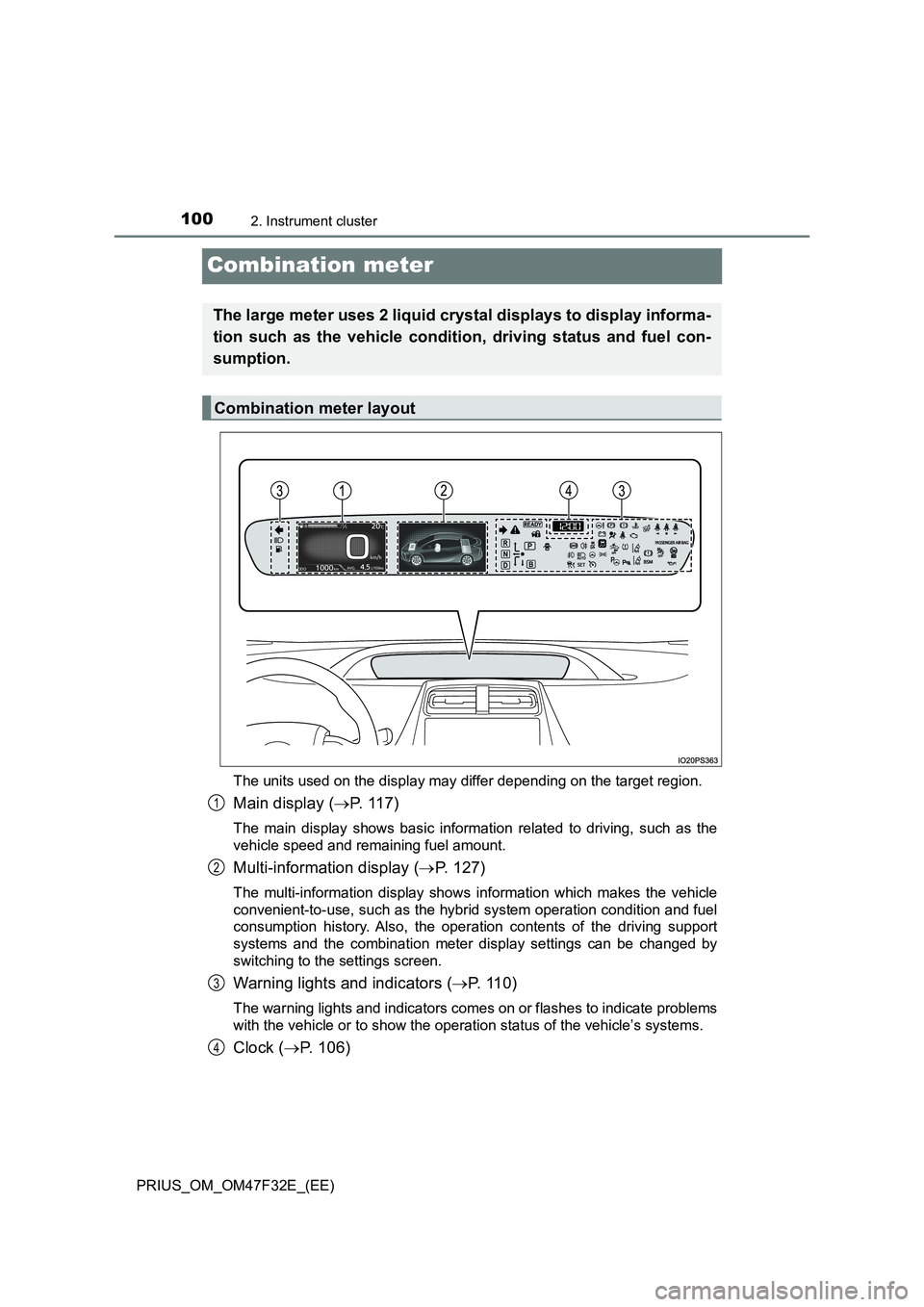
Combination meter
The units used on the display may differ depending on the target region.
Main display (P. 1 1 7 )
The main display shows basic information related to driving, such as the
vehicle speed and remaining fuel amount.
Multi-information display (P. 127)
The multi-information display shows information which makes the vehicle
convenient-to-use, such as the hybrid system operation condition and fuel
consumption history. Also, the operation contents of the driving support
systems and the combination meter display settings can be changed by
switching to the settings screen.
Warning lights and indicators (P. 1 1 0 )
The warning lights and indicators comes on or flashes to indicate problems
with the vehicle or to show the operation status of the vehicle’s systems.
Clock (P. 106)
The large meter uses 2 liquid crystal displays to display informa-
tion such as the vehicle condition, driving status and fuel con-
sumption.
Combination meter layout
1
2
3
4
Page 108 of 770
1062. Instrument cluster
PRIUS_OM_OM47F32E_(EE)
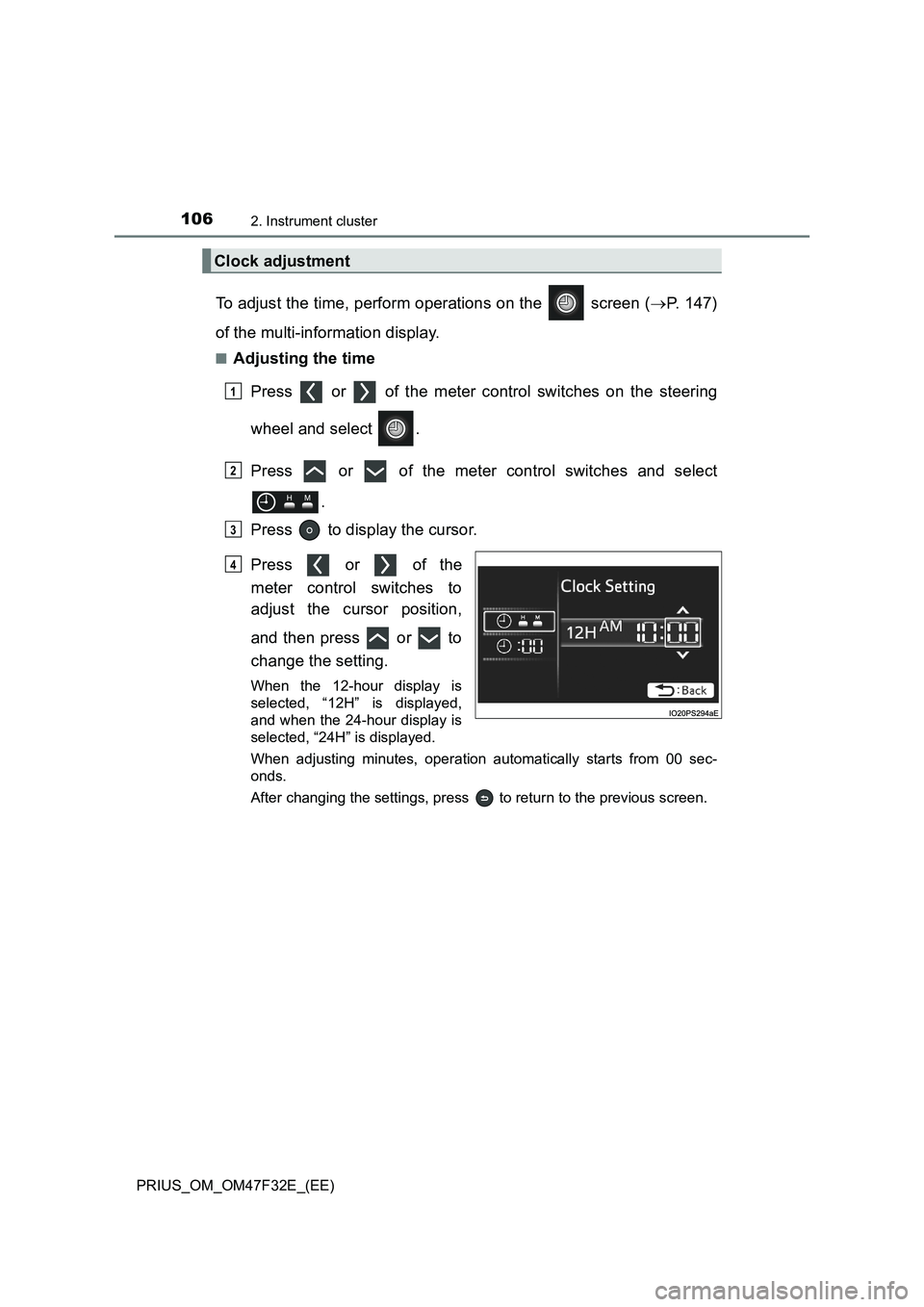
To adjust the time, perform operations on the screen (P. 147)
of the multi-information display.
■Adjusting the time
Press or of the meter control switches on the steering
wheel and select .
Press or of the meter control switches and select
.
Press to display the cursor.
Press or of the
meter control switches to
adjust the cursor position,
and then press or to
change the setting.
When the 12-hour display is
selected, “12H” is displayed,
and when the 24-hour display is
selected, “24H” is displayed.
When adjusting minutes, operation automatically starts from 00 sec-
onds.
After changing the settings, press to return to the previous screen.
Clock adjustment
1
2
3
4
Page 110 of 770
1082. Instrument cluster
PRIUS_OM_OM47F32E_(EE)
■The meters and display illuminate when
The power switch is in ON mode.
■Adjusting the instrument cluster brightness (P. 102)
●The brightness levels that can be selected differ depending on whether the
tail lights are on and surrounding brightness levels, as shown in the table
below.
*: 22 levels of the brightness are displayed on the setting screen. However,
the brightness setting will be the brightest when other than 1st level (the
darkest) is selected. If other than 1st or 22nd level is selected, when the
tail lights are turned on in a dark place, the instrument cluster brightness
setting will be the selected level.
●If the taillights are illuminated in a dark environment, the instrument cluster
light dims. However, when the brightness of the instrument cluster is set to
minimum or maximum (1st or 22nd level of the instrument cluster bright-
ness), even if the taillights are illuminated, the instrument cluster light will
not dim.
■When disconnecting and reconnecting 12-volt battery terminals
The settings of the clock will be reset.
■Calendar settings
●Until the calendar settings are set, the check screen is displayed every time
the power switch is turned to ON mode.
●After the calendar information is set, it can be changed in the “Meter Custo-
mize” settings. (P. 156)
The tail lights are offThe tail lights are on
In a bright place2 levels*2 levels*
In a dark place22 levels
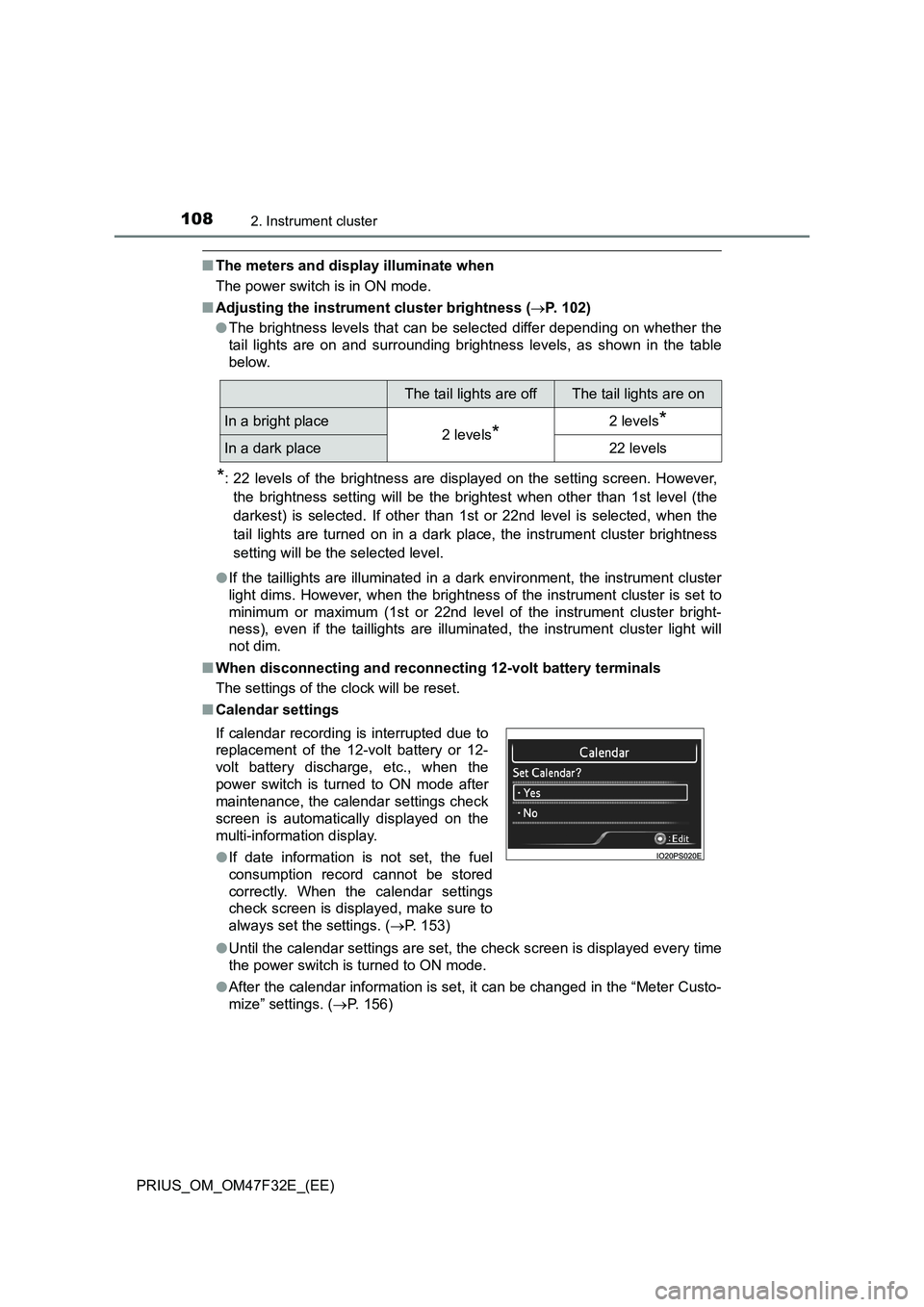
If calendar recording is interrupted due to
replacement of the 12-volt battery or 12-
volt battery discharge, etc., when the
power switch is turned to ON mode after
maintenance, the calendar settings check
screen is automatically displayed on the
multi-information display.
●If date information is not set, the fuel
consumption record cannot be stored
correctly. When the calendar settings
check screen is displayed, make sure to
always set the settings. (P. 153)
Page 130 of 770
1282. Instrument cluster
PRIUS_OM_OM47F32E_(EE)
*1: If equipped
*2: When there is a warning message that can be displayed, the color of
changes to amber.
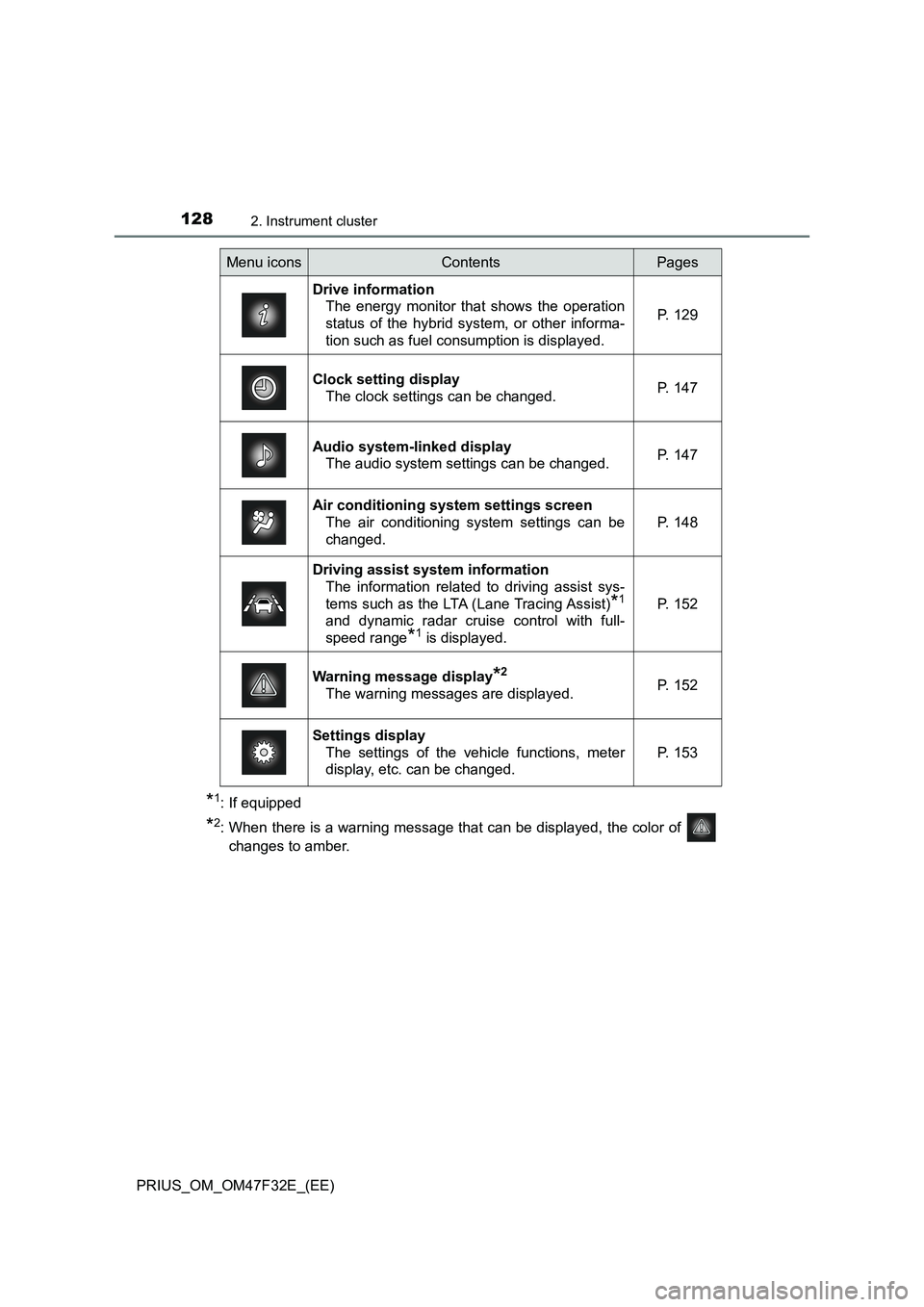
Menu iconsContentsPages
Drive information
The energy monitor that shows the operation
status of the hybrid system, or other informa-
tion such as fuel consumption is displayed.P. 129
Clock setting display
The clock settings can be changed.P. 147
Audio system-linked display
The audio system settings can be changed.P. 147
Air conditioning system settings screen
The air conditioning system settings can be
changed.
P. 148
Driving assist system information
The information related to driving assist sys-
tems such as the LTA (Lane Tracing Assist)
*1
and dynamic radar cruise control with full-
speed range
*1 is displayed.
P. 152
Warning message display*2
The warning messages are displayed.P. 152
Settings display
The settings of the vehicle functions, meter
display, etc. can be changed.
P. 153
Page 149 of 770
1472. Instrument cluster
2
Instrument cluster
PRIUS_OM_OM47F32E_(EE)
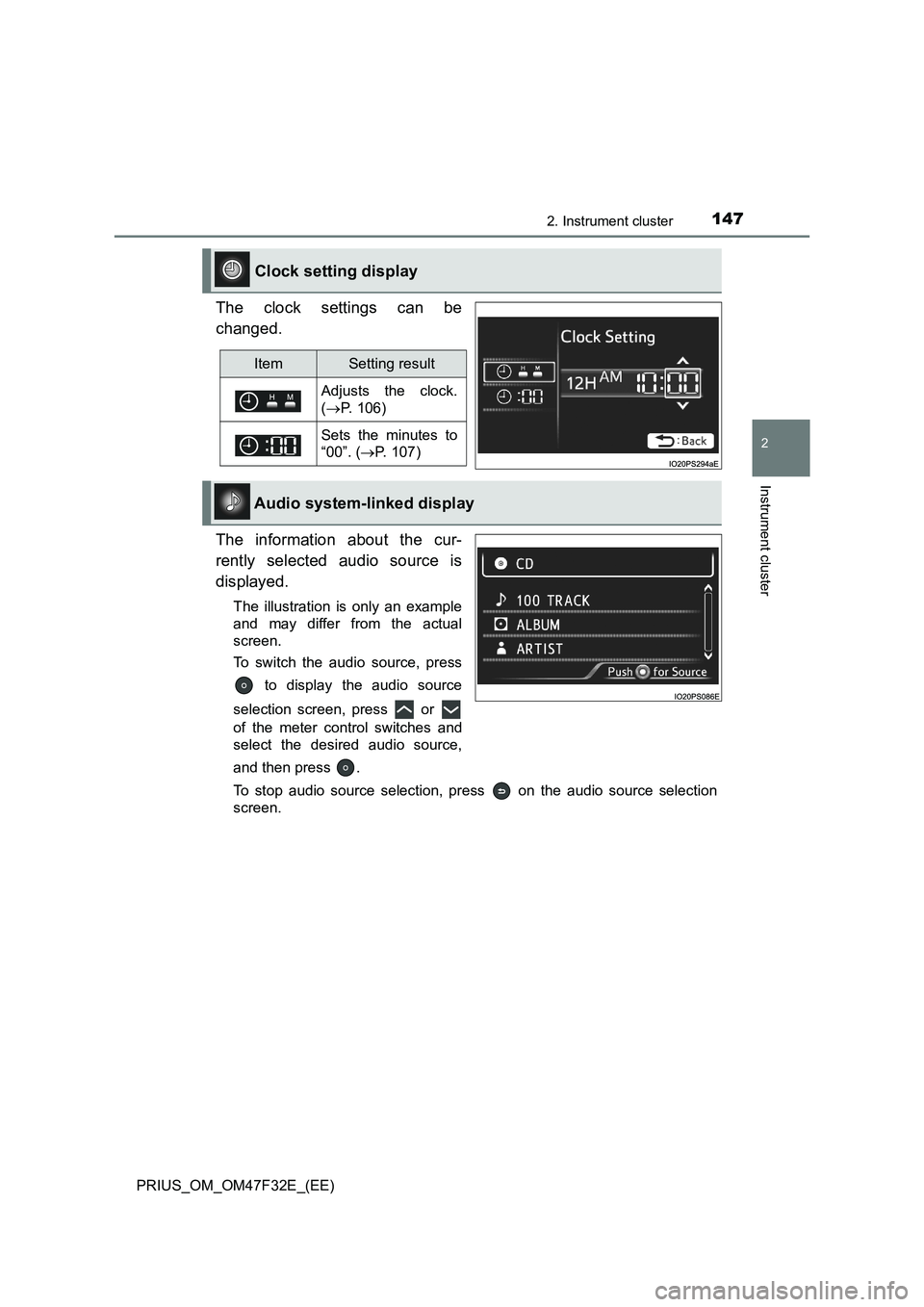
The clock settings can be
changed.
The information about the cur-
rently selected audio source is
displayed.
The illustration is only an example
and may differ from the actual
screen.
To switch the audio source, press
to display the audio source
selection screen, press or
of the meter control switches and
select the desired audio source,
and then press .
To stop audio source selection, press on the audio source selection
screen.
Clock setting display
ItemSetting result
Adjusts the clock.
(P. 106)
Sets the minutes to
“00”. (P. 107)
Audio system-linked display
Page 173 of 770
171
3
Operation of
each component
PRIUS_OM_OM47F32E_(EE)3-1. Key information
Keys ................................... 172
3-2. Opening, closing and
locking the doors
Side doors.......................... 177
Back door........................... 182
Smart entry & start
system ............................. 187
3-3. Adjusting the seats
Front seats ......................... 194
Rear seats ......................... 196
Head restraints .................. 199
3-4. Adjusting the steering
wheel and mirrors
Steering wheel ................... 203
Inside rear view mirror ....... 205
Outside rear view
mirrors ............................. 207
3-5. Opening and closing the
windows and moon roof
Power windows .................. 210
Moon roof........................... 215