air conditioning TOYOTA PRIUS 2023 Owners Manual
[x] Cancel search | Manufacturer: TOYOTA, Model Year: 2023, Model line: PRIUS, Model: TOYOTA PRIUS 2023Pages: 770, PDF Size: 122.55 MB
Page 6 of 770
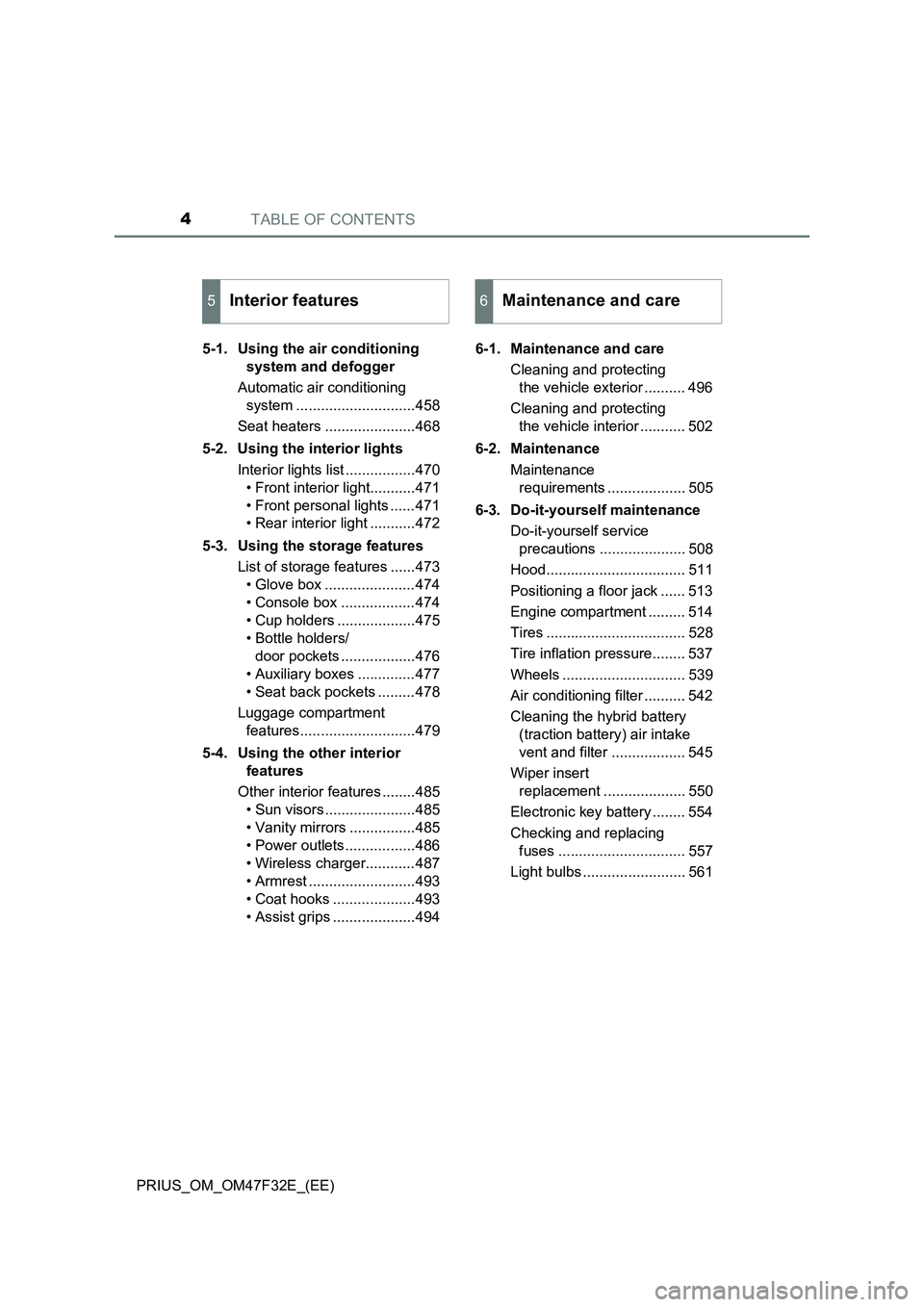
TABLE OF CONTENTS4
PRIUS_OM_OM47F32E_(EE)5-1. Using the air conditioning
system and defogger
Automatic air conditioning
system .............................458
Seat heaters ......................468
5-2. Using the interior lights
Interior lights list .................470
• Front interior light...........471
• Front personal lights ......471
• Rear interior light ...........472
5-3. Using the storage features
List of storage features ......473
• Glove box ......................474
• Console box ..................474
• Cup holders ...................475
• Bottle holders/
door pockets ..................476
• Auxiliary boxes ..............477
• Seat back pockets .........478
Luggage compartment
features............................479
5-4. Using the other interior
features
Other interior features ........485
• Sun visors ......................485
• Vanity mirrors ................485
• Power outlets .................486
• Wireless charger............487
• Armrest ..........................493
• Coat hooks ....................493
• Assist grips ....................4946-1. Maintenance and care
Cleaning and protecting
the vehicle exterior .......... 496
Cleaning and protecting
the vehicle interior ........... 502
6-2. Maintenance
Maintenance
requirements ................... 505
6-3. Do-it-yourself maintenance
Do-it-yourself service
precautions ..................... 508
Hood.................................. 511
Positioning a floor jack ...... 513
Engine compartment ......... 514
Tires .................................. 528
Tire inflation pressure........ 537
Wheels .............................. 539
Air conditioning filter .......... 542
Cleaning the hybrid battery
(traction battery) air intake
vent and filter .................. 545
Wiper insert
replacement .................... 550
Electronic key battery ........ 554
Checking and replacing
fuses ............................... 557
Light bulbs ......................... 561
5Interior features6Maintenance and care
Page 19 of 770
17Pictorial index
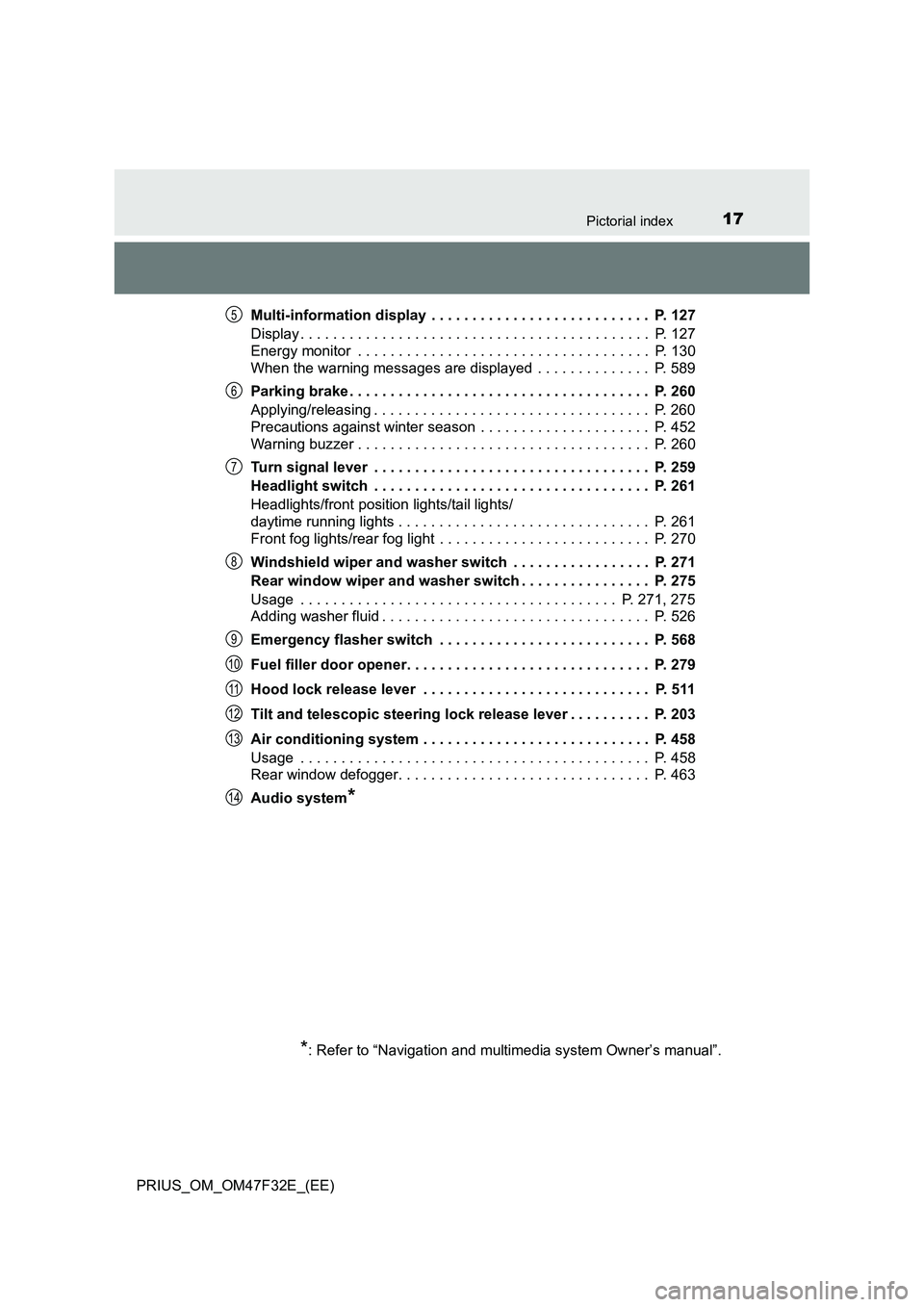
PRIUS_OM_OM47F32E_(EE)Multi-information display . . . . . . . . . . . . . . . . . . . . . . . . . . . P. 127
Display . . . . . . . . . . . . . . . . . . . . . . . . . . . . . . . . . . . . . . . . . . . P. 127
Energy monitor . . . . . . . . . . . . . . . . . . . . . . . . . . . . . . . . . . . . P. 130
When the warning messages are displayed . . . . . . . . . . . . . . P. 589
Parking brake . . . . . . . . . . . . . . . . . . . . . . . . . . . . . . . . . . . . . P. 260
Applying/releasing . . . . . . . . . . . . . . . . . . . . . . . . . . . . . . . . . . P. 260
Precautions against winter season . . . . . . . . . . . . . . . . . . . . . P. 452
Warning buzzer . . . . . . . . . . . . . . . . . . . . . . . . . . . . . . . . . . . . P. 260
Turn signal lever . . . . . . . . . . . . . . . . . . . . . . . . . . . . . . . . . . P. 259
Headlight switch . . . . . . . . . . . . . . . . . . . . . . . . . . . . . . . . . . P. 261
Headlights/front position lights/tail lights/
daytime running lights . . . . . . . . . . . . . . . . . . . . . . . . . . . . . . . P. 261
Front fog lights/rear fog light . . . . . . . . . . . . . . . . . . . . . . . . . . P. 270
Windshield wiper and washer switch . . . . . . . . . . . . . . . . . P. 271
Rear window wiper and washer switch . . . . . . . . . . . . . . . . P. 275
Usage . . . . . . . . . . . . . . . . . . . . . . . . . . . . . . . . . . . . . . . P. 271, 275
Adding washer fluid . . . . . . . . . . . . . . . . . . . . . . . . . . . . . . . . . P. 526
Emergency flasher switch . . . . . . . . . . . . . . . . . . . . . . . . . . P. 568
Fuel filler door opener. . . . . . . . . . . . . . . . . . . . . . . . . . . . . . P. 279
Hood lock release lever . . . . . . . . . . . . . . . . . . . . . . . . . . . . P. 511
Tilt and telescopic steering lock release lever . . . . . . . . . . P. 203
Air conditioning system . . . . . . . . . . . . . . . . . . . . . . . . . . . . P. 458
Usage . . . . . . . . . . . . . . . . . . . . . . . . . . . . . . . . . . . . . . . . . . . P. 458
Rear window defogger. . . . . . . . . . . . . . . . . . . . . . . . . . . . . . . P. 463
Audio system
*
*
: Refer to “Navigation and multimedia system Owner’s manual”.
5
6
7
8
9
10
11
12
13
14
Page 25 of 770
23Pictorial index
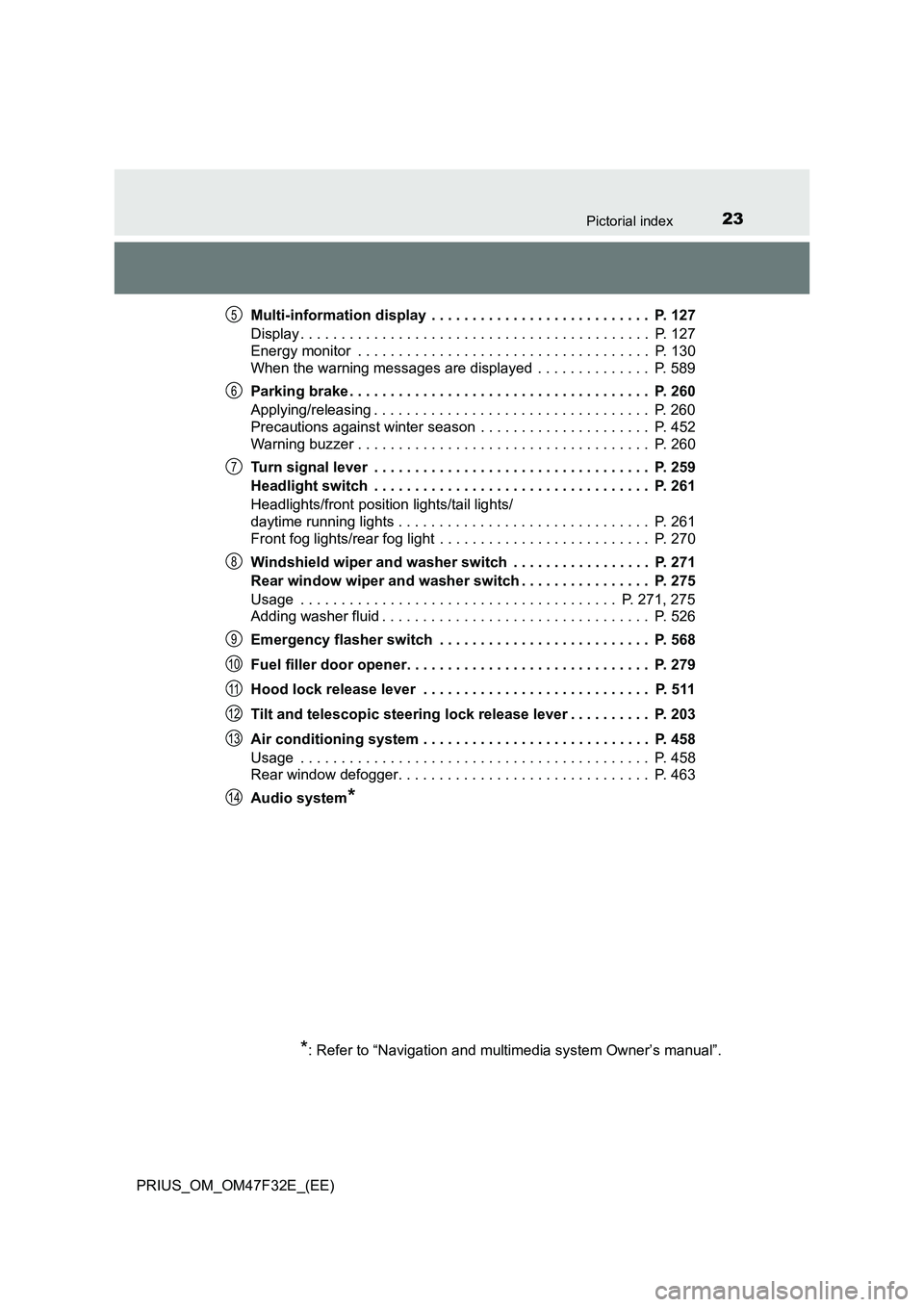
PRIUS_OM_OM47F32E_(EE)Multi-information display . . . . . . . . . . . . . . . . . . . . . . . . . . . P. 127
Display . . . . . . . . . . . . . . . . . . . . . . . . . . . . . . . . . . . . . . . . . . . P. 127
Energy monitor . . . . . . . . . . . . . . . . . . . . . . . . . . . . . . . . . . . . P. 130
When the warning messages are displayed . . . . . . . . . . . . . . P. 589
Parking brake . . . . . . . . . . . . . . . . . . . . . . . . . . . . . . . . . . . . . P. 260
Applying/releasing . . . . . . . . . . . . . . . . . . . . . . . . . . . . . . . . . . P. 260
Precautions against winter season . . . . . . . . . . . . . . . . . . . . . P. 452
Warning buzzer . . . . . . . . . . . . . . . . . . . . . . . . . . . . . . . . . . . . P. 260
Turn signal lever . . . . . . . . . . . . . . . . . . . . . . . . . . . . . . . . . . P. 259
Headlight switch . . . . . . . . . . . . . . . . . . . . . . . . . . . . . . . . . . P. 261
Headlights/front position lights/tail lights/
daytime running lights . . . . . . . . . . . . . . . . . . . . . . . . . . . . . . . P. 261
Front fog lights/rear fog light . . . . . . . . . . . . . . . . . . . . . . . . . . P. 270
Windshield wiper and washer switch . . . . . . . . . . . . . . . . . P. 271
Rear window wiper and washer switch . . . . . . . . . . . . . . . . P. 275
Usage . . . . . . . . . . . . . . . . . . . . . . . . . . . . . . . . . . . . . . . P. 271, 275
Adding washer fluid . . . . . . . . . . . . . . . . . . . . . . . . . . . . . . . . . P. 526
Emergency flasher switch . . . . . . . . . . . . . . . . . . . . . . . . . . P. 568
Fuel filler door opener. . . . . . . . . . . . . . . . . . . . . . . . . . . . . . P. 279
Hood lock release lever . . . . . . . . . . . . . . . . . . . . . . . . . . . . P. 511
Tilt and telescopic steering lock release lever . . . . . . . . . . P. 203
Air conditioning system . . . . . . . . . . . . . . . . . . . . . . . . . . . . P. 458
Usage . . . . . . . . . . . . . . . . . . . . . . . . . . . . . . . . . . . . . . . . . . . P. 458
Rear window defogger. . . . . . . . . . . . . . . . . . . . . . . . . . . . . . . P. 463
Audio system
*
*
: Refer to “Navigation and multimedia system Owner’s manual”.
5
6
7
8
9
10
11
12
13
14
Page 86 of 770
841-4. Hybrid system
PRIUS_OM_OM47F32E_(EE)
Hybrid system precautions
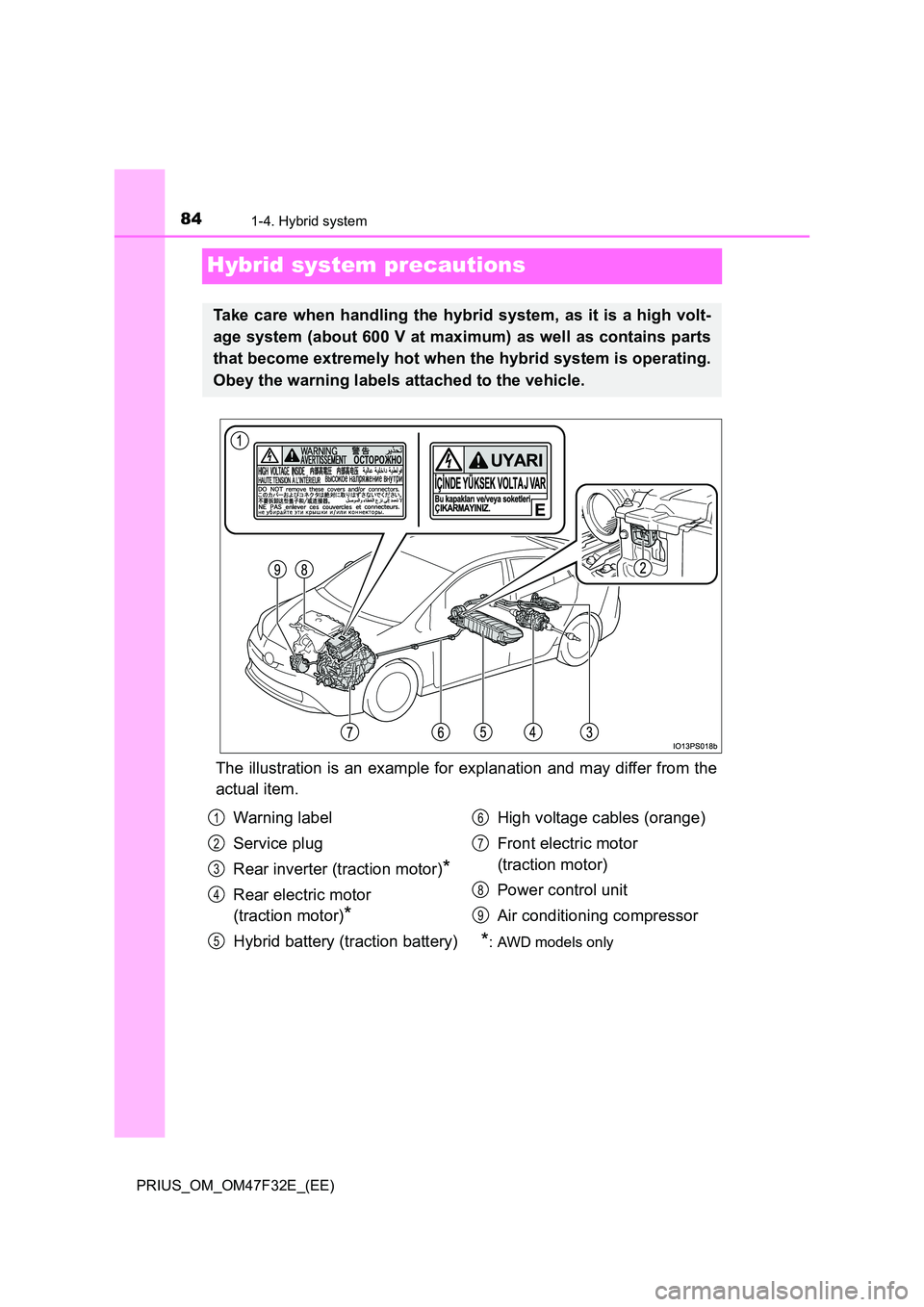
The illustration is an example for explanation and may differ from the
actual item.
Take care when handling the hybrid system, as it is a high volt-
age system (about 600 V at maximum) as well as contains parts
that become extremely hot when the hybrid system is operating.
Obey the warning labels attached to the vehicle.
Warning label
Service plug
Rear inverter (traction motor)*
Rear electric motor
(traction motor)*
Hybrid battery (traction battery)
High voltage cables (orange)
Front electric motor
(traction motor)
Power control unit
Air conditioning compressor
*: AWD models only
1
2
3
4
5
6
7
8
9
Page 111 of 770
1092. Instrument cluster
2
Instrument cluster
PRIUS_OM_OM47F32E_(EE)
■ Liquid crystal display
Small spots or light spots may appear on the display. This phenomenon is
characteristic of liquid crystal displays, and there is no problem continuing to
use the display.
■ Pop-up display
Some functions, such as the driving mode select switch and air conditioning
system, are operation-linked and display pop-up screens on the multi-infor-
mation display. If the pop-up screens of these functions are not desired, they
can be turned off in the “Meter Customize” settings. ( P. 156)
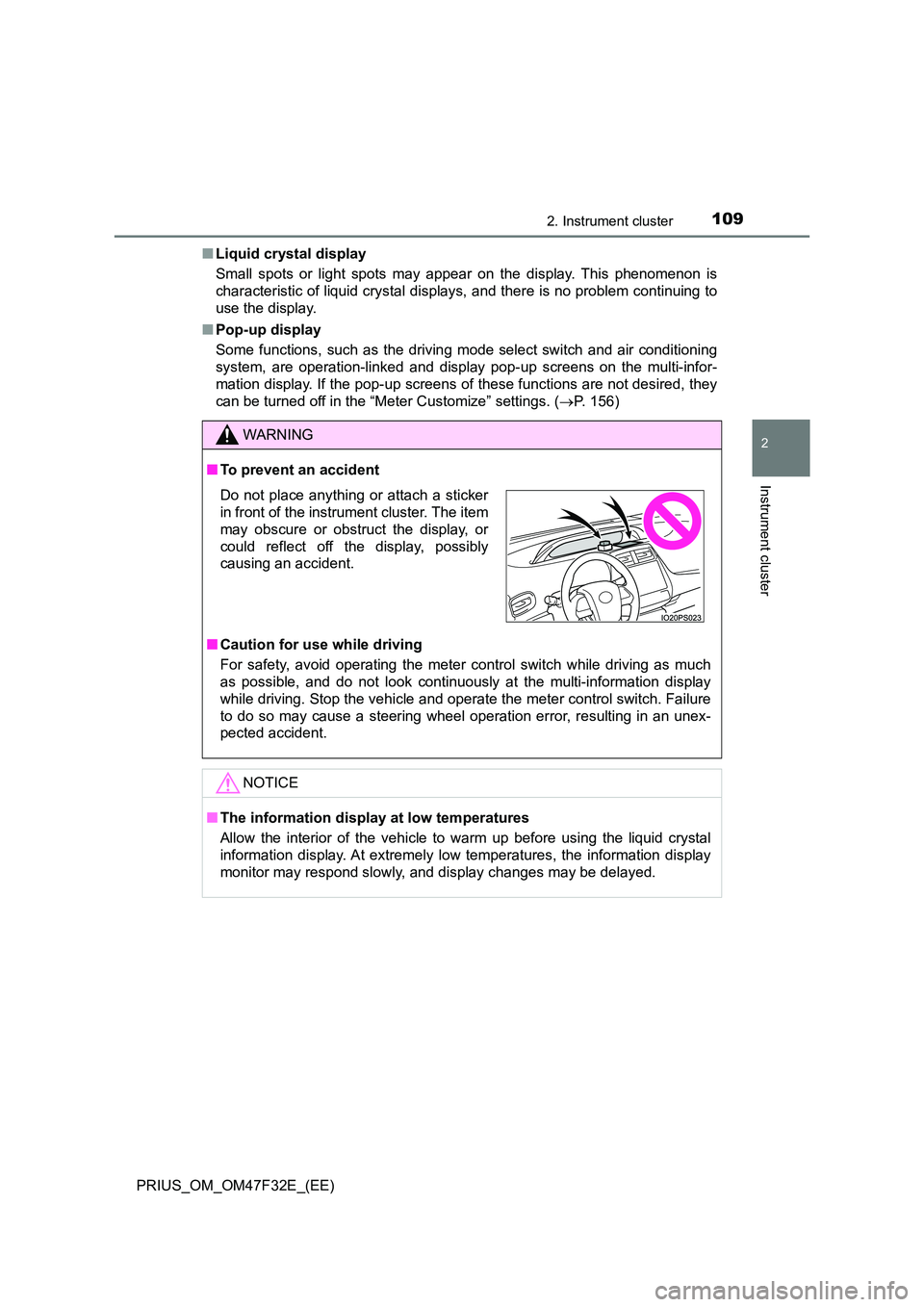
WARNING
■To prevent an accident
■ Caution for use while driving
For safety, avoid operating the meter control switch while driving as much
as possible, and do not look continuously at the multi-information display
while driving. Stop the vehicle and operate the meter control switch. Failure
to do so may cause a steering wheel operation error, resulting in an unex-
pected accident.
NOTICE
■ The information display at low temperatures
Allow the interior of the vehicle to warm up before using the liquid crystal
information display. At extremely low temperatures, the information display
monitor may respond slowly, and display changes may be delayed.
Do not place anything or attach a sticker
in front of the instrument cluster. The item
may obscure or obstruct the display, or
could reflect off the display, possibly
causing an accident.
Page 130 of 770
1282. Instrument cluster
PRIUS_OM_OM47F32E_(EE)
*1: If equipped
*2: When there is a warning message that can be displayed, the color of
changes to amber.
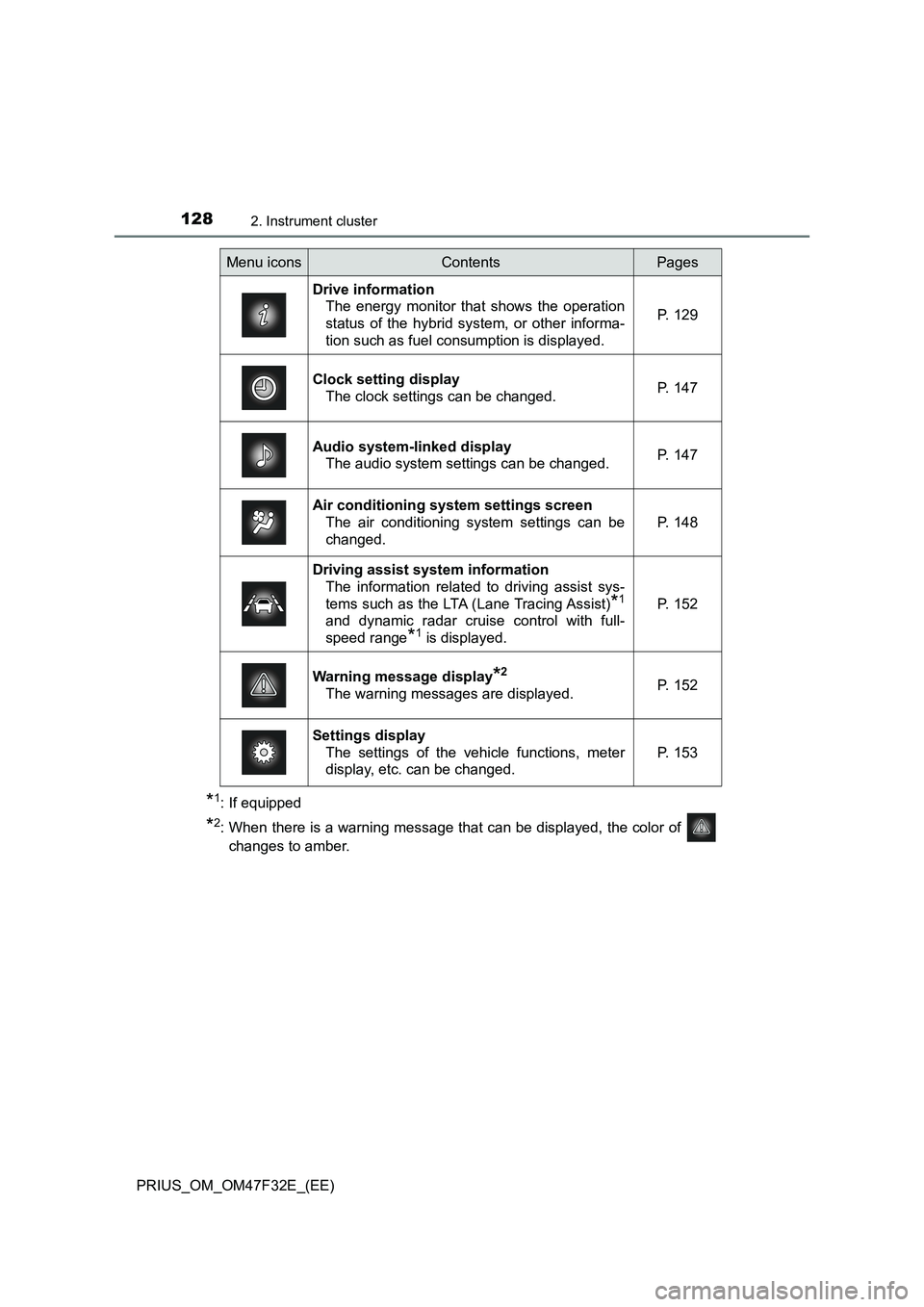
Menu iconsContentsPages
Drive information
The energy monitor that shows the operation
status of the hybrid system, or other informa-
tion such as fuel consumption is displayed.P. 129
Clock setting display
The clock settings can be changed.P. 147
Audio system-linked display
The audio system settings can be changed.P. 147
Air conditioning system settings screen
The air conditioning system settings can be
changed.
P. 148
Driving assist system information
The information related to driving assist sys-
tems such as the LTA (Lane Tracing Assist)
*1
and dynamic radar cruise control with full-
speed range
*1 is displayed.
P. 152
Warning message display*2
The warning messages are displayed.P. 152
Settings display
The settings of the vehicle functions, meter
display, etc. can be changed.
P. 153
Page 137 of 770
1352. Instrument cluster
2
Instrument cluster
PRIUS_OM_OM47F32E_(EE)
■When operation of each function stops
●The Hybrid System Indicator stops operating in the following situations.
• The “READY” indicator is not illuminated.
• The shift position is not D or B.
●The Eco score and “ECO Accelerator Guidance” stop operating in the fol-
lowing situations.
• The Hybrid System Indicator is not operating.
• Cruise control (if equipped) or dynamic radar cruise control with full-
speed range (if equipped) is being used.
• The speed limiter system (if equipped) is being used and the vehicle
speed is approximately the limit speed or higher.
■About the Eco score
●After starting off, Eco score display does not start until the vehicle speed
exceeds approximately 30 km/h (19 mph).
●In addition to the vehicle driving status, the Eco score also evaluates the air
conditioning system usage condition (P. 150). The score displayed when
the hybrid system stops is the total result of the driving status after the
hybrid system starts and the air conditioning usage condition.
Page 150 of 770
1482. Instrument cluster
PRIUS_OM_OM47F32E_(EE)
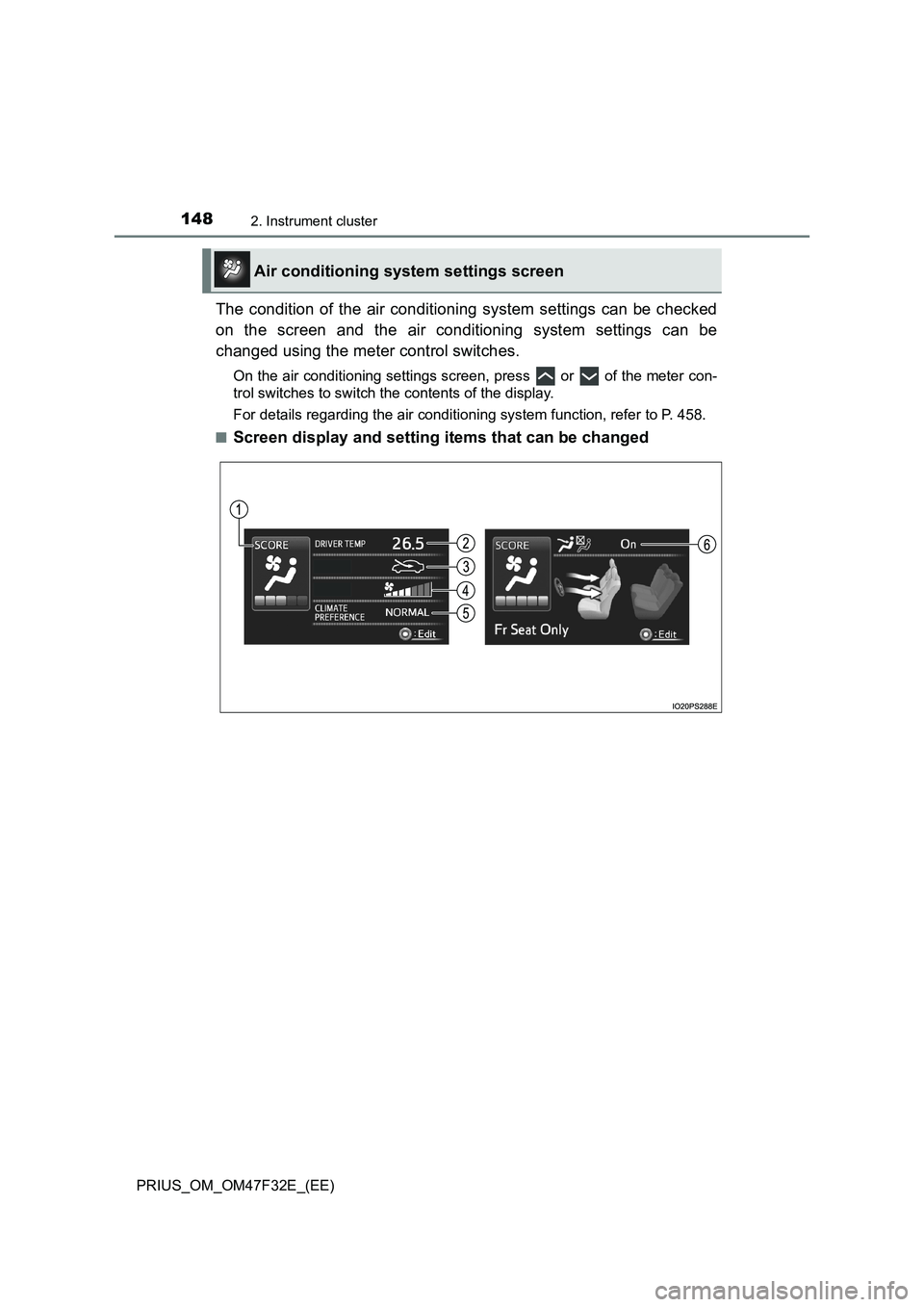
The condition of the air conditioning system settings can be checked
on the screen and the air conditioning system settings can be
changed using the meter control switches.
On the air conditioning settings screen, press or of the meter con-
trol switches to switch the contents of the display.
For details regarding the air conditioning system function, refer to P. 458.
■
Screen display and setting items that can be changed
Air conditioning system settings screen
Page 151 of 770
1492. Instrument cluster
2
Instrument cluster
PRIUS_OM_OM47F32E_(EE)
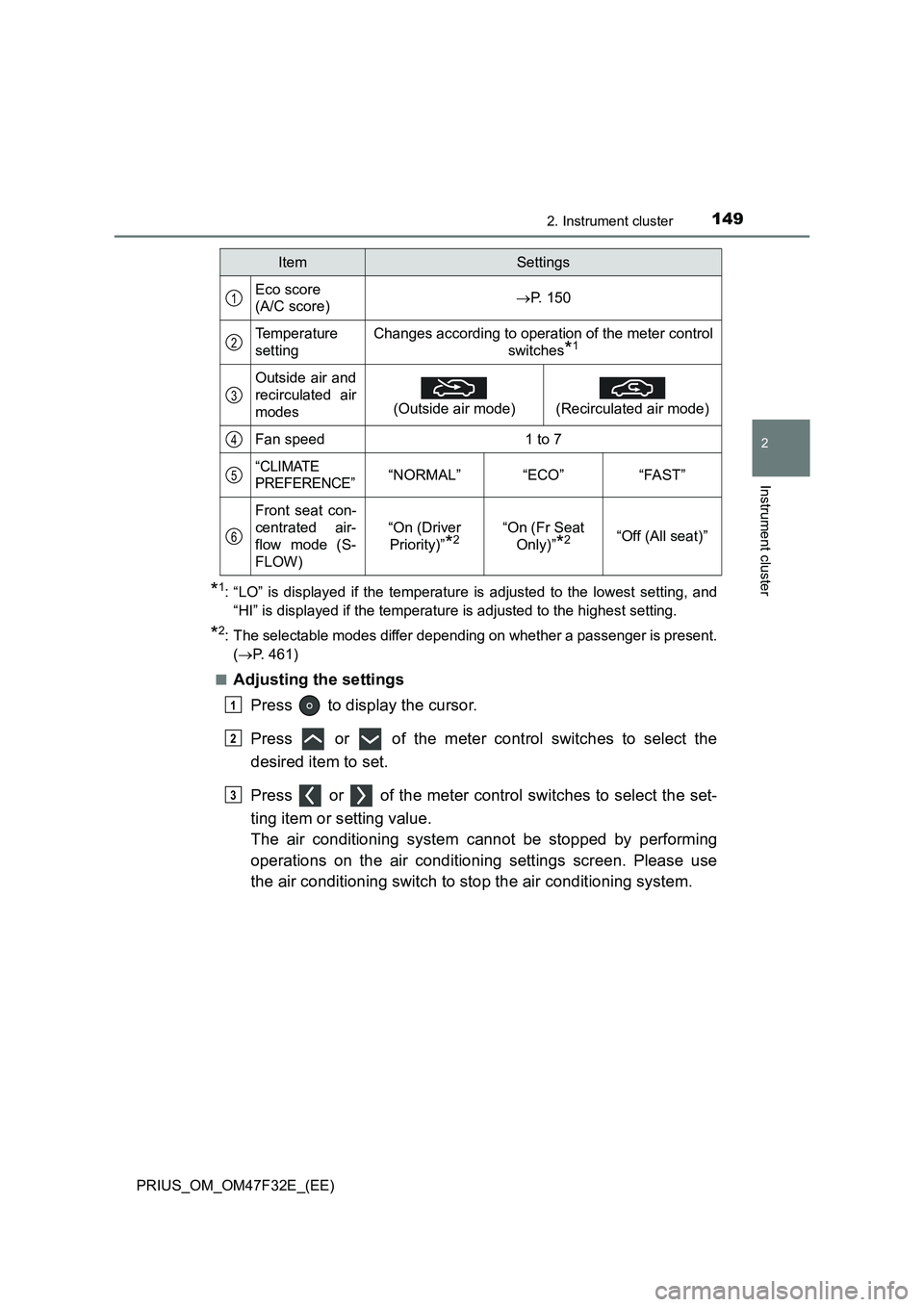
*1: “LO” is displayed if the temperature is adjusted to the lowest setting, and
“HI” is displayed if the temperature is adjusted to the highest setting.
*2: The selectable modes differ depending on whether a passenger is present.
(P. 461)
■
Adjusting the settings
Press to display the cursor.
Press or of the meter control switches to select the
desired item to set.
Press or of the meter control switches to select the set-
ting item or setting value.
The air conditioning system cannot be stopped by performing
operations on the air conditioning settings screen. Please use
the air conditioning switch to stop the air conditioning system.
ItemSettings
Eco score
(A/C score)P. 150
Temperature
settingChanges according to operation of the meter control
switches
*1
Outside air and
recirculated air
modes
(Outside air mode)
(Recirculated air mode)
Fan speed1 to 7
“CLIMATE
PREFERENCE”“NORMAL”“ECO”“FAST”
Front seat con-
centrated air-
flow mode (S-
FLOW)
“On (Driver
Priority)”
*2“On (Fr Seat
Only)”
*2“Off (All seat)”
1
2
3
4
5
6
1
2
3
Page 152 of 770
1502. Instrument cluster
PRIUS_OM_OM47F32E_(EE)■
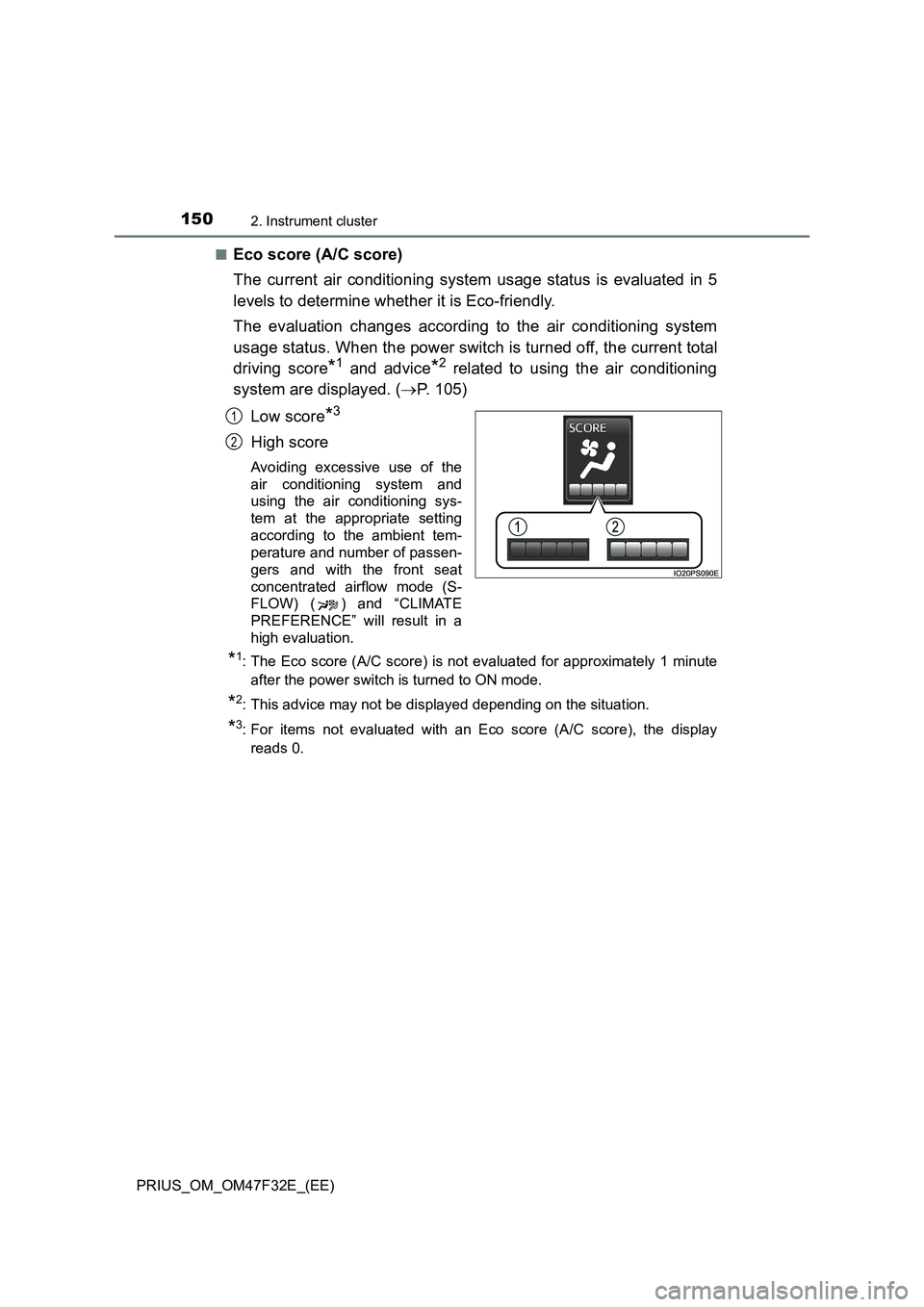
Eco score (A/C score)
The current air conditioning system usage status is evaluated in 5
levels to determine whether it is Eco-friendly.
The evaluation changes according to the air conditioning system
usage status. When the power switch is turned off, the current total
driving score
*1 and advice*2 related to using the air conditioning
system are displayed. (P. 105)
Low score
*3
High score
Avoiding excessive use of the
air conditioning system and
using the air conditioning sys-
tem at the appropriate setting
according to the ambient tem-
perature and number of passen-
gers and with the front seat
concentrated airflow mode (S-
FLOW) ( ) and “CLIMATE
PREFERENCE” will result in a
high evaluation.
*1: The Eco score (A/C score) is not evaluated for approximately 1 minute
after the power switch is turned to ON mode.
*2: This advice may not be displayed depending on the situation.
*3: For items not evaluated with an Eco score (A/C score), the display
reads 0.
1
2