park assist TOYOTA PRIUS 2023 Owners Manual
[x] Cancel search | Manufacturer: TOYOTA, Model Year: 2023, Model line: PRIUS, Model: TOYOTA PRIUS 2023Pages: 770, PDF Size: 122.55 MB
Page 5 of 770
3
1
8
7
6
5
4
3
2
PRIUS_OM_OM47F32E_(EE)
4-1. Before driving
Driving the vehicle .............220
Cargo and luggage ............231
Trailer towing
(2WD models)..................233
Trailer towing
(AWD models) .................243
4-2. Driving procedures
Power (ignition) switch .......244
EV drive mode ...................250
Hybrid transmission ...........253
Turn signal lever ................259
Parking brake.....................260
4-3. Operating the lights
and wipers
Headlight switch.................261
AHB (Automatic High
Beam) ..............................266
Fog light switch ..................270
Windshield wipers and
washer .............................271
Rear window wiper and
washer .............................275
4-4. Refueling
Opening the fuel tank
cap ...................................277
4-5. Using the driving
support systems
Toyota Safety Sense ......... 282
PCS (Pre-Collision
System) ........................... 296
LTA
(Lane Tracing Assist) ...... 307
RSA (Road Sign Assist) .... 323
Dynamic radar cruise
control with full-speed
range ............................... 329
Cruise control .................... 346
Driving mode select
switch .............................. 351
Speed limiter ..................... 353
BSM
(Blind Spot Monitor) ........ 356
• The Blind Spot Monitor
function ......................... 372
• The Rear Crossing
Traffic Alert function ...... 375
Toyota parking
assist-sensor ................... 381
Parking Support Brake
function ........................... 394
S-IPA (Simple Intelligent
Parking Assist
System) ........................... 405
GPF (Gasoline Particulate
Filter) system .................. 440
Driving assist systems....... 441
4-6. Driving tips
Hybrid vehicle driving
tips .................................. 449
Winter driving tips.............. 452
4Driving
Page 8 of 770
TABLE OF CONTENTS6
PRIUS_OM_OM47F32E_(EE)What to do if...
(Troubleshooting) .....................682
Alphabetical index ......................686
Index
For vehicles with navigation system or multimedia system, refer to
the “Navigation and multimedia system Owner’s manual” for
information regarding the equipment listed below.
• Navigation system
• Audio/video system
• Toyota parking assist monitor
• Panoramic view monitor• Hands-free system
(for cellular phone)
Toyota Motor Europe NV/SA, Avenue du Bourget 60 - 1140
Brussels, Belgium www.toyota-europe.com
Toyota (GB) PLC Great Burgh, Burgh Heath,
Epsom, Surrey, KT18 5UX, UK
Page 20 of 770
18Pictorial index
PRIUS_OM_OM47F32E_(EE)
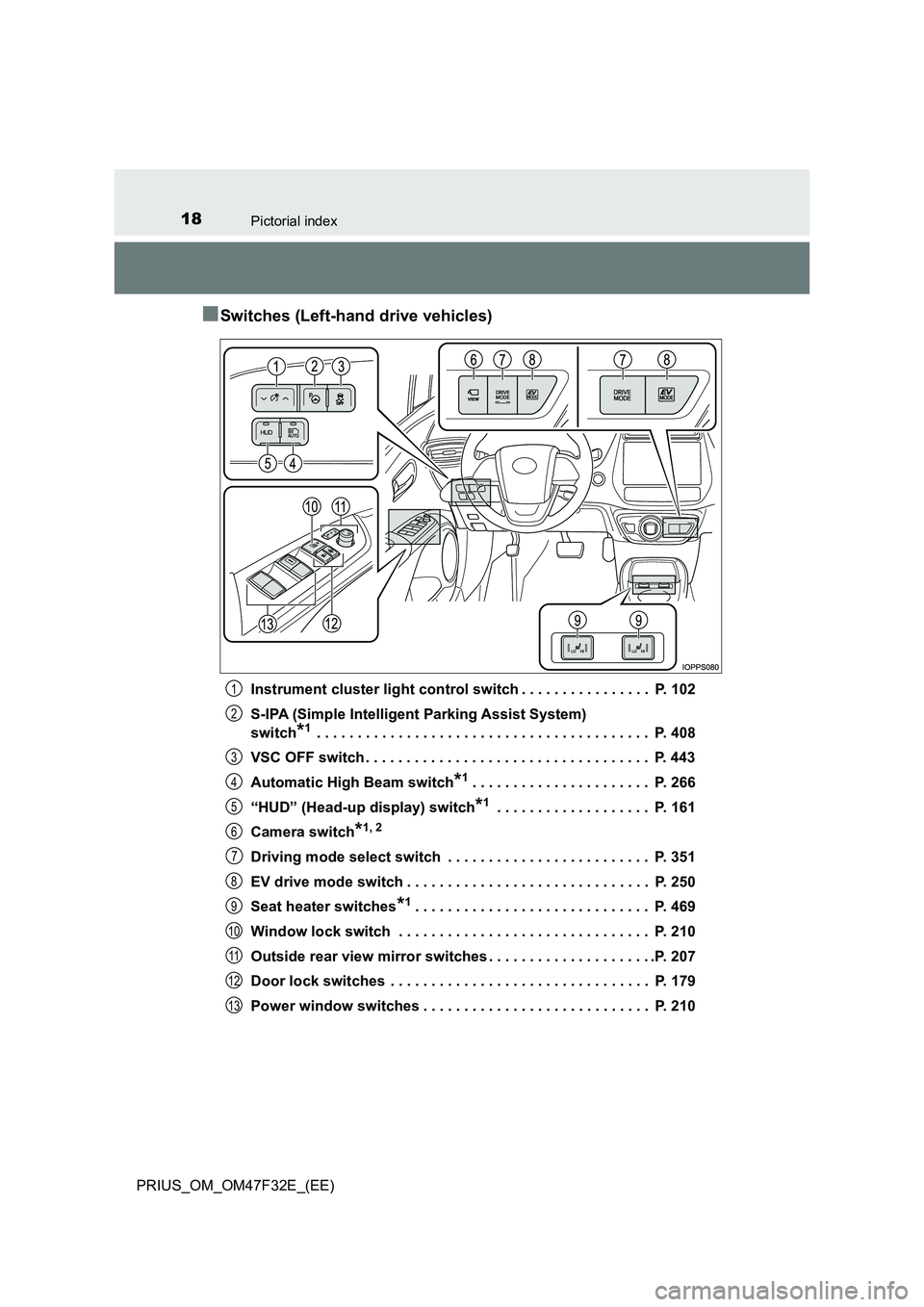
■Switches (Left-hand drive vehicles)
Instrument cluster light control switch . . . . . . . . . . . . . . . . P. 102
S-IPA (Simple Intelligent Parking Assist System)
switch*1 . . . . . . . . . . . . . . . . . . . . . . . . . . . . . . . . . . . . . . . . . P. 408
VSC OFF switch . . . . . . . . . . . . . . . . . . . . . . . . . . . . . . . . . . . P. 443
Automatic High Beam switch*1. . . . . . . . . . . . . . . . . . . . . . P. 266
“HUD” (Head-up display) switch*1 . . . . . . . . . . . . . . . . . . . P. 161
Camera switch*1, 2
Driving mode select switch . . . . . . . . . . . . . . . . . . . . . . . . . P. 351
EV drive mode switch . . . . . . . . . . . . . . . . . . . . . . . . . . . . . . P. 250
Seat heater switches*1. . . . . . . . . . . . . . . . . . . . . . . . . . . . . P. 469
Window lock switch . . . . . . . . . . . . . . . . . . . . . . . . . . . . . . . P. 210
Outside rear view mirror switches . . . . . . . . . . . . . . . . . . . . .P. 207
Door lock switches . . . . . . . . . . . . . . . . . . . . . . . . . . . . . . . . P. 179
Power window switches . . . . . . . . . . . . . . . . . . . . . . . . . . . . P. 210
1
2
3
4
5
6
7
8
9
10
11
12
13
Page 26 of 770
24Pictorial index
PRIUS_OM_OM47F32E_(EE)
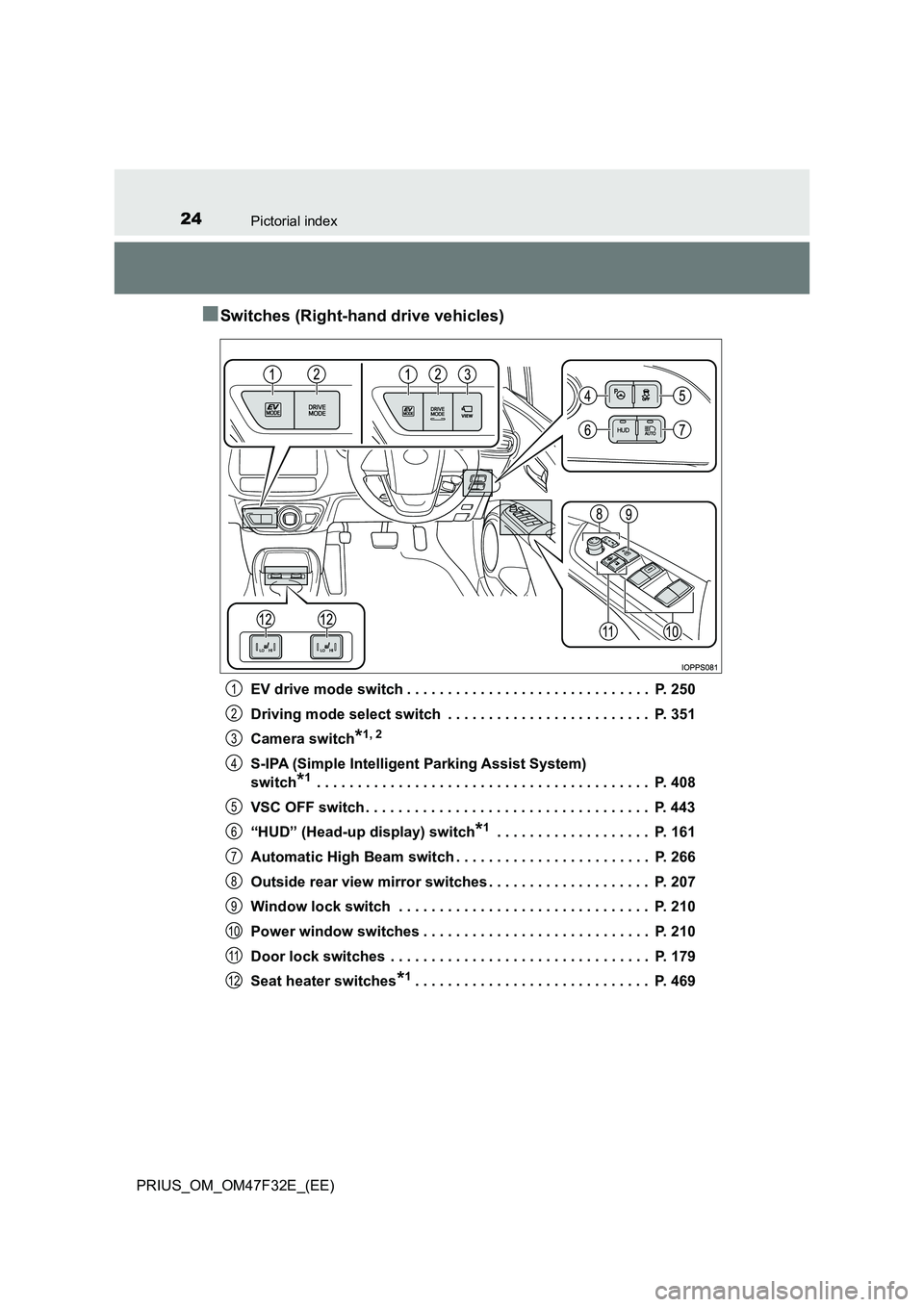
■Switches (Right-hand drive vehicles)
EV drive mode switch . . . . . . . . . . . . . . . . . . . . . . . . . . . . . . P. 250
Driving mode select switch . . . . . . . . . . . . . . . . . . . . . . . . . P. 351
Camera switch*1, 2
S-IPA (Simple Intelligent Parking Assist System)
switch*1 . . . . . . . . . . . . . . . . . . . . . . . . . . . . . . . . . . . . . . . . . P. 408
VSC OFF switch . . . . . . . . . . . . . . . . . . . . . . . . . . . . . . . . . . . P. 443
“HUD” (Head-up display) switch*1 . . . . . . . . . . . . . . . . . . . P. 161
Automatic High Beam switch . . . . . . . . . . . . . . . . . . . . . . . . P. 266
Outside rear view mirror switches . . . . . . . . . . . . . . . . . . . . P. 207
Window lock switch . . . . . . . . . . . . . . . . . . . . . . . . . . . . . . . P. 210
Power window switches . . . . . . . . . . . . . . . . . . . . . . . . . . . . P. 210
Door lock switches . . . . . . . . . . . . . . . . . . . . . . . . . . . . . . . . P. 179
Seat heater switches*1. . . . . . . . . . . . . . . . . . . . . . . . . . . . . P. 469
1
2
3
4
5
6
7
8
9
10
11
12
Page 105 of 770
1032. Instrument cluster
2
Instrument cluster
PRIUS_OM_OM47F32E_(EE)
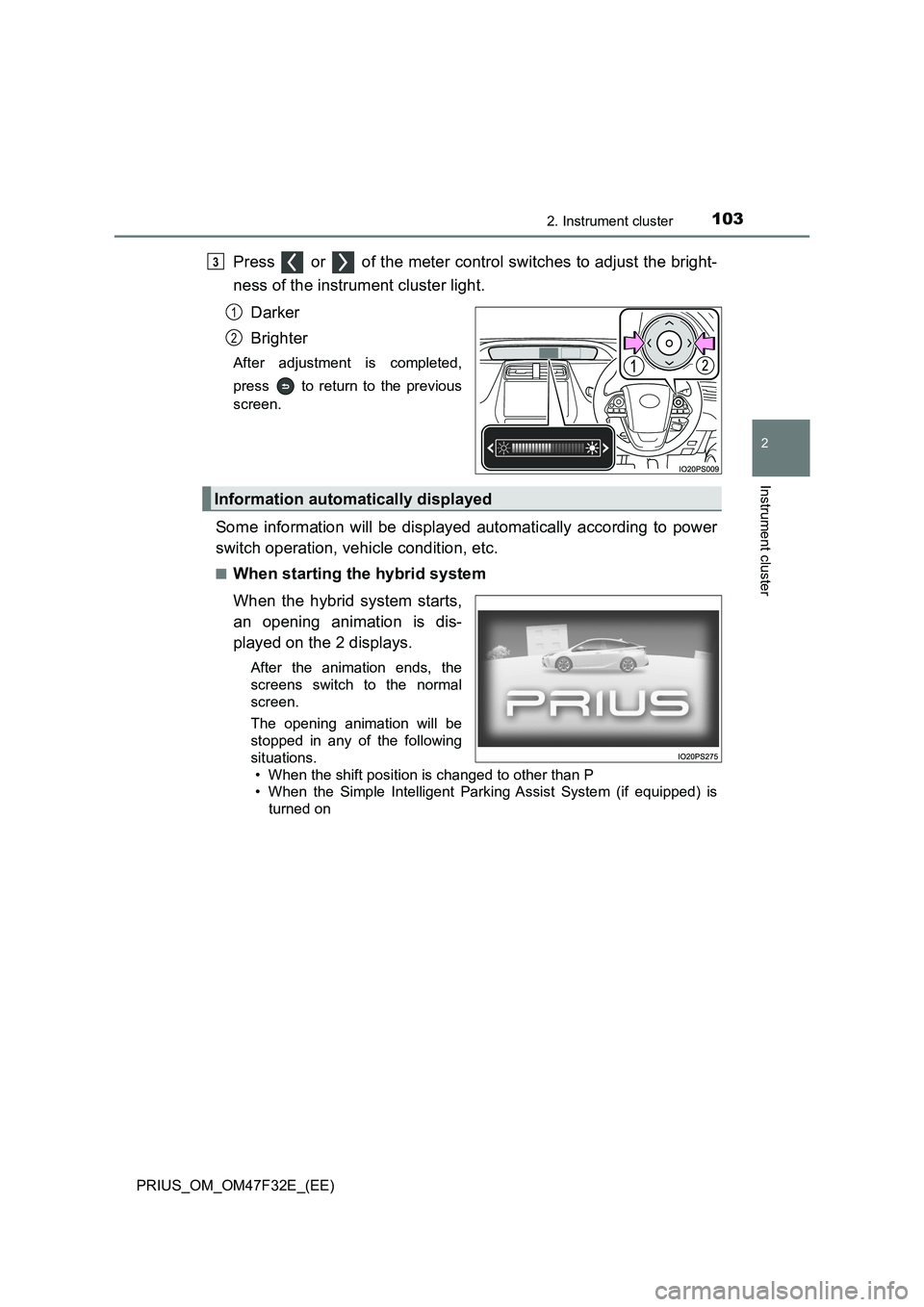
Press or of the meter control switches to adjust the bright-
ness of the instrument cluster light.
Darker
Brighter
After adjustment is completed,
press to return to the previous
screen.
Some information will be displayed automatically according to power
switch operation, vehicle condition, etc.
■When starting the hybrid system
When the hybrid system starts,
an opening animation is dis-
played on the 2 displays.
After the animation ends, the
screens switch to the normal
screen.
The opening animation will be
stopped in any of the following
situations.
• When the shift position is changed to other than P
• When the Simple Intelligent Parking Assist System (if equipped) is
turned on
3
1
2
Information automatically displayed
Page 116 of 770
1142. Instrument cluster
PRIUS_OM_OM47F32E_(EE)
*1: These lights turn on when the power switch is turned to ON mode to indi-
cate that a system check is being performed. They will turn off after the
hybrid system is on, or after a few seconds. There may be a malfunction in
a system if a light does not come on, or turn off. Have the vehicle
inspected by any authorized Toyota re tailer or Toyota authorized repairer,
or any reliable repairer.
*2: The light flashes to indicate that the system is operating.
*3: The light comes on when the system is turned off.
*4: Depending on the operating condition, the color and illuminating/flashing
state of the light change.
■Main display and multi-information display
*: The displayed indicator changes according to the current driving mode.
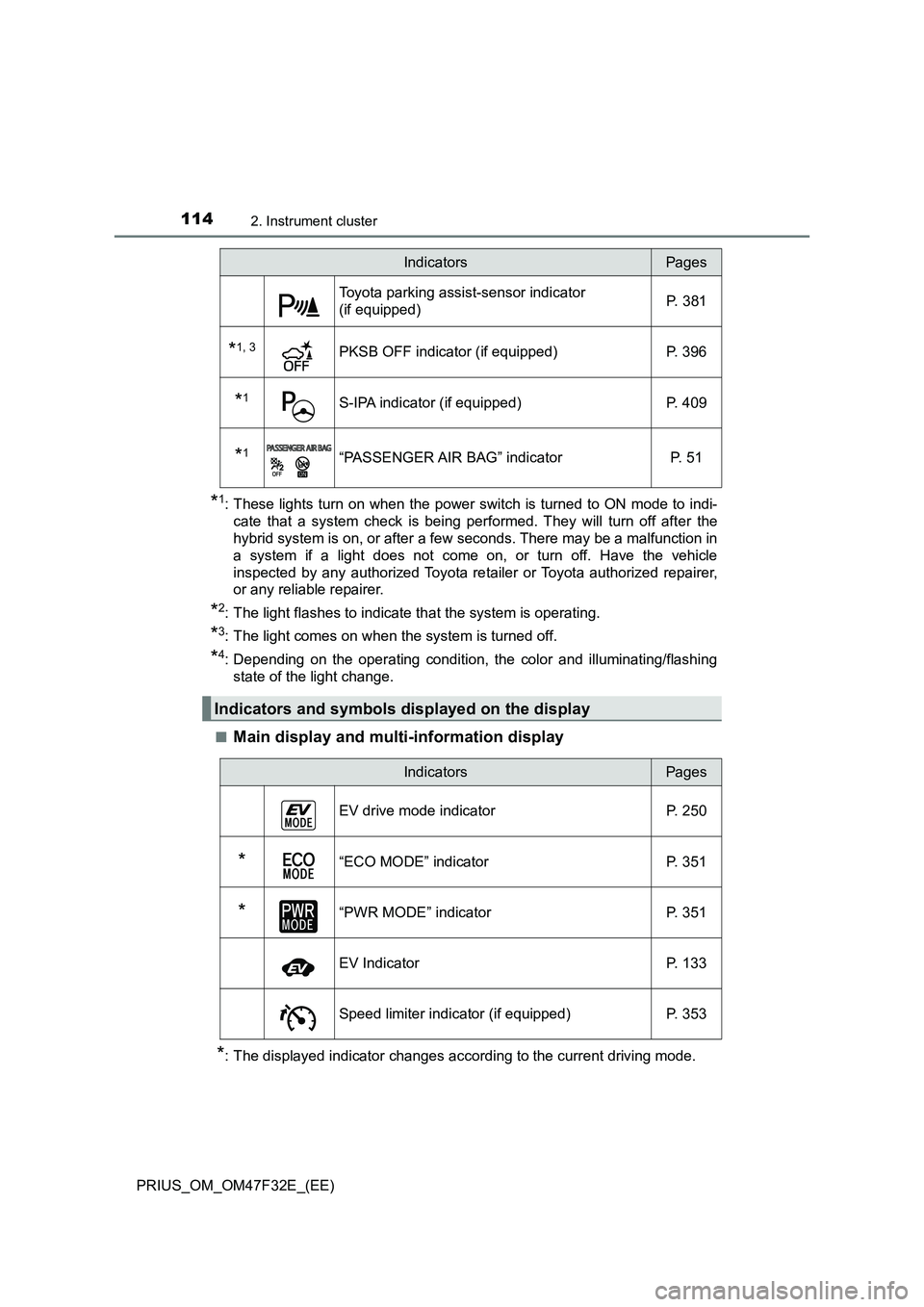
Toyota parking assist-sensor indicator
(if equipped) P. 381
*1, 3PKSB OFF indicator (if equipped) P. 396
*1S-IPA indicator (if equipped) P. 409
*1“PASSENGER AIR BAG” indicator P. 51
Indicators and symbols displayed on the display
IndicatorsPages
IndicatorsPages
EV drive mode indicator P. 250
*“ECO MODE” indicator P. 351
*“PWR MODE” indicator P. 351
EV Indicator P. 133
Speed limiter indicator (if equipped) P. 353
Page 156 of 770
1542. Instrument cluster
PRIUS_OM_OM47F32E_(EE)■
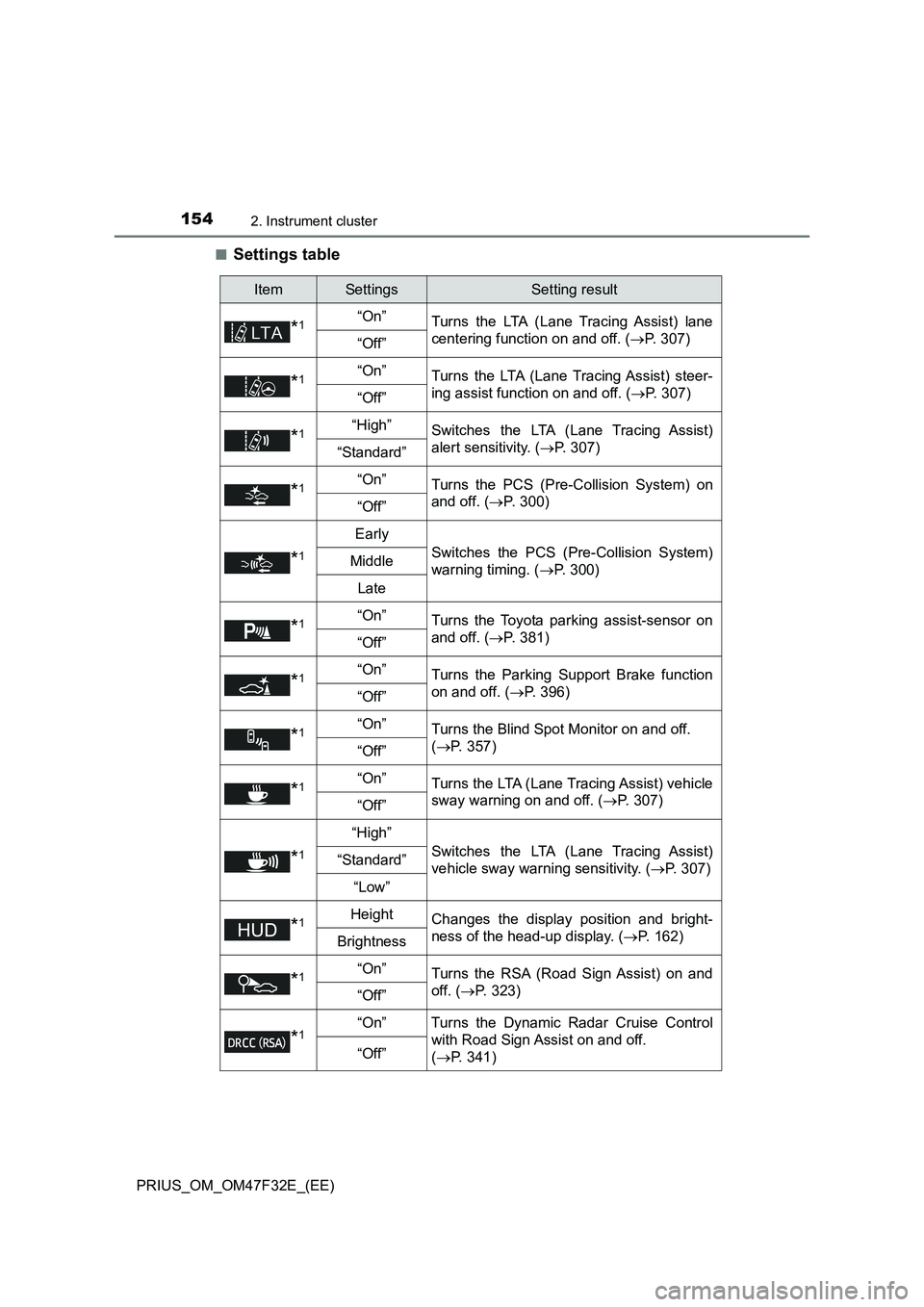
Settings table
ItemSettingsSetting result
*1“On”
Turns the LTA (Lane Tracing Assist) lane
centering function on and off. (P. 307)
“Off”
*1“On”
Turns the LTA (Lane Tracing Assist) steer-
ing assist function on and off. (P. 307)
“Off”
*1“High”Switches the LTA (Lane Tracing Assist)
alert sensitivity. (P. 307)
“Standard”
*1“On”Turns the PCS (Pre-Collision System) on
and off. (P. 300)
“Off”
*1
Early
Switches the PCS (Pre-Collision System)
warning timing. (P. 300)Middle
Late
*1“On”Turns the Toyota parking assist-sensor on
and off. (P. 381)
“Off”
*1“On”Turns the Parking Support Brake function
on and off. (P. 396)
“Off”
*1“On”Turns the Blind Spot Monitor on and off.
(P. 357)
“Off”
*1“On”Turns the LTA (Lane Tracing Assist) vehicle
sway warning on and off. (P. 307)
“Off”
*1
“High”
Switches the LTA (Lane Tracing Assist)
vehicle sway warning sensitivity. (P. 3 0 7 )“Standard”
“Low”
*1HeightChanges the display position and bright-
ness of the head-up display. (P. 162)
Brightness
*1“On”Turns the RSA (Road Sign Assist) on and
off. (P. 323)
“Off”
*1“On” Turns the Dynamic Radar Cruise Control
with Road Sign Assist on and off.
(P. 341)
“Off”
Page 165 of 770
1632. Instrument cluster
2
Instrument cluster
PRIUS_OM_OM47F32E_(EE)■
Insert displays of the driving support systems
Insert displays are linked with the operation of the following sys-
tems and used to show some of the information shown on the multi-
information display on the head-up display.
*: If equipped
■
Master warning light insert display
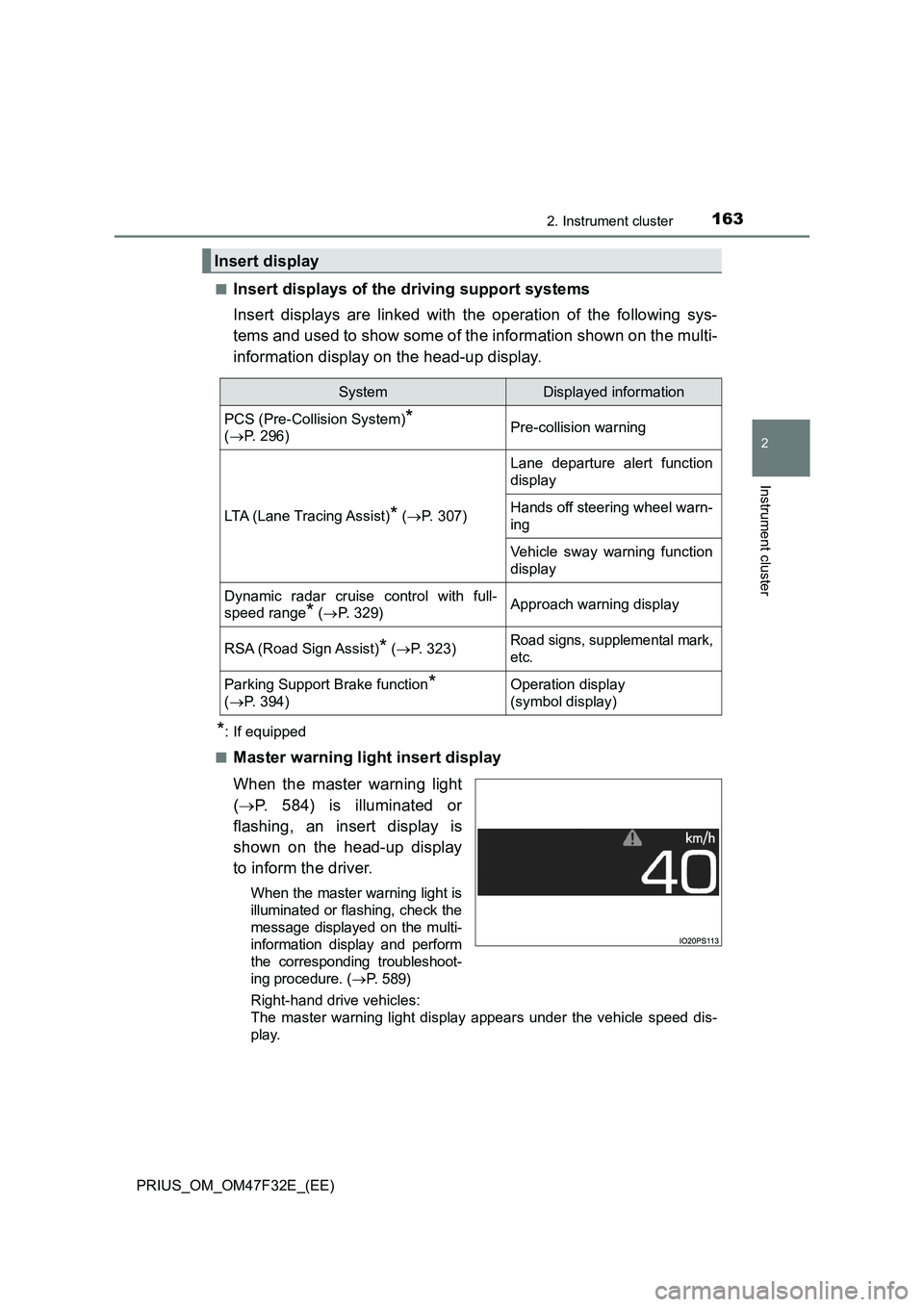
When the master warning light
(P. 584) is illuminated or
flashing, an insert display is
shown on the head-up display
to inform the driver.
When the master warning light is
illuminated or flashing, check the
message displayed on the multi-
information display and perform
the corresponding troubleshoot-
ing procedure. (P. 5 8 9 )
Right-hand drive vehicles:
The master warning light display appears under the vehicle speed dis-
play.
Insert display
SystemDisplayed information
PCS (Pre-Collision System)*
(P. 296)Pre-collision warning
LTA (Lane Tracing Assist)* (P. 307)
Lane departure alert function
display
Hands off steering wheel warn-
ing
Vehicle sway warning function
display
Dynamic radar cruise control with full-
speed range
* (P. 329)Approach warning display
RSA (Road Sign Assist)* (P. 323)Road signs, supplemental mark,
etc.
Parking Support Brake function*
(P. 394)Operation display
(symbol display)
Page 221 of 770
219
4Driving
PRIUS_OM_OM47F32E_(EE)4-1. Before driving
Driving the vehicle ............. 220
Cargo and luggage ............ 231
Trailer towing
(2WD models).................. 233
Trailer towing
(AWD models) ................. 243
4-2. Driving procedures
Power (ignition) switch ....... 244
EV drive mode ................... 250
Hybrid transmission ........... 253
Turn signal lever ................ 259
Parking brake .................... 260
4-3. Operating the lights
and wipers
Headlight switch ................ 261
AHB (Automatic High
Beam) .............................. 266
Fog light switch .................. 270
Windshield wipers and
washer ............................. 271
Rear window wiper and
washer ............................. 275
4-4. Refueling
Opening the fuel tank
cap ................................... 2774-5. Using the driving
support systems
Toyota Safety Sense ......... 282
PCS (Pre-Collision
System) ........................... 296
LTA
(Lane Tracing Assist)....... 307
RSA (Road Sign Assist)..... 323
Dynamic radar cruise
control with full-speed
range ............................... 329
Cruise control..................... 346
Driving mode select
switch............................... 351
Speed limiter ...................... 353
BSM
(Blind Spot Monitor) ......... 356
• The Blind Spot Monitor
function .......................... 372
• The Rear Crossing
Traffic Alert function ...... 375
Toyota parking
assist-sensor ................... 381
Parking Support Brake
function ............................ 394
S-IPA (Simple Intelligent
Parking Assist
System) ........................... 405
GPF (Gasoline Particulate
Filter) system ................... 440
Driving assist systems ....... 441
4-6. Driving tips
Hybrid vehicle driving
tips ................................... 449
Winter driving tips .............. 452
Page 223 of 770
2214-1. Before driving
4
Driving
PRIUS_OM_OM47F32E_(EE)
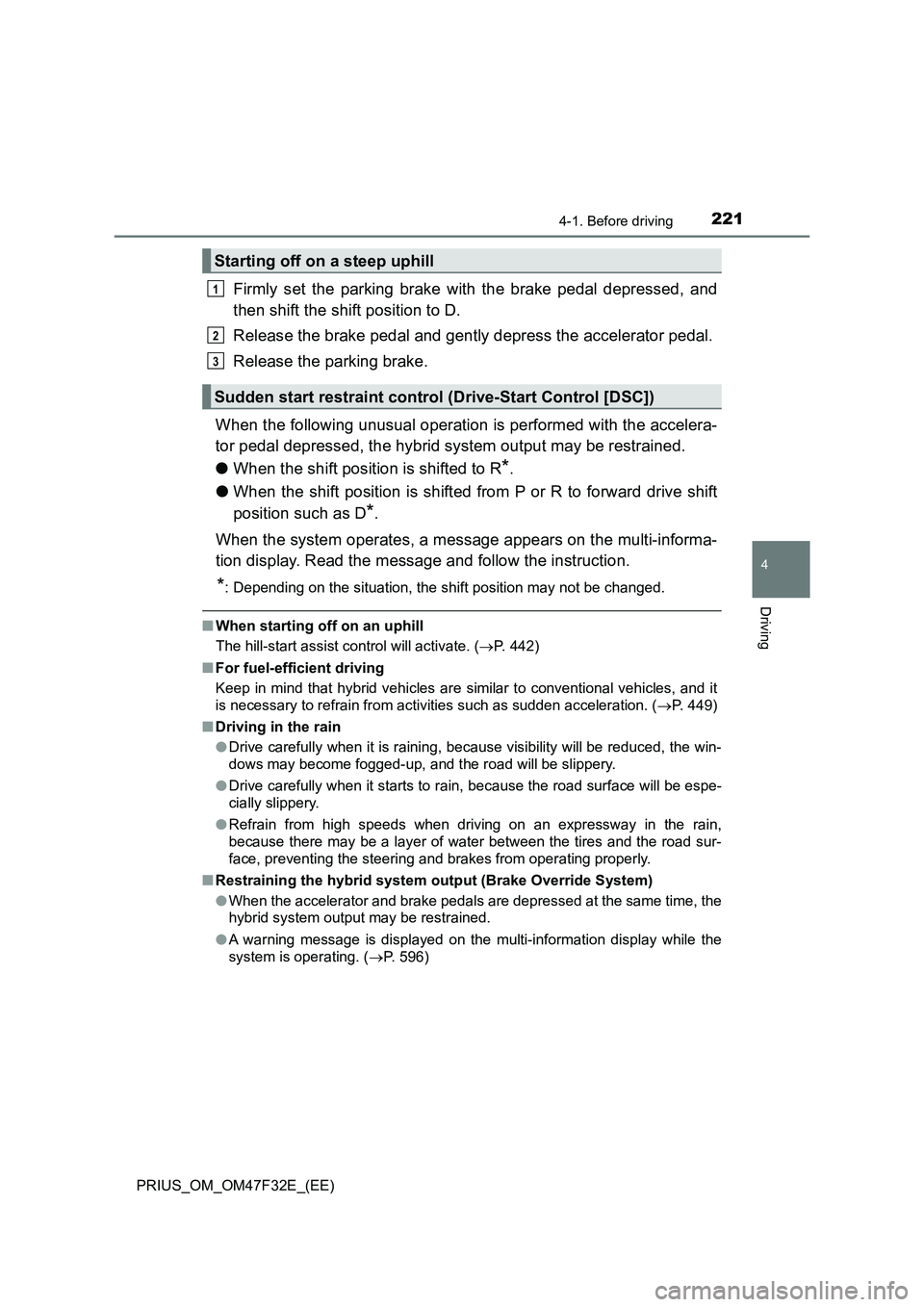
Firmly set the parking brake with the brake pedal depressed, and
then shift the shift position to D.
Release the brake pedal and gently depress the accelerator pedal.
Release the parking brake.
When the following unusual operation is performed with the accelera-
tor pedal depressed, the hybrid system output may be restrained.
●When the shift position is shifted to R
*.
●When the shift position is shifted from P or R to forward drive shift
position such as D
*.
When the system operates, a message appears on the multi-informa-
tion display. Read the message and follow the instruction.
*: Depending on the situation, the shift position may not be changed.
■When starting off on an uphill
The hill-start assist control will activate. (P. 442)
■For fuel-efficient driving
Keep in mind that hybrid vehicles are similar to conventional vehicles, and it
is necessary to refrain from activities such as sudden acceleration. (P. 449)
■Driving in the rain
●Drive carefully when it is raining, because visibility will be reduced, the win-
dows may become fogged-up, and the road will be slippery.
●Drive carefully when it starts to rain, because the road surface will be espe-
cially slippery.
●Refrain from high speeds when driving on an expressway in the rain,
because there may be a layer of water between the tires and the road sur-
face, preventing the steering and brakes from operating properly.
■Restraining the hybrid system output (Brake Override System)
●When the accelerator and brake pedals are depressed at the same time, the
hybrid system output may be restrained.
●A warning message is displayed on the multi-information display while the
system is operating. (P. 596)
Starting off on a steep uphill
Sudden start restraint control (Drive-Start Control [DSC])
1
2
3