audio TOYOTA PRIUS C 2012 NHP10 / 1.G Owners Manual
[x] Cancel search | Manufacturer: TOYOTA, Model Year: 2012, Model line: PRIUS C, Model: TOYOTA PRIUS C 2012 NHP10 / 1.GPages: 552, PDF Size: 8.27 MB
Page 1 of 552
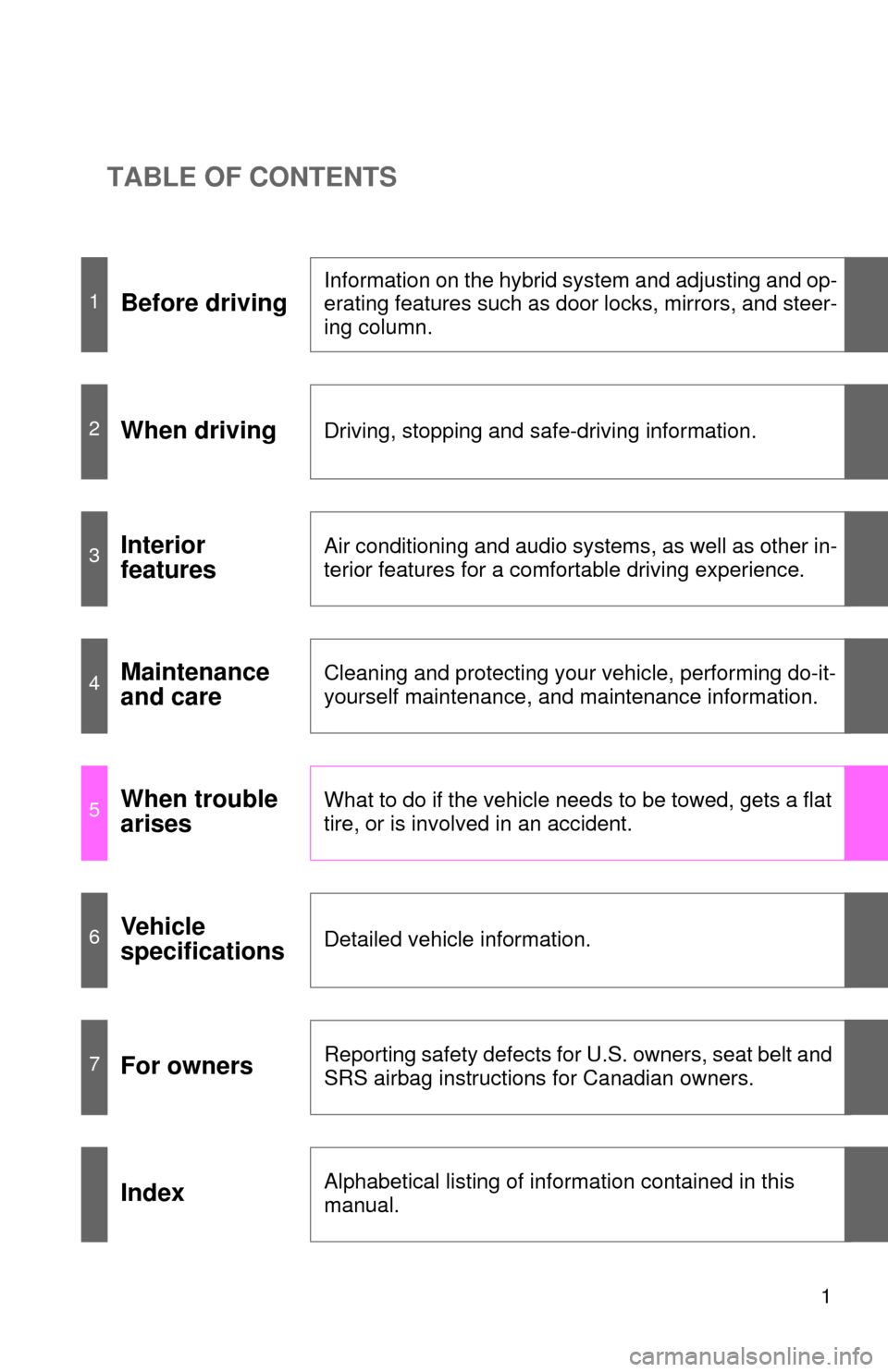
TABLE OF CONTENTS
1
1Before driving
Information on the hybrid system and adjusting and op-
erating features such as door locks, mirrors, and steer-
ing column.
2When drivingDriving, stopping and safe-driving information.
3Interior
featuresAir conditioning and audio systems, as well as other in-
terior features for a comfortable driving experience.
4Maintenance
and careCleaning and protecting your vehicle, performing do-it-
yourself maintenance, and maintenance information.
5When trouble
arisesWhat to do if the vehicle needs to be towed, gets a flat
tire, or is involved in an accident.
6Vehicle
specificationsDetailed vehicle information.
7For ownersReporting safety defects for U.S. owners, seat belt and
SRS airbag instructions for Canadian owners.
IndexAlphabetical listing of information contained in this
manual.
Page 3 of 552
1
2
3
4
5
6
7
3
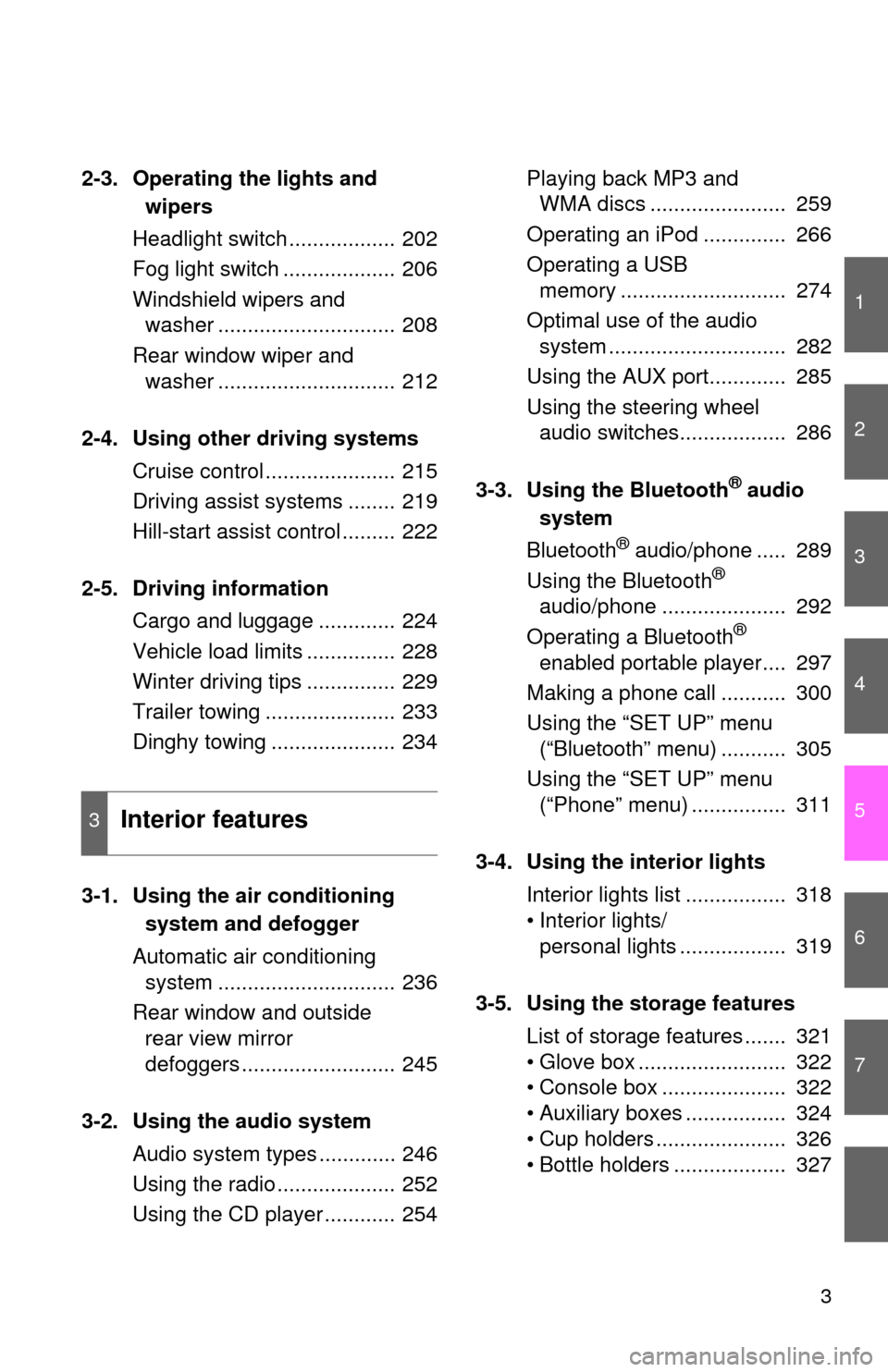
2-3. Operating the lights and wipers
Headlight switch .................. 202
Fog light switch ................... 206
Windshield wipers and washer .............................. 208
Rear window wiper and washer .............................. 212
2-4. Using other driving systems Cruise control ...................... 215
Driving assist systems ........ 219
Hill-start assist control ......... 222
2-5. Driving information Cargo and luggage ............. 224
Vehicle load limits ............... 228
Winter driving tips ............... 229
Trailer towing ...................... 233
Dinghy towing ..................... 234
3-1. Using the air conditioning system and defogger
Automatic air conditioning system .............................. 236
Rear window and outside rear view mirror
defoggers .......................... 245
3-2. Using the audio system Audio system types ............. 246
Using the radio .................... 252
Using the CD player ............ 254 Playing back MP3 and
WMA discs ....................... 259
Operating an iPod .............. 266
Operating a USB memory ............................ 274
Optimal use of the audio system .............................. 282
Using the AUX port............. 285
Using the steering wheel audio switches.................. 286
3-3. Using the Bluetooth
® audio
system
Bluetooth
® audio/phone ..... 289
Using the Bluetooth®
audio/phone ..................... 292
Operating a Bluetooth
®
enabled portable player.... 297
Making a phone call ........... 300
Using the “SET UP” menu (“Bluetooth” menu) ........... 305
Using the “SET UP” menu (“Phone” menu) ................ 311
3-4. Using the interior lights Interior lights list ................. 318
• Interior lights/personal lights .................. 319
3-5. Using the storage features List of storage features ....... 321
• Glove box ......................... 322
• Console box ..................... 322
• Auxiliary boxes ................. 324
• Cup holders ...................... 326
• Bottle holders ................... 327
3Interior features
Page 12 of 552
12
Pictorial indexInstrument panel
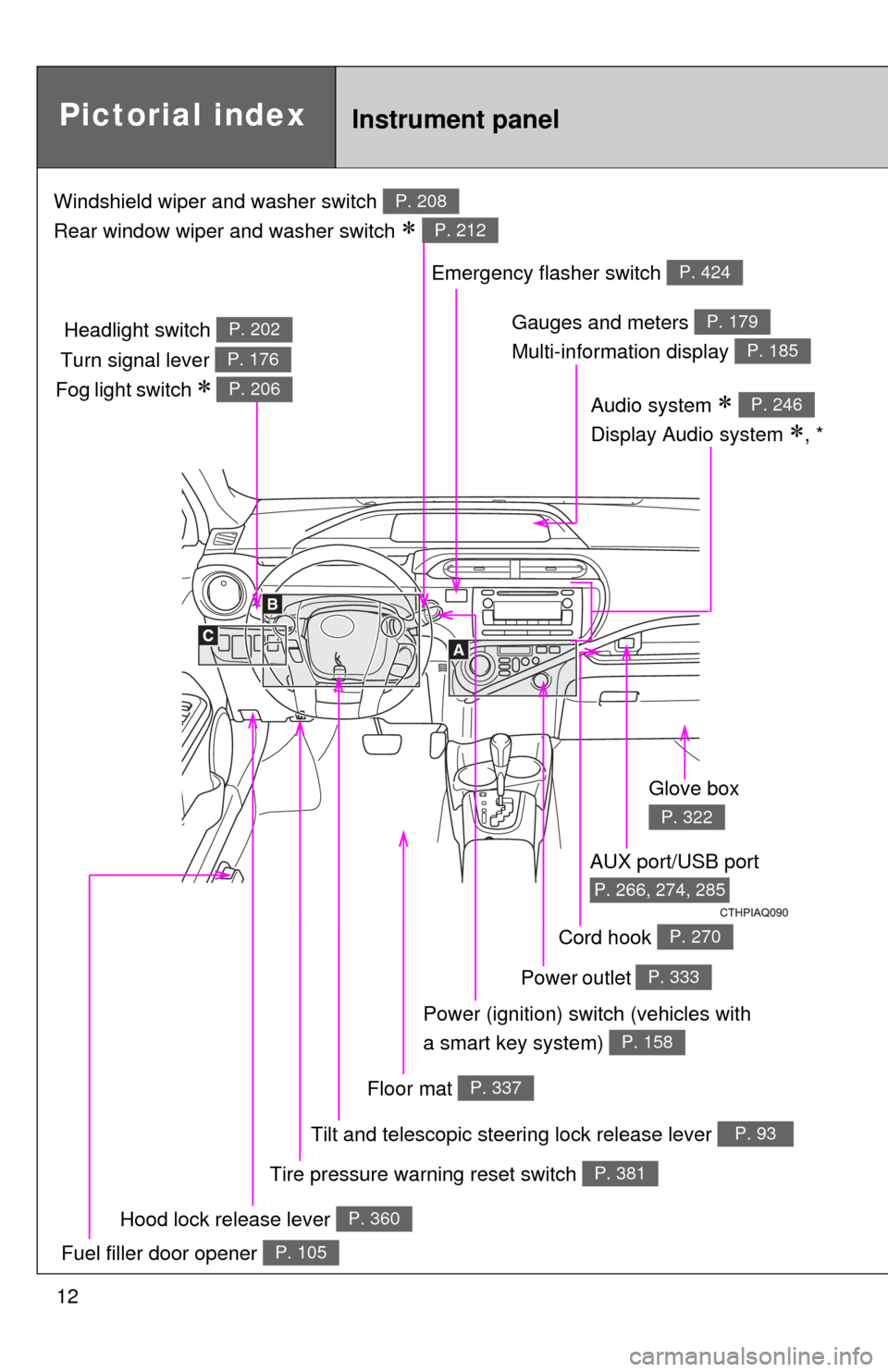
Hood lock release lever P. 360
Gauges and meters
Multi-information display P. 179
P. 185
Glove box
P. 322
Fuel filler door opener P. 105
Tire pressure warning reset switch P. 381
AUX port/USB port
P. 266, 274, 285
Power outlet P. 333
Power (ignition) switch (vehicles with
a smart key system)
P. 158
Tilt and telescopic steering lock release lever P. 93
Audio system
Display Audio system
, *
P. 246
Emergency flasher switch P. 424
Headlight switch P. 202
Turn signal lever P. 176
Fog light switch P. 206
Floor mat P. 337
Cord hook P. 270
Windshield wiper and washer switch
Rear window wiper and washer switch
P. 208
P. 212
Page 13 of 552
13
A
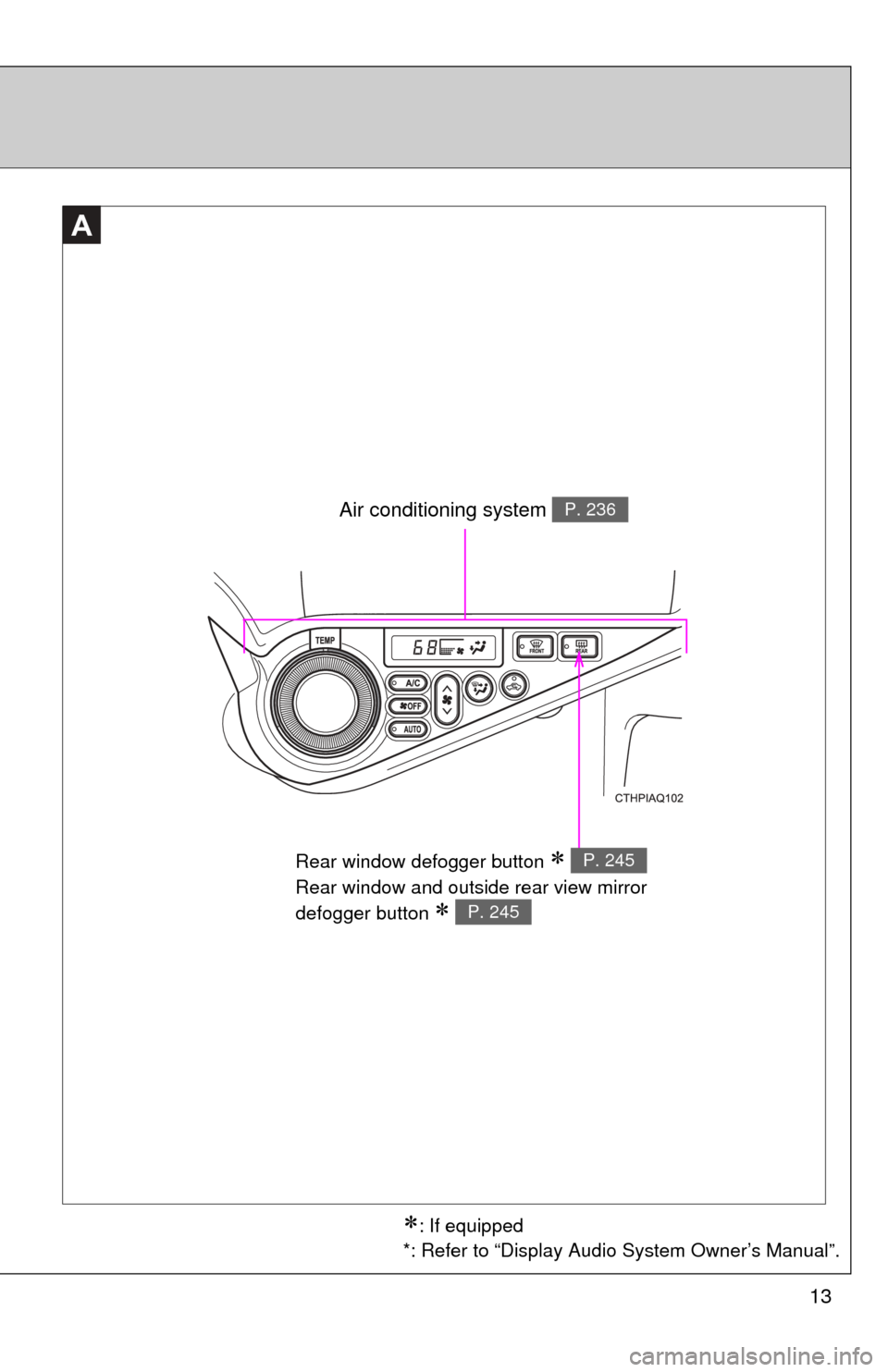
Rear window defogger button
Rear window and outside rear view mirror
defogger button
P. 245
P. 245
Air conditioning system P. 236
: If equipped
*: Refer to “Display Audio System Owner’s Manual”.
Page 14 of 552
14
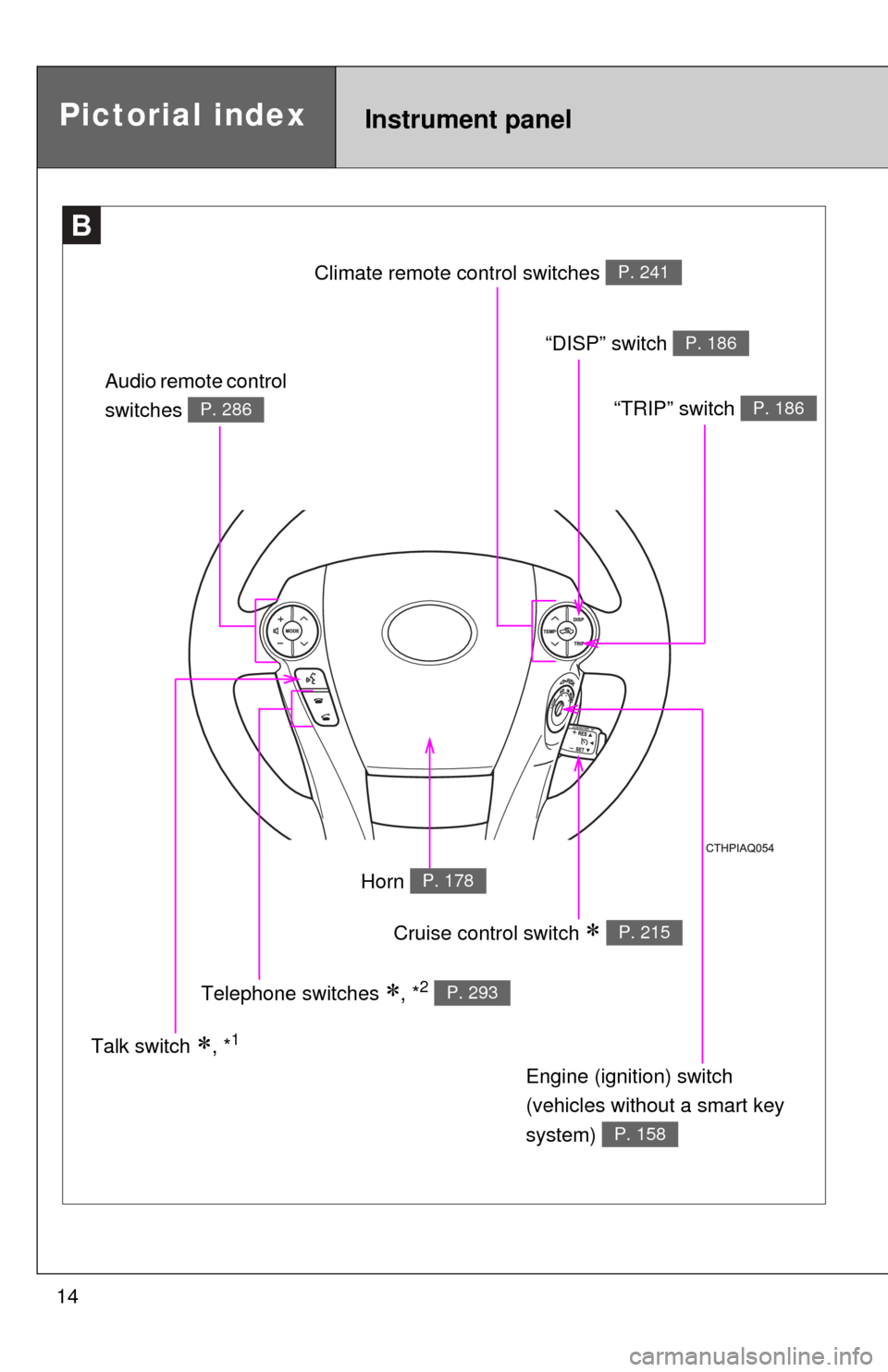
B
Pictorial indexInstrument panel
Cruise control switch P. 215
Engine (ignition) switch
(vehicles without a smart key
system)
P. 158
Audio remote control
switches
P. 286
Talk switch , *1
Telephone switches
, *2 P. 293
Horn P. 178
Climate remote co
ntrol switches P. 241
“DISP” switch P. 186
“TRIP” switch P. 186
Page 15 of 552
15
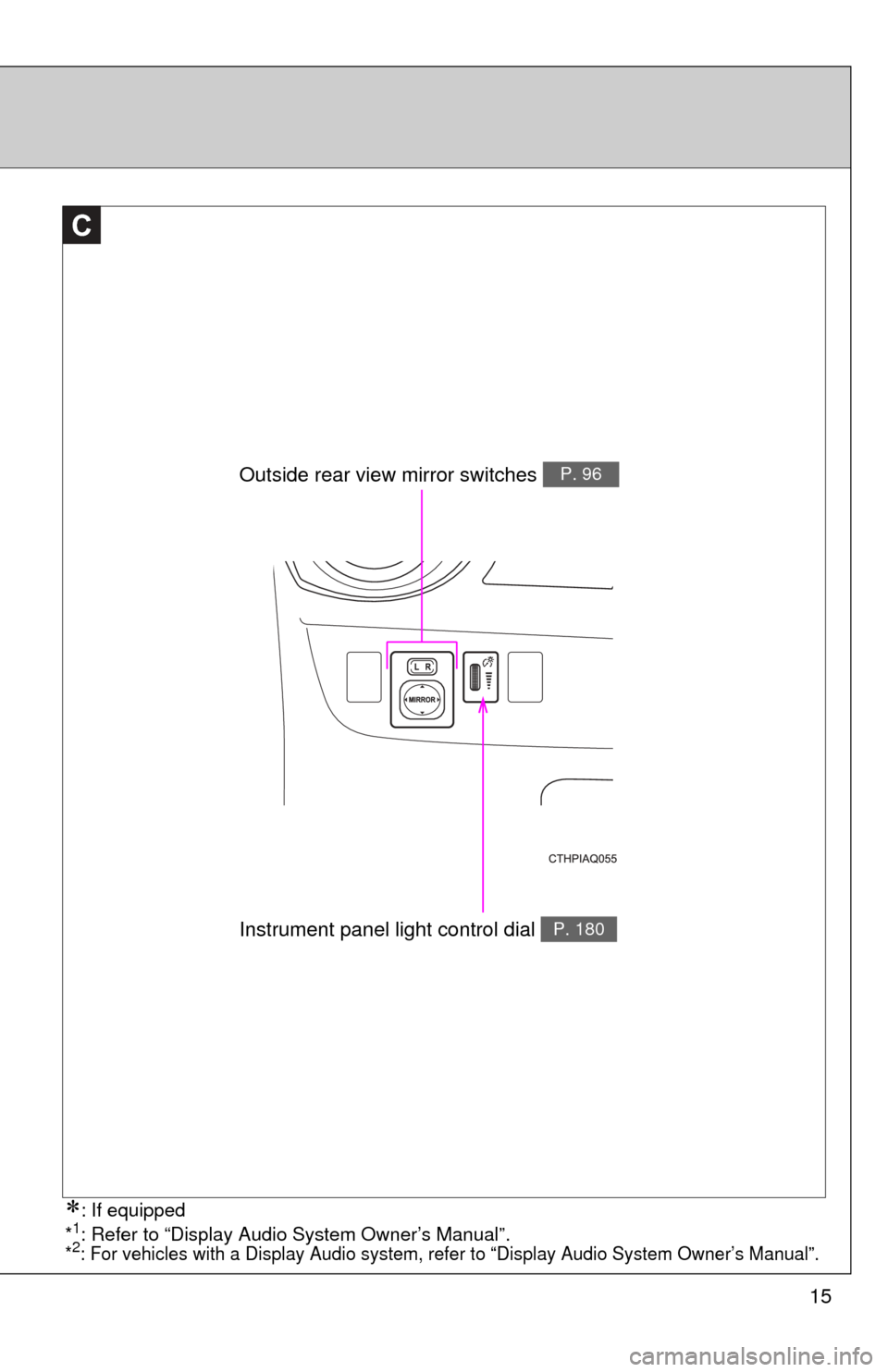
C
Outside rear view mirror switches P. 96
Instrument panel light control dial P. 180
: If equipped
*1: Refer to “Display Audio System Owner’s Manual”.*2: For vehicles with a Display Audio system, re fer to “Display Audio System Owner’s Manual”.
Page 35 of 552
35
1
1-1. Hybrid system
Before driving
Energy monitor/consumption screen
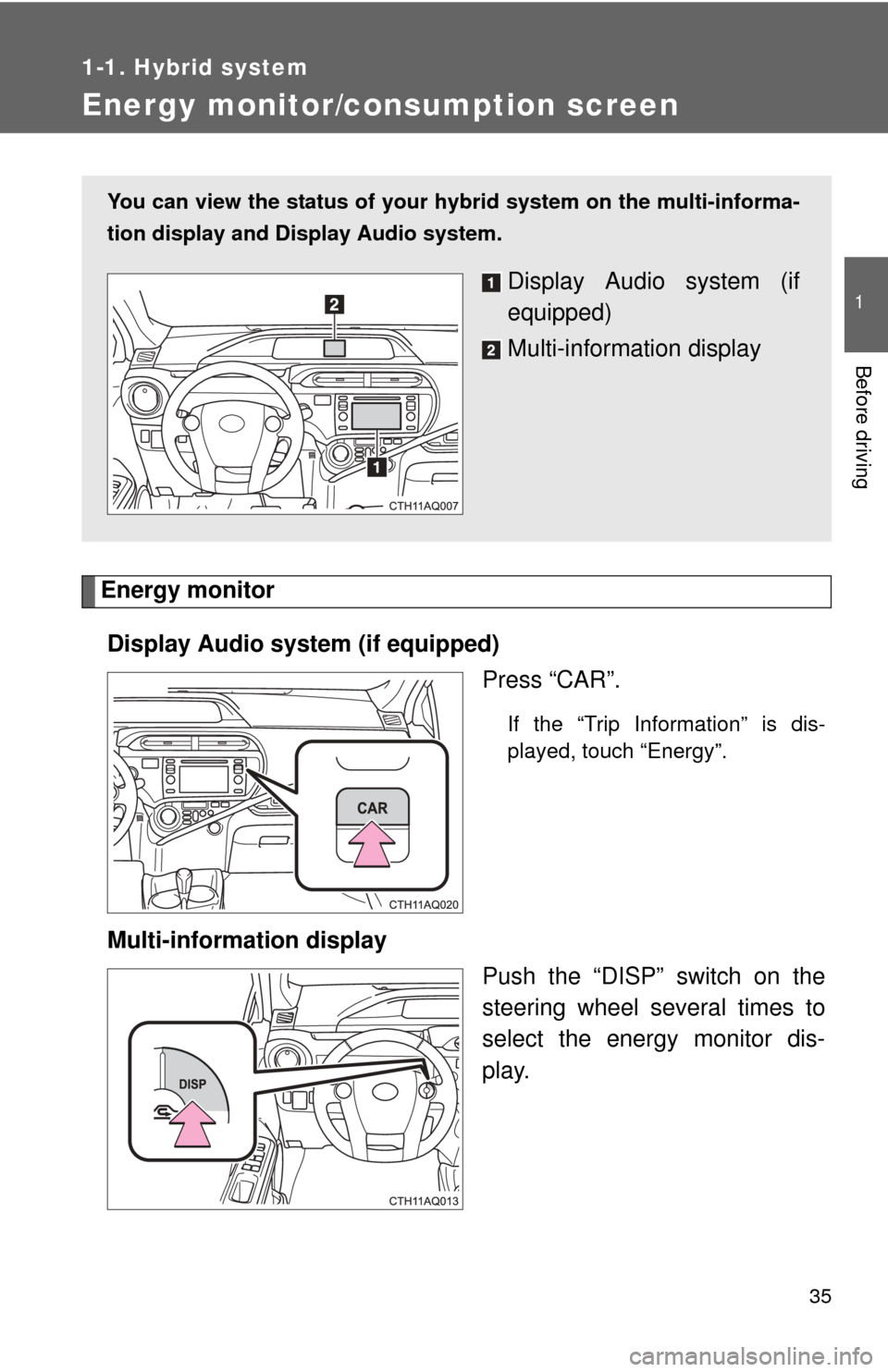
Energy monitorDisplay Audio system (if equipped) Press “CAR”.
If the “Trip Information” is dis-
played, touch “Energy”.
Multi-information displayPush the “DISP” switch on the
steering wheel several times to
select the energy monitor dis-
play.
You can view the status of your hybrid system on the multi-informa-
tion display and Display Audio system.
Display Audio system (if
equipped)
Multi-information display
Page 36 of 552
36 1-1. Hybrid system
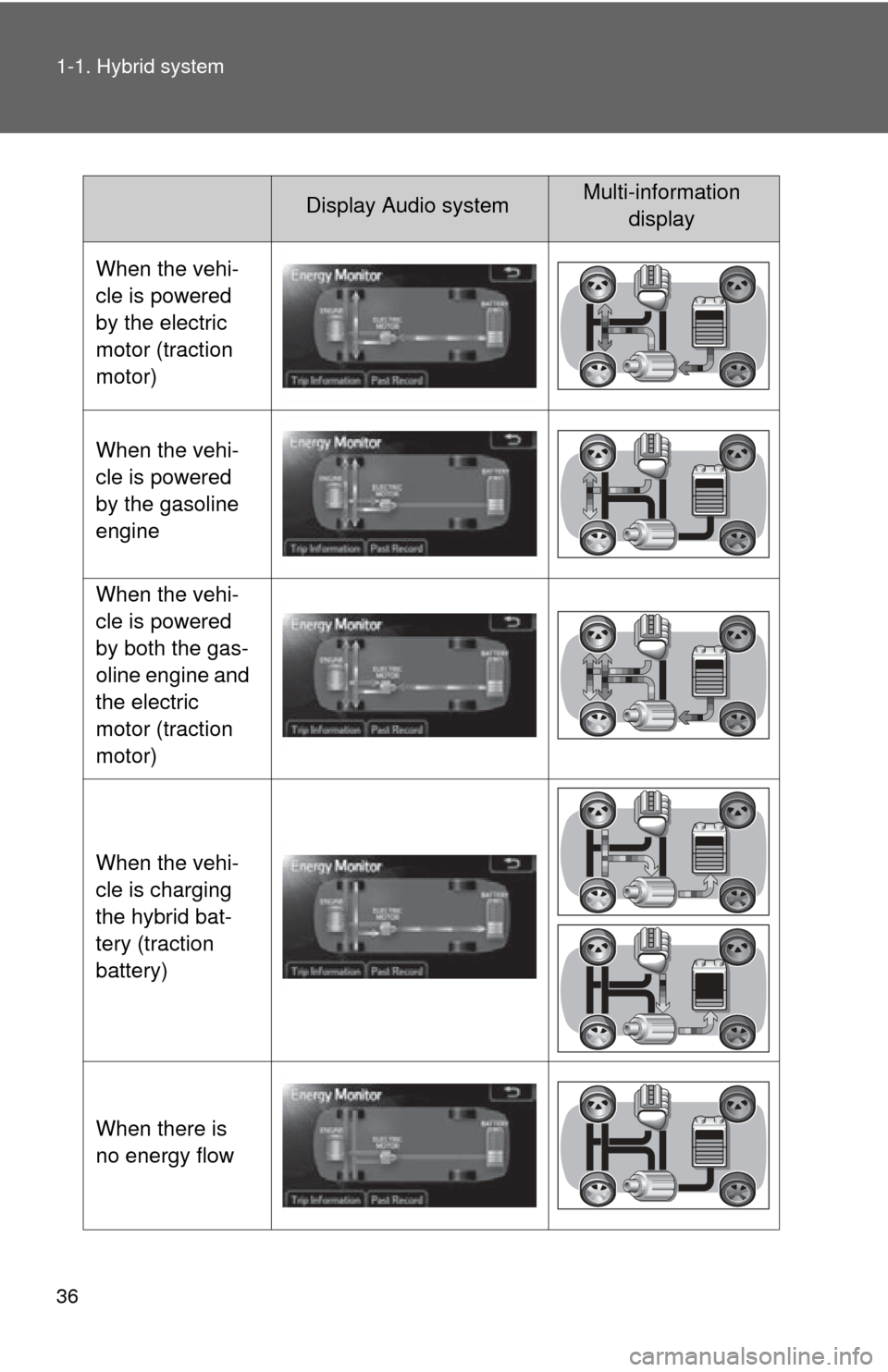
Display Audio systemMulti-information display
When the vehi-
cle is powered
by the electric
motor (traction
motor)
When the vehi-
cle is powered
by the gasoline
engine
When the vehi-
cle is powered
by both the gas-
oline engine and
the electric
motor (traction
motor)
When the vehi-
cle is charging
the hybrid bat-
tery (traction
battery)
When there is
no energy flow
Page 37 of 552
37
1-1. Hybrid system
1
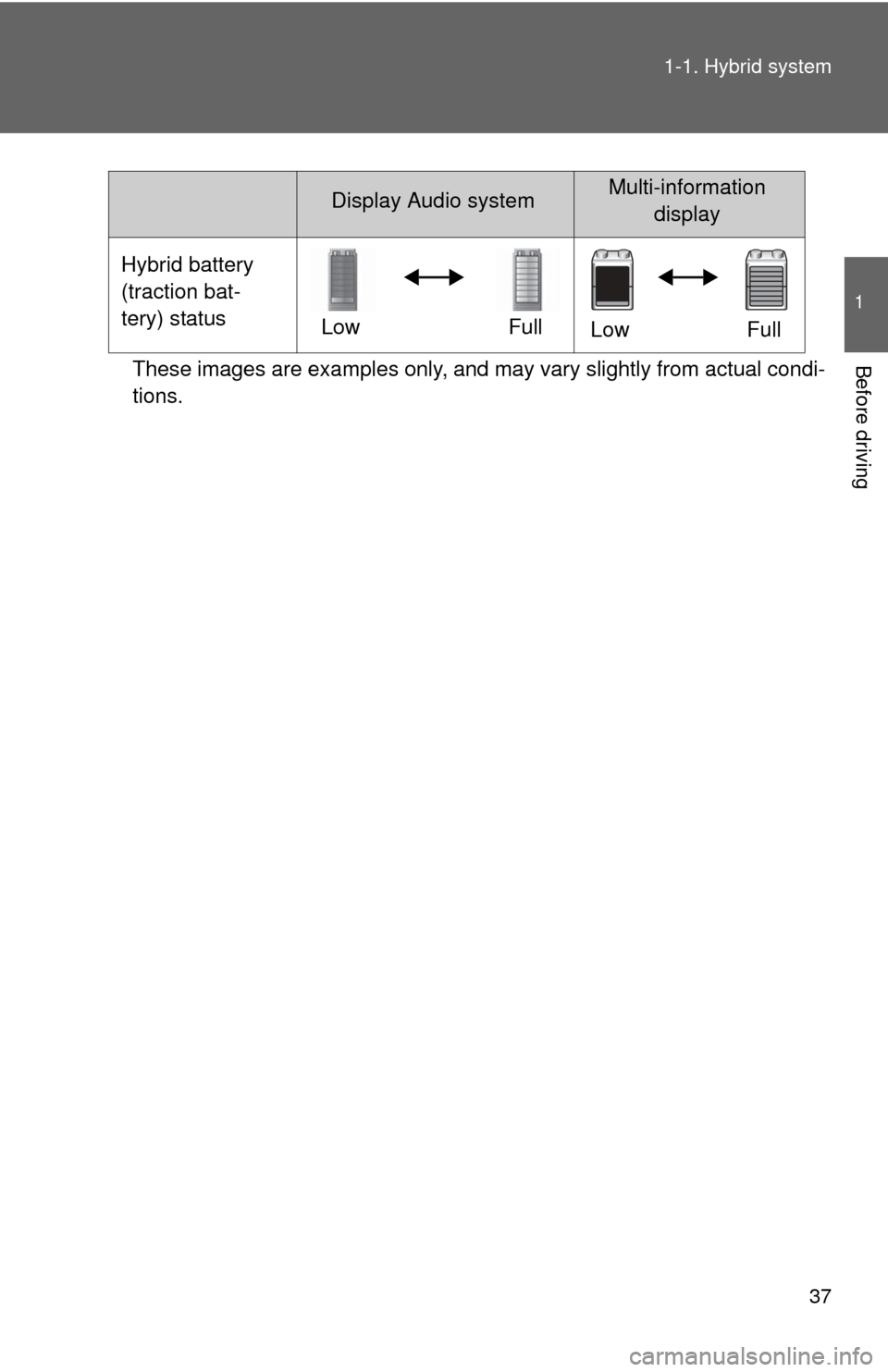
Before drivingThese images are examples only, and may vary slightly from actual condi-
tions.
Hybrid battery
(traction bat-
tery) status
LowFull
Low Full
Display Audio systemMulti-information
display
Page 38 of 552
38 1-1. Hybrid system
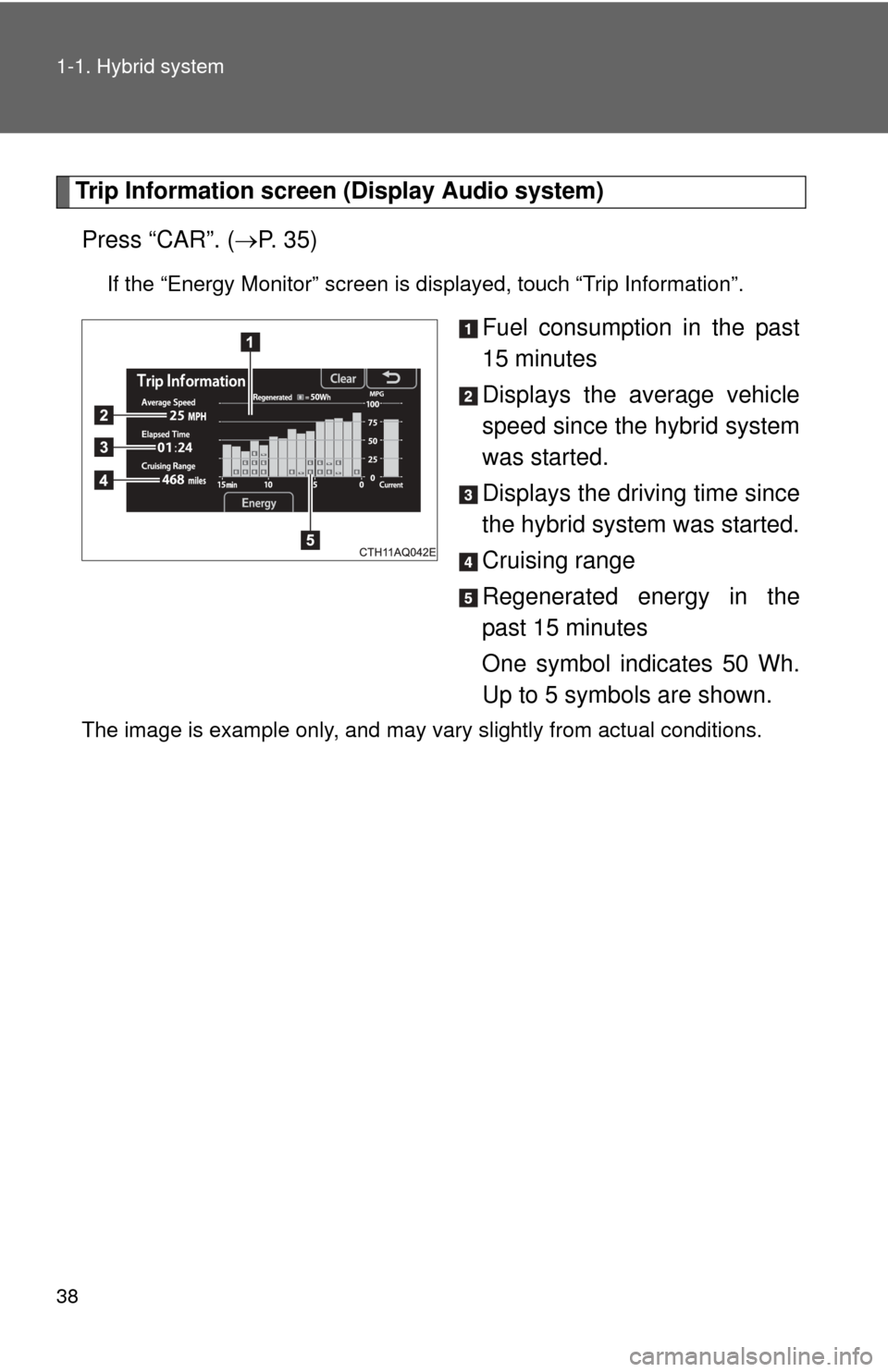
Trip Information screen (Display Audio system)Press “CAR”. ( P. 3 5 )
If the “Energy Monitor” screen is displayed, touch “Trip Information”.
Fuel consumption in the past
15 minutes
Displays the average vehicle
speed since the hybrid system
was started.
Displays the driving time since
the hybrid system was started.
Cruising range
Regenerated energy in the
past 15 minutes
One symbol indicates 50 Wh.
Up to 5 symbols are shown.
The image is example only, and may vary slightly from actual conditions.