phone TOYOTA PRIUS C 2019 Accessories, Audio & Navigation (in English)
[x] Cancel search | Manufacturer: TOYOTA, Model Year: 2019, Model line: PRIUS C, Model: TOYOTA PRIUS C 2019Pages: 282, PDF Size: 4.78 MB
Page 1 of 282
1
Prius_C_Navi_U
1QUICK GUIDE9
2BASIC FUNCTION29
3AUDIO SYSTEM65
4VOICE COMMAND SYSTEM125
5INFORMATION137
6PERIPHERAL MONITORING SYSTEM141
7PHONE151
8NAVIGATION SYSTEM189
9Entune App Suite255
INDEX269
About the following equipmen t, see the “Owner’s Manual”.
Fuel consumption
Energy monitor
Vehicle customization settings
Page 7 of 282
7
Prius_C_Navi_U
1
2
3
4
5
6
7
9
8
1. BASIC OPERATION ........................ 66
QUICK REFERENCE ............................ 66
SOME BASICS ...................................... 67
2. RADIO OPERATION ....................... 72
AM/FM RADIO....................................... 72
XM Satellite Radio ................................. 82
INTERNET RADIO ................................ 89
3. MEDIA OPERATION ....................... 90
CD ......................................................... 90
USB MEMORY ...................................... 94
iPod ....................................................... 99
Bluetooth
® AUDIO ............................... 104
AUX ..................................................... 109
4. AUDIO REMOTE CONTROLS ...... 112
STEERING SWITCHES ...................... 112
5. SETUP ........................................... 114
AUDIO SETTINGS .............................. 114
6. TIPS FOR OPERATING THE AUDIO SYSTEM .................. 116
OPERATING INFORMATION ............. 116
1. VOICE COMMAND SYSTEM OPERATION ................................ 126
VOICE COMMAND SYSTEM .............. 126
CASUAL SPEECH
RECOGNIZATION ............................ 132
COMMAND LIST ................................. 133
2. MOBILE ASSISTANT OPERATION ................................ 135
MOBILE ASSISTANT .......................... 135
1. USEFUL INFORMATION .............. 138
RECEIVING WEATHER
INFORMATION ................................. 138
DATA SERVICES SETTINGS ............. 140
1. REAR VIEW MONITOR SYSTEM ....... ............................ ... 142
REAR VIEW MONITOR SYSTEM ....... 142
REAR VIEW MONITOR SYSTEM
PRECAUTIONS ................................ 144
THINGS YOU SHOULD KNOW .......... 149
1. PHONE OPERATION (HANDS-FREE SYSTEM
FOR CELLULAR PHONES)........ 152
QUICK REFERENCE .......................... 152
SOME BASICS .................................... 153
CALLING ON THE
Bluetooth
® PHONE ........................... 156
RECEIVING ON THE Bluetooth
® PHONE ........................... 162
TALKING ON THE Bluetooth
® PHONE ........................... 163
Bluetooth® PHONE MESSAGE
FUNCTION ........................................ 166
2. SETUP........................................... 171
PHONE/MESSAGE SETTINGS .......... 171
3. WHAT TO DO IF... ........................ 183
TROUBLESHOOTING ......................... 183
3AUDIO SYSTEM
4VOICE COMMAND SYSTEM
5INFORMATION
6PERIPHERAL MONITORING
SYSTEM
7PHONE
Page 14 of 282
14
1. BASIC FUNCTION
Prius_C_Navi_U
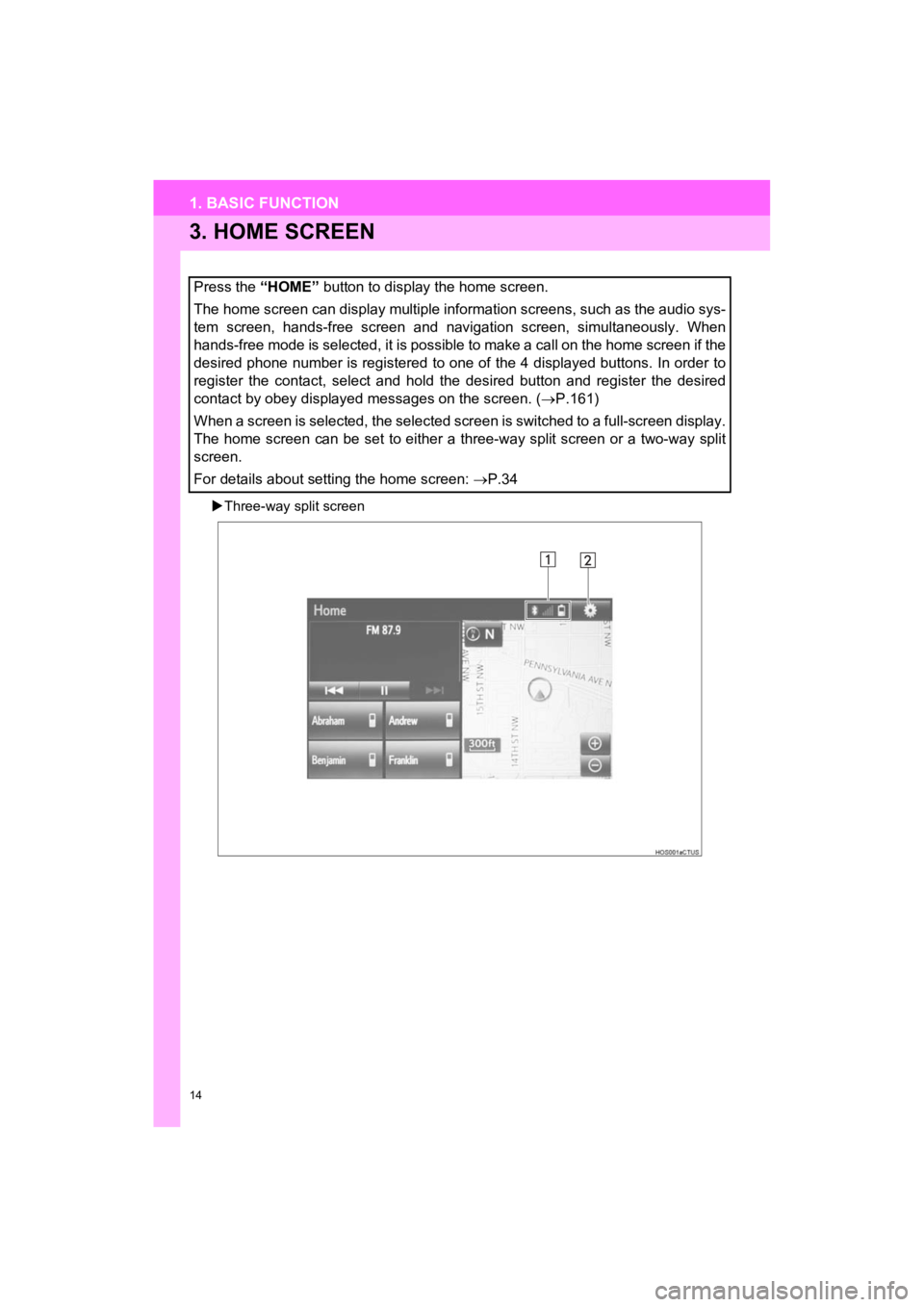
3. HOME SCREEN
Three-way split screen
Press the “HOME” button to display the home screen.
The home screen can display multiple information screens, such as the audio sys-
tem screen, hands-free screen and navigation screen, simultaneously. When
hands-free mode is selected, it is possible to make a call on the home screen if the
desired phone number is registered to one of the 4 displayed bu ttons. In order to
register the contact, select and hold the desired button and re gister the desired
contact by obey displayed messages on the screen. ( P.161)
When a screen is selected, the selected screen is switched to a full-screen display.
The home screen can be set to either a three-way split screen o r a two-way split
screen.
For details about setting the home screen: P.34
Page 16 of 282
16
1. BASIC FUNCTION
Prius_C_Navi_U
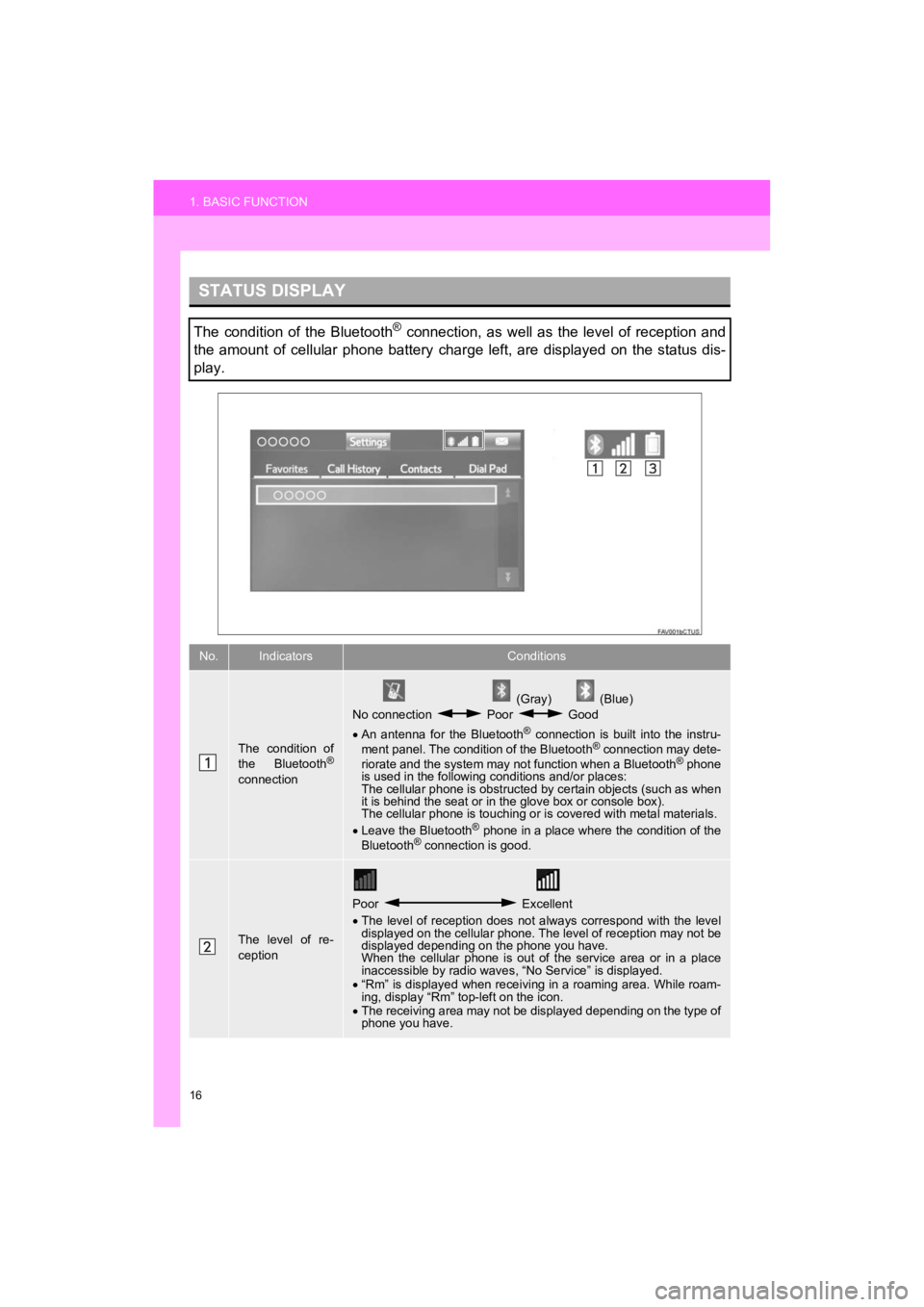
STATUS DISPLAY
The condition of the Bluetooth® connection, as well as the level of reception and
the amount of cellular phone battery charge left, are displayed on the status dis-
play.
No.IndicatorsConditions
The condition of
the Bluetooth®
connection
(Gray) (Blue)
No connection Poor Good
An antenna for the Bluetooth
® connection is built into the instru-
ment panel. The condition of the Bluetooth® connection may dete-
riorate and the system may not function when a Bluetooth® phone
is used in the following conditions and/or places:
The cellular phone is obstructed by certain objects (such as when
it is behind the seat or in the glove box or console box).
The cellular phone is touching or is covered with metal materia ls.
Leave the Bluetooth
® phone in a place where the condition of the
Bluetooth® connection is good.
The level of re-
ception
Poor Excellent
The level of reception does not always correspond with the leve l
displayed on the cellular phone. The level of reception may not be
displayed depending on the phone you have.
When the cellular phone is out of the service area or in a plac e
inaccessible by radio waves , “No Service” is displayed.
“Rm” is displayed when receiving in a roaming area. While roam-
ing, display “Rm” top-left on the icon.
The receiving area may not be displayed depending on the type o f
phone you have.
Page 19 of 282
19
2. QUICK REFERENCE
Prius_C_Navi_U
QUICK GUIDE
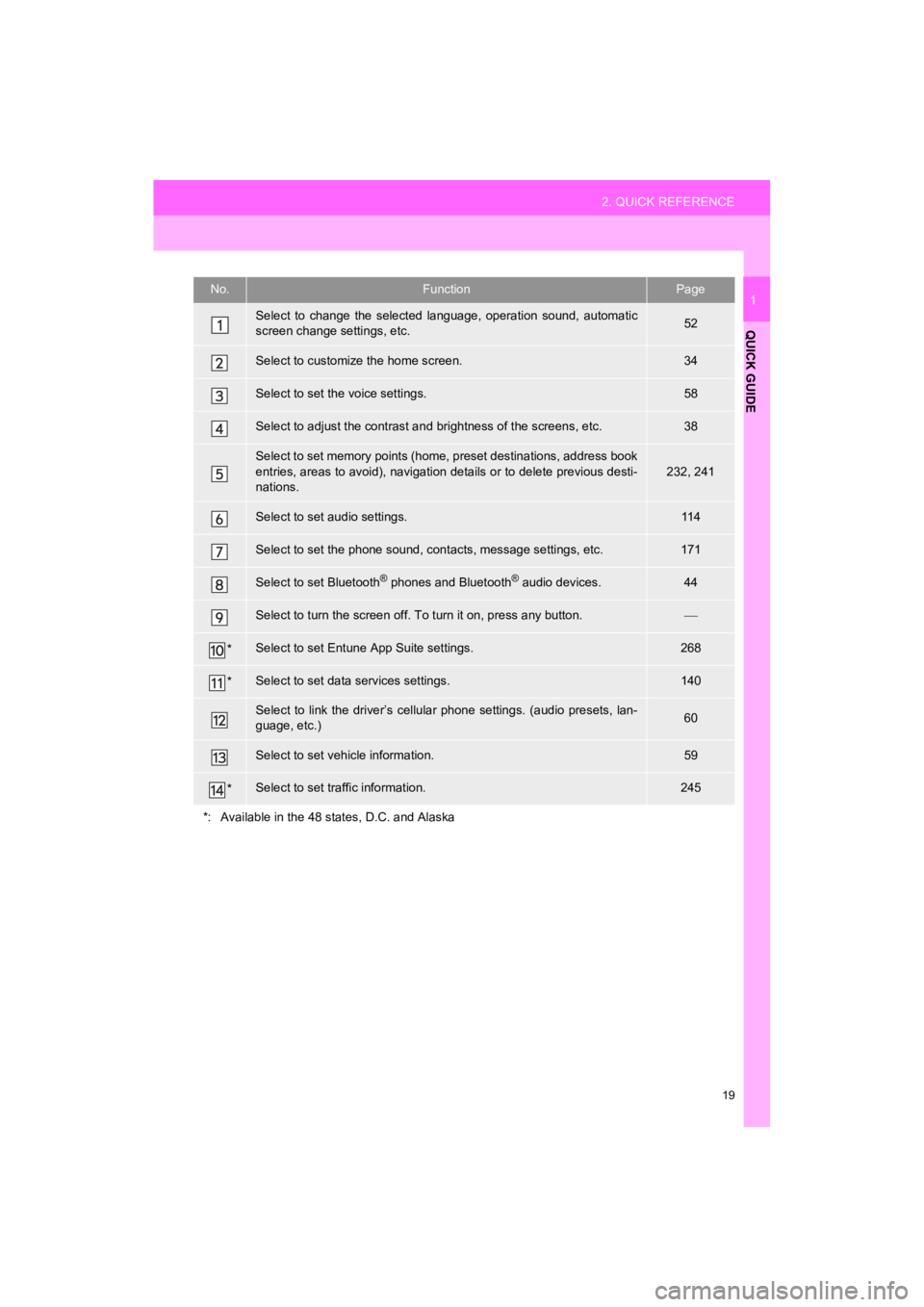
1No.FunctionPage
Select to change the selected language, operation sound, automatic
screen change settings, etc.52
Select to customize the home screen.34
Select to set the voice settings.58
Select to adjust the contrast a nd brightness of the screens, etc.38
Select to set memory points (home, preset destinations, address book
entries, areas to avoid), navigation details or to delete previous desti-
nations.
232, 241
Select to set audio settings.11 4
Select to set the phone sound, cont acts, message settings, etc.171
Select to set Bluetooth® phones and Bluetooth® audio devices.44
Select to turn the screen off. To turn it on, press any button.
*Select to set Entune App Suite settings.268
*Select to set data services settings.140
Select to link the driver’s cellular phone settings. (audio pre sets, lan-
guage, etc.)60
Select to set vehicle information.59
*Select to set traffic information.245
*: Available in the 48 states, D.C. and Alaska
Page 21 of 282
21
3. NAVIGATION OPERATION
Prius_C_Navi_U
QUICK GUIDE
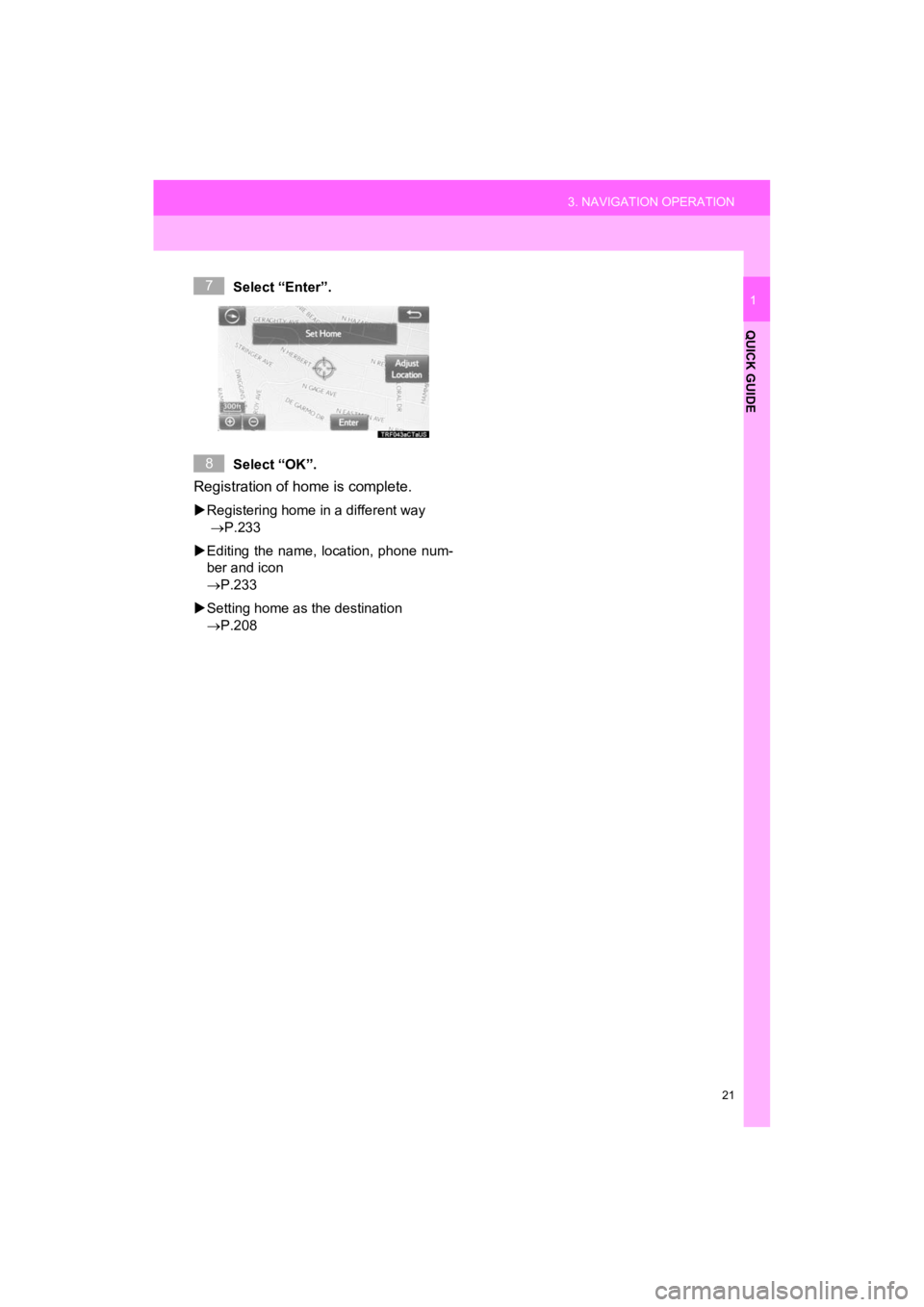
1Select “Enter”.
Select “OK”.
Registration of home is complete.
Registering home in a different way
P.233
Editing the name, location, phone num-
ber and icon
P.233
Setting home as the destination
P.208
7
8
Page 23 of 282
23
3. NAVIGATION OPERATION
Prius_C_Navi_U
QUICK GUIDE
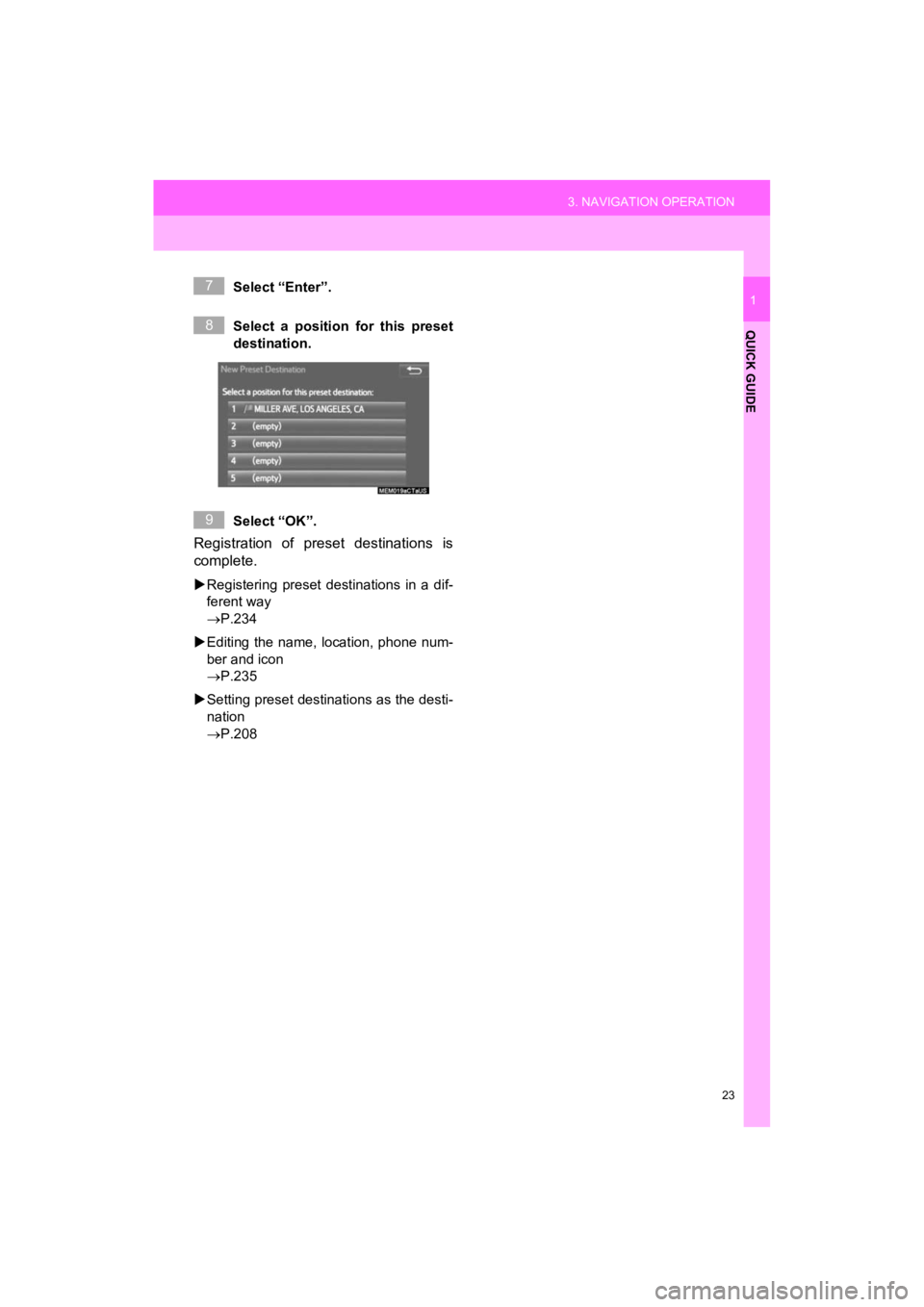
1Select “Enter”.
Select a position for this preset
destination.
Select “OK”.
Registration of preset destinations is
complete.
Registering preset destinations in a dif-
ferent way
P.234
Editing the name, location, phone num-
ber and icon
P.235
Setting preset destinations as the desti-
nation
P.208
7
8
9
Page 27 of 282
27
4. FUNCTION INDEX
Prius_C_Navi_U
QUICK GUIDE
1
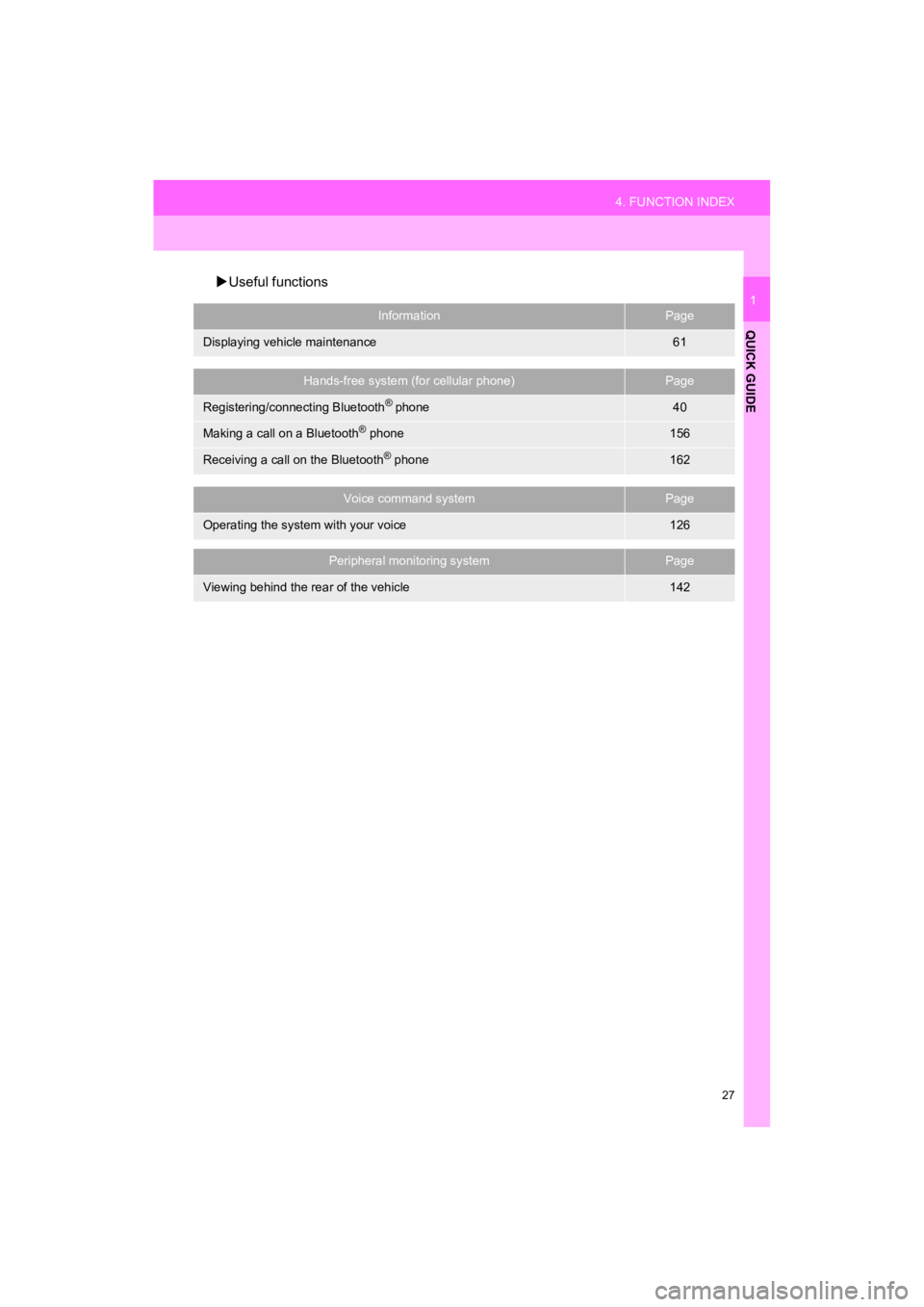
Useful functions
InformationPage
Displaying vehicle maintenance61
Hands-free system (for cellular phone)Page
Registering/connecting Bluetooth® phone40
Making a call on a Bluetooth® phone156
Receiving a call on the Bluetooth® phone162
Voice command systemPage
Operating the system with your voice126
Peripheral monitoring systemPage
Viewing behind the rear of the vehicle142
Page 29 of 282
2
29
Prius_C_Navi_U
3
4
5
6
7
8
9
1
2
1. INITIAL SCREEN ........................... 30
2. TOUCH SCREEN GESTURES ...... 32
3. TOUCH SCREEN OPERATION ................................ 33
4. HOME SCREEN OPERATION ...... 34
5. ENTERING LETTERS AND NUMBERS/LIST SCREEN
OPERATION ................................ 35
ENTERING LETTERS AND
NUMBERS .......................................... 35
LIST SCREEN ....................................... 35
6. SCREEN ADJUSTMENT ............... 38
1. REGISTERING/CONNECTING Bluetooth
® DEVICE .................... 40
REGISTERING A Bluetooth®
PHONE FOR THE FIRST TIME.......... 40
REGISTERING A Bluetooth
®
AUDIO PLAYER FOR THE
FIRST TIME ........................................ 41
PROFILES ............................................. 42
CERTIFICATION ................................... 43
2. SETTING Bluetooth® DETAILS ... 44
“Bluetooth* Setup” SCREEN.................. 44
REGISTERING A Bluetooth®
DEVICE ............................................... 45
DELETING A Bluetooth
® DEVICE ......... 46
CONNECTING A Bluetooth®
DEVICE ............................................... 47
EDITING THE Bluetooth
®
DEVICE INFORMATION ..................... 49
“System Settings” SCREEN................... 50
1. GENERAL SETTINGS .................. 52
GENERAL SETTINGS SCREEN ........... 52
2. VOICE SETTINGS ......................... 58
VOICE SETTINGS SCREEN ................. 58
3. VEHICLE SETTINGS .................... 59
4. DRIVER SETTINGS ...................... 60
MANUALLY SELECT LINKED SETTINGS .......................................... 60
5. MAINTENANCE ............................ 61
1BASIC INFORMATION BEFORE
OPERATION
2Bluetooth® SETTINGS
3OTHER SETTINGS
BASIC FUNCTION
*: Bluetooth is a registered trademark of Bluetooth SIG, Inc.
Page 30 of 282
30
Prius_C_Navi_U
1. BASIC INFORMATION BEFORE OPERATION
1. INITIAL SCREEN
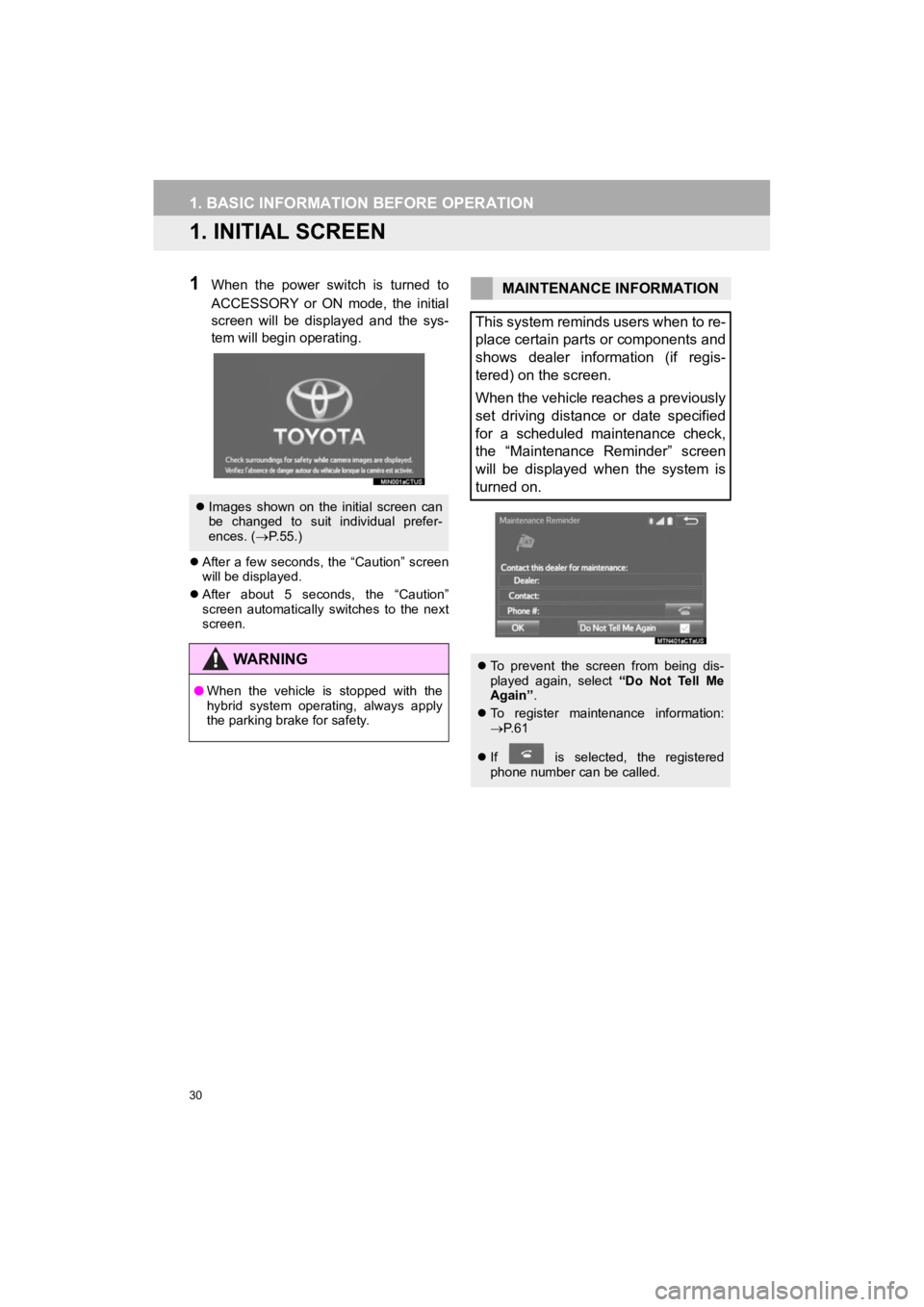
1When the power switch is turned to
ACCESSORY or ON mode, the initial
screen will be displayed and the sys-
tem will begin operating.
After a few seconds, the “Caution” screen
will be displayed.
After about 5 seconds, the “Caution”
screen automatically switches to the next
screen.
Images shown on the initial screen can
be changed to suit individual prefer-
ences. ( P.55.)
WA R N I N G
● When the vehicle is stopped with the
hybrid system operating, always apply
the parking brake for safety.
MAINTENANCE INFORMATION
This system reminds users when to re-
place certain parts or components and
shows dealer information (if regis-
tered) on the screen.
When the vehicle reaches a previously
set driving distance or date specified
for a scheduled maintenance check,
the “Maintenance Reminder” screen
will be displayed when the system is
turned on.
To prevent the screen from being dis-
played again, select “Do Not Tell Me
Again” .
To register maintenance information:
P. 6 1
If is selected, the registered
phone number can be called.