key TOYOTA PRIUS PHV 2012 Owner's Manual
[x] Cancel search | Manufacturer: TOYOTA, Model Year: 2012, Model line: PRIUS PHV, Model: TOYOTA PRIUS PHV 2012Pages: 684, PDF Size: 12.16 MB
Page 125 of 684

125
1-4. Opening, closing and locking the doors
1
Before driving
PRIUS PHV_OM_OM47818U_(U)
CAUTION
■
Caution regarding interfer ence with electronic devices
● People with implanted pacemakers or cardiac defibrillators should keep
away from the smart key system antennas. ( P. 1 1 1 )
The radio waves may affect the operation of such devices. If necessary,
the entry function can be disabled. Ask your Toyota dealer for details, such
as the frequency of radio waves and timing of emitting the radio waves.
Then, consult your doctor to see if you should disable the entry function.
● Users of any electrical medical device other than implanted pacemakers
and implanted cardiac defibrillators should consult the manufacturer of the
device for information about its operation under the influence of radio
waves.
Radio waves could have unexpected effects on the operation of such
medical devices.
Ask your Toyota dealer for details on disabling the entry function.
On vehicles with the Display Audio system or the navigation system, the
entry function can be disabled personally. ( P. 639)
Page 126 of 684
126
1-4. Opening, closing and locking the doors
PRIUS PHV_OM_OM47818U_(U)
Smart key system (without entr y function)
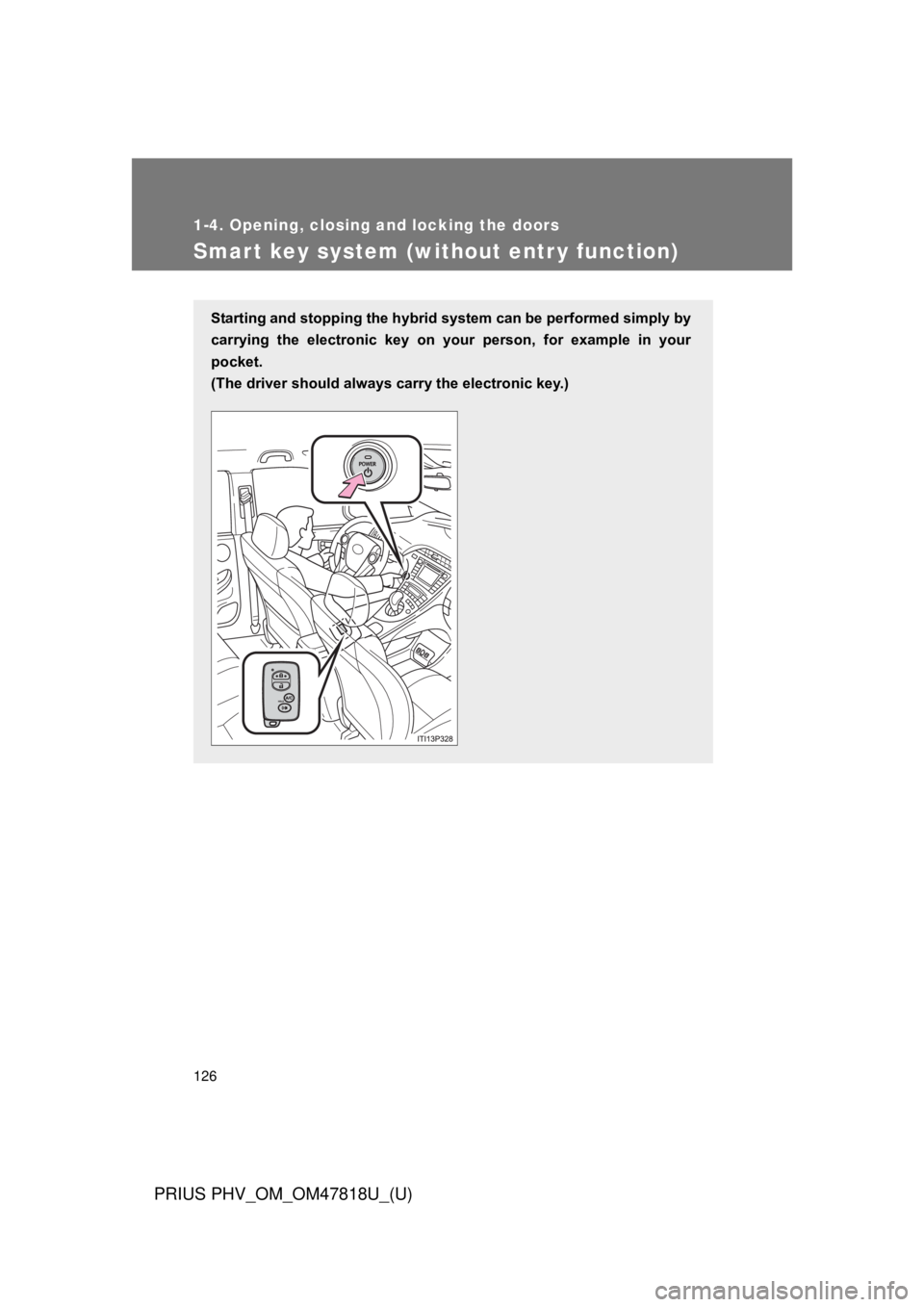
Starting and stopping the hybrid system can be performed simply by
carrying the electroni c key on your person, for example in your
pocket.
(The driver should always carry the electronic key.)
Page 127 of 684
127
1-4. Opening, closing and locking the doors
1
Before driving
PRIUS PHV_OM_OM47818U_(U)
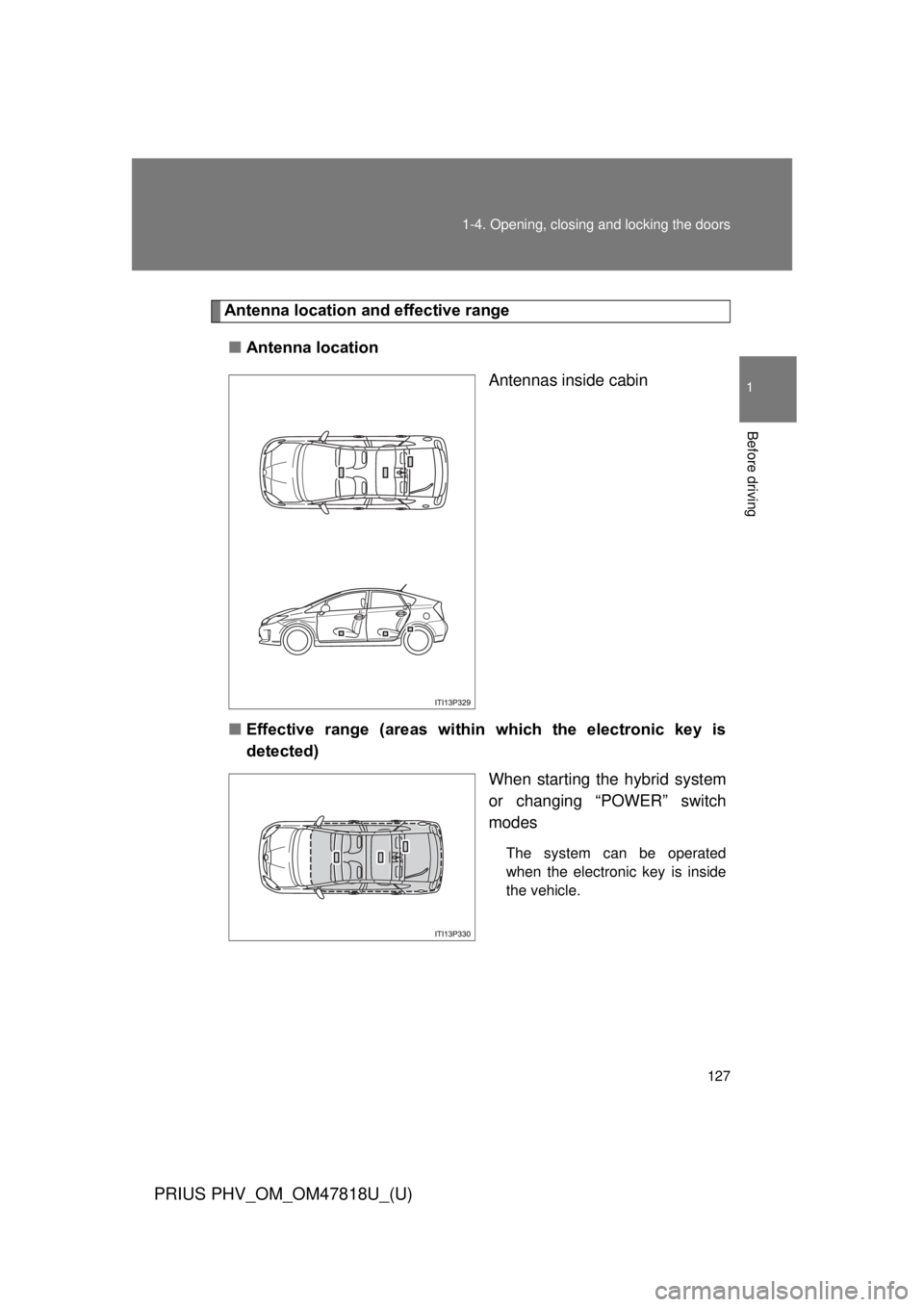
Antenna location a
nd effective range
■ Antenna location
Antennas inside cabin
■ Effective range (areas within which the electronic key is
detected)
When starting the hybrid system
or changing “POWER” switch
modes
The system can be operated
when the electronic key is inside
the vehicle.
Page 128 of 684

128 1-4. Opening, closing and locking the doors
PRIUS PHV_OM_OM47818U_(U)
■Conditions affecting operation
P. 1 1 9
■ Electronic key battery depletion
P. 123
■ To operate the system properly
Make sure to carry the electronic key when operating the system.
Depending on the position and holding condition of the electronic key, the
key may not be detected correctly and the system may not operate properly.
(The door lock prevention may not operate.)
■ Note for the smart key system
● Even when the electronic key is within the effective range (detection
areas), the system may not operate properly.
For example, the electronic key is on the instrument panel, luggage
cover, floor or in the door pockets or glove box when the hybrid system is
started or “POWER” switch modes are changed.
● Even if the electronic key is not inside the vehicle, it may be possible to
start the hybrid system if the electronic key is near the window.
Page 129 of 684

129
1-4. Opening, closing and locking the doors
1
Before driving
PRIUS PHV_OM_OM47818U_(U)
■
Alarms and warning indicators
A combination of exterior and interior alarms are used to prevent theft of the
vehicle and unforeseeable accidents resulting from erroneous operation.
Take appropriate measures in response to any warning message shown on
the multi-information display. ( P. 556)
The following table describes circumstances and correction procedures
when only alarms are sounded.
AlarmSituationCorrection procedure
Exterior alarm
sounds once for
5 seconds An attempt was made to
lock the vehicle while a
door is open Close all of the doors
and lock the doors
again
Interior alarm
pings continu-
ously
*1
The “POWER” switch was
turned to ACCESSORY
mode while the driver’s
door was open (or the
driver’s door was opened
while the “POWER” switch
was in ACCESSORY
mode) Turn the “POWER”
switch off and close
the driver’s door
Interior alarm
sounds continu-
ously
*1
When the “POWER”
switch is in ON mode or
ACCESSORY mode, an
attempt was made to open
the door and exit the vehi-
cle, and the shift position
was not in P Shift the shift position
to P and turn the
“POWER” switch off
Interior and exte-
rior alarms sound
continuously
*1
When the “POWER”
switch is in ON mode or
ACCESSORY mode, the
driver’s door was closed
after the key was carried
outside the vehicle, and
the shift position not in P Shift the shift position
to P, turn the
“POWER” switch off
and close the driver’s
door again
Page 130 of 684

130 1-4. Opening, closing and locking the doors
PRIUS PHV_OM_OM47818U_(U)
*1: A message will be shown on the multi-information display in the instru-ment cluster.
*2: If the hybrid system does not start when the electronic key is inside thevehicle, the electronic key battery may be depleted or there may be dif-
ficulties receiving signal from the key. ( P. 591)
■ If the electronic key do es not operate properly
P. 591
■ When the electronic key battery is fully depleted
P. 493
■ Customization
Settings (e.g. smart key system) can be changed.
(Customizable features P. 639)
AlarmSituationCorrection procedure
Interior alarm
pings once
*1
The electronic key has a
low battery Replace the electronic
key battery
An attempt was made to
start the hybrid system
without the electronic key
being present, or the elec-
tronic key was not func-
tioning normally Start the hybrid sys-
tem with the elec-
tronic key present
*2
Interior alarm
pings once and
exterior alarm
sounds 3 times
*1
The driver’s door was
closed after the key was
carried outside the vehicle,
and the “POWER” switch
was not turned OFF
Turn the “POWER”
switch off and close
the driver’s door again
An occupant carried the
electronic key outside the
vehicle and closed the
door while the “POWER”
switch was not OFF Bring the electronic
key back into the vehi-
cle
Page 131 of 684

131
1-4. Opening, closing and locking the doors
1
Before driving
PRIUS PHV_OM_OM47818U_(U)
■
Certification for the smart key system
For vehicles sold in the U.S.A.
FCC ID: NI4TMLF8-2
FCC ID: HYQ14ACX FCC ID: HYQ14ADF
FCC ID: HYQ13CZD FCC ID: HYQ13CZE
NOTE:
This device complies with Part 15 of the FCC Rules. Operation is subject to
the following two conditions: (1) this device may not cause harmful interfer-
ence, and (2) this device must accept any interference received, including
interference that may cause undesired operation.
FCC WARNING:
Changes or modifications not expressly approved by the party responsible
for compliance could void the user’s authority to operate the equipment.
For vehicles sold in Canada
NOTE:
Operation is subject to the following two conditions: (1) this device may not
cause interference, and (2) this device must accept any interference, includ-
ing interference that may cause undesired operation of the device.
CAUTION
■Caution regarding interfer ence with electronic devices
P. 125
Page 133 of 684
133
1-4. Opening, closing and locking the doors
1
Before driving
PRIUS PHV_OM_OM47818U_(U)
■
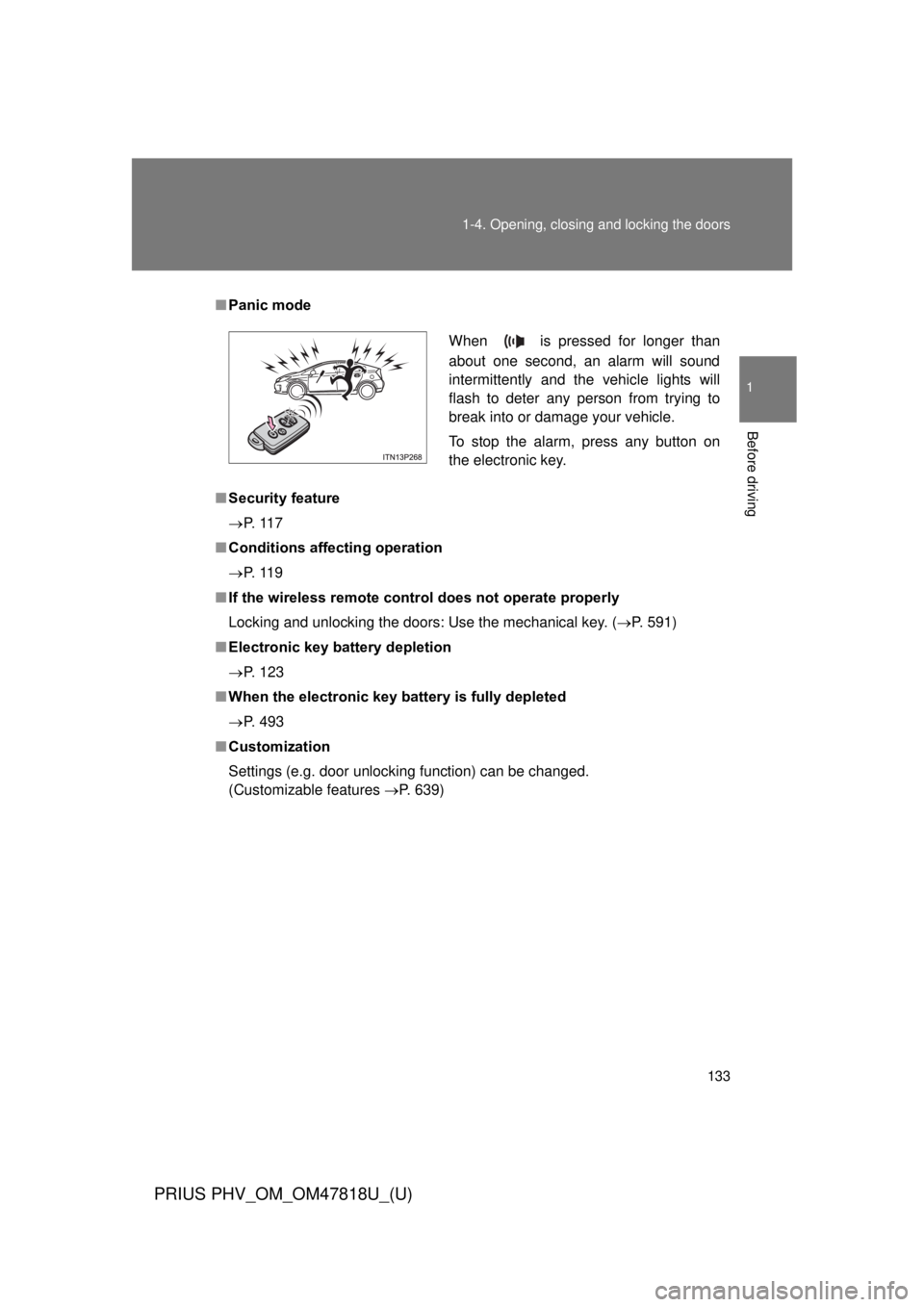
Panic mode
■ Security feature
P. 1 1 7
■ Conditions aff ecting operation
P. 1 1 9
■ If the wireless remote cont rol does not operate properly
Locking and unlocking the doors: Use the mechanical key. ( P. 591)
■ Electronic key battery depletion
P. 123
■ When the electronic key battery is fully depleted
P. 493
■ Customization
Settings (e.g. door unlocking function) can be changed.
(Customizable features P. 639)
When is pressed for longer than
about one second, an alarm will sound
intermittently and the vehicle lights will
flash to deter any person from trying to
break into or damage your vehicle.
To stop the alarm, press any button on
the electronic key.
Page 135 of 684
135
1-4. Opening, closing and locking the doors
1
Before driving
PRIUS PHV_OM_OM47818U_(U)
Locking the front doors from the outside without a key
Move the inside lock button to the lock position.
Close the door.
The door cannot be locked if the “P OWER” switch is in ACCESSORY
or ON mode, or the electronic key is left inside the vehicle.
The key may not be detected correctly and the door may be locked.
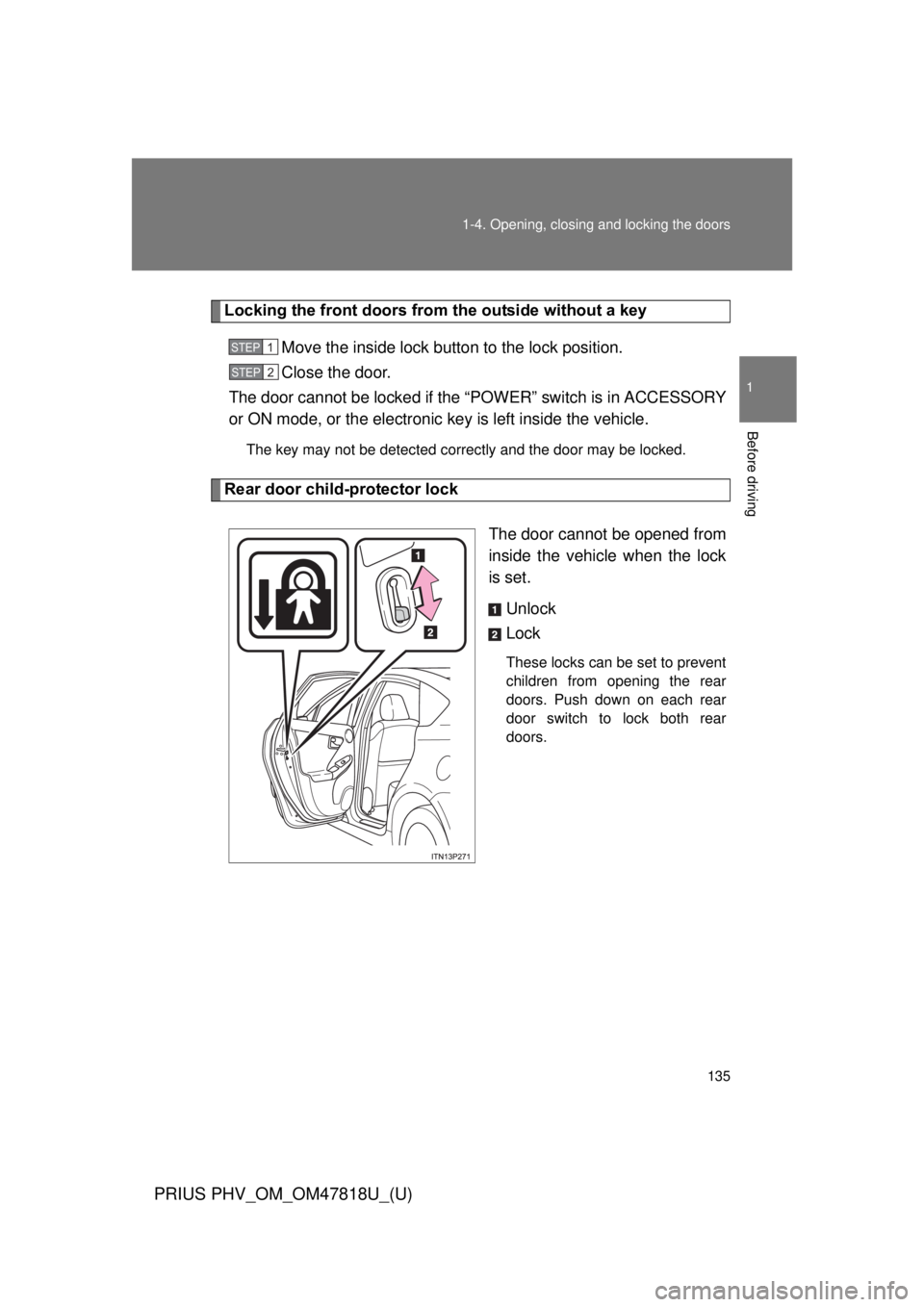
Rear door child-protector lock
The door cannot be opened from
inside the vehicle when the lock
is set.Unlock
Lock
These locks can be set to prevent
children from opening the rear
doors. Push down on each rear
door switch to lock both rear
doors.
STEP 1
STEP 2
Page 138 of 684

138 1-4. Opening, closing and locking the doors
PRIUS PHV_OM_OM47818U_(U)
■Using the mechanical key
The doors can also be locked and unlocked with the mechanical key.
(P. 591)
■ If a wrong key is used
The key cylinder rotates freely to isolate inside mechanism.
■ Customization
Settings (e.g. unlocking function using a key) can be changed.
(Customizable features P. 639)