battery TOYOTA PRIUS PLUG-IN 2012 Workshop Manual
[x] Cancel search | Manufacturer: TOYOTA, Model Year: 2012, Model line: PRIUS PLUG-IN, Model: TOYOTA PRIUS PLUG-IN 2012Pages: 704, PDF Size: 19.59 MB
Page 276 of 704

250
2-1. Driving procedures
PRIUS PHV_OM_OM47818U_(U)
●Situations where the shift position will automatically change to N:
•When the P position switch is pressed while the vehicle is running.*1
•When an attempt is made to select the R position by moving the shift
lever when the vehicle is moving forward.*2
•When an attempt is made to select the D position by moving the shift
lever when the vehicle is moving in reverse.*3
•When an attempt is made to change the shift position from R to B by
moving the shift lever.
*1:Shift position may be changed to P when driving at extremely low
speeds.
*2:Shift position may be changed to R when driving at low speeds.
*3:Shift position may be changed to D when driving at low speeds.
■Reverse warning buzzer
When shifting into R, a buzzer will sound to inform the driver that the shift
position is in R.
■Automatically P position selection function
When the shift position is in a position other than P, pressing the “POWER”
switch with the vehicle stopped completely will cause the shift position to
change to P automatically, and then the “POWER” switch will turn off.
■If the shift position cannot be shifted from P
There is a possibility that the 12-volt battery is discharged. Check the 12-volt
battery in this situation. (→P. 5 9 4 )
Page 277 of 704
251
2-1. Driving procedures
PRIUS PHV_OM_OM47818U_(U)
2
When driving
■About engine braking
When shift position B is selected, releasing the accelerator pedal will apply
engine braking.
●When the vehicle is driven at high speeds, compared to ordinary gaso-
line-fueled vehicles, the engine braking deceleration is felt less than that
of other vehicles.
●The vehicle can be accelerated even when shift position B is selected.
If the vehicle is driven continuously in the B position, fuel efficiency will
become low. Usually, shift the shift position to D.
■When driving with cruise control or radar cruise control activated
Even if switching the driving mode to power mode with the intent of enabling
engine braking, engine braking will not activate because cruise control or
radar cruise control will not be canceled.
■When canceling Eco drive mode/power mode
●Press the switch again. Also, power mode will be canceled automatically
when the “POWER” switch is turned off. However, Eco drive mode will
not be canceled automatically until the switch is pressed, even if the
“POWER” switch is turned off.
●When in Eco drive mode, if the power mode switch is pressed or the
operation is reversed, the mode will switch to that of the last switch to be
pressed.
■After charging/reconnecting the 12-volt battery
→P. 4 7 3
■Customization
Settings (e.g. Reverse warning buzzer) can be changed.
(Customizable features →P. 6 3 9 )
Page 279 of 704

253
2-1. Driving procedures
PRIUS PHV_OM_OM47818U_(U)
2
When driving
NOTICE
■Hybrid battery (traction battery) charge
If the shift position is in N, the hybrid battery (traction battery) will not be
charged. To help prevent the battery from discharging, avoid leaving the N
position selected for an extended period of time.
■Situations where P position control system malfunctions are possible
If any of the following situations occurs, P position control system malfunc-
tions are possible.
Immediately stop the vehicle in a safe place on level ground, apply the park-
ing brake, and then contact your Toyota dealer.
●When the “P LOCK MALFUNCTION” warning message appears on the
multi-information display. (→P. 5 4 8 )
●When the shift position indicator remains off.
■Notes regarding shift lever and P position switch operation
Avoid repeatedly operating the shift lever and P position switch in quick suc-
cession.
The system protection function may activate and it will temporarily not be
possible to shift the shift position other than P. If this happens, please wait
for a while before attempting to change the shift position again.
Page 294 of 704
268
2-2. Instrument cluster
PRIUS PHV_OM_OM47818U_(U)
Hybrid System Indicator
Hybrid System Indicator displays the hybrid system operating condi-
tion and provides Eco-friendly driving assistance in accordance with
the driving conditions and the acceleration.
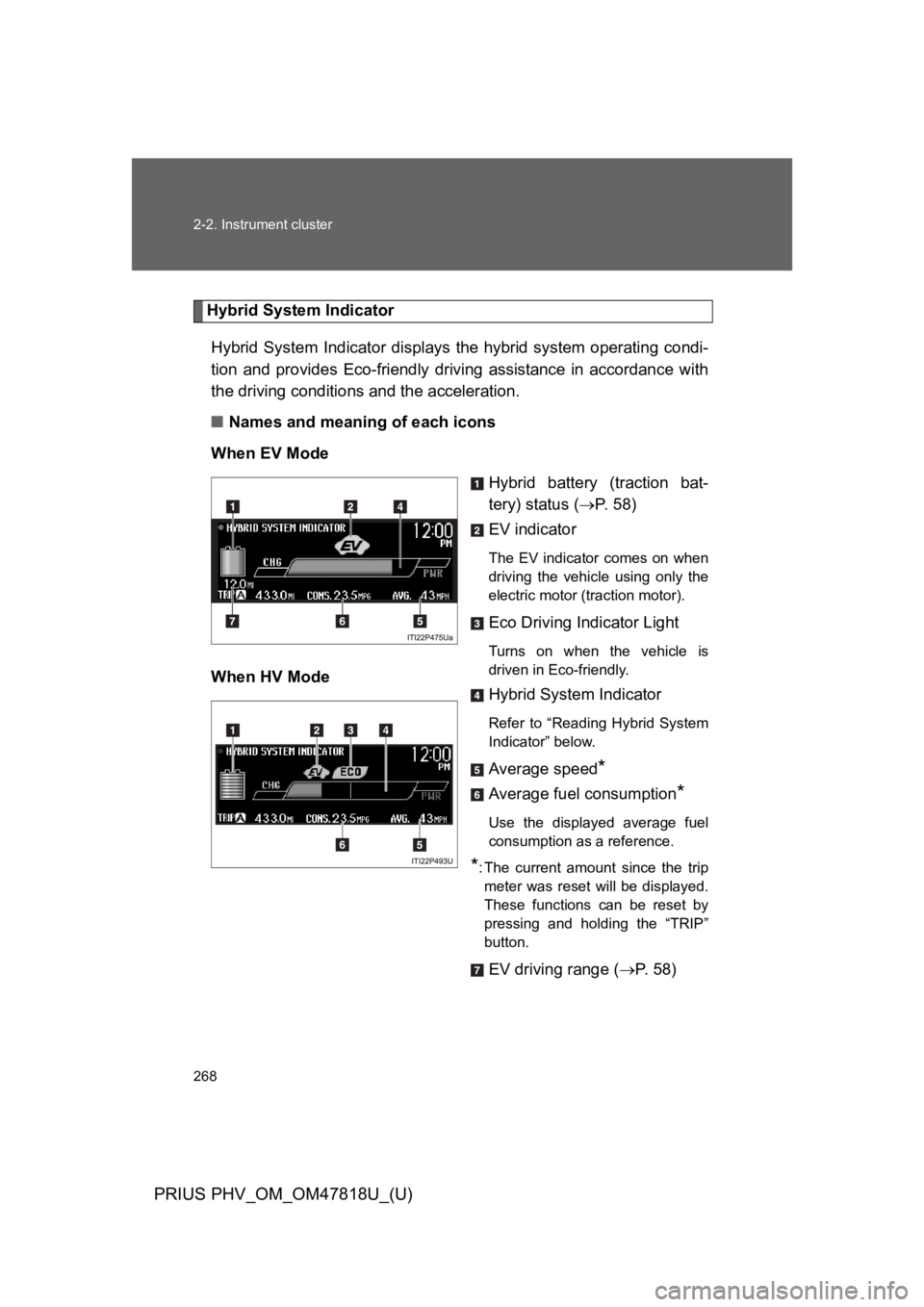
■Names and meaning of each icons
When EV Mode
Hybrid battery (traction bat-
tery) status (→P. 5 8 )
EV indicator
The EV indicator comes on when
driving the vehicle using only the
electric motor (traction motor).
Eco Driving Indicator Light
Turns on when the vehicle is
driven in Eco-friendly.When HV Mode
Hybrid System Indicator
Refer to “Reading Hybrid System
Indicator” below.
Average speed*
Average fuel consumption*
Use the displayed average fuel
consumption as a reference.
*:The current amount since the trip
meter was reset will be displayed.
These functions can be reset by
pressing and holding the “TRIP”
button.
EV driving range (→P. 5 8 )
Page 308 of 704
282
2-2. Instrument cluster
PRIUS PHV_OM_OM47818U_(U)
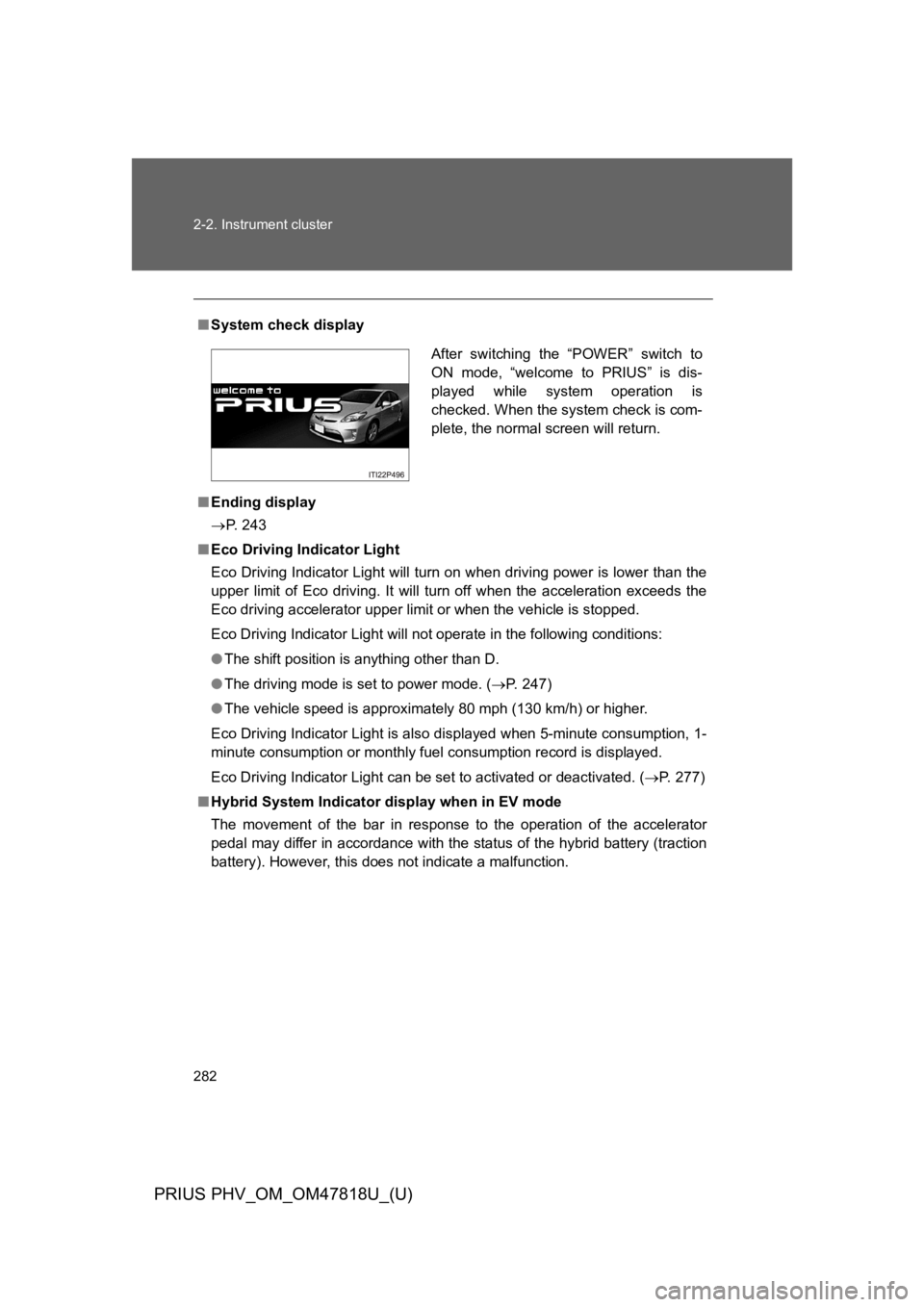
■System check display
■Ending display
→P. 2 4 3
■Eco Driving Indicator Light
Eco Driving Indicator Light will turn on when driving power is lower than the
upper limit of Eco driving. It will turn off when the acceleration exceeds the
Eco driving accelerator upper limit or when the vehicle is stopped.
Eco Driving Indicator Light will not operate in the following conditions:
●The shift position is anything other than D.
●The driving mode is set to power mode. (→P. 2 4 7 )
●The vehicle speed is approximately 80 mph (130 km/h) or higher.
Eco Driving Indicator Light is also displayed when 5-minute consumption, 1-
minute consumption or monthly fuel consumption record is displayed.
Eco Driving Indicator Light can be set to activated or deactivated. (→P. 2 7 7 )
■Hybrid System Indicator display when in EV mode
The movement of the bar in response to the operation of the accelerator
pedal may differ in accordance with the status of the hybrid battery (traction
battery). However, this does not indicate a malfunction.
After switching the “POWER” switch to
ON mode, “welcome to PRIUS” is dis-
played while system operation is
checked. When the system check is com-
plete, the normal screen will return.
Page 309 of 704
283
2-2. Instrument cluster
PRIUS PHV_OM_OM47818U_(U)
2
When driving
■Driving in Eco drive mode
The multi-information display will automatically switch the display to Hybrid
System Indicator, regardless of which display is currently being shown.
(→P. 2 6 8 )
■To u c h t r a c e r d i s p l a y ( i f e q u i p p e d )
●The touch tracer display can be set to not display even if the steering
switches are touched.
●Only the circular, rubber-covered switches have a built-in touch sensor.
To u c h i n g a n y o f t h e o t h e r s w i t c h e s w i l l n o t d i s p l a y t h e t o u c h t r a c e r d i s -
play.
■Display settings can be changed when
The vehicle speed is less than approximately 5 mph (8 km/h).
■Engine speed
On hybrid vehicles, engine speed is precisely controlled in order to help
improve fuel efficiency and reduce exhaust emissions etc. There are times
when the engine speed that is displayed may differ even when vehicle oper-
ation and driving conditions are the same.
■When the 12-volt battery is disconnected
The following data will be reset.
●Average fuel consumption
●Distance to empty
●Average vehicle speed
●EV driving ratio
●Clock
●Display settings
●Trip meter
Page 316 of 704

290
2-2. Instrument cluster
PRIUS PHV_OM_OM47818U_(U)
■When driving on snowy roads or in other bright environments
When the highest level of brightness has been reached, the display can be
made even brighter by pressing and holding “∧” on the brightness control
button.
Pressing “∨” on the brightness control button or turning the “POWER” switch
off will cause the brightness level to revert to the original level.
■Display speed setting function
The speedometer can be set to display only when a desired vehicle speed is
reached.
Press and hold the “HUD” main switch while the vehicle is stopped
and while the head-up display is showing only the speedometer.
The speedometer will begin to flash.
Set the desired display speed on the speedometer by pressing “∧”
and “∨” on the display position adjustment button.
Press “∧” to raise the speed and “∨” to lower. The speed will change
by 1 mph (1.6 km/h) each time the button is pressed, and continu-
ously by 10 mph (16 km/h) when the button is pressed and held.
Press and hold the “HUD” main switch to finish setting.
■Head-up display
The head-up display may seem dark and hard to see when viewed through
sunglasses, especially polarized sunglasses.
Adjust the brightness of the head-up display or remove your sunglasses.
■When the 12-volt battery is disconnected
The head-up display settings will be reset.
STEP 1
STEP 2
STEP 3
Page 375 of 704
349
2-5. Driving information
PRIUS PHV_OM_OM47818U_(U)
2
When driving
Winter driving tips
Carry out the necessary preparations and inspections before driving
the vehicle in winter. Always drive the vehicle in a manner appropri-
ate to the prevailing weather conditions.
■Pre-winter preparations
●Use fluids that are appropriate to the prevailing outside tem-
peratures.
•Engine oil
•Engine/power control unit coolant
•Washer fluid
●Have a service technician inspect the condition of the 12-volt
battery.
●Have the vehicle fitted with four snow tires or purchase a set
of tire chains for the front tires.
Ensure that all tires are the same size and brand, and that chains
match the size of the tires.
Page 396 of 704

371
3-1. Using the air conditioning system and defogger
PRIUS PHV_OM_OM47818U_(U)
3
Interior features
Remote Air Conditioning System
The Remote Air Conditioning System uses electrical energy stored
in the hybrid battery (traction battery) and allows the air conditioning
to be operated by remote control.
If the Remote Air Conditioning System is used while the charging
cable is connected to the vehicle, the reduction of charge in the
hybrid battery (traction battery) will be suppressed to allow you to
use electricity from an external power source.
Charging will be conducted automatically after the Remote Air Condi-
tioning System is stopped.
■Before leaving the vehicle
Check the temperature setting of the air conditioning system.
The Remote Air Conditioning System will operate in accordance with
the temperature settings of the air conditioning system.
■Activating the Remote Air Conditioning System
Press and hold the to
operate the Remote Air Condi-
tioning System.
The system will shut off if a
door is opened.
The system can be stopped by
pressing the twice.
Page 397 of 704

372
3-1. Using the air conditioning system and defogger
PRIUS PHV_OM_OM47818U_(U)
■Operating conditions
The system will only operate if all of the following conditions are met:
●The shift position is in P.
●The “POWER” switch is OFF.
●All doors are closed.
●The hood is closed.
●The brake pedal is not being depressed.
■When leaving the vehicle
●Check that the headlights are switched to either off or “AUTO”.
●Check that the wiper switch is turned off.
●Check that all windows are closed.
■Remote Air Conditioning System automatic shut-off
The system will automatically shut off under the following conditions:
●About 10 minutes have passed since operation began
●Any one of the operating conditions is not met
●There is only a slight difference between the air conditioning set temper-
ature and the inside temperature.
The system may also shut off if the charge level of the hybrid battery (trac-
tion battery) drops to low. (→P. 6 0 )
■Conditions affecting operation
The system may not start in the following situations:
●The charge level of the hybrid battery (traction battery) is low (→P. 6 0 )
●The air conditioning temperature is set at a high level or outside tempera-
ture is low
●When the hybrid system is cool (for example, after being left for a long
time in low temperatures)