ECO mode TOYOTA PRIUS PLUG-IN 2014 Owner's Manual
[x] Cancel search | Manufacturer: TOYOTA, Model Year: 2014, Model line: PRIUS PLUG-IN, Model: TOYOTA PRIUS PLUG-IN 2014Pages: 724, PDF Size: 20.28 MB
Page 167 of 724

124
1-4. Opening, closing and locking the doors
PRIUS PHV_OM_OM47856U_(U)
■Note for the entry function
●Even when the electronic key is within the effective range (detection
areas), the system may not operate properly in the following cases:
•The electronic key is too close to the window or outside door handle,
near the ground, or in a high place when the doors are locked or
unlocked.
•The electronic key is on the instrument panel, luggage cover, floor, or in
the door pockets or glove box when the hybrid system is started or
“POWER” switch modes are changed.
●Do not leave the electronic key on top of the instrument panel or near the
door pockets when exiting the vehicle. Depending on the radio wave
reception conditions, it may be detected by the antenna outside the cabin
and the door will become lockable from the outside, possibly trapping the
electronic key inside the vehicle.
●As long as the electronic key is within the effective range, the doors may
be locked or unlocked by anyone.
●Even if the electronic key is not inside the vehicle, it may be possible to
start the hybrid system if the electronic key is near the window.
●The doors may unlock if a large amount of water splashes on the door
handle, such as in the rain or in a car wash when the electronic key is
within the effective range. (The door will automatically be locked after
approximately 60 seconds if the doors are not opened and closed.)
●If the wireless remote control is used to lock the doors when the elec-
tronic key is near the vehicle, there is a possibility that the door may not
be unlocked by the entry function. (Use the wireless remote control to
unlock the doors.)
Page 176 of 724

133
1-4. Opening, closing and locking the doors
1
Before driving
PRIUS PHV_OM_OM47856U_(U)
■Alarms and warning indicators
A combination of exterior and interior alarms are used to prevent theft of the
vehicle and unforeseeable accidents resulting from erroneous operation.
Ta k e a p p r o p r i a t e m e a s u r e s i n r e s p o n s e t o a n y w a r n i n g m e s s a g e s h o w n o n
the multi-information display. (→P. 5 5 9 )
The following table describes circumstances and correction procedures
when only alarms are sounded.
AlarmSituationCorrection procedure
Exterior alarm
sounds once for
5 seconds
An attempt was made to
lock the vehicle while a
door is open
Close all of the doors
and lock the doors
again
Interior alarm
pings continu-
ously*1
The “POWER” switch was
turned to ACCESSORY
mode while the driver’s
door was open (or the
driver’s door was opened
while the “POWER” switch
was in ACCESSORY
mode)
Turn the “POWER”
switch off and close
the driver’s door
Interior alarm
sounds continu-
ously*1
When the “POWER”
switch is in ON mode or
ACCESSORY mode, an
attempt was made to open
the door and exit the vehi-
cle, and the shift position
was not in P
Shift the shift position
to P and turn the
“POWER” switch off
Interior and exte-
rior alarms sound
continuously*1
When the “POWER”
switch is in ON mode or
ACCESSORY mode, the
driver’s door was closed
after the key was carried
outside the vehicle, and
the shift position not in P
Shift the shift position
to P, turn the
“POWER” switch off
and close the driver’s
door again
Page 180 of 724
137
1-4. Opening, closing and locking the doors
1
Before driving
PRIUS PHV_OM_OM47856U_(U)
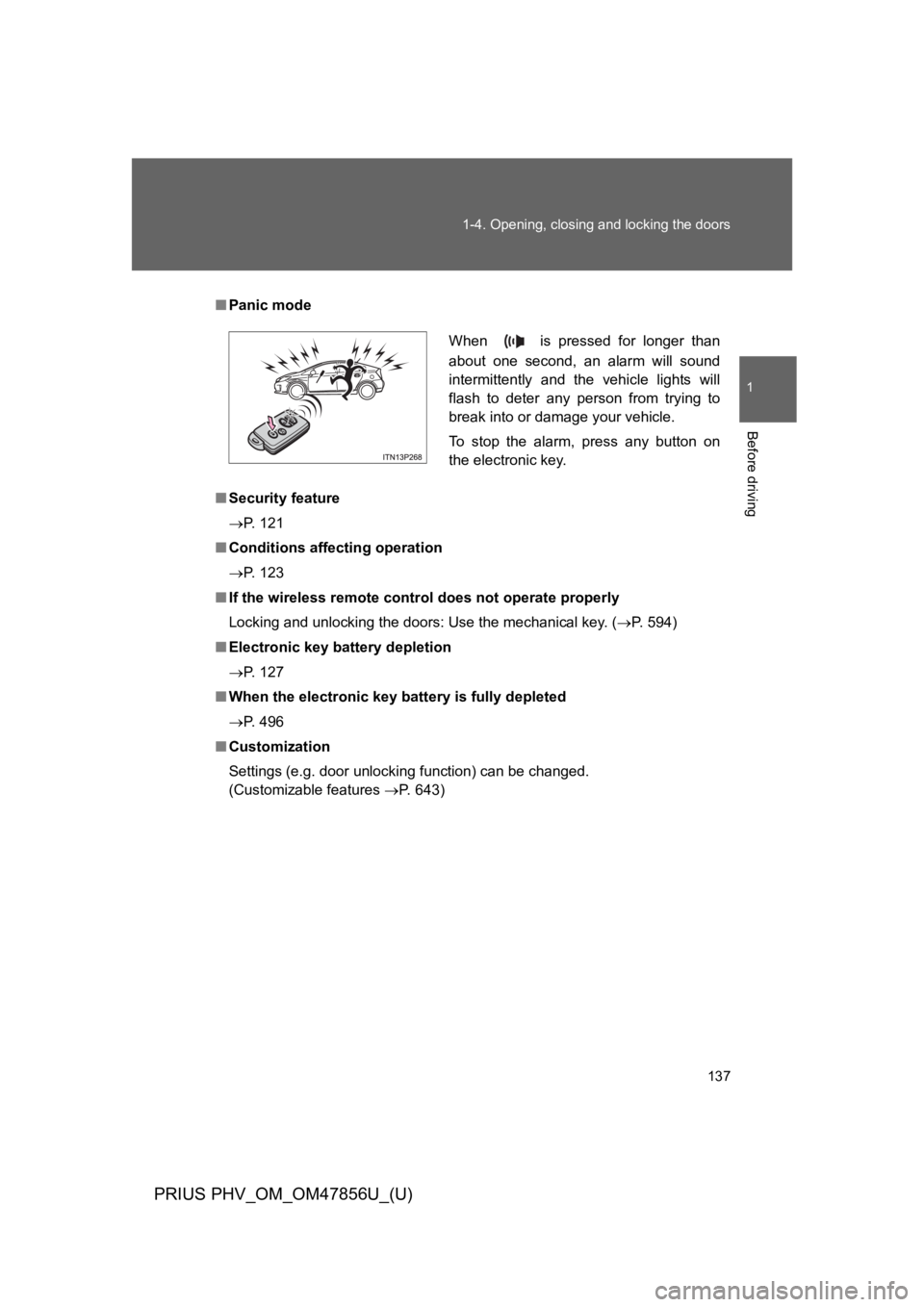
■Panic mode
■Security feature
→P. 1 2 1
■Conditions affecting operation
→P. 1 2 3
■If the wireless remote control does not operate properly
Locking and unlocking the doors: Use the mechanical key. (→P. 5 9 4 )
■Electronic key battery depletion
→P. 1 2 7
■When the electronic key battery is fully depleted
→P. 4 9 6
■Customization
Settings (e.g. door unlocking function) can be changed.
(Customizable features →P. 6 4 3 )
When is pressed for longer than
about one second, an alarm will sound
intermittently and the vehicle lights will
flash to deter any person from trying to
break into or damage your vehicle.
To s t o p t h e a l a r m , p r e s s a n y b u t t o n o n
the electronic key.
Page 183 of 724
140
1-4. Opening, closing and locking the doors
PRIUS PHV_OM_OM47856U_(U)
Automatic door locking and unlocking systems
The following functions can be set or canceled:
■Setting and canceling the functions
To s w i t c h b e t w e e n s e t t i n g a n d c a n c e l i n g , f o l l o w t h e p r o c e d u r e
below:
Close all the doors and switch the “POWER” switch to ON
mode. (Perform within 20 seconds.)
FunctionOperation
Shift position linked
door locking function
Shifting the shift position out of P locks all
doors.
Shift position linked
door unlocking function
Shifting the shift position to P unlocks all
doors.
Sp ee d l i n k ed d oo r l oc k -
ing function
All doors are locked when the vehicle speed is
approximately 12 mph (20 km/h) or higher.
Driver’s door linked door
unlocking function
All doors are unlocked when the driver’s door
is opened within 10 seconds after turning the
“POWER” switch off.
STEP 1
STEP 2
Page 217 of 724

174
1-5. Adjustable components (seats, mirrors, steering wheel)
PRIUS PHV_OM_OM47856U_(U)
■Mirror angle can be adjusted when
The “POWER” switch is in ACCESSORY or ON mode.
■When the mirrors are fogged up (vehicles with outside rear view mirror
defoggers)
The outside rear view mirrors can be cleared using the mirror defoggers.
Turn on the rear window defogger to turn on the outside rear view mirror
defoggers. (→P. 3 7 7 )
CAUTION
■When driving the vehicle
Observe the following precautions while driving.
Failing to do so may result in loss of control of the vehicle and cause an acci-
dent, resulting in death or serious injury.
●Do not adjust the mirrors while driving.
●Do not drive with the mirrors folded.
●Both the driver and passenger side mirrors must be extended and properly
adjusted before driving.
■When a mirror is moving
To a v o i d p e r s o n a l i n j u r y a n d m i r r o r m a l f u n c t i o n , b e c a r e f u l n o t t o g e t y o u r
hand caught by the moving mirror.
■When the mirror defoggers are operating (vehicles with outside rear
view mirror defoggers)
Do not touch the rear view mirror surfaces, as they can become very hot and
burn you.
Page 219 of 724

176
1-6. Opening and closing the windows
PRIUS PHV_OM_OM47856U_(U)
■Operating the power windows after turning the hybrid system off
The power windows can be operated for approximately 45 seconds even
after the “POWER” switch is turned to ACCESSORY mode or turned off.
They cannot, however, be operated once either front door is opened.
■Jam protection function
If an object becomes caught between the window and the window frame,
window travel is stopped and the window is opened slightly.
■When the power window does not close normally
If the jam protection function is operating abnormally and a window cannot
be closed, perform the following operations using the power window switch
on the relevant door.
●After stopping the vehicle, the window can be closed by holding the
power window switch in the one-touch closing position while the
“POWER” switch is turned to ON mode.
●If the window still cannot be closed even by carrying out the operation
explained above, initialize the function by performing the following proce-
dure.
Hold the power window switch in the one-touch closing position.
Continue holding the switch for a further 6 seconds after the win-
dow has closed.
Hold the power window switch in the one-touch opening position.
Continue holding the switch for a further 2 seconds after the win-
dow has opened completely.
Hold the power window switch in the one-touch closing position
once again. Continue holding the switch for a further 2 seconds
after the window has closed.
If you release the switch while the window is moving, start again from the
beginning.
If the window continues to close but then re-open slightly even after perform-
ing the above procedure correctly, have the vehicle inspected by your Toyota
dealer.
STEP 1
STEP 2
STEP 3
Page 285 of 724

243
2-1. Driving procedures
PRIUS PHV_OM_OM47856U_(U)
2
When driving
■Auto power off function
If the vehicle is left in ACCESSORY mode for more than 20 minutes or ON
mode (the hybrid system is not operating) for more than an hour with the
shift position in P, the “POWER” switch will automatically turn off. However,
this function cannot entirely prevent the 12-volt battery from discharging. Do
not leave the vehicle with the “POWER” switch in ACCESSORY or ON mode
for long periods of time when the hybrid system is not operating.
■Sounds and vibrations specific to a hybrid vehicle
→P. 4 2
■Electronic key battery depletion
→P. 1 2 7
■When the ambient temperature is low, such as during winter driving
conditions
The “READY” indicator may flash for a long time when the hybrid system is
starting. Driving will become possible once the “READY” indicator has illumi-
nated. Wait until the “READY” indicator has illuminated.
■Conditions affecting operation
→P. 1 2 3
■Notes for the entry function
→P. 1 2 4
■If the hybrid system does not start
●The immobilizer system may not have been deactivated. (→P. 1 8 3 )
Contact your Toyota dealer.
●The charging cable may be connected to the vehicle. (→P. 9 5 )
Page 286 of 724

244
2-1. Driving procedures
PRIUS PHV_OM_OM47856U_(U)
■When the “POWER” switch indicator flashes in amber
The system may be malfunctioning. Have the vehicle inspected by your
To y o t a d e a l e r i m m e d i a t e l y.
■If the “READY” indicator does not come on
If the “READY” indicator does not come on when you press the “POWER”
switch with the shift position in P and the brake pedal depressed, contact
your Toyota dealer immediately.
■If the hybrid system is malfunctioning
→P. 5 3 7
■If the electronic key battery is depleted
→P. 4 9 6
■Operation of the “POWER” switch
●When operating the “POWER” switch, one short, firm press is enough. If
the switch is pressed improperly, the hybrid system may not start or the
“POWER” switch mode may not change. It is not necessary to press and
hold the switch.
●If attempting to restart the hybrid system immediately after turning the
“POWER” switch off, the hybrid system may not start in some cases.
After turning the “POWER” switch off, please wait a few seconds before
restarting the hybrid system.
■Automatically P position selection function
→P. 2 5 2
Page 290 of 724
248
2-1. Driving procedures
PRIUS PHV_OM_OM47856U_(U)
Shift position indicator
The position of the frame on the shift position indicator changes in
accordance with the current shift position.
When any shift position other than D or B is selected, the arrow toward
B and B position indicator disappear from the shift position indicator.
When selecting the shift position, make sure that the shift position has
been changed to the desired position by checking the shift position indica-
tor provided on the instrument cluster.
■Shift position purpose
*:For good fuel economy and noise reduction, the D position should usu-
ally be used.
Shift positionFunction
PParking the vehicle/starting the hybrid system
RReversing
NNeutral
DNormal driving*
BApplying moderate engine braking when driving
down hills or on steep slopes
Page 291 of 724
249
2-1. Driving procedures
PRIUS PHV_OM_OM47856U_(U)
2
When driving
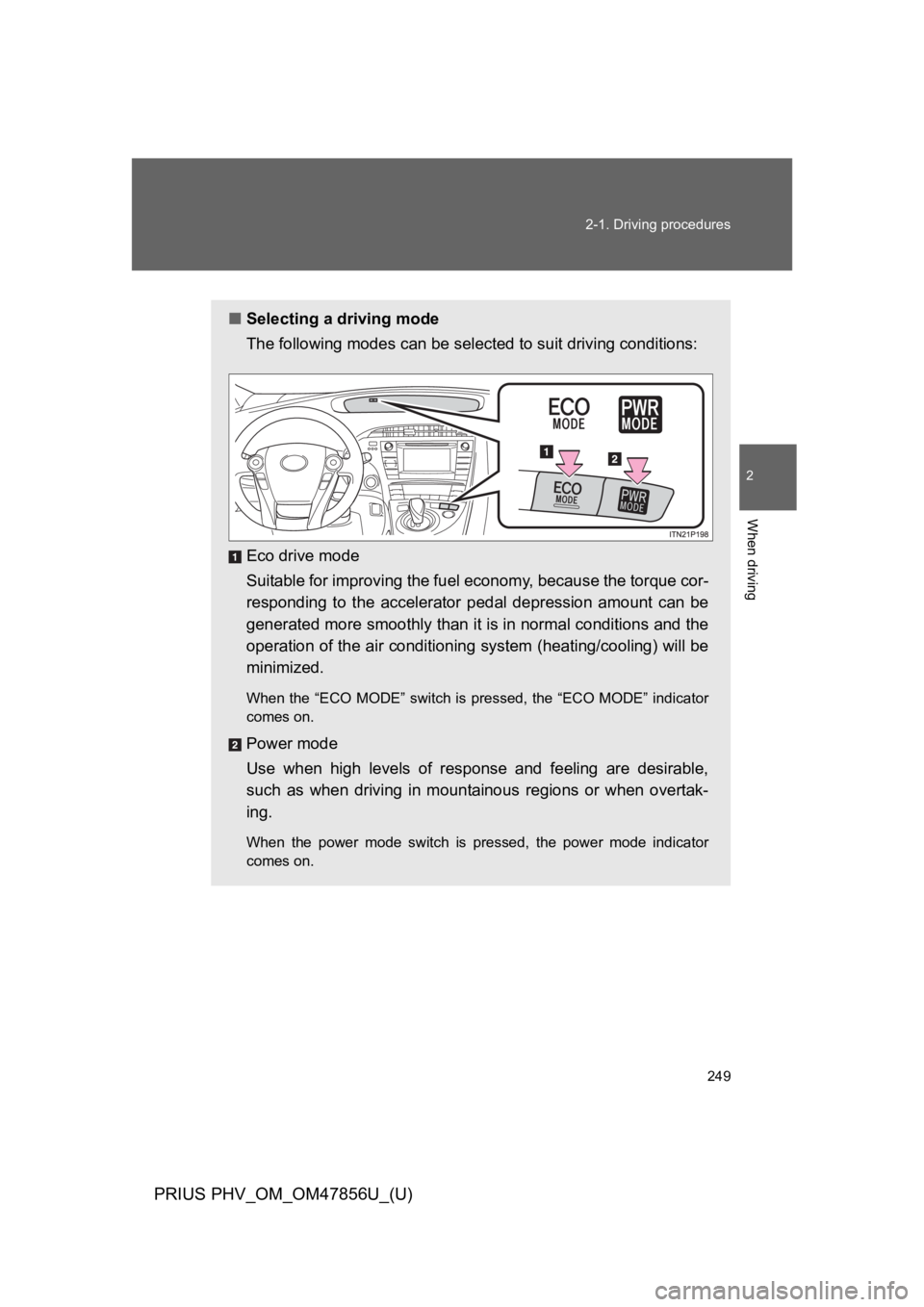
■Selecting a driving mode
The following modes can be selected to suit driving conditions:
Eco drive mode
Suitable for improving the fuel economy, because the torque cor-
responding to the accelerator pedal depression amount can be
generated more smoothly than it is in normal conditions and the
operation of the air conditioning system (heating/cooling) will be
minimized.
When the “ECO MODE” switch is pressed, the “ECO MODE” indicator
comes on.
Power mode
Use when high levels of response and feeling are desirable,
such as when driving in mountainous regions or when overtak-
ing.
When the power mode switch is pressed, the power mode indicator
comes on.