ECO mode TOYOTA PRIUS PLUG-IN 2014 Service Manual
[x] Cancel search | Manufacturer: TOYOTA, Model Year: 2014, Model line: PRIUS PLUG-IN, Model: TOYOTA PRIUS PLUG-IN 2014Pages: 724, PDF Size: 20.28 MB
Page 326 of 724
284
2-2. Instrument cluster
PRIUS PHV_OM_OM47856U_(U)
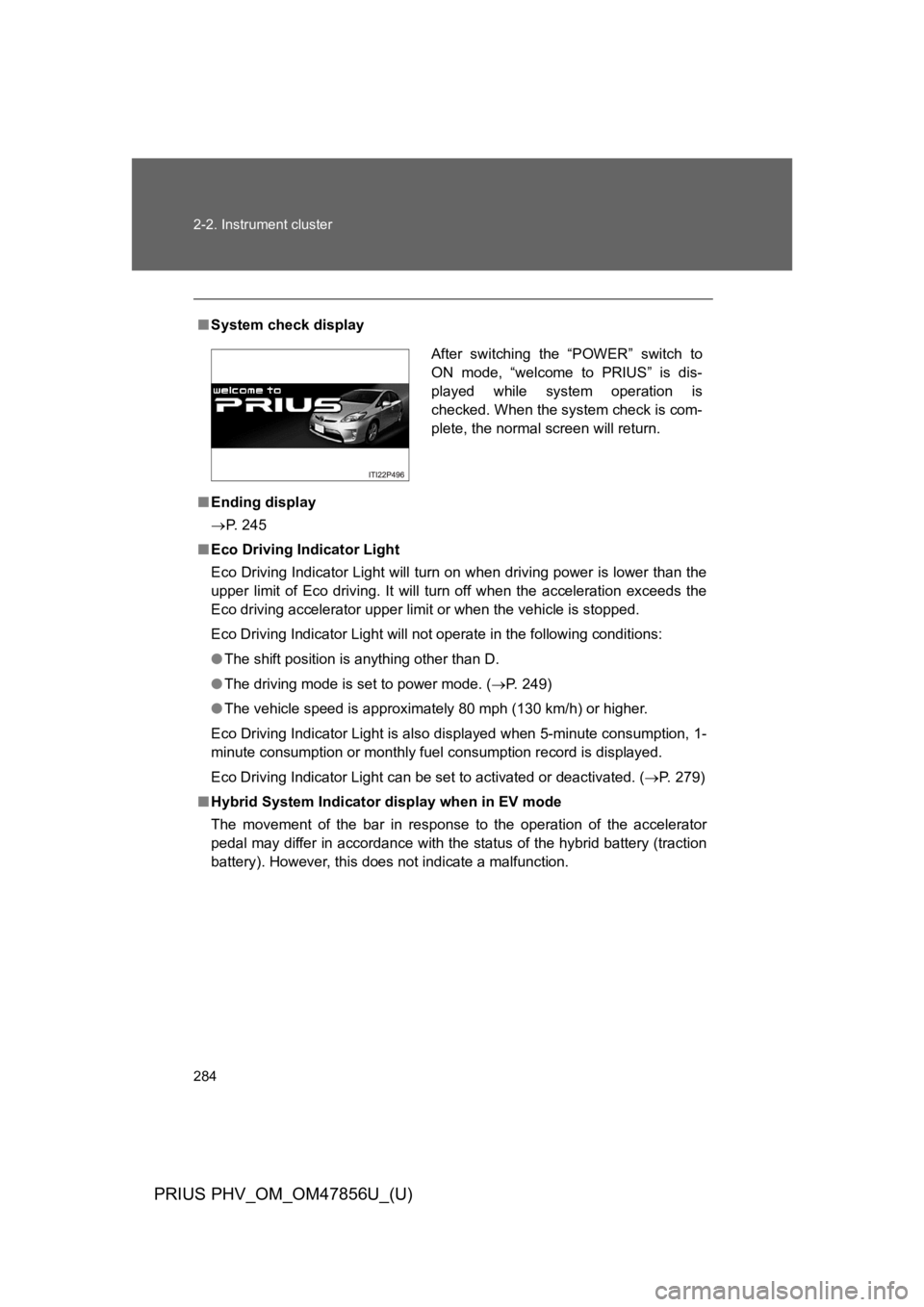
■System check display
■Ending display
→P. 2 4 5
■Eco Driving Indicator Light
Eco Driving Indicator Light will turn on when driving power is lower than the
upper limit of Eco driving. It will turn off when the acceleration exceeds the
Eco driving accelerator upper limit or when the vehicle is stopped.
Eco Driving Indicator Light will not operate in the following conditions:
●The shift position is anything other than D.
●The driving mode is set to power mode. (→P. 2 4 9 )
●The vehicle speed is approximately 80 mph (130 km/h) or higher.
Eco Driving Indicator Light is also displayed when 5-minute consumption, 1-
minute consumption or monthly fuel consumption record is displayed.
Eco Driving Indicator Light can be set to activated or deactivated. (→P. 2 7 9 )
■Hybrid System Indicator display when in EV mode
The movement of the bar in response to the operation of the accelerator
pedal may differ in accordance with the status of the hybrid battery (traction
battery). However, this does not indicate a malfunction.
After switching the “POWER” switch to
ON mode, “welcome to PRIUS” is dis-
played while system operation is
checked. When the system check is com-
plete, the normal screen will return.
Page 327 of 724

285
2-2. Instrument cluster
PRIUS PHV_OM_OM47856U_(U)
2
When driving
■Driving in Eco drive mode
The multi-information display will automatically switch the display to Hybrid
System Indicator, regardless of which display is currently being shown.
(→P. 2 7 0 )
■To u c h t r a c e r d i s p l a y ( i f e q u i p p e d )
●The touch tracer display can be set to not display even if the steering
switches are touched.
●Only the circular, rubber-covered switches have a built-in touch sensor.
To u c h i n g a n y o f t h e o t h e r s w i t c h e s w i l l n o t d i s p l a y t h e t o u c h t r a c e r d i s -
play.
■Display settings can be changed when
The vehicle speed is less than approximately 5 mph (8 km/h).
■Engine speed
On hybrid vehicles, engine speed is precisely controlled in order to help
improve fuel efficiency and reduce exhaust emissions etc. There are times
when the engine speed that is displayed may differ even when vehicle oper-
ation and driving conditions are the same.
■When the 12-volt battery is disconnected
The following data will be reset.
●Average fuel consumption
●Distance to empty
●Average vehicle speed
●EV driving ratio
●Clock
●Display settings
●Trip meter
Page 340 of 724
298
2-3. Operating the lights and windshield wipers
PRIUS PHV_OM_OM47856U_(U)
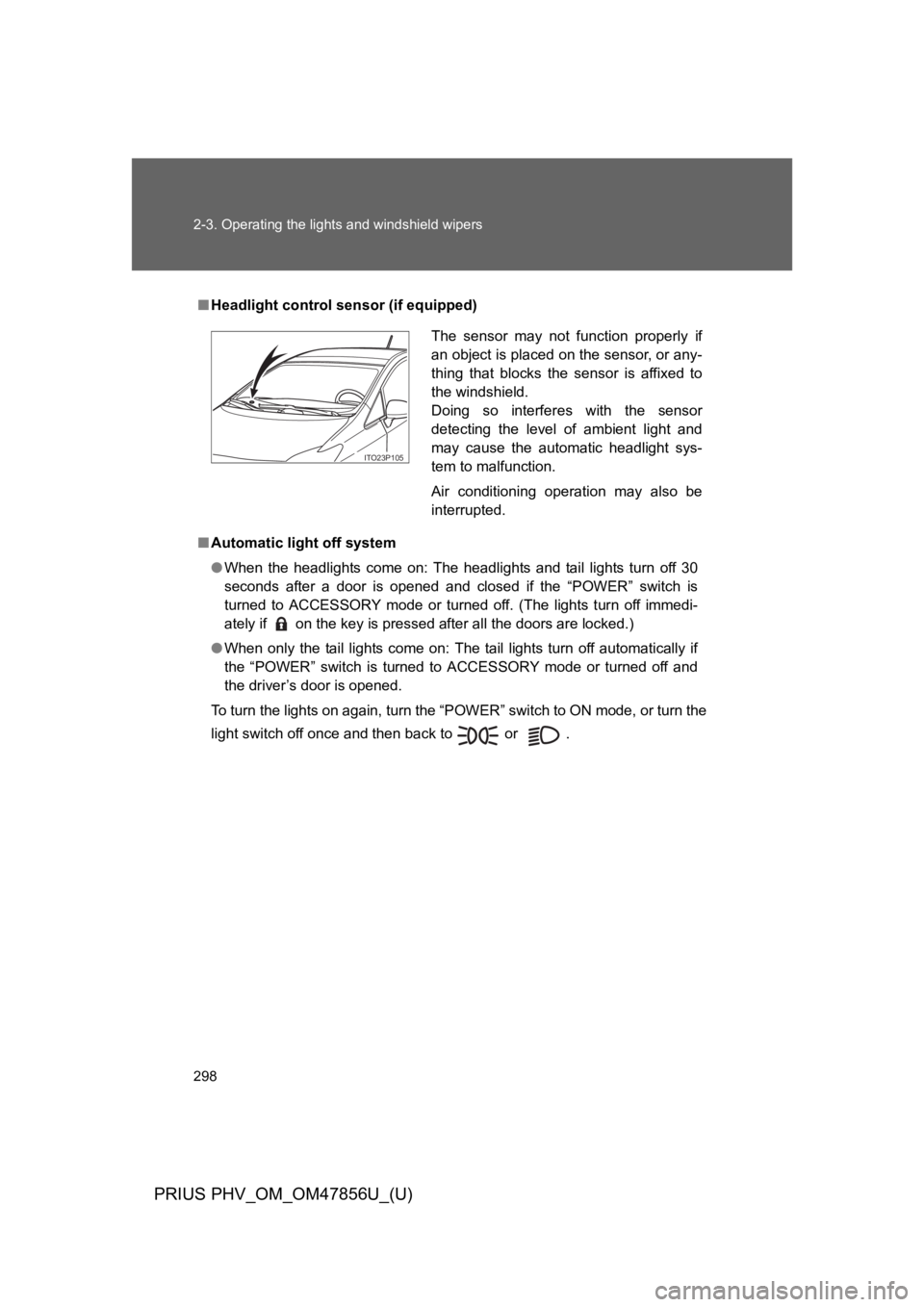
■Headlight control sensor (if equipped)
■Automatic light off system
●When the headlights come on: The headlights and tail lights turn off 30
seconds after a door is opened and closed if the “POWER” switch is
turned to ACCESSORY mode or turned off. (The lights turn off immedi-
ately if on the key is pressed after all the doors are locked.)
●When only the tail lights come on: The tail lights turn off automatically if
the “POWER” switch is turned to ACCESSORY mode or turned off and
the driver’s door is opened.
To turn the lights on again, turn the “POWER” switch to ON mode, or turn the
light switch off once and then back to or .
The sensor may not function properly if
an object is placed on the sensor, or any-
thing that blocks the sensor is affixed to
the windshield.
Doing so interferes with the sensor
detecting the level of ambient light and
may cause the automatic headlight sys-
tem to malfunction.
Air conditioning operation may also be
interrupted.
ITO23P105
Page 357 of 724
315
2-4. Using other driving systems
PRIUS PHV_OM_OM47856U_(U)
2
When driving
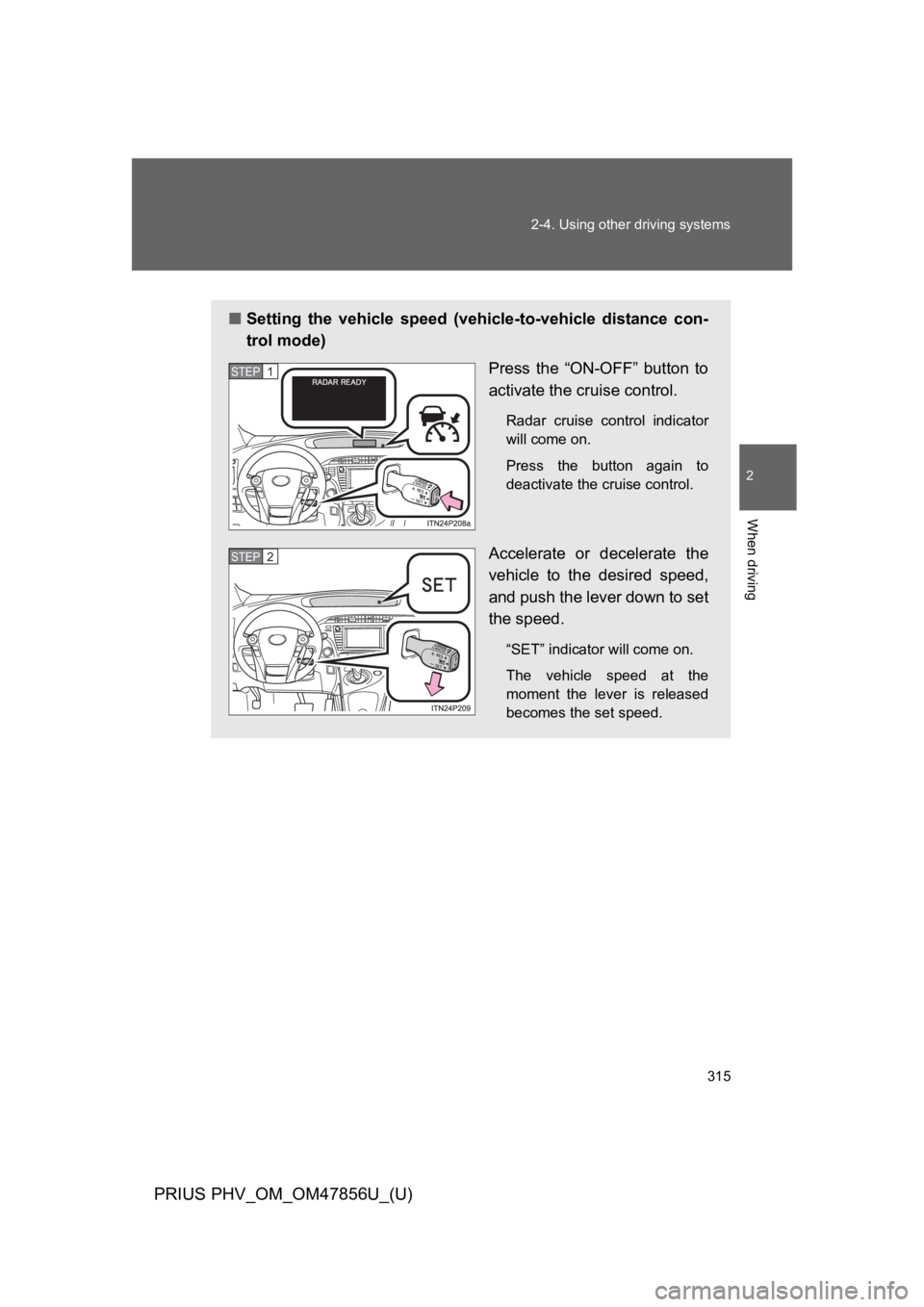
■Setting the vehicle speed (vehicle-to-vehicle distance con-
trol mode)
Press the “ON-OFF” button to
activate the cruise control.
Radar cruise control indicator
will come on.
Press the button again to
deactivate the cruise control.
Accelerate or decelerate the
vehicle to the desired speed,
and push the lever down to set
the speed.
“SET” indicator will come on.
The vehicle speed at the
moment the lever is released
becomes the set speed.
STEP 1
STEP 2
Page 358 of 724
316
2-4. Using other driving systems
PRIUS PHV_OM_OM47856U_(U)
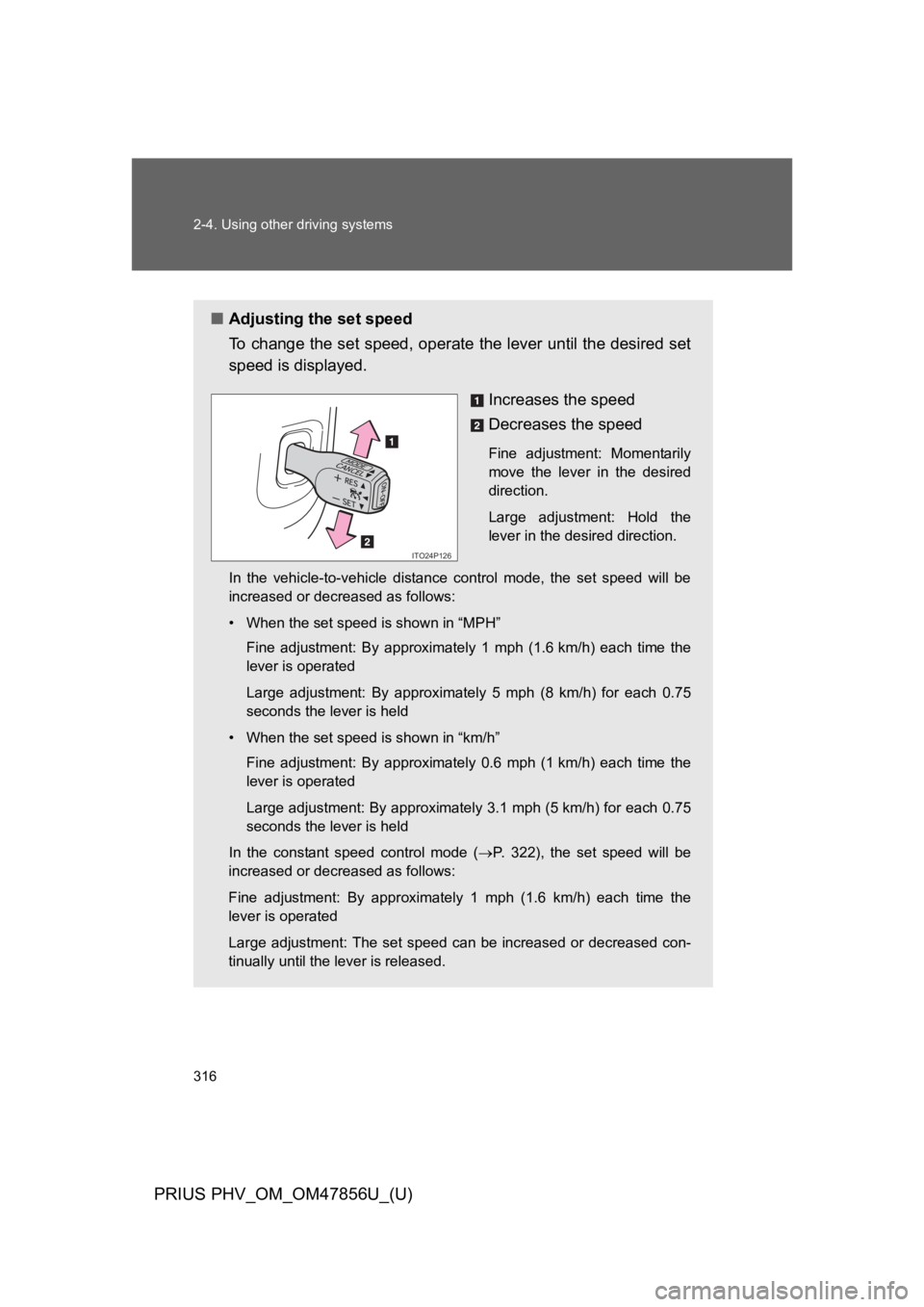
■Adjusting the set speed
To c h a n g e t h e s e t s p e e d , o p e r a t e the lever until the desired set
speed is displayed.
Increases the speed
Decreases the speed
Fine adjustment: Momentarily
move the lever in the desired
direction.
Large adjustment: Hold the
lever in the desired direction.
In the vehicle-to-vehicle distance control mode, the set speed will be
increased or decreased as follows:
•When the set speed is shown in “MPH”
Fine adjustment: By approximately 1 mph (1.6 km/h) each time the
lever is operated
Large adjustment: By approximately 5 mph (8 km/h) for each 0.75
seconds the lever is held
•When the set speed is shown in “km/h”
Fine adjustment: By approximately 0.6 mph (1 km/h) each time the
lever is operated
Large adjustment: By approximately 3.1 mph (5 km/h) for each 0.75
seconds the lever is held
In the constant speed control mode (→P. 3 2 2 ) , t h e s e t s p e e d w i l l b e
increased or decreased as follows:
Fine adjustment: By approximately 1 mph (1.6 km/h) each time the
lever is operated
Large adjustment: The set speed can be increased or decreased con-
tinually until the lever is released.
ITO24P126
Page 364 of 724
322
2-4. Using other driving systems
PRIUS PHV_OM_OM47856U_(U)
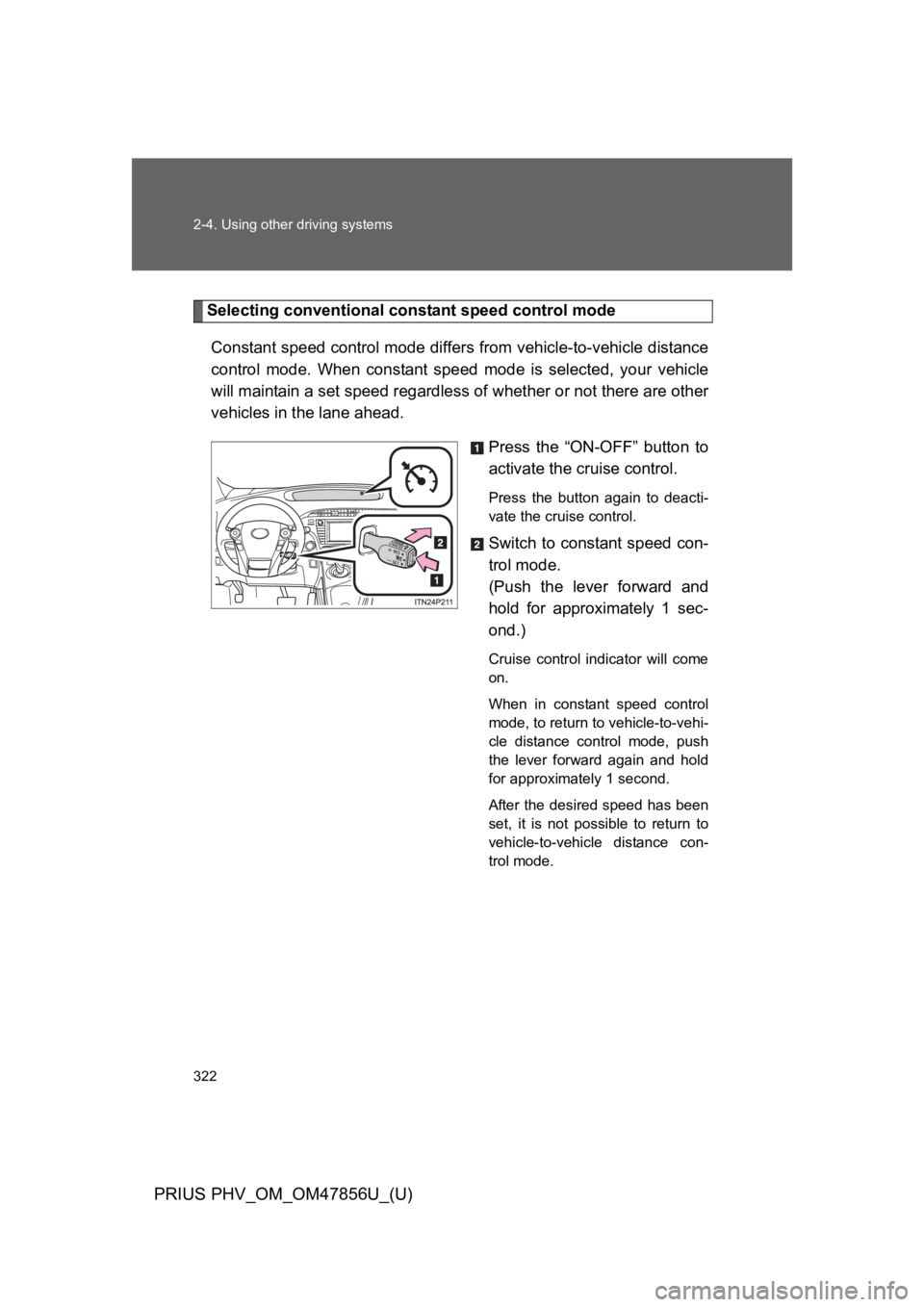
Selecting conventional constant speed control mode
Constant speed control mode differs from vehicle-to-vehicle distance
control mode. When constant speed mode is selected, your vehicle
will maintain a set speed regardless of whether or not there are other
vehicles in the lane ahead.
Press the “ON-OFF” button to
activate the cruise control.
Press the button again to deacti-
vate the cruise control.
Switch to constant speed con-
trol mode.
(Push the lever forward and
hold for approximately 1 sec-
ond.)
Cruise control indicator will come
on.
When in constant speed control
mode, to return to vehicle-to-vehi-
cle distance control mode, push
the lever forward again and hold
for approximately 1 second.
After the desired speed has been
set, it is not possible to return to
vehicle-to-vehicle distance con-
trol mode.
Page 410 of 724
369
3-1. Using the air conditioning system and defogger
PRIUS PHV_OM_OM47856U_(U)
3
Interior features
■If air flow from the vents decreases dramatically
The filter may be clogged. Contact your Toyota dealer.
■Operation of the air conditioning system in Eco drive mode
In the Eco drive mode, the air conditioning system is controlled as follows to
prioritize fuel efficiency:
●Engine speed and compressor operation controlled to restrict heating/
cooling capacity
●Fan speed restricted when automatic mode is selected
To i m p r o v e a i r c o n d i t i o n i n g p e r f o r m a n c e , p e r f o r m t h e f o l l o w i n g o p e r a t i o n s :
●Adjust the fan speed
●Turn off Eco drive mode (→P. 2 4 9 )
●Customize the air conditioning control of Eco drive mode. (→P. 6 4 3 )
■When outside air temperature is below 32 °F (0 °C)
The cooling and dehumidification function may not operate even when
is pressed.
■Air conditioning odors
●During use, various odors from inside and outside the vehicle may enter
into and accumulate in the air conditioning system. This may then cause
odor to be emitted from the vents.
●To r e d u c e p o t e n t i a l o d o r s f r o m o c c u r r i n g :
•It is recommended that the air conditioning system be set to outside air
mode prior to turning the vehicle off.
•The start timing of the blower may be delayed for a short period of time
immediately after the air conditioning system is started in automatic
mode.
■Customization
Settings (e.g. enable/disable automatic operation of the air conditioning
compressor when the “AUTO” switch ON) can be changed.
(Customizable features →P. 6 4 3 )
Page 418 of 724
377
3-1. Using the air conditioning system and defogger
PRIUS PHV_OM_OM47856U_(U)
3
Interior features
Rear window and outside rear view mir ror defoggers switch
■Operating conditions
The “POWER” switch is in ON mode.
■The outside rear view mirror defoggers (if equipped)
Turning the rear window defogger on will turn the outside rear view mirror
defoggers on.
CAUTION
■When the outside rear view mirror defoggers are on (if equipped)
Do not touch the outside surface of the rear view mirrors, as they can
become very hot and burn you.
NOTICE
■To p r e v e n t 1 2 - v o l t b a t t e r y d i s c h a r g e
Do not leave the rear window defogger on longer than necessary when the
hybrid system is off.
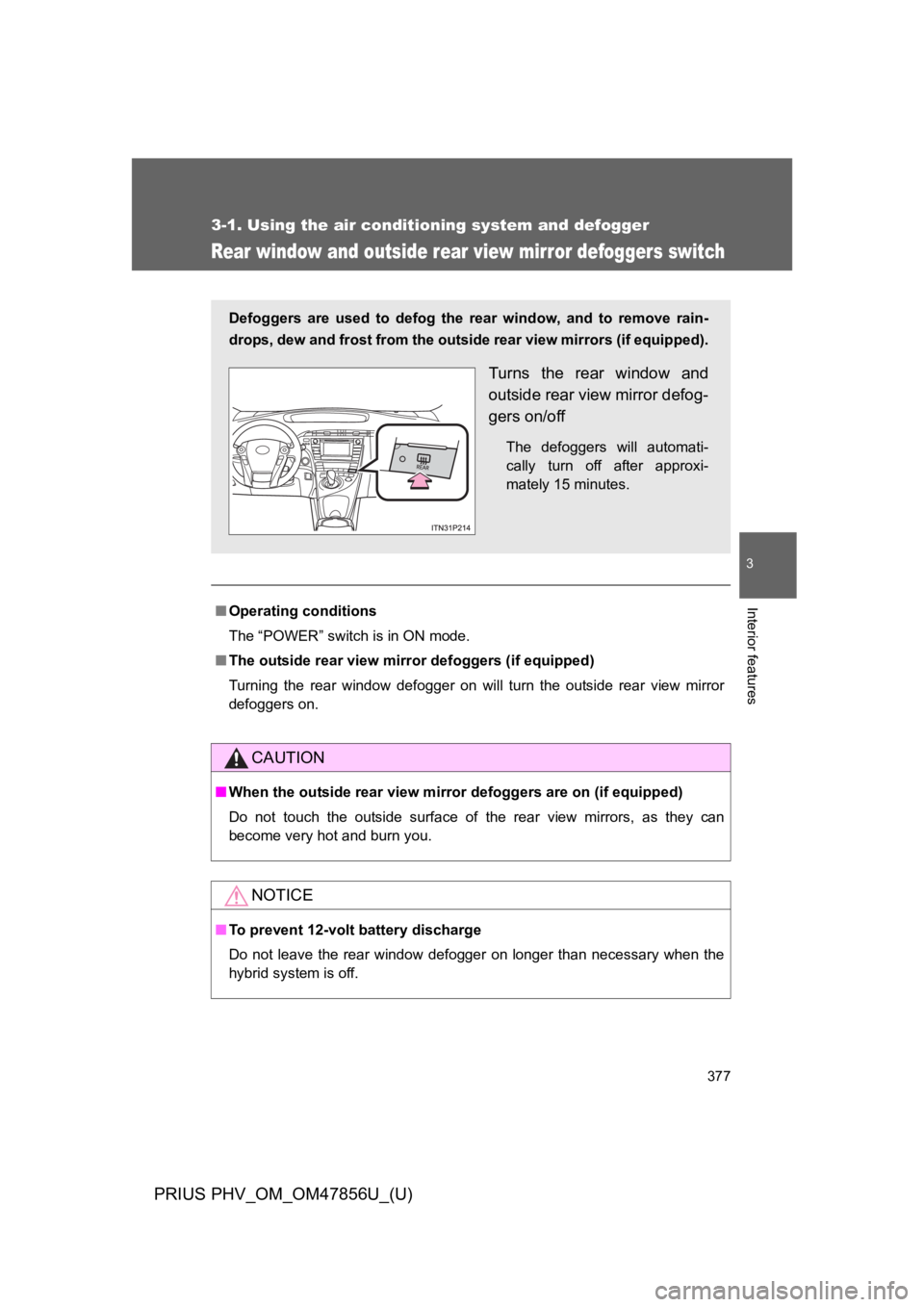
Defoggers are used to defog the rear window, and to remove rain-
drops, dew and frost from the outside rear view mirrors (if equipped).
Turns the rear window and
outside rear view mirror defog-
gers on/off
The defoggers will automati-
cally turn off after approxi-
mately 15 minutes.
Page 445 of 724
404
3-5. Other interior features
PRIUS PHV_OM_OM47856U_(U)
CAUTION
Observe the following precautions.
Failure to do so may cause the driver’s floor mat to slip, possibly interfering
with the pedals while driving. An unexpectedly high speed may result or it may
become difficult to stop the vehicle, leading to a serious accident.
■When installing the driver’s floor mat
●Do not use floor mats designed for other models or different model year
vehicles, even if they are Toyota Genuine floor mats.
●Only use floor mats designed for the driver’s seat.
●Always install the floor mat securely using the retaining hooks (clips) pro-
vided.
●Do not use two or more floor mats on top of each other.
●Do not place the floor mat bottom-side up or upside-down.
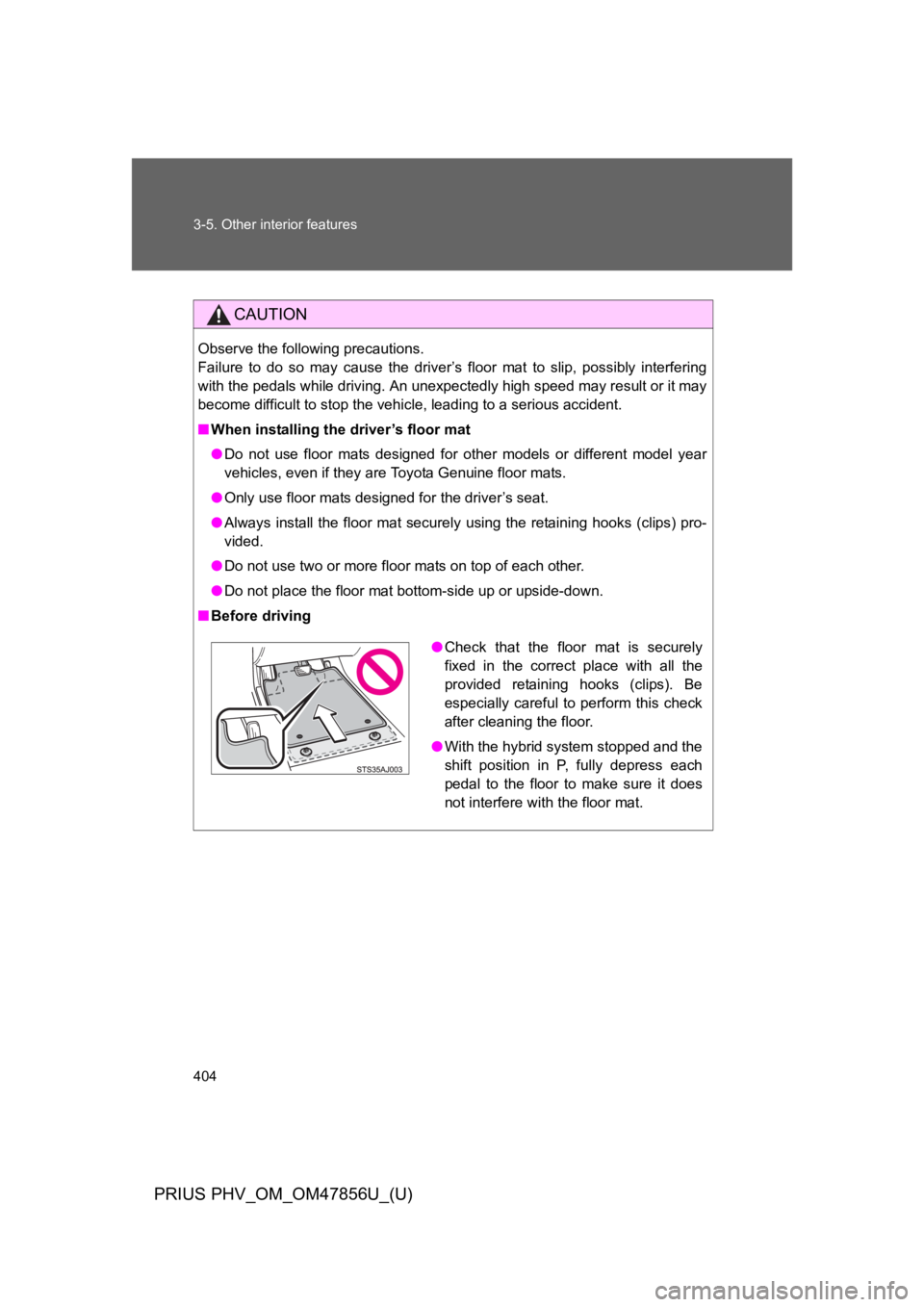
■Before driving
●Check that the floor mat is securely
fixed in the correct place with all the
provided retaining hooks (clips). Be
especially careful to perform this check
after cleaning the floor.
●With the hybrid system stopped and the
shift position in P, fully depress each
pedal to the floor to make sure it does
not interfere with the floor mat.
Page 460 of 724

419
3-5. Other interior features
PRIUS PHV_OM_OM47856U_(U)
3
Interior features
■Safety Connect Services Information
●Phone calls using the vehicles Bluetooth® technology will not be possible
during Safety Connect.
●Safety Connect is available beginning Fall 2009 on select Toyota models.
Contact with the Safety Connect response center is dependent upon the
telematics device being in operative condition, cellular connection avail-
ability, and GPS satellite signal reception, which can limit the ability to
reach the response center or receive emergency service support. Enroll-
ment and Telematics Subscription Service Agreement required. A variety
of subscription terms is available; charges vary by subscription term
selected.
●Automatic Collision Notification, Emergency Assistance, Stolen Vehicle
Location, and Enhanced Roadside Assistance will function in the United
States, including Hawaii and Alask a, and in Canada. No Safety Connect
services will function outside of the United States in countries other than
Canada.
●Safety Connect services are not subject to section 255 of the Telecom-
munications Act and the device is not TTY compatible.
■Languages
The Safety Connect response center will offer support in multiple languages.
The Safety Connect system will offer voice prompts in English and Spanish.
Please indicate your language of choice when enrolling.
■When contacting the response center
Yo u m a y b e u n a b l e t o c o n t a c t t h e r e s p o n s e c e n t e r i f t h e n e t w o r k i s b u s y.
■Safety Connect backup battery depletion
An exclusive backup battery is built in to assist the Automatic Collision Noti-
fication, which is activated when impact above a certain level is applied to
the vehicle, or when the airbags operate. This battery is a primary battery,
and cannot be charged. The red LED indicator will flash to indicate that the
battery should be replaced.
The backup battery will need to be replaced if the Automatic Collision Notifi-
cation operates for 60 seconds or more. For replacement, consult your Toy-
ota dealer.