light TOYOTA PRIUS PLUG-IN 2015 Owner's Manual
[x] Cancel search | Manufacturer: TOYOTA, Model Year: 2015, Model line: PRIUS PLUG-IN, Model: TOYOTA PRIUS PLUG-IN 2015Pages: 728, PDF Size: 20.85 MB
Page 128 of 728
85
1
1-2. Charging
Before driving
PRIUS PHV_OM_OM47A11U_(U)
How to charge
This vehicle has been designed to allow charging from an external
power source using a charging cable for exclusive use with standard
household AC outlets.
However, the vehicle differs greatly from standard household electri-
cal goods in the following ways, and incorrect usage could cause
fire or electric shock, possibly leading to death or serious injury.
●The charging operation is designed to operate at 12A continu-
ously for the charge duration (up to 3 hours).
●Charging can be conducted outdoors.
To c h a r g e p r o p e r l y, f o l l o w t h e p rocedure after reading the explana-
tion below. Charging is intended to be carried out by licensed driv-
ers only who properly understand the charging procedure. Charging
should not be carried out by children.
When charging with a charging station, follow the procedures for
using the charging station.
■Confirm the following before charging
●The parking brake is applied. (oP. 2 6 0 )
●Lights such as the headlights, emergency flashers and interior
lights etc. are switched off.
If these light switches are turned ON, then these features will con-
sume electricity, and charging time will increase.
●The “POWER” switch is OFF. (oP. 2 4 4 )
■Items to be regularly inspected
oP. 1 0 8
Page 131 of 728
88
1-2. Charging
PRIUS PHV_OM_OM47A11U_(U)
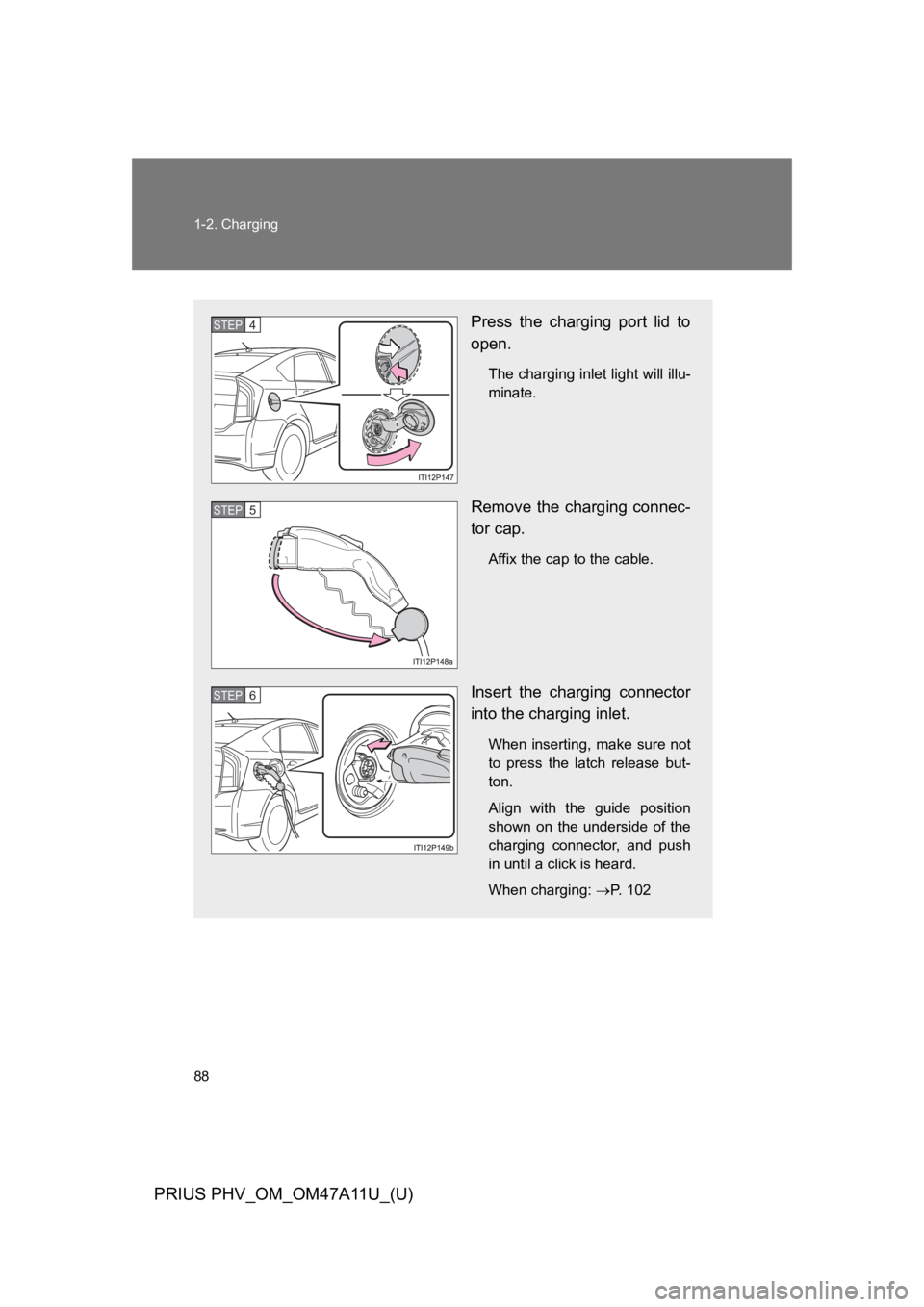
Press the charging port lid to
open.
The charging inlet light will illu-
minate.
Remove the charging connec-
tor cap.
Affix the cap to the cable.
Insert the charging connector
into the charging inlet.
When inserting, make sure not
to press the latch release but-
ton.
Align with the guide position
shown on the underside of the
charging connector, and push
in until a click is heard.
When charging: oP. 1 0 2
STEP 4
STEP 5
STEP 6
Page 132 of 728
89
1-2. Charging
1
Before driving
PRIUS PHV_OM_OM47A11U_(U)
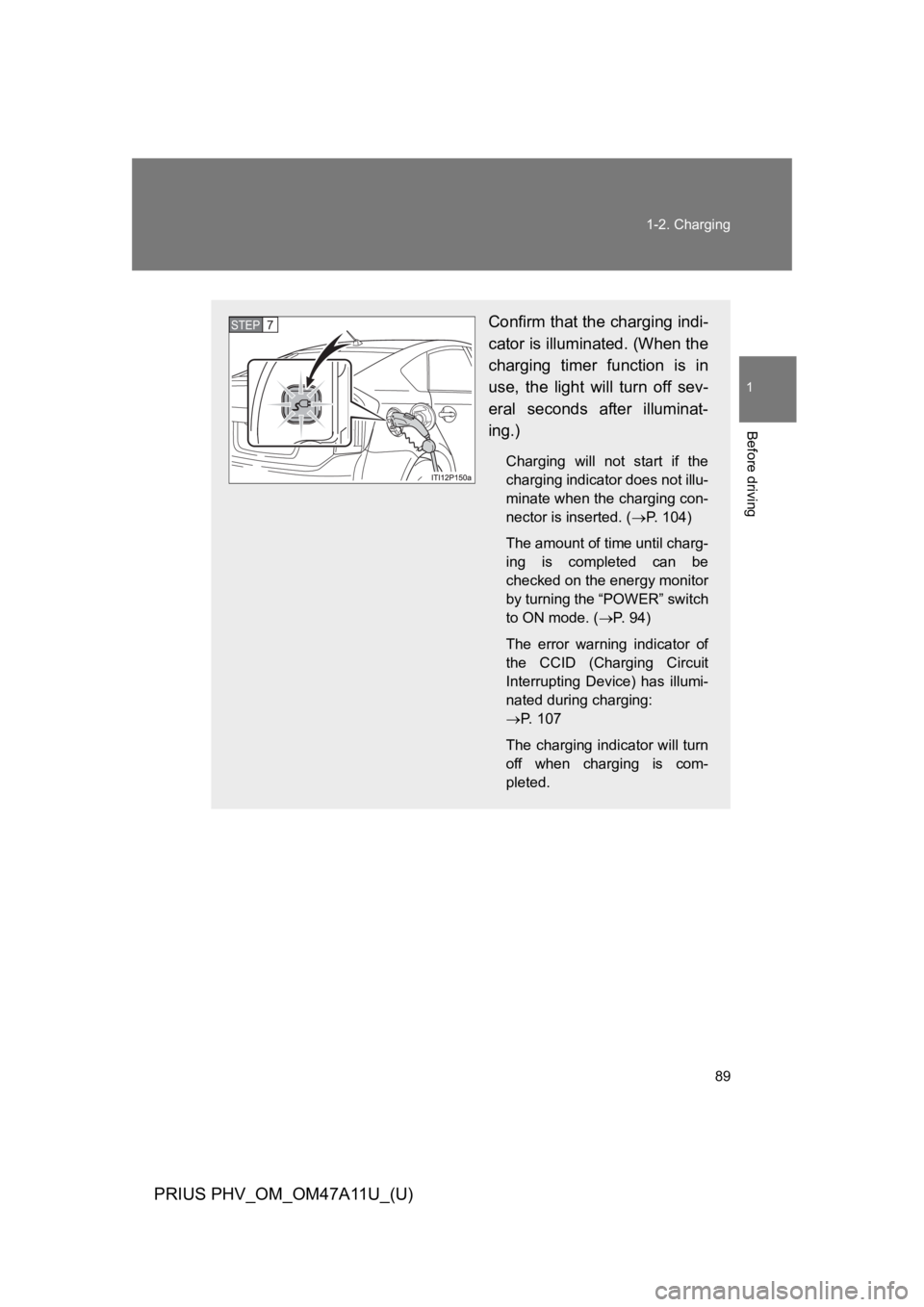
Confirm that the charging indi-
cator is illuminated. (When the
charging timer function is in
use, the light will turn off sev-
eral seconds after illuminat-
ing.)
Charging will not start if the
charging indicator does not illu-
minate when the charging con-
nector is inserted. (oP. 1 0 4 )
The amount of time until charg-
ing is completed can be
checked on the energy monitor
by turning the “POWER” switch
to ON mode. (oP. 9 4 )
The error warning indicator of
the CCID (Charging Circuit
Interrupting Device) has illumi-
nated during charging:
oP. 1 0 7
The charging indicator will turn
off when charging is com-
pleted.
STEP7
Page 141 of 728

98
1-2. Charging
PRIUS PHV_OM_OM47A11U_(U)
■Charging time may increase
In the following situations, charging time may become longer than normal:
●In very hot or very cold temperatures.
●The vehicle is consuming a lot of electricity, for example, when the head-
lights or emergency flashers switch is on.
●There is a power outage during charging.
●There is an interruption in the electrical supply.
●There is a drop in the voltage of your panel’s AC supply.
●The charge in the 12-volt battery is low, for example due to the vehicle
being left unused for a long period of time.
■Capacity reduction of the hybrid battery (traction battery)
The charge of the hybrid battery (traction battery) will decline gradually when
the hybrid battery (traction battery) is in use. The rate at which it declines will
differ in accordance with environmental conditions and the way in which the
vehicle is used. By observing the following precautions, battery charge
decline can be suppressed.
●Avoid parking the vehicle in areas with a high temperature under direct
sunlight when the hybrid battery (traction battery) is fully charged.
●Do not accelerate or decelerate frequently and suddenly when driving in
EV mode.
●Avoid frequent driving near the top speed for EV driving. (oP. 4 0 )
●Leave a low level of charge in the hybrid battery (traction battery) when
leaving the vehicle undriven for a long period of time.
After confirming that EV mode has switched to HV mode, turn the
“POWER” switch off.
●Use the charging timer function as much as possible in order to fully
charge the hybrid battery (traction battery) immediately before starting
off.
Also, if the hybrid battery (traction battery) capacity reduces, the distance
that can be driven in EV mode decreases. However, vehicle performance
does not significantly become worse.
Page 143 of 728
100
1-2. Charging
PRIUS PHV_OM_OM47A11U_(U)
CAUTION
■When charging
●Wrapping 120 V charging cable while in-use is not recommended because
cable may overheat. Failure to rewrap charging cable when not in-use
could result in strangulation or tripping hazard.
●After connecting the charging cable, confirm that it is not bent.
●Do not place heavy objects on the charging cable.
●If charging is interrupted, remove the charging connector before removing
the plug.
●When charging outdoors, make sure to connect to a weatherproof outlet
for outdoor use.
Also, if rain falls during charging, take care that rainwater does not run
along the length of cable and enter the outlet.
●Do not insert the plug if the outlet is submerged in water or snow.
If the plug has already been inserted and it is necessary to remove it, first
switch the circuit breaker OFF, then remove the plug.
●Follow these points when charging while it is raining or snowing.
•Check that no snow, water or ice has accumulated around the charging
connector terminals and the vehicle charging inlet. Tap snow, water or
ice gently from connector prior to inserting charging connector into the
vehicle’s charging inlet.
•Do not connect the plug if your hands are wet. Also, do not get the plug
or outlet wet.
●Do not charge the vehicle during a lightning storm.
If you notice lightning while charging the vehicle, turn the circuit breaker
OFF and do not touch the vehicle and the charging cable.
■After charging
Remove the plug if it will not be used for a long time.
Dirt and dust may accumulate plug or outlet, which could cause a
malfunction or fire, possibly leading to death or serious injury.
Page 161 of 728
118
1-4. Opening, closing and locking the doors
PRIUS PHV_OM_OM47A11U_(U)
■Operation signals
A buzzer sounds and the emergency flashers flash to indicate that the doors
have been locked/unlocked. (Locked: Once; Unlocked: Twice)
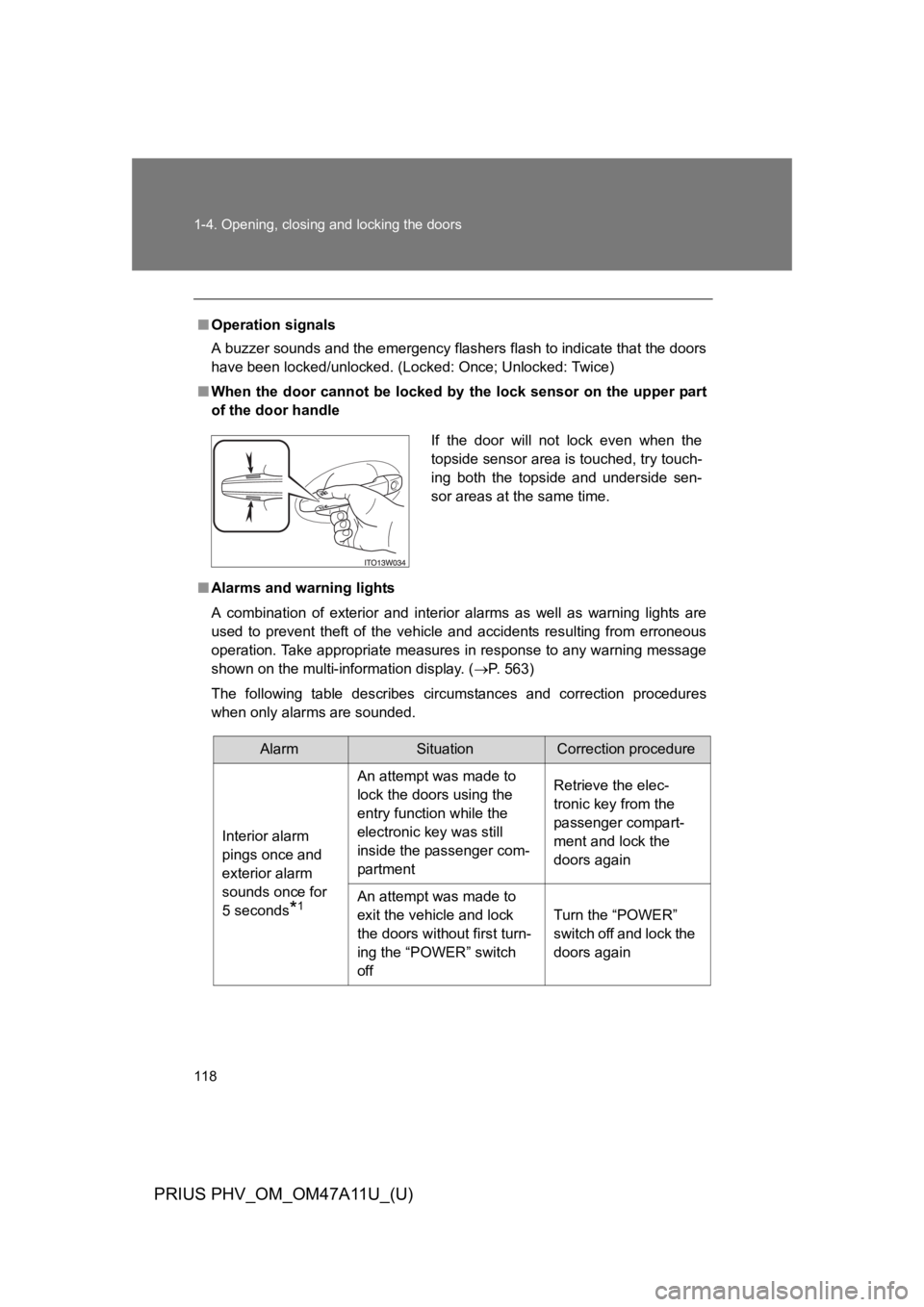
■When the door cannot be locked by the lock sensor on the upper part
of the door handle
■Alarms and warning lights
A combination of exterior and interior alarms as well as warning lights are
used to prevent theft of the vehicle and accidents resulting from erroneous
operation. Take appropriate measures in response to any warning message
shown on the multi-information display. (oP. 5 6 3 )
The following table describes circumstances and correction procedures
when only alarms are sounded.
If the door will not lock even when the
topside sensor area is touched, try touch-
ing both the topside and underside sen-
sor areas at the same time.
AlarmSituationCorrection procedure
Interior alarm
pings once and
exterior alarm
sounds once for
5 seconds*1
An attempt was made to
lock the doors using the
entry function while the
electronic key was still
inside the passenger com-
partment
Retrieve the elec-
tronic key from the
passenger compart-
ment and lock the
doors again
An attempt was made to
exit the vehicle and lock
the doors without first turn-
ing the “POWER” switch
off
Turn the “POWER”
switch off and lock the
doors again
Page 169 of 728

126
1-4. Opening, closing and locking the doors
PRIUS PHV_OM_OM47A11U_(U)
■Note for the unlocking function
●A sudden approach to the effective range or door handle may prevent the
doors from being unlocked. In this case, return the door handle to the
original position and check that the doors unlock before pulling the door
handle again.
●Gripping the door handle when wearing a glove may not unlock the door.
Remove the gloves and touch the sensor on the back of the door handle
again.
●If the door handle becomes wet while the electronic key is within the
effective range, the door may lock and unlock repeatedly. Place the key
in a position 6 ft. (2 m) or more separate from the vehicle while the vehi-
cle is being washed. (Take care to ensure that the key is not stolen.)
●If there is another electronic key in the detection area, it may take slightly
longer to unlock the doors after the door handle is gripped.
●Fingernails may scrape against the door during operation of the door
handle. Be careful not to injure fingernails or damage the surface of the
door.
■When the vehicle is not driven for extended periods
●To p r e v e n t t h e f t o f t h e v e h i c l e , d o n o t l e a v e t h e e l e c t r o n i c k e y w i t h i n 6 f t .
(2 m) of the vehicle.
●The smart key system can be deactivated in advance. (oP. 6 4 7 )
■To o p e r a t e t h e s y s t e m p r o p e r l y
Make sure to carry the electronic key when operating the system. Do not get
the electronic key too close to the vehicle when operating the system from
the outside of the vehicle.
Depending on the position and holding condition of the electronic key, the
key may not be detected correctly and the system may not operate properly.
(The door lock prevention may not operate.)
Page 180 of 728
137
1-4. Opening, closing and locking the doors
1
Before driving
PRIUS PHV_OM_OM47A11U_(U)
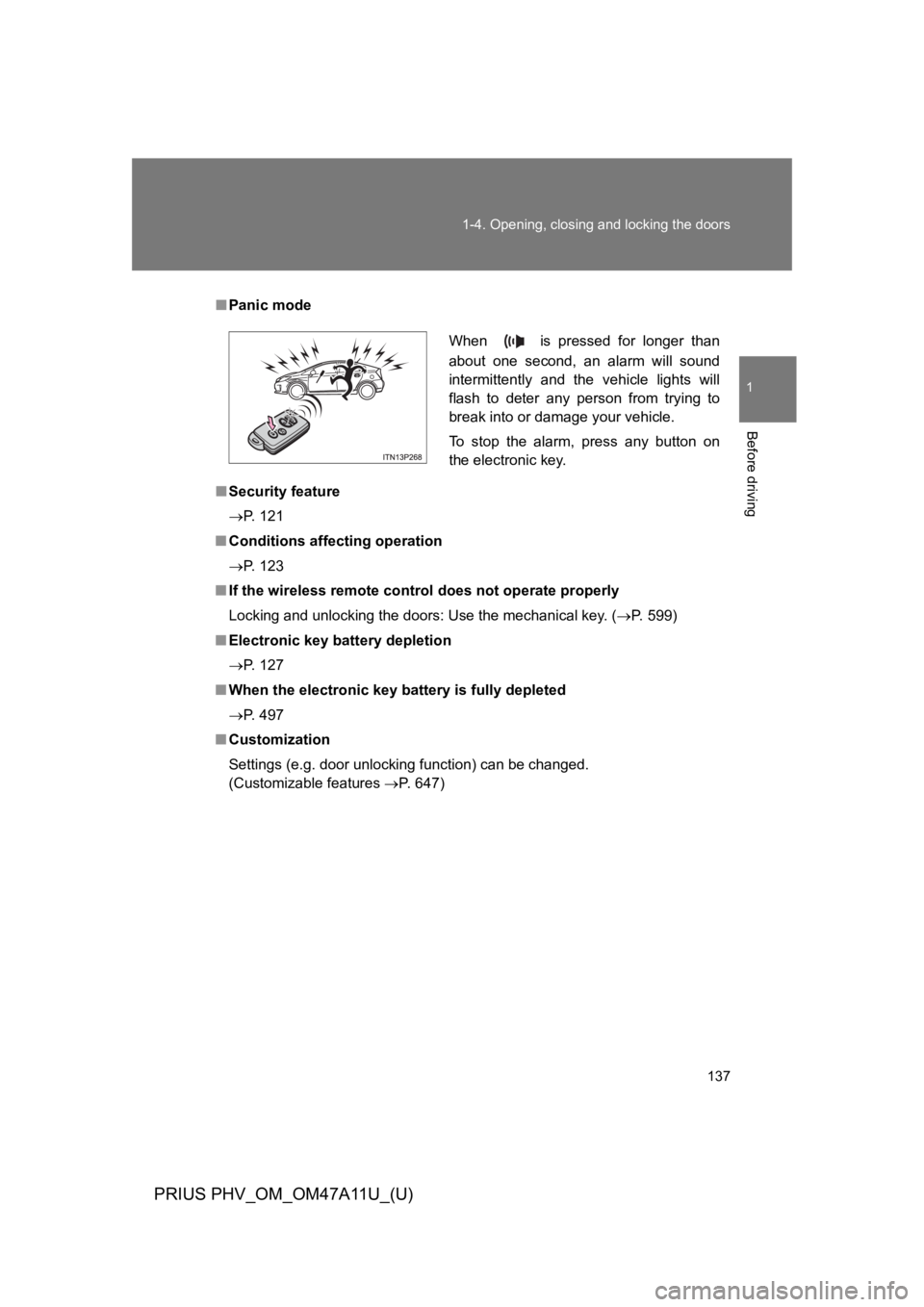
■Panic mode
■Security feature
oP. 1 2 1
■Conditions affecting operation
oP. 1 2 3
■If the wireless remote control does not operate properly
Locking and unlocking the doors: Use the mechanical key. (oP. 5 9 9 )
■Electronic key battery depletion
oP. 1 2 7
■When the electronic key battery is fully depleted
oP. 4 9 7
■Customization
Settings (e.g. door unlocking function) can be changed.
(Customizable features oP. 6 4 7 )
When is pressed for longer than
about one second, an alarm will sound
intermittently and the vehicle lights will
flash to deter any person from trying to
break into or damage your vehicle.
To s t o p t h e a l a r m , p r e s s a n y b u t t o n o n
the electronic key.
Page 188 of 728
145
1-4. Opening, closing and locking the doors
1
Before driving
PRIUS PHV_OM_OM47A11U_(U)
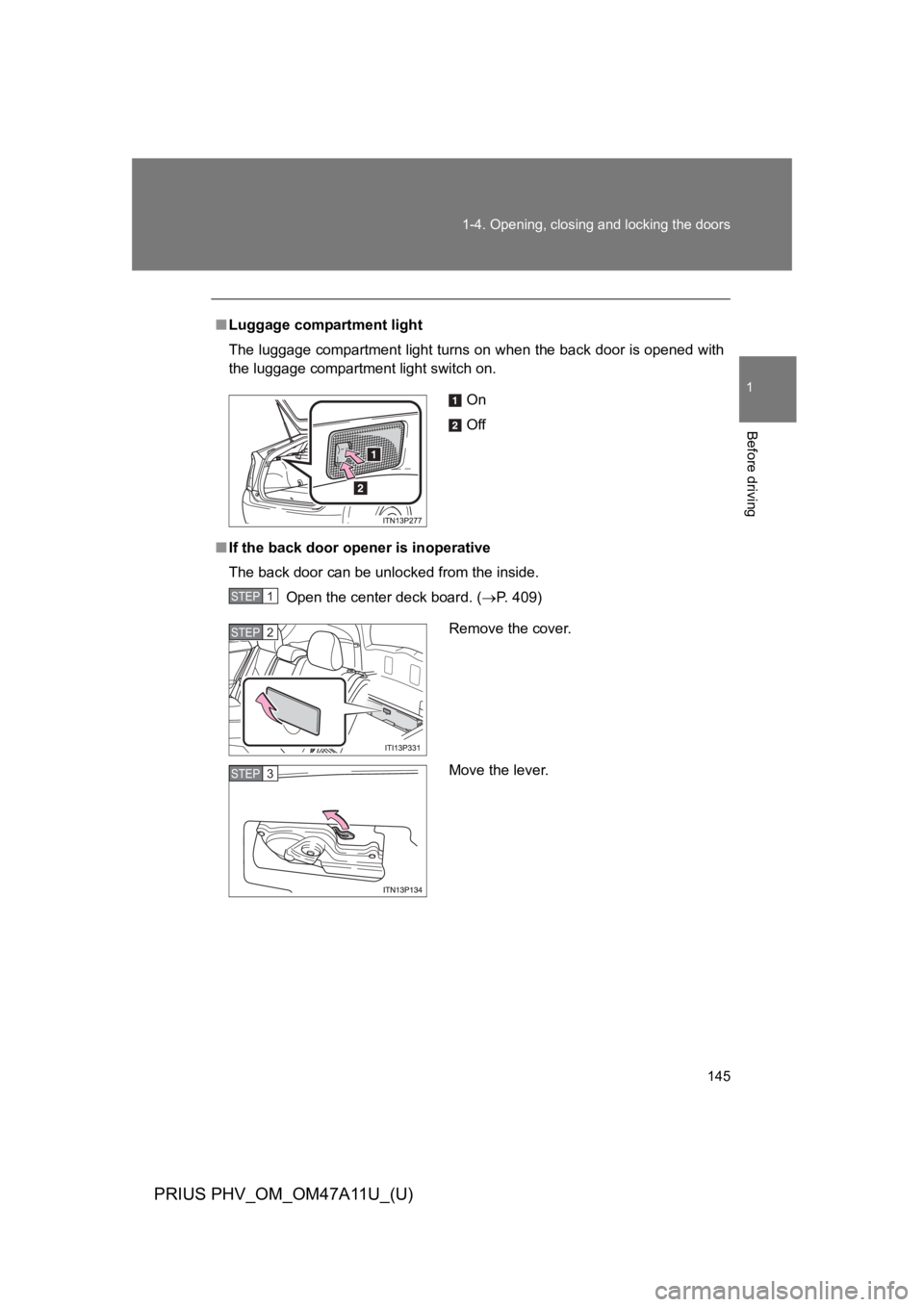
■Luggage compartment light
The luggage compartment light turns on when the back door is opened with
the luggage compartment light switch on.
■If the back door opener is inoperative
The back door can be unlocked from the inside.
Open the center deck board. (oP. 4 0 9 )
On
Off
STEP 1
Remove the cover.
Move the lever.
STEP 2
STEP 3
Page 191 of 728
148
1-4. Opening, closing and locking the doors
PRIUS PHV_OM_OM47A11U_(U)
CAUTION
●Do not pull on the back door damper stay to close the back door, and do
not hang on the back door damper stay.
Doing so may cause hands to be caught or the back door damper stay to
break, causing an accident.
●If a bicycle carrier or similar heavy object is attached to the back door, it
may suddenly shut again after being opened, causing someone’s hands,
head or neck to be caught and injured. When installing an accessory part
to the back door, using a genuine Toyota part is recommended.
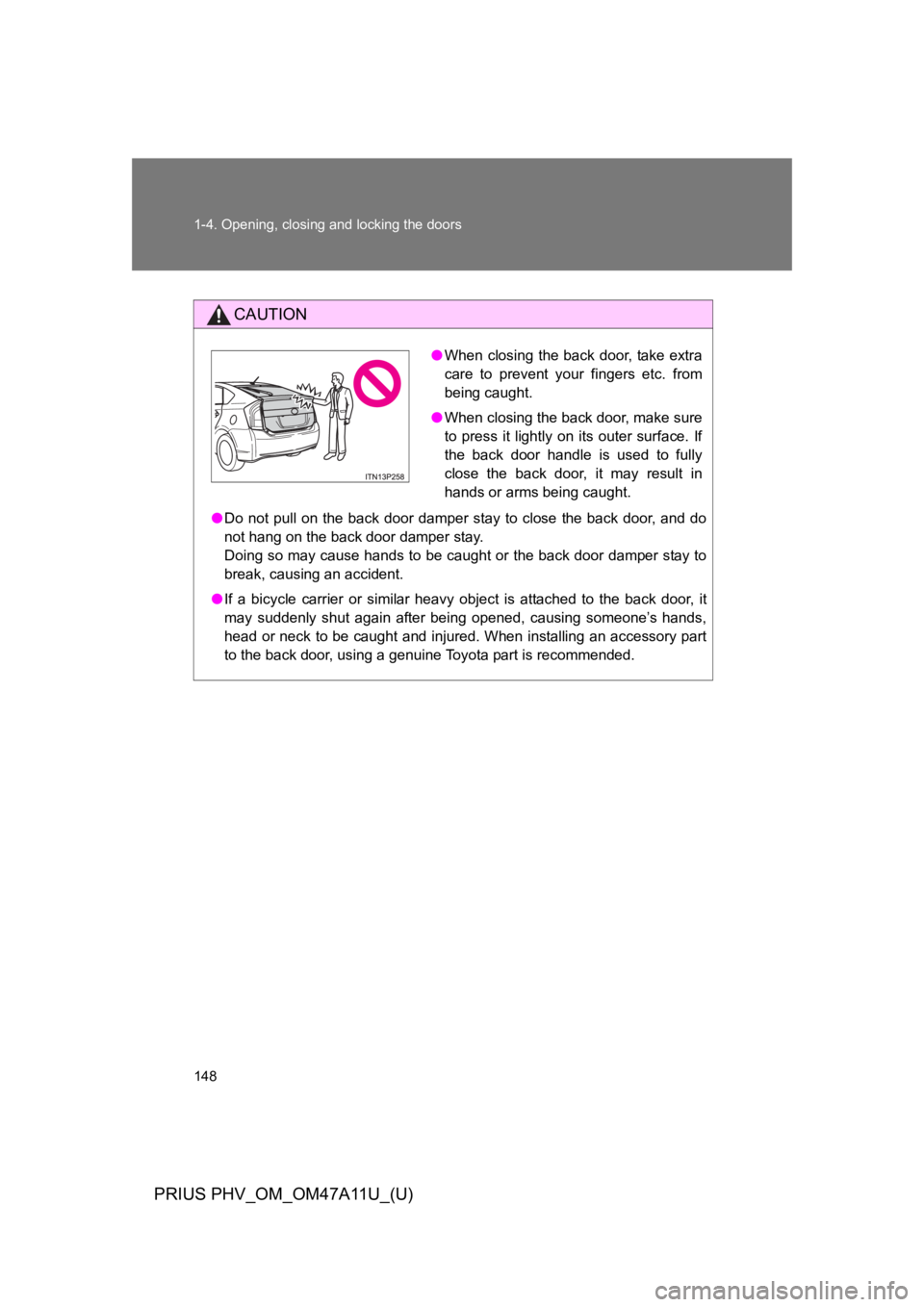
●When closing the back door, take extra
care to prevent your fingers etc. from
being caught.
●When closing the back door, make sure
to press it lightly on its outer surface. If
the back door handle is used to fully
close the back door, it may result in
hands or arms being caught.