ECU TOYOTA PRIUS PLUG-IN 2015 Service Manual
[x] Cancel search | Manufacturer: TOYOTA, Model Year: 2015, Model line: PRIUS PLUG-IN, Model: TOYOTA PRIUS PLUG-IN 2015Pages: 728, PDF Size: 20.85 MB
Page 420 of 728
379
3-1. Using the air conditioning system and defogger
PRIUS PHV_OM_OM47A11U_(U)
3
Interior features
■Security feature
Any unlocked doors will be automatically locked when the system is operat-
ing. The buzzer will beep and the emergency flashers flash when the doors
have been locked or the system has been turned off.
(The doors locked: Once; The system turned off: Twice)
■Conditions affecting operation
oP. 1 2 3
■When using the Remote Air Conditioning System
A charging message will be displayed on the multi-information display. Dif-
ferent messages will be displayed depending on when the Remote Air Con-
ditioning System was started (after charging or during charging).
(oP. 5 7 0 )
■While the Remote Air Conditioning System is operating
●Depending on the operating condition of the Remote Air Conditioning
System, the electric fan may spin and an operating noise may be heard.
However, this does not indicate a malfunction.
●The Remote Air Conditioning System may stop operating temporarily if
other features that use electricity (for example, the seat heater, lights,
windshield wipers) are in operation or if the charge level of the 12-volt
battery becomes low.
■Electronic key battery depletion
oP. 1 2 7
■When the electronic key battery is fully depleted
oP. 4 9 7
■Customization
Setting (e.g. Operation using the on the wireless remote control) can
be changed.
(Customizable features oP. 6 5 3 )
Page 448 of 728
407
3-5. Other interior features
PRIUS PHV_OM_OM47A11U_(U)
3
Interior features
Floor mats
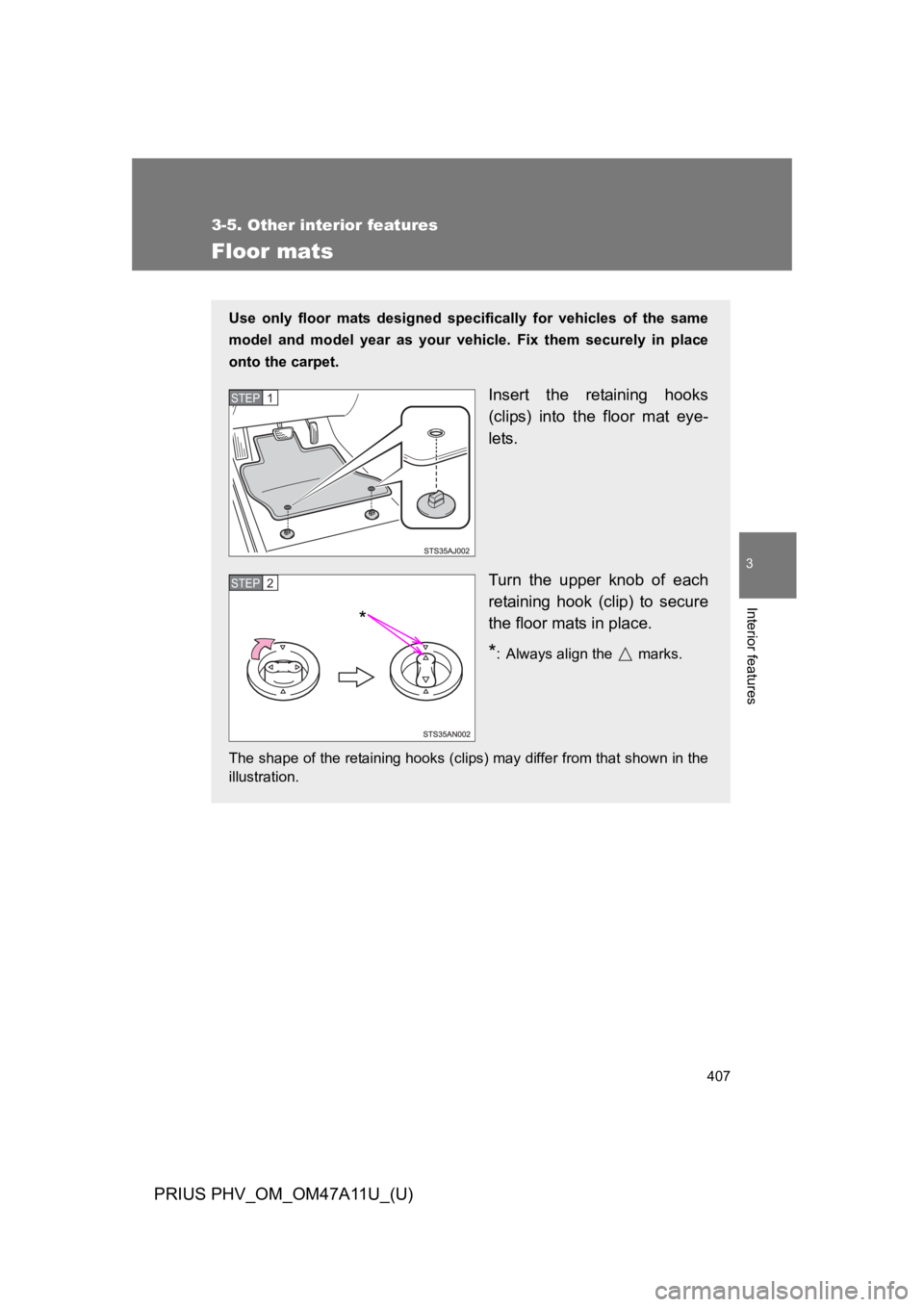
Use only floor mats designed specifically for vehicles of the same
model and model year as your vehicle. Fix them securely in place
onto the carpet.
Insert the retaining hooks
(clips) into the floor mat eye-
lets.
Turn the upper knob of each
retaining hook (clip) to secure
the floor mats in place.
*: Always align the marks.
The shape of the retaining hooks (clips) may differ from that shown in the
illustration.
STEP 1
STEP 2
*
Page 449 of 728
408
3-5. Other interior features
PRIUS PHV_OM_OM47A11U_(U)
CAUTION
Observe the following precautions.
Failure to do so may cause the driver’s floor mat to slip, possibly interfering
with the pedals while driving. An unexpectedly high speed may result or it may
become difficult to stop the vehicle, leading to a serious accident.
■When installing the driver’s floor mat
●Do not use floor mats designed for other models or different model year
vehicles, even if they are Toyota Genuine floor mats.
●Only use floor mats designed for the driver’s seat.
●Always install the floor mat securely using the retaining hooks (clips) pro-
vided.
●Do not use two or more floor mats on top of each other.
●Do not place the floor mat bottom-side up or upside-down.
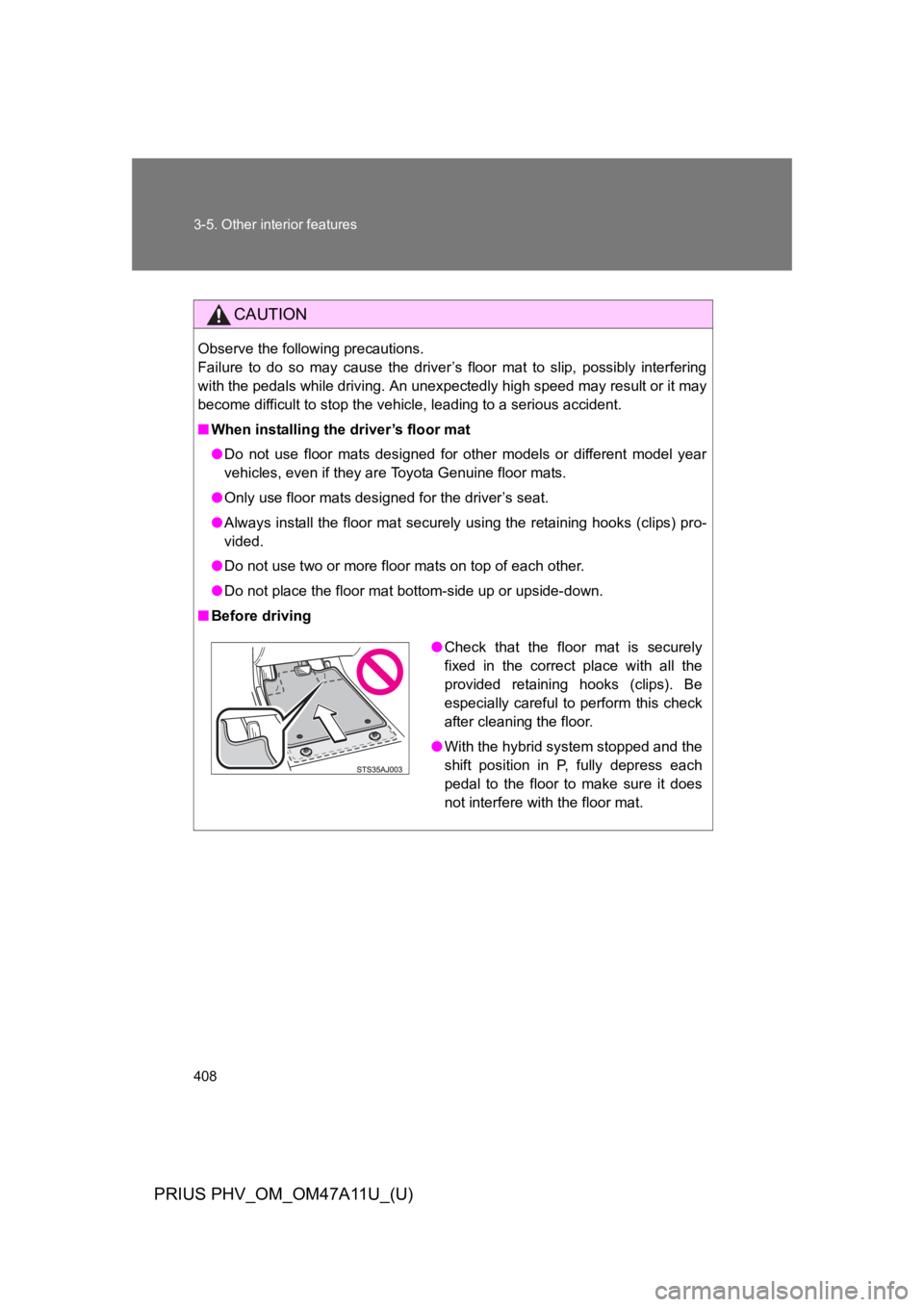
■Before driving
●Check that the floor mat is securely
fixed in the correct place with all the
provided retaining hooks (clips). Be
especially careful to perform this check
after cleaning the floor.
●With the hybrid system stopped and the
shift position in P, fully depress each
pedal to the floor to make sure it does
not interfere with the floor mat.
Page 450 of 728
409
3-5. Other interior features
PRIUS PHV_OM_OM47A11U_(U)
3
Interior features
Luggage compartment features
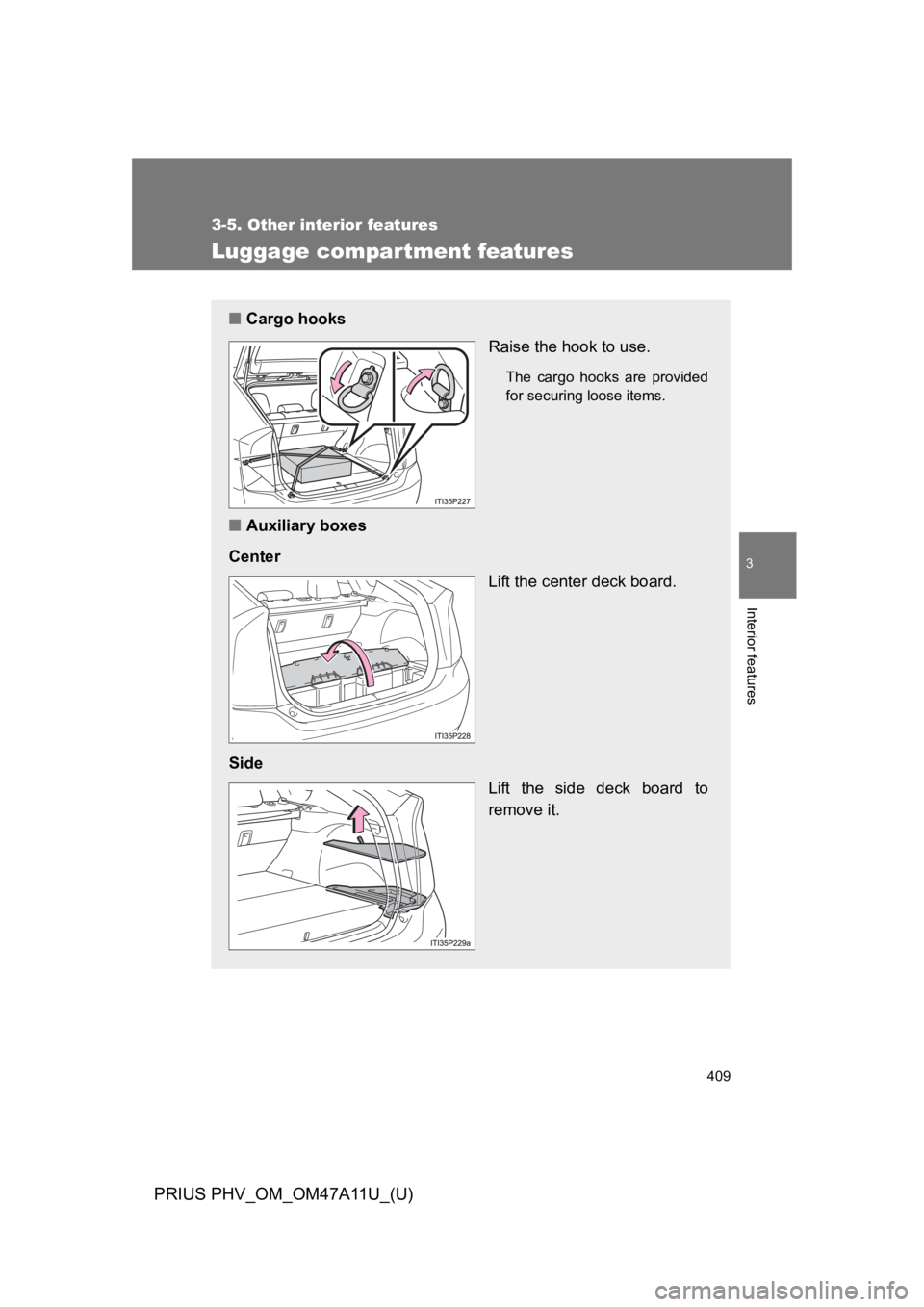
■Cargo hooks
Raise the hook to use.
The cargo hooks are provided
for securing loose items.
■Auxiliary boxes
Center
Lift the center deck board.
Side
Lift the side deck board to
remove it.
Page 451 of 728
410
3-5. Other interior features
PRIUS PHV_OM_OM47A11U_(U)
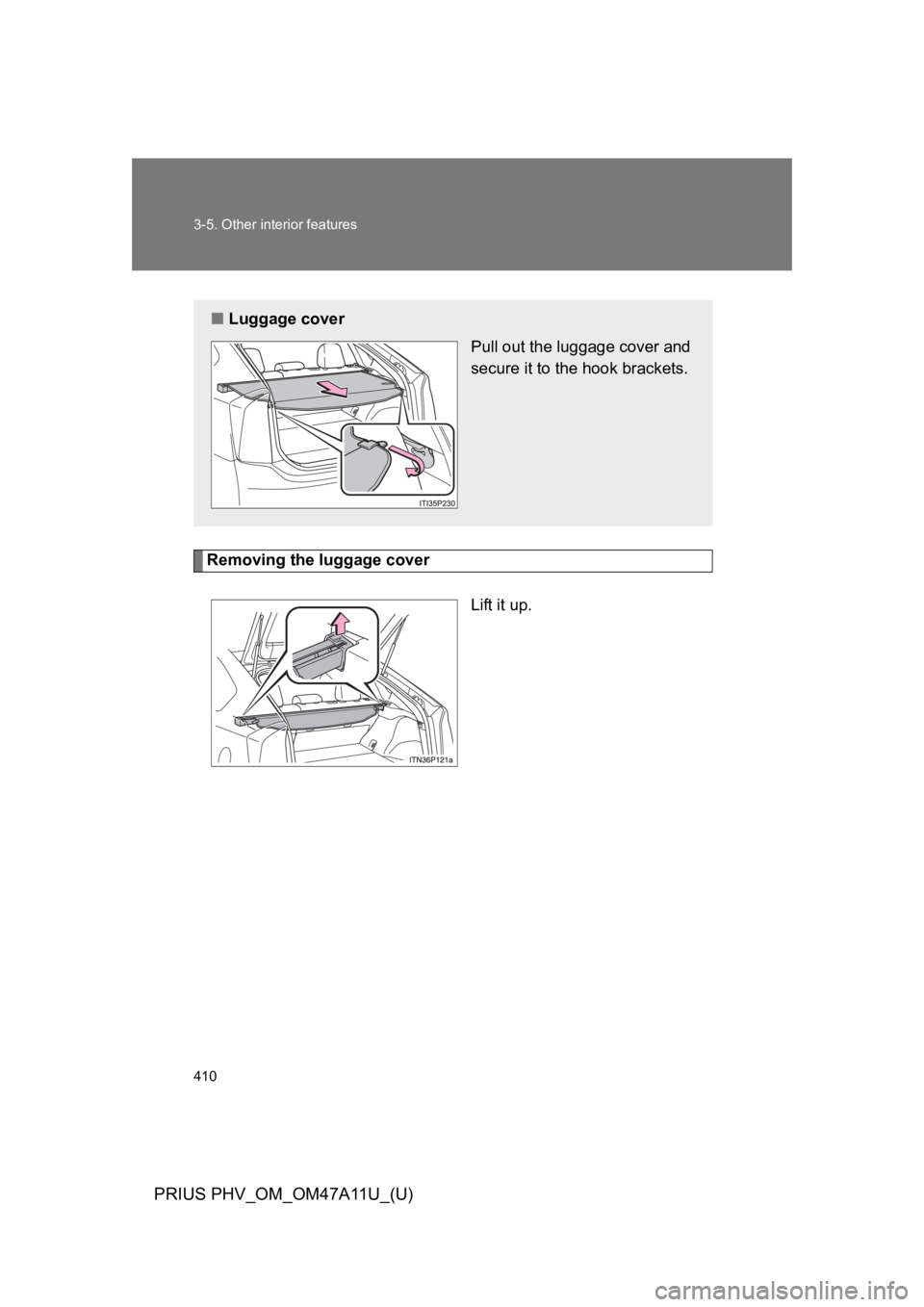
Removing the luggage cover
Lift it up.
■Luggage cover
Pull out the luggage cover and
secure it to the hook brackets.
Page 454 of 728
413
3-5. Other interior features
PRIUS PHV_OM_OM47A11U_(U)
3
Interior features
Garage door opener
The garage door opener (HomeLink® Universal Transceiver) is manufac-
tured under license from HomeLink®.
Programming the HomeLink® (for U.S.A. owners)
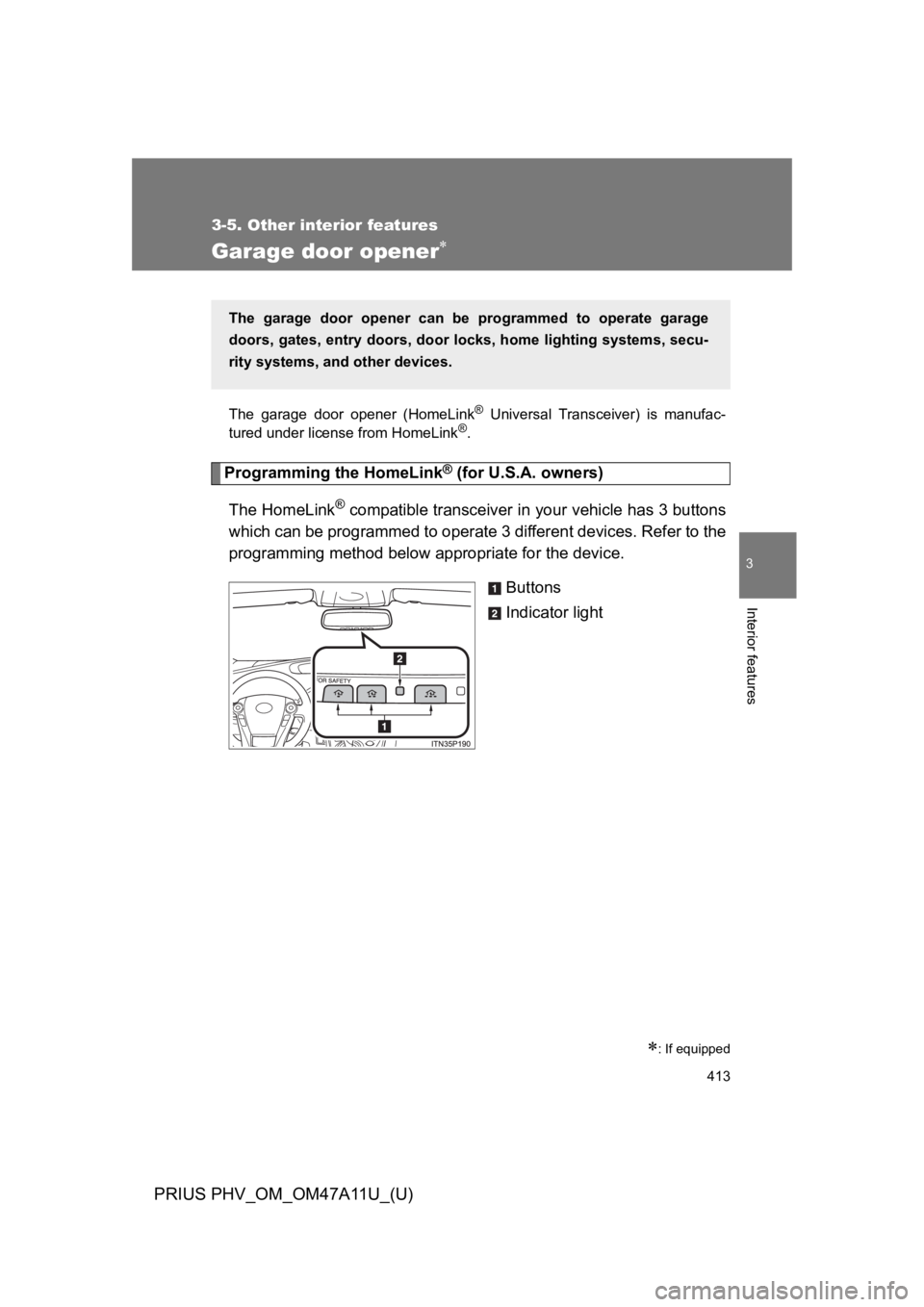
The HomeLink® compatible transceiver in your vehicle has 3 buttons
which can be programmed to operate 3 different devices. Refer to the
programming method below appropriate for the device.
Buttons
Indicator light
: If equipped
The garage door opener can be programmed to operate garage
doors, gates, entry doors, door locks, home lighting systems, secu-
rity systems, and other devices.
Page 458 of 728
417
3-5. Other interior features
PRIUS PHV_OM_OM47A11U_(U)
3
Interior features
■Programming an entry gate (for U.S.A. owners)/Programming
a devices in the Canadian market
Place the remote control transmitter 1 to 3 in. (25 to 75 mm)
away from the HomeLink® buttons.
Keep the HomeLink® indicator light in view while programming.
Press and hold the selected HomeLink® button.
Repeatedly press and release (cycle) the remote control
transmitter for 2 seconds each until step 4 is completed.
When the HomeLink® indicator light starts to flash rapidly,
release the buttons.
Te s t t h e H o m e L i n k® operation by pressing the newly pro-
grammed button. Check to see if the gate/device operates
correctly.
Repeat the steps above to program another device for any of
the remaining HomeLink® buttons.
■Programming other devices
To p r o g r a m o t h e r d e v i c e s s u c h as home security systems, home
door locks and lighting, contact your Toyota dealer for assistance.
■Reprogramming a button
The individual HomeLink® buttons cannot be erased but can be
reprogrammed. To reprogram a button, follow the “Reprogramming
a HomeLink® button” instructions.
STEP 1
STEP 2
STEP 3
STEP 4
STEP 5
STEP 6
Page 462 of 728
421
3-5. Other interior features
PRIUS PHV_OM_OM47A11U_(U)
3
Interior features
Safety Connect
: If equipped
Safety Connect is a subscription-based telematics service that uses
Global Positioning System (GPS) data and embedded cellular tech-
nology to provide safety and security features to subscribers. Safety
Connect is supported by Toyota’s designated response center,
which operates 24 hours per day, 7 days per week.
Safety Connect service is available by subscription on select,
telematics hardware-equipped vehicles.
By using the Safety Connect service, you are agreeing to be bound
by the Telematics Subscription Service Agreement and its Terms and
Conditions, as in effect and amended from time to time, a current
copy of which is available at Toyota.com. All use of the Safety Con-
nect service is subject to such then-applicable Terms and Condi-
tions.
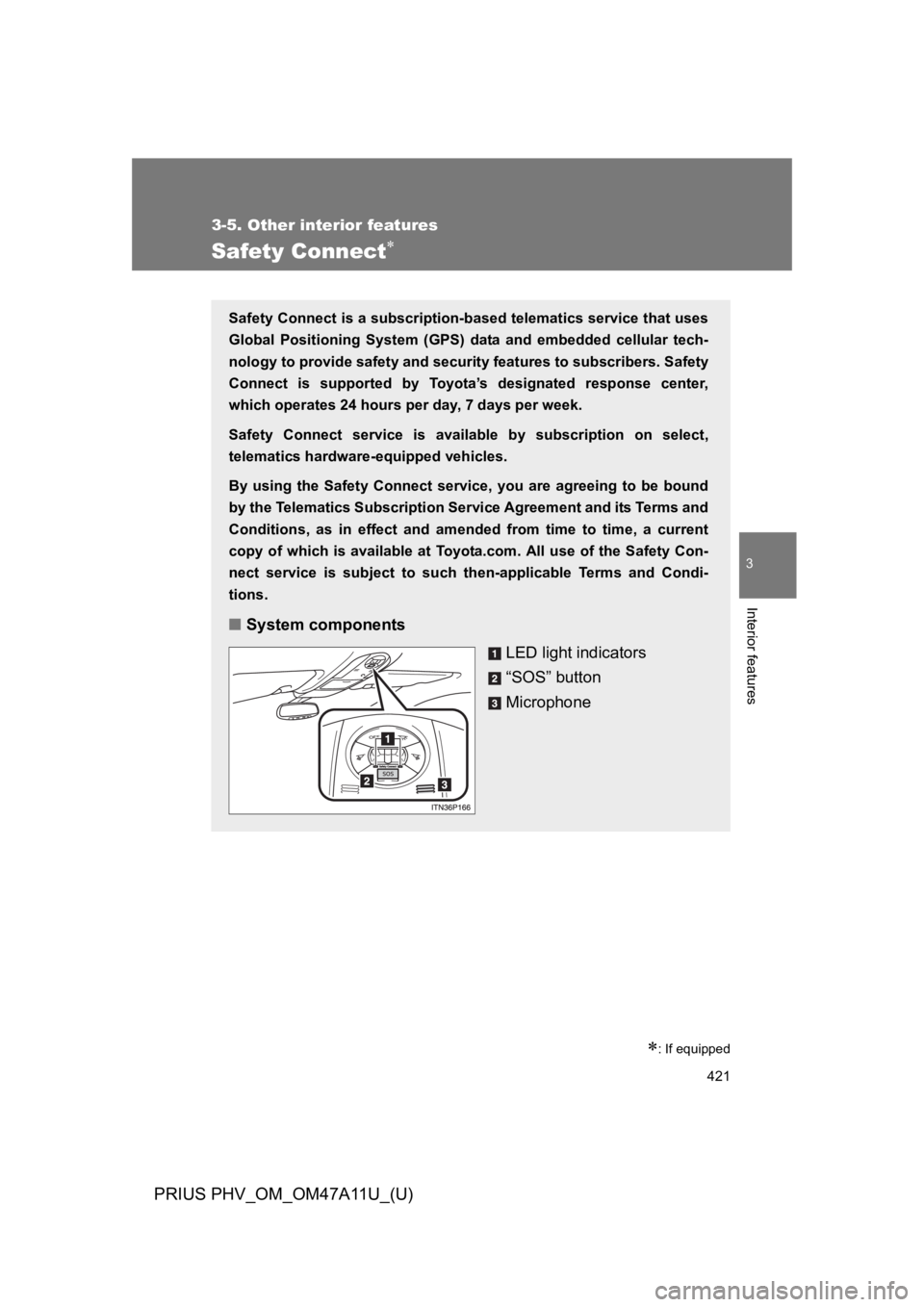
■System components
LED light indicators
“SOS” button
Microphone
Page 480 of 728
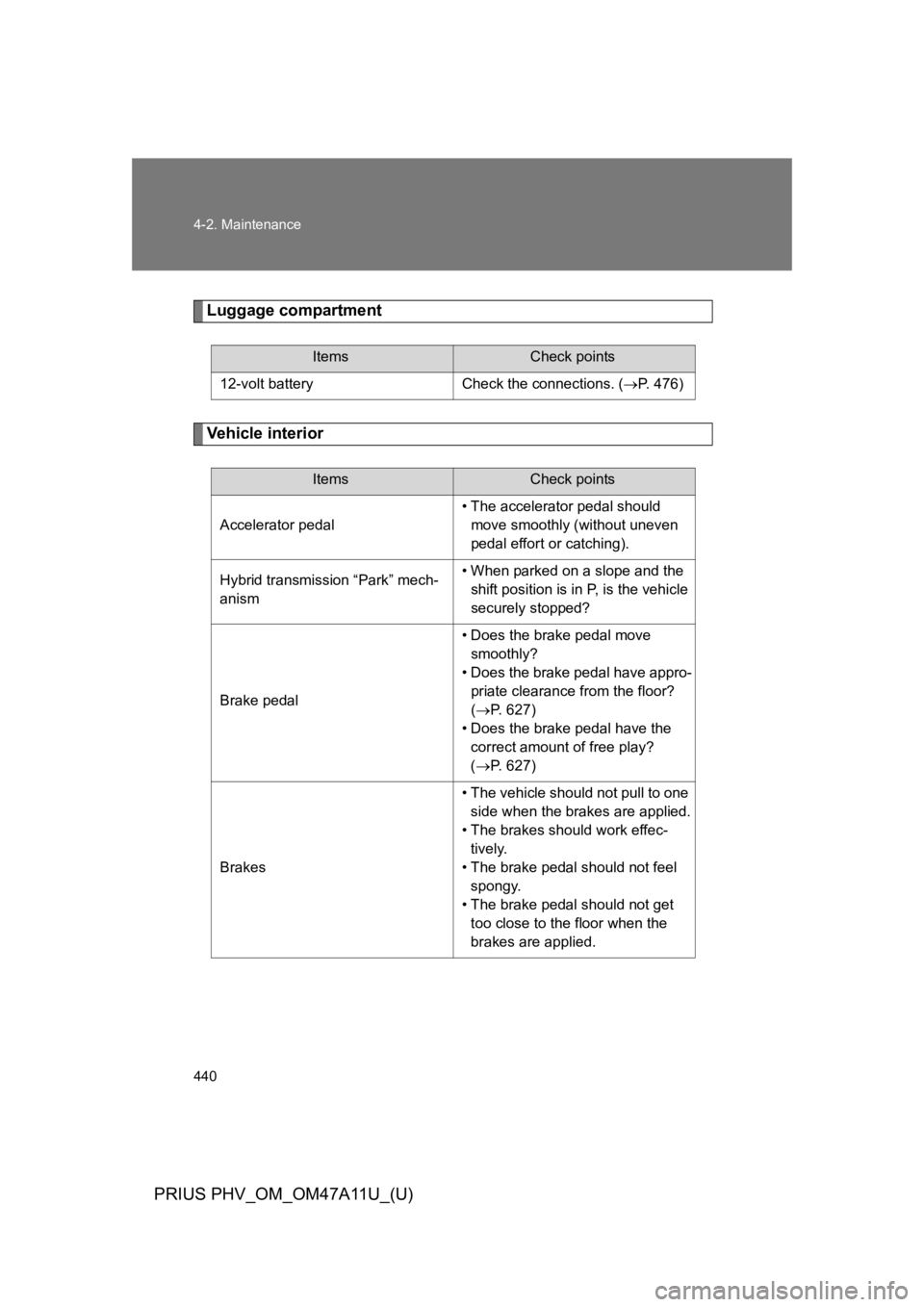
440
4-2. Maintenance
PRIUS PHV_OM_OM47A11U_(U)
Luggage compartment
Ve h i c l e i n t e r i o r
ItemsCheck points
12-volt battery Check the connections. (oP. 4 7 6 )
ItemsCheck points
Accelerator pedal
•The accelerator pedal should
move smoothly (without uneven
pedal effort or catching).
Hybrid transmission “Park” mech-
anism
•When parked on a slope and the
shift position is in P, is the vehicle
securely stopped?
Brake pedal
•Does the brake pedal move
smoothly?
•Does the brake pedal have appro-
priate clearance from the floor?
(oP. 6 2 7 )
•Does the brake pedal have the
correct amount of free play?
(oP. 6 2 7 )
Brakes
•The vehicle should not pull to one
side when the brakes are applied.
•The brakes should work effec-
tively.
•The brake pedal should not feel
spongy.
•The brake pedal should not get
too close to the floor when the
brakes are applied.
Page 481 of 728

441
4-2. Maintenance
PRIUS PHV_OM_OM47A11U_(U)
4
Maintenance and care
Head restraints• Do the head restraints move
smoothly and lock securely?
Indicators/buzzers•Do the indicators and buzzers
function properly?
Lights • Do all the lights come on?
Parking brake
•Does the parking brake pedal
move smoothly?
•When parked on a slope and the
parking brake is on, is the vehicle
securely stopped?
Seat belts
• Do the seat belts operate
smoothly?
•The seat belts should not be dam-
aged.
Seats•Do the seat controls operate
properly?
Steering wheel
•Does the steering wheel rotate
smoothly?
•Does the steering wheel have the
correct amount of free play?
•There should not be any strange
sounds coming from the steering
wheel.
ItemsCheck points