ECU TOYOTA PRIUS PLUG-IN HYBRID 2015 1.G Owners Manual
[x] Cancel search | Manufacturer: TOYOTA, Model Year: 2015, Model line: PRIUS PLUG-IN HYBRID, Model: TOYOTA PRIUS PLUG-IN HYBRID 2015 1.GPages: 692, PDF Size: 12.42 MB
Page 99 of 692
99
1-2. Charging
1
Before driving
PRIUS PHV_OM_OM47A11U_(U)
CAUTION
■
Caution while charging
People with implantable cardiac pacemakers or cardiac resynchronization
therapy-pacemakers should keep away from the charging equipment and/or
charging cables while the vehicle is charging.
Charging may affect the operation of such devices.
■ When charging
Follow these points when charging. If you do not follow them, fire or electri-
cal shock may occur, possibly resulting in death or serious injury.
● Connect to a power source suitable for charging. ( P. 82)
● Check that the outlet, charging cable and charging inlet are not damaged\
.
● Check that the tips of the plug have not been deformed.
● If the plug is dirty or dusty, clean it before inserting.
● Only use sockets where the plug can be securely inserted.
● Plugging into the outlet that is located in a spot that is not high above the
ground or floor is recommended.
● Insert the plug firmly into the outlet.
● Do not touch the electrical terminals of the charging connector or short it
with foreign objects.
● Do not get water in the charging inlet.
Do not wash the vehicle while the charging cable is connected to the vehi-
cle. ( P. 431)
● Do not touch metal objects or pointed objects (needles etc.) to the port of
the charging inlet.
● Do not charge if the charging cable is coiled or bundled.
Page 109 of 692
109
1-2. Charging
1
Before driving
PRIUS PHV_OM_OM47A11U_(U)
CAUTION
■
Routine inspection
Check the following points regularly.
If use is continued without inspection, fire or electric shock may occur\
,
possibly resulting in death or serious injury.
●The charging cable, plug, charging connector, CCID (Charging Circuit
Interrupting Device) etc. have not been damaged
● The outlet has not been damaged
● The plug can be securely inserted into the socket
● The plug does not get extremely hot during use
● The tip of the plug has not been deformed
● The plug is not dirtied by dust etc.
Inspect the plug after removing it from the outlet.
■ Maintaining the charging cable
When the cable is dirty, first remove the dirt with a hard, wringed cloth, and
then wipe the cable with a dry cloth. Do not wash with water, as doing so
could cause a fire or electrical shock when charging, which could lead to
death or serious injury.
■ When not using the char ging cable for a long time
Remove the plug from the outlet. Dust could accumulate on the plug or in
the outlet, possibly causing overheating which could lead to a fire.
Also, keep the cable in a place free from moisture.
Page 114 of 692
114 1-4. Opening, closing and locking the doors
PRIUS PHV_OM_OM47A11U_(U)
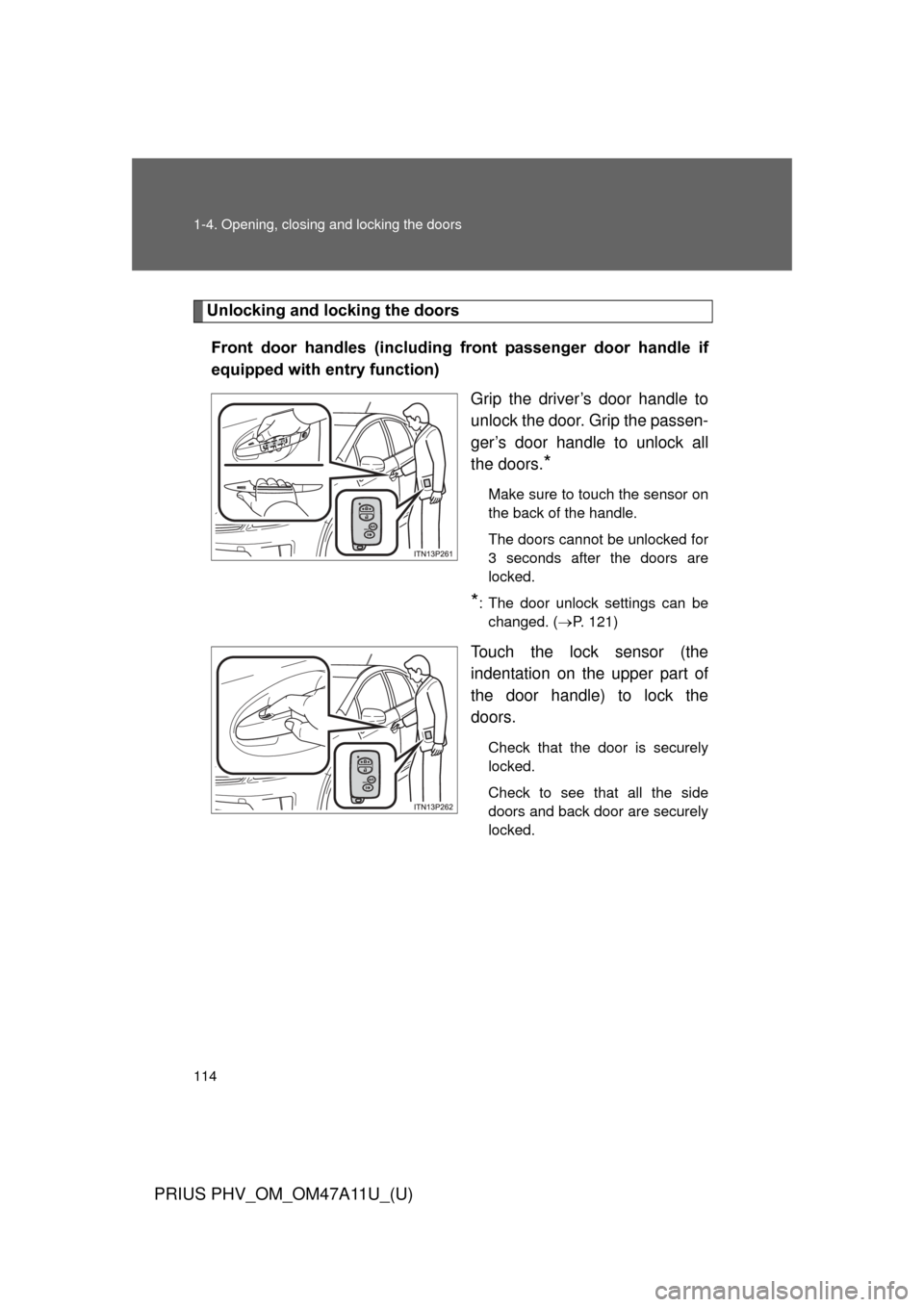
Unlocking and locking the doorsFront door handles (including front passenger door handle if
equipped with entry function) Grip the driver’s door handle to
unlock the door. Grip the passen-
ger’s door handle to unlock all
the doors.
*
Make sure to touch the sensor on
the back of the handle.
The doors cannot be unlocked for
3 seconds after the doors are
locked.
*: The door unlock settings can bechanged. ( P. 121)
Touch the lock sensor (the
indentation on the upper part of
the door handle) to lock the
doors.
Check that the door is securely
locked.
Check to see that all the side
doors and back door are securely
locked.
Page 115 of 692
115
1-4. Opening, closing and locking the doors
1
Before driving
PRIUS PHV_OM_OM47A11U_(U)
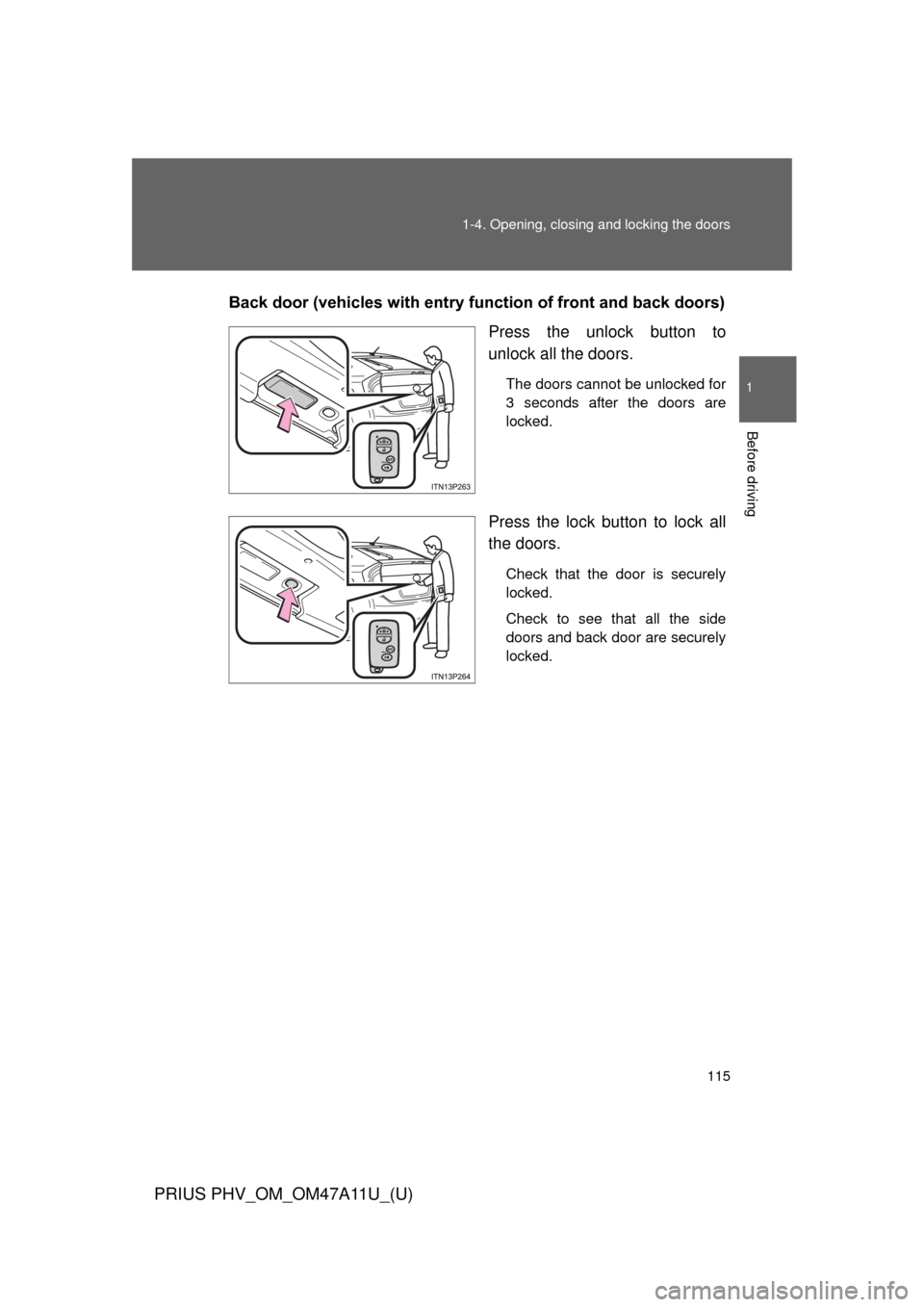
Back door (vehicles with entry function of front and back doors)
Press the unlock button to
unlock all the doors.
The doors cannot be unlocked for
3 seconds after the doors are
locked.
Press the lock button to lock all
the doors.
Check that the door is securely
locked.
Check to see that all the side
doors and back door are securely
locked.
Page 121 of 692
121
1-4. Opening, closing and locking the doors
1
Before driving
PRIUS PHV_OM_OM47A11U_(U)
■
Security feature
If a door is not opened within approximately 60 seconds after the vehicle is
unlocked, the security feature automatically locks the vehicle again.
■ Switching the door unlock function
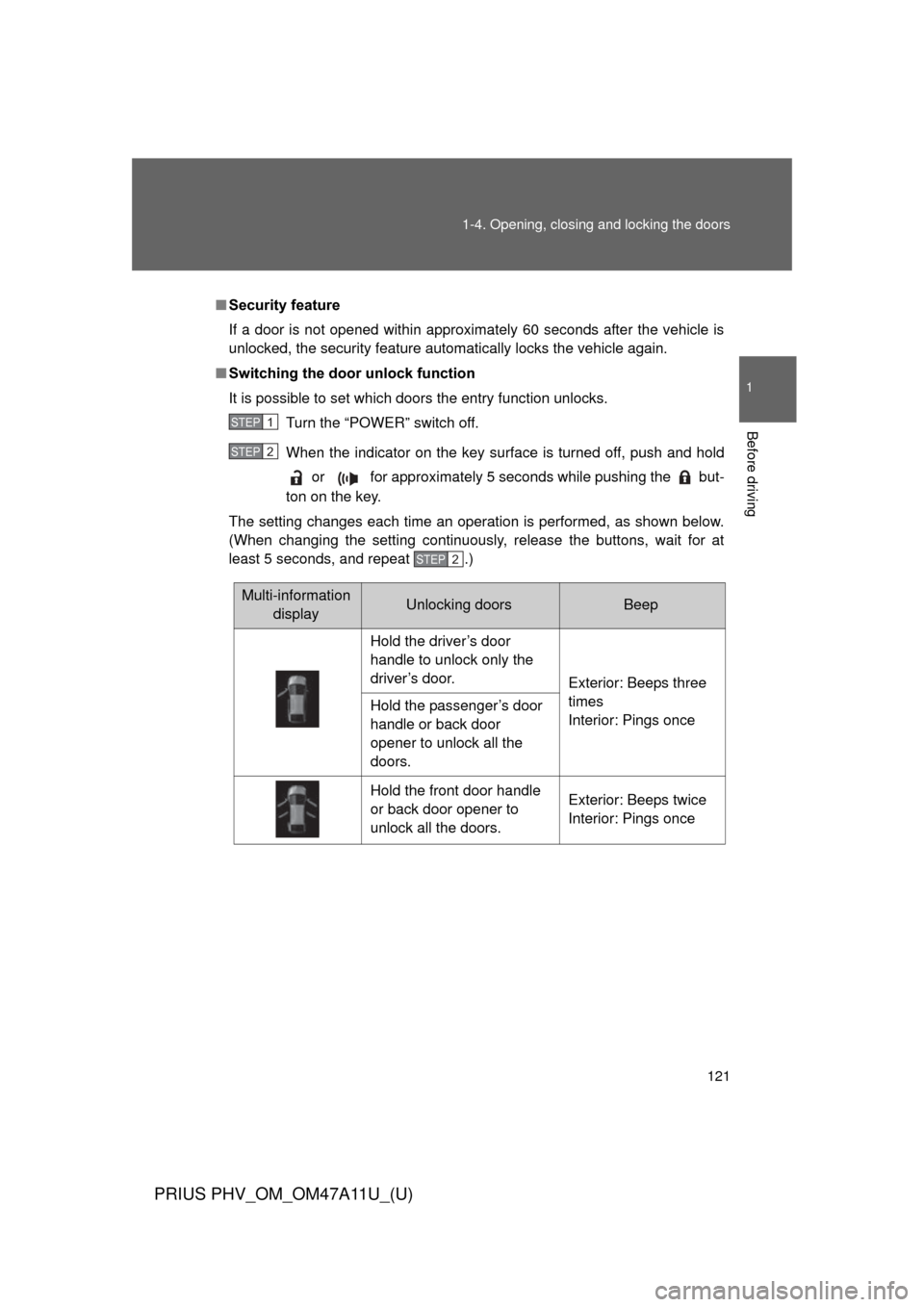
It is possible to set which doors the entry function unlocks.
Turn the “POWER” switch off.
When the indicator on the key surface is turned off, push and hold or for approximately 5 seconds while pushing the but-
ton on the key.
The setting changes each time an operation is performed, as shown below.
(When changing the setting continuously, release the buttons, wait for at
least 5 seconds, and repeat .)
STEP 1
STEP 2
STEP 2
Multi-information displayUnlocking doorsBeep
Hold the driver’s door
handle to unlock only the
driver’s door. Exterior: Beeps three
times
Interior: Pings once
Hold the passenger’s door
handle or back door
opener to unlock all the
doors.
Hold the front door handle
or back door opener to
unlock all the doors. Exterior: Beeps twice
Interior: Pings once
Page 125 of 692
125
1-4. Opening, closing and locking the doors
1
Before driving
PRIUS PHV_OM_OM47A11U_(U)
■
Note for locking the doors
●Touching the door lock sensor while wearing gloves may delay or prevent
lock operation. Remove the gloves and touch the lock sensor again.
● When the lock operation is performed using the lock sensor, recognition
signals will be shown up to two consecutive times. After this, no recogni-
tion signals will be given.
● If the door handle becomes wet while the electronic key is within the
effective range, the door may lock and unlock repeatedly. Place the key
in a position 6 ft. (2 m) or more separate from the vehicle while the vehi-
cle is being washed. (Take care to ensure that the key is not stolen.)
● If the electronic key is inside the vehicle and a door handle becomes wet
during a car wash, a buzzer will sound outside the vehicle. To turn off the
alarm, lock all the doors.
● The lock sensor may not work properly if it comes into contact with ice,
snow, mud, etc. Clean the lock sensor and attempt to operate it again, or
use the lock sensor on the lower part of the door handle.
● Fingernails may scrape against the door during operation of the door
handle. Be careful not to injure fingernails or damage the surface of the
door.
Page 136 of 692
136
1-4. Opening, closing and locking the doors
PRIUS PHV_OM_OM47A11U_(U)
Wireless remote control
■Operation signals
A buzzer sounds and the emergency flashers flash to indicate that the doors
have been locked/unlocked. (Locked: Once; Unlocked: Twice)
■ Door lock buzzer (vehicl es with entry function)
If an attempt to lock the doors is made when a door is not fully closed, a
buzzer sounds continuously for 5 seconds. Fully close the door to stop the
buzzer, and lock the vehicle once more.
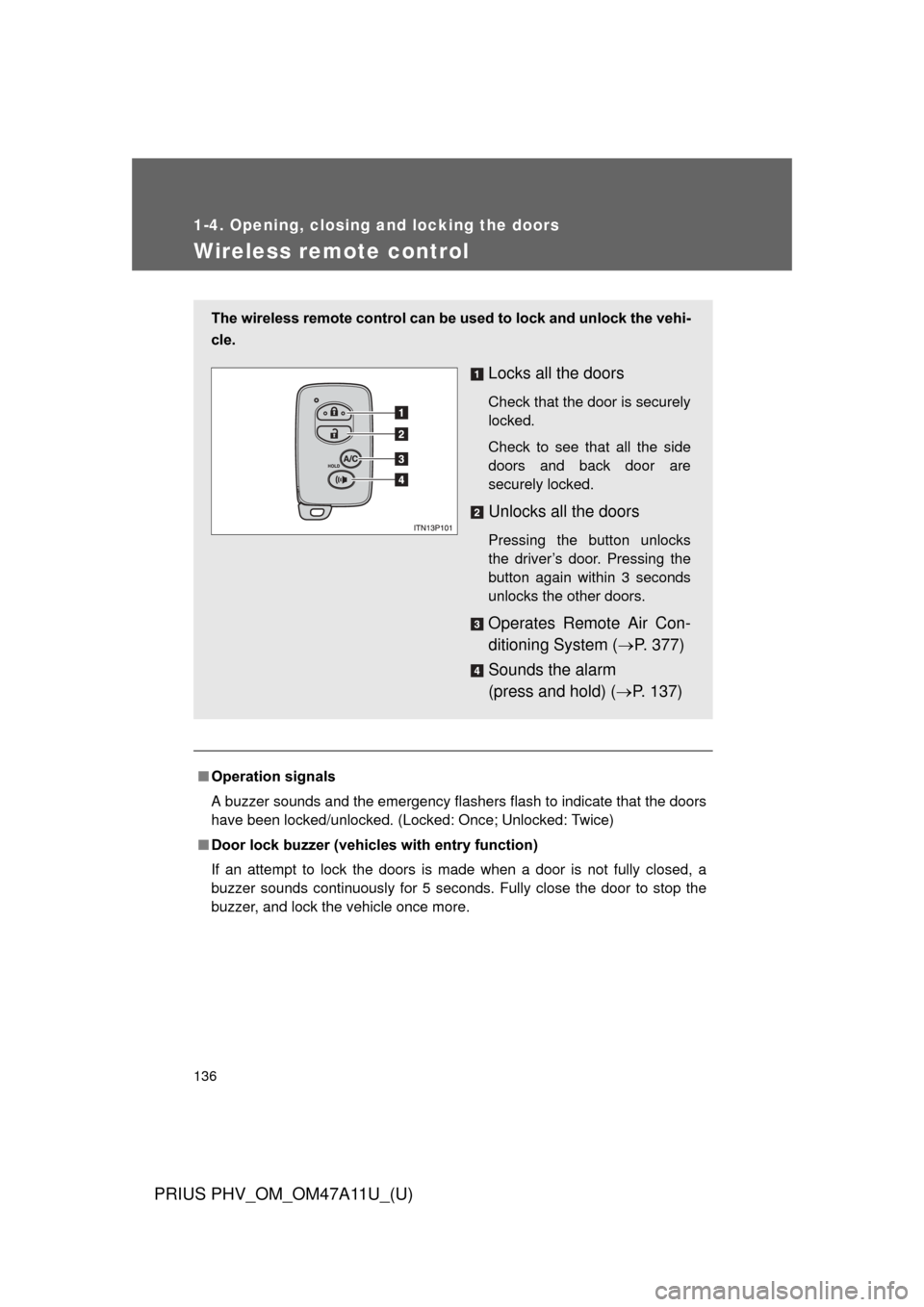
The wireless remote control can be used to lock and unlock the vehi-
cle.
Locks all the doors
Check that the door is securely
locked.
Check to see that all the side
doors and back door are
securely locked.
Unlocks all the doors
Pressing the button unlocks
the driver’s door. Pressing the
button again within 3 seconds
unlocks the other doors.
Operates Remote Air Con-
ditioning System ( P. 377)
Sounds the alarm
(press and hold) ( P. 137)
Page 137 of 692
137
1-4. Opening, closing and locking the doors
1
Before driving
PRIUS PHV_OM_OM47A11U_(U)
■
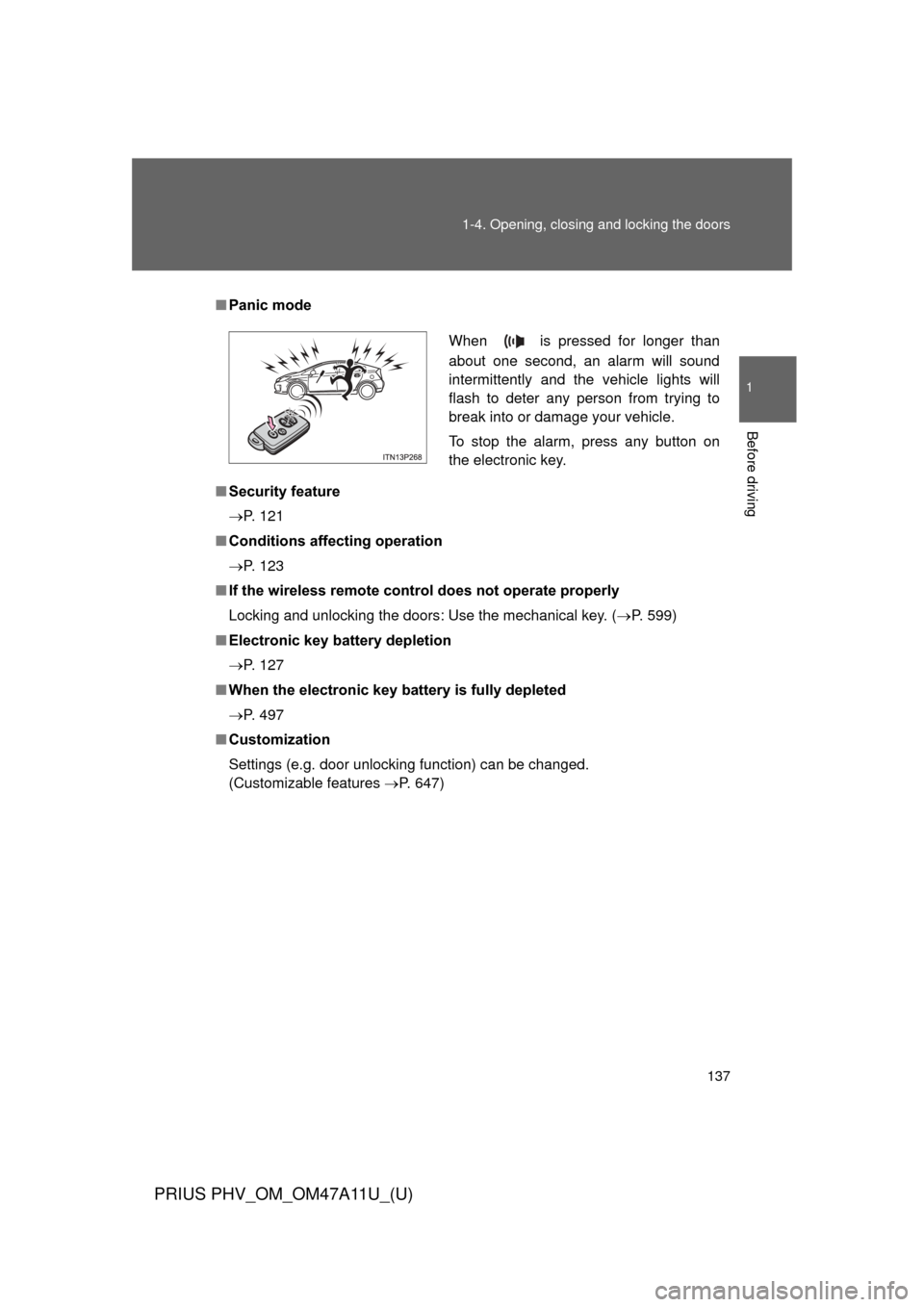
Panic mode
■ Security feature
P. 121
■ Conditions aff ecting operation
P. 123
■ If the wireless remote control does not operate properly
Locking and unlocking the doors: Use the mechanical key. ( P. 599)
■ Electronic key battery depletion
P. 127
■ When the electronic key battery is fully depleted
P. 497
■ Customization
Settings (e.g. door unlocking function) can be changed.
(Customizable features P. 647)
When is pressed for longer than
about one second, an alarm will sound
intermittently and the vehicle lights will
flash to deter any person from trying to
break into or damage your vehicle.
To stop the alarm, press any button on
the electronic key.
Page 147 of 692
147
1-4. Opening, closing and locking the doors
1
Before driving
PRIUS PHV_OM_OM47A11U_(U)
CAUTION
■
Operating the back door
Observe the following precautions.
Failure to do so may cause parts of the body to be caught, resulting in death
or serious injury.
●Remove any heavy loads, such as snow and ice, from the back door
before opening it. Failure to do so may cause the back door to suddenly
shut again after it is opened.
● When opening or closing the back door, thoroughly check to make sure
the surrounding area is safe.
● If anyone is in the vicinity, make sure they are safe and let them know that
the back door is about to open or close.
● Use caution when opening or closing the back door in windy weather as it
may move abruptly in strong wind.
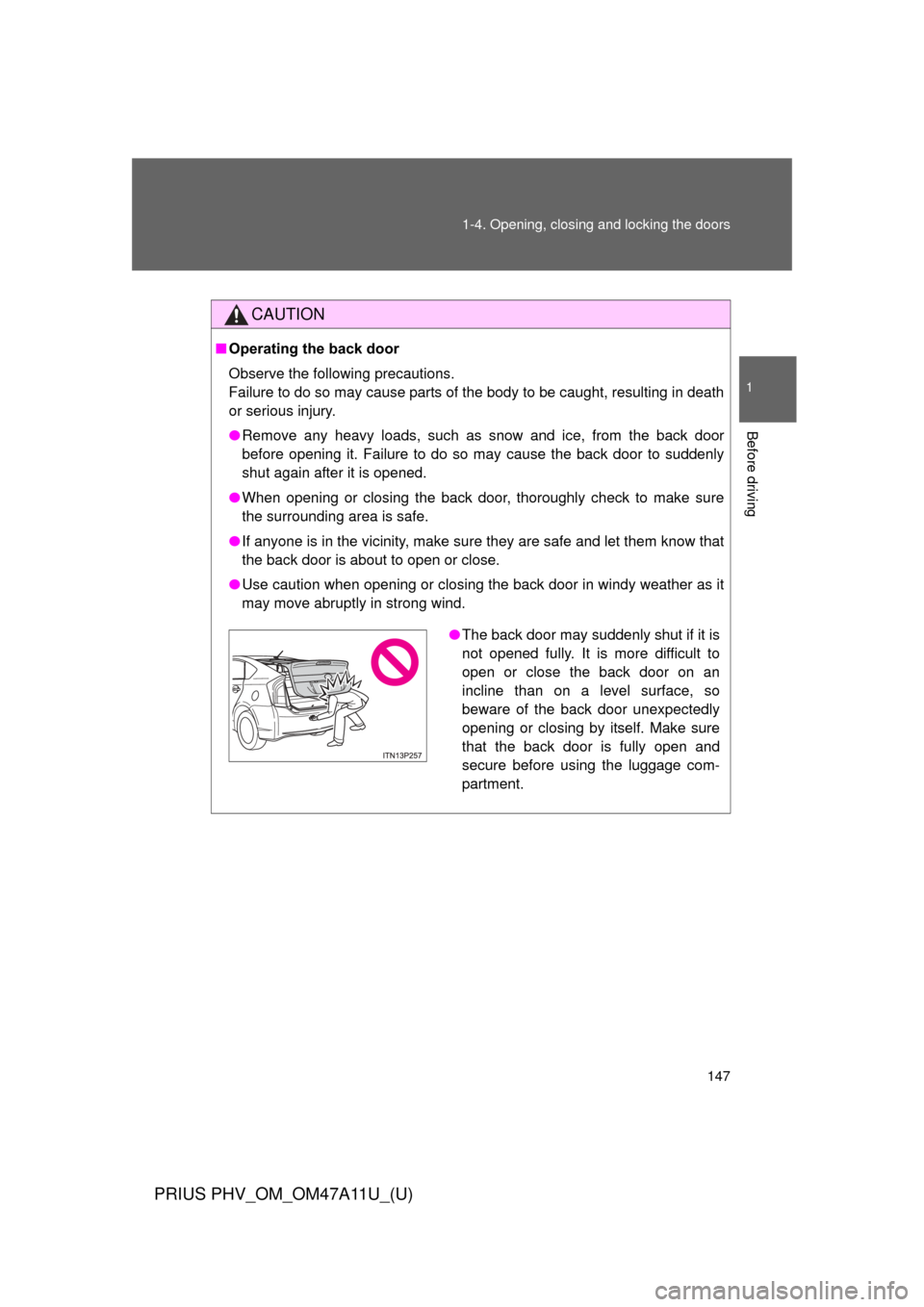
●The back door may suddenly shut if it is
not opened fully. It is more difficult to
open or close the back door on an
incline than on a level surface, so
beware of the back door unexpectedly
opening or closing by itself. Make sure
that the back door is fully open and
secure before using the luggage com-
partment.
Page 155 of 692
155
1-5. Adjustable components (s
eats, mirrors, steering wheel)
1
Before driving
PRIUS PHV_OM_OM47A11U_(U)
CAUTION
■When folding the seatbacks down
Observe the following precautions. Failure to do so may result in death or
serious injury.
●Do not fold the seatbacks down while driving.
● Stop the vehicle on level ground, set the parking brake and shift the shift
position to P.
● Do not allow anyone to sit on a folded seatback or in the luggage compart-
ment while driving.
● Do not allow children to enter the luggage compartment.
■ After returning the seatback to the upright position
Observe the following precautions. Failure to do so may result in death or
serious injury.
●Check that the seat belts are not twisted or caught in the seatback.
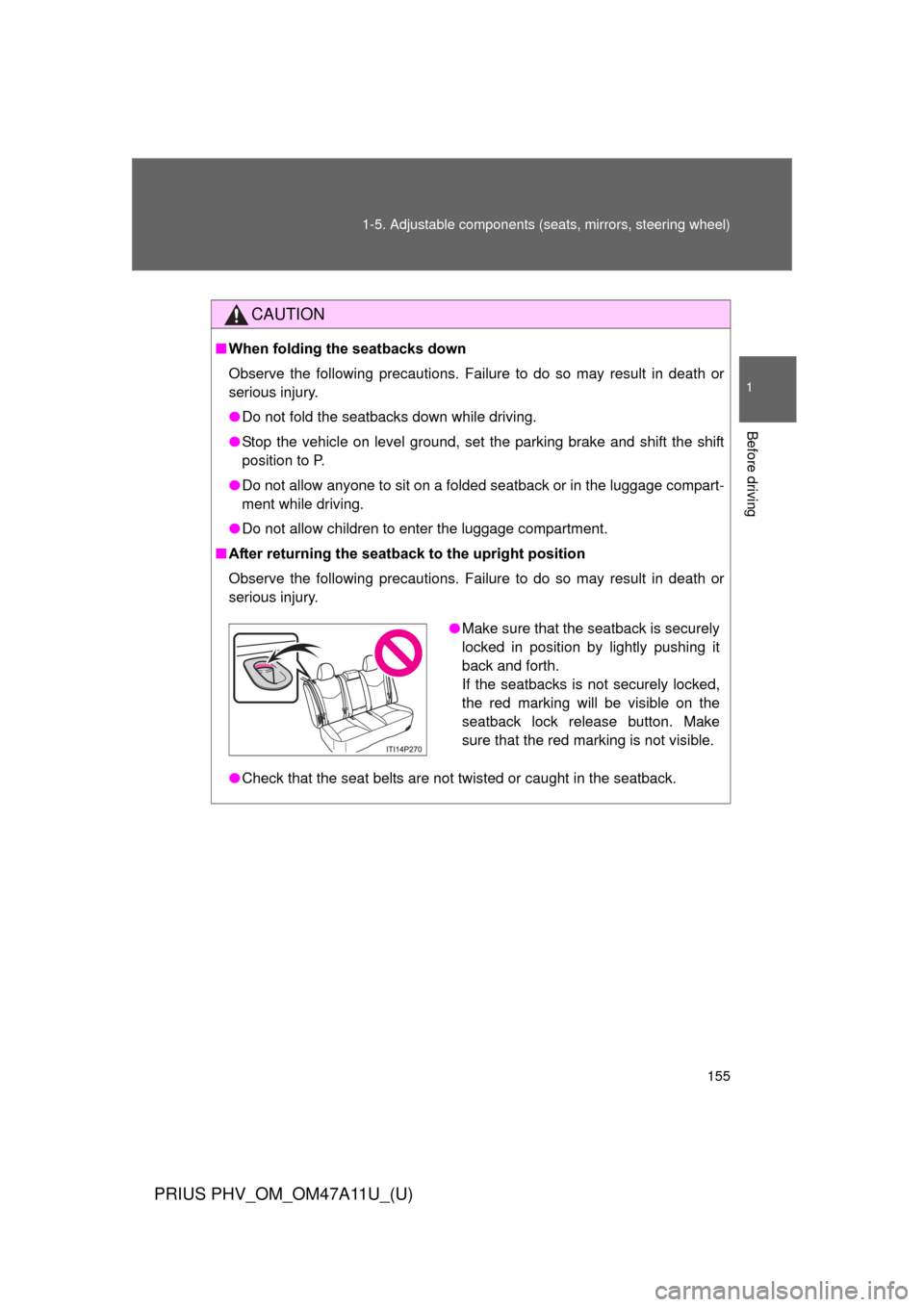
●Make sure that the seatback is securely
locked in position by lightly pushing it
back and forth.
If the seatbacks is not securely locked,
the red marking will be visible on the
seatback lock release button. Make
sure that the red marking is not visible.