warning TOYOTA PRIUS PLUS 2014 Service Manual
[x] Cancel search | Manufacturer: TOYOTA, Model Year: 2014, Model line: PRIUS PLUS, Model: TOYOTA PRIUS PLUS 2014Pages: 496, PDF Size: 21.08 MB
Page 105 of 496
1052. Instrument cluster
2
Instrument cluster
PRIUS +_OM_OM47888E_(EE)
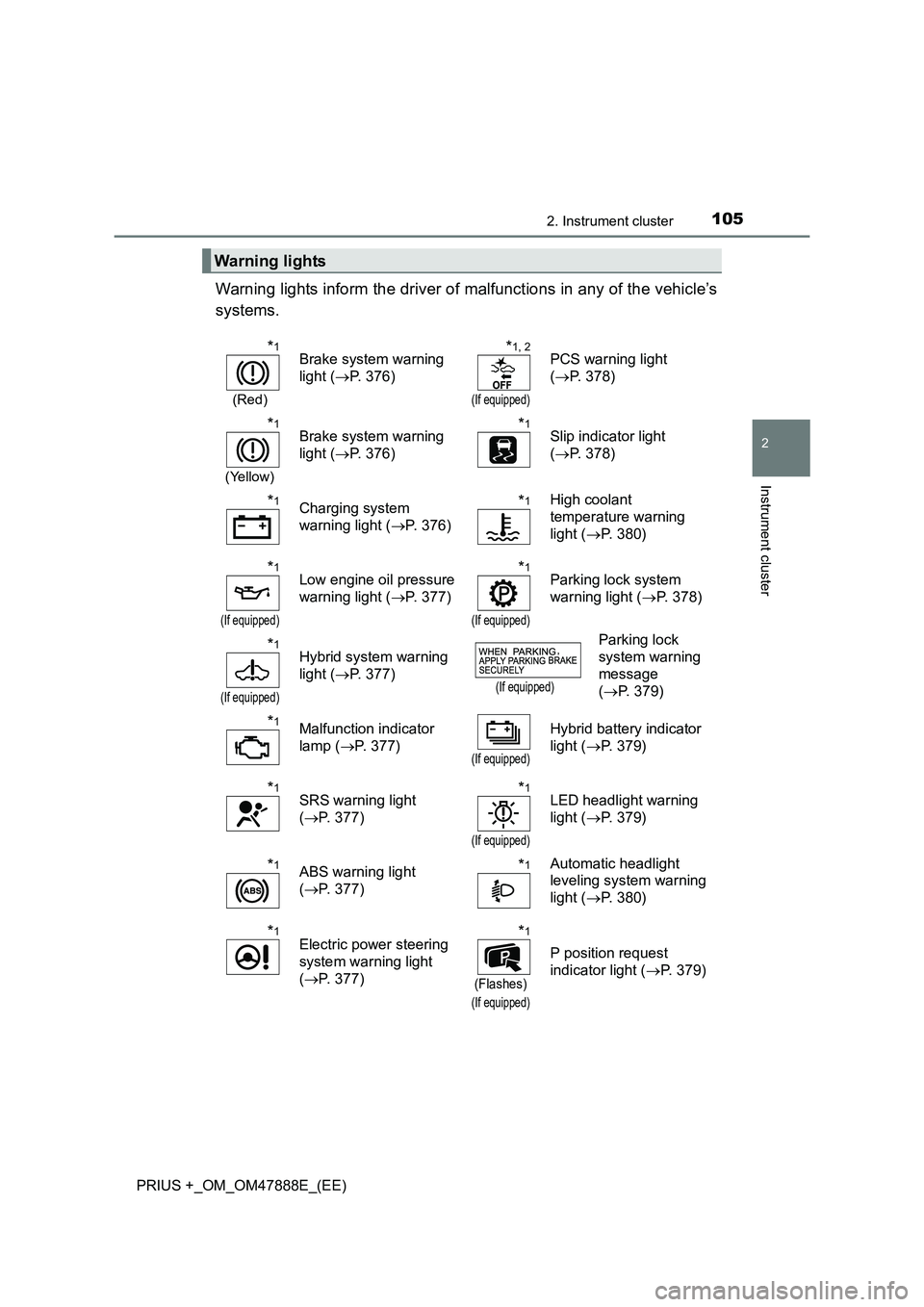
Warning lights inform the driver of malfunctions in any of the vehicle’s
systems.
Warning lights
*1
(Red)
Brake system warning
light (→P. 376)*1, 2
(If equipped)
PCS warning light
(→ P. 378)
*1
(Yellow)
Brake system warning
light ( →P. 376)*1Slip indicator light
(→ P. 378)
*1Charging system
warning light ( →P. 376)*1High coolant
temperature warning
light ( →P. 380)
*1
(If equipped)
Low engine oil pressure
warning light ( →P. 377)*1
(If equipped)
Parking lock system
warning light ( →P. 378)
*1
(If equipped)
Hybrid system warning
light ( →P. 377)
(If equipped)
Parking lock
system warning
message
(→ P. 379)
*1Malfunction indicator
lamp ( →P. 377)
(If equipped)
Hybrid battery indicator
light ( →P. 379)
*1SRS warning light
(→ P. 377)*1
(If equipped)
LED headlight warning
light ( →P. 379)
*1ABS warning light
(→ P. 377)*1Automatic headlight
leveling system warning
light ( →P. 380)
*1Electric power steering
system warning light
(→ P. 377)*1
(Flashes)
(If equipped)
P position request
indicator light ( →P. 379)
Page 106 of 496
1062. Instrument cluster
PRIUS +_OM_OM47888E_(EE)
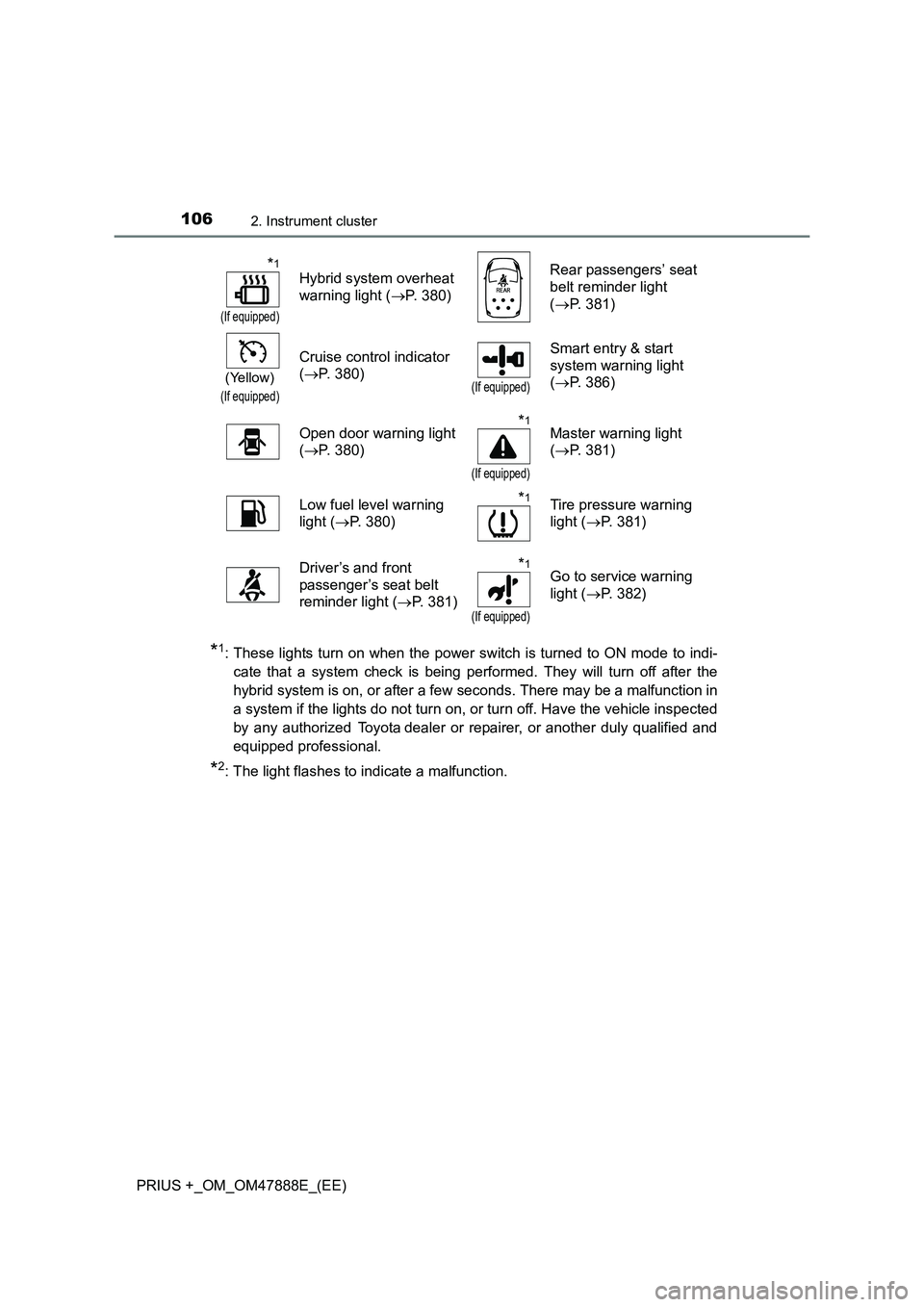
*1: These lights turn on when the power switch is turned to ON mode to indi-cate that a system check is being performed. They will turn off after the
hybrid system is on, or after a few seconds. There may be a malfunction in
a system if the lights do not turn on, or turn off. Have the vehicle inspected
by any authorized Toyota dealer or repairer, or another duly qualified and
equipped professional.
*2: The light flashes to indicate a malfunction.
*1
(If equipped)
Hybrid system overheat
warning light ( →P. 380) Rear passengers’ seat
belt reminder light
(
→ P. 381)
(Yellow)
(If equipped)
Cruise control indicator
(→ P. 380)
(If equipped)
Smart entry & start
system warning light
(→ P. 386)
Open door warning light
( → P. 380)
*1
(If equipped)
Master warning light
(→ P. 381)
Low fuel level warning
light ( →P. 380)
*1Tire pressure warning
light ( →P. 381)
Driver’s and front
passenger’s seat belt
reminder light ( →P. 381)
*1
(If equipped)
Go to service warning
light ( →P. 382)
Page 107 of 496
1072. Instrument cluster
2
Instrument cluster
PRIUS +_OM_OM47888E_(EE)
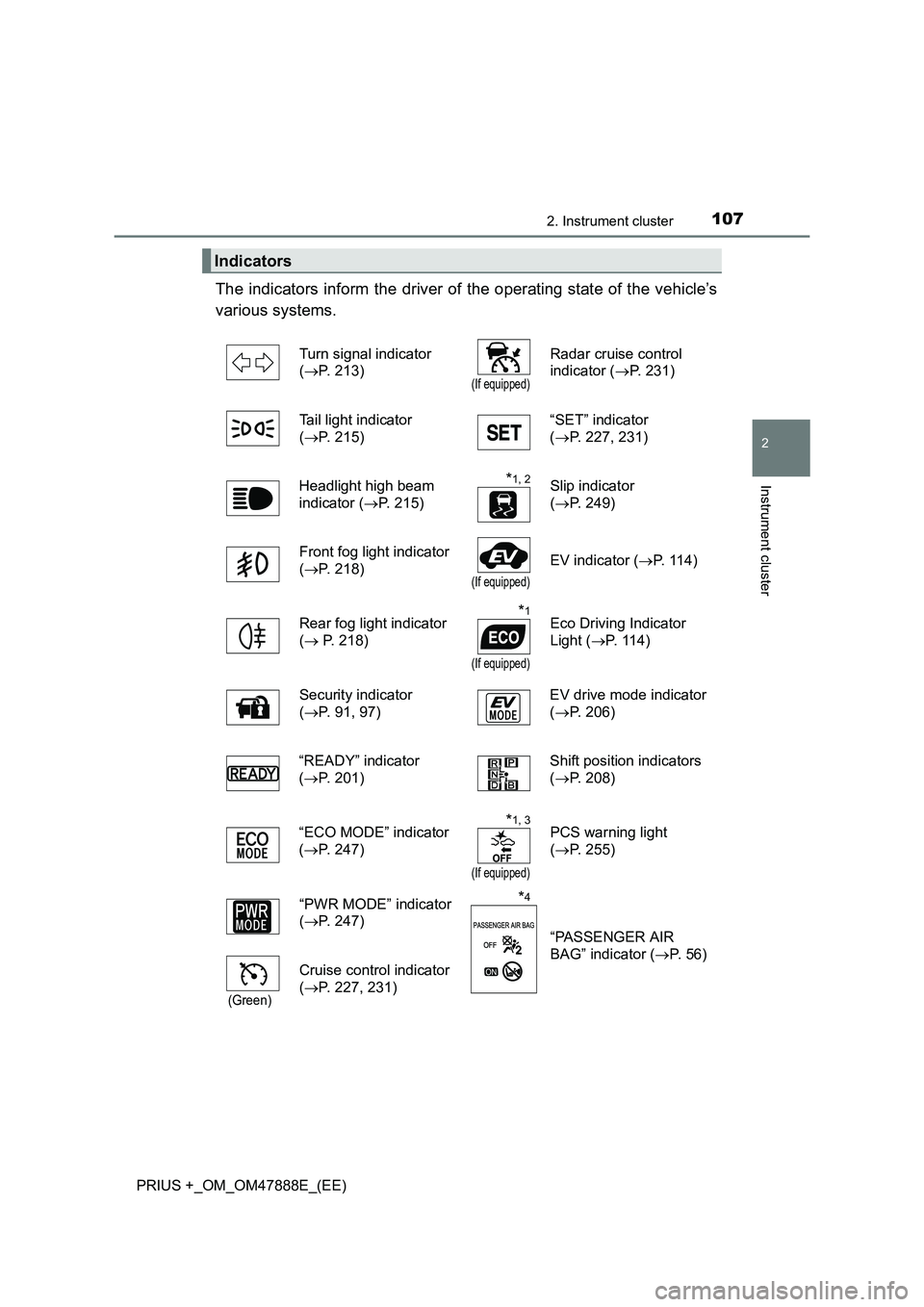
The indicators inform the driver of the operating state of the vehicle’s
various systems.
Indicators
Turn signal indicator
(→ P. 213)
(If equipped)
Radar cruise control
indicator ( →P. 231)
Tail light indicator
( → P. 215) “SET” indicator
(
→ P. 227, 231)
Headlight high beam
indicator ( →P. 215)
*1, 2Slip indicator
(→ P. 249)
Front fog light indicator
( → P. 218)
(If equipped)
EV indicator ( →P. 114)
Rear fog light indicator
( → P. 218)
*1
(If equipped)
Eco Driving Indicator
Light ( →P. 114)
Security indicator
( → P. 91, 97) EV drive mode indicator
(
→ P. 206)
“READY” indicator
( → P. 201) Shift position indicators
(
→ P. 208)
“ECO MODE” indicator
( → P. 247)
*1, 3
(If equipped)
PCS warning light
(→ P. 255)
“PWR MODE” indicator
( → P. 247)
*4
“PASSENGER AIR
BAG” indicator ( →P. 5 6 )
(Green)
Cruise control indicator
(→ P. 227, 231)
Page 108 of 496
1082. Instrument cluster
PRIUS +_OM_OM47888E_(EE)
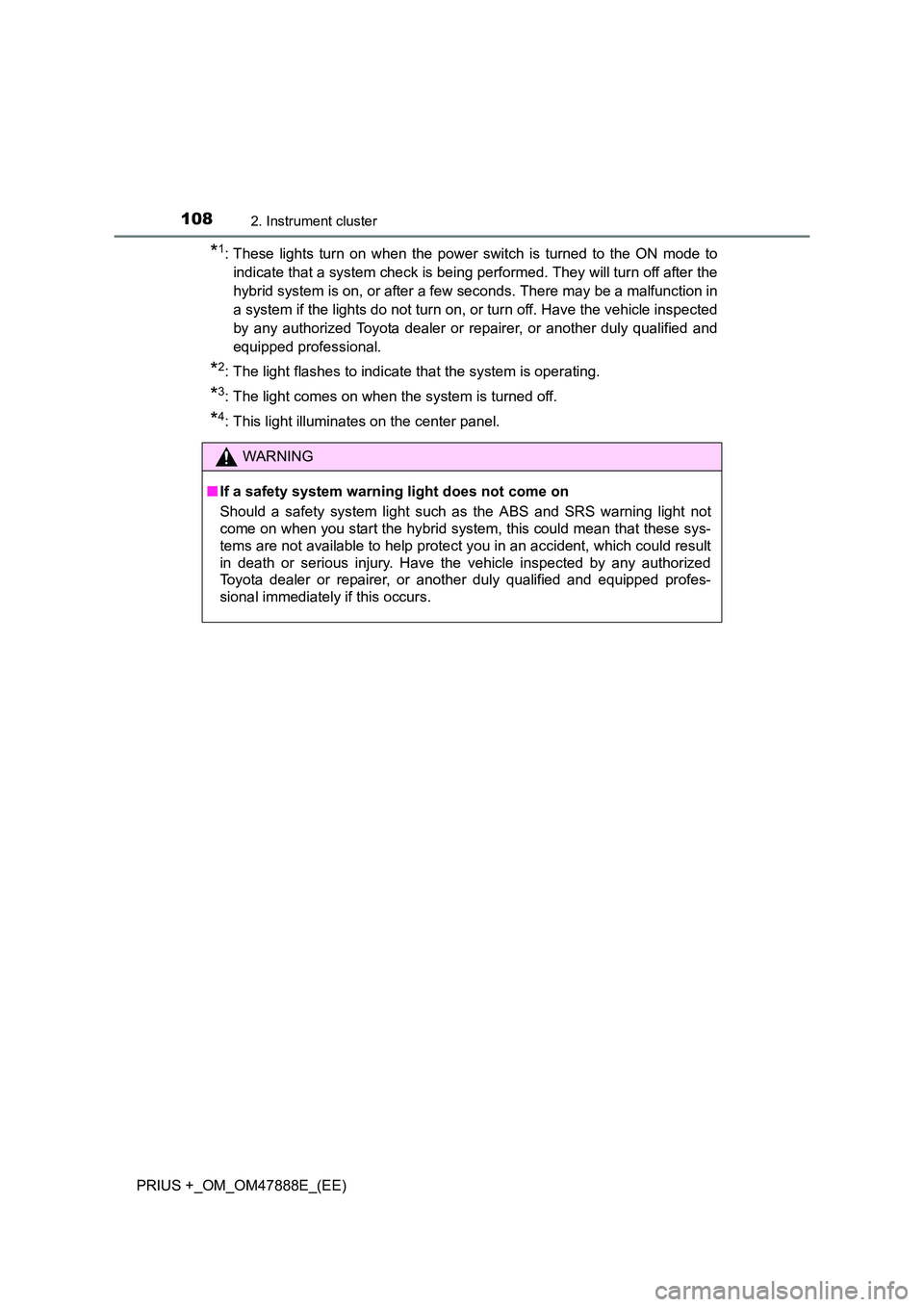
*1: These lights turn on when the power switch is turned to the ON mode toindicate that a system check is being performed. They will turn off after the
hybrid system is on, or after a few seconds. There may be a malfunction in
a system if the lights do not turn on, or turn off. Have the vehicle inspected
by any authorized Toyota dealer or repairer, or another duly qualified and
equipped professional.
*2: The light flashes to indicate that the system is operating.
*3: The light comes on when the system is turned off.
*4: This light illuminates on the center panel.
WARNING
■ If a safety system warning light does not come on
Should a safety system light such as the ABS and SRS warning light not
come on when you start the hybrid system, this could mean that these sys-
tems are not available to help protect you in an accident, which could result
in death or serious injury. Have the vehicle inspected by any authorized
Toyota dealer or repairer, or another duly qualified and equipped profes-
sional immediately if this occurs.
Page 111 of 496
1112. Instrument cluster
2
Instrument cluster
PRIUS +_OM_OM47888E_(EE)
Odometer and trip meter display
Odometer:
Displays the total distance that the vehicle has been driven
Trip meter:
Displays the distance the vehicle has been driven since the meter was last
reset. Trip meters “A” and “B” can be used to record and display different
distances independently.
Trip information display
Displays fuel consumption, etc.
Multi-information display
Presents the driver with a variety of driving-related data (→P. 118)
Displays warning messages in case of a malfunction ( →P. 388)
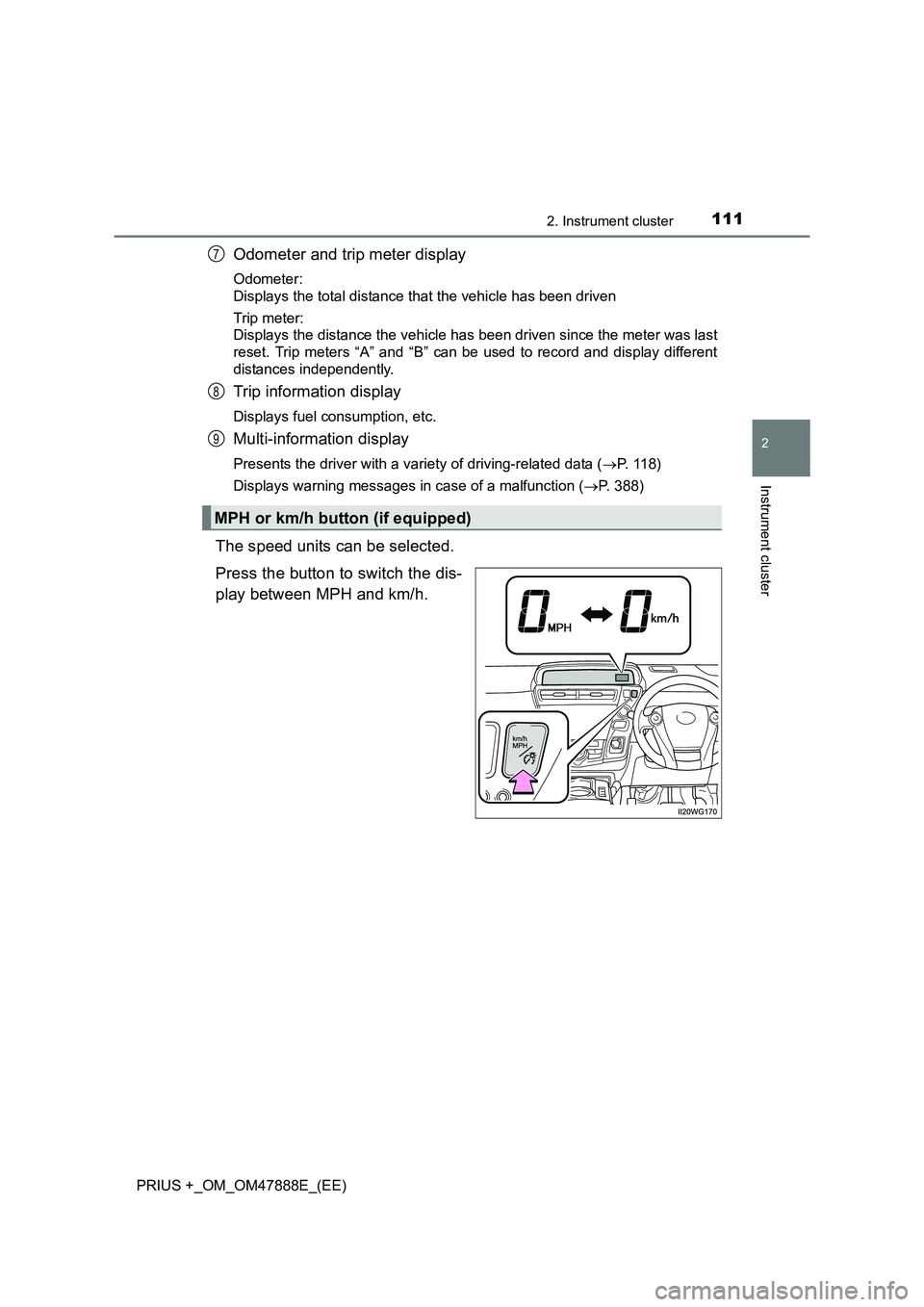
The speed units can be selected.
Press the button to switch the dis-
play between MPH and km/h.
MPH or km/h button (if equipped)
7
8
9
Page 117 of 496
1172. Instrument cluster
2
Instrument cluster
PRIUS +_OM_OM47888E_(EE)■
Remaining hybrid battery (tract ion battery) charge display
The charge amount of the hybrid battery (traction battery) is automatically
controlled by the hybrid system. For this reason, even if electricity is recov-
ered via the regenerative braking, or el ectricity is generated via the gasoline
engine, the displayed hybrid battery (traction battery) charge amount may not
reach the highest level (level 8). However, this does not indicate a malfunc-
tion.
■ Engine speed
On hybrid vehicles, engine speed is precisely controlled in order to help
improve fuel efficiency and reduce exhaust emissions etc.
■ Brightness of the instrument panel light
If the headlight switch is turned to ON while the surrounding area is dark, the
instrument cluster lights will dim.
■ When disconnecting and reconnect ing 12-volt battery terminals
The fuel consumption display and average vehicle speed will be reset.
NOTICE
■To prevent damage to the engine and its components
The engine may be overheating if the high coolant temperature warning
light comes on or flashes. In this case, immediately stop the vehicle in a
safe place, and check the engine after it has cooled completely. ( →P. 444)
■ The trip information display at low temperatures
Allow the interior of the vehicle to warm up before using the liquid crystal
information display. At extremely low temperatures, the information display
monitor may respond slowly, and display changes may be delayed.
Page 119 of 496
1192. Instrument cluster
2
Instrument cluster
PRIUS +_OM_OM47888E_(EE)
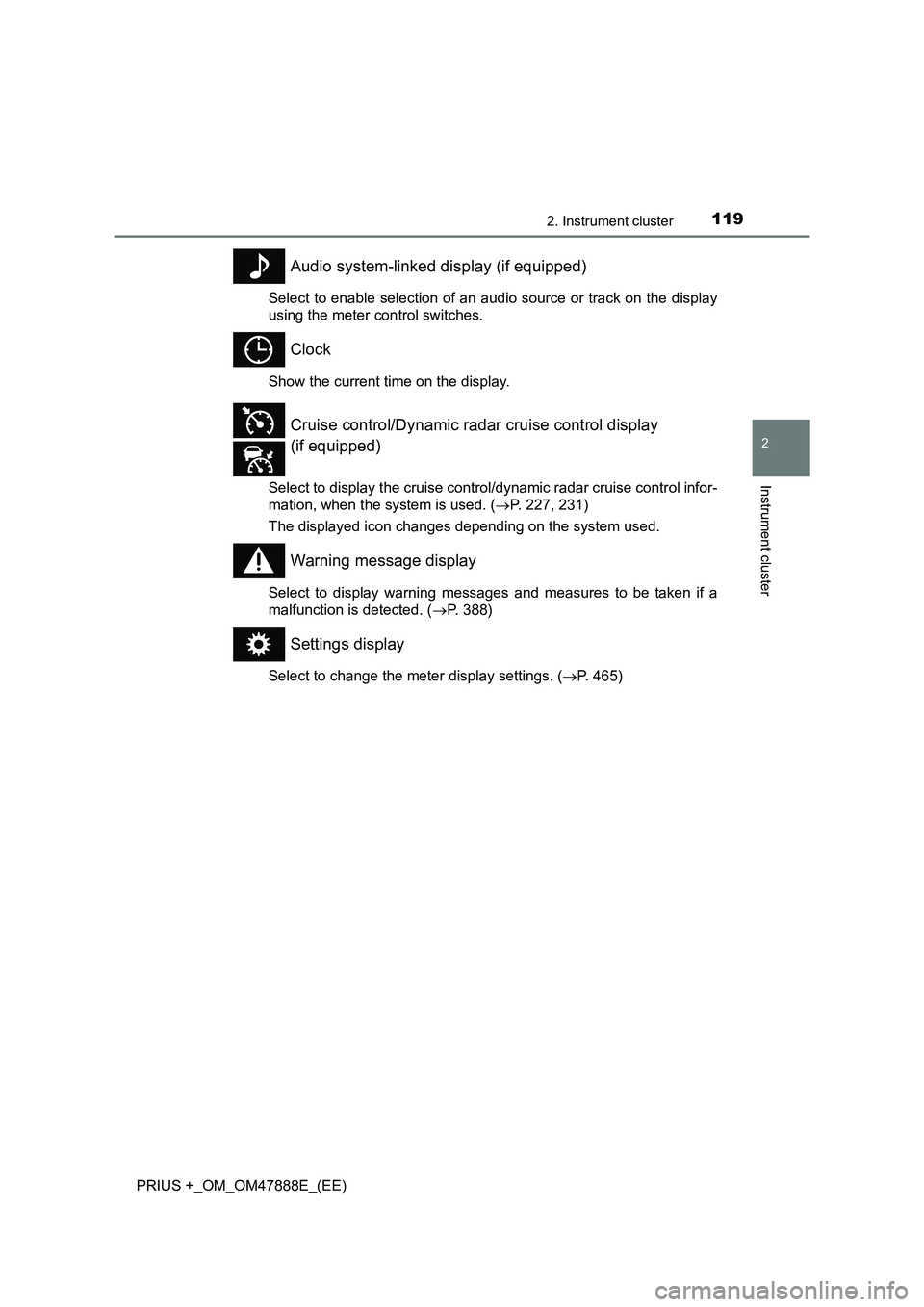
Audio system-linked display (if equipped)
Select to enable selection of an audio source or track on the display
using the meter control switches.
Clock
Show the current time on the display.
Select to display the cruise control/dynamic radar cruise control infor-
mation, when the system is used. (→P. 227, 231)
The displayed icon changes depending on the system used.
Warning message display
Select to display warning messages and measures to be taken if a
malfunction is detected. ( →P. 388)
Settings display
Select to change the meter display settings. ( →P. 465)
Cruise control/Dynamic radar cruise control display
(if equipped)
Page 127 of 496
1272. Instrument cluster
2
Instrument cluster
PRIUS +_OM_OM47888E_(EE)■
Head-up display contents
●
Vehicle speed
● Turn-by-turn navigation (if equipped)
Displays a notification of upcoming intersections during navigation sys-
tem route guidance. ( →P. 127)
● Approach warning display (dynamic radar cruise control) (if
equipped) ( →P. 389)
● Pre-crash warning message (pre-crash safety system) (if
equipped) ( →P. 389)
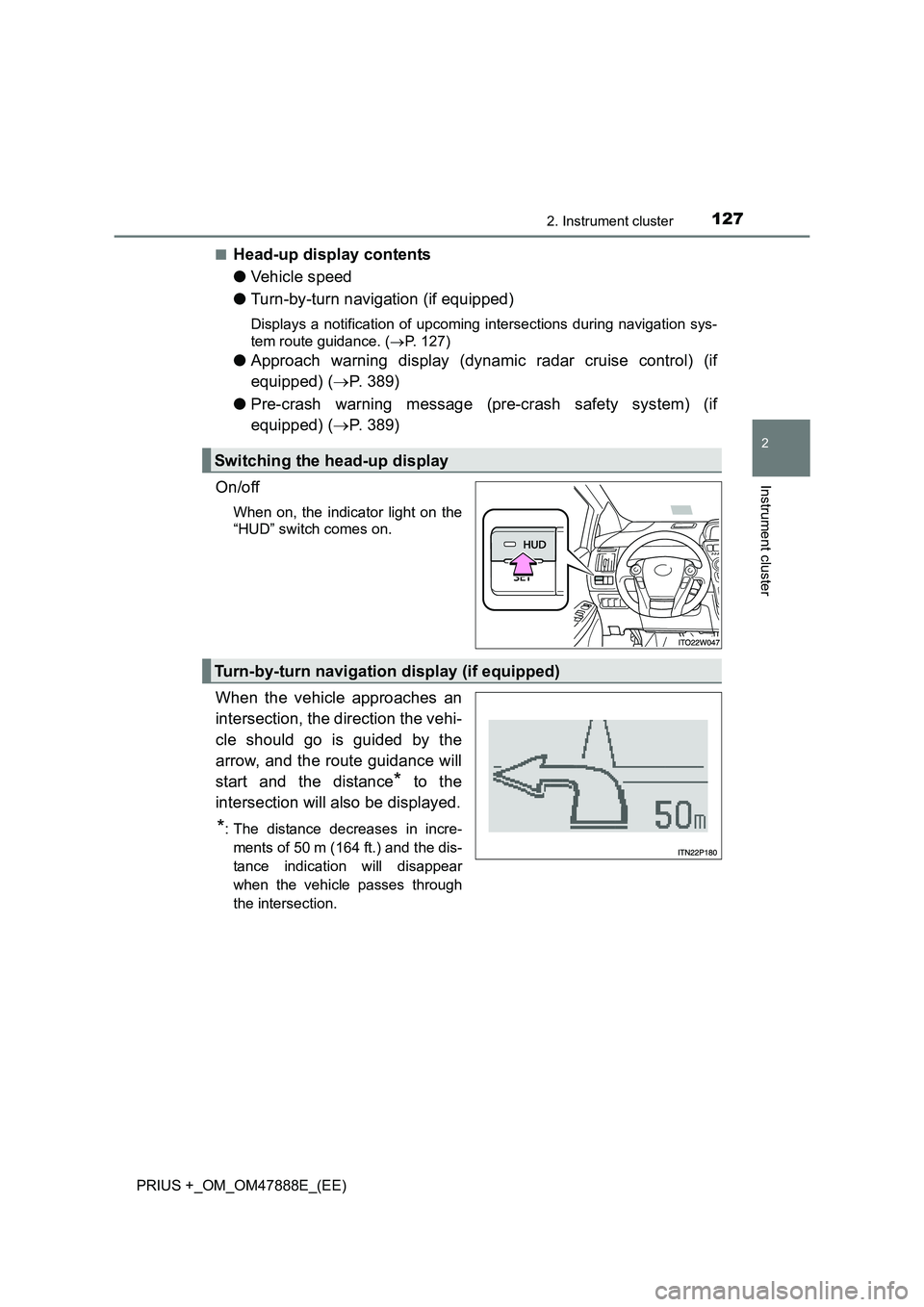
On/off
When on, the indicator light on the
“HUD” switch comes on.
When the vehicle approaches an
intersection, the direction the vehi-
cle should go is guided by the
arrow, and the route guidance will
start and the distance
* to the
intersection will also be displayed.
*: The distance decreases in incre- ments of 50 m (164 ft.) and the dis-
tance indication will disappear
when the vehicle passes through
the intersection.
Switching the head-up display
Turn-by-turn navigation display (if equipped)
Page 130 of 496
1302. Instrument cluster
PRIUS +_OM_OM47888E_(EE)
■System check display
After switching the power switch to ON mode, system operation is checked.
When the system check is complete, the normal screen will return.
■ When driving on snowy roads or in other bright environments
When the highest level of brightness has been reached, the display can be
made even brighter by pressing and holding “ ∧” on the brightness control but-
ton.
Pressing “ ∨” on the brightness control button or turning the power switch off
will cause the brightness level to revert to the original level.
■ Head-up display
●The head-up display may seem dark and hard to see when viewed through
sunglasses, especially polarized sunglasses.
Adjust the brightness of the head-up display or remove your sunglasses.
● When the head-up display is turned off, it will remain off even if the power
switch is turned to ON mode after the power switch has been turned off.
■ When the 12-volt battery is disconnected
The head-up display settings will be reset.
WARNING
■ Before using the head-up display
Check that the position and brightness of the head-up display image does
not interfere with safe driving. Incorrect adjustment of the image’s position
or brightness may obstruct the driver’s view and lead to an accident, result-
ing in death or serious injury.
NOTICE
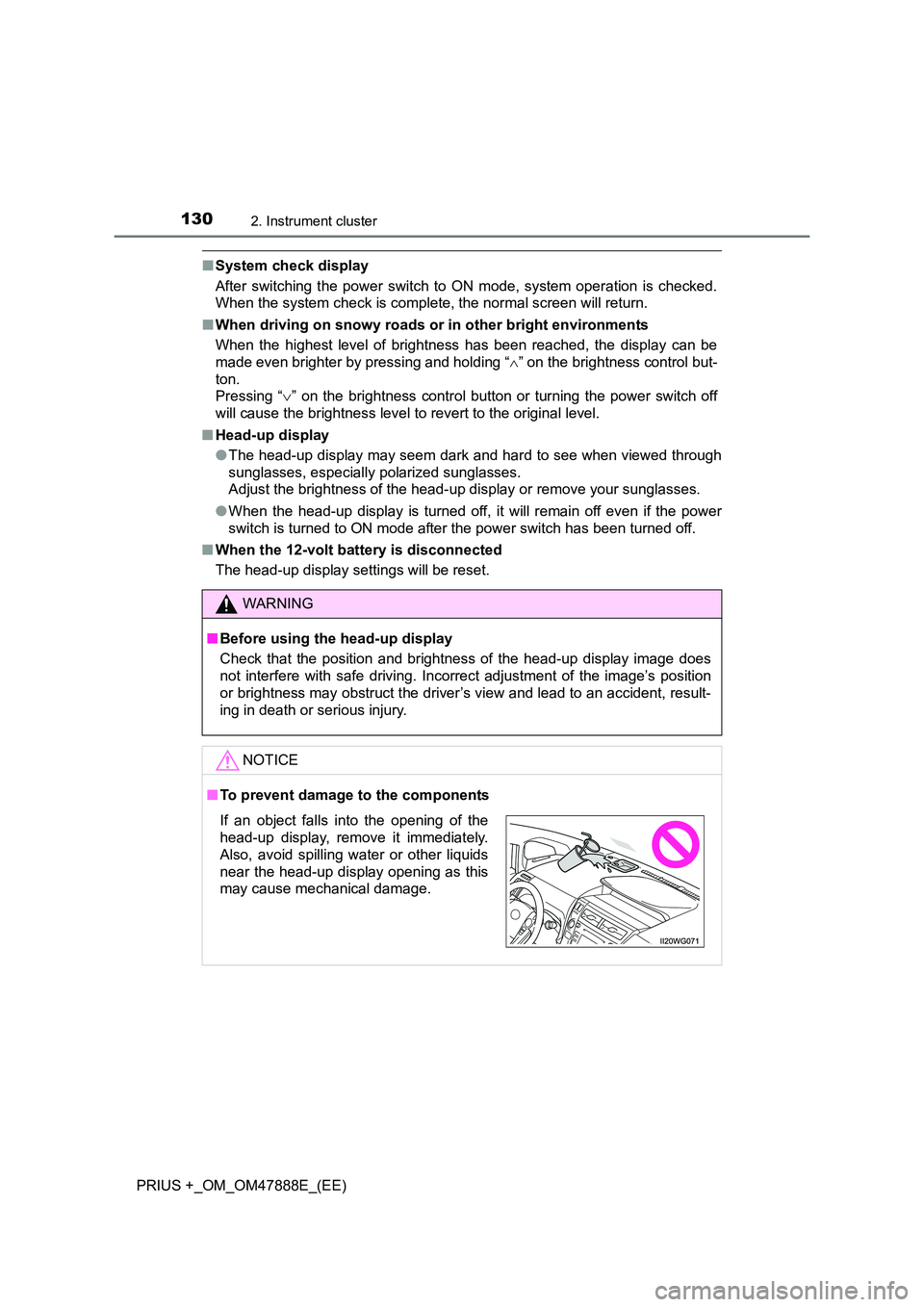
■To prevent damage to the components
If an object falls into the opening of the
head-up display, remove it immediately.
Also, avoid spilling water or other liquids
near the head-up display opening as this
may cause mechanical damage.
Page 145 of 496
1453-2. Opening, closing and locking the doors
3
Operation of each component
PRIUS +_OM_OM47888E_(EE)
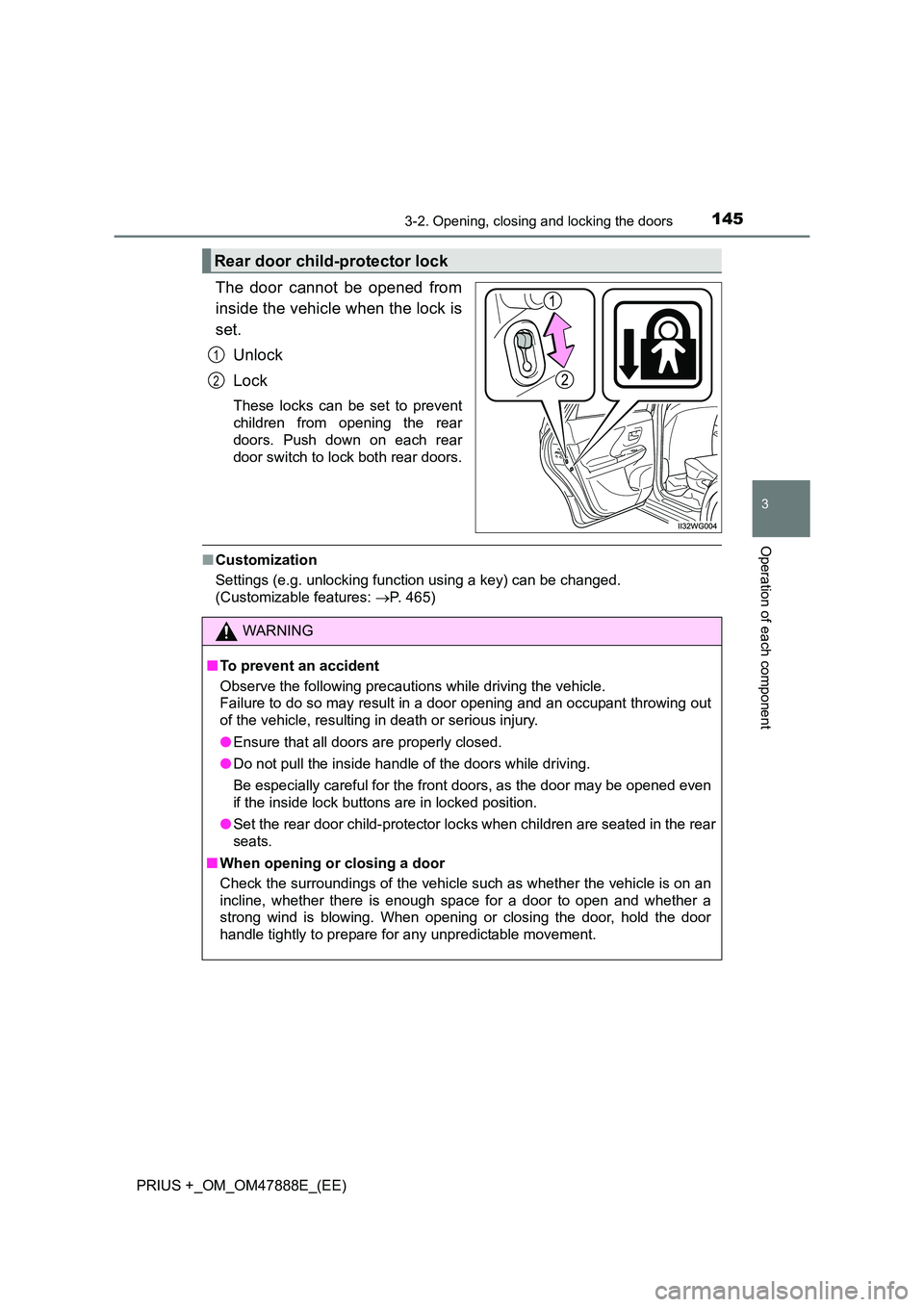
The door cannot be opened from
inside the vehicle when the lock is
set.Unlock
Lock
These locks can be set to prevent
children from opening the rear
doors. Push down on each rear
door switch to lock both rear doors.
■Customization
Settings (e.g. unlocking function using a key) can be changed.
(Customizable features: →P. 465)
Rear door child-protector lock
1
2
WARNING
■ To prevent an accident
Observe the following precautions while driving the vehicle.
Failure to do so may result in a door opening and an occupant throwing out
of the vehicle, resulting in death or serious injury.
●Ensure that all doors are properly closed.
● Do not pull the inside handle of the doors while driving.
Be especially careful for the front doors, as the door may be opened even
if the inside lock buttons are in locked position.
● Set the rear door child-protector loc ks when children are seated in the rear
seats.
■ When opening or closing a door
Check the surroundings of the vehicle such as whether the vehicle is on an
incline, whether there is enough space for a door to open and whether a
strong wind is blowing. When opening or closing the door, hold the door
handle tightly to prepare for any unpredictable movement.