door lock TOYOTA PRIUS PLUS 2017 User Guide
[x] Cancel search | Manufacturer: TOYOTA, Model Year: 2017, Model line: PRIUS PLUS, Model: TOYOTA PRIUS PLUS 2017Pages: 509, PDF Size: 27.68 MB
Page 58 of 509
581-1. For safe use
PRIUS +_OM_OM47B24E_(EE)
Safety infor mation for children
●It is recommended that children sit in the rear seats to avoid acci-
dental contact with the shift lever, wiper switch etc.
● Use the rear door child-protector lock or the window lock switch to
avoid children opening the door while driving or operating the
power window accidentally. ( →P. 147, 191)
● Do not let small children operate equipment which may catch or
pinch body parts, such as the power window, hood, back door,
seats etc.
Observe the following precautions when children are in the vehi-
cle.
Use a child restraint system appropriate for the child, until the
child becomes large enough to properly wear the vehicle’s seat
belt.
WARNING
Never leave children unattended in the vehicle, and never allow children to
have or use the key.
Children may be able to start the vehicle or shift the vehicle into neutral.
There is also a danger that children may injure themselves by playing with
the windows or other features of the vehicle. In addition, heat build-up or
extremely cold temperatures inside the vehicle can be fatal to children.
Page 97 of 509
97
1
1-3. Theft deterrent system
PRIUS +_OM_OM47B24E_(EE)
For safety and security
Double locking system∗
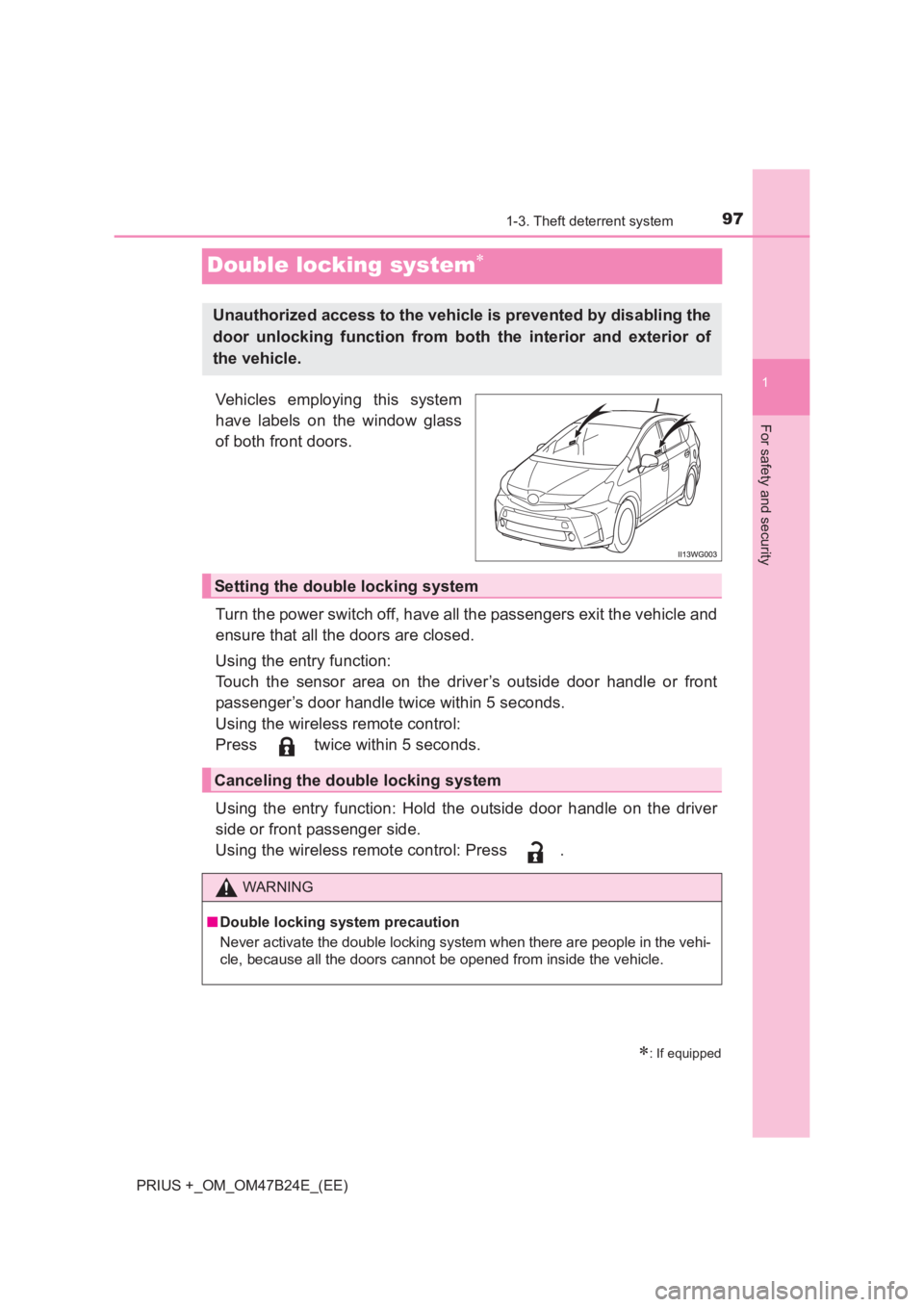
Vehicles employing this system
have labels on the window glass
of both front doors.
Turn the power switch off, have all the passengers exit the vehicle and
ensure that all the doors are closed.
Using the entry function:
Touch the sensor area on the driver’s outside door handle or front
passenger’s door handle twice within 5 seconds.
Using the wireless remote control:
Press twice within 5 seconds.
Using the entry function: Hold the outside door handle on the driver
side or front passenger side.
Using the wireless remote control: Press .
∗: If equipped
Unauthorized access to the vehicle is prevented by disabling the
door unlocking function from both the interior and exterior of
the vehicle.
Setting the double locking system
Canceling the double locking system
WARNING
■ Double locking system precaution
Never activate the double locking system when there are people in the vehi-
cle, because all the doors cannot be opened from inside the vehicle.
Page 98 of 509
981-3. Theft deterrent system
PRIUS +_OM_OM47B24E_(EE)
Alar m∗
The alarm uses light and sound to give an alert when an intrusion is
detected.
The alarm is triggered in the following situations when the alarm is
set:
●A locked door or back door is unlocked or opened in any way other
than using the entry function or wireless remote control.
● The hood is opened.
● The quarter windows or back door window are tapped or broken. (if
equipped)
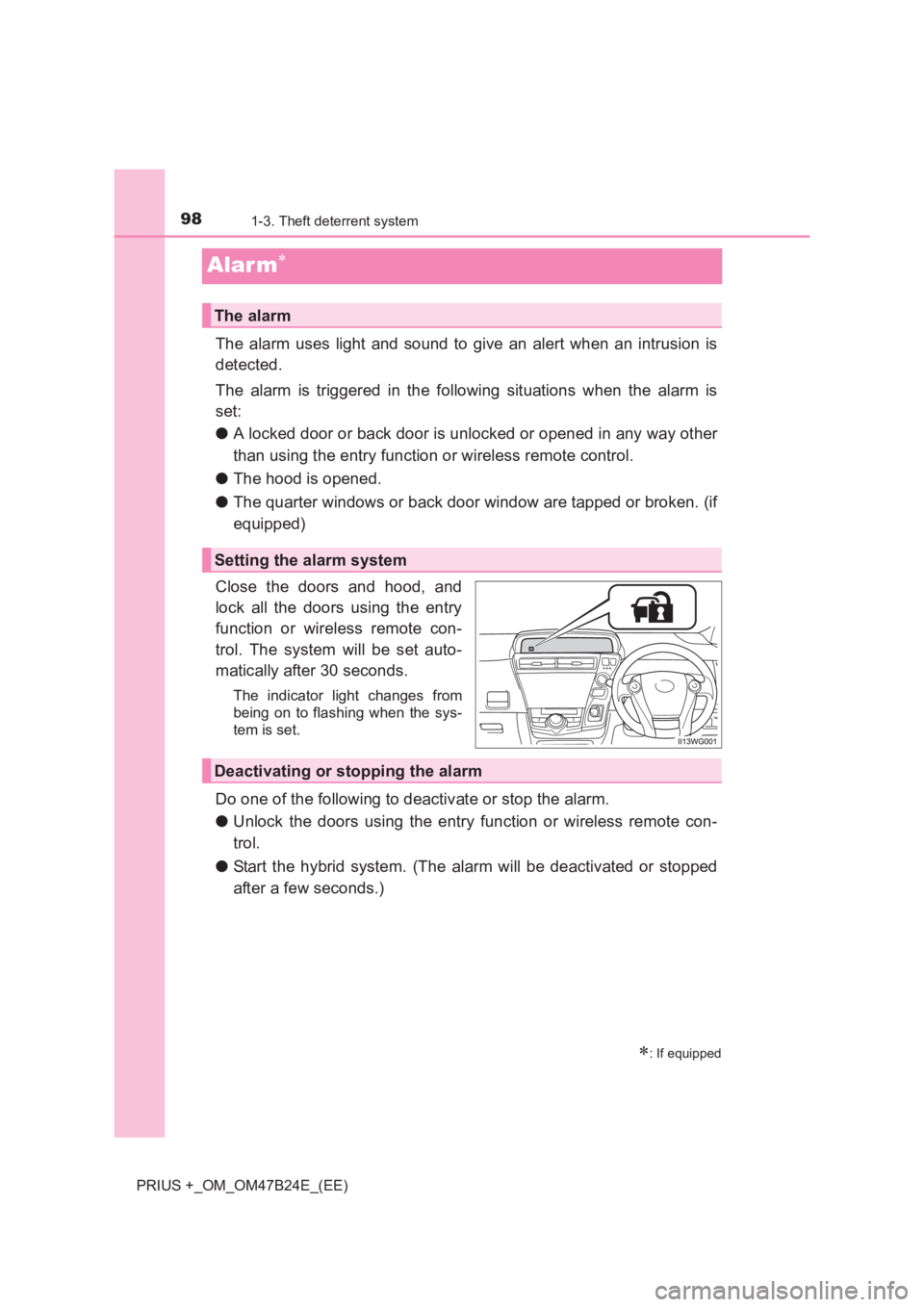
Close the doors and hood, and
lock all the doors using the entry
function or wireless remote con-
trol. The system will be set auto-
matically after 30 seconds.
The indicator light changes from
being on to flashing when the sys-
tem is set.
Do one of the following to deactivate or stop the alarm.
● Unlock the doors using the entry function or wireless remote con-
trol.
● Start the hybrid system. (The alarm will be deactivated or stopped
after a few seconds.)
∗: If equipped
The alarm
Setting the alarm system
Deactivating or stopping the alarm
Page 99 of 509
991-3. Theft deterrent system
1
PRIUS +_OM_OM47B24E_(EE)
For safety and security
■System maintenance
The vehicle has a maintenance-free type alarm system.
■ Items to check before locking the vehicle
To prevent unexpected triggering of the alarm and vehicle theft, make sure of
the following.
● Nobody is in the vehicle.
● The windows is closed before the alarm is set.
● No valuables or other personal items are left in the vehicle.
■ Triggering of the alarm
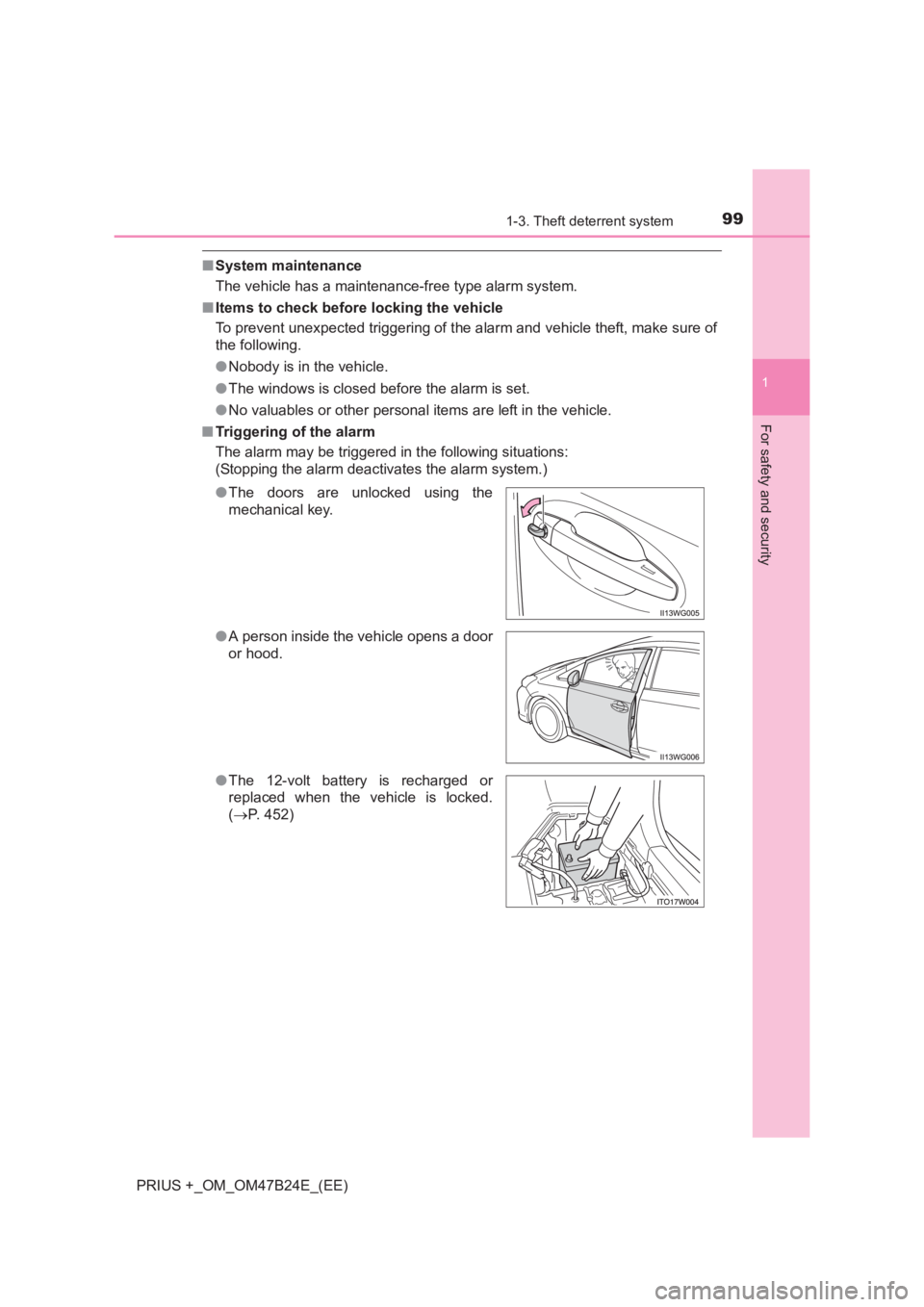
The alarm may be triggered in the following situations:
(Stopping the alarm deactivates the alarm system.)
●The doors are unlocked using the
mechanical key.
● A person inside the vehicle opens a door
or hood.
● The 12-volt battery is recharged or
replaced when the vehicle is locked.
(→ P. 452)
Page 100 of 509
1001-3. Theft deterrent system
PRIUS +_OM_OM47B24E_(EE)■
Alarm-operated door lock
In the following cases, depending on the situation, the door may automatically
lock to prevent improper entry into the vehicle:
●When a person remaining in the vehicle unlocks the door and the alarm is
activated.
● While the alarm is activated, a person remaining in the vehicle unlocks the
door.
● When recharging or replacing the 12-volt battery.
■ Customization
The alarm can be set to deactivate when the mechanical key is used to
unlock. (Customizable features: →P. 477)
NOTICE
■ To ensure the system operates correctly
Do not modify or remove the system. If modified or removed, the proper
operation of the system cannot be guaranteed.
Page 102 of 509
1021-3. Theft deterrent system
PRIUS +_OM_OM47B24E_(EE)
■Canceling and automatic re-enabling of the intrusion sensor
●The alarm will still be set even when the intrusion sensor are canceled.
● After the intrusion sensor are canc eled, pressing the power switch or
unlocking the doors using the entry function or wireless remote control will
re-enable the intrusion sensor.
● The intrusion sensor will automatically be re-enabled when the alarm sys-
tem is deactivated.
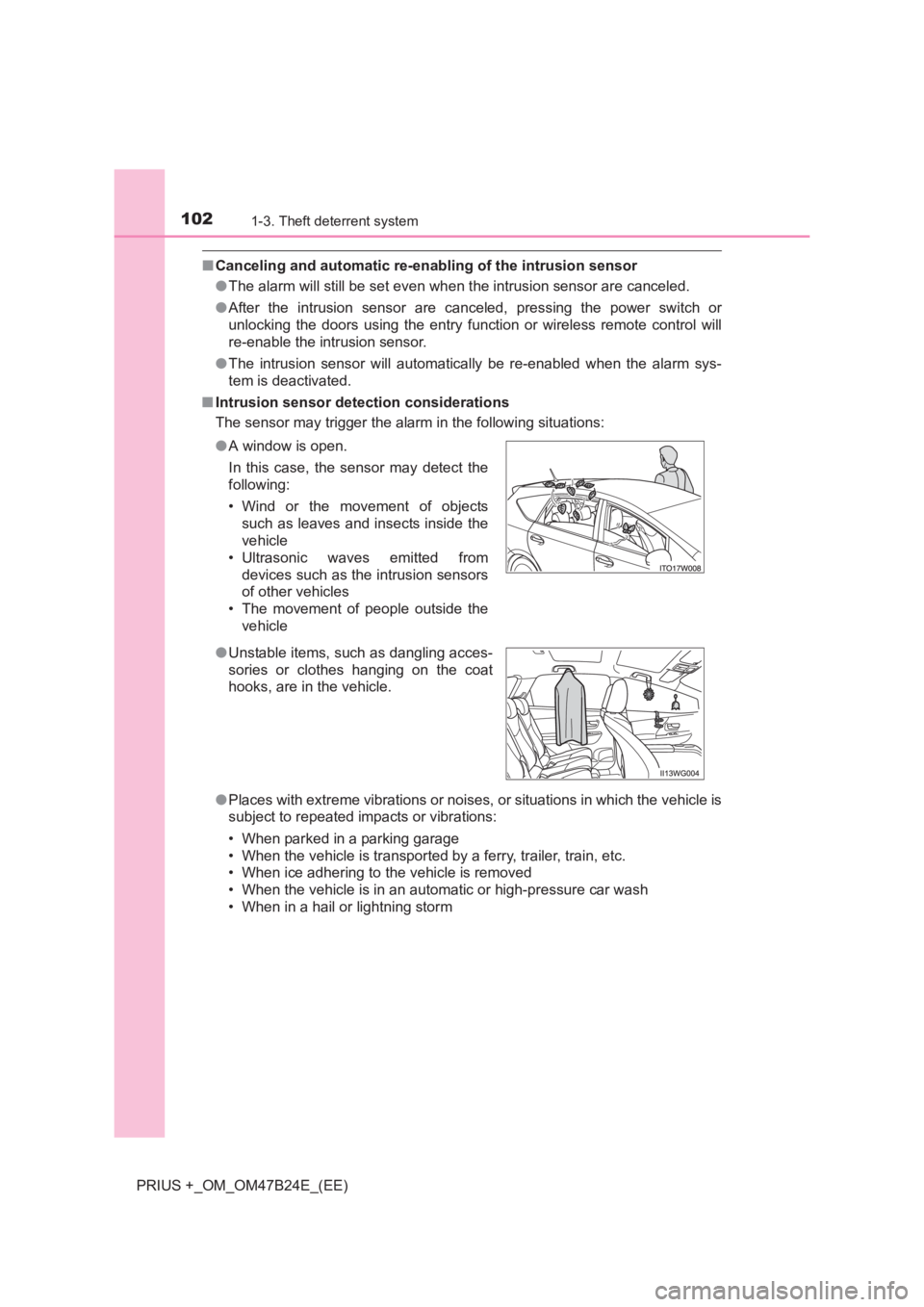
■ Intrusion sensor detection considerations
The sensor may trigger the alar m in the following situations:
● Places with extreme vibrations or noises, or situations in which the vehicle is
subject to repeated impacts or vibrations:
• When parked in a parking garage
• When the vehicle is transported by a ferry, trailer, train, etc.
• When ice adhering to the vehicle is removed
• When the vehicle is in an automatic or high-pressure car wash
• When in a hail or lightning storm
●
A window is open.
In this case, the sensor may detect the
following:
• Wind or the movement of objects
such as leaves and insects inside the
vehicle
• Ultrasonic waves emitted from devices such as the intrusion sensors
of other vehicles
• The movement of people outside the vehicle
● Unstable items, such as dangling acces-
sories or clothes hanging on the coat
hooks, are in the vehicle.
Page 139 of 509
139
3
Operation of
each component
PRIUS +_OM_OM47B24E_(EE) 3-1. Key information
Keys ................................... 140
3-2. Opening, closing and locking the doors
Side doors.......................... 144
Back door...........................148
Smart entry & start system ............................. 153
3-3. Adjusting the seats Front seats ......................... 170
Second seats .....................174
Third seats ......................... 179
Head restraints .................. 182
3-4. Adjusting the steering wheel and mirrors
Steering wheel ................... 185
Inside rear view mirror ....... 187
Outside rear view mirrors ............................. 189
3-5. Opening and closing the windows
Power windows .................. 191
Page 140 of 509
1403-1. Key information
PRIUS +_OM_OM47B24E_(EE)
Keys
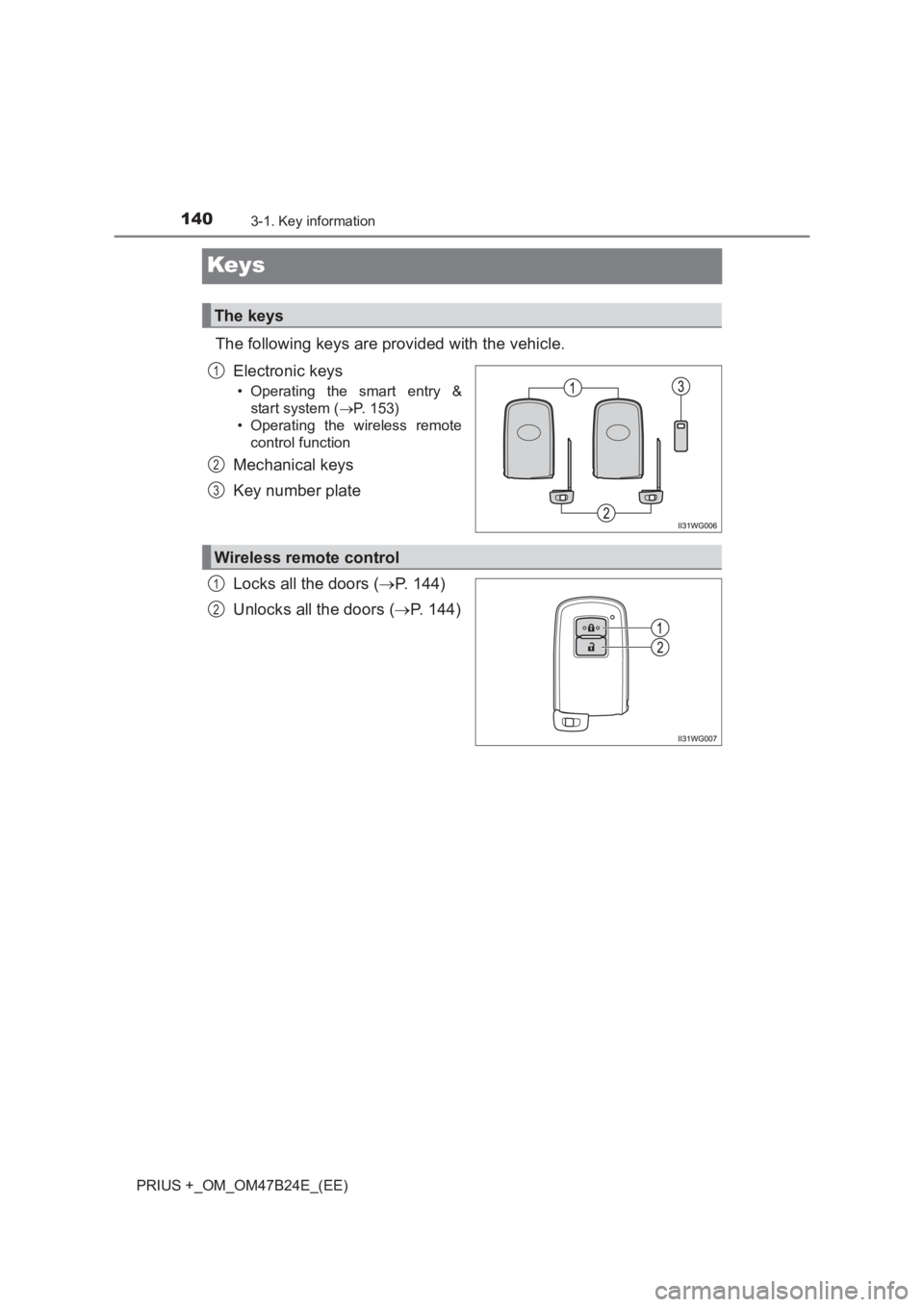
The following keys are provided with the vehicle.Electronic keys
• Operating the smart entry &start system ( →P. 153)
• Operating the wireless remote
control function
Mechanical keys
Key number plate
Locks all the doors ( →P. 144)
Unlocks all the doors ( →P. 144)
The keys
1
2
3
Wireless remote control
1
2
Page 144 of 509
1443-2. Opening, closing and locking the doors
PRIUS +_OM_OM47B24E_(EE)
Side doors
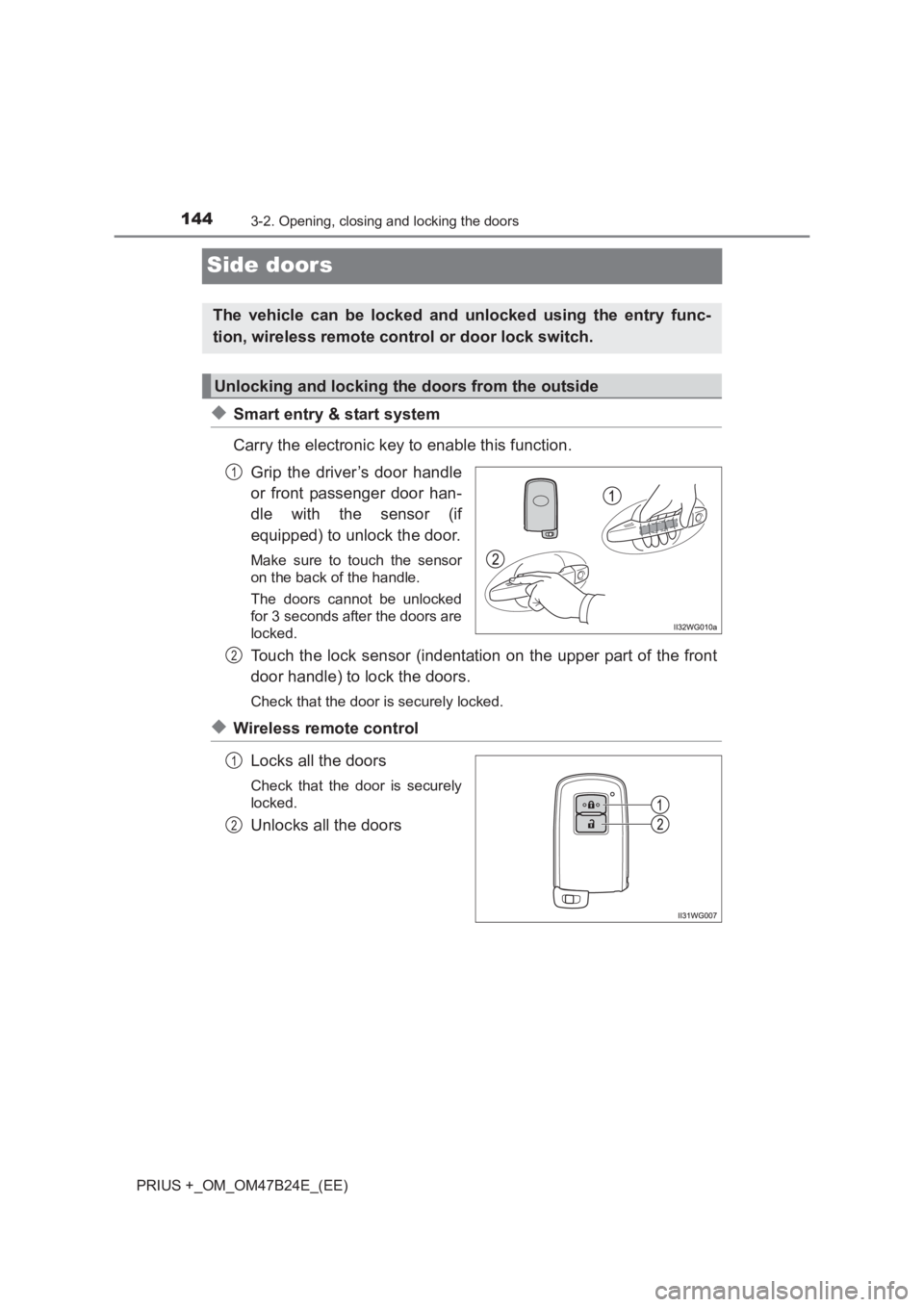
◆Smart entry & start system
Carry the electronic key to enable this function.Grip the driver’s door handle
or front passenger door han-
dle with the sensor (if
equipped) to unlock the door.
Make sure to touch the sensor
on the back of the handle.
The doors cannot be unlocked
for 3 seconds after the doors are
locked.
Touch the lock sensor (indentation on the upper part of the front
door handle) to lock the doors.
Check that the door is securely locked.
◆Wireless remote control
Locks all the doors
Check that the door is securely
locked.
Unlocks all the doors
The vehicle can be locked and unlocked using the entry func-
tion, wireless remote control or door lock switch.
Unlocking and locking the doors from the outside
1
2
1
2
Page 145 of 509
1453-2. Opening, closing and locking the doors
3
Operation of each component
PRIUS +_OM_OM47B24E_(EE)
■Operation signals
The emergency flashers flash to indicate that the doors have been locked/
unlocked. (Locked: Once; Unlocked: Twice)
■ Security feature
If a door is not opened within approximately 30 seconds after the vehicle is
unlocked, the security feature automatically locks the vehicle again.
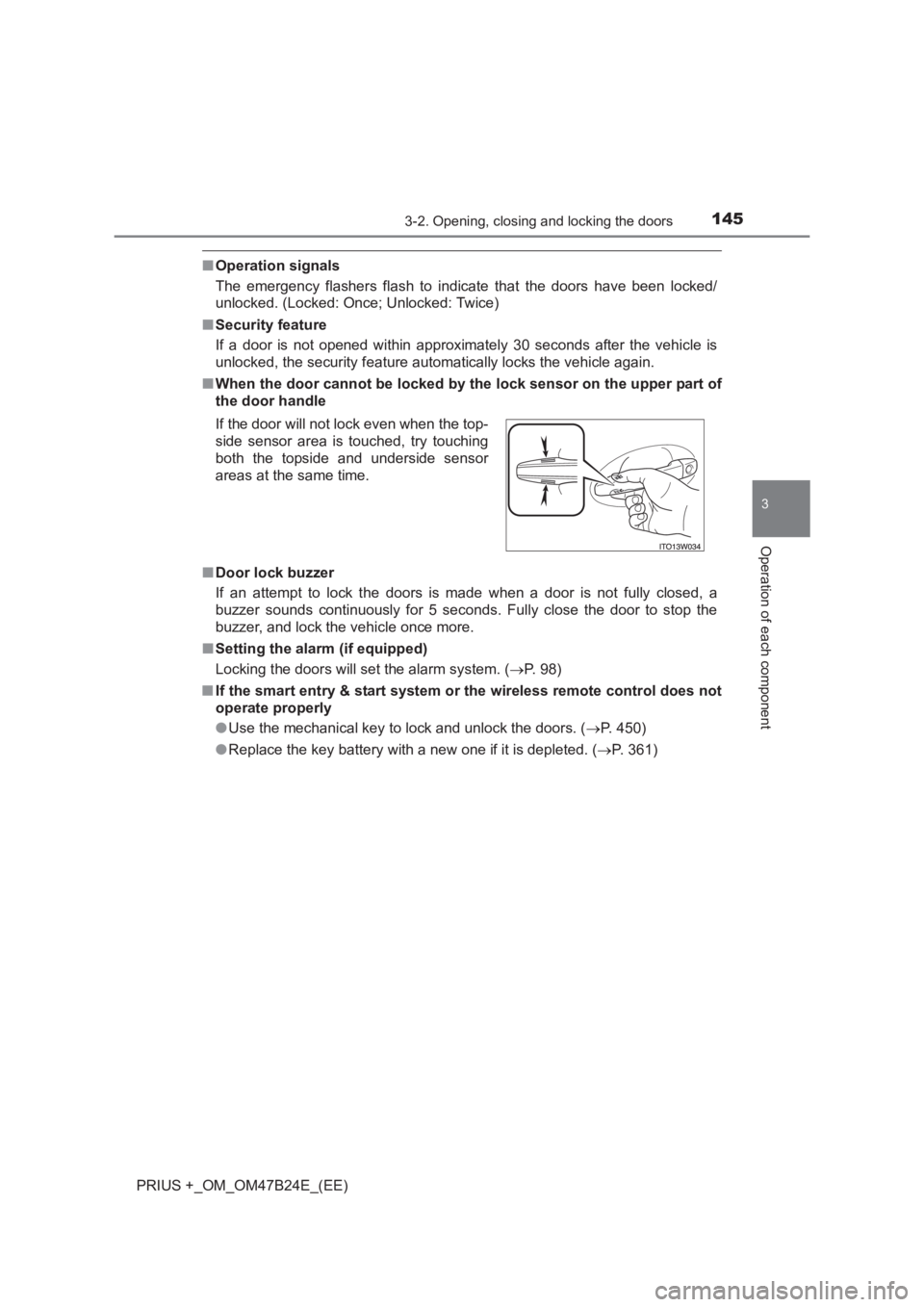
■ When the door cannot be locked by the lock sensor on the upper part of
the door handle
■ Door lock buzzer
If an attempt to lock the doors is made when a door is not fully closed, a
buzzer sounds continuously for 5 seconds. Fully close the door to stop the
buzzer, and lock the vehicle once more.
■ Setting the alarm (if equipped)
Locking the doors will set the alarm system. ( →P. 98)
■ If the smart entry & start system or the wireless remote control does not
operate properly
● Use the mechanical key to lock and unlock the doors. ( →P. 450)
● Replace the key battery with a new one if it is depleted. ( →P. 361)
If the door will not lock even when the top-
side sensor area is touched, try touching
both the topside and underside sensor
areas at the same time.